 MetaTrader 5
 エキスパート
 インディケータ
 ライブラリ
ライブラリ
 ユーティリティ
 ウィジェット
 ルール
ルール
YouTubeにあるマーケットチュートリアルビデオをご覧ください
ロボットや指標を購入する
仮想ホスティングで
EAを実行
EAを実行
ロボットや指標を購入前にテストする
マーケットで収入を得る
販売のためにプロダクトをプレゼンテーションする方法
MetaTrader 4版新取引ユーティリティ
 以下はMetaTrader4での外国替取引を簡素化する取引プログラムです。以下のリストのユーティリティにカーソルを合わせて、説明と目的をご覧ください。
エントリーも、決済も、やり方も、あなた次第。 Stopline Trade Manager EZ は、エントリーを自分で選び、すべての注文を自分で決めたリスクと自分で置いたストップに基づいてサイズ決定したいトレーダー向けのコンパクトなトレードパネルです。ストップラインを、ストップを置きたい位置へドラッグしてください。ドラッグ中もロット、リスク金額、リスクリワード比が更新されます。「買い」または「売り」を押すか、エントリーラインを現在価格から離すと、注文はストップ注文またはリミット注文になります。エントリー後も、すべての操作をあなたの手で、ワンクリックずつ行います。 無料デモはストラテジーテスターでのみ動作し、パネルは表示されますがマウスクリックはパネルに渡されません。 取引の計画と発注 リスクとストップまでの距離からロットサイズを算出。リスクの基準は 9 種類:固定金額、または残高、有効証拠金、余剰証拠金、その他ご指定の基準に対する割合。 ポジションサイズは口座で実際に計上されるティック価値から計算し、リスクを超える方向へ丸めることはありません。 リスクリワード比の固定:ストップを動か
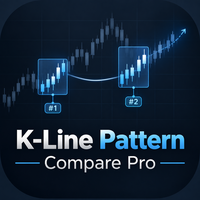
KLineComparePro — 過去のKラインパターン検索とその後の値動き分析 分析したいKラインの範囲を選択し、最新のKラインの一部を 実際の答えとなる検証エリア としてあらかじめ残しておきます。この検証エリアは最初の検索には使用されません。 EAは過去の相場データから、選択したKラインの値動きに類似したパターンを検索し、類似度に基づいて結果を表示します。 検索結果をクリックして該当する過去のチャートを確認したり、検索結果を 現在選択している範囲の右側に接続 したりすることができます。 接続すると、EAは検索された過去のパターンの後に実際に発生した値動きをもとに、 参考用の予測Kライン を描画します。 その後、描画された予測と、あらかじめ残しておいた 実際のKライン を比較することで、過去の類似パターンが現在の相場でどの程度参考になるかを確認できます。 主な機能: 現在形成されているKラインパターンを選択 過去の類似した値動きを検索 類似パターン後の実際の値動きを確認 過去の値動きを現在のチャート右側に表示 予測と実際の値動きを比較 より類似した過去のケースを選択 過去の事例を今
FREE

Tandem は MetaTrader 用のローカル・トレードコピーツールです。同じパソコンや VPS で動いている端末どうしで取引をコピーします。MT4 から MT4、MT4 から MT5、MT5 から MT5、そして MT5 から MT4 にも対応しています。プラットフォームごとに一つずつバージョンがあり、両者は連携して動きます。 マスター側とスレーブ側を一つのエキスパートアドバイザーにまとめました。各端末のチャートに設定し、取引する口座では MASTER をクリック、それに追従させる口座は SLAVE のままにしておきます。チャンネル番号がそろっていれば、スレーブは通常 1 秒もかからずにマスターの取引を拾います。やり取りは端末の共通フォルダにある小さなファイルを通して行うので、DLL もサーバーも Windows 側の設定も要りません。各端末でアルゴリズム取引を許可し、すべての端末を同じ Windows ユーザーで動かしてください。 コピーされるのは、成行ポジションと待機注文、そのストップロスとテイクプロフィット、後から行ったストップや待機注文価格の変更、部分決済と全決済です。
FREE

ATC Candle Timerは、現在のローソク足の残り時間と主要なシンボル情報を1つの小さなパネルに表示します。
このツールは、ポジションツール、トレード管理、パフォーマンス分析とともに、 All In One Trade Management Panel MT4 の一部でもあります。
ローソク足タイマー: チャートのタイムフレームまたは選択した任意のタイムフレーム(週足・月足を含む)のローソク足確定までのカウントダウン。
ローソク足がどれだけ経過したかを示すプログレスバー。
現在のローソク足の横に表示されるオプションのカウントダウンラベル。パネルのボタンでオン/オフを切り替え。
ローソク足確定の設定秒数前にオプションのアラート。 シンボル情報: ポイントとピップスでのスプレッド。
ピップスでの今日のレンジ。
選択した日数における平均日足レンジ(ADR)。今日のレンジをその割合として表示:75%未満は緑、75%からは琥珀色、100%からは赤。
ロングとショートのスワップ。
ブローカーのサーバー時間、およびオプションでお使いのコンピュータのローカル時間。 入力: カ
FREE

ATC Currency Strength Meterは、USD、EUR、GBP、JPY、AUD、NZD、CAD、CHFを1つのパネルで測定し、最強から最弱へとランク付けします。 このツールは、ポジションツール、トレード管理、パフォーマンス分析とともに、 All In One Trade Management Panel MT4 の一部でもあります。 計算方法: 強さは、選択したローソク足の始値からの変化率で、7つの主要USDペアから取得されます。
USDの強さは、他の通貨の対USD変動の平均です。
ブローカーのシンボルサフィックス(例:EURUSD.m)は自動的に検出されます。 主な機能: M15、H1、H4、D1、W1のタイムフレームボタン。選択したタイムフレームはチャートごとに記憶されます。
中央揃えのバー付きのランク付けされた行:利益は右に緑、損失は左に赤、値はパーセントで表示。
最強対最弱:トップとボトムの通貨で作られたペア。ブローカーがそのシンボルを提供している場合、それ自身の変化率とともに表示されます。
毎秒更新。 入力: N本前のローソク足の始値から測定(デフ
FREE

ATC Trading Sessionsは、シドニー、東京、ロンドン、ニューヨークのセッションを、各セッションの高値と安値をカバーするボックスとしてチャートに描画し、各市場のライブステータスを表示する小さなパネルを追加します。 セッション時間は各市場自身の現地時間で設定され、ヨーロッパ、アメリカ、オーストラリアの夏時間が自動的に適用されます。ブローカーがどのタイムゾーンを使用していても、ボックスは一年中正しいままです。
このツールは、ポジションツール、トレード管理、パフォーマンス分析とともに、 All In One Trade Management Panel MT4 の一部でもあります。 主な機能: セッション高値からセッション安値までのセッションボックス、各ボックスに名前とピップスでの範囲を表示。
開いているセッションのボックスは、価格が新高値または新安値を作るにつれて成長します。
各セッションが開いているか閉じているか、閉じるか開くまでの時間、開いているセッションの範囲を表示するパネル。
各セッションのON/OFFスイッチ。選択はチャートごとに記憶されます。
各セッショ
FREE

ATC Alert Managerは、チャート上で直接価格アラームを設定し、1つの小さなパネルから管理できるようにします。各アラームはチャート上の線として表示され、新しい価格にドラッグできます。 アラームは、価格があなたのレベルを横切った瞬間に一度だけ発火し、ポップアップアラート、サウンド、そして携帯電話へのオプションのプッシュ通知が伴います。すでにレベルを超えている価格はそれをトリガーしないので、毎ティックで繰り返しアラートを受け取ることはありません。
このツールは、ポジションツール、トレード管理、パフォーマンス分析とともに、 All In One Trade Management Panel MT4 の一部でもあります。 主な機能: ワンクリックでアラームを追加します。価格フィールドは現在の価格から始まり、方向を選択します:AboveまたはBelow。
任意のアラームにメモを追加します。例えば「ロンドン高値」。メモはアラートメッセージに含まれます。
各アラームは、チャートの右側に価格ラベルが付いた線として描画されます。ラベルをドラッグして価格を変更すると、アラームは新しいレベ
FREE

たった一日の失敗で口座を終わらせてはいけません。 Account Guardianは口座全体のシートベルトです。損失上限を一度設定すれば、有効証拠金がいずれかに達したときにすべてを決済し、口座をノーポジションに保ちます。EAが誤作動しても、手動取引が失敗しても、あなたが寝ていても。 選ばれる理由 口座全体を保護。 チャート1枚ではなく、すべてのEA、すべての手動取引、すべての待機注文、すべての銘柄。 プロップファームと同じ日次損失・最大損失の上限。 ラインの手前で作動するバッファ付き。金額での上限、追従する下限、利益ロックも任意で設定可能。 再起動しても有効。 再接続、ターミナル再起動、再設置の後も作動状態は維持されます。 安心して試せます。 初期状態は監視モードで、決済を有効にするまでは「作動する予定」のログを出すだけです。 リアル口座で新規注文は一切しません。 決済するだけです。 週末クローズ(任意、バージョン1.02)。 金曜の指定時刻から月曜サーバー時刻00:00までノーポジションを保ち、週末のギャップが保有ポジションに当たりません。その後は自動で再開します。 こんな方に: 日

このアシスタントツールの利点 1 - 目標とする利益額(ドル)に達した時点で、すべてのポジションを決済します。 2 - 希望する価格で、ポジションの利食い(テイクプロフィット)レベルを瞬時に設定します。 3 - トレイリング・ブレークイーブン機能。 4 - ワンクリックですべての利食い設定を解除します。 5 - ワンクリックですべての損切り(ストップロス)注文を解除します。 6 - ワンクリックで、すべてのポジションをブレークイーブン(収支トントン)の状態に設定します。 7 - ワンクリックですべてのポジションを決済します。 8 - モニター上のスペースをほとんど取りません。 9 – ブレークイーブン価格を自動計算し、チャート上に表示します。 10 – アシスタントボックスに重要かつ有用な情報を表示します。 アシスタントボックスに口座の利益額を表示 アシスタントボックスに売りポジションの合計ロット数を表示 アシスタントボックスに買いポジションの合計ロット数を表示
各機能の詳細
1 - 目標とする利益額(ドル)に達した時点で、すべてのポジションを決済します。 ( 詳細はスクリー

スムーズな動作、簡単な操作、直感的な使用を実現するために設計された軽量の貿易アシスタント。 重くて複雑すぎるトレードアシスタントとは異なり、Easy Managerは不要な遅延や煩雑さを排除し、軽量かつ応答性の高い設計となっています。機能の数で勝負するのではなく、最も便利なトレード管理ツールをシンプルで使いやすいインターフェースに統合することに重点を置いています。 Easy Managerはあらゆるユーザーに適しています。経験豊富なトレーダーでさえ、効率的に実装されたリスク管理機能と、不要な機能でパネルが煩雑にならない点を高く評価しています。 技術的特徴 ポジションオープナー チャートから直接、新しいトレード設定を作成・管理します。 売買取引の選択 区画サイズ調整可能 手動入力、ストップロス、テイクプロフィットレベル ATRベースの取引執行 口座残高に基づくリスク計算 リスクは金額とパーセンテージで表示されます。 トレーリングストップロス機能 ポジション間のストップロス同期 パネルから直接注文を執行する 貿易プランナー 取引実行前に取引計画を立てるために使用されます。 取引の方向性を定
FREE

SAYON Trade Copier copies trades between MetaTrader accounts on the same computer or VPS: MT5 → MT5, MT4 → MT4, MT4 → MT5 and MT5 → MT4 .
One single EA for both roles: set it as Master on the account that sends the trades and as Slave on the accounts that copy them. You can switch role from the panel. FREE and complete. Every feature is included, with no limits on symbols or time.
To copy to or from MT5 accounts you also need SAYON Trade Copier MT5 on the MT5 terminals. Fast and reliable: the co
FREE

リスクと損切り(ストップロス)を設定し、取引を実行しましょう。 「NOMO Risk Executor」は、事前に設定したリスクに基づいてポジションサイズを自動化する、シンプルかつ高精度な取引ツールです。許容できるリスク額と損切り価格を入力するだけで、ツールが適切なロットサイズを計算し、自動的に注文を執行します。 主な機能: リスクを金額(ドル)またはパーセンテージで設定可能 ロットサイズの自動計算 損切り価格に基づいたリスク管理 買い(BUY)および売り(SELL)の注文に対応 ️ 素早くシンプルな取引執行 面倒なロットサイズの計算は不要 FX、金(ゴールド)、株価指数、その他対応CFD銘柄で利用可能 すっきりとシンプルなインターフェース

Copy Dog AI Trades Copier MT4 Copy Dog AI Trades Copier copies trades between MetaTrader accounts and lets you set the copying rules by talking in your language, or by typing your copying commands and account management on the chart panel in MT4 or MT5. Write or say what you want in plain words, for example: "Copy only gold from now on, half the sender's lot size, and trail each copy 200 points behind the price." Google Gemini turns your words into rules, explains them back to you in plain words
FREE

StatsBoard — Account P&L Statistics Board StatsBoard is a lightweight MT4 indicator that turns your entire trading history into a clear, on-chart statistics dashboard. No equity curve, no clutter — just the numbers that matter, organized by day, week, month, quarter, year, symbol, magic number, and comment. Key Features 10 built-in tabs : Summary, Day, Week, Month, Quarter, Year, Symbol, Magic, Comment, Account Full P&L breakdown per period : lots, min/max lots, trade count, net P&L, return %, d

CopyDeck Trade Copier MT4 CopyDeck Trade Copier MT4 copies trades between MetaTrader terminals on the same Windows PC or VPS and lets you see and control every copied trade from a live dashboard on the chart.
No input window to dig through and no guessing: connection status, copy speed, open copies, profit, drawdown, and every setting sit in one clean panel, in your language. Why CopyDeck? A real dashboard, not a list of inputs. Every setting lives in a tabbed on-chart dashboard and applies ins

Introduction
Managing a trade by hand often means an order ticket, a lot calculator, a stop-loss to edit and a set of personal rules to keep in mind. Trade Manager Pro puts these tasks in one panel on your chart.
It is a manual trade manager, not an automated strategy. You decide when to enter. The panel handles order entry, position sizing, stop management and the risk limits you set for yourself.
Two design choices set it apart. First, it has a Real mode and a Virtual mode. Virtual mode is

USD Clean Tracker M5 - Institutional-Grade Account Utility for MetaTrader 4
USD Clean Tracker M5 is a high-speed account utility designed to completely eliminate manual exit stress. It monitors your account's floating profit in real-time based on your local currency (USD, EUR, JPY, etc.) and executes an intelligent trailing profit-lock mechanism to maximize your gains from any massive market wave.
Whether you are trading volatile assets like XAUUSD (GOLD), Forex majors, or Indices, this ut

Displays broker-provided LONG and SHORT swap values for selected instruments in a full-chart, dynamically sized table.
The Swaps Monitor Table provides a simple way to view the swap rates supplied by your broker for multiple trading instruments at once. The table can display instruments from Market Watch, all available instruments, or a manually selected list , allowing traders to monitor swap costs without opening each symbol individually. The indicator automatically adjusts the table cells an
FREE

Удобная торговая панель для MT4 с поддержкой нескольких символов. Быстрые кнопки Buy / Sell / Close All. Гибкие настройки: лот, SL/TP в $, Magic, спред. Настраиваемый интерфейс (цвета, размеры, позиция). Максимум удобства для ручной торговли. Кому подойдёт: MultiSymbolPanel — это инструмент для трейдеров, которые хотят: Управлять сделками вручную, но быстрее и удобнее; Контролировать несколько валютных пар с одной панели.
FREE

A Market Watch multi-timeframe ATR dashboard that turns a chart into a full-screen table showing each selected symbol’s recent volatility across multiple timeframes. It calculates ATR for the symbols visible in Market Watch, then displays the result in pips, points, or raw price units. Its practical use is volatility scanning, quickly finding instruments and timeframes that are moving enough—or quietly enough—for your trading style. Period that is worth using Sty
FREE

Market Watch's Symbols, Lot Sizing choice, Spread, & Price are shown. The app is visually customizable. Click on any Symbol for interaction with its chart!
Trader Market Watch is a display-only MetaTrader 4 board. It fills the chart tab with the symbols already in Market Watch and does not place or modify orders. Each row shows the symbol, the spread in pips, and the price. Two lot columns sit beside them: the lot size that uses your chosen percent of balance as margin, and the largest
FREE

EA Risk Manager is a professional risk‑management Expert Advisor designed to protect your trading account and enforce disciplined money management. The EA does not open trades by itself – it only monitors and manages all existing positions (manual and automated) on the account.
It is especially useful for traders who want to:
Hard‑limit daily / weekly / monthly losses and profits.
Restrict lot size and the number of open trades.
Trade a basket of G7‑related Forex pairs using one centralized

peev - Простое Изменение Индикаторов и Времени.
Программа в теле индикатора для удаления раздражающих баров между сессиями, создаёт новый график без них.
Для создания чистых графиков, индикатор* нужно применить к больному графику. В идеальном случае, мы бы использовали М1. Но это потребует очень обидное количество оперативной памяти. Но можно использовать более безобидные М5 и М15 для старших таймфреймов.
Порядок действий. Посчитайте, сколько вам нужно базовых баров, для создания нужного тай

ClearEdge Daily Candle MT4
New York-close daily candle on any timeframe, with candle countdown, live spread and volatility information.
Overview
ClearEdge Daily Candle draws the current day's candle next to the live price on any chart timeframe. On the 1-minute, 5-minute, 15-minute, 1-hour or higher charts, you can see where the trading day opened, how far price has moved in both directions, and whether the day is currently bullish or bearish, without switching to the daily (D1) chart.
Why

10 Lives Trade Panel Know what the trade costs before you take it. 10 Lives Trade Panel is a chart-based trade planning, risk-management and execution tool for MetaTrader 4. Instead of thinking only in percentages or lot sizes, the panel introduces a simple Lives-based approach to risk management . Your account is represented by a configurable number of Lives, giving you another way to understand the monetary risk of each trade before committing to it. Think in Lives, Not Just Lots The panel con

A little more aggressive than the others, 'could' cause a little more temporary drawdown, as always you can't trade it with 10 dollars, you need a good sized account, a good broker with a good spread, and acceptable leverage, the tester results and demo account results are magnificent, but if you ask me, i don't believe them 100% , over 3 million in 3 months is too good, but i certainly believe its general direction,,,, which is very very positive, i used it myself and got v v v good results, bu

Trade Manager Break Even Trailing Partial Close for MetaTrader 4
Wide stop losses, oversized lots and profits that turn into losses. This trade manager fixes all three automatically, on every trade your Expert Advisor opens and on every trade you open yourself.
Attach it to one chart, set your rules once, and it manages your open trades on every symbol in your account.
WHAT IT DOES
Tightens stop loss and take profit on new trades Your EA opens a trade with a wide stop loss and take profit.

This is a simple and very effective utility for closing orders with one click. You will need it if you have a number of open orders on your balance and it takes too long to close them manually, which might lead to an extra loss of money on the account. The utility consists of an external panel with two buttons " Close by Filter" and " Close ALL" , which is convenient to move around the graph. You can set the Close ALL utility so that orders are closed as soon as the specified profit or loss v

エントリーも、決済も、やり方も、あなた次第。 Stopline Trade Manager は、エントリーを自分で選び、すべての注文を自分で決めたリスクと自分で置いたストップに基づいてサイズ決定したいトレーダー向けのトレードマネージャーです。オレンジ色のストップラインを、ストップを置きたい位置へドラッグしてください。ドラッグ中もロット、リスク金額、リスクリワード比が更新されます。「買い」または「売り」を押すか、エントリーラインを現在価格から離すと、注文はストップ注文またはリミット注文になります。エントリー後は、部分決済、トレーリングストップ、建値ストップといった計画済みの決済をパネルが実行します。 発売価格:最初の 10 本は $49、その後は $99 です。 無料デモはストラテジーテスターでのみ動作し、パネルは表示されますがマウスクリックはパネルに渡されません。先にご自身のチャートで試したい場合は、1 か月のレンタル($30)をご利用ください。 取引の計画と発注 リスクとストップまでの距離からロットサイズを算出。リスクの基準は 9 種類:固定金額、または残高、有効証拠金、余剰証拠金、

All In One Trade Management Panelは、MetaTrader 4用のオンチャート取引管理パネルです。ドラッグアンドドロップのポジションツールで取引を計画し、パネルにリスクからロットサイズを計算させ、ペンディング、オープン、クローズ済みの取引を1か所から管理します。パネルはまた、多くのトレーダーが使用する市場コンテキストを表示します:トレンド、キーレベル、市場構造、経済ニュース、通貨強度。 取引の計画: New LongまたはNew Shortをクリックし、チャートにエントリーを配置します。エントリー、ストップロス、テイクプロフィットラインを希望するレベルにドラッグします。ロットサイズは残高のパーセンテージまたは固定ロットから計算され、ブローカーのロットステップに丸められます。取引は複数のテイクプロフィットレベルに分割できます。各レベルは独自のロットサイズ、R:R、期待利益を表示します。確認する前に、サマリーが取引全体を表示します。その後、成行注文またはペンディング注文として送信するか、計画として保存して後でワンクリックで実行できます。 取引の管理: 配置さ

ATC Position Tool and Trade Manager MT4は、ドラッグアンドドロップのポジションツールをMetaTrader 4に導入し、実際の注文執行に接続します。チャート上で取引を描き、エントリー、ストップロス、テイクプロフィットレベルを希望する場所にドラッグすると、ロットサイズがリスクから計算されます。注文が配置された後、同じボックスがチャートに残るので、計画した場所で取引を管理できます。 取引の計画: New LongまたはNew Shortをクリックし、チャートにエントリーを配置します。リスク、リワード、R:R比率はラインをドラッグするにつれて更新されます。最大10のテイクプロフィットレベルを追加でき、ポジションはそれらに分割されます。ロットサイズは残高のパーセンテージまたは固定ロットに基づきます。取引は成行注文またはペンディング注文として送信でき、エントリーの位置に応じて正しい指値または逆指値タイプが選択されます。計画として保存し、後でワンクリックで実行することもできます。ストップロスとテイクプロフィットレベルは、何かが送信される前にブローカーのルールに

Visual Strategy Backtester – MT4用マニュアルバックテストツール コーディング不要で、ヒストリカルチャート上で任意の取引戦略を手動でバックテストできます。 Visual Strategy Backtester は、ヒストリカル価格データを使用してポジションボックスによる高速なビジュアルバックテストを可能にします。戦略の条件が満たされた場所にポジションボックスを配置し、ストップロスとテイクプロフィットのレベルを調整するだけで、Profit Factor、Expected Payoff、Maximum Drawdown、エクイティカーブを含む完全なバックテスト統計を即座に取得できます。MetaTrader 5のStrategy Testerと同等の結果を、完全にビジュアルかつ手動で得られます。 主な機能: ヒストリカルチャート上に無制限のポジションボックスを配置 SLとTPレベルを自由にドラッグ Strategy Testerスタイルの完全な統計 すべてのシミュレーション取引のエクイティカーブ 柔軟なリスク設定(固定金額または残高の%) カスタマイズ可能な色と

Trading Assistant 69 は、市場分析と手動執行に完全に集中できるように、トレード管理を自動化するために設計された強力なユーティリティ・エキスパートアドバイザー(EA)です。このツールは、M1やM5チャートなどの短いタイムフレームでペースの速い戦略を実行するトレーダーにとって非常に価値があります。精度とスピードが極めて重要なスマートマネーコンセプト(SMC)やICT手法を利用するトレーダーにとって、ストップロスとテイクプロフィットのレベルを手動で計算して設定することは、貴重な数秒を犠牲にする可能性があります。このアシスタントは、トレードを開いた瞬間に事前に定義されたリスクパラメータを即座に適用することでこれを解決し、感情的な干渉を排除して自動的にポジションを保護します。 主な特徴とメリット 自動ストップロスとテイクプロフィット(Auto SL/TP): EAは、手動エントリーに対して事前定義されたSLおよびTPポイントを即座に付与します。これにより、手動でポジションを変更したり価格レベルを計算したりすることなく、資金が直ちに保護されます。 自動ブレークイーブン(Auto
FREE

SMC Multi Timeframe Market Structure MT4は、5つのタイムフレームで同時に市場構造を追跡します:スイングポイント、高値切り上げと安値切り上げ、高値切り下げと安値切り下げ、そしてトレンドを確認または変更するブレイクです。パネルは各タイムフレームのメジャーおよびマイナートレンドを表示するので、上位と下位のタイムフレームが一致しているかどうかがわかります。構造はチャートにも描画されます。 構造の構築方法: 新しいローソク足が確定するたびに、すべてのスイング高値とスイング安値が追跡されます。新しい極値を作るスイングはマイナーレベルとなり、HH、HL、LH、LLとラベル付けされます。より大きな動きのキー高値と安値はメジャーレベルとして追跡されます。レベルはローソク足の実体がその向こうで確定したときのみブレイクされたと見なされ、ヒゲではありません。現在のトレンドに逆らうブレイクはCHoCH(キャラクターの変化)としてマークされ、トレンドの方向へのブレイクはBoS(構造のブレイク)としてマークされます。メジャーブレイクは脚の中に最小数のマイナーレベル(デフォルト

1つのチャートに置けば、日次損失上限と最大ドローダウンを口座全体で守らせます。トレードを建てたのが誰かは問いません。あなたの手動発注でも、スマートフォンのアプリでも、別のEAでも、シグナルのコピーでも同じです。上限に達すると、すべてのポジションを決済し、すべての待機注文を削除し、ロックが終わるまでは、新たに建てられたものを何であれ決済し続けます。作動するのは上限を超えたあとではなく、上限の手前にあなたが設定したラインです。そして、何をしたかを平易な言葉で伝えます。 リスクマネージャーでうまくいかない原因が、機能の不足であることはまれです。 原因は、遅れて作動する上限、名前とは違う意味を持つ設定、パラメーターを編集すると黙って外れてしまうロック、あるいは触れるとは誰も思っていなかったトレードの決済です。そのそれぞれに、以下で平易に答えます。 設定のしかた プロップファームのチャレンジでも、ご自身で決めた上限でも、重要なのは次の設定です。 Account size :チャレンジの口座サイズ(たとえば100000)、またはご自身の上限を測る基準にしたいサイズです。0のままにすると、最初の実行

Udock は、普段お使いの MetaTrader 4 のチャートにスリムなツールバーを追加します。何も置き換えません。MT4 本来のローソク足、インジケーター、サブウィンドウ、オブジェクトはすべて元の位置のままです。単一ファイルで、DLL は使用しません。 16 種類の描画ツール トレンドライン、レイ、水平ライン、時間マーカー、平行チャネル、矩形ゾーン、セッション / キルゾーン、オーダーブロック、フェアバリューギャップ、フィボナッチ・リトレースメント、スイング・フィボナッチ、前日 / 前週の水準、リスク / リワード、価格・時間の計測、テキストとメモ。 各ツールに専用のキーがあります。キーを押してからチャートをクリックすると、描画を配置できます。 右クリック 1 回で描画のエディターが開き、色、線幅、時間足ごとの表示、レイヤー、テンプレート、アラートを設定できます。長いエディターや描画リストは、スクロールバー、または矢印キー、Page Up / Page Down、Home / End キーでスクロールできます。 元に戻す・やり直し(U / Y)、ポインター位置へのコピー・貼り付け

Account Risk Guardian A strategy may control every individual trade and still lose control of the account’s total risk. Account Risk Guardian monitors all activity across your account, compares its current state with your predefined limits, and executes the configured response whenever a rule is breached. It does not open trades or generate signals. It works as an independent protection layer that helps you control drawdown, losses, exposure, margin, and trading discipline from a single panel. A

Plan, execute, and manage your trades from a single panel Calculating lot size, checking risk, setting Stop Loss and Take Profit levels, and managing multiple positions through MetaTrader’s standard windows takes time and can lead to manual errors. Trade Manager brings the entire process into one visual panel on the chart. It helps you prepare each trade, understand its real impact before execution, place orders, and manage exposure using manual tools and automated rules. You decide when to buy

Stop checking charts one by one to discover which markets deserve your attention. Multi Market Scanner monitors multiple symbols and timeframes from a single panel, compares their technical conditions, and organizes the results by signal, score, alignment, and freshness. This helps you focus your analysis on the most relevant instruments without wasting time reviewing markets with no clear conditions. It is a market analysis and decision-support tool. It does not open, modify, or close trades: t

Copy trades between MT4 and MT5 with full control over volume, risk, and execution Managing the same trading activity across multiple terminals should not require you to repeat every opening, reduction, closure, or protection change manually. LocalTradeCopier connects MetaTrader terminals installed on the same computer and supports trade copying in every direction: MetaTrader 4 → MetaTrader 4 MetaTrader 4 → MetaTrader 5 MetaTrader 5 → MetaTrader 4 MetaTrader 5 → MetaTrader 5 Any terminal can ope

A promotional price is currently. The price will increase later.
This is a trading assistant—a robot designed for both automated and manual (button-click) trading based on signals from any indicator, or without using indicators, featuring automatic TakeProfit and StopLoss placement calculated via volatility. The robot will not automatically close trades at a loss if you disable this function in the settings.
You can:
- specify trading hours (two periods: start and end times in hours and mi

SMC Bias Trade Panel MT4 One-click trade panel with a multi-timeframe FVG bias analyzer. Direction verdict from HTF, H4 and H1, entry zones, liquidity targets and an event checklist with alarms. SMC Bias Trade Panel combines two tools in one Expert Advisor: a fast one-click trade panel and a multi-timeframe bias analyzer based on Fair Value Gaps and market structure. It tells you which direction to trade, where to look for an entry and what has already happened today - and lets you execute witho

TradeAssist Pro v1.06 Overview TradeAssist Pro is an all-in-one manual trading assistant and technical analysis toolkit for MetaTrader 5. It provides a modular, interactive on-chart dashboard designed for rapid execution, advanced trade management, and automated Smart Money Concepts (SMC) charting.
Dashboard Structure & Tabs 1. Trade Tab (Execution & Orders)
1-Click Trading: Execute Buy/Sell market orders instantly.
Dynamic Position Sizing: Toggle between fixed lot sizes or auto-calculated lo

SymbolSwitcher Pro2 "The Upgrade": The Ultimate Multi-Interface Trading Command Center Are you tired of clogging your MT4 charts with four or five different indicators just to manage your workspace? Frustrated by legacy MT4 crashes when switching between your heavily customized templates? Meet SymbolSwitcher Pro2 "The Upgrade" — a first-of-its-kind, unified trading dashboard that consolidates five mechanical charting operations into a single, lightning-fast control panel . Built with an advanc

Fast Local Trade Copier MT4 Fast Local Trade Copier MT4 is an ultra fast, lightweight, and reliable All-in-One local trade replicator for MetaTrader 4. It is designed specifically for professional traders and account managers running multiple MT4 accounts on the same PC or Virtual Private Server (VPS). With its All-in-One architecture , a single copy EA file serves as both the Master (Signal Sender) and the Slave (Signal Receiver). Simply select the role in the input parameters and start co

History Pre-loader — MT4 History Pre-loader is a utility script for traders who want to prepare and inspect MetaTrader price history before running a Strategy Tester, reviewing an older market period or using tools that depend on a deeper historical range. The script works from the symbol of the chart where it is attached . Open a chart for the exact broker symbol you want to prepare, attach the script, select the target oldest date and let the terminal request the available history. What the sc
FREE

Key Features & Core Logic ATR Rope Indicator Logic (Pine Script Replication) Utilizes a custom-calculated Average True Range (ATR) "Rope" mechanism that adapts dynamically to market volatility . Functions as a trailing baseline and trend-direction filter, helping the EA stay on the right side of market momentum Scoring System & Risk Filtering Evaluates market conditions through a comprehensive scoring algorithm (out of 14 points for both Buy and Sell sides) . Trades are only executed or alerted
FREE

OTT Panel de Trading
Lote automático según el riesgo que elijas Abrir con Stop Loss , Take Profit y Trailing Stop en un clic Cierres parciales en un clic al 25, 50 y 75 por ciento Pips o puntos para Stop Loss , Take Profit y Trailing Stop Órdenes a mercado y pendientes, Limit y Stop automáticos Cerrar todas las posiciones y pendientes, por símbolo o toda la cuenta Panel plegable que recuerda su posición, posición por defecto arriba a la izquierda, con el tamaño del panel ajustable. Gestión de

Terminal Shutdown Timer closes the MetaTrader 4 terminal at a time you choose. That is all it does. It does not trade. It does not analyse the market. It does not send signals. It never opens, modifies or closes an order. What it does At the hour and minute you set, the terminal is closed. An optional on-chart warning appears before that, so the shutdown is never a surprise. The chart also shows the scheduled time and the time remaining. How to use it 1. Attach it to any chart. 2. Set the shutdo
FREE

1. Overview Trading Email Alert monitors the trading account and automatically sends an email whenever a buy or sell position is opened and/or closed on the symbol (instrument) it is attached to. The email subject line is fully configurable, along with several filters that determine which events trigger a notification. Key features: • Separate email subject line for trade opening and trade closing. • Filter to notify only openings, only closings, or both. • Filter to notify only buy trades, onl

Gold Confluence by Bongkah is a manual trading assistant for Gold (XAUUSD) on MetaTrader 4. The product provides a dashboard that combines several technical market conditions into a single visual interface. It is designed to support traders who use their own trading methods, such as Price Action, Support and Resistance, Supply and Demand, trendlines, breakouts, or other technical approaches. The product does not execute trades automatically. Trade entries, exits, Stop Loss, Take Profit, positio
FREE

Account Risk Xray Bought an Expert Advisor and want to know whether it is actually working? This utility reads the closed trade history on your account and reports what the result is made of.
Try it before you buy The free demo runs in the Strategy Tester, as every Market trial version does. Attach it there, set "Verify: run built-in tests" to true, and the tool runs nine known-answer cases in front of you: a known break-even sequence, a known drawdown, a known martingale pattern, a known str

Telegram チャンネルのシグナルを、数秒で MetaTrader 4 と MetaTrader 5 にコピーします。TradingMind Signal Bridge は、あなたが選んだチャンネルやグループを読み取り、高速な内蔵ルールで各シグナルを認識します。形式が崩れたメッセージは、スクリーンショットで投稿されたシグナルも含めて AI モデルに渡し、注文をターミナル上のエキスパートアドバイザー(EA)へ送ります。ニュースフィルター、プロップファーム口座の保護機能、リモート操作用の Telegram ボットにより、何を取引するかの判断は常にあなたの手元に残ります。 この製品でできること TradingView のアラートと、あらゆる Telegram チャンネル・グループのシグナル Telegram アカウント数にもシグナル元の数にも制限なし ルールで解析できなかったメッセージは AI が読み取り、スクリーンショットにも対応 Telegram ボットへのコマンド一つで、スマートフォンからすべての取引を停止 初めての方へ。スクリーンショット付きの詳しい設定手順はブログにあります:

Telegram Copier Signal Telegram Copier Signalは、シグナル実行とトレード管理を1つのオンチャートワークスペースにまとめます。 TCSは、対応するTelegram指示をMetaTraderで処理しながら、シンボル、ロット、不足TP/SL、エントリー後の管理を明確にコントロールしたいトレーダー向けです。 最大の利点は見やすさです。ライブ状態と実際に使うコントロールを専用GUIタブに整理しているため、EA Inputsを日常の操作パネルにすることなく、チャートからワークフローを管理できます。 受信シグナルから管理されたポジションまで Current タブは接続、シンボル選択、running/pending合計、ロットモードを表示します。 Modify ではAuto TP/SL、Trailing Stop、Break Even、Cascade TPを追加管理します。 Features ではClose All、Close Profit、Close Loss、Hedge All、保留注文削除を利用できます。これら3つで実用的なシグナルからトレードまでの流

Smart Risk Panel Smart Risk Panelは、手動トレーダーのためのコントロールセンターをMetaTraderチャート上に直接配置します。 成行・保留注文、エントリー後のポジション管理、まとめ操作、口座保護を、チャートとEA Inputsを何度も行き来せずに扱えます。 パネルはスピードと分かりやすさを重視しています。ツールは目的ごとに整理され、現在の状態は常に確認でき、アクティブなセッションで使う操作がチャートの近くに保たれます。 エントリーから保護まで — すべてチャート上で 注文準備と実行には Trading Panel 、エントリー後の管理には Modify Orders 、5つの対応リモートコマンドには Telegram を使用します。Quick Actionsは直接的な一括操作を追加し、Profit ProtectionはTarget Profit、Target Loss、Max Drawdownをカバーします。 主なコントロールと機能 Trading Panel — 価格、ロット、数量、間隔を指定してBUY、SELL、BUY LIMIT、BUY ST

Rhino Chart Drawing Tools は、MetaTrader 4 に TradingView スタイル の描画ワークフローを提供します。 54種類の描画ツール 、カスタマイズ可能なツールバー、お気に入り、クイックスタイル、オブジェクト設定、テンプレート、オブジェクトマネージャーを搭載しています。 ユーザーマニュアル: 製品の使い方
無料デモ版: デモ版をダウンロード
MetaTrader 5版: Rhino Drawing Tools for MT5 描画ツール グループ オブジェクト一覧 ライン トレンドライン、レイ、延長ライン、水平線、垂直線、水平レイ、クロスライン、トレンド角度、矢印、パス、ポリライン、情報ライン。 チャネル 平行チャネル、回帰チャネル、フラットチャネル、ディスジョイントチャネル、ピッチフォーク。 フィボナッチ リトレースメント、エクステンション、チャネル、スピードファン、タイムゾーン。 ギャン ギャンボックス、ギャンファン。 図形 長方形、回転長方形、楕円、円、三角形、ポリライン。 注釈 テキスト、ノート、コールアウト、価格ラベル、サインポス

Kinetix Speed Commander MT4 Kinetix Speed Commander は、MetaTrader 4(MT4)向けに開発された機関投資家水準のワンクリック注文執行コックピット、動的ポジションサイズ計算機、およびリスクリワード注文管理ユーティリティです。プロップファーム(自己資本取引会社)の審査に挑むトレーダー、機敏なスキャルパー、および体系的なデイトレーダーのために設計され、手動計算の手間、ロット入力ミス、過剰レバレッジのリスクを排除します。 本ユーティリティは、外部DLLを一切使用せず、ダークテーマを採用した高応答なオングラフHUD(ヘッドアップディスプレイ)で動作します。口座残高、有効証拠金、銘柄のティックバリューをバックグラウンドで常時監視し、ミリ秒単位の即時成行注文、ドラッグ可能なリスクラインによる視覚的操作、および250ミリ秒タイマーによる自動トレーリングストップと建値保護(ブレイクイーブン)を提供します。 主な機能とアーキテクチャ ワンクリック発注コックピット チャート画面から直接、成行買い(Buy)および成行売り(Sell)を瞬時に

エントリー前にリスクを計画し、決済済み取引をチャート上で確認できます。Edgemory Trader OS は、MetaTrader 4 用の無料オフライン・リスク計算、ポジションサイズ計画、取引日誌、CSV/JSON エクスポートツールです。登録、トークン、DLL、WebRequest、外部サーバーは不要で、導入後すぐに動作します。
決定論的なプランナーは、口座残高、リスク率、エントリー、ストップロス、テイクプロフィット、ティックサイズと価値、ブローカーのロット制限を使用します。銘柄仕様に合ったポジションサイズとリスクリワード比を表示します。価格水準を推測せず、注文も送信しません。
パネルの主な内容: - 決済済み取引数と勝率 - 利用可能な手数料とスワップを含む純損益 - プロフィットファクターと1取引あたりの平均結果 - 最大実現ドローダウン - 最良・最悪の決済済み取引 - 手数料とスワップの合計コスト - 入力した計画、リスク率、ロット、リスクリワード比 - 最終エクスポート時刻とローカル状態
CSV と JSON は自動更新され、Export Now でも作成できます
FREE

Visual Trade Panel for MT4 Visual Trade Panel puts order execution, risk sizing and trade management on the chart, in one draggable dashboard. Plan a trade visually, size it to your risk automatically, fire it with one click, and let it manage itself with breakeven and trailing rules. Built for discretionary traders who want speed and precision without typing prices into the standard order ticket. Visual trade setup (drag & drop) A setup box overlays the chart showing Entry, Stop Loss and up t

HIZOA FED Events is an informational economic-event awareness utility for MetaTrader 4. The utility connects to official Federal Reserve and New York Fed sources, retrieves the available event information and displays important scheduled events directly on the chart through compact information boxes, event lines and volatility warnings. Instead of repeatedly checking external calendars, traders can immediately see when significant scheduled events may affect market conditions.
Informational Uti

Forbex Gann Legacy Fibonacci Confluence Tool One chart. One structure. One complete professional analysis workspace. Forbex Gann Legacy Fibonacci Confluence Tool is designed for traders who want more than another indicator displaying arrows or mechanical signals. It is a complete manual market-analysis and decision-support system for MetaTrader 4 , combining market structure, Gann projections, Fibonacci confluence, historical statistics, multi-timeframe context and practical chart-management too

HIZOA Candle Statistics Objective Candle Structure, Market Activity and Pattern Recognition HIZOA Candle Statistics is a compact informational and educational indicator that provides a clear numerical view of the current candle and the most recently closed candle. Instead of producing buy or sell signals, the indicator helps traders understand the structure and relative activity of the candles currently shaping the market. By displaying the proportions of the candle body, upper wick and lower w
FREE

Multi Trend Scanner for MT4
Multi Trend Scanner gives you a clear multi-symbol, multi-timeframe view of market direction from one chart. Scan your Market Watch or a custom symbol list, compare trends across up to six timeframes, and open any symbol with one click. Trend dashboard Scan up to 60 symbols. Display up to 6 timeframes side by side. Each cell shows Up, Down, Flat, or No Data. Click any cell to open that symbol and timeframe. Scrollable, draggable and minimizable panel. EMA + ATR trend

Equity Shield 2 for MT4
Equity Shield 2 monitors your account limits while you trade. Set daily drawdown, maximum drawdown, daily profit and account profit targets, then track your remaining room live from one on-chart panel. When an enabled limit is reached, Equity Shield 2 can close your open positions and alert you. Built for prop firm challenges and traders who want an additional layer of account protection. Account protection Monitor up to four account limits: Daily drawdown Maximum accoun

Local Replicator for MT4
Local Replicator copies trades between MetaTrader terminals (MT5+MT4) running on the same computer or VPS . Use one terminal as the Sender and one or more as Receivers, with support for different brokers, account sizes and symbol names. Everything runs locally. No external server, no account credentials shared, and no trading data leaves the machine. IMPORTANT: all terminals must be running on the same computer or VPS. Local Replicator does not copy trades between diffe

Telegram Trade Alerts for MT4
Telegram Trade Alerts sends real-time account activity from MetaTrader 4 directly to your Telegram chat. Get trade alerts, account warnings, screenshots and scheduled performance reports while you are away from the platform. The EA only monitors and reports. It does not place, modify or close trades, and it does not accept commands from Telegram. Trade alerts Position opened and closed Stop Loss and Take Profit hit Breakeven detected Trailing stop activity Entry an

CopyTrade Sentinel — Precision Trade Copier with Built-In Prop Firm Risk Protection Copy trades between any two MT5 accounts, on any broker, in milliseconds — with a full suite of independent, redundant safety systems built specifically for traders who cannot afford a single mistake. Whether you're managing multiple prop firm accounts, copying signals to client accounts, or running the same strategy across several brokers, CopyTrade replicates every trade with pinpoint accuracy — while a layered

TradeDeck — The One-Click Trade Manager Every Chart Should Have Stop switching between order tickets, position lists, and calculators. TradeDeck puts full control of every trade — entry, exit, breakeven, and partial closes — into a single compact panel that lives right on your chart. Whether you trade manually, scalp fast-moving markets, or just want a faster way to manage positions than MetaTrader's default order dialog, TradeDeck turns every action you do dozens of times a day into a single cl

R33 Trade Manager — Position Sizing & Trade Management Panel R33 Trade Manager is an on-chart trading panel that combines risk-based position sizing with fast trade management — set your risk, drag your levels, and execute in one click.
Watch the full walkthrough: https://youtu.be/t0F-aKWLU_o
The problem every manual trader knows Calculating the right lot size by hand at the moment of entry is slow and error-prone — one wrong decimal in the math can blow past your intended risk. And once a tr

candle strike Ea CANDLESTRIKE EA FOR METATRADER 4. candlestrike Ea is a native MetaTrader 4 Expert Advisor built around a simple, rule-based M15 reversal strategy. The EA analyzes the two most recently closed M15 candles and looks for a specific two-candle pattern: 2 consecutive bearish candles → BUY signal 2 consecutive bullish candles → SELL signal The strategy is designed to identify potential short-term reversal opportunities after consecutive directional candles. The EA runs entirely insid
MetaTraderマーケットは、他に類のない自動売買ロボットやテクニカル指標の販売場所です。
MQL5.community ユーザーメモを読んで、取引シグナルのコピー、フリーランサーによるカスタムアプリの開発、支払いシステムを経由した自動支払い、MQL5Cloud Networkなど、当社がトレーダーに対して提供するユニークなサービスについて詳しくご覧ください。

取引の機会を逃しています。
- 無料取引アプリ
- 8千を超えるシグナルをコピー
- 金融ニュースで金融マーケットを探索