CopyDeck Trade Copier MT4

CopyDeck Trade Copier MT4

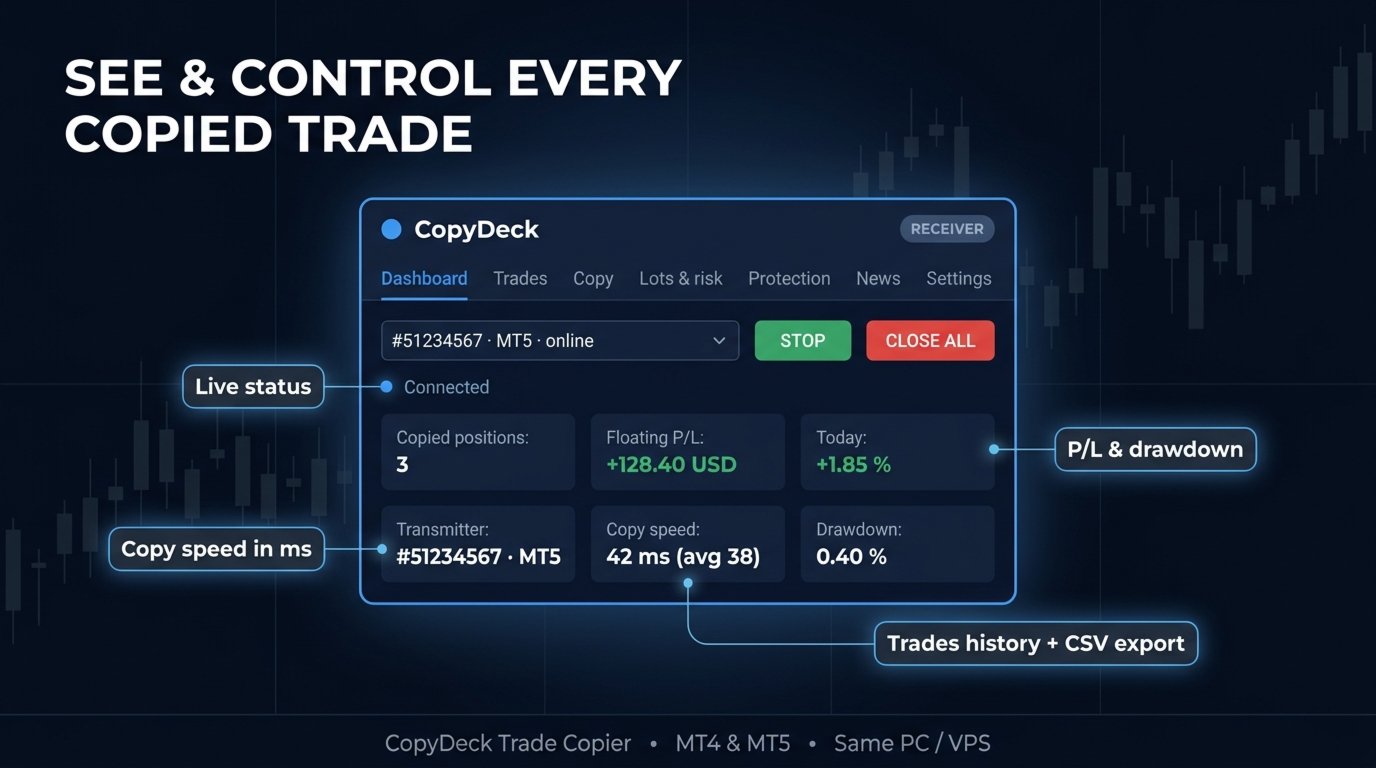
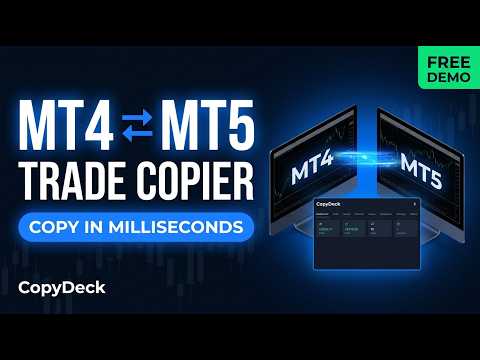
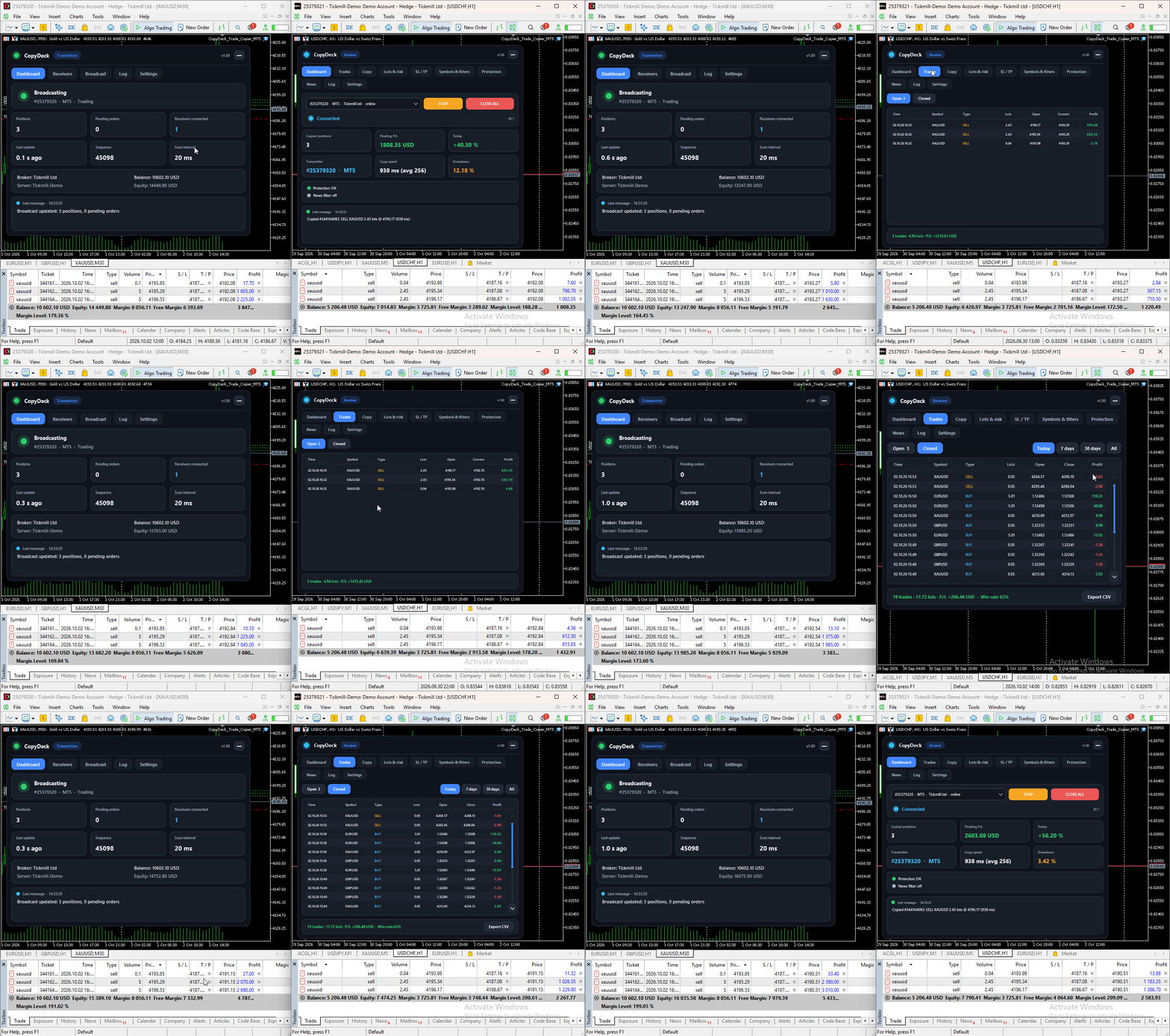
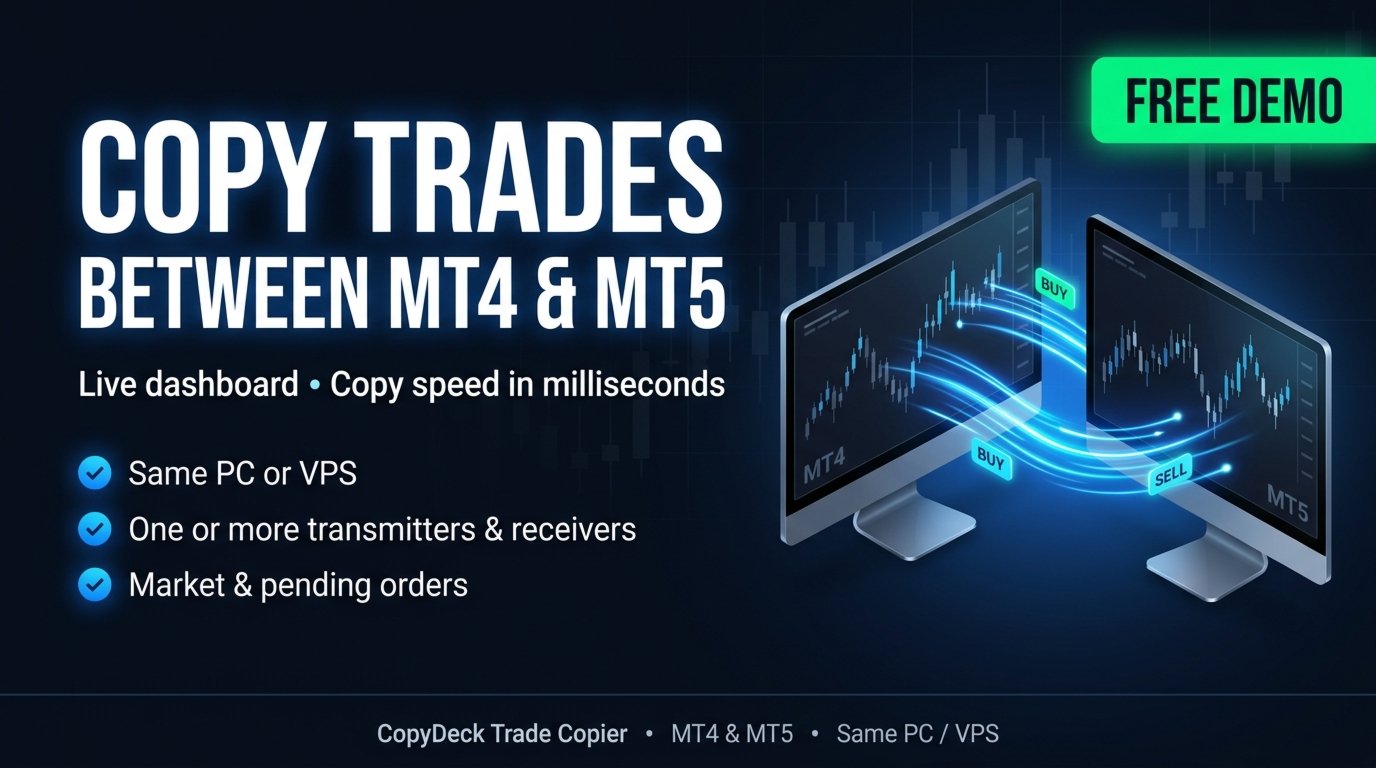
CopyDeck Trade Copier MT4 copies trades between MetaTrader terminals on the same Windows PC or VPS and lets you see and control every copied trade from a live dashboard on the chart.
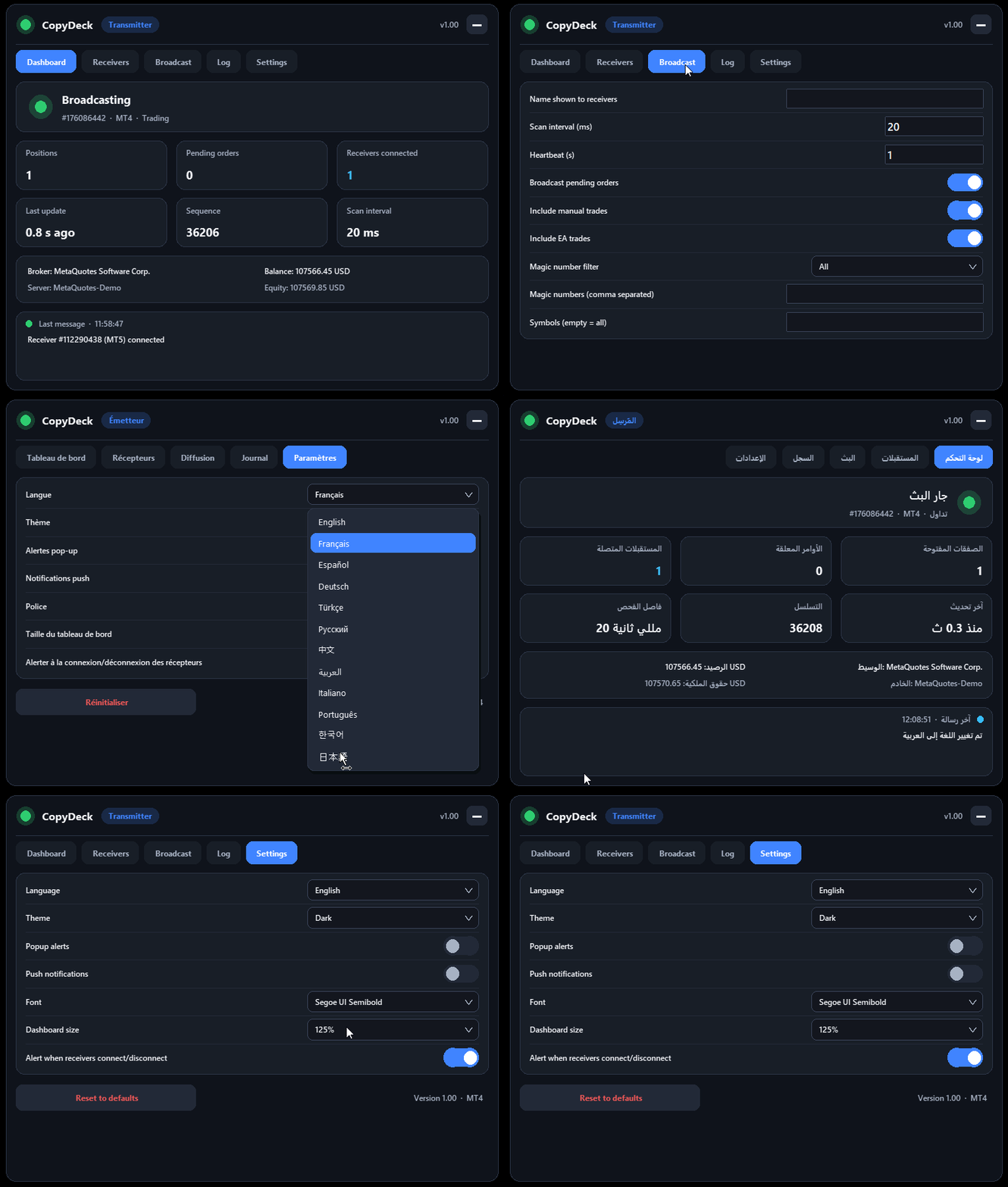
No input window to dig through and no guessing: connection status, copy speed, open copies, profit, drawdown, and every setting sit in one clean panel, in your language.

Why CopyDeck?

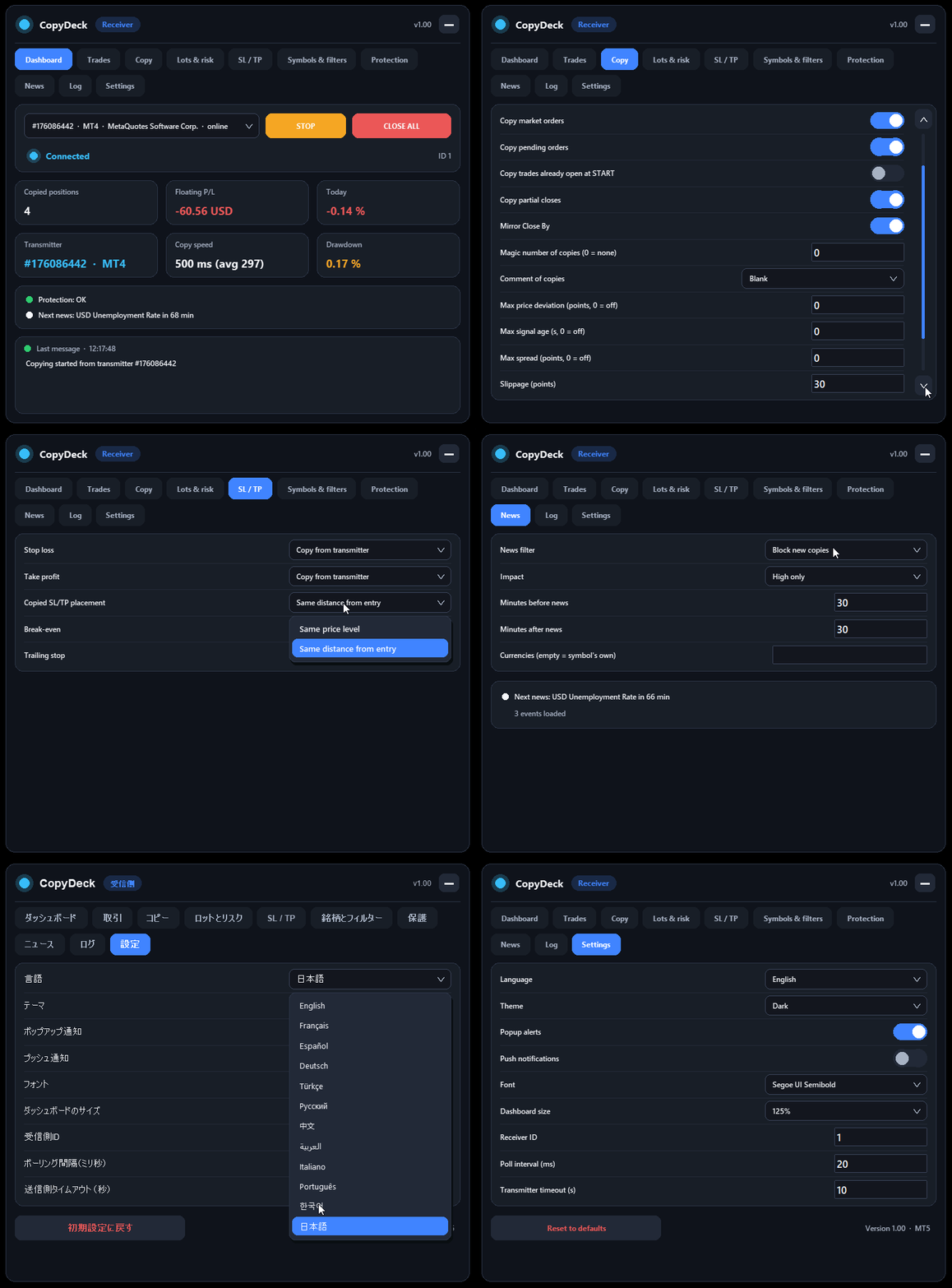
A real dashboard, not a list of inputs. Every setting lives in a tabbed on-chart dashboard and applies instantly: Dashboard, Trades, Copy, Lots & Risk, SL/TP, Symbols & Filters, Protection, News, Log, and Settings. Choose the transmitter from a dropdown, press START, and watch the copies arrive.

See your copy speed; don't just trust it. The dashboard measures and shows the copy time of every trade in milliseconds, with the latest and average values.

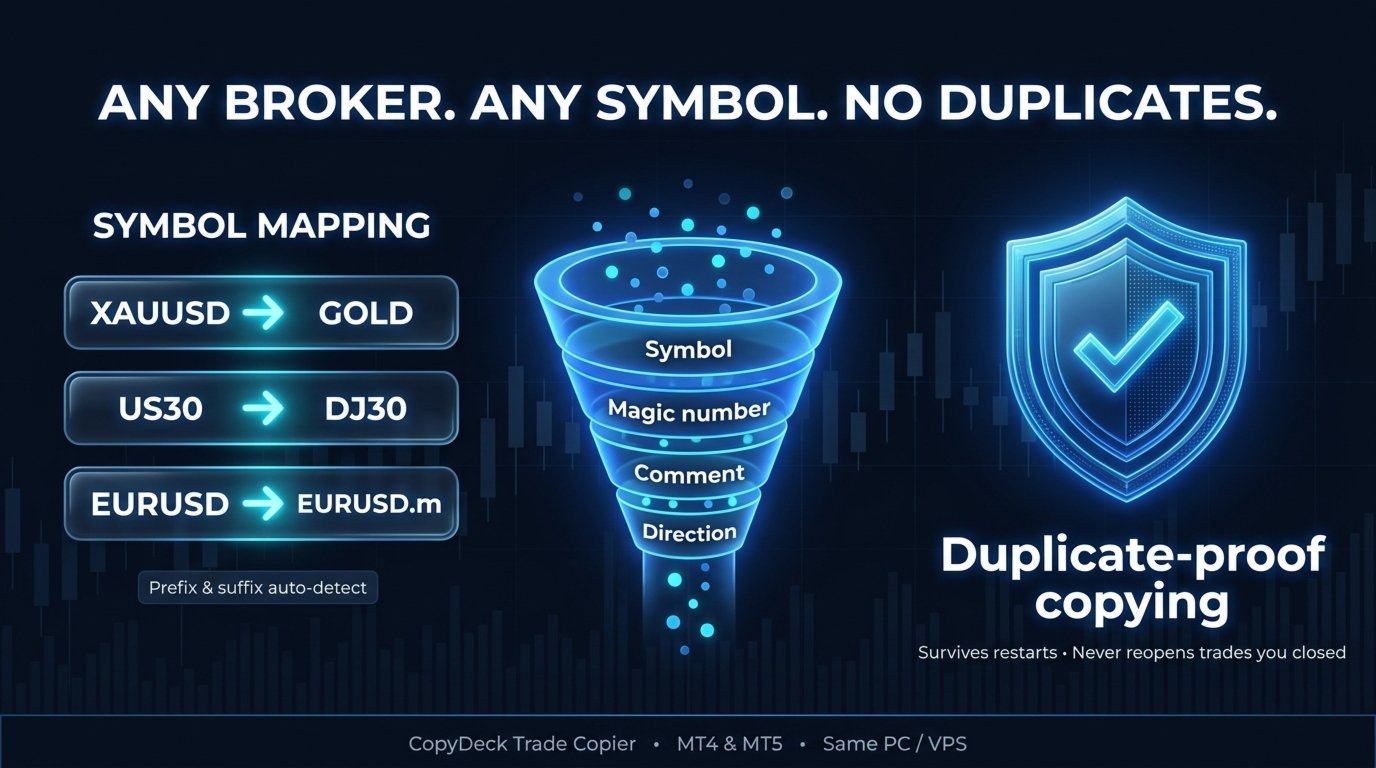
Duplicate-proof copying. Servers sometimes report an error for an order that was in fact executed. CopyDeck checks for that before any retry and adopts the existing position instead of opening a second one. Trade memory survives terminal restarts, and a copy you close manually on the receiver is never reopened.

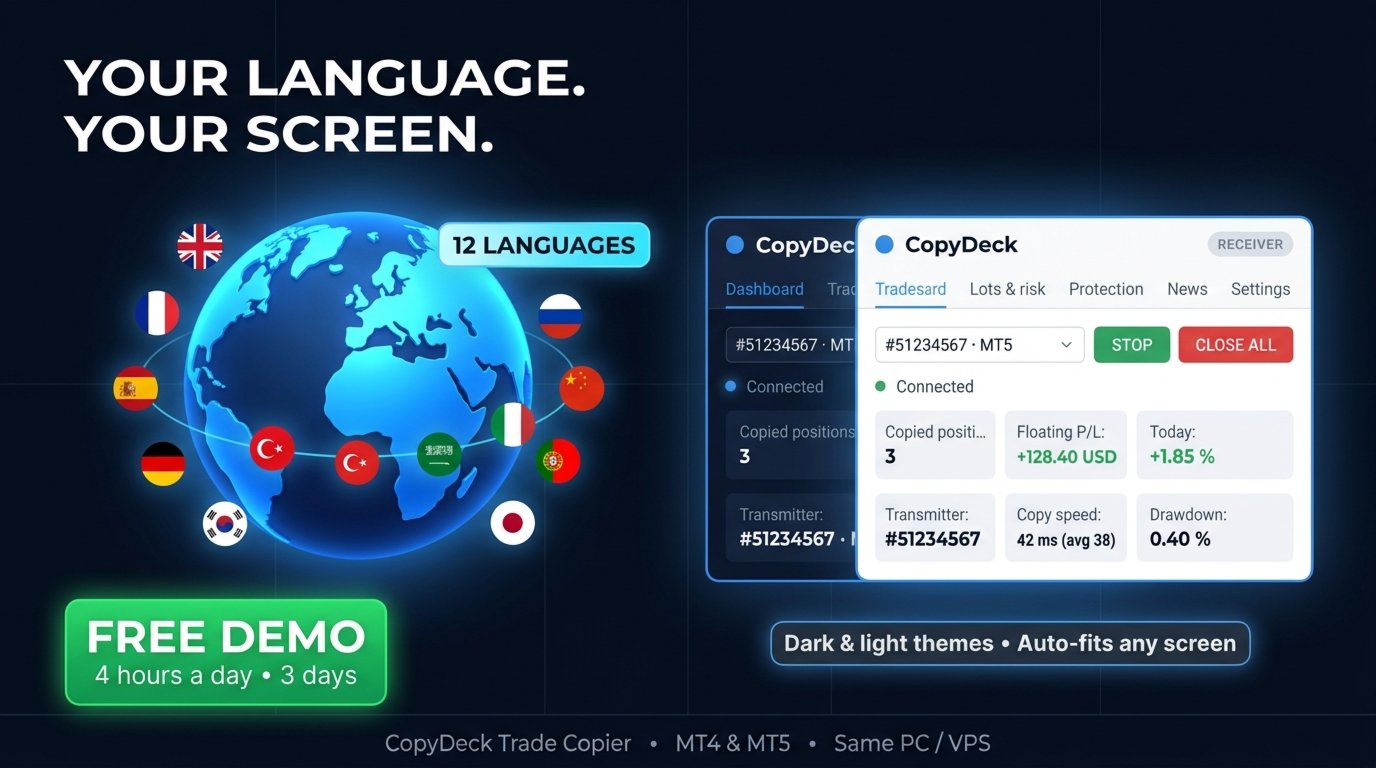
12 languages. English, French, Spanish, German, Turkish, Russian, Chinese, Arabic (with a right-to-left layout), Italian, Portuguese, Korean and Japanese. Switch the language from the dashboard at any time.

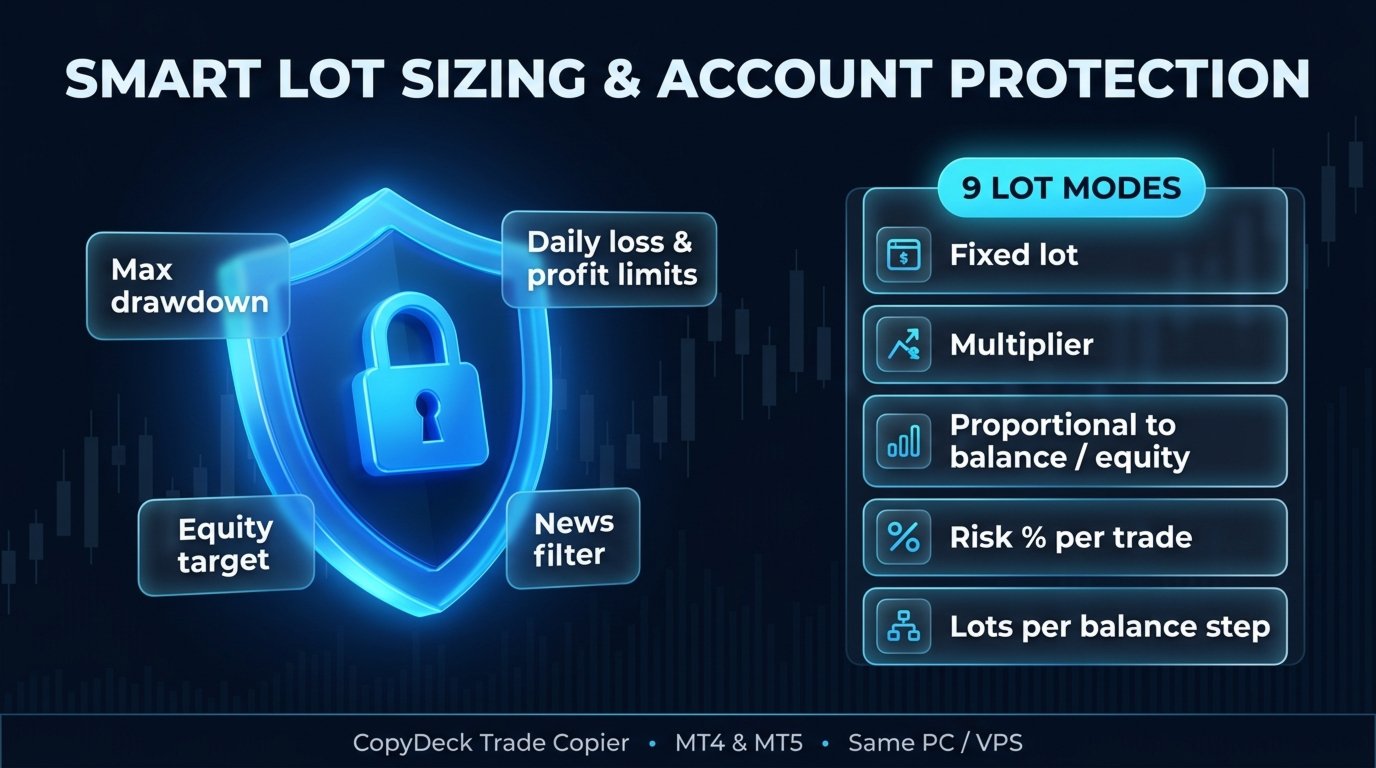
Built-in news filter. Block new copies, or close copies and block, around high-impact news. On MT4 it uses the built-in economic calendar, with a choice of impact level, minutes before and after, and currencies.

Trades tab with history. Open copies are shown live; closed copies are listed by Today, 7 days, 30 days or All, with totals, profit and win rate, and can be exported to CSV.

Simple setup

  1. Attach CopyDeck to a chart on the account you copy from and choose Mode: Transmitter.
  2. Attach CopyDeck to a chart on the account you copy to and choose Mode: Receiver.
  3. On the receiver dashboard, select the transmitter from the list and press START.

That's all. Every receiver has its own settings, and several receivers on one account get separate IDs automatically.

Copying

  • Market orders and all pending order types, including expiry, plus stop-limit orders between MT4 terminals
  • Stop loss and take profit changes, partial closes and Close By, all mirrored
  • Reverse copying, and buy-only or sell-only copying
  • Copy new trades only, or also the trades already open when you press START
  • Magic number and comment of the copies: blank, copier tag, custom text, or the same as the transmitter
  • Execution controls: maximum price deviation, maximum signal age, maximum spread, slippage and automatic retries
  • Manual trades and Expert Advisor trades are both copied

Lot sizing

9 lot modes, each set per receiver:

  • Fixed lot
  • Multiple of the transmitter lot
  • Proportional to balance, equity or free margin
  • Risk % of balance, risk % of equity, or a fixed money risk per trade (using the stop loss)
  • Lots per balance step

On top of the mode: per-symbol lot factors (for example XAUUSD=0.5 ), automatic adjustment for different contract sizes, and minimum and maximum lot limits.

Stop loss, take profit and trade management

  • Copied SL/TP: copy from the transmitter at the same price level or the same distance from entry, use your own values in points, or none
  • Break-even: with a trigger and a locked-in profit
  • Trailing stop: with start, distance and step

Different brokers and symbols

  • Prefix and suffix, set manually or detected automatically
  • Custom symbol mapping, for example XAUUSD=GOLD or US30=DJ30
  • Copy between the same broker or different brokers, real or demo accounts

Filters

  • Symbols to copy or exclude
  • Magic numbers to copy or exclude
  • Comment contains / does not contain
  • Direction and copy hours

Account protection

  • Close all copies and stop: maximum drawdown %, minimum equity, or equity target
  • Close all copies and pause until the next day: daily loss % or daily profit %
  • Limits on new copies: minimum margin level, maximum number of copied trades, maximum total copied lots
  • Transmitter offline: keep the copies open, or close them after a set number of minutes
  • CLOSE ALL button on the dashboard, with confirmation
  • Popup and push notifications for important events

Transmitter dashboard

The transmitter shows its own status and a Receivers tab listing every connected receiver: account, platform, state and number of copies. It can run on an investor (read-only) login, because it only reads trades and never places them.

Requirements

  • All terminals run on the same Windows PC or Windows VPS. Copying is local, through MetaTrader's shared files folder, with no DLLs and no external server.
  • MT4 receiver accounts must use hedging mode. The transmitter works on any account type.
  • This is the MT4 version. For copying to or from MetaTrader 5 terminals, the CopyDeck Trade Copier MT5 version runs on those terminals. With both, you can copy MT5→MT5, MT5→MT4, MT4→MT5 and MT4→MT4.
  • When using prop-firm accounts, always check the firm's current rules on trade copying.

Free demo, guides and support

[Free demo link] 
[Installation guide] | [Settings guide] | [Troubleshooting]


Questions before or after buying? Message me through my MQL5 profile; I'm happy to help with your setup.

If CopyDeck works well for you, a review is greatly appreciated. If something doesn't, please contact me first so I can fix it.
作者のその他のプロダクト
This EA helps to Close all Positions opened. It saves you the time of closing multiple positions manually. Parameters: Buy:  Close Buy Positions Only Sell:  Close Sell Positions Only Buy & Sell: Close Buy & Sell Positions Pending: Close Pending Orders More Advanced MT4 version available at:   https://www.mql5.com/en/market/product/93468?source=Unknown%3Ahttps%3A%2F%2Fwww.mql5.com%2Fen%2Fmarket%2Fmy More Advanced MT5 version available at:  https://www.mql5.com/en/market/product/93301?source=Unk
Introducing the Revolutionary   Trade Closing Assistant ! Are you tired of manually closing hundreds trades? Are you a   scalper ,   day trader ,   swing trader   and  you want to maximize your profits and minimize your losses by closing multiple positions at thesame time under different conditions? Are you a   Prop Firm Trader  who wishes to avoid hitting maximum daily drawdown? Search no further. This kit is the ultimate solution for all you. GUIDE TO USE THE KIT 1. Shows the total profit/lo
Candle Exit Pro 手動トレーダー向けローソク足ベースの自動決済ツール Candle Exit Proは、指定された本数のローソク足が確定した後に、手動で開いたポジションを自動的に決済する軽量なトレード管理ツールです。 常にポジションを監視する必要はなく、手動でエントリーするだけで、EAがローソク足の本数に基づいて決済タイミングを管理します。 主な機能 ユーザーが設定したローソク足の本数経過後に自動決済 すべての通貨ペアおよび時間足に対応 シンプルで使いやすい設定 エントリー機能やシグナル生成はなし 時間ベースの決済戦略に最適 Buy / Sell 両方のポジションに対応 軽量で低リソース動作 動作方法 チャートに Candle Exit Pro EA を適用します。 保有したいローソク足の本数を設定します。 手動でポジションを開きます。 EAがポジションを監視し、指定された本数のローソク足が確定した時点で自動的に決済します。 例 ローソク足の設定が   2   の場合: 現在のローソク足でエントリーします。 EAはエントリー後に確定したローソク足の本数をカウントします。
Grid Recovery EA Turn Any Manual Trade into a Fully Automated Grid System Auto Grid Layering EA   is a powerful trade management tool designed for traders who manually enter positions but want to automate advanced grid recovery, profit scaling, and risk control. Once you place a trade, the EA takes over and intelligently builds a grid of positions as the market moves against your entry, helping you manage drawdown and recover trades efficiently without constant monitoring. This is not a signal s
Hidden SL and TP EA Hide Your Stop Loss, Take Profit, and Protect Your Trades from Broker Visibility StealthGuard EA is a professional trade protection tool designed for traders who want complete control over their exits while keeping Stop Loss and Take Profit levels hidden from their broker. Instead of placing SL and TP directly on the trading server, the EA monitors your positions locally and closes trades automatically when your hidden targets are reached. This means your broker only sees an
TradeKeys Pro EA Control Your Trades with the Power of Your Keyboard TradeKeys Pro EA is a professional trading utility that allows traders to execute and manage trades instantly using customizable keyboard hotkeys. No more searching for buttons, opening order windows, or manually modifying positions. Assign your preferred keyboard keys and perform critical trading actions in a fraction of a second. Designed for scalpers, day traders, prop firm traders, and active market participants who demand
This EA helps to Close all Positions opened. It saves you the time of closing multiple positions manually. Parameters: Buy:  Close Buy Positions Only Sell:  Close Sell Positions Only Buy & Sell: Close Buy & Sell Positions Pending: Close Pending Orders More Advanced MT5 version available at:  https://www.mql5.com/en/market/product/93301?source=Unknown%3Ahttps%3A%2F%2Fwww.mql5.com%2Fen%2Fmarket%2Fmy More Advanced MT4 version available at:   https://www.mql5.com/en/market/product/93468?source=Unk
Introducing the Revolutionary   Trade Closing Assistant ! Are you tired of manually closing hundreds trades? Are you a   scalper ,   day trader ,   swing trader   and  you want to maximize your profits and minimize your losses by closing multiple positions at thesame time under different conditions? Are you a   Prop Firm Trader  who wishes to avoid hitting maximum daily drawdown? Search no further. This kit is the ultimate solution for all you. GUIDE TO USE THE KIT 1. Shows the total profit/los
Candle Exit Pro 手動トレーダー向けローソク足ベースの自動決済ツール Candle Exit Proは、指定された本数のローソク足が確定した後に、手動で開いたポジションを自動的に決済する軽量なトレード管理ツールです。 常にポジションを監視する必要はなく、手動でエントリーするだけで、EAがローソク足の本数に基づいて決済タイミングを管理します。 主な機能 ユーザーが設定したローソク足の本数経過後に自動決済 すべての通貨ペアおよび時間足に対応 シンプルで使いやすい設定 エントリー機能やシグナル生成はなし 時間ベースの決済戦略に最適 Buy / Sell 両方のポジションに対応 軽量で低リソース動作 動作方法 チャートに Candle Exit Pro EA を適用します。 保有したいローソク足の本数を設定します。 手動でポジションを開きます。 EAがポジションを監視し、指定された本数のローソク足が確定した時点で自動的に決済します。 例 ローソク足の設定が 2 の場合: 現在のローソク足でエントリーします。 EAはエントリー後に確定したローソク足の本数をカウントします。 2本目の
Grid Recovery EA Turn Any Manual Trade into a Fully Automated Grid System Auto Grid Layering EA is a powerful trade management tool designed for traders who manually enter positions but want to automate advanced grid recovery, profit scaling, and risk control. Once you place a trade, the EA takes over and intelligently builds a grid of positions as the market moves against your entry, helping you manage drawdown and recover trades efficiently without constant monitoring. This is not a signal sys
Hidden SL and TP EA Hide Your Stop Loss, Take Profit, and Protect Your Trades from Broker Visibility StealthGuard EA is a professional trade protection tool designed for traders who want complete control over their exits while keeping Stop Loss and Take Profit levels hidden from their broker. Instead of placing SL and TP directly on the trading server, the EA monitors your positions locally and closes trades automatically when your hidden targets are reached. This means your broker only sees an
TradeKeys Pro EA Control Your Trades with the Power of Your Keyboard TradeKeys Pro EA is a professional trading utility that allows traders to execute and manage trades instantly using customizable keyboard hotkeys. No more searching for buttons, opening order windows, or manually modifying positions. Assign your preferred keyboard keys and perform critical trading actions in a fraction of a second. Designed for scalpers, day traders, prop firm traders, and active market participants who demand
CopyDeck Trade Copier MT5 CopyDeck Trade Copier MT5 copies trades between MetaTrader terminals on the same Windows PC or VPS and lets you see and control every copied trade from a live dashboard on the chart. No input window to dig through and no guessing: connection status, copy speed, open copies, profit, drawdown, and every setting sit in one clean panel, in your language. Why CopyDeck? A real dashboard, not a list of inputs. Every setting lives in a tabbed on-chart dashboard and applies ins
フィルタ:
レビューなし
レビューに返信