 MetaTrader 5
 エキスパート
 インディケータ
 ライブラリ
ライブラリ
 ユーティリティ
 ウィジェット
 ルール
ルール
YouTubeにあるマーケットチュートリアルビデオをご覧ください
ロボットや指標を購入する
仮想ホスティングで
EAを実行
EAを実行
ロボットや指標を購入前にテストする
マーケットで収入を得る
販売のためにプロダクトをプレゼンテーションする方法
MetaTrader 4版新取引ユーティリティ - 18
 以下はMetaTrader4での外国替取引を簡素化する取引プログラムです。以下のリストのユーティリティにカーソルを合わせて、説明と目的をご覧ください。
The ExactVol.ex4 utility helps the trader to accurately calculate the lot size and automatically set a trading order based on the input values and parameters of the order-pointer. It is designed for trading strategies where support/resistance levels and lines are used. A order-pointer has a size of 0.01, set manually by the trader in the desired direction (buy or sell) after starting the utility. The order-pointer is set From the MARKET and must necessarily have a Take Profit, which will be a
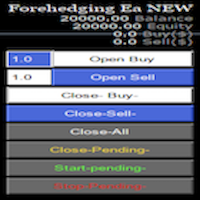
Semi Automatic Ea (MT4). Buy or Sell or Let it Trade . Either Buy or Sell Manually with the panel. Second option: Press Auto with one of the 4 options. Plug and play mode. This Panel can trade with very good result. As a Beginner trader as you ,if you want to be part of the 5% that can make it just give a chance and see for your self. 1:500-1000 leverage, lower then that rise the balance times 2'
Recommend: Auto Trading choose one option from below. $5000. false/true $8000. false/true $

Overview Custom Logic for Trading Mini is the free version of Custom Logic for Trading that designed to execute trades based on custom indicator signals, with robust position management features with break-even settings. This script allows traders to implement their strategies with high precision and flexibility, enhancing their trading efficiency and profitability. Input Parameters Indicator Settings indicator_name : Name of the custom indicator to be used for generating signals. buy_signal :
FREE

This free tool is more reliable and user friendly to use Please give five star if you feel the tool is helpful Lot size positioning is the important risk management rule The larger the lot, the more risk you're exposed to. Smaller lot sizes are often favored by traders who want to manage risk more conservatively.
A general rule of thumb is to risk no more than 1-2% of their account on each trade. Traders need to determine their risk tolerance for each trade. This will help them decide how muc
FREE
Демо-версия утилиты ExactVol.exe Утилита ExactVol . ex 4 помогает трейдеру точно рассчитать размер лота и автоматически установить торговый ордер, исходя из входных значений и параметров ордера-указателя. Это необходимо для эффективного риск-менеджмента, когда нужно установить процент прибыли и процент риска на сделку в определенном соотношении, например 4:1. Предназначена для торговых стратегий, где используются уровни и линии поддержки/сопротивления. Ордер-указатель – ордер с минимальным о
FREE

MQL Tool "Ofir Email to Telegram": Never Miss a Trading Alert Again! Tired of missing important alerts from your indicators and Expert Advisors (EAs)? Ofir Email to Telegram is the solution you've been waiting for! This revolutionary MQL tool automatically forwards all email alerts from your indicators and EAs directly to your Telegram account. Never again will you miss a trading opportunity or important notification! Here are just a few of the benefits of Ofir Email to Telegram: Quick and e

この製品を使用すると、多くの機能を使用して注文とアカウントを管理できます
1- アカウント サイズ / SL サイズ / 1 ロット サイズのペア ポイント値に応じて、正しいロット サイズを計算します。
2- ラインの場所 (ターゲット SL TP) に応じて現在の注文状況を表示します。
3- ボタンを 1 回押すだけで、すべての注文をターゲット / SL に移動します。
4- アカウントに関する情報と、注文を開くために必要なマージンを表示します。
5- すべての注文 (シンボルまたはすべて) をクローズする機能があります。
6- 損益分岐点に達し、利益を保護する機能があります。
7- すべてのペアで簡単に使用できます。
レビューを追加することを忘れないでください

Программу можно использовать как советник для ручной и полуавтоматической торговли. Или как индикатор для выявления структуры рынка. В торговой части программы отсутствуют ордера Sell, Buy. А также лимитные и стоповые ордера. Вместо этого на график выводится торговая рамка для сделок на продажу - SELL или на покупку - BUY . У торговой рамки имеются три уровня. Уровень открытия будущего ордера. Уровень стопа и уровень профита. Влево от торговой рамки выводятся три линии. Перемещая данные линии
FREE

When you expect an strong price movement you can click on the button which reads 'Ready' and open buy and sell with same stoploss distance; then the trade that survives the price movement you can close manually once the earnings are large enough.
Press the button and wait to open, do not press it more than once before it opens; taking that into account more than one pair of trades can be opened by clicking the button again after it has changed from 'Wait' To 'Ready'.

トレードアドバイザー:チャートの習得
プロのトレーダーのための究極のエキスパートアドバイザー(EA)アシスタント
バージョン MT4 バージョン | MT5 バージョン | ブログ
v.3.0 - Telegram ボット統合
注:MT4 バージョンは MT5 バージョンよりも軽量です
トレードアドバイザー:チャートの習得
トレードアドバイザーは、主要な市場分析ツールとトレーダー向けのシームレスな機能を統合することで、トレーディング戦略を強化するように設計された高度なトレーディングアシスタントです。トレードアドバイザーがトレーダーにとって強力な資産となる理由の概要は次のとおりです。
主な機能と利点
1. 供給ゾーンと需要ゾーン:トレードアドバイザーは、ユーザーが重要な供給ゾーンと需要ゾーンを特定できるようにし、市場でのより戦略的な参入ポイントと退出ポイントを確保します。
2. スマートマネーコンセプト:この機能により、トレーダーは市場のトレンドと構造をよりよく理解し、強気、弱気、統合フェーズを明確に特定できます。
3. 公正価値ギャップ検出: Trade Advi

Auto Risk Manager PRO は、注文管理用のユーティリティです。注文が手動で開かれたかアドバイザーによって開かれたかに関係なく、指定された利益または損失の割合に達すると、アドバイザーはすべてのポジションをクローズし、保留中の注文を削除し (必要な場合)、チャート ウィンドウを個別にクローズします (アドバイザーが新しい取引を開くことはできません)。このユーティリティは、アドバイザーを使用して、または複数の通貨ペアで同時に手動で取引するトレーダーにとって特に便利です。EA は、アカウントの 1 つまたはすべてのオープン ポジションの追加のストップロスまたはテイクプロフィットとして使用できます。Profit_Percent と Loss_Percent には、負の値と正の値の両方を指定できます。 Download demo version MT5 version
Work- true - 機能、folse - 機能しません。 Profit_Percent = 10 - 総利益のパーセンテージ(到達後、すべてのオープン オーダーがクローズされます)は負の値になる場合があり

残り 10 部 @ 49.55 次の価格 $55.77 Big Market Traderは、市場で優位に立つための究極のAI取引支援ツールです。最高の技術で設計されており、タイムリーな取引のための高頻度応答率を備えています。
ダイナミックAIオートメーションを搭載しており、これについては後ほど説明します。当社は高度なリスク管理システムを備えています。世界中のトレーダーが使用する株式ストップオプション、トレーリングストップシステム、タイムストップ、スプレッドテクノロジー。プロップファームトレーダー、従来のトレーダー、高資本および低資本取引などに適しています。
あらゆる種類の取引注文を行います。つまり、
買い注文、売り注文、買いストップ注文、売りストップ注文、買い指値注文、売り指値注文です。このAIマシンには、非常に多くの独自の機能があります。また、スキャルパートレーダー、デイトレーダー、スイングトレーダーなど、あらゆるタイプのトレーダーに適合するように設計されています。 Meta Trader 5 Version 主な機能:
ダイナミック AI 自動化
高頻度応答率 予測価
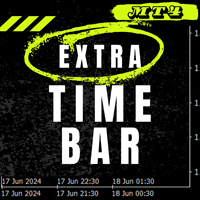
エクストラ タイム バー / Extra Time Scale Bar MT5 version
は、チャートにパーソナライズされたタイム バーを追加できるようにすることで、取引を強化するために設計されたツールです。 このツールを使用すると、サーバー時間だけに制限されなくなり、現地時間、グリニッジ標準時など、任意のタイム ゾーンをチャートに設定して表示できます。
エクストラ タイム バーの機能:
1. タイム ゾーンのカスタマイズ: 取引のニーズに合ったタイム ゾーンを選択し、チャートに直接表示して精度を高めます。
2. デュアル タイム トラッキング: 同じチャートで 2 つの異なる時間設定を使用して市場の動きを簡単に監視し、より詳細な分析を可能にします。
3. 柔軟な調整: マウスの中央ホイール ボタンを押してドラッグすると、サーバー時間で特定のキャンドル時間を表示できます。
4. さまざまなディスプレイでスムーズに動作し、互換性があります: このツールは、さまざまな画面解像度とスケール レベルでスムーズに動作するように設計されています。
5. 表示オプション: 「マ

Auto risk manager easy demo version of the utility for order control. Regardless of whether orders are opened manually or by advisors, when the specified percentage of profit or loss is reached, the advisor will close all positions, delete (if necessary) pending orders and independently close the chart windows (will not allow advisors to open new transactions). The utility will be especially useful for traders who trade using advisors or manually on several currency pairs at the same time. The
FREE

FULL AUTOMATED ROBOT : HEDGE ON TWO INDEX OR SHARERS :
For get optimize SET file , send massage to me on WhatsApp
FTMO 200K challenge live link. NOW. FTMO 10K challenge link. PAST. FTMO 100K challenge link. PAST. Because this robot performs hedging on TWO INDEX OR SHARERS at the Same Time , it is not possible to backtest. A special robot for the forex market whose strategy is to simultaneously open two positions on two indices with a high correlation coeffici

Telegram Informer A simple and reliable utility for monitoring your account. To make it work, you just need to add the following commands to your telegram bot: show_info - Show account information buy_sl_del - Delete Stop Loss for Buy orders buy_tp_del - Delete Take Profit for Buy orders sell_sl_del - Delete Stop Loss for Sell orders sell_tp_del - Delete Take Profit for Sell orders all_sl_del - Delete all Stop Loss all_tp_del - Delete all Take Profit breakeven - Convert to breakeven (eac

This utility adds a customizable button to your MetaTrader 4 chart, allowing you to close all open orders with a single click. The button's position automatically adjusts based on the chart size, ensuring it remains visible and accessible. Customize the button's appearance, text, and tooltip to suit your preferences. Simplify your trading workflow and manage your open positions more efficiently with this convenient tool. The UPDATES Would be based on your feedback!
Features: Single-click button
FREE

CHAT WITH AI ON MQL4 AND MT4. THE PROMPT MUST CONTAIN MQL4 OR MT4, OTHERWISE IT WILL NOT RESPOND. IT IS TRAINED ON MT4 AND MQL4 ONLY. NOTE THAT IT WILL ONLY WORK IN REAL TIME CHARTS, NOT IN BACKTEST. In comments Add your API Key in the inputs and add these to web request in Expert Advisor tab: This chatbot is a tool designed to help users to chat with the Meta Trader 4 (MT4) and MQL4 more efficiently. It's based on a powerful AI model called GPT-3.5, which is capable of understanding and gen

Revolutionize Your Trading with Auto SLTPTS + Close All Expert Advisor .
Take your trading to the next level with this powerful, professional-grade Expert Advisor designed for serious traders who demand excellence in risk management and profit optimization.
Key Features :
️ Advanced Risk Management Suite : - Customizable Stop Loss protection - Smart Take Profit targeting - Dynamic Trailing Stop technology - Innovative Break Even system
Professional Trading Tools : - Intell

購入前の重要情報 完全デモ版利用可能 – 実際の市場でテスト可能
Trade Board MT4 は、機能制限なしでデモ口座を使用し、実際の市場環境で直接テストできる完全機能版デモを提供しています。Strategy Tester 内でのトレードアシスタントのテストでは、現実的な約定動作を再現できないため、実際のパフォーマンスを体験するために、デモ版をダウンロードしてリアル市場環境でテストすることを強く推奨します。 ライブテスト用デモ版をご希望の場合は、 こちらからご連絡ください MQL5コミュニティ内の Koala Trading Solution チャンネル に参加して、すべての製品に関する最新情報をご確認ください。 この製品のMT5版はこちら : ダウンロード
Trade Board MT4 は、より高速な注文執行、スマートなリスク管理、そしてチャート表示を妨げない効率的な取引管理を必要とする MetaTrader 4 トレーダー向けに設計された高度なトレードアシスタントおよび取引管理ダッシュボードです。 本製品は、市場に存在する既存のトレードアシスタントを詳細に分析

Automate Your Profits with Precision
Please Notice that this tool is just the beginning! I really need to know your opinion about it, just leave a review and we will make it better for sure! The UPDATES Would be based on your feedback!
How It Works: The Auto TP Specified Expert Advisor continuously scans for orders lacking take profit settings. Once identified, it applies the user-defined take profit level, ensuring consistent profit-taking across trades. Existing take profit settings
FREE

An RSI (Relative Strength Index) MT4 (MetaTrader 4) scanner is a tool used in forex trading to identify overbought or oversold conditions across multiple currency pairs and timeframes. The RSI is a momentum oscillator that measures the speed and change of price movements, typically used to identify potential reversal points in the market. Key Features and Functions of an RSI MT4 Scanner: Multiple Timeframe Analysis : The scanner can analyze various timeframes (e.g., 1 minute, 5 minutes, 15 minut

TradeMirror は、MT4/MT5プラットフォーム向けに開発されたローカル注文同期ツールで、リアルタイム取引をサポートします。 チュートリアル Trademirror チュートリアル のリンクをクリックして、さらにチュートリアルをご覧ください。 製品の特長 金融ソフトウェアにおけるセキュリティ・安定性・プライバシー保護の高基準に準拠し、以下の3つの核心領域を最適化しました: 直感的なグラフィカルインターフェースで操作が容易 金融シナリオにおける機密データ分離のための強化されたプライバシー保護 ミリ秒単位の注文同期で信号遅延ゼロを実現 MT4/MT5完全互換、多様な取引環境にシームレス対応 システム監視機能とメール通知による取引安定性管理 主要機能 本製品には以下のプロフェッショナルコピー機能を搭載: 複数アカウント並列接続 リアルタイムメール通知 ロットサイズカスタマイズ 信号フィルタリング機構 逆方向コピーモード テイクプロフィット/ストップロス再設定 無料デモ手順 購入前に以下の手順で全機能を体験可能: ページ内の「無料デモ」ボタンをクリック 「MetaTrader 4/5

General Description Advanced Statements is an innovative script for MetaTrader 4, designed to significantly enhance your portfolio analysis. This tool allows you to examine the complete MT4 history, generating detailed reports HTML for each MagicNumber. Through in-depth analysis, it identifies the best strategies to optimize your trading.
Main Features Complete Statement Analysis Allows you to examine the entire statement generated by MetaTrader 4, providing a comprehensive view of portfolio pe

MT4 trading tool. Intuitive Dashboard that allows effortless automated trading, saving 99 Strategies , Advanced Money Management , Automatic group orders : Global Take Profit / Stop Loss, Smart TP (Multi-Level, Position Recovery) and Smart SL (Breakeven, trailing Stop, Multi-Level), Exit Manager , Signals, Strength Indicator , ATR Graph, Price Alert, News Warning… # If you have any other requirements or are interested in collaboration, please contact (info@styxia.com)
Get more information
FREE

Nombre del Indicador: Alertas de Entrada Óptima MT4/MT5 SUPER SIGNALSS MR BEAST para MetaTrader 4/5 ha sido diseñado para proporcionar a los operadores señales precisas de las posibles mejores entradas en el mercado. Utilizando avanzados algoritmos de análisis técnico y patrones de comportamiento del precio, este indicador identifica oportunidades de trading con alta probabilidad de éxito y genera alertas en tiempo real. Características principales: Alertas en tiempo real: Recibe notificaciones

MR BEAST ENTRY POINTS SIGNAL INDICADOR El indicador Alertas de Entrada Óptima para MetaTrader 4/5 ha sido diseñado para proporcionar a los operadores señales precisas de las posibles mejores entradas en el mercado. Utilizando avanzados algoritmos de análisis técnico y patrones de comportamiento del precio, este indicador identifica oportunidades de trading con alta probabilidad de éxito y genera alertas en tiempo real. Características principales: Alertas en tiempo real: Recibe notificaciones i

Mr Beast Witcher Zones MT4/MT5 Descripción: El indicador Mr Beast Witcher Zones para MetaTrader 4/5 está diseñado para identificar y trazar líneas de liquidez clave en el mercado, proporcionando posibles puntos de entrada óptimos para operaciones. Basado en un análisis profundo del comportamiento del precio y las zonas de liquidez, este indicador ayuda a los operadores a tomar decisiones más informadas y precisas en sus estrategias de trading. Características principales: Identificación de Zonas

Mr Beast Foxy MT4/MT5 Descripción: El indicador Mr Beast Foxy para MetaTrader 4/5 está diseñado para ayudar a los operadores a gestionar el riesgo distribuyendo automáticamente las órdenes dentro de un rango predefinido. Este indicador avanzado permite una gestión eficiente del riesgo, asegurando que las órdenes se coloquen estratégicamente para maximizar el potencial de beneficio y minimizar las pérdidas. Características principales: Gestión de Riesgo Automatizada: Distribuye órdenes de manera

Mr Beast Cristal Alerts MT4/MT5 Descripción: El indicador Mr Beast Cristal Alerts para MetaTrader 4 está diseñado para proporcionar alertas basadas en la metodología de Parabolic SAR. Este indicador avanzado detecta cambios en la dirección del precio y genera señales precisas para posibles entradas y salidas, ayudando a los operadores a capitalizar las tendencias del mercado de manera efectiva. Características principales: Alertas de Parabolic SAR: Genera notificaciones instantáneas cuando se de

Snake Mr Beast Indicator MT4 Descripción: El Snake Mr Beast Indicator para MetaTrader 4 combina las señales de las Bandas de Bollinger y el Average True Range (ATR) para identificar oportunidades de trading con alta probabilidad de éxito. Este indicador avanzado ayuda a los operadores a detectar condiciones de sobrecompra y sobreventa, así como a medir la volatilidad del mercado, proporcionando señales claras para posibles entradas y salidas. Características principales: Señales de Bandas de Bol

MR bEAST bOLILNGUER bANDS aLERTS!!! Descripción: El indicador Alerta de Bandas de Bollinger para MetaTrader 4 está diseñado para ayudar a los operadores a identificar oportunidades de trading basadas en las Bandas de Bollinger. Este indicador genera alertas cuando el precio toca o cruza las bandas superior o inferior, señalando posibles puntos de entrada y salida. Características principales: Alertas de Contacto con Bandas: Recibe notificaciones instantáneas cuando el precio toca o cruza las ban

CCI Alerts Crosser by Mr. Beast Descripción: El "CCI Alerts Crosser by Mr. Beast" es un avanzado indicador técnico diseñado para MetaTrader 4 (MT4) que utiliza el Commodity Channel Index (CCI) para generar señales de compra y venta. Este indicador es ideal tanto para traders novatos como para traders experimentados que buscan una herramienta confiable para mejorar sus decisiones de trading. Características principales: Señales de Compra/Venta: El indicador genera alertas claras de compra y venta
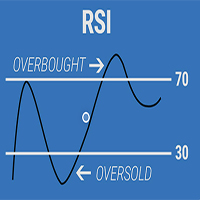
Mrs. Beast RSI Indicator Arrows Alert Descripción: El "Mrs. Beast RSI Indicator Arrows Alert" es un potente indicador técnico diseñado para MetaTrader 4 (MT4) que utiliza el Relative Strength Index (RSI) para generar señales de compra y venta. Este indicador es una herramienta esencial para traders que buscan mejorar su precisión en la identificación de oportunidades de trading en el mercado. Características principales: Señales de Compra/Venta: Genera señales de compra y venta claras mediante f

Mr. Beast King Indicator No Repaint: Un Enfoque Revolucionario para Señales de Compra y Venta ¡Bienvenido al futuro del trading con el indicador Mr. Beast King! Este innovador indicador utiliza algoritmos avanzados para proporcionar señales de compra y venta precisas y sin repintado, permitiéndote tomar decisiones informadas en tus operaciones financieras. Características Principales: Precisión Inigualable : El indicador Mr. Beast King ha sido meticulosamente diseñado para ofrecer señales precis

Fractal Señales No Repaint de Mr. Beast: Captura la Esencia del Mercado con Precisión Sumérgete en el mundo del trading con el indicador Fractal Señales No Repaint de Mr. Beast, una herramienta poderosa diseñada para ayudarte a identificar oportunidades de compra y venta con una precisión sin igual. Características Destacadas: Detección de Patrones Fractales : Este indicador utiliza la teoría de fractales para identificar patrones repetitivos en los mercados financieros. Al aprovechar la estruct

Mr. Beast Indicator Supertrend para MT4: Potencia y Simplicidad en una Herramienta de Trading Experimenta la combinación perfecta de potencia y simplicidad con el indicador Mr. Beast Indicator Supertrend para MT4. Diseñado específicamente para la plataforma MetaTrader 4, este indicador te proporciona una visión clara y concisa de las tendencias del mercado, ayudándote a tomar decisiones informadas en tus operaciones financieras. Características Destacadas: Supertendencia Definida : Basado en el

Эксперт TerminalConnectionChecker - надежный инструмент для мониторинга соединения торгового терминала MetaTrader 4 с сервером. Он обеспечивает своевременное оповещение трейдера о потере связи или ее восстановлении с помощью настраиваемых звуковых сигналов. Этот э ксперт незаменим для трейдеров, которые хотят быть всегда в курсе состояния своего подключения.
Основная функция этого э ксперта - отслеживание состояния подключения. Как только связь пропадает, советник активирует звуковой сигн

TimeBar TimeBar は、バーが閉じるまでの残り時間、バーが開いてからの経過時間と現在時刻を表示するシンプルな情報インジケーターです。 見やすくするために、グラフの左上隅にコメントの形で表示する方法と、グラフィック オブジェクトの形で表示する 2 種類の表示モードが追加されました。
利点 フォントの選択 フォントサイズ。 どれでも設定できます。 コメントすると小さすぎるので オブジェクトを移動できます。 マウスをダブルクリックして任意の時間を選択し、チャート上の任意の場所に移動すると、通常どおり更新され続けます 視覚的な警告。 現在のバーが閉じるまでの指定秒数を設定でき、その秒数に達すると、設定で指定した警告色に変わります 設定 表示する時間を選択します 各時刻の色 (グラフィック オブジェクトの場合) バーがまもなく閉店することを通知するアラート 取引システムへの追加として TimeBar インジケーターを使用する
市場にある他の製品もお試しください https://www.mql5.com/ru/users/capitalplus/seller
FREE

The Expert does not open transactions, he only controls the profit and loss of the account, closing all open transactions when a profit percentage is greater than the profit value and losses in percentages exceeding the loss value.
To control the entire account, it is enough to open an expert Advisor on one of the charts.
profit - the amount of profit as a percentage, upon reaching which all transactions will begin to close.
loss - the percentage of losses at which all transactions will beg

Many traders in the world trade with moving averages, like me. So I decided to upload the expert that I designed for my own use for those of you who use the same strategy as mine. Now I want to tell you about the features of this expert.
First, you can see the moving average in 7 time frames simultaneously in one time frame. (whatever time frame you are)
Second, you can receive an alert on your mobile at the moment the price hits any of the moving averages.
Third, you can trade on the moving av

4 buttons for managing your trades.
Close All : will close all open positions on the current chart Delete All : will delete any pending orders on the current chart SL + 1 : will move the stop loss 1 pip closer to the breakeven point on all open trades on the current chart Delete SL : will remove the stop loss for all open positions on the current chart
Useful for everyone who opens multiple positions on the same asset, where fast execution is essential.
FREE

Using the MetaTrader 4 platform, you can send trading information to Telegram to record each trader's detailed information. This information includes the regular trading account details, balance, equity, etc. It also includes the total number of orders, total trading volume, and maximum profit and loss. Additionally, daily trading information is recorded, including the number of trading orders for the day, trading profit, and maximum profit and loss. Each order record will include both local tim

The Pending Order Grid is a multi-symbol multi-timeframe script that enables multi-strategy implementation based on pending order grids. General Description
The Pending Order Grid allows the performing of a user-defined strategy through the creation of pending order grids. The script places pending orders of a given type (Buy Limit, Sell Limit, Buy Stop, or Sell Stop) at equidistant price levels to form each grid. The beginning and finish of every grid are defined by the Start Price and Sto

The Pending Order Grid is a multi-symbol multi-timeframe Expert Advisor that enables multi-strategy implementation based on pending order grids. General Description
The Pending Order Grid allows the performing of a user-defined strategy through the creation of pending order grids. The Expert Advisor places pending orders of a given type (Buy Limit, Sell Limit, Buy Stop, or Sell Stop) at equidistant price levels to form each grid. The user might set up different grids to exist simultaneously

MT4 trading tool. Intuitive Dashboard that allows effortless automated trading, saving 99 Strategies , Advanced Money Management , Automatic group orders : Global Take Profit / Stop Loss, Smart TP (Multi-Level, Position Recovery) and Smart SL (Breakeven, trailing Stop, Multi-Level), Exit Manager , Signals, Strength Indicator , ATR Graph, Price Alert, News Warning… # If you have any other requirements or are interested in collaboration, please contact (info@styxia.com)
Get more information

See my other products here. One Click Order This product helps you to send your order as quickly and easily as possible. Send your order as fast as possible: Just set your position parameter values(Price, TP, SL, Ex Date) with just a few simple mouse drags. On the other hand, the calculation of the losses and profits value before ordering is always a big challenge for traders; This expert is very useful in taking a position and calculating the amount of the stop loss/the take profit(in the curr
FREE

The Order Selective Delete is a multi-symbol multi-timeframe script used to delete simultaneously various pending orders. General Description
The Order Selective Delete possesses three operation modes (Intersection, Union and All) that control the way as three pending order features (symbol, magic number and type) are used. The modes, available through the Selection Mode input parameter, relate to the features, available through the “Select by Feature” and “Feature” input pa
FREE

The Multiple Position Opening is a multi-symbol multi-timeframe script used to open simultaneously various positions. Risk Management
The volume used to open a position is chosen between a fixed and a variable lot size, available through the Volume and Free Margin % input parameters, respectively. If there isn't enough money in the account for the chosen volume, this is reduced to the highest possible value (corresponding to free margin). If this reduction leads to a correct volume (if the

The MT4 DumpTicksCSV EA is a powerful tool designed for traders who need to capture and analyse market tick data. This EA continuously records all incoming tick data and saves it in a CSV file, making it easy to import the data into Excel or any database for detailed analysis. Each tick entry includes the server and candle timestamps, bid price, ask price, and spread, volume, Open, Close, High and Low; ensuring comprehensive data collection. Ideal for quantitative analysts, developers, and trade

機能リスト: インターフェースのタイプ : 通常のモードと単一のモードを磨きます; 出来高は3つのパターンを確定します : 絶対手数、リスクの金額とリスクの比率; 数字のパネルは速く手の数あるいはリスクの金額を入力します; 固定損益比の損切り線です; 註文ロットを選択して倉または註文ロットを選択して損切りを修正します; 1つのリスク検査と総リスク制御します; ポジションを保持してポジションを移働します損失保盈減算しますなどの出場管理; 通報価格リストです; 価格観測区です; 組み合わせて簡単に線を引く指標3.65および以上のバージョンの組み合わせを実現します対に線を引く開平; 英語と中国語の両方のインターフェース言語をサポートします。 その他のグラフは簡単です。
出場管理ブロック注意事項です。 儲けのポイント —— 3つのレベルは1つでも2つでもかまいませんが、数値の順番は厳密にインクリメントされます。 ウエイトポイントと移損ポイント——どちらかしか設定できず、両方設定する場合はウエイトポイントになります。 移損点数——ある週期のN倍ATRで代用するなら負の数で表すことができます。例

EAを実際のティックデータでバックテストしたいですか?それなら、Real Tick Data Creator が最適です。ストラテジーテスターのティックデータは実際のものではなく、価格の実際の動きを反映していません。代わりにシミュレーションです。しかし、このソフトウェアを使えば、実際のティックデータで戦略をバックテストすることができます。 「Real Tick Data Creator」は、Metatrader 4 プラットフォームを使用するトレーダーに、正確で本物のティックデータを提供するために設計された革新的なソフトウェアです。この強力なツールを使用すると、ライブ市場の状況から記録された実際のティックデータを生成することができ、トレーディング戦略の包括的なテストを最高の精度で行うことができます。 Real Tick Data Creator は、トレーダーが徹底的なバックテストと分析を行うために必要なツールを提供し、より情報を元にしたトレードの決定を行い、金融市場でより大きな成功を収めるための支援をします。その精度、カスタマイズ性、使いやすさへのコミットメントにより、Real T

hint: my basic indicators are used like that KingLevel combind with KingSequence will provides basic insights of the price action of the markets and KingSequenceSgn is just for the convienent for watching. And plus with Forex Trading mentor subsccription I will assist you to win the market at first later if it's great will be upgraded to King Forex trading mentor.
Forex trading Guide by a 10-year Forex Trading Expert - Junior:forex[usdjpy,eruusd etc], crypto[btc,eth], gold
[*You can check the

The Environment State Info Print is a script to display the constants that describe the current runtime environment of a MQL4 program. General Description
The constants are divided into four groups in the Environment State section of the MQL4 documentation and each group is divided into enumerations/subgroups (with designations “ Market Info”, “Integer”, “Double” or “String”). The script displays constants in two ways: a single constant or all group constants. The constants are obtained by
FREE

The Tick Data Record is a multi-symbol multi-timeframe Expert Advisor that records tick data for later graphical representation and analysis. General Description
The Tick Data Record offers a(n) alternative/complement to the online/offline price charts displayed through the MT4/MT5 platform. The Expert Advisor permits to write and save the current/history values of Time, Bid, Ask, Spread, Last and Volume to a text file (“.txt”). The idea is to copy/open the obtained register to/in a spr
FREE

The Position Selective Close is a multi-symbol multi-timeframe script used to close simultaneously various positions. General Description
The Position Selective Close possesses three operation modes (Intersection, Union and All) that control the way as four position features (symbol, magic number, type and profit) are used. The modes, available through the Selection Mode input parameter, relate to the features, available through the “Select by Feature” and “Feature” input pa
FREE

Never miss an opportunity with a pending order But if market structure changes or during events it can act against you
It is better to place pending orders with expire time
This tool will be helpful for you with preset expire time
Buy Limit : This order is placed below the current market price. Traders use it when they anticipate a pullback or retracement before the price continues to rise. Sell Limit : This order is placed above the current market price. It’s used when a trader expe
FREE

Universal EA for Your Custom Indicator
This EA is to be based on buying /selling via buffers. This is based on the calling of a custom signal indicator. Here are the INPUTS below and I will give a description of how each INPUT works Custom Indicator Name
This is where the custom indicator will go for this EA to call from the folder. TP Mode
BASKET: for ALL trades to close out based on the TP/SL- OR Trail SL OR Break Even. Basically its basket and everything closes based on the INPUTS. These

Trade with Confidence Using the Trendline Trading ATM (Advanced Trade Management)! Master entries, exits, and risk management with the powerful tools of the MetaTrader Trendline Trading ATM. This expert advisor equips you with a comprehensive suite of tools to trade consistently smarter, not harder. Take control of your trading risk and drawdown, capture profitable entries, and let your winners run. This innovative Trade Entry/Exit and Risk Management utility empowers you to: Precision Entry

The Double Trailing Stop is a multi-symbol multi-timeframe Expert Advisor that allows the Stop Loss and Take Profit trailing of positions. General Description
The Double Trailing Stop’s purpose is to secure profit and minimize losses of the opened positions. The Expert Advisor places stop orders (Stop Loss or Take Profit) at the Trailing Stop distance from the market price when the symbol's quote reaches/overcomes the Trailing Start distance from the position’s opening price (a single-time
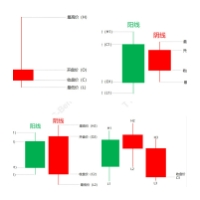
コア機能: 取引信号識別:本EAは市場における重要な取引信号を自動的に検出することができ、Pinbar、飲み込み、妊娠線と頂分型などを含む。これらの信号はいずれも市場の歴史的な価格行動に基づいており、広く検証されており、多くのトレーダーにとって重要な取引の参考とされている。 自動取引:上述の取引信号が認識されると、EAは自動的に取引操作を実行し、倉庫を開け、倉庫を平らにし、停止と収益停止を設定するなどを含む。これにより、トレーダーの手動操作が大幅に削減されるとともに、取引の一貫性と効率が向上します。 リスク管理:EAはリスク管理メカニズムを内蔵しており、トレーダーのリスク負担能力に応じてカスタマイズすることができる。合理的な倉庫管理と減損停止の設定を通じて、本EAはトレーダーが取引リスクを低減し、安定した利益を実現するのを支援することを目的としている。 パフォーマンス最適化:EMCはさまざまな市場条件で安定した運用を可能にするために、EAのアルゴリズムとパフォーマンスを最適化し続けています。また、EAの取引パフォーマンスをよりよく理解するために、トレーダーに詳細な取引記録とレポートを提

PL Graph Visualizer は、アカウントの損益をリアルタイムにグラフで表示するユーティリティです。
グラフは通貨ペア別やマジックナンバー別に見ることができ、ポジションごとの損益の推移が一目でわかります。 このツールは、ここにある統合決済ツールと組み合わせて使用すると、その機能をさらに強化できます。
https://www.mql5.com/en/market/product/116884
リアルタイムのグラフには口座全体の損益だけでなく、複数の通貨ペアの損益状況も表示されるため、トレーダーは詳細な変化を瞬時に把握することができ、意思決定を支援し、より効率的な取引を行うことができます。
リアルタイムの損益の可視化により、取引戦略を強化します。
このツールはリアルタイムでチャートを生成するため、チャートを閉じたり、時間足を変更したり、MT4を再起動したりすると、最新のデータからチャートが再生成されます。
より詳細な情報:
https://www.mql5.com/en/blogs/post/757410
FREE

Ichimoku signal finder expert Expert Ichimoku Analyzer is a very suitable tool for analyzing and checking standard Ichimoku indicator signals. This expert with the name TFI ICHIMOKU is one of the fast series experts that has the ability to send signals to email and mobile phones and due to its special technical features, it can quickly check the symbols in the watch list and check the signals. by buying Ichimoku Expert, you can find Ichimoku signals in the shortest time. TFI ICHIMOKU TFI ICHIMOK

Are you tired of missing out on profitable opportunities due to cumbersome and slow trade management in MT4? Do complexities in adjusting trades quickly and accurately analyzing market conditions make you hesitant and cost you financially? Understanding and reacting to market dynamics can be challenging, especially without the right tools. Our innovative Trading Panel is specifically engineered to tackle these issues. It provides a streamlined and efficient way to manage your trades and analyze

Expert Slider for MetaTrader 4 Expert Slider is one of the most widely used experts in the Forex financial market and Metatrader 4. Using this expert, you can easily design several slides for yourself and save several currency pairs with different templates, and according to the timer used for Each slide you set, view different currency pairs with the desired template and continue your analysis and reviews. In the technical specifications section of this expert, there are many options that can b

TFM MULTI CROSS expert MT4
TFM MULTI CROSS expert can receive different signals and send them to the user using 3 moving average indicators . This expert can help the trader to recognize different crosses in any time frame. This expert is a new version of forex signal finder experts, which has high speed, high efficiency and accuracy. By purchasing Expert Multi cross, you can easily find the crosses created in your watch list in the stock market and forex.
General features of TFM MULTI CROSS

Expert candle finder for forex in MetaTrader 4 Expert candle finder is one of the practical trader assistant experts that is used in the forex financial market, this expert accurately identifies the candlestick patterns on the price chart as a signal, all the found candles. informs you. This expert is run on your Meta trader platform and in a very precise way, it examines all the currency pairs that are in your watch list and every currency pair that had a professional and good candlestick patt

RF Trailing MT4 trading assistant robot
The Risk Free Trailing Stop expert is one of the experts designed by the active intelligence programming team, which is designed using the experience and skill of many years in financial markets programming of this expert. This expert is designed for the Metatrader 4 platform and has many attractive features that have a very positive effect on your trading process. Profit and loss limit management is one of the most effective factors in the success of a t

The Scientific Calculator is a script designed to compute science, engineering and mathematics expressions.
General Description
The expression to calculate must obey syntax rules and precedence order, being constituted by the following elements: Integer and real numbers. Mathematical operators for addition (+), subtraction (-), multiplication (*), division (/) and exponentiation (^). Mathematical and trigonometric functions . Curved parentheses (()) to define the precedence and co
FREE

Expert or Super Trend signal finder robot for MT4 The super trend indicator is a trend indicator that is very widely used in technical analysis, this indicator has two main tasks, the first task is to identify and recognize the market trend and the task of identifying buy and sell positions, but in order for us to be able to To check all the shares or currency pairs with which we do our transactions, we must compare each currency pair or share with this indicator one by one, so that we can find
MetaTraderマーケットは自動売買ロボットとテクニカル指標を販売するための最もいい場所です。
魅力的なデザインと説明を備えたMetaTraderプラットフォーム用アプリを開発するだけでいいのです。マーケットでプロダクトをパブリッシュして何百万ものMetaTraderユーザーに提供する方法をご覧ください。

取引の機会を逃しています。
- 無料取引アプリ
- 8千を超えるシグナルをコピー
- 金融ニュースで金融マーケットを探索