 MetaTrader 5
 エキスパート
 インディケータ
 ライブラリ
ライブラリ
 ユーティリティ
 ウィジェット
 ルール
ルール
YouTubeにあるマーケットチュートリアルビデオをご覧ください
ロボットや指標を購入する
仮想ホスティングで
EAを実行
EAを実行
ロボットや指標を購入前にテストする
マーケットで収入を得る
販売のためにプロダクトをプレゼンテーションする方法
MetaTrader 4版新取引ユーティリティ - 22
 以下はMetaTrader4での外国替取引を簡素化する取引プログラムです。以下のリストのユーティリティにカーソルを合わせて、説明と目的をご覧ください。
リスクリワードレシオマネージャーは、規律ある取引とプロフェッショナルなリスク管理を支援するために設計された、視覚的な注文管理ツールとポジションサイズ計算ツールです。トレーダーはチャート上でエントリーレベル、ストップロスレベル、テイクプロフィットレベルを視覚的に設定できるだけでなく、注文発注前にロットサイズとリスクリワードレシオを自動計算します。このツールは、取引準備を標準化し、各ポジションが事前に定義され、管理されたリスクレベルでオープンされることを保証します。 このツールは、通貨ペア、指数、貴金属、コモディティ、暗号通貨など、幅広い取引商品に対応しています。手動取引を行うトレーダーだけでなく、あらゆるポジションにリスク管理ルールを適用する戦略重視のトレーダーにも適しています。計算時間を短縮し、手動によるエラーを回避することで、トレーダーは執行プロセスの一貫性と透明性を維持できます。 リスク対報酬比率マネージャー インストールと入力ガイド EAに関する通知を受け取りたい場合はURLを追加してください( http://www.betasoft.dev ) MT4/MT
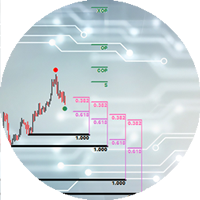
The Expert Advisor cannot be launched in the tester, as it does not work by ticks, but by timer and chart events. An advisor for trading using DiNapoli levels. The Expert Advisor helps to place graphical elements on the chart in a convenient way in full accordance with the rules of calculation according to the DiNapoli method. The Expert Advisor opens orders according to the calculated parameters and accompanies them. At the request of the trader, the adviser can use the "safe" rule and transfer

Trading panel for manual trading. Has a fairly wide functionality. Allows you to automatically calculate the order size, open both market and pending orders. It has a wide range of options for closing orders, it is possible to partially close orders, close orders after reaching a certain profit or loss, separately close profitable and unprofitable, buy and sell, as well as pending orders. The panel also contains a simple implementation of a grid of pending orders, reverse and lock functions, tr
FREE
Free until the end of the year.
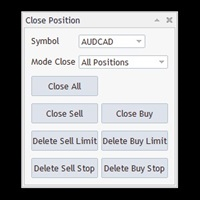
Close All With Just One Click MT5: https://www.mql5.com/en/market/product/110006 Close orders with just one click, quickly and neatly. Supported order types: Market order, limit order, stop order
Note: This software is very fast, there is no warning every time you press the button, please use caution when using, or use it proficiently in a demo account first, I am not responsible for any loss caused by the software being activated. misactivated

「Binary Lab Simulator」は、トレーディング戦略の練習と検証のために設計されたツールです。 このツールは24時間365日動作し、30秒、1分、3分などの様々な有効期間をサポートし、実際の取引に近い環境を提供します。 外部ツールとの互換性があり、エントリー結果を分析できます。 複数のテンプレートを簡単に保存でき、オンライン環境からシミュレータへのシームレスなテストが可能です。 単独でも使用できますが、「SpeedManager」、「Practice Simulator Sync」、「ArwByIdx」と組み合わせることで機能が向上します。 「SpeedManager」は指定されたエントリーで自動停止を行います。 「Practice Simulator Sync」は他の時間枠や通貨ペアとのチャート同期を可能にします。 「ArwByIdx」は外部インジケーターやシグナルツールと連携し、自動でエントリーをリンクします。 シグナルツールと連携すると、指定された取引回数後のエントリー、クローズ、または自動停止をサポートします。 連勝/連敗数を追跡したり、取引結果の画像を保存した

ストラテジーテスターでの効率的なテストと分析を可能にする再生スピード調整ツールです。 ストラテジーテスターの操作性を向上させ、トレード戦略の開発や評価を効率化する手段としてご活用いただけます。
ツールの特徴: 再生スピード管理:ユーザーは、ストラテジーテスターの再生速度を自由に変更できますので、早送り、倍速再生だけでなく、希望の場所で一時停止することも可能です。 1バー、1ティックづつ進む:ユーザーは「次のバーへ進む」ボタンを使用して、1バーずつ進むことができます。また、より詳細な分析のために1ティック単位での進行も可能です。 時間足と通貨ペアの同期:「 Practice Simulator Sync (無料)」と一緒に使うことで、異なる時間足や通貨ペアと同期して再生する機能も備えています。これにより、MTFや異なる通貨の状況を同時に見ることができます。 自動一時停止:毎日一定の時間(例えばマーケットオープンなど)で停止し、そこからの動きを分析することができます。日々のトレードスケジュールを加味したタイミングで止めることができます。 インディケーターの追加:MT4に標準で入っているイ
FREE

マルチ通貨の前のキャンドルまたは前のバースキャナーは、インジケーター設定から選択したカスタム時間枠でマルチシンボルチャートをスキャンするのに役立ちます。
製品に基づく: https://www.mql5.com/en/market/product/110229
前日の高値安値、前週の高値安値、前月の高値安値、または任意のカスタム時間枠の複数のシンボルをスキャンするために使用できます。 過去4時間チャートの高値安値
ノイズをフィルターし、価格が高値ラインまたは安値ラインに接触したときに方向性のある警告を発します。
戦略はシンプルで、前日、週または月の高値安値に触れると、価格が5分などの短い時間枠で拒否されると見なされます。
さまざまなアラートの種類を選択するオプションがあります
スキャン頻度をミリ秒単位で選択および設定できます
1000 は、相場監視のすべてのシンボルを毎秒スキャンすることを意味します
製品の特徴
1. ターミナルアラート
2.電子メールアラート
3. プッシュ通知
ピボット ポイント マルチ シンボル スキャナーは、フロア、ウッディ、カマリラ、デマーク、またはフィボナッチ ピボット ポイントのマーケットウォッチで利用可能なすべてのシンボルをスキャンします。
任意の時間枠を選択してピボットポイントを計算し、価格がこれらのレベルのサポートとレジスタンスに達したときにアラートを受け取ることができます。
視覚的なピボット ポイントについて この製品に興味があるかもしれません: https://www.mql5.com/en/market/product/110231
さまざまなアラートの種類を選択するオプションがあります
スキャン頻度をミリ秒単位で選択および設定できます
1000 は、相場監視のすべてのシンボルを毎秒スキャンすることを意味します
製品の特徴
1. ターミナルアラート
2.電子メールアラート
3. プッシュ通知

あなたなしでは損益分岐点が勝ちトレードに変わることにうんざりしていませんか? Unwickable Stop Loss (USL) により取引を継続できます!
あなたは綿密に取引を計画し、忍耐力を発揮し、「完璧な」瞬間にエントリーしました。 取引が自分に有利に進むと、ストップロスを損益分岐点に移動し、資本がリスクにさらされない安心感を得ることができます。 しかしその後、市場は予期せぬ方向に進み、あなたを止め、意図した方向に進みます (スクリーンショット A を参照)。 何が違うのか考えたことはありますか? ストップの移動のタイミングを計るのは、エントリーのタイミングと同じくらい難しく、タイミングを間違えると早期の退出につながることがよくあります。 停留所の移動による不確実性を回避するためのより良い方法があるとしたらどうでしょうか? 早期の撤退を排除して、取引を長く続けることができるもの Unwickable Stop Loss (USL) を導入します。これは、ハード ストップロスとシームレスに連携する、リスク管理における革新的なツールです。 USL は、ウィックによって時期尚早
FREE

The program is use to copy trading from MT4 to MT4 and MT5 on local PC or copy over the Internet. Now you can easy copy trades to any where or share to friends. Only run one Flash Server on VPS, also need allow the apps if you turn on Windows Firewall. Can not add more than 20 account copier to server, include both MT4 and MT5 Get free Copier EA for MT4 and MT5 (only receive signal), download here Instants copy, speed smaller 0.1 seconds, easy to setup How to setup and guide Let read a

A very simple script. It quickly places lines along zero lines and local extremes, greatly facilitating routine work at the beginning of the trading day. The lines on the round prices are placed inside the work screen in a given interval. Extremes are placed within a period defined by the trader, based on data from different timeframes from M15 to MN1 Settings: Extreme lines - switch lines at extremes (true - enabled) Zero lines - switch of lines at zero levels (true - enabled) Distance between
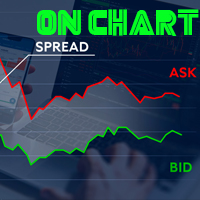
Indicador de Spread en Tiempo Real en la Gráfica Este indicador revolucionario te brinda una visión transparente y detallada del spread en tiempo real directamente en tu gráfica de trading. Diseñado para proporcionar información precisa y crucial, este indicador mejora tu capacidad para tomar decisiones informadas y optimizar tu rendimiento comercial. Características Destacadas: Visualización Instantánea: Observa el spread en tiempo real directamente sobre tu gráfica, eliminando la necesidad de
FREE

This indicator will display current logined mt4 account's orders information of current symbol chart. It also allow import some formated data: 1) MQL5 Signals History CSV file (*.csv) 2) MT4 Account History Statement file (*.htm -> *.txt)
*[Next Version] Allow Import data form 'HF HistoryExporter (*.csv)'
Sample Data of MQL5 Signals History File Time;Type;Volume;Symbol;Price;S/L;T/P;Time;Price;Commission;Swap;Profit;Comment 2023.12.20 23:00:02;Buy Limit;0.06;EURUSD;1.08994;1.06024;1.09464;202

Just a panel for drawing levels. Minimal but very useful thing. This is a further development of the free version. This is the version that I use myself and it has many behavior adjustments. ---- 12 types of customized levels. Support for rectangle and line levels. If you need to prevent a level from extending, add "noext" to the end of the name level object. For any update idea please contact me here. ---- This is not an indicator, don't download the demo, it doesn't work For test see free ver

With Easy News, you can trade breakouts from a range at specific times.
This is particularly lucrative for news and economic announcements because high risk/reward ratios are often present in these situations. This tool is suitable for all currencies and timeframes. It includes profit pyramiding. This means that when the first order is in profit by xx points (adjustable), another order is opened (depending on the set quantity).
How does it work? At a specific time, the tool creates 2 stop orde
FREE

ADAM EA Special Version for FTMO Our 1st EA created using ChatGPT technology
Trade only GOOD and checked PROP FIRMS Default parameters for Challenge $100,000 Tested on EURUSD and GBPUSD only Use 15MIN Time Frame Close all deals and Auto-trading before Weekend at 12:00 GMT+3 Friday For Prop Firms MUST use special Protector https://www.mql5.com/en/market/product/94887 ----------------------------------------------------------------------------------------------------------------------------

This Expert provides a panel to manage all positions you have on different pairs or any instruments.
not only you can close your positions just by clicking the amount of profit or loss shown on the related cell, but also you can customize whatever you see on the panel from font size to lines and background colors.
Remember , auto trading on MT4 panel must be active, but in our Expert we have provided a key on the panel to activate or deactivate the panel to avoid closing by accident.
Any qu

AccountGuard will protect your account from unexpected losses by constantly monitoring the equity and follow the rules as your input in the parameters. When the rules are reached, it will close all the trades, you can choose the close mode yourself, and you can set the close percent and close profit by yourself, It can show current profit in percent, and show buy and sell profit separately, it can show profitable trades profit and loss trades profit separately. Additionally, AccountGuard p

Revolutionize Your Trading Experience with Our Advanced Management Panel Maximize efficiency and control with our cutting-edge Management Trades Panel, exclusively designed for discerning traders. Our innovative panel is a game-changer in the realm of financial trading, offering unparalleled functionality and user-friendly features. Key Features: Automated Daily Profit/Loss Closure : Set your desired profit or loss thresholds, and let our panel automatically close all current trades when these
FREE

清理图表符号的好工具 清理图表符号的好工具 清理图表符号的好工具 清理图表符号的好工具 清理图表符号的好工具 清理图表符号的好工具 清理图表符号的好工具 清理图表符号的好工具 清理图表符号的好工具 清理图表符号的好工具 清理图表符号的好工具 清理图表符号的好工具 清理图表符号的好工具 清理图表符号的好工具 清理图表符号的好工具 清理图表符号的好工具 清理图表符号的好工具 清理图表符号的好工具 清理图表符号的好工具 清理图表符号的好工具 清理图表符号的好工具 清理图表符号的好工具 清理图表符号的好工具 清理图表符号的好工具 清理图表符号的好工具 清理图表符号的好工具 清理图表符号的好工具 清理图表符号的好工具 清理图表符号的好工具 清理图表符号的好工具 清理图表符号的好工具 清理图表符号的好工具 清理图表符号的好工具 清理图表符号的好工具 清理图表符号的好工具 清理图表符号的好工具 清理图表符号的好工具 清理图表符号的好工具 清理图表符号的好工具 清理图表符号的好工具 清理图表符号的好工具 清理图表符号的好工具 清理图表符号的好工具 清理图表符号的好工具 清理图表符号的好工具 清理图表符

バージョンMT 4: https://www.mql5.com/zh/market/product/109262 バージョンMT 5: https://www.mql5.com/zh/market/product/109258 使用方法: https://www.mql5.com/zh/blogs/post/755183 EAの概要: このEAは、2人のブローカーAとBを用いてヘッジ取引を行う。ブローカーAのASKがブローカーBのASKより小さい場合、ブローカーAは購入し、ブローカーBは売却し、2つの口座の損益を観察する。総利益が目標に達すると、口座Aと口座Bは同時に平倉になる。 シーンを適用するには: 1.価格差ヘッジ:異なるブローカーの見積もりが異なり、Aブローカーの見積もりがBブローカーの見積もりより高い場合もあり、Aトレーダーの見積もりがBトレーダーの見積もりより低い場合もある。これはヘッジにお金を稼ぐ機会を提供している。 2.リベートを稼ぐ:手数料の返金サービスを提供する代理店を探して、AB口座が利益がなくても、リベートを稼ぐことができます。 3.プラットフォーム奨励金の使

IndicatorsValueFullView can show Stochastic、CCI and RSI indicators value on just one Chart with fashionable and welcome GUI, IndicatorsValueFullView support 29 major pairs and about 33 exotics pairs. Traders can switch Stochastic、CCI and RSI indicators int left tree, and control indicator update or not by update checkbox, also, traders can switch show indicator value or show buy sell by yourself. The over bought and over sell value will be shown by highlights color Traders can roll up or

A utility for automatically detecting the GMT offset of your broker To use the utility, place it in the Scripts folder of the terminal data directory, enable WebRequest in the terminal settings and add the address https://www.worldtimeserver.com/ to the list of allowed ones. Run the Check GMT script on the chart with any currency pair There is only one setting in the script: site = https://www.worldtimeserver.com/ just for your convenience. Copy this address from the script setti
FREE
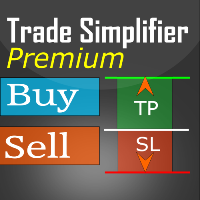
Trade simplifier premium is a trade panel that simplifies trade opening. It is simple and easy to understand, with key features to ease trading. Features include:
Order type selection Fixed lot entry from the chart user interface Easy Take profit entry field on the chart user interface Visual take profit selection and adjustment via the line that appears when you click the Take Profit button Easy Stop loss entry field in points on the chart user interface Visual Stop Loss selection and adjustm

Description:
EquityStop UAP is the solution designed to optimize the management of your forex operations securely and efficiently. Our software provides a superior level of control and protection for every trade.
*Key Features:*
1. **Equity Protection:** Preserve your capital with our advanced Equity Stop feature, applying an automatic safety barrier to limit losses.
2. **Percentage Trailing Stop:** Maximize your profits and minimize losses with the Percentage Trailing Stop feature, dynam
FREE

---NEWS DEFENDER--- Maximize your Forex performance with our script designed to prevent losses during news events! Our solution simplifies the process: Smart Management: Detects news X minutes before and allows you to manage your existing trades. Instant Limitation: Prevents new trades during news events, giving you full control. Perfect for those looking to close all trades and wait until the news passes. Moreover, our Pro version provides protection against unwanted trades by other EAs, includ

Just a panel for drawing levels. Minimal but very useful thing. This is a reimagining of Color Levels Pro. ---- 4 types of customized levels. support for rectangle and line levels. The indicator parameters are very simple and are divided into blocks. For any update idea please contact me here. ---- don't suffer don't suffer ---- Enjoy your work!!!!!!!! ----
FREE

Breakout System EA works based on HFT (high-frequency trading) algorithm and mini bar height. it open trades when bar height meets some indicators mathematical confirmation. * Forex EA Features – Allow compound interest or Fix lots by Users – Spreads protection, using pending orders (stop order) without any market orders – No grid. No martingale – A small Stoploss for every trade – Combine with RSI, Ichimoku and Awesome Oscillator indicators to balance the price – Primitive Price Action Activ

Smart Manager Dashboard - with auto virtual TP and auto virtual SL for all trades. -this EA is a powerful trade manager that can manage all symbols and all trades at once , all from one chart so it is a must have tool for every trader who keeps more trades at once. -it mainly does 2 things : INFO ABOUT TRADES and CLOSING TRADES (grouped by their symbol, so with this tool it is very easy and fast to manage even hundreds of trades )
-add to any chart, any timeframe and you are all set
-this to

Baby Shark Pro EA works using a series of indicators, mainly the RSI. This is an EA that uses martingale, so use with caution. But Baby Shark Pro EA gives you the ability to change the multiplier parameter, which allows it to decrease the martingale level. Thus, you determine the risk level you want. Unlike most of the other martingale, EA’s This doesn’t place random entries, rather it is riding on market movement RSI > 50. If the market moved the opposite direction after the first entry, the ne

This program serves as an effective tool for sending messages through a Telegram bot using the MetaTrader platform. It enables you to send your trading recommendations related to the orders you open on the trading platform directly to your Telegram channel or group. These messages may include details about open trades and can be accompanied by illustrative images of the orders. Alternatively, they can be configured to be without images based on your preferences. This means that if you are the ow

Introducing "Prop Risk Manager": Your Trading Discipline Partner
Are you a trader looking to adhere to prop firm rules with unwavering discipline? Look no further. "Prop Risk Manager" is your comprehensive solution for navigating prop firm guidelines and optimizing your trading success.
Key Features:
- Precision Risk Management : "Prop Risk Manager" aligns with prop firm principles to ensure you never trade during news events, hold trades overnight, or risk weekends.
- Tailored Trading Hou
FREE

Title: EA Automater 5 Indicators for Averaging - A Diversified Approach to Algorithmic Trading Description: The EA Automater 5 Indicators for Averaging is a revolutionary Expert Advisor for MetaTrader 4, meticulously designed to provide traders with a diversified and balanced approach to automated trading. With its distinct ability to integrate and average signals from up to five different indicators, this EA stands as an unrivaled force in the realm of algorithmic trading. Main Features: Multi-

Программа передвигает уровень стоп-лосс вслед за ценой на расстоянии в пунктах, которое будет указано в настройках, то есть является самостоятельным плавающим стоп-лоссом. При необходимости, программу можно настроить таким образом, чтобы она передвинула стоп-лосс при достижении какого-либо уровня прибыли в пунктах. Также можно установить шаг трейлинга, чтобы программа передвигала стоп-лосс только через определенное количество пунктов. Несколько причин отдать предпочтение "Mobile trailing stop":

Multi Take Profit Manager Automatically close portions of your open trades at up to three profit targets. This utility is designed for manual traders who frequently open multiple positions and want to scale out of trades automatically as profit targets are reached. Instead of manually closing positions one by one, the utility can partially close your total open position at predefined Take Profit levels, helping you lock in profits while allowing the remaining positions to continue running. Key F
参数说明如下: extern double 第一单挂单价格 =0;// 新加参数 , 第一单开单可以是挂单并输入挂单价格,如果默认 0 表示,第一单采取立即开市价单的方式。 extern int 第一单挂单有效分钟数 =720;// 新加参数,如果第一单是挂单,挂单有效分钟数 buyORsell=false;// 第一单开多单还是空单,设置为 true 表示第一单开多单,设置为 false 表示第一单开空单
lots1=0.01;// 第一单开单的下单手数。
maxlots=10;// 加倍后的最大下单量不能超过 10 手,如果超过就不再开单
beishu=2;// 第一单以后加倍开单的加倍倍数
StopLoss=30;// 所有单的止损设置点数, 4 位平台还是 5 位平台, 30 就代表 30 点。
TakeProfit=30;// 所有单的止赢设置点数, 4 位平台还是 5 位平台, 30 就代表 30 点。
OpenTime=0;// 第一次开单的开单时间必须超过这个时间点,这个时间你输入你本地电脑上的时间就可以了。
OpenVolume=0;/

Streamline your trading communication with our Telegram to Discord Trade Forwarder, a powerful Python-based tool designed for traders who want to effortlessly share trade information from Telegram to Discord. No more tedious copy-pasting—our software automates the process, ensuring that every crucial message, image, or video is seamlessly forwarded to your Discord community.
Key Features: Effortless Trade Sharing: Instantly share trade updates, images, and videos from your Telegram channels to

Chart Notes = MULTI LINE TEXT INPUT ON CHART FOR MT4 is finally here! # sticky notes This indicator is a powerful text editor for placing notes on chart, similarly like the feature on Tradingview.
There are 2 types of messages: anchored (on screen ) and free (on chart).
1. Anchored = stays on the same place on screen (x point, y point) -this text can be EDITED on click (first line is for dragging the message around- this line is edited via right clicking- >properties) -move the message
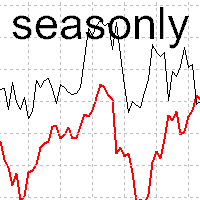
The tool for exploring seasonal patterns. It compares the chart with charts of other years and compares with the average for other years. Allows you to shift charts if necessary. Explore any year by specifying the zero point. Up to 10 charts in one tool. Works only on the daily chart ! The best for you! Enjoy your work! (It's not indicator - do not download demo it not work) for mt5 Seasonly

Emulate TradingView drawing experience with magnet snap to the nearest price.
Supported drawing tools: Vertical Line Horizontal Line Trend Line Horizontal Ray (Angle Trend Line) Fibonacci Retracement Rectangle
Input:
Threshold (px) : The distance in pixel unit to snap the crosshair to the nearest price. Crosshair color: The color of crosshair.
Feel free to write the review, request more features or report bugs.
FREE

以平台时间执行EA(市场报价处显示的就是平台时间)。 先计算好数据发布时的平台时间是多少,比如电脑时间是20:00,平台时间是14:00,那么平台时间就是比电脑时间慢6个小时,如果非农数据发布的时间是电脑时间21:30,平台时间就是15:30,设置参数的时候就要设置成15点30分,挂单秒数设置成-30秒,就自动在15:29:30执行挂单。 做实盘前最好在模拟盘上先测试, 就会在心里形成什么数据该挂多少的量, 该做多少的止损 ,止盈。是否要移动止损或手工平仓。 这样才会在大数据上利用这款EA做到以小博大! 比较简单易懂的一款EA,但平台最低价格得30刀,感觉不值这个价,随便挂着卖吧,免费是不可能免费的,哈哈!

EquitySafe V1.0 is a powerful risk management tool designed for MetaTrader 4 . It enables traders to effectively manage their risk by setting maximum loss limits based on custom time frames. With this tool, you have the flexibility to define your own time intervals and allocate specific risk thresholds accordingly. This helps you maintain control over your trading account and minimize potential losses. By utilizing EquitySafe, you can ensure that your trading strategy

Ea CloseManager MT4を紹介します。これは、MetaTrader 4向けに設計された専門的なExpert Advisor(EA)で、取引のクローズプロセスを簡素化し、自動化するためのものです。この強力なツールは、手動および自動取引戦略の両方に利益をもたらし、出口基準を正確に制御することで、さまざまな専門知識レベルのトレーダーに最適です。 MQL製品のインストールガイド | MT4/MT5で購入したMQL製品の更新 | 一般的なトラブルシューティングガイド | 一般設定 / 入力ガイド | バックテストとセットファイル Ea CloseManager MT4を使用することで、ユーザーは取引管理において大幅な時間の節約とリスク管理の向上を体験します。このEAを利用するトレーダーは、特にforex、インデックス、暗号通貨において、迅速な市場状況に適応した規律ある出口戦略を通じて、収益性の向上を報告しています。 MQL製品のインストールガイド | MT4/MT5で購入したMQL製品の更新 | 一般的なトラブルシューティングガイド | 一般設定 / 入力ガイド | バックテストと
FREE

The Trade Manager Interface is a free utility designed to simplify manual trading in MetaTrader. Please leave a review, if you like the trade manager. It allows traders to visualize trades directly on the chart, calculate position size automatically, and manage orders with advanced features such as partial take profits, automatic breakeven, and trailing stops.
This tool focuses on risk control and execution precision, making trade management faster and more efficient. For the advanced trade
FREE
By using this indicator you can easily find out how much your position is in profit right on the volume line on the chart. no need to take your mouse pointer on the lines. --- if you have different positions you can set all your TPs or SLs to a specific price to know the final value if the price reaches there. key features are : --- opened positions TP/SL value right on the chart. --- live value of the open position right on the volume line. --- commissions and swaps are being calculated. --- fo

"Twitter API v2 OAuth 2.0 with PKCE"に対応した「TweetHelper for MT4」の環境設定を行うスクリプトです。
Client ID : ${CLIENT_ID} Auth Basic base64 : β string(Base64) Response Code : auth_code to be obtained in step 2 of "Connection Procedure Using OAuth2.0" Callback URI : the value set in User authentication settings "Callback URI / Redirect URL"
TweetHelper trial for MT4 https://www.mql5.com/ja/market/product/54507
TweetHelper for MT4
https://www.mql5.com/ja/market/product/54790
MetaTrader settin
FREE
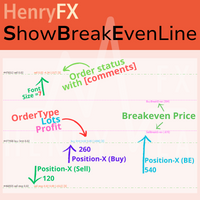
This indicator can help easy to management your order on screen.
FREE Version, included: - " Show Breakeven Price "
Show Breakeven Line Pro : : https://www.mql5.com/en/market/product/58289
Input Parameter: " Label Prefix "
:: [ ] Description; " Position-X-Dis "
:: [ ] Description; " Position-Y-Dis "
:: [ ] Description; " Show Market Price "
:: [ ] Description ; " Price Up Color "
:: [ ] Description; " Price Down Color "
:: [ ] Description ; " Position-Y-D
FREE

TradeWise EA is a compact yet powerful tool loaded with robust features. It offers a 30-trades compounding challenge , Risk-Management, Performance Tracking, Break-Even Calculation, Automated SR Zones, Trailing Stop-loss by ATR or PIPS, Automatic Risk-to Reward Ratio based on Stop-loss, Easy Order Adjustments, Calculates Total Stop Loss and Take Profit, Automatic buy and sell orders on manually placed SR Zones, and more. These features are designed to cater to both scalpers and long-term traders

All the buttons and info you need as a trader in just one interface No need to navigate between multiple interfaces and waste time and money This cutting-edge trading tool is designed bu a trader for a trader to meet all your trading needs and more, offering an array of features and functionalities to enhance your trading success.
45 Features: Buy :Open long positions Sell :Open short positions HG : HEDGE :Buy and Sell(same lot) S.Pdg : Sell-Stop and Sell-Limit Red X
EA HedgeTradeManager MT4を紹介します。これは、ヘッジ戦略を自動化するために設計された強力なExpert Advisorで、トレーダーに対して不利な価格変動を管理するための信頼できるツールを提供します。このEAは、ヘッジ技術を探求する初心者トレーダーや、取引セットアップを強化したい経験豊富なプロフェッショナルの両方に最適です。 MQL製品のインストールガイド | MT4/MT5で購入したMQL製品の更新 | 一般的なトラブルシューティングガイド | 一般設定 / 入力ガイド | バックテストとセットファイル 高度なリスク管理機能を備えたEA HedgeTradeManager MT4は、潜在的なドローダウンを大幅に削減し、柔軟なlotサイズを可能にすることで際立っています。トレーダーは、forex、インデックス、または暗号通貨のいずれにおいても、動的なlotの進行と株式ベースの出口戦略を利用することで、変動の激しい市場を効率的にナビゲートできます。 MQL製品のインストールガイド | MT4/MT5で購入したMQL製品の更新 | 一般的なトラブルシューティングガイ
FREE
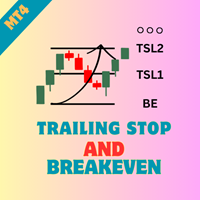
Ea TrailingStop BreakEven MT4を紹介します。これは、ストップロスレベルの管理を自動化することで、取引効率を向上させる強力なExpert Advisorです。初心者と経験豊富なトレーダーの両方に最適なこのEAは、ブレイクイーブンとトレーリングストップの設定を動的に調整することで、リスクを最小限に抑えつつ利益を最大化します。 MQL製品のインストールガイド | MT4/MT5で購入したMQL製品の更新 | 一般的なトラブルシューティングガイド | 一般設定 / 入力ガイド | バックテストとセットファイル Ea TrailingStop BreakEven MT4を使用することで、トレーダーは最適化された取引管理の大きな利点を享受でき、好ましい市場動向の際に利益をより良く保持できます。ユーザーからは、EAがプロセスを合理化し、手動取引監視にかかる時間を削減することで、取引パフォーマンスが大幅に向上したとの報告があります。 MQL製品のインストールガイド | MT4/MT5で購入したMQL製品の更新 | 一般的なトラブルシューティングガイド | 一般設定 / 入力
FREE
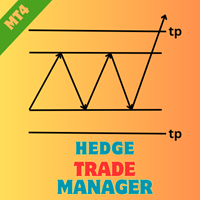
Hedge Trade Manager MT4でヘッジ戦略を強化しましょう。この洗練されたエキスパートアドバイザー(EA)は、逆行する価格変動に対抗するためにヘッジ取引を自動化するように設計されており、2010年代にフォレックスブローカーが反対ポジションを許可することで利益を固定または不確実なトレンド中の損失を制限するヘッジ技術に根ざしています。MQL5やForex Factory、Redditのr/Forexなどのトレーディングフォーラムでその柔軟な設定と強固なリスク保護が評価されており、このEAはフォレックス主要ペア、インデックス、暗号通貨のようなボラティリティの高い市場でスキャルパーやスイングトレーダーに好まれています。ユーザーは、潜在的なドローダウンを管理可能なシナリオに変える能力を称賛し、ダイナミックなロット進行とエクイティベースの出口により全体のリスクを25-40%削減することが多く、回復戦略を試みる初心者ヘッジャーや、多EA設定を統合して多様なポートフォリオを構築する経験豊富なプロに最適です。 Hedge Trade Manager MT4は、取引が指定された損失距離(H
FREE
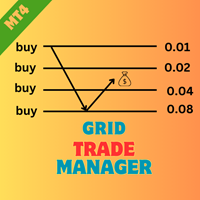
EA MartingaleTradeManager MT4を紹介します。これは、マーチンゲールアプローチを使用して取引戦略を最適化するために設計された革新的なエキスパートアドバイザーです。このEAは、取引プロセスを自動化し、体系的な取引管理を通じて損失を回復したいトレーダーに最適です。 MQL製品のインストールガイド | MT4/MT5で購入したMQL製品の更新 | 一般的なトラブルシューティングガイド | 一般設定 / 入力ガイド | バックテストとセットファイル 高度な機能を備えたEA MartingaleTradeManager MT4は、損失に応じて逆の取引を行うことでポジションを効果的に管理し、リスクを最小限に抑えながら利益の可能性を最大化します。初心者と経験豊富なトレーダーの両方に最適なこのEAは、さまざまな市場条件に適応し、取引パフォーマンスを向上させることができます。 MQL製品のインストールガイド | MT4/MT5で購入したMQL製品の更新 | 一般的なトラブルシューティングガイド | 一般設定 / 入力ガイド | バックテストとセットファイル 主な機能 コア取引戦
FREE

EA AccountTrailingStop MT4を紹介します。これは、MetaTrader 4での利益を自動的に管理・保護することで、あなたの取引戦略を強化するために設計された高度なExpert Advisorです。このツールは、初心者とプロのトレーダーの両方に最適で、さまざまな取引環境における動的な利益ロックのための堅牢なソリューションを提供します。 MQL製品のインストールガイド | MT4/MT5で購入したMQL製品の更新 | 一般的なトラブルシューティングガイド | 一般設定 / 入力ガイド | バックテストとセットファイル EA AccountTrailingStop MT4を使用することで、ユーザーは好ましい市場条件下での利益保持の改善や手動監視時間の短縮といった重要な利点を体験します。forex、インデックス、暗号通貨のトレーダーは、全体的な収益性の顕著な向上を報告しており、このEAは取引パフォーマンスを最適化しようとするすべての人にとって重要な資産となっています。 MQL製品のインストールガイド | MT4/MT5で購入したMQL製品の更新 | 一般的なトラブルシュ
FREE

You can use comercial or free AG version.
In comercial version you can trade all 28 pairs in your basket.
For free version for testing you can trade only 7 pairs for free
In version 1.20 change the indicator from CCFp to CSS -CurrencySlopeStrength
In algorithm release the construction of Baskets Differencial - 4 baskets
Signal algoritm AG for 28 pairs you can rent in mql5 shop
https://www.mql5.com/ru/market/product/94278
Signal algoritm AG for 7 pairs FREE version you can upload free
htt
FREE
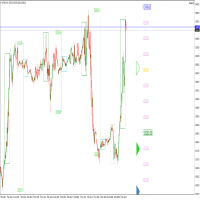
Perspect EA
This version of the EA focusses on indicating points of interest on the chart, features include : Sessions (Asia/Gap/London/Gap/NewYork/Gap) Previous Daily/Weekly/Monthly highs and lows Previous Daily/Weekly/Monthly open and close price
Round numbers (Ruler) Opening range Initial balance Multi time frame (Yearly view, monthly opening range) Customizable chart templates for low light users The indicator will assist in advanced technical analysis, providing the user with desired
FREE

This simple EA closes old losing trades at the expense of a portion of your profits. This helps to slowly work away drawdown and accelerate the closure of martingale grids
*** New Features *** Added - Option to close oldest or furthest from current price trades Added - Calculation of profits that will be sacrificed.
Anyone who has traded with martingale knows that you can get trapped in grids and be hoping for a quicker recovery. This led me to create this EA with the goal of helping to r
FREE
警告、このEAはテスターでは動作しません。 デモアカウントまたは実際のアカウントでのみ動作します。 デモを試してみたい場合は、こちらからお問い合わせください: https://www.mql5.com/en/users/abudabi MT5 Version
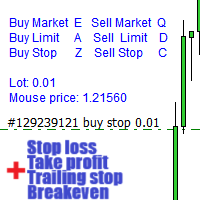
MetaTrader 4でキーボードとマウスから迅速な注文を送信(配置): 希望の価格にカーソルを移動し、キーを押します: 市場で購入:E リミット注文:A ストップ注文:Z 売却市場:Q リミット売却:D ストップ売却:C (キーはカスタマイズ可能) 注文が送信(配置)されたとき、Fast Keyboard Orders MT4は以下で注文を管理できます: ストップロス テイクプロフィット トレーリングストップロス ブレイクイーブン 機能やバグ修正の提案がある場合、または質問がある場合は、 https://www.mql5.com/ru/users/abudabi/ から直接メッセージを送っていただければ幸いです。 「Fast Keyboard Orders MT4」をアップデートします。 完全なパラメータ: bool Lo

導入 仮想 TPSL Close M4 注文管理ユーティリティ ツール (エキスパート アドバイザ) は、使用する別のエキスパート アドバイザによって作成された既存のオープン ポジション、または手動でオープンした注文を管理し、仮想のテイク プロフィットおよびストップロス レベルでそれらをクローズします。 アドバイザは完全な仮想モードで動作します。視覚的なレベルは、監視されているポジションが利益か損失かに関係なくクローズされたときに描画される色付きの矢印オブジェクト以上のものはありません。これは、ユーティリティが接続された状態でオープンして表示されている場合に、チャート上でそのポジションをマークするためのものです。
このユーティリティの使い方は?
シンプルです。チャートを開きます。監視は 1 つのチャートのみから制御されるため、どのようなチャートや時間枠でも問題ありません。 このアドバイザをアタッチし、監視したいシンボルとマジックナンバー (手動注文の場合は 0) に加えてポジションタイプ (買い、売り、またはその両方) を指定し、ポジションをクローズしたくない希望の仮想テイクプロ

Stochastic Full View show all 29 major and minor pairs Stochastic indicator live value,traders can view all 29 pairs Stochastic indicator live value with all 9 timeframes just attached it on ANY ONE Chart, traders can see all the 9 timeframe overbought signal and oversell signal just on ONE Chart Stochastic Full View show the overbought value and oversell value with highlight background color and font color,you can attach this utility on any pair and any timeframe, traders can
FREE

Rosy Trade Assistant A very easy to use EA, simple and friendly. Many features available to manage your trade. Compact panel with 4 sizes that can be selected according to your convenience. And trading in your local time has never been easier, using local timescale and clock. User Guide and Demo version Pages Trading Panel - Page to place an order and manage it's SL/TP Tools - Page to manage order: trailing, close on target, close all by categories Settings - Page to use custom time scale with s

CCI Full View can show the all 29 major and minor pairs CCI indicator live value,traders can view all 29 pairs CCI indicator live value with all 9 timeframes just attached it on ONE Chart, traders can see all the timeframes overbought signal and oversell signal on ONE Chart CCI Full View show the overbought signal and oversell value with highlight background color and font color, you can attach this utility on any pair chart and any timeframe, traders can see the overbought and ov

RSI Full View can show all the 29 major and minor pairs RSI indicator live value,traders can view all 29 pairs RSI indicator live value with all 9 timeframes on ONE Chart, traders can see all the 9 timeframes overbought signal and oversell signal RSI Full View show the overbought signal and oversell value with highlight background color and font color
How to start: Open any chart, attach this utility to it, keep this chart opened ,watch signals shows and take trades

The "InfoBox" utility is designed to display the presence of open orders, the number of lots, current profit and much more in one window. The version for the MT5 platform is here .
You've probably encountered a situation where you have an advisor that works on a currency pair, but information about its operation: - orders and their number, the size of the spread for the instrument, the volume of lots on the market, drawdown and much more - are scattered in different places of the terminal and
FREE

WPR Full View can show the all 29 major and minor pairs WPR indicator live value,traders can view all 29 pairs WPR indicator live value with all 9 timeframes just attached it on ONE Chart, traders can see all the timeframes overbought signal and oversell signal on ONE Chart WPR Full View show the overbought signal and oversell value with highlight background color and font color, you can attach this utility on any pair chart and any timeframe, traders can see the overbought and oversel

あなたがメンバーである任意のチャンネル(プライベートおよび制限されたチャンネルを含む)からのシグナルを、直接あなたのMT4にコピーします。 このツールは、ユーザーを念頭に置いて設計されており、取引を管理および監視するために必要な多くの機能を提供しています。 この製品は、使いやすく視覚的に魅力的なグラフィカルインターフェースで提供されています。設定をカスタマイズして、数分で製品を使用開始できます!
ユーザーガイド + デモ | MT5版 | Discord版 デモを試したい場合は、ユーザーガイドを参照してください。 Telegram To MT5レシーバーは、ストラテジーテスターでは機能しません!
Telegram To MT4の特長 一度に複数のチャンネルからシグナルをコピー プライベートおよび制限されたチャンネルからシグナルをコピー BotトークンやチャットIDは不要です(必要な場合は引き続き使用できます) リスク%または固定ロットを使用して取引 特定のシンボルを除外 すべてのシグナルをコピーするか、コピーするシグナルをカスタマイズするかを選択 すべてのシグナルを認識するため

DYJは私と一緒に来てEAで、DYJ指標の仮想取引記録を追跡して、実際に倉庫と平倉を開設します。
個々の信号源のインジケータの名前と状態を表示できます; 現在、 DYJ T3ModeMa 指標しかないが、将来的にはもっと多くの指標が拡張されるだろう。
指標のリアルタイムトレンド方向を受信できます。
インジケータの最遅ライセンス時間を受信できます。
指標の最新入場価格を受け取ることができます。
複数の通貨ペアの収益ボタンが表示され、総持場数もボタンに表示されます。
複数通貨対取引明細書の数量を表示するボタン。 いつでも通貨ペアを削除したり、すべての通貨ペアを削除したりできます。
ボタンをクリックすると、利益の大きさに応じていつでも1つの通貨ペアの総利益またはすべての通貨ペアの利益を平倉することができます。
一度に一枚ずつ設定し、一枚あたりの固定手数を0.01などにすることができます。 または1手以上または指標取引量に従う。
動的利益追跡を設定します。
利益目標の上限を設定する。
倉庫のクローズ時に保留中の注文を自動的に削除します。
複数の通貨ペアのそれぞれの利益と

MT4からTelegramに完全にカスタマイズ可能なシグナルを送信し、シグナルプロバイダーになりましょう!この製品は使いやすく、視覚的に魅力的なグラフィカルインターフェースで提供されています。設定をカスタマイズして、数分で製品を使用開始できます!
ユーザーガイド + デモ | MT5バージョン | ディスコードバージョン デモを試したい場合は、ユーザーガイドをご覧ください。 MT4からTelegram送信者は戦略テスターでは機能しません。
MT4から Telegramの機能 多くのオプションで完全にカスタマイズ可能なシグナルを好みに合わせて設定 シグナルの前後に独自のカスタムメッセージを追加します。これには、タグ、リンク、チャネルなどが含まれます。 シグナルに絵文字を追加、削除、カスタマイズします。または、すべて削除することもできます。 シンボルまたはマジックナンバーで送信する取引をフィルタリングします 特定のシンボルの送信を除外します 特定のマジックナンバーの送信を除外します シグナルと共に送信する取引の詳細をカスタマイズします シグナルと共にスクリーンショットを送信し

MT4からDiscordに完全にカスタマイズ可能なシグナルを送信して、シグナルプロバイダーになりましょう!この製品は、使いやすく、視覚的に魅力的なグラフィカルインターフェースで提供されています。設定をカスタマイズして、数分で製品を使用を開始しましょう!
ユーザーガイド+デモ | MT5バージョン | テレグラムバージョン デモをお試しいただける場合は、ユーザーガイドをご覧ください。 MT4からDiscordへの送信者は、ストラテジーテスターで動作しません。
MT4からDiscordへの機能 さまざまなオプションを使用して、シグナルを完全にカスタマイズします シグナルの前後に独自のカスタムメッセージを追加します。これには、タグ、リンク、チャンネルなどが含まれます シグナルで絵文字を追加、削除、カスタマイズします。または、すべて削除することもできます シンボルまたはマジックナンバーで送信する取引をフィルタリングします 特定のシンボルの送信を除外します 特定のマジックナンバーの送信を除外します シグナルと一緒に送信する取引の詳細をカスタマイズします シグナルと一緒にスクリーンショッ

このツールは、ワンクリックですべてのオープン注文を閉じるのに役立ちます。「すべて閉じる」をクリックするだけです。収益性の高い注文のみをクローズしたい場合は、「収益性をクローズする」ボタンをクリックします。クリックすると、すべての変動注文がクローズされます。すべて変動損失のある注文のみを決済したい場合は、「損失可能注文を決済する」ボタンをクリックすると、変動損失のあるすべての注文が決済されます。 このツールは1年間テストされています. ワンクリックポジションクローズ機能は非常に完成しています. ポジションクローズはタイムリーであり、遅延範囲は小さいです. もちろん、遅延はあなたの地域やネットワーク環境にも関係します.ご注意ください。 履歴データのバックテスト プロセス中、このツールのパフォーマンスはさらに完璧になり、100 件の注文すべてを閉じるのに最長 0.495 秒しかかかりませんでした。 実際の取引プロセス中、私のポジション注文の最大数はわずか 26 で、すべてのポジションが決済されるまでにかかった時間は 1.28 秒でした。
MetaTraderマーケットは、他に類のない自動売買ロボットやテクニカル指標の販売場所です。
MQL5.community ユーザーメモを読んで、取引シグナルのコピー、フリーランサーによるカスタムアプリの開発、支払いシステムを経由した自動支払い、MQL5Cloud Networkなど、当社がトレーダーに対して提供するユニークなサービスについて詳しくご覧ください。

取引の機会を逃しています。
- 無料取引アプリ
- 8千を超えるシグナルをコピー
- 金融ニュースで金融マーケットを探索