 MetaTrader 5
 エキスパート
 インディケータ
 ライブラリ
ライブラリ ユーティリティ
 ウィジェット
 ルール
ルール
YouTubeにあるマーケットチュートリアルビデオをご覧ください
ロボットや指標を購入する
仮想ホスティングで
EAを実行
EAを実行
ロボットや指標を購入前にテストする
マーケットで収入を得る
販売のためにプロダクトをプレゼンテーションする方法
MetaTrader 4版新取引ユーティリティ - 34
 以下はMetaTrader4での外国替取引を簡素化する取引プログラムです。以下のリストのユーティリティにカーソルを合わせて、説明と目的をご覧ください。
Утилита TSim позволяет симулировать ручную торговлю в Тестере Стратегий MetaTrader 4. В панеле можно устанавливать размеры лота, тейпрофита и стоплосса. Панель имеет кнопки Sell и Buy для выставления рыночных ордеров, а также кнопки CloseSell, CloseBuy и CloseAll для быстрого закрытия ордеров. Под панелью отображается список открытых ордеров. Внимание. Панель работает только в Визуальном режиме Тестера Стратегий MetaTrader 4.
FREE

This utility can compare simultaneously time frames of different instruments and keep under control the nine major time frames of an instrument. It is composed by two changers, a crosshair and some additional components : the multicharts time frames changer is designed to simultaneously compare time frames for up to thirty different sy th symbols with the keyboard or the button the multicharts symbols changer can link up to nine charts and control simultaneously the nine major time fra

****************** ******* *******
*** FREE Trail for Demo ***
****************** ******* *******
1. Search "ShootingAlert_bot in Telegram
2. Start it
3. Enjoy it
EA Alert is using Telegram to do various actions: 1. Check Account Info 2. Check Order 3. Place Order 4. Modify Order
5. Switch user to help trade
6. Check Market Info
7. Show Chart
8. Show Chart with your template
It is very useful for order management, especially while you are Working at office or Dine out with friends . It use

STRATEGY - We use risk and reward ratio of 1:5 to maximize the profit - We use trailing stop to lock profit and minimize loss
ALERT User will get notified with alert with the following condition: - Max Spread - Max Orders
UPDATE - Free Update and Support
COMPATIBILITY - MT4 and MT5 - M1 Timeframe - All Currency Pair
WHAT YOU GET 1) Free Online Forex Training (Normal Price: USD 299) 2) Free Expert Advisor (EA) (Normal Price: USD 288) 3) Free Copy Trading (CT) (Normal Service Fee: 20%) *Aft

The Expert Advisor will help you forward all alert from MetaTrader 4 to discord channel. Parameters Discord url webhook - create webhook on your discord channel. Use multi webhook url - use file to input multi webhook url, with each line, input one link, input symbol before link to send only alert from the symbol to the channel. Example: EURUSD=link1 Forward alert - default true, to forward alert. Send message as caption of screenshot - default true, one message include alert and screenshot For
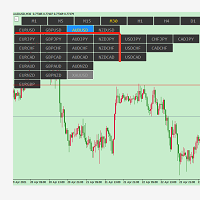
symbolchanger, It is a necessary analysis tool for manual transaction, which can find out the motive currency through different and interrelated currency pairs for better transaction. MT4 chart switching parameters
This is the index of MT4,
Chart quick switch,
Time cycle switching,
Currency pair selection,
Currency suffix,
K line remaining time display
Chart background color protection color on Selection
Metatrader 4チャートに10個以上のインジケーターウィンドウがあり、シングルクリックでそれらを表示または非表示にできることを想像してみてください...
この便利なツールを使用すると、すべてのインジケーターサブウィンドウを自動的に整理して、チャートをできるだけきれいに保つことができます。これで、必要なときに、本当に必要なインジケーターのみを表示できます...数回クリックするだけです!インジケーターを使い終わったら、ワンクリックですべてをすばやく非表示にします。もう時間を無駄にしないで、今すぐ使用してください。
概要
オーガナイザーを使用すると、必要な数のインジケーターを追加でき、シングルクリックでこれらのウィンドウを表示または非表示にして、必要な場合にのみ使用できます。 1つまたは2つ、または必要なものを永続的に表示し、残りを必要なときに表示するか、価格アクションの完全にクリーンなチャートを使用してインジケーターを確認し、相違または売られ過ぎ/買われ過ぎのゾーンを確認します。各サブウィンドウのサイズを選択できるようになります。また、すべてのサブウィンドウに単一のサイズ

この素晴らしいツールを使用すると、各操作のリスクを簡単かつ迅速に管理できます。その革新的なインターフェースにより、ロット数とリスクと利益の比率を秒単位で計算し、操作を必要なリスク範囲内に保ち、取引の悪い時期を回避することができます。
操作を開くと、パネルに各操作の詳細と関連性の高いデータを指定するすべての概要が記載されたセクションが表示されます。多くのウィンドウを開いて複雑にならないでください。パネルには、必要なシンボルにアクセスし、パラメーターでそれらを構成するだけで、エクスペリエンスを楽しむことができるクイックナビゲーションボタンがあります。
この便利なツールを使用すると、次の情報を一目で視覚化できます。
シンボル情報
- 展開する
-ロットあたりのピップ値
-長く交換する
-ショートスワップ
リスク計算機
-基本金額
- 危険
-ロット(自動計算)
-比率(自動計算)
注文情報
-オープンオーダーポジション(1、2、3 ...)
-注文タイプ(購入|販売)
-注文サイズ(ロット)
-利益/損失(アカウント通貨で表示)
-距離(始値と現在の

Position Manager
Automatic Takes Profits and automatic trailing stop
Managing your positions has never been easier! Now you can rest from the screens, Position Manager will take care of taking profit, moving the stop loss and taking care of your profits. Allows you to set 3 profit takings, setting distance in pips and percentage of lots to close. Manage up to 10 positions per chart. It allows you to graphically see the Take profit levels of each position. It allows managing operations entere

Introduction
This product is a risk control system in the entire series of Meida Quantitative products.。 This risk control can achieve risk control in various aspects such as mobile phone order listing, expert bugs, net worth, profit and loss, number of hands, odd number, price, time, discipline, etc Flexible implementation of specific risk control functions for combinations such as magic number groups, currency groups, and order annotation groups。 The screen displays which risk control function

Australia Bank Functions: Navigates movements in the AUDUSD, a highly traded currency pair. Facilitates risk management and order adjustments based on your settings. Trades within specified hours with the AUDUSD pair, reducing noise. Please note: Trading involves risks. The Australia Bank expert advisor provides tools for analysis; however, results may vary. Use at your own discretion. The Australia Bank expert advisor is a user-friendly tool designed to assist you in your trading experience. Do
FREE

This is the Pro version, which replaces the first Rsi version of Rsi I posted, which has great multipliers, average prices and entry points for all currency pairs. Most importantly, it has the ability to preserve capital for you. I wish you a favorable transaction, reaping many profits
Tutorial : Instruction for RSI Pro v1.0 1. Lot 1 st trade: volume for 1 st trade. 2. Max lot: Maximum volume for each trade. 3. DCA Step: Step between 2 trades 4. TP: Example: You have X orders with DCA step -1

This Price Action Signal will help you scan the 28 major currency pair to identify potential reversal trend in Daily Chart using Engulfing and Pin bar candle stick pattern. Plus it will notify you to your phone if potential setup have found, you don't need to stare on your screen all day!. Plus if you don't have the strategy yet I have a strategy cheat sheet bonus so you can get started. This strategy requires only 10 mins a day! this can help you a lot, if you have a busy lifestyle or have a bu
Special Trailing Sl is a automatic trailing stop_loss. first It will try to free risk your trade then save the profits. first step is to move the SL 50 points below current price for long trades , and 50 points above current price for short trades.First step will happen when the trade get to minimum profit per point. second step : SL will follow the current price with a dynamic distance. This trailing stoploss has been used in my products.
FREE

LINE TRADERは、垂直方向と水平方向の水平方向の取引を行うためのユニバーサルな半自動エキスパートアドバイザーです。
Expert Advisorは、実際には線を引くための4つのボタンで構成されています。
エキスパートアドバイザーは、トレーダーが選択したすべてのラインで自動的に機能します。線は任意の角度で描くことができます。あなたはただ線を引く必要があります:
-OPEN-注文を開始します。
-STOP-ストップロス;
--TAKE-取引を完全に成立させ、すべての利益を修正します。
-CLOSE-注文を閉じる(ラインを越えるとき);
線は標準で描画されるため、光線またはセグメント(オプション)の形式にすることができます。
このエキスパートアドバイザーは、トレーディングで使用するトレーダーに適しています。
-水平レベルとその取引方法(ブレイクアウト、プルバック、フォールスブレイクアウト);
-パターン(三角形、チャネルなど);
-垂直(傾斜、トレンド)レベル;
-トレンド、ブレイクアウト、またはトレンド反転の取引(すべてのタイプのレベル)

It is an expert advisor that scans the last patterns on defined symbols and timeframes . Multi Symbols /pairs , Multi timeframes . There are 2 ways to specify symbols : Automatically scan all symbols available on the market watch (true/false) Type any symbols ,separated by comma. There are also 2 ways to specify timeframes : Automatically scan all timeframes available on mt4 (true/false) Type any timeframes,separated by comma.
Unlimited symbols available in an account and unlimited timefra
"One Click Trade" is the most faster risk manager of times! With Auto Mode, I don't even need clicks, only TWO keys to activate trades and send my order. Mouse movement does it ALL, with Auto Mode enabled!
Basic instruccions: ''Tools/Options/Experts Advisor/Allow automated trading'' box should be checked In ''Common'' tab, check ''Allow live trading'' box
In ''Inputs'' tab, set ''Money Risk'', set ''Risk/Reward Ratio'', click on ''Accept''
Press ''A'' and move the mouse on chart (to have Sto

A simple script that can delete all the drawing objects on a chart, or just the objects of a specific type.
Settings:
DeleteObjectsOfType By default the value will be blank which means ALL drawing objects on the chart will be deleted. If you only wish to delete specific types of drawing object, change this setting to the type of object to delete. For example, Fibonacci Retracement, Text, Label or Trend Line.
Please see the demonstration video for more information.
FREE

One-Click Strategy
One-Click Strategy is designed to make your life easier when placing trades. It is suited to be used with common strategies where you place your stop loss over the recent high or below the recent low. This is very common when you trade support and resistance for a bounce or break out. Want to sell or buy? Press "sell" or "buy" and the SL is placed above/below the recent high/low with a target of your choice. Lot size is calculated based on your settings. Taking trades takes
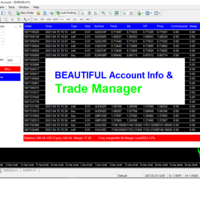
Trade Manager and Account Info helps you to manage your orders and watch the progress of open trades within one chart. All open orders are displayed on the right side.
How to use This dashboard reads all the Market watch symbols and displays them in a dropdown menu, therefore you should ensure your desire symbols are on the Market watch. You can select any pair of choice and any order type without the need to keep switching between charts. You can close individual trades by clicking the "X" bu

Fast Position Copier - Reciver Tool This is Fast and Simple position copier from MT4-----> MT4. Copying positions requires two bots : Master/Slave. Master ( Sender Position ) Slave ( Reciver Position) This is a Slave version (reciver) and you need to download a Master version from HERE . This tool is suitable for using to copy positions and manage them from a MetaTrader on one or more MetaTraders located on a server or computer. MetaTraders must be installed side by side.

Fast Position Copier - Reciver Tool This is Fast and Simple position copier from MT4-----> MT4.
Copying positions requires two bots : Master/Slave. Master ( Sender Position ) Slave ( Reciver Position) This is a Master version (Sender) and you need to download a Slave version from HERE . This tool is suitable for using to copy positions and manage them from a MetaTrader on one or more MetaTraders located on a server or computer. MetaTraders must be installed side by side.
FREE

That indicator shows on chart actual amount of lots currently opened position and Take Profit pips numnber and pips left to get. All objects can be placed at any place of chart by user choice. Objects text can be set by user also by writing new text in indicator's parameters window. Each object color can ve set to any color from the palette of colors delivered by MT4 editor.
FREE

If you are looking for a U tility can Auto Trading and send Signals to yours Telegram Chanel . DON'T MISS IT!
BLUE FOREX EA works on a linear regression channel. The utility trades from the channel borders, stop-loss and 2 take-profit levels with partial closing of orders are used for closing. The chart displays information about profit and draws the regression channel itself. The channel values are recalculated only when a new bar is formed.
- Min deposit: 100$
- Recommend ECN broker with L

The Ichimoku Kinko Hyo, or Ichimoku for short, is a technical indicator used to gauge momentum along with future areas of support and resistance. Ichimoku technical indicators include five lines called Tenkan-sen, Kijun-sen, Senkou Span A, Senkou Span B, Chickou Span. Rent EA, buy EA Connect via Skype link to exchange details: https://join.skype.com/invite/X1Y3At5EwsvY
Support email: sealteamhn@gmail.com Hotline: Mr.Tu 0971678888
Data History Export to Excel with Automated export for new bars. ALL forex pair ALL TimeFrames Export in .csv or .txt, you can manage the Time Bars, Open, Low, High, Close *********************************************************************************************************************************************************************************************************************************************** Have fun! If you like this Script take a look to my other product: Forex Graphical Inter
このスクリプトを使用すると、トレンド ライン、フィボナッチ リトレースメントなど、あらゆる種類の描画オブジェクトを 1 つ以上の他のチャートにコピーできます。
デフォルトでは、スクリプトは現在のチャート (スクリプトが適用されたチャート) のすべてのオブジェクトを、現在ロードされている同じシンボルの他のチャートにコピーします。
設定
目的地の時間枠 PERIOD_CURRENT 以外に設定すると、スクリプトが適用されたチャートと同じシンボルの開いているチャートにオブジェクトがコピーされます。 値を特定の時間枠、たとえば PERIOD_D1 に設定すると、同じ銘柄と期間のチャートのみが更新されます。 CopyObjectsOfType これをコピーしたい特定のタイプのオブジェクトに設定すると、そのタイプのオブジェクトのみが他のチャートにコピーされます。 CopyIndicatorWindowObjects True に設定すると、インジケータ ウィンドウのオブジェクトもコピーされます。これは、ソース チャートと同じ指標を同じ順序で持つ 2 番目のチャートに依存します。
チャート
FREE
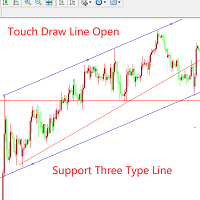
このEAは補助的な取引ツールです。
ハンドアニメーションのラインに初めて触れると、自動的に注文が開かれ、市場に参入します。1。トレンドライン2.水平ライン3.チャネルラインの3つのラインをサポートします。試してみるときは、説明欄を「1」に変更してください。一度タッチすると、線が無効になり白くなります。
チュートリアルの写真をご覧ください! ! ! ! ! ! ! ! ! ! ! ! ! ! ! ! ! ! ! !
注文管理機能:1。トレンドに対するポジションの追加2.トレンドに続くポジションの追加3.ストップロスの移動4.ストップ利益の移動5.特別な期間中にすべての注文をクローズします。
ユーザーは自分のニーズに応じて柔軟にパラメータを設定できます。以下は、すべてのパラメーターの概要です。
extern string TouchTrendLineTrade = "------行に触れたときに注文を開きます-----";
extern bool UsingTouchTrendLineOpen = true; //タッチトレンドラインを開いて市場に参入するかどうか

Utility Description This is a useful utility that can help traders to Stay in touch with their Accounts and hear about account critical conditions. With this utility, traders will receive notifications of broker server connectivity status. Different forms of notifications are supported such as Android or IOS phone notifications, Email messages or Popup Alerts. Also any changes on positions can be sent as a notification based on user settings. All above features can be customized using the EA inp

Auto trade V20 is a trading tool like Robot or Expert Advisor that is used for automatic trading, this type is Martingale EA, the recommended broker is FBS, EU Pair, default setting. If you want to find the best setting, please look for it by backtesting it, so that you find the best setting and help your trading become more profitable, please try this tool to help you trade. minimum deposit 200 $ cen lot 0.01, pipstep in points.

For more info join to http://discord.io/reitakfx where you can get info how to set, how to trade or for your questions -------------------------------- If you want this panel and all my other products for FREE , create account here http://bit.ly/reitakfxroboforex and then write me and I will send you all my actual and future product for FREE + VIP on my DISCORD --------------------------------------
Set in panel what margin will use to trade. When you ready to trade, just click to buy or sel

Fundamental Scanner is a Non-Repaint, Multi Symbol and Multi Time Frame Dashboard based on Fundamental Signals Indicator . Fundamental Signals Indicator has a powerful calculation engine that can predict market movement over 3000 pips (30000 points). The indicator is named fundamental because it can predict trends with large movements, no complicated inputs and low risk.
Features :
Multi-Symbol Support (Support automatic listing of market watch symbols) Multi-TimeFrame Support (Over 7 custo

Trend line Trader Ultimate EA
A "Professional Trading Panel" that every experienced and beginner manual trader needs it.
"Trend Line Trader Ultimate EA" makes it easy to never miss an opportunity of a good point to open positions. Demo version doesn't work due to programmatic limitations. Please watch videos and images for more information.
Key Features of Trend line Trader Ultimate EA:
Fully graphical interface. Extremely precise and reliable. Risk Manager , Lot calculator , Trailing Stop . Mu

It is a tool to create TRAILING STOP ORDERS. Either BUY and/or SELL After creating stop orders, it will start to trail stop orders step by step. After stop order open, this time it will folllow the buy and/or sell order with TStop with TStep from the TStop Start point. It can help you to catch the perfect price to enter the market. Inputs are Stop Type : Buy Stop - Sell Stop - Both Repeat : How many times to create stop orders after closing opened one. Points Multiplyer : Multiply all point
FREE

This utility allows creating any amount of grid orders with 2 mouse clicks.
Inputs 1. Number of trades to create 2. Spacing factor: Exactly 1 = Evenly spaced grid Less than 1 = grid is weighted towards end More than 1 = grid is weighted towards start 3. First lot: Lot size for 1st grid trade 4. Add lots in grid: Add lots for each new grid level 5. Add lot percents in grid: Add lots exponentially for each grid level
6. Stop loss points 7. Take profit points
If you have any feedback or i
FREE

Telegram Notifier is a simple and powerful utility which sends notification, news from MT4 to Telegram channel and group. WHO WILL NEED THIS UTILITY 1. EA Sellers who want to manage automatically their private channel and chat group.
2. Signal Providers who want to send the signals, reports and news to the channel or chat group. CORE FEATURES
1. Can use with View Account and not need to enable the Auto Trading button.
2. Track orders by the second interval instead of the market tick to optimize

Trade Exit EA.
Provide detailed interface for exiting positions. Includes various closing options. Include 3 filters you can process all trades. Or you can select magic numbers. Or you can select custom trades from listboxes. MT5 version will be launched soon, If you have any comments or suggestion kindly contact me. If you have request for additional features do not hesitate to contact.

No Nonsense Forex メソッドのための完全なトレードパネルです。このパネルには、あなた自身のNNFXアルゴリズムを実行するために必要なほとんどすべてのものが集約されており、あなたがより速く、より簡単にトレードできるようになっています。3つの部分で構成されています。 シンボルパネル
シンボル名を押すと、チャート内の任意のシンボルに素早く切り替えることができます。 パネルには、現在開いている取引、それらの取引と他のシンボルとの相関関係(ストップロスがブレークイーブンまたはプラスの場合を除く)、今後のニュース(次の日のローソク足、ローソク足の終値で取引する場合)などの追加情報を表示できます。 ニュースはForex Factoryからインポートされ、デフォルトのフィルタリングされたニュースはVPがNo Nonsense Forexで推奨しているものとなっています。ニュースを変更したい場合は、あなたの完全なカスタムニュース(大文字と小文字を区別します)を含むニュースが表示されることを考慮してください。 タイムゾーンはEET/EEST(メタトレーダーと同じ)で、表示されるニュースは
Hello Traders! I share with you today a tool that I use on a daily basis. For those of you like me who do the analysis on the trading view and then enter the trades on the MT4, it's known that can be problems. This tool is for just that.
MAIN FUNCTION: 1 - Candle Close Timer: for those who do scalping or short-term operations, you need to know the exact moment of the closing and opening of a new candle; 2 - Trading View Interface: Check on your broker if your analysis in therm of Risk Reward Ra

For more details, join with www.telegramtradecopier.com
TelegramTradeCopier is the world's first lifetime licensed telegram trade copier software for forex, crypto and commodity trading. Any signal format can be converted to a trading action by TTC. The system has two components Desktop app EA file You need to install and login to the desktop app with your telegram details. Then it will listen to channels configured by you and decode all messages into trading actions with proper validat
FREE

Automatically closes orders when profit per lot or total profit reaches your specified level Per a lot : The amount of wins per lot in the selected symbol. Each orders is calculated as 1 lot. Example: If EURUSD total lot is 2.05 and earnings per lot is $ 100, then 100 * 2.05 = 205 $.
Orders will be closed when EURUSD has a total profit of $ 205. When the total of all orders on the selected symbol reaches the specified amount, it closes all orders belonging to the symbol.
For example: There are 3

VR Assistant Charts — これは、MetaTrader 取引ターミナル ウィンドウでグラフィカル オブジェクトを操作するトレーダーにとって便利なツールです。このプログラムを使用すると、マウスをワンクリックするだけで、MetaTrader ターミナル内のトレンド ライン、フィボナッチ レベル、ギャン ファン、その他のグラフィック要素の色、スタイル、太さ、その他の特性を変更できます。 設定、設定ファイル、デモ版、説明書、問題解決方法は、以下から入手できます。 [ブログ]
レビューを読んだり書いたりすることができます。 [リンク]
のバージョン [MetaTrader 5] このユーティリティは、グラフィカル オブジェクトを使用して金融商品を分析するトレーダーの単調な作業を大幅に容易にします。すべての操作は、コンピューターのマウスを使用してチャート上で直接実行されます。このプログラムは、MetaTrader 4 および MetaTrader 5 取引プラットフォーム用のテクニカル指標の形式で実装されており、他の指標、アドバイザー、スクリプトと同時に使用することが可能です

URバスケット
あなたができる最善のことは、注文が損失にならないようにすることです。 あとはUR Basketにお任せください。
UR バスケットを使用する利点:
すべてのパラメータは、チャートのグラフィック パネルで動的に変更可能です - パラメータを変更したり、使用した設定を思い出したりするために EA を再起動する必要はありません! 次の方法で注文を追跡できます。 - マジックナンバー - EAコメント - 上記の両方 - 一度にすべての取引 UR Basket は、CURRENCY 値、PIPS、または BALANCE または EQUITY の % を通じて利益を追跡できます。 グラフィック パネルは、これら 3 つの方法での利益を常に表示し、彼に指示する頻度を更新します。 最大の利点: 利益を確保できるため、損失を被ることはありません! 詳細については、以下をご覧ください。 ツールの最新情報を入手できる特別な電報チャットがあり、何か不足していると感じた場合はリクエストを送信することもできます!
なぜURバスケット?
単独で取引できる EA や

EXTERNAL EA MANAGERは、取引の管理を支援するために設計されたプログラムです。 EAを特定の時点(たとえば夕方の金曜日)に停止させたい場合、およびリモートで自動的にそれを実行したい場合... EXTERNAL EAMANAGERはあなたのためのプログラムです。 MT4ターミナル全体と実行中のすべてのEAを非初期化します。 非初期化プロセス中に、すべての取引を強制終了するオプションがあります。 これは、すべての未決済の取引とすべての保留中の注文が終了することを意味します。 最大20個のマジックナンバー(EAの個々の注文数)を使用できます。 プログラムが気に入ったら、レビューを投稿してください!
EXTERNAL EA MANAGERは、取引の管理を支援するために設計されたプログラムです。 EAを特定の時点(たとえば夕方の金曜日)に停止させたい場合、およびリモートで自動的にそれを実行したい場合... EXTERNAL EAMANAGERはあなたのためのプログラムです。 MT4ターミナル全体と実行中のすべてのEAを非初期化します。 非初期化プロセス中に、すべての取引を強制
FREE

市場全体のすべてのシンボルの利益の可能性を分析するためのシンプルなスクリプト。 各期間の最小および最大利益をパーセントおよびステップ数で指定できます。 スクリプトは、構成に応じて最も興味深い記号を見つけます。
あなたはあなたが取引の正しい選択をするのを助けることができる市場全体の迅速で最新の分析を得るでしょう、あなたは二度と機会を逃すことはありません。
市場全体のすべてのシンボルの利益の可能性を分析するためのシンプルなスクリプト。 各期間の最小および最大利益をパーセントおよびステップ数で指定できます。 スクリプトは、構成に応じて最も興味深い記号を見つけます。
あなたはあなたが取引の正しい選択をするのを助けることができる市場全体の迅速で最新の分析を得るでしょう、あなたは二度と機会を逃すことはありません。
FREE

意味をなさない相互に関連するシンボルで取引を行います。 では、どのシンボルが相互に関連しておらず、現在の傾向で反対であるかを確認できるとしたらどうでしょうか。
このシンプルで迅速な分析には、このユーティリティを使用できます。 実行して、互いに反対のシンボルペアのリストを確認するだけです。 分析結果は戦略ログに出力されます。
重複A-> B == B-> Aは表示されません。
トレンドを計算する期間(Daily、Hourly、Mothly)を指定できます。選択は、時間管理と投資戦略によって異なります。デフォルトIDは1日です。
現在の価格と前のステップの最小差(パーセンテージ)、デフォルトは2%。
最小差の計算に使用されるステップ数。
FREE

「一目均衡表」の専門的な使い方は、一目均衡表を正しく解釈してグラフを分析することです! はトレーダーが価格グラフ上の指定された点間の比率を素早く簡 単に測定できるようにするグラフィックプログラムです。この時間と価格の指標は、MT4 プラットフォームの一目の戦略に従って図表を分析するための基本的なツールです。この ツールを使用すると、 非常に短期間での価格波だけでなく、時間波の洞察に満ちた完全な 分析も可能になります。分析の実行に費やされる労力は、エクセルを使用して実行される 同様の測定および計算と比較して、何度も最小限に抑えられます。指標は、一目均衡表戦 略を使用するトレーダーの知識と経験、およびそれらの期待を考慮して設計されています。 提示されたツールは私たちの仕事の結果です。 指標のモジュール構造により、論理的な順序で分析を実行できます。このプロセスは過去 の波に関するデータを収集することから始まり、それが将来の市場の動きを計算するため の基礎となります。 計算で考慮されるデータは、予測の正確さにとって非常に重要です。 この操作は最小限に抑えられ、即座に測定値が得られます。 この測
FREE

「一目均衡表」の専門的な使い方は、一目均衡表を正しく解釈してグラフを分析することです! はトレーダーが価格グラフ上の指定された点間の比率を素早く簡 単に測定できるようにするグラフィックプログラムです。この時間と価格の指標は、MT4 プラットフォームの一目の戦略に従って図表を分析するための基本的なツールです。この ツールを使用すると、 非常に短期間での価格波だけでなく、時間波の洞察に満ちた完全な 分析も可能になります。分析の実行に費やされる労力は、エクセルを使用して実行される 同様の測定および計算と比較して、何度も最小限に抑えられます。指標は、一目均衡表戦 略を使用するトレーダーの知識と経験、およびそれらの期待を考慮して設計されています。 提示されたツールは私たちの仕事の結果です。 指標のモジュール構造により、論理的な順序で分析を実行できます。このプロセスは過去 の波に関するデータを収集することから始まり、それが将来の市場の動きを計算するため の基礎となります。 計算で考慮されるデータは、予測の正確さにとって非常に重要です。 この操作は最小限に抑えられ、即座に測定値が得られます。 この測

「一目均衡表」の専門的な使い方は、一目均衡表を正しく解釈してグラフを分析することです! はトレーダーが価格グラフ上の指定された点間の比率を素早く簡 単に測定できるようにするグラフィックプログラムです。この時間と価格の指標は、MT4 プラットフォームの一目の戦略に従って図表を分析するための基本的なツールです。この ツールを使用すると、 非常に短期間での価格波だけでなく、時間波の洞察に満ちた完全な 分析も可能になります。分析の実行に費やされる労力は、エクセルを使用して実行される 同様の測定および計算と比較して、何度も最小限に抑えられます。指標は、一目均衡表戦 略を使用するトレーダーの知識と経験、およびそれらの期待を考慮して設計されています。 提示されたツールは私たちの仕事の結果です。 指標のモジュール構造により、論理的な順序で分析を実行できます。このプロセスは過去 の波に関するデータを収集することから始まり、それが将来の市場の動きを計算するため の基礎となります。 計算で考慮されるデータは、予測の正確さにとって非常に重要です。 この操作は最小限に抑えられ、即座に測定値が得られます。 この測

「一目均衡表」の専門的な使い方は、一目均衡表を正しく解釈してグラフを分析することです! はトレーダーが価格グラフ上の指定された点間の比率を素早く簡 単に測定できるようにするグラフィックプログラムです。この時間と価格の指標は、MT4 プラットフォームの一目の戦略に従って図表を分析するための基本的なツールです。この ツールを使用すると、 非常に短期間での価格波だけでなく、時間波の洞察に満ちた完全な 分析も可能になります。分析の実行に費やされる労力は、エクセルを使用して実行される 同様の測定および計算と比較して、何度も最小限に抑えられます。指標は、一目均衡表戦 略を使用するトレーダーの知識と経験、およびそれらの期待を考慮して設計されています。 提示されたツールは私たちの仕事の結果です。 指標のモジュール構造により、論理的な順序で分析を実行できます。このプロセスは過去 の波に関するデータを収集することから始まり、それが将来の市場の動きを計算するため の基礎となります。 計算で考慮されるデータは、予測の正確さにとって非常に重要です。 この操作は最小限に抑えられ、即座に測定値が得られます。 この測

「一目均衡表」の専門的な使い方は、一目均衡表を正しく解釈してグラフを分析することです! はトレーダーが価格グラフ上の指定された点間の比率を素早く簡 単に測定できるようにするグラフィックプログラムです。この時間と価格の指標は、MT4 プラットフォームの一目の戦略に従って図表を分析するための基本的なツールです。この ツールを使用すると、 非常に短期間での価格波だけでなく、時間波の洞察に満ちた完全な 分析も可能になります。分析の実行に費やされる労力は、エクセルを使用して実行される 同様の測定および計算と比較して、何度も最小限に抑えられます。指標は、一目均衡表戦 略を使用するトレーダーの知識と経験、およびそれらの期待を考慮して設計されています。 提示されたツールは私たちの仕事の結果です。 指標のモジュール構造により、論理的な順序で分析を実行できます。このプロセスは過去 の波に関するデータを収集することから始まり、それが将来の市場の動きを計算するため の基礎となります。 計算で考慮されるデータは、予測の正確さにとって非常に重要です。 この操作は最小限に抑えられ、即座に測定値が得られます。 この測

"Support or Resistance Alert Broken" is a simple and very intuitive tool that allows you to create or eliminate horizontal and trend supports and / or resistances with a simple click.
When the support or resistance line is broken by the closing price at the end of the current candle, the "Support or Resistance Alert Broken" tool will send an alert with sound, as well as a notification to the MT4 or MT5 mobile application. This tool can send alerts from multiple pairs at the same time. Utility

Giant Trade Panel comes as a whole package with functionalities that will satisfy all your needs as a manual trader. I created this utility to help you manage your trades from a single chart with just a few clicks . It has a smooth interface which is very responsive. The utility has sub panels each with different functions: Symbols panel - This will help you open chart of any symbol with just one click. Timeframes panel - With this you can navigate from M1 timeframe to MN1 timeframe with jus

The VR Object Delete All script solves the problem of garbage on the chart. it is often necessary to completely clear the chart of everything that is put on it, comments, lines, objects. The script completely deletes everything, even those objects that are not visible. When working, VR Object Delete All writes everything it does in the terminal log, as well as the names of objects to delete. Displays the number of deleted objects as a separate line. in case of any errors, it will display an erro
FREE

EA Saving Money will help you save your accumulated profit on trades and protect your deposit from negative trades. This utility allows you to manage an unlimited number of orders opened manually or by an Expert Advisor. It helps to save profits and increase the account balance both when trading manually and when trading with various Expert Advisors that use Stoploss. The utility also has a built-in panel for the convenience of opening orders. When opening orders through the panel, the Expert A
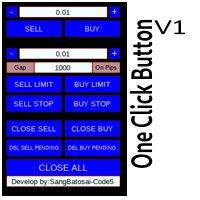
Simple button panel of trade on your chart with OneClick V1 Trial version. This trade panel will make it easier for you.
Equipped with several functions that make it very easy for you. More tools on OneClick VZ version, see here.
This version includes: Open Order Buy Open Order Sell Open Pending Order [Buy Limit - Buy Stop - Sell Limit-Sell Stop] Close ALL orders
Close Order Buy Close Order Sell Delete Pending Order [Buy Limit - Buy Stop - Sell Limit-Sell Stop] ENJOY IT!!! ONE CLICK V1 [TRIAL
FREE

Purpose: IF you are apart of a signal group or have a losing strategy this tool is perfect for you. This Expert Adviser is a Trade Copier which Copies Trades on the same account, It takes trades in the same direction or opposite direction. You can set 100% for same trade size or 200% to double up, while the same percentage rule also work for the stop-loss and take profit distances.
input: Copy All or By Magic Take only new trades = False; Take same direction of existing trade or counter_direct
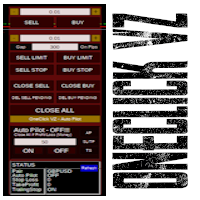
Simple panel of trade on your chart with OneClick VZ . This trade panel will make it easier for you.
Equipped with several functions that make it very easy for you. You can try Trial Version OneClick V1 in here .
This version includes: Open Order Buy Open Order Sell Open Pending Order [Buy Limit - Buy Stop - Sell Limit-Sell Stop] Close ALL orders
Close Order Buy Close Order Sell Delete Pending Order [Buy Limit - Buy Stop - Sell Limit-Sell Stop] Order Management: Stop Loss Take Profit Trailing S
Hello Trader ! If you are looking for a tool to export the historical data series of any timeframe in excel, you are in the right place! Load this tool on a chart for the selected pair, choose the timeframe you want to export, and that's it! You can decide whether to export the entire historical series (pay attention at the number of bars you are exporting) or a predefined time interval;
PARAMETERS: 1 - Choose the Time Frame you want to export, the chart will update automatically; 2 - The Inte

The script writes to a text file all-important trading information about the chart symbol including symbol leverage, point value, required margin, swaps, trade and quote sessions and so on.
Most traders need this information for their trading decisions. For example for stop loss placement, for volume calculating, for trades closing before session end... You can see a text file example on the screenshot.
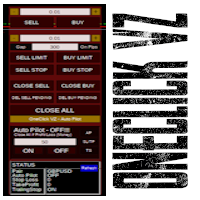
Simple button panel of trade on your chart with OneClick VZ . This trade panel will make it easier for you.
Equipped with several functions that make it very easy for you. You can try Trial Version OneClick V1 in here .
This version includes: Open Order Buy Open Order Sell Open Pending Order [Buy Limit - Buy Stop - Sell Limit-Sell Stop] Close ALL orders
Close Order Buy Close Order Sell Delete Pending Order [Buy Limit - Buy Stop - Sell Limit-Sell Stop] Order Management: Stop Loss Take Profit Tra

MT4 to Telegram Signal Provider は使いやすく、完全にカスタマイズ可能なツールで、Telegramに信号を送信し、あなたのアカウントを信号提供者に変えることができます。 メッセージのフォーマットは 完全にカスタマイズ可能です! しかし、簡単な使用のために、あらかじめ定義されたテンプレートを選択し、メッセージの特定の部分を有効または無効にすることもできます。 [ デモ ] [ マニュアル ] [ MT5バージョン ] [ Discordバージョン ] [ Telegramチャンネル ] New: [ Telegram To MT5 ]
セットアップ
ステップバイステップの ユーザーガイド が利用可能です。 Telegram APIの知識は必要ありません。開発者が必要なものをすべて提供します。
主要機能 購読者に送信される注文の詳細をカスタマイズする機能 例えばブロンズ、シルバー、ゴールドなど、階層型のサブスクリプションモデルを作成できます。ゴールドサブスクリプションでは、すべての信号が得られますなど。
ID、シンボル、またはコメントによる注文のフ

このユーティリティを使用すると、マスター設定のある端末からスレーブ設定の他の端末にトランザクションをコピーできます
同時に、コピーするペアを選択し、いくつかのパラメータに従ってコピーされた順序のサイズを設定することができます。 ドローダウン損失制限を設定するか、収益性の高い取引のみをコピーします
あなたは、他のブローカーのMT4またはMT5にMT4またはMT5から取引をコピーすることができます
これで、MT4で作業している専門家の信号をMT5端末にコピーするか、またはバックすることは難しくありません
コピーマスターを使用して、他のシグナル、Expert Advisors、手動取引から任意の取引をコピーします。
設定を使用して、ロットサイズ、取引方向を変更し、収益性の高い取引のみをコピーし、預金を保存するための値を設定することができます
コピーマスターは、一つのアカウント上の異なるサブスクリプションシグナルのいくつかの戦略を組み合わせることができます
取引をMT4にコピーするには、コピーマスター MT5バージョンが必要です。 https://www.mql5.com
Enhance Your Trading with the Exit Manager Elevate your trading strategy with the Exit Manager, designed to ensure optimal closure of your trades at precisely the right moments. Once you've placed an order, our Exit Manager steps in and starts monitoring the order based on YOUR predetermined conditions, and can even trail your stop loss to mitigate risk.
Key Features: Set & Forget Functionality
With the Exit Manager, simply place your trade and let the tool do the rest. It continuously monitor

Capital protector is an Expert Advisor who works based on the profit and loss of your account. Its functions include: Closing of all orders when a certain profit or loss is reached. Remove any other Expert Advisor installed on a secondary chart when a certain profit or loss is reached. Send a notification to the mobile when a certain loss or profit is reached. To configure the Expert Advisor you will only have to program the loss limit that you are willing to lose or the profit limit that you
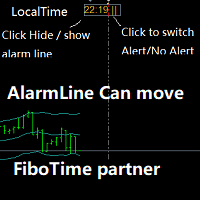
Partner with fibotime or the news calendar. When you determine the important transaction time, move the alarm line directly on your main chart, and then alert you of the arrival of this time on the set time! 1,When you use fibotime or have important market news release, you need an alarm clock to make sure you don't miss a good deal!This alarm clock is placed on your MT4 main picture directly, so you don't need to waste your time setting the alarm clock on your computer or mobile phone! 2,Autom

Script for Delete all Pending Orders.
Usage:
- Enable Automate Trading
- Attach / Double click the script
ENJOY IT.
//+------------------------------------------------------------------+ //| Close ALL Pending.mq4 | //| Copyright 2015, SangBatosai-Code5 | //| https://www.mql5.com/en/users/mahakaya | //| Credit: | //| SangBatosai-Code5
FREE

Current Order Take Profit this indicator shows settled level of Take profit current opened order. If order Take Profit will be changed it will be shown on screen immediately. The same with pips left to get so as to close the position. If the price will drop beneeth the open order price it will change the color of pips digits left to gain. That is usefull when you change Take profit level by drag the price line using mouse to new level na wykresie.
FREE

Account Cash Status This indicator shows actual account balance and equity. Can be placed in any position on chart even in subwindow. Account Balance is displayed in gray color. When there is no opened position the account equity is displayed in dark gray color. When there is opened position and equity value is lower than balance value the color is changed for red. When there is opened position and equity value outperforms balance value the color is changed for lime. Colors may be set freely by
FREE

Сообщения в Telegram из MT4 о торговых событиях: Открытие/закрытие сделок; Выставление/удаление отложенных ордеров. Версия утилиты для MT5 здесь: https://mql5.com/8bjk5 Настройки Telegram:
Создайте своего бота. Для этого напишите для пользователя @BotFather команду /newbot , и следуйте инструкциям. В результате вы получите Token бота, примерно такой: 1245680170:BBGuDFVkTYIPtjSaXMgQEhdfg7BOQ6rl8xI. Узнайте свой ID в Telegram, для этого напишите пользователю @userinfobot любое сообщение.
MetaTraderマーケットは、他に類のない自動売買ロボットやテクニカル指標の販売場所です。
MQL5.community ユーザーメモを読んで、取引シグナルのコピー、フリーランサーによるカスタムアプリの開発、支払いシステムを経由した自動支払い、MQL5Cloud Networkなど、当社がトレーダーに対して提供するユニークなサービスについて詳しくご覧ください。

取引の機会を逃しています。
- 無料取引アプリ
- 8千を超えるシグナルをコピー
- 金融ニュースで金融マーケットを探索