 MetaTrader 5
 エキスパート
 インディケータ
 ライブラリ
ライブラリ
 ユーティリティ
 ウィジェット
 ルール
ルール
YouTubeにあるマーケットチュートリアルビデオをご覧ください
ロボットや指標を購入する
仮想ホスティングで
EAを実行
EAを実行
ロボットや指標を購入前にテストする
マーケットで収入を得る
販売のためにプロダクトをプレゼンテーションする方法
MetaTrader 4版新取引ユーティリティ - 36
 以下はMetaTrader4での外国替取引を簡素化する取引プログラムです。以下のリストのユーティリティにカーソルを合わせて、説明と目的をご覧ください。
市場全体のすべてのシンボルの利益の可能性を分析するためのシンプルなスクリプト。 各期間の最小および最大利益をパーセントおよびステップ数で指定できます。 スクリプトは、構成に応じて最も興味深い記号を見つけます。
あなたはあなたが取引の正しい選択をするのを助けることができる市場全体の迅速で最新の分析を得るでしょう、あなたは二度と機会を逃すことはありません。
市場全体のすべてのシンボルの利益の可能性を分析するためのシンプルなスクリプト。 各期間の最小および最大利益をパーセントおよびステップ数で指定できます。 スクリプトは、構成に応じて最も興味深い記号を見つけます。
あなたはあなたが取引の正しい選択をするのを助けることができる市場全体の迅速で最新の分析を得るでしょう、あなたは二度と機会を逃すことはありません。
FREE

意味をなさない相互に関連するシンボルで取引を行います。 では、どのシンボルが相互に関連しておらず、現在の傾向で反対であるかを確認できるとしたらどうでしょうか。
このシンプルで迅速な分析には、このユーティリティを使用できます。 実行して、互いに反対のシンボルペアのリストを確認するだけです。 分析結果は戦略ログに出力されます。
重複A-> B == B-> Aは表示されません。
トレンドを計算する期間(Daily、Hourly、Mothly)を指定できます。選択は、時間管理と投資戦略によって異なります。デフォルトIDは1日です。
現在の価格と前のステップの最小差(パーセンテージ)、デフォルトは2%。
最小差の計算に使用されるステップ数。
FREE

「一目均衡表」の専門的な使い方は、一目均衡表を正しく解釈してグラフを分析することです! はトレーダーが価格グラフ上の指定された点間の比率を素早く簡 単に測定できるようにするグラフィックプログラムです。この時間と価格の指標は、MT4 プラットフォームの一目の戦略に従って図表を分析するための基本的なツールです。この ツールを使用すると、 非常に短期間での価格波だけでなく、時間波の洞察に満ちた完全な 分析も可能になります。分析の実行に費やされる労力は、エクセルを使用して実行される 同様の測定および計算と比較して、何度も最小限に抑えられます。指標は、一目均衡表戦 略を使用するトレーダーの知識と経験、およびそれらの期待を考慮して設計されています。 提示されたツールは私たちの仕事の結果です。 指標のモジュール構造により、論理的な順序で分析を実行できます。このプロセスは過去 の波に関するデータを収集することから始まり、それが将来の市場の動きを計算するため の基礎となります。 計算で考慮されるデータは、予測の正確さにとって非常に重要です。 この操作は最小限に抑えられ、即座に測定値が得られます。 この測
FREE

「一目均衡表」の専門的な使い方は、一目均衡表を正しく解釈してグラフを分析することです! はトレーダーが価格グラフ上の指定された点間の比率を素早く簡 単に測定できるようにするグラフィックプログラムです。この時間と価格の指標は、MT4 プラットフォームの一目の戦略に従って図表を分析するための基本的なツールです。この ツールを使用すると、 非常に短期間での価格波だけでなく、時間波の洞察に満ちた完全な 分析も可能になります。分析の実行に費やされる労力は、エクセルを使用して実行される 同様の測定および計算と比較して、何度も最小限に抑えられます。指標は、一目均衡表戦 略を使用するトレーダーの知識と経験、およびそれらの期待を考慮して設計されています。 提示されたツールは私たちの仕事の結果です。 指標のモジュール構造により、論理的な順序で分析を実行できます。このプロセスは過去 の波に関するデータを収集することから始まり、それが将来の市場の動きを計算するため の基礎となります。 計算で考慮されるデータは、予測の正確さにとって非常に重要です。 この操作は最小限に抑えられ、即座に測定値が得られます。 この測

「一目均衡表」の専門的な使い方は、一目均衡表を正しく解釈してグラフを分析することです! はトレーダーが価格グラフ上の指定された点間の比率を素早く簡 単に測定できるようにするグラフィックプログラムです。この時間と価格の指標は、MT4 プラットフォームの一目の戦略に従って図表を分析するための基本的なツールです。この ツールを使用すると、 非常に短期間での価格波だけでなく、時間波の洞察に満ちた完全な 分析も可能になります。分析の実行に費やされる労力は、エクセルを使用して実行される 同様の測定および計算と比較して、何度も最小限に抑えられます。指標は、一目均衡表戦 略を使用するトレーダーの知識と経験、およびそれらの期待を考慮して設計されています。 提示されたツールは私たちの仕事の結果です。 指標のモジュール構造により、論理的な順序で分析を実行できます。このプロセスは過去 の波に関するデータを収集することから始まり、それが将来の市場の動きを計算するため の基礎となります。 計算で考慮されるデータは、予測の正確さにとって非常に重要です。 この操作は最小限に抑えられ、即座に測定値が得られます。 この測

「一目均衡表」の専門的な使い方は、一目均衡表を正しく解釈してグラフを分析することです! はトレーダーが価格グラフ上の指定された点間の比率を素早く簡 単に測定できるようにするグラフィックプログラムです。この時間と価格の指標は、MT4 プラットフォームの一目の戦略に従って図表を分析するための基本的なツールです。この ツールを使用すると、 非常に短期間での価格波だけでなく、時間波の洞察に満ちた完全な 分析も可能になります。分析の実行に費やされる労力は、エクセルを使用して実行される 同様の測定および計算と比較して、何度も最小限に抑えられます。指標は、一目均衡表戦 略を使用するトレーダーの知識と経験、およびそれらの期待を考慮して設計されています。 提示されたツールは私たちの仕事の結果です。 指標のモジュール構造により、論理的な順序で分析を実行できます。このプロセスは過去 の波に関するデータを収集することから始まり、それが将来の市場の動きを計算するため の基礎となります。 計算で考慮されるデータは、予測の正確さにとって非常に重要です。 この操作は最小限に抑えられ、即座に測定値が得られます。 この測

「一目均衡表」の専門的な使い方は、一目均衡表を正しく解釈してグラフを分析することです! はトレーダーが価格グラフ上の指定された点間の比率を素早く簡 単に測定できるようにするグラフィックプログラムです。この時間と価格の指標は、MT4 プラットフォームの一目の戦略に従って図表を分析するための基本的なツールです。この ツールを使用すると、 非常に短期間での価格波だけでなく、時間波の洞察に満ちた完全な 分析も可能になります。分析の実行に費やされる労力は、エクセルを使用して実行される 同様の測定および計算と比較して、何度も最小限に抑えられます。指標は、一目均衡表戦 略を使用するトレーダーの知識と経験、およびそれらの期待を考慮して設計されています。 提示されたツールは私たちの仕事の結果です。 指標のモジュール構造により、論理的な順序で分析を実行できます。このプロセスは過去 の波に関するデータを収集することから始まり、それが将来の市場の動きを計算するため の基礎となります。 計算で考慮されるデータは、予測の正確さにとって非常に重要です。 この操作は最小限に抑えられ、即座に測定値が得られます。 この測

"Support or Resistance Alert Broken" is a simple and very intuitive tool that allows you to create or eliminate horizontal and trend supports and / or resistances with a simple click.
When the support or resistance line is broken by the closing price at the end of the current candle, the "Support or Resistance Alert Broken" tool will send an alert with sound, as well as a notification to the MT4 or MT5 mobile application. This tool can send alerts from multiple pairs at the same time. Utility

Giant Trade Panel comes as a whole package with functionalities that will satisfy all your needs as a manual trader. I created this utility to help you manage your trades from a single chart with just a few clicks . It has a smooth interface which is very responsive. The utility has sub panels each with different functions: Symbols panel - This will help you open chart of any symbol with just one click. Timeframes panel - With this you can navigate from M1 timeframe to MN1 timeframe with jus

The VR Object Delete All script solves the problem of garbage on the chart. it is often necessary to completely clear the chart of everything that is put on it, comments, lines, objects. The script completely deletes everything, even those objects that are not visible. When working, VR Object Delete All writes everything it does in the terminal log, as well as the names of objects to delete. Displays the number of deleted objects as a separate line. in case of any errors, it will display an erro
FREE

EA Saving Money will help you save your accumulated profit on trades and protect your deposit from negative trades. This utility allows you to manage an unlimited number of orders opened manually or by an Expert Advisor. It helps to save profits and increase the account balance both when trading manually and when trading with various Expert Advisors that use Stoploss. The utility also has a built-in panel for the convenience of opening orders. When opening orders through the panel, the Expert A
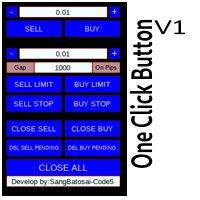
Simple button panel of trade on your chart with OneClick V1 Trial version. This trade panel will make it easier for you.
Equipped with several functions that make it very easy for you. More tools on OneClick VZ version, see here.
This version includes: Open Order Buy Open Order Sell Open Pending Order [Buy Limit - Buy Stop - Sell Limit-Sell Stop] Close ALL orders
Close Order Buy Close Order Sell Delete Pending Order [Buy Limit - Buy Stop - Sell Limit-Sell Stop] ENJOY IT!!! ONE CLICK V1 [TRIAL
FREE

Purpose: IF you are apart of a signal group or have a losing strategy this tool is perfect for you. This Expert Adviser is a Trade Copier which Copies Trades on the same account, It takes trades in the same direction or opposite direction. You can set 100% for same trade size or 200% to double up, while the same percentage rule also work for the stop-loss and take profit distances.
input: Copy All or By Magic Take only new trades = False; Take same direction of existing trade or counter_direct
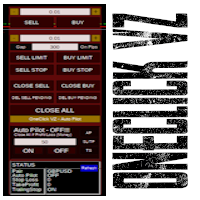
Simple panel of trade on your chart with OneClick VZ . This trade panel will make it easier for you.
Equipped with several functions that make it very easy for you. You can try Trial Version OneClick V1 in here .
This version includes: Open Order Buy Open Order Sell Open Pending Order [Buy Limit - Buy Stop - Sell Limit-Sell Stop] Close ALL orders
Close Order Buy Close Order Sell Delete Pending Order [Buy Limit - Buy Stop - Sell Limit-Sell Stop] Order Management: Stop Loss Take Profit Trailing S
Hello Trader ! If you are looking for a tool to export the historical data series of any timeframe in excel, you are in the right place! Load this tool on a chart for the selected pair, choose the timeframe you want to export, and that's it! You can decide whether to export the entire historical series (pay attention at the number of bars you are exporting) or a predefined time interval;
PARAMETERS: 1 - Choose the Time Frame you want to export, the chart will update automatically; 2 - The Inte

The script writes to a text file all-important trading information about the chart symbol including symbol leverage, point value, required margin, swaps, trade and quote sessions and so on.
Most traders need this information for their trading decisions. For example for stop loss placement, for volume calculating, for trades closing before session end... You can see a text file example on the screenshot.
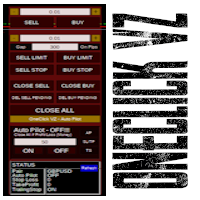
Simple button panel of trade on your chart with OneClick VZ . This trade panel will make it easier for you.
Equipped with several functions that make it very easy for you. You can try Trial Version OneClick V1 in here .
This version includes: Open Order Buy Open Order Sell Open Pending Order [Buy Limit - Buy Stop - Sell Limit-Sell Stop] Close ALL orders
Close Order Buy Close Order Sell Delete Pending Order [Buy Limit - Buy Stop - Sell Limit-Sell Stop] Order Management: Stop Loss Take Profit Tra

MT4 to Telegram Signal Provider は使いやすく、完全にカスタマイズ可能なツールで、Telegramに信号を送信し、あなたのアカウントを信号提供者に変えることができます。 メッセージのフォーマットは 完全にカスタマイズ可能です! しかし、簡単な使用のために、あらかじめ定義されたテンプレートを選択し、メッセージの特定の部分を有効または無効にすることもできます。 [ デモ ] [ マニュアル ] [ MT5バージョン ] [ Discordバージョン ] [ Telegramチャンネル ] New: [ Telegram To MT5 ]
セットアップ
ステップバイステップの ユーザーガイド が利用可能です。 Telegram APIの知識は必要ありません。開発者が必要なものをすべて提供します。
主要機能 購読者に送信される注文の詳細をカスタマイズする機能 例えばブロンズ、シルバー、ゴールドなど、階層型のサブスクリプションモデルを作成できます。ゴールドサブスクリプションでは、すべての信号が得られますなど。
ID、シンボル、またはコメントによる注文のフ

このユーティリティを使用すると、マスター設定のある端末からスレーブ設定の他の端末にトランザクションをコピーできます
同時に、コピーするペアを選択し、いくつかのパラメータに従ってコピーされた順序のサイズを設定することができます。 ドローダウン損失制限を設定するか、収益性の高い取引のみをコピーします
あなたは、他のブローカーのMT4またはMT5にMT4またはMT5から取引をコピーすることができます
これで、MT4で作業している専門家の信号をMT5端末にコピーするか、またはバックすることは難しくありません
コピーマスターを使用して、他のシグナル、Expert Advisors、手動取引から任意の取引をコピーします。
設定を使用して、ロットサイズ、取引方向を変更し、収益性の高い取引のみをコピーし、預金を保存するための値を設定することができます
コピーマスターは、一つのアカウント上の異なるサブスクリプションシグナルのいくつかの戦略を組み合わせることができます
取引をMT4にコピーするには、コピーマスター MT5バージョンが必要です。 https://www.mql5.com
Enhance Your Trading with the Exit Manager Elevate your trading strategy with the Exit Manager, designed to ensure optimal closure of your trades at precisely the right moments. Once you've placed an order, our Exit Manager steps in and starts monitoring the order based on YOUR predetermined conditions, and can even trail your stop loss to mitigate risk.
Key Features: Set & Forget Functionality
With the Exit Manager, simply place your trade and let the tool do the rest. It continuously monitor

Capital protector is an Expert Advisor who works based on the profit and loss of your account. Its functions include: Closing of all orders when a certain profit or loss is reached. Remove any other Expert Advisor installed on a secondary chart when a certain profit or loss is reached. Send a notification to the mobile when a certain loss or profit is reached. To configure the Expert Advisor you will only have to program the loss limit that you are willing to lose or the profit limit that you
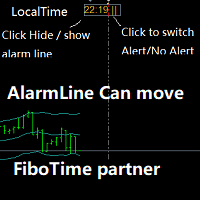
Partner with fibotime or the news calendar. When you determine the important transaction time, move the alarm line directly on your main chart, and then alert you of the arrival of this time on the set time! 1,When you use fibotime or have important market news release, you need an alarm clock to make sure you don't miss a good deal!This alarm clock is placed on your MT4 main picture directly, so you don't need to waste your time setting the alarm clock on your computer or mobile phone! 2,Autom

Script for Close all open SELL orders.
Usage:
- Enable Automate Trading
- Attach / Double click the script
ENJOY IT.
//+------------------------------------------------------------------+ //| Close SELL.mq4 | //| Copyright 2015, SangBatosai-Code5 | //| https://www.mql5.com/en/users/mahakaya | //| Credit: | //| SangBatosai-Code
FREE

Account Cash Status This indicator shows actual account balance and equity. Can be placed in any position on chart even in subwindow. Account Balance is displayed in gray color. When there is no opened position the account equity is displayed in dark gray color. When there is opened position and equity value is lower than balance value the color is changed for red. When there is opened position and equity value outperforms balance value the color is changed for lime. Colors may be set freely by
FREE

Script for Delete all Pending Orders.
Usage:
- Enable Automate Trading
- Attach / Double click the script
ENJOY IT.
//+------------------------------------------------------------------+ //| Close ALL Pending.mq4 | //| Copyright 2015, SangBatosai-Code5 | //| https://www.mql5.com/en/users/mahakaya | //| Credit: | //| SangBatosai-Code5
FREE

Сообщения в Telegram из MT4 о торговых событиях: Открытие/закрытие сделок; Выставление/удаление отложенных ордеров. Версия утилиты для MT5 здесь: https://mql5.com/8bjk5 Настройки Telegram:
Создайте своего бота. Для этого напишите для пользователя @BotFather команду /newbot , и следуйте инструкциям. В результате вы получите Token бота, примерно такой: 1245680170:BBGuDFVkTYIPtjSaXMgQEhdfg7BOQ6rl8xI. Узнайте свой ID в Telegram, для этого напишите пользователю @userinfobot любое сообщение.
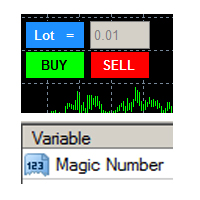
this tool is to help your trading by clicking the buy or sell button, to fill in the magic number please fill in the variable, don't forget to activate autotrade on metatrader 4 then check Allow live trading so that the emoji turn into a smile, you can combine this tool with other tools such as EA auto means the Magic Number which is the same between this tool and your EA
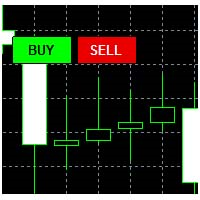
This tool helps your trades to open trades manually, and will mean it automatically, so it will not be difficult to profit from calculating pipsteps or lots when you open the next trade, so if you have a strategy to open then this tool will help you to do that, on the tool. which can mean is a lot or a pipstep, so that it can help make your trading easier. You will get more profit, because the time required is shorter.

Current Order Take Profit this indicator shows settled level of Take profit current opened order. If order Take Profit will be changed it will be shown on screen immediately. The same with pips left to get so as to close the position. If the price will drop beneeth the open order price it will change the color of pips digits left to gain. That is usefull when you change Take profit level by drag the price line using mouse to new level na wykresie.
FREE

OneClickClose-Pro EA allow users to easily close all positions at once with multiple options with simple UI.
Options Includes::
1. Close All Positions
2. Close All Buy Positions
3. Close All Sell Positions
4. Close All Position GreaterThan or Equal to Profit
5. Close All Position LessThan or Equal to Profit
6. Close All Position By Symbol
7. Option to Set Deviation
8. Option to Set Maximum Retry (If position close fails)
MT5 Versio
FREE
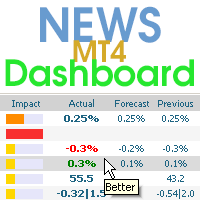
This dashboard displaying current news from ForexFactory.com (calendar FFC) and from the Investing.com website . You can sort news by impact and by country, and display them on the chart with one click. By holding down the 'Ctrl' key, you can select several different 'currencies' or 'impacts' to sort. Also, this utility shows not only the forecast, but also the actual values after they appear on the site. You can set a separate notification for each news.
You can read the news using your EA

この指標について このインジケーターは、指定されたキャンドル番号の選択されたすべての時間枠のOHLC値を線の形式で表示します。
____________________________________________________________________________________________________________
この指標の背後にある考え方は何ですか? ご存知のように、サポート/レジスタンスエリアはトレーダーに良い取引機会を提供します。
これらの領域を検出する最良の方法の1つは、前のろうそくの高、低、閉(または開)の値を使用することです。
より高い時間枠から得られた領域は、通常、より強力で信頼性があります。
このインジケーターを使用することで、チャート上に線として、以前のキャンドルのOHLC値をいくつでも持つことができます。
より多くのキャンドルの計算を選択し、それらによって作成されたさまざまな線と密度を重ねることで、より信頼性の高い領域を見つけることができます。
_____________________________________

This is a simple and very effective utility for closing orders with one click. You will need it if you have a number of open orders on your balance and it takes too long to close them manually, which might lead to an extra loss of money on the account. The utility consists of an external panel with two buttons " Close by Filter" and " Close ALL" , which is convenient to move around the graph. You can set the Close ALL utility so that orders are closed as soon as the specified profit or loss v

Easy Backtest 2 Pro
Easy Backtest 2 Pro is a great FREE alternative testing software!.
You can test your new strategy in Strategy Tester in your MT4 , using all available historical data. Beyond the basic functions such as: BUY, SELL PENDING ORDERS STOP LOSE, TAKE PROFIT AUTO RISK MANAGMANT AUTO LOT SIZE You can modify each of them at any time, exactly like in live trading. Advanced features PRO such as: PREVIOUS DAY'S HIGH/LOW PIVOT POINTS FIBONACCI AUTO TRAILLING STOP AUTO BRE
FREE
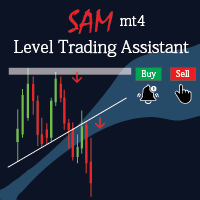
Sam level trading assistant is an expert advisor that mainly helps a trader to automatically place and manage trades basing on key levels of support and resistance that are MANUALLY drawn on the chart by the trader. These key levels include trend lines and rectangles. The expert advisor can either automatically open SINGLE trades by opening buy or sell orders, HEDGE by opening both a buy stop and a sell stop order or send ALERTS when a given criteria such as a candlestick/ bar either TOUCHING or
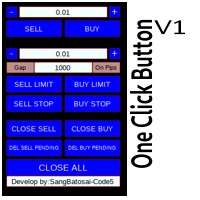
Simple button panel of trade on your chart with OneClick V1 Trial version. This trade panel will make it easier for you.
Equipped with several functions that make it very easy for you. More tools on OneClick VZ version, see here.
This version includes: Open Order Buy Open Order Sell Open Pending Order [Buy Limit - Buy Stop - Sell Limit-Sell Stop] Close ALL orders
Close Order Buy Close Order Sell Delete Pending Order [Buy Limit - Buy Stop - Sell Limit-Sell Stop] ENJOY IT!!! ONE CLICK V1 [TRIAL
FREE

Script for Close all open BUY orders.
Usage:
- Enable Automate Trading
- Attach / Double click the script
ENJOY IT.
//+------------------------------------------------------------------+ //| Close Buy.mq4 | //| Copyright 2015, SangBatosai-Code5 | //| https://www.mql5.com/en/users/mahakaya | //| Credit: | //| SangBatosai-Code5
FREE

The Consistent Trader is very useful if you want to improve your performance in the long term and avoid common mistakes . This EA adds a panel where you can put SIZE and stop loss PIPS of positions. You can open a sell or buy (one at time), and you can close it with a close button. It also shows actual pips spread. This works only alone without others EA (one instance), and only opening positions with its dedicated panel. This Utility helps and does these things : You cannot watch and open timef

Chart State Saver for MT4 is utility which helps to save states of all your charts even if they will be closed. And then all saved charts' states can be easily loaded back to charts.
It stores templates for each particular currency pair and automatically applies them to charts once they will be opened at next time. Also they can be applied to the charts by your own needs. Thus you can close any chart at your MT4 without scaring to lose chart's data like drawls, messages, chart styling and so on

The indicator sends a Screenshot of the chart to mail when a signal is received. It could be send from anyone timeframe and currency where installed the indicator. The indicator allows you to send messages to a mobile terminal and to mail. To send screenshots to the mail, you need the screensender.exe mail program. To create a signal, the following are used: horizontal lines / vertical lines / trend lines / Moving average.
The terminal does not allow sending screenshots to mail. Therefore, the
FREE

The utility helps to locate in the lower time frames the maximum and minimum of the upper time frame. The length of time frame level line represents the temporal length of the upper time frame.
The indicator draws lines that delimit the upper time frames candle and highlights his high-low price, the pips candle range, the returns and the volatility.
How it works:
Firstly . Choose which time frames levels to represent in the lower ones : monthly, weekly, daily, H4, H1, M30, M15, M5. The
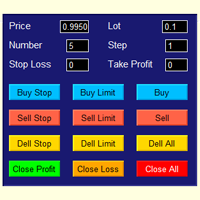
The best panel of all major Forex trading buttons, which every trader definitely needs to relieve his trade, whether he is a beginner or a professional. The Expert Advisor places pending orders at the price you entered. You can enter the number of pending orders and the step between orders. There are buttons for opening market orders, buttons for deleting pending orders, buttons for closing orders with profit and loss. And the very last button of the advisor closes pending and market orders on

Smart Stop FX - Never let a winning trade become a losing trade, ever again.
Smart Stop FX is an intelligent trade management robot that gives you the flexibility to manage your trades even when you can't be on the charts. Either sleeping, a long flight, or the myriad of other commitments that life throws our way, Smart Stop FX can give you the security that your positions won't go into unnecessary losses. There are three ways to use Smart Stop FX.
Breakeven Mode - In this mode, Smart Stop F

アルゴリズムはアカウントで最も収益性の低いポジションを見つけ、プログラムは損失をカバーできる収益性の高いポジションを決定します。この利益は決算に使用されます 自動モードでの不採算注文。システムは、最も遠い不採算の注文を処理したり、手動で選択して特定のチケットに従ってそれらを選択したりすることができます。つまり、ユーティリティは、勝ち注文の1つまたはグループを使用して負け注文をクローズします。 機会:
現在のシンボルまたはすべてのシンボルの成約注文 一度に1つまたは複数の不採算注文をクローズする機能 マジックナンバーとクロージングチケットの選択 お金、ポイント、またはパーセンテージでの収益性の高い注文と収益性の低い注文の選択 購入または販売の注文のみを閉じるか、すべての注文を閉じる バスケット内の収益性の高い注文の最大数を選択する 損失をカバーするために Troubleshooting, appeal to the author - > https://www.mql5.com/en/blogs/post/741436
MT5 version
Input

The Expert Advisor is a trader's assistant, opens positions on trend lines, pulls pending orders that are not visible to the dealing center along the trend lines.
Positions are opened and closed only when the terminal is turned on!
Great for trading from trading levels, saving you time and health.
The Expert Advisor responds only to trend lines of three colors, by default:
Green - the color of the purchase, all Sell positions will be closed before the purchase;
Yellow is the colour of closu

Overview The Expert Advisor sends notifications to a mobile phone, via e-mail or plays a sound in case any changes are detected on the trading account: opening/closing positions, changing order parameters, balance or leverage. Also, the Expert Advisor can inform that Equity on the trading account has dropped below a specified value or Free Margin is small compared to Margin. The Expert does not trade, it only monitors your account.
Launching the Expert Advisor For the Expert Advisor to work, pl

Utility for informing in telegrams with a wide functionality -->>> English parameters menu version, Russian menu parameters version here first 10 sales at $ 30, next 10 at $ 40 and so on Works correctly with Windows 10, Windows Server 2012 and above Can send notifications to channel or private messages : Signal name (it is convenient to send signals from several terminals to one channel) Opening an order (instrument, volume, order type, quote, take profit, stop loss, order number, opening time

This tools is simplest Trade Copier that use your local pc to store your position list. Fast, Simple We dont have complicated files. Just this EA, with 2 mode. Master Mode to store your positions And Client mode to copy all the position from local storage. Its free tools, for unlimited usage, and unlimited Metatrader and unlimited account number. Enjoy
Inputs: Mode > To select Copier Mode. Master Store your positions, and client mode copy the stored positions Slipage > To protect taking new pos
FREE

This utility copies graphic objects from the MASTER chart to the SLAVE chart. Install it as an indicator. The version for MT5 is here: https://www.mql5.com/en/market/product/61935 It can work in the following modes: Master CHART to Slave CHART in one MT4 or MT5 Master MT4 to Slave MT4 (one or more) Master MT4 to Slave MT5 (one or more) Master MT5 to Slave MT5 (one or more) Master MT5 to Slave MT4 (one or more) You can use multiple Master-Slave groups by setting the ID parameter . You can copy al
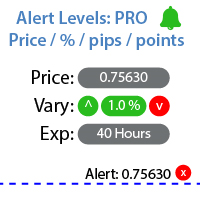
指定した価格レベルに達したときに通知を設定するユーティリティ 私の #1 トレードマネージャー をチェックしてください: 66以上の機能、アラートやトレンドラインアラートを含む | ご質問があればお問い合わせください アラートは3つの方法で設定できます: 価格レベルの手動入力; 価格変動の設定: パーセント / ピップ / マーケットポイント; マウスでレベルを移動: 磁石機能もあり、有効にするとレベルが最も近いOHLC値にスナップします; オプションで、各タイプのアラートを有効/無効にできます: ターミナル内の通知; メール通知; モバイルデバイスへのプッシュ通知; ユーティリティの追加機能: アラートの有効期間を設定するオプション: 有効にすると、指定した時間後に通知が自動的にキャンセルされます (分 / 時間 / 日); チャート上にアラートレベルを表示するオプション; 既存のすべてのアラートをすばやく削除、または個別に削除; インターフェースの利点: パネルを 折りたたむ ことができ、チャート上のスペースを解放します: ([^] ボタン ); パネルを 移動

Smart Copy is an Easy-to-Use EA that supports Multi Copying Metatrader4 and Metatrader5 and Local/Remote Copying. (Remote Version is coming soon)
Free version is available on Smart Copy Local Free MT4
Specifications :
Real Time, Multi Terminal - Multi Account - MT4/MT5 trade copying Copy from netting to hedge and hedge to netting is supported.
Fast and instant copy
All settings are input visually. Easy modifying symbol names, prefix, suffix Enable/Disable copying s
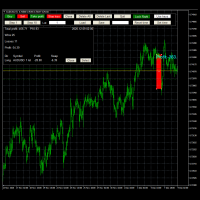
Advanced Trade Simulator
It is an indicator you can attach to any chart and then buy and sell the given symbol virtually. No actual trading takes place. You can attach it to multiple charts. Then you can buy multiple symbols.
A more detailed description here: https://www.mql5.com/en/blogs/post/750336 Features:
- buy and sell immediately on the given time frame - market , limit and stop orders - generalized OCO, more than 2 orders can cancel each other. - OSO, one sends another.. - set lot ba

Odie Trade Manager EA is a simple semi-automatic (two in one) assistant for a manual trader, when having a losing trade the EA begins its work in the form of a martingale or hedging (recovery zone) to leave it in breakeven or positive, it depends on its configuration.
For professional traders and gamblers .
Adapt it to your strategy, MANAGE YOUR RISK CORRECTLY and all your operations will be positive.
TEST ON STRATEGY TESTER WITH YOU STRATEGY AND CREATE YOUR SET FILE AND... GOODBYE LOSSES.
FREE
New version based on the product: Trade History MT4 To Excel
Hello Traders! I have received many comments on my product " Trade History MT4 To Excel " which I have decided to create a new more complete version based on your suggestions. The result is fantastic, you will not find anything like it anywhere, I know because I have checked :-) WARNING: To give you an unique product I had to modify the standard mql4 files. Before to run the interface you need to load this file in the directory. You

For those who are still not confident in their system or are testing new techniques to make it easier without wasting time to change the charts one by one, we recommend EA Smart Backtest to help you backtest your system efficiently.
-The EA is intended to Backtest your system. -Able to open buy or sell in visual mode and can modify values for LOT, SL, TP. -The chart also shows the Balance Equity Profit status. -Can choose to close, Buy, Close, Sell

Script risk management, which calculates for you the potential profit, possible loss, risk percentage, on the entire account and for each instrument. Shows where stop-losses and take-profits are not set.
Each line summarizes the number of open transactions for a specific instrument and calculates the percentage of loss from the total deposit. Beyond the line, the final calculation of the balance is summarized, if all transactions are triggered by stop loss; Potential loss, as the sum of all st
FREE

This EA utility does not trade on its own, but it only modifies the open trades to add take profit and stop loss that was opened manually or by any other expert advisors.
The distance is based on Pips .
How Does It Work? If Symbol to modify is set to "All Symbol" simply attach it to one chart, and all open trades in the entire terminal will set the take profit and stop loss . If Symbol to modify is set to "Local Symbol" , it will only set the ta

This tool working You can buy or sell from the button of this tool, the lot size can be filled manually, as for the close all buy button to end all buy positions, close all sell button to end all sell positions, Close All profit button to end All profit position, Close All Loss button to end all loss position, Delete Pending button to delete all Pending order, close all orders to end all orders. The variable, you can use close all percent for close all orders when profit in percent, if close

Simple Order and Risk Management Tool. Secure your profits and protect your capital!
Features Visual Stoploss, TakeProfit Levels (Hotkey: SHIFT+M) Visual Pending Order Level (Hotkey: SHIFT+P) 5 Custom LotSizes for Open Orders (Each lotsize has a corresponding hotkey) This requires that an SL level is previously set Automatic Partial Close Expert will automatically close partial positions in when it reaches a target profit level. Automatic Stoploss to Breakeven Expert will automatically set y

このアプリケーションを使用すると、アカウントで選択した取引活動をテレグラム チャネルにブロードキャストできます。 選択: ブロードキャストする場所 (アカウントでロボットの複数のコピーを同時に実行することで、複数のチャネルに同時にブロードキャストできます) ロボットまたは人間、あるいはその両方による注文とポジション どの文字から (すべてまたはスペースを入れて入力 EURUSD.i EURGBP.i ...) 送信するアクションに関する情報 (アカウントに複数のロボットをインストールすることで、チャンネルやキャラクターごとに異なる放送条件を設定できます) メッセージに含まれる情報 追加のコントロール パネルを表示する 各取引日の終わりに利益レポートを提出する 設定の説明: 。 th>タイトル: 値: 説明: 主な設定:
主な設定: ボットトークン: ボット トークン Telegram ボットの作成時に生成されます。 シャネルID: チャンネル ID https://api.telegram.org/bot BOT_TOKEN /getUpdates
魔法のリスト -1 0 444

FXC Trade AssistanT MT4
This trading software will help you in manual trading. You can use it for open and close positions in many forms. The EA offers you lot sizeing, stop management methods and other usefull tools using with its control panel.
New in v1.13: Ultra-Fast CLOSE operation can close over 100 trades/second (Only MT5) New SETUP panels: Control, Chart, Msg., SFX, Advanced Added SFX sound profiles
Zero-Point Calculation with Swap & Commission Can handle foreign trades
New Info data: St

Avenger Expert Advisor The Avenger Expert Advisor (EA) is a sophisticated trading tool designed to help traders automate their trading strategies with precision and efficiency. This EA leverages advanced trend indicators and customizable settings to optimize trading performance. Key Features: Trend Indicator Settings: Main Trend Indicator: Utilizes the primary trend indicator for position openings. First and Second Trend Filters: Additional filters to refine trend signals and enhance accura

LEFORT is a multi-currency, fully automatic, high-frequency trading robot. The robot works with any instruments in MT4 on any timeframe. The algorithm of the expert Advisor is as follows Single-scalping trades will. Using the analytical signals module, the robot analyzes the market dynamics, and then makes single trades in the direction of the dominant trend with a profit of several pips. A series of open orders. The robot makes a series of trades on a pullback in the direction of the dominant t
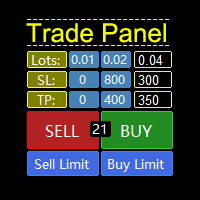
A "Trade Panel" that supports "strategy testing", with excellent compatibility, fast operation, and conforms to the habits of professional traders. At the same time, the design is compact, concise, clear at a glance, and comprehensive in functions. It is a powerful tool for manual operation! Function Description: Click Spread //Delete all arrow Click SL: // Delete stop loss Click TP: // Delete take profit Reverse //Backhand Locked /
FREE

AutoSTPending - Expert Advisor for Automatic Stop Loss and Take Profit
The AutoSTPending expert advisor automatically creates or modifies the Stop Loss and Take Profit levels configured in the properties. It is a user-friendly and easy-to-understand tool. With AutoSTPending, you can simplify and streamline your trading operations by allowing the expert advisor to automatically set and adjust your Stop Loss and Take Profit levels. This allows you to focus on other activities while maintaining ef
FREE
APIPS Expert Advisor puts a Take Profit on all positions at the total breakeven distance or at the distance of the specified take Profit value .
If several orders are opened, the Expert Advisor puts a Take Profit on all positions at the total breakeven distance + the specified Take Profit value. You can specify to close all positions only on the excess without profit. If there are no open orders and you open a trade on the market, the APIPS Expert Advisor automatically sets the Take Profit by t

Note: MT4 Backtest cannot test EAs that trades with several symbols simultaneously. For backtest use MT5 versions download here . Note : Limited version can trade with the volume less than 0.05 lots.
Important :
This is Arbitrage EA and may not work on all accounts. It is recommended to follow the testing process described on product screenshots. If you are not familiar with arbitrage trading, It is recommended to use our other trading robots .
Strategy :
EA will place trades based on Tria

Lines Resource is an technical indicator that dysplay lines in the chart giving some notion of supports and resistance levels for the correct functionallity of Optimal Investor EA an multicurrency EA that gives an 52% return monthly. Please install it, to run Optimal Investor EA correctly. Next to it, install Profitnator Resources Indicator FREE , to Run Optimal Investor EA.the second and last one resource.
FREE

This script jumps your chart to a random point in time/random bar. Very useful for back testing, particularly NNFX method.
How To Use: 1. Double click the script in the Navigator 2. Drag script onto chart 3. (Recommended) Right click script in navigator and "Set Hotkey". Use Hotkey instead of having to have navigator open 24/7
Installation: 1. Open MT4 2. Click File -> Open Data Folder 3. Double Click MQL4 -> Scripts 4. Copy Script into this folder 5. Restart MT4
#nononsenseforex #nnfx #bac
FREE

The Trading Control Panel EA let you: - Calculated lot size based on the (% or $ risk) - Place multiple (Market/Limit/Stop) trades at same time - Manage all open trades (move SL to BE, take partial profit, close all trades) This is a handy tool for those who wont to open multiple orders without spending time on lot calculations. When opening multiple orders the first order has the first TP and all other orders get the second TP.
MetaTraderマーケットはトレーダーのための自動売買ロボットやテクニカル指標を備えており、 ターミナルから直接利用することができます。
MQL5.community支払いシステムはMetaTraderサービス上のトランザクションのためにMQL5.comサイトに登録したすべてのユーザーに利用可能です。WebMoney、PayPal または銀行カードを使っての入金や出金が可能です。

取引の機会を逃しています。
- 無料取引アプリ
- 8千を超えるシグナルをコピー
- 金融ニュースで金融マーケットを探索