Kinetix Speed Commander

Kinetix Speed Commander MT4

Kinetix Speed Commander は、MetaTrader 4(MT4)向けに開発された機関投資家水準のワンクリック注文執行コックピット、動的ポジションサイズ計算機、およびリスクリワード注文管理ユーティリティです。プロップファーム(自己資本取引会社)の審査に挑むトレーダー、機敏なスキャルパー、および体系的なデイトレーダーのために設計され、手動計算の手間、ロット入力ミス、過剰レバレッジのリスクを排除します。

本ユーティリティは、外部DLLを一切使用せず、ダークテーマを採用した高応答なオングラフHUD(ヘッドアップディスプレイ)で動作します。口座残高、有効証拠金、銘柄のティックバリューをバックグラウンドで常時監視し、ミリ秒単位の即時成行注文、ドラッグ可能なリスクラインによる視覚的操作、および250ミリ秒タイマーによる自動トレーリングストップと建値保護(ブレイクイーブン)を提供します。

主な機能とアーキテクチャ

  1. ワンクリック発注コックピット チャート画面から直接、成行買い(Buy)および成行売り(Sell)を瞬時に発注可能。事前に自動計算されたロットサイズ、損切り(Stop Loss)、利確(Take Profit)が付与された状態で安全にエントリーできます。許容スリッページ保護機能とリアルタイムスプレッドフィルターを内蔵し、スプレッド急拡大時や相場急変時の意図しない発注を防止します。

  2. 自動動的ポジションサイズ計算機 注文送信前に、ブローカーの最小ロット刻みに合わせて最適なロット数を数学的に正確に算出します。選択可能なリスク管理モード:

    • 口座残高リスク比率(% of Balance): 確定口座残高に応じたロット算出。
    • 有効証拠金リスク比率(% of Equity): リアルタイムの含み損益(有効証拠金)に連動したロット調整。
    • 固定損失金額(Fixed Cash $ USD): 1回のトレードあたりの許容損失額をドル建てで固定。
    • 固定ロットモード(Fixed Lot): 事前に設定した固定ロットでの発注。 コントラクトサイズ、ティック値、最小価格変動、および指定したStop Lossピップ幅を厳密に考慮して計算されます。
  3. チャート連動型ビジュアルリスクライン ライン機能を有効にすると、チャート上にマウスでドラッグ可能な水平のStop LossおよびTake Profitラインが表示されます。ラインを上下に移動するだけで、許容損失額、見込み利益額、残高減少率、およびリアルタイムのリスクリワード比(R:R)がHUD上に即座に再計算され、エントリー前に正確なリスクを把握できます。

  4. 緊急および一括ポジション管理 ワンクリックで即座に実行可能な一括操作コマンド:

    • Close All(全決済): 現在の銘柄におけるすべての保有ポジションを即座に成行決済し、待機注文をすべてキャンセルします。
    • Close In Profit(利益ポジション決済): 含み益が出ているポジションのみを選択して決済し、利益を確保します。
    • Lock Breakeven(建値保護): 利益が出ている対象ポジションのStop Lossをエントリー価格+指定安全バッファ(例: +2 pips)へ一括移動します。
  5. 250ミリ秒独立高精度タイマーエンジン 高精度ミリ秒ハードウェアタイマー( EventSetMillisecondTimer(250) )により駆動され、新規価格ティック(Tick)の受信を待つことなく動作します。流動性が低下する時間帯や静かな相場環境でも、トレーリングストップや建値移動処理が遅延なく実行されます。

  6. MQL5ガイドライン第2555条準拠の証拠金事前検証 注文発注直前に  AccountFreeMarginCheck()  を呼び出し、必要証拠金の有無を事前検証します。余剰証拠金が不足している場合は発注を安全に中断し、ブローカーによる注文拒絶(エラー134: 証拠金不足)や強制ロスカットの発生を防止します。

  7. 完全ネイティブMQL4&外部DLLゼロ 外部の動的リンクライブラリ(DLL)を一切使用せず、100%ネイティブなMQL4コードのみで構成されています。すべてのグラフィック描画オブジェクトは専用の接頭辞( KSC_ )で管理され、ツール削除時( OnDeinit() )にチャートメモリから完全に消去されます。

技術仕様

  • 対応プラットフォーム: MetaTrader 4 (MT4)
  • 製品タイプ: ユーティリティ / トレード執行・注文管理パネル
  • 取引可能銘柄: FX通貨ペア、貴金属、エネルギー、株価指数、暗号資産CFD
  • 約定方式: 成行約定(Market Execution)および即時約定(Instant Execution)
  • タイマー周期: 250ミリ秒高精度タイマー
  • 外部依存関係: なし(100% ネイティブMQL4)

設定パラメーター

パラメーター名 初期設定値 説明
InpRiskMode RISK_PERCENT_BALANCE リスク計算モード(残高%、有効証拠金%、固定金額$、固定ロット)
InpRiskValue 1.0 リスク設定値(残高/証拠金に対する%、固定ドル金額、またはロット数)
InpDefaultSL_Pips 25 デフォルトの初期Stop Loss距離(pips)
InpDefaultTP_Pips 50 デフォルトの初期Take Profit距離(pips)
InpMaxSpread_Pips 5 発注を許可する最大許容スプレッド(pips)
InpMaxSlippage 3 最大許容スリッページ(pips)
InpMagicNumber 880123 マジックナンバー識別子(0に設定するとすべての手動注文・外部EA注文を管理可能)
InpEnableTrailing false 自動トレーリングストップエンジンの有効化
InpTrailingStart_Pips 20 トレーリングストップ開始に必要な利益幅(pips)
InpTrailingStep_Pips 5 トレーリングストップ追従ステップ幅(pips)
InpEnableBreakeven false 自動建値保護(ブレイクイーブン)機能の有効化
InpBreakevenTrigger 15 建値保護を発動させるために必要な利益幅(pips)
InpBreakevenLock 2 建値より上(買い)または下(売り)に確保する確定利益幅(pips)
InpPanelX 20 HUDパネルのチャート横方向表示座標(ピクセル)
InpPanelY 35 HUDパネルのチャート縦方向表示座標(ピクセル)

おすすめのプロダクト
The Definitive Performance Testing Solution for MetaTrader Environments What This Tool Does This specialized benchmark utility measures the performance of your MetaTrader environment, providing insights that impact your trading execution. Unlike generic system benchmarks, this tool evaluates performance specifically within the MetaTrader runtime environment. For Professional Traders & Developers: Performance Metrics : Measurements of calculation throughput and memory efficiency Trading-Specific
Easy Toolbar is a user-friendly toolkit that provides fundamental tools and utilities which can helps you analyze market , get notifications and calculate trade factors faster, more accurate and much easier. Easy Toolbar is born with the mission to make analysis tools of MT4 really work & provide more useful utilities . If you are not fully depend on EAs and do your own work to analyze market, this tool is for you! Main features New way to use market analysis tools Introduce new important object
Crystal Trade Manager PRO – MT4向け 高度リスク管理・トレードコントロールシステム 無料版: https://www.mql5.com/en/market/product/150632 概要 Crystal Trade Manager PRO(CTM)は、MetaTrader 4 のために設計された、プロフェッショナル向けのリスク管理および取引管理ユーティリティです。 厳密な執行、強力な資金保護、高度な自動化を必要とするトレーダーのために構築されています。 本システムは、リスク管理、エクイティ保護、日次制限、SL/TP の自動設定を行い、プロレベルの高速ワンクリック取引パネルを提供します。 Prop Firm チャレンジ、デイトレード、スキャルピング、資金運用者に最適です。 MT5版も利用可能です。 主な特徴 1. 高度なリスク・ドローダウン保護 日次ドローダウン上限を 1%〜70% の範囲で設定可能。 上限超過時、 全てのポジションを即時クローズ 。 オプションで 全ての保留注文(Pending Orders)を自動削除 。 日次ロックアウトモード:翌日
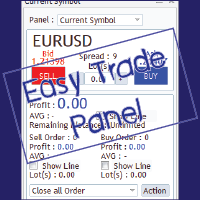
Easy Trade Panel
Kritchavatchara Datchkanakorn
EasyTrade is a dashboard that make trading easier. EasyTrade can help you to calculate and send command. EasyTrade have 3 tabs. Tab 1 Display data about information and orders in the current symbol Show all order Profit/Loss. Show all buy order Profit/Loss. Show all sell order Profit/Loss. Show average price of all opened order(buy and sell). Show average price of all buy order. Show average price of all sell order. Show total lot buy order. Show total lot sell order. Show total order buy. Show
The Chart Navigator is a powerful and user-friendly indicator designed to enhance your chart navigation experience in the MetaTrader platform. With its advanced features and intuitive interface, it enables traders to effortlessly explore multiple timeframes, switch between symbols, and efficiently analyze price movements. Key Features: Timeframe Navigation: Seamlessly switch between different timeframes with just a single click. The Chart Navigator provides a graphical object that allows you to
FREE
MV Liquidity Sniper High EA If you’re the type who doesn’t like staring at charts all day, this EA is built to help simplify your trading flow with a more structured setup. This EA uses High Line (HA) as Liquidity Level together with momentum detection to automate entries, exits, and recovery flow. Simple concept: Price closes above the HA High Line → BUY Price closes below the HA High Line → SELL The EA continuously follows market direction based on the active High Line level. Entry Logic The
Session Overlays Pro by Forex Noob Tube 静的なボックスや乱雑なラインでチャートを散らかすのはやめましょう。 Session Overlays Pro は、セッションのタイミング、日足の始値、そして極端な価格レベルを重視するデイトレーダーのために設計された、完全インタラクティブな機関投資家レベルのマーケットマッピングツールです。 チャート上の洗練されたクリック可能なダッシュボードを中心に構築されたこのインジケーターは、MT4の設定メニューを開くことなく、市場セッションの切り替え、ライブのコンフルエンス(根拠の重なり)の追跡、流動性スイープの測定をシームレスに行うことができます。 コア機能とUIダッシュボード インタラクティブなオンチャートダッシュボード: ワンクリックでアジア、ロンドン、ニューヨーク、またはSyncセッションを切り替えます。パネルをコンパクトなHUDに最小化することで、重要なデータを保持したままチャートをすっきりと保つことができます。 ヒゲ vs 実体での測定: 専用のUIボタンで、セッションの高値/安値(HC/LC)の計算を
Martingale Osw MT4
William Oswaldo Mayorga Urduy
ユーザーマニュアル:高度なマーチンゲール管理およびリスク管理システム この専門マニュアルでは、MetaTrader におけるポジションリカバリーとリスク管理を自動化するために設計された高度なマーチンゲール注文管理システムの操作、設定、およびビジュアルインターフェースについて説明します。 1. 概要と目的 このツールは、コスト平均法を主なロジックとする高精度の注文管理ツールとして機能します。その目的は、保留注文のネットワークを展開して平均決済価格を改善することにより、当初の方向とは逆の動きをした取引を保護および回復することです。 基本的なシステムとは異なり、このソフトウェアは動的な損益分岐点およびトレーリングストップアルゴリズムに加え、迅速な手動介入のための画面上のコントロールインターフェースを備えており、常に資金管理を最優先にすることができます。 2. パラメータガイド(エントリーメニュー) マーチンゲール設定と距離 マーチンゲール数:最初の取引後にシステムが許容するヘッジ注文の最大数を定義します。 距離タイプ:ポイント単位の固定距離、またはATR(平均真範囲)インジケーター
What Can this indicator do for YOU!:  Keeping it simple this year with a straightforward and highly flexible Trade Manager that can reduce your losses and preserve your capital and increase it overtime. Money Management is one of the key aspects of a successful traders career which is why this EA will serve you well.  So, how does this EA function? Below is a PDF attachment with a very in depth explanation into the various functions accompanied with a Demo Video to show you; All functions work
This tool is used to draw a text do identify each day on the chart, the text is always adjusted to be centered on the chart. Features :    • Customize the drawing start date.    • Ability to customize the shape of the text drawn , set the : color , font size , drawing hour , orientation angle.    • Ability to select any day to draw.    • All days of week are available from Saturday to Friday.
CRT Candle Range Theory HTF MT4 - Ultimate CRT Indicator: 高度なICTコンセプトとMalaysian SnRトレーディングシステム 最も先進的なCandle Range Theoryインジケーターでマーケットメーカーの足跡をマスターしましょう。Ultimate CRT Indicatorを使用して、Smart Money Concepts (SMC)の真の力を解き放ち、機関投資家のように正確にトレードします。真剣なトレーダー専用に構築されたこのインジケーターは、ICT Concepts (Inner Circle Trader)の核となる柱である、非常に効果的なCandle Range Theory (CRT)を自動化し、Malaysian Support and Resistance (SnR)エントリー手法とFVG (Imbalance)ゾーンの致命的な精度でそれを強化します。 MT4またはMT5でForex、Crypto、Indicesのいずれを取引している場合でも、このアルゴリズムは市場のノイズを取り除き、ダマシ(fak
Monitor floating profit of trades and close half of the lot size when profit reach target. Can monitor either all trades in whole account or by specified magic number. Can set amount of slippage and spread tolerance. Can set retry times and sleep seconds if split order was rejected Can set max split order times. Able to close trades after split when floating profit goes down and near 0, to prevent lose.
Success comes from knowledge – this is true for most things in life and especially Forex trading. To become successful, a trader needs to learn technical analysis. Technical indicators are a big part of technical analysis. The problem is that, at first sight, names of technical indicators can sound unpleasantly complicated, for example, MACD, RSI or Stochastic. However, we recommend you not to judge a book by its cover. We will provide you with a fair and simple explanation of the most popular t
Harvest GOLD USES THE TREND WAVE INDICATOR AND IT CAN IDENTIFY THE BEGINNING AND THE END OF A NEW WAVE TREND MOVEMENT. AS AN OSCILLATOR, THE INDICATOR IDENTIFIES THE OVERBOUGHT AND OVERSOLD ZONES. IT WORKS GREAT TO CATCH THE SHORT TERM PRICE REVERSALS AND USES A MARTINGALE STRATEGY TO CLOSE ALL TRADES IN PROFIT. USE DEFAULT SETTINGS ON H1 OR HIGHER TIME FRAME ON ANY PAIR FOR MORE ACCURATE TRADES WHY THIS EA : Smart entries calculated by 3 great strategies The EA can be run on even a $30000
Time Closer can help you closing all the open position at the specified time "Everyday". Mainly for Day trader that don't want to hold position overnight, or over different session, or over a specific time. Simple Parameter to use. Usage Download and drag Time Closer on the chart (Chart Symbol should be the same Chart Symbol as you want the position close) Check Allow AutoTrading is "On" Set parameters Input Parameters Turnon  True - Turnon the utility False - Turnoff the utility Close All Open
MT4 To Notion
Levi Dane Benjamin
5 (2)
このプログラムでは、非常に使いやすいユーザーインターフェースを使用して、MetaTraderアカウントからすべての取引を直接Notionにエクスポートできます。  MT5 バージョン  |  ユーザーガイド + デモ 始めるには、ユーザーガイドをご利用いただき、Notionのテンプレートをダウンロードしてください。 デモが必要な場合は、ユーザーガイドをご覧ください。ストラテジーテスターでは機能しません! 主な特長 取引口座からすべての取引をNotionにエクスポート 最終日からの取引をエクスポートする 最終週からの取引をエクスポートする 最終月からの取引をエクスポートする カスタム時間範囲からの取引をエクスポートする すべての新しい閉じられた取引を自動的にNotionに送信する 注文タイプ、ボリューム、オープン時間、クローズ時間などのエクスポートに含めるフィールドを選択する 始め方 上記のユーザーガイドに移動するか、EAを起動して「接続ヘルプを取得」をクリックしてください。 接続したら、「開始:すべてをエクスポート」をクリックして、履歴からすべての現在の取引をNotionに送信します

This Utility is a test for creating objects on the graph . Drag it on any graph and follow the instructions! Any questions about work program send me mail : info@tradingsolution.it In future I will add more information with new version for now it provides account information: AccountNumber AccountName AccountCurrency AccountCompany Server Account Leverage Stop Out level Balance Equity Margin Free Margin
DFGX Dashboard
Tsvetan Tsvetanov
5 (2)
Take your trading to the next level with DFGX - our second generation Dynamic Fibonacci Grid. This new, powerful and easy to use application is specially designed and optimized for contrarian intraday trading, scalping and news trading on the Forex market. This system is the ideal solution for active professional traders and scalpers who are looking for innovative ways to optimize their strategy. The system also provides excellent opportunity for new traders who want to learn to trade in a syste
This trading bot automates order execution based on areas of interest drawn on the chart, such as supply and demand zones identified through order flow and institutional trading strategies. It’s a multi-chart bot, meaning you only need to drag it onto one of your open charts—it will monitor all of them simultaneously. How does it work? Open the charts you want to trade. Drag the bot onto just one of the open charts. Set your preferences for Risk, Stop Loss Ratio, or Take Profit Ratio. Enable an
Trading Board is a Tool That Help you execute Sell and Buy Operation very smoothly. General Description : This Tool has this functions: The function of Send Buy or Sell orders. The function to close all orders in the current chart. Choose the volume you need to trade. Calculate of Stop loss and Take Profit with the number of points. Draw the Fibonacci retracement.
FREE
Call of Night MT4
Marat Baiburin
3.67 (3)
Discount on all my products until 01.05.   Live signal: https://www.mql5.com/ru/users/bayburinmarat/seller Correct GMT setting: https://www.mql5.com/ru/blogs/post/743531 Call of Night isa professional advisor with an innovative approach to night scalping, working on only 4 currency pairs: EURUSD GBPUSD EURAUD EURCHF The EA uses a different logic for entering trades: the author's indicator works as the main signal, Price Action only filters trades. This approach increases the number of trades an
This TraderMaster EA is super helpful for professional trader.  Input Parameter Section: 1) Allow trader to set different line style, such as color, width; 2) Apply our chart style, if set false, it will not change the chart style; 3) Select different panel mode 3.a) Simple Mode, for trader immediately place a market order, pending order, delete and close orders; 3.b) Draw Line Mode, for price action traders who want to trade for trend and reverse in his trading plan; 3.c) Advanced Mode, includ
MRKD Vector — Smart Trade Management Utility MRKD Vector is a powerful and intuitive order execution tool designed for efficient manual trading in MetaTrader 5. Built with precision and speed in mind, MRKD Vector simplifies trade management by giving you full control over entries, stops, and targets — all from a sleek interface. Key Features: Quick Order Execution Place trades with ease using a clean, fast interface built for active traders. Intuitive SL, TP, and Lot Size Control Adjust sto
Magic EA MT4
Kyra Nickaline Watson-gordon
3 (1)
Magic EA is an Expert Advisor based on Scalping, Elliot Waves and with filters such as RSI, Stochastic and 3 other strategies managed and decided with the robot smartly. Large number of inputs and settings are tested and optimized and embedded in the program thus inputs are limited and very simple. Using EA doesn't need any professional information or Forex Trading Knowledge. EA can trade on all symbols and all time frames, using special and unique strategies developed by the author. The EA wo
Order Scheduler Price
Cassiano Ricardo De Neves Nicolosi
SAY GOODBYE TO FOREX CALCULATORS! Risk management is everything. Order Scheduler is the ideal tool to signals channels followers or for those traders who had their own analisys and know exactly where to place their orders, stops and targets. Just type the Entry price, Stop Loss price and Target price, and this EA will schedule the order for you, calculating the Lot Size based on the Risk Percentual you choose for the order. If you decide to cancel the schedule, just set the MaxOrders input to z
All the buttons  and info you need as a trader in just one interface No need to navigate between multiple interfaces and waste time and money This cutting-edge trading tool is designed bu a trader for a trader to meet all your trading needs and more, offering an array of features and functionalities to enhance your trading success. 45 Features: Buy       :Open long positions Sell       :Open short positions  HG        : HEDGE :Buy and Sell(same lot) S.Pdg    : Sell-Stop and Sell-Limit  Red X 
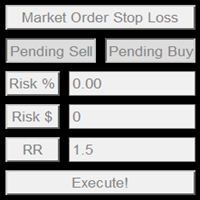
This product offers several advantages and features that make trading easier and more intuitive: User-Friendly Interface : The EA provides simple buttons for setting up pending orders, market orders, and stop-loss levels. This reduces complexity and makes it easier for users to manage their trades with just a few clicks. Customizable Risk Management : Users can adjust their risk percentage and reward-to-risk ratio using input fields. This feature ensures that traders can easily manage risk, hel
This EA is designed to transmit charts to Telegram, as illustrated in the example image. It provides the capability to send charts according to the selected timeframe directly to Telegram. A sample channel is included for demonstration purposes. After installation, please select your own channel or any other preferred option. Please note that this sample channel may be removed without prior notice. The indicator shown in the image is for demonstration purposes only.
AW Supply Demand MT4
AW Trading Software Limited
AW Supply Demand は、いくつかの小さなローソク足からなるベースと、そこからの価格の強い離脱という古典的な方式で供給ゾーンと需要ゾーンを検出します。各ゾーンには六つの名前付きの構成要素から算出される 0 から 10 までの公開スコアが付き、新しい状態から破られた状態、反転した状態までのライフサイクルをたどります。パネルはゾーンをもとに、エントリー、ストップ、目標の各価格水準を含む完成した取引プランを組み立てます。本インジケーターは一つのチャートに最大三つの上位時間軸のゾーンを表示し、通知を送信し、すべてのデータをエキスパートアドバイザー向けのバッファーに出力します。 ゾーンは再描画されません。ゾーンはベースの後、設定された本数の確定済みバーを経て出現し、確定後は境界が変化せず、以後変化するのは状態、スコア、タッチ回数のカウンターのみです。 マニュアルと説明 -> こちら / MT5 版 -> こちら インジケーターを用いた取引の手順: ステップ 1 - ゾーンの選択 パネルは取引に値するゾーンの取引プランと、そのスコアに基づく判定を表示します。Limit order -
現在の取引口座の取引履歴のエクスポートを実行します。 ファイルは MQL4/Files ターミナルフォルダに保存されます( メインターミナルメニューから開くことができます:     ファイル->データディレクトリを開く     (Ctrl + Shift + D)そしてフォルダに移動します     MQL5 /ファイル)     または端末の Common/Files フォルダにあります。 ファイル名は自動的に生成されるか、スクリプトパラメータを使用して手動で設定されます。 履歴ファイルは、EAを使用して別の取引サーバーで同じ取引シーケンスをシミュレートするために使用できます   シンプルヒストリーレシーバー 。 ファイルの名前: ファイル名を 指定するか、フィールドを空白のままにして、ファイル名を自動的に生成します。 区切り 文字:CSVファイル(カンマ'、'またはセミコロン';')および小数点(ピリオド'。'またはカンマ'、')のデータ部分の区切り記号を設定します ファイルを共通フォルダに保存     :Trueの場合、ファイルはCommon/Filesフォルダーに保存されます。
FREE
このプロダクトを購入した人は以下も購入しています
Trade Indicator Assistant is a powerful MT4 utility designed to turn indicators into automated trading systems. Its main feature is the ability to automatically detect an indicator’s   BUY and SELL signal buffers , without requiring you to know the buffer numbers, search through indicator settings, or modify the indicator source code. Bonus Indicator: After purchasing Trade Indicator Assistant, contact me to receive Trade Signal Pro completely free as a bonus indicator. [Download Demo Version]
Telegram to MT4 Multi-Channel Copier   は、Telegram チャンネルのトレードシグナルを MetaTrader 4 へ自動コピーします。ボット不要、ブラウザ拡張不要、手動コピー不要。Telegram にシグナルが届くと、EA が数秒であなたのターミナルに注文を出します。 さらに、チャンネルをコピーする前に、内蔵バックテスターでそのチャンネルがあなたの口座でどう動いたかを確認できます。 製品は 2 つのコンポーネントで構成されます:Telegram チャンネルを監視する Windows アプリと、MT4 ターミナルでシグナルを執行する本 EA です。MT5 版もあります   こちら . セットアップガイドとアプリのダウンロード:   https://www.mql5.com/en/blogs/post/768988 現在の価格は今後値上げされます。 仕組み アプリはあなた自身の Telegram アカウントで接続するため、フォローしているすべてのチャンネル、グループ、トピック、ボット(プライベートや VIP を含む)を見ることができます。シグナル
The product will copy all telegram signal to MT4   ( which you are member  ) , also it can work as remote copier.  Easy to set up, copy order instant, can work with almost signal formats, image signal, s upport to translate other language to English Work with all type of channel or group, even channel have "Restrict Saving Content", work with  multi channel, multi MT5 Work as remote copier: with signal have ticket number, it will copy exactly via ticket number. Support to backtest signal. How to
Unlimited Trade Copier Pro is a tool to copy trade remotely to multiple MT4, MT5 and cTrader accounts at different computers/locations over internet. This is an ideal solution for you if you are a signal provider and want to copy your trades to other receivers globally on your own rules. One provider can copy trades to multiple receivers and one receiver can get trade from multiple providers as well. The provider can even set the subscription expiry for each receiver, so that receiver will not b
Strategy Builder offers an incredible amount of functionality. It combines a trade panel with configurable automation (covert indicators into an EA), real-time statistics (profit & draw down) plus automatic optimization of SL, TP/exit, trading hours, indicator inputs. Multiple indicators can be combined into an single alert/trade signal and can include custom indicators, even if just have ex4 file or purchased from Market. The system is easily configured via a CONFIG button and associated pop-up
手動トレードのための、本格的なトレードパネル。正確なエントリーから口座の保護まで、トレードの全工程をチャート上のひとつのウィンドウで完結させます。設定したリスクに正確に合わせてロット数を計算し、RR Tool でチャートに線を引きながらトレードを組み立て、成行注文・待機注文・Grid・OCO を発注できます。ポジションの管理はパネルが引き受けます。最大5段階の分割決済、6種類のトレーリングストップ、建値、Virtual SL/TP を搭載。日次・週次・月次の上限が資金を守り、上限を超えると自動で作動します。 ガイドと無料の Live デモ 無料の Live デモ版はこちらでご利用いただけます ( Free Live Demo )。 製品の操作ガイドはこちらです ( User Manual )。 NT Trade Manager は、トレーダーの作業の流れ全体を、チャート上のコンパクトなパネルひとつにまとめます。ターミナルのウィンドウを行き来する必要も、エントリーのたびに手計算する必要もありません。自分の意思で手動トレードする人のためのツールです。裁量トレーダーからスキャルパー、スイ
Riskless Pyramid
Snapdragon Systems Ltd
5 (1)
Introduction This powerful MT4 trade mangement EA offers a way potentially to aggressively multiply trade profits in a riskfree manner. Once a trade has been entered with a defined stoploss and take profit target then the EA will add three pyramid add-on trades in order to increase the overall level of profit. The user sets the total combined profit target to be gained if everything works out. This can be specified either as a multiple of the original trade profit or as a total dollar amount. Fo
VirtualTradePad PRO SE MT4 — MetaTrader 4向け高度な取引パネルとチャートワークスペース VirtualTradePad PRO SE は、 MetaTrader 4 向けのプロフェッショナルな取引パネルであり、トレード管理ワークスペースです。1つのチャートベースのインターフェースから、取引の開始、管理、保護、決済、分析をより速く行えるようにします。 この製品は、単なるボタンセット以上の機能を必要とするアクティブな手動トレーダー向けに作られています。PRO SE は、ワンクリック執行、予約注文、ポジション管理、部分決済、バスケット損益ロジック、平均化レベル、ATMルール、シグナル監視、市場情報、ストラテジーテスターのワークフロー、VPS向け準備を、1つの構造化されたワークスペースに統合します。 MT5版 | 完全な説明とスクリーンショット | 購入方法 | インストール方法 | ログファイルの取得方法 | テストと最適化の方法 | Expforex のすべての製品 通常の手動取引に対する利点 多くのウィンドウではなく1つのワークスペース — 取引執
EASY Insight AIO – スマートで手間いらずな取引のオールインワンソリューション 概要 数秒で市場全体——FX、ゴールド、暗号資産、指数、さらには株式まで——を、手作業のチャート確認や複雑なセットアップ・インジケーター導入なしにスキャンできたらどうでしょうか? EASY Insight AIO はAIトレードのための究極のプラグ&プレイ型エクスポートツールです。市場全体のスナップショットを、クリーンなCSVファイルで一括出力。ChatGPT、Claude、Gemini、Perplexityなど、さまざまなAIプラットフォームで即座に解析できます。 ウィンドウの切り替えやグラフのごちゃごちゃしたオーバーレイはもう不要。自動エクスポートされる純粋で構造化されたインサイトだけで、無駄なチャート監視に悩まされず、スマートなデータ主導の判断に集中できます。 なぜEASY Insight AIOなのか? 本当のオールインワン • セットアップ不要、インジケーターのインストール不要、チャートへのオーバーレイ不要。インストールして起動し、エクスポートするだけです。 マルチアセット対
Time saving and fast execution Whether you’re traveling or sleeping, always know that Telegram To Mt4 performs the trades for you. In other words, Our   Telegram MT4 Signal Trader  will analyze the trading signals you receive on your selected Telegram channels and execute them to your Telegram to MT4 account. Reduce The Risk Telegram To Mt4   defines the whole experience of copying signals from   Telegram signal copier to mt4 platforms. Users not only can follow all instructions from the signa
The FFx Hidden Manager panel will help you to manage easily your orders directly on the chart. Below all features described: TP, SL and TrailingStop are hidden Each order has its own lines on chart Drag & Drop any line to change the TP/SL as per your need Option to move automatically the SL line at breakeven when TP #1 is reached Option to choose the TP/SL type (by pips or price) Option to choose the TrailingStop type (by pips, MA, Fractals, PSAR or ATR) Define which order(s) you want to manage
FFx Risk Calculator panel will help you to calculate very easily your trades size, SL or the risk directly on the chart. All features are described below: Option to select which parameter to calculate: Risk, Stop Loss or Lot Size The panel will show if the lot size is allowed according to the current account free margin Button to maximize/minimize the panel Drag and Drop the panel anywhere on the chart How to use it? Select the parameter you want to be calculated. It will be based on the 2 other
Trade Copier Pro is a tool to copy trade remotely to MT4, MT5 and cTrader accounts at different computers/locations over internet. This is an ideal solution for you if you are a signal provider and want to copy your trades to other receivers globally on your own rules. One provider can copy trades to multiple receivers and one receiver can get trade from multiple providers as well. The provider can even set the subscription expiry for each receiver, so that receiver will not be able to receive t
News Trader Pro is a unique robot that allows you to trade the news by your predefined strategy. It loads every piece of news from several popular Forex websites. You can choose any news and preset the strategy to trade it, and then News Trader Pro will trade that news by selected strategy automatically when the news comes. News release gives opportunity to have pips since the price usually has big move at that time. Now, with this tool, trading news becomes easier, more flexible and more exciti
The FFx Watcher PRO is a dashboard displaying on a single chart the current direction of up to 15 standard indicators and up to 9 timeframes. It has 2 different modes: 1. Watcher mode: Multi Indicators User is able to select up to 15 indicators to be displayed User is able to select up to 9 timeframes to be displayed 2. Watcher mode: Multi Pairs User is able to select any number of pairs/symbols User is able to select up to 9 timeframes to be displayed This mode uses one of the standard indicat
This is a must have tool for a serious trader. It saves your precious time spent for opening/closing trades, creating pending trades and modifying your TP/SL in bulk according to either pips or price. If you need to quickly open several pending orders (Buy Stop, Sell Stop) at a certain distance from each other, this script will do all the routine for you! The first time you use this handy tool, you will realize it has already paid for itself. Instructions: Drag and drop this script onto a chart.
The product combines a manual trade panel with the ability to perform actions automatically in a highly configurable way. Actions include capturing indicator values and then based on those values raising alerts, open/close or partially close trades, scale-in, setting up pending orders, adjusting stop loss, take profit and more. On-chart controls can be configured, such as tick boxes and buttons, so can be fully interactive. The EA also handles money management, news events, hidden stop loss, tak
Binary Options Copier Remote is an EA that allows to copy binary options trades between MT4 accounts at different computers. This is an ideal solution for signal provider, who want to share his trade with the others globally on his own rules. Provider can give free bonus license to 10 receivers. That means those 10 receivers can copy from provider by using Binary Options Receiver Free (no cost). From 11th one, receiver have to buy Binary Options Receiver Pro (paid version) in order to copy from
This panel is very simple to use and it is a very ally to manage your positions and orders. Also you can modify your risk, writing in fields directly on Panel. One click on buttons and the operation on market is done! Operations possible: BUY/SELL Break Even Split (close 50% all orders) Close All positions Hedging (opens reverse positions to cover) Close only BUY positions Close only SELL positions Close All pending orders Reverse all positions Please watch the video to verify the very simple u
Slow Pips OCO Trade Panel is an advanced trading panel for placing pending orders. Traders can use this panel to place two pending orders at once. One pending order would be of buy entry type and the other one would be of sell entry type. Both orders will have Stop Loss and Take Profit parameters. Since two pending orders are placed at the same time, the pending order for which the price hits first gets converted into a market order and the other pending order gets deleted (one order cancels the
This indicator changes the timeframe and chart profile for multiple charts. If you dispatched many charts (10~20 or more) in single MetaTrader terminal, it is very boring and difficult work to manage the timeframe and chart profile individually. If the indicators you use in a chart are numerous and the setting values are different from the default one, you might give up adding all the indicators to all charts. The changing of timeframes on multiple charts has the same problem, too. Whenever you
The Price Action Dashboard is an innovative tool to help the trader to control a large number of financial instruments. This tool is designed to automatically suggest signals and price conditions. The Dashboard analyzes all major Time Frame suggesting price action conditions with graphic elements. The Dashboard can suggest you the strength of the trend identifying directional movement, it is an indispensable tool for those who want to open position themselves using market trends identifiers. The
エリオット波動カウンターは、エリオット波動を迅速かつユーザーフレンドリーに手動でマークアップするためのパネルです。マークの色とレベルを選択できます。最後のマークアップとツールによって作成されたマークアップ全体を削除する機能もあります。マークアップはワンクリックで作成されます。 5 回クリック - 5 つの波があります。エリオット波動カウンターは、エリオット波動の初心者にもプロのアナリストにも最適なツールです。 エリオット波動カウンターのインストールと入力ガイド 取得したい場合     EA 追加 URL (  http://autofxhub.com   ) MT5 端末に関する 通知 (スクリーンショットを参照)。 MT4 バージョン https://www.mql5.com/en/market/product/14016 MT5 バージョン https://www.mql5.com/en/market/product/15081 一般的な入力: 波の種類ボタン: このボタンを使用すると、ユーザーはチャートで強調表示する波のパターンの種類を選択できます。使用可能なオプションには、イン
If you wish to draw Support and Resistance lines, view: daily market opening, classical pivot levels, Fibonacci pivot levels, trend lines, Fibonacci levels, the remaining time to candle closing, and current spread. If you seek to place your orders with the exact lot that meets your desired stop loss risk. If you wish to do all this and more with just one click, then this is the perfect tool to use. This tool will allow you to feel more relaxed when deciding to open orders, as well as predicting
ワンクリック分析ツールは、     キーボード ショートカット ベースのオブジェクトの作成     MetaTraderのコピーツール。クリックするだけで MetaTrader の分析ツールを簡単に使用できます。私たちのツールを使用すると、サポートとレジスタンスのレベル、フィボナッチ レベル、形状、チャネル、トレンド ライン、およびチャート上の他のすべてのオブジェクトをすばやく描画できます。ボタンをクリックしてマウスを動かすだけで、ワンクリック分析ツールが残りの作業を行います。これにより時間が節約され、チャート分析がより効率的になり、分析に基づいて情報に基づいた取引決定を下すことに集中できるようになります。 ワンクリック分析ツールには、オブジェクトの作成に加えて、     あるチャートから別のチャートにオブジェクトを簡単にコピーできる オブジェクトコピー機 ( チャート 同期)   。これは、複数のチャートを開いていて、それらの間でオブジェクトを複製する必要がある場合に特に役立ちます。 ワンクリック分析ツールを使用すると、     すべてのシンボルに 1 つのチャートを使用する   メ
Partial Close Expertは 、多くの機能を1つの自動化システムに統合したツールです。このEAは、リスク管理と潜在的な利益の最大化のための複数のオプションを提供することで、トレーダーがポジションをより効果的に管理するのに役立ちます。 パーシャルクローズエキスパートを使用すると、トレーダーは   部分的な閉鎖   利益を確定するためのレベル、     トレーリングストップ   利益を守り損失を制限するレベル、     とんとん   価格が反対方向に動いた場合でも取引が損益ゼロになることを保証するレベル、およびその他のいくつかの機能。 このオールインワンのエキスパートアドバイザーを使用することで、トレーダーは取引を常に監視する必要がなく、時間と労力を節約できます。EAは市場の状況に基づいて事前に設定された指示を実行するため、トレーダーはより柔軟に取引をコントロールできます。 部分クローズエキスパートを添付し、     キーボードの「p」を押して 設定を変更すれば準備完了です。 部分クローズエキスパート   インストールと入力ガイド EA に関する通知を受け取りたい場合は、U
Master Trend Dashboard is a new generation indicator, compact, light and efficient. Each element of this Dashboard is designed to return specific signals as: Price Action, Breakout, Net Change (performance of the instrument), algorithmic studies, correlations and statistical calculations. This tool will change your way of trading allowing you to receive important information. See the Graphic Signals to understand every single signal below: Graphic Signals Symbol name and arrow color Green = Cur
Trade Copier Agent は、複数の MetaTrader(4/5) アカウント/端末間で取引をコピーするように設計されています。 このツールを使用すると、プロバイダー (ソース) または受信者 (宛先) として機能できます。すべての取引アクションは、遅延なくプロバイダーからレシーバーにコピーされます。 このツールを使用すると、0.5 秒未満の超高速のコピー速度で、同じコンピューター上の複数の MetaTrader ターミナル間で取引をコピーできます。 Trade Copier Agent インストール & 入力ガイド コピーを開始する前、または注文がないうちに、プロバイダー アカウントで設定を適用してください。 注文中の変更は、受取人のアカウントに影響します。 例: プロバイダー アカウントが買い注文を適用し、その後、受信者アカウントのすべての買い注文を無効にすると、決済されます。 EA追加URL(   http://autofxhub.com   )MT4端末(スクリーンショット参照) に関する通知を受け取りたい場合 。 MT5 バージョン https://www
Unlimited Binary Options Copier Remote is a powerful tool to copy binary options trades remotely between multiple accounts at different locations over internet. This is an ideal solution for signal provider, who want to share his binary options trades with the others globally on his own rules. One provider can copy trades to unlimited receivers and one receiver can get trade from unlimited providers as well. The provider can set the subscription expiry for each receiver, so that receiver will no
This is an Expert Adviser use for manual trading as a background EA or combine with external EA to open orders. Loss Recovery Trading is one of your options to handle the lose positions instead of using stop loss by setting a zone recovery area and target to exit the turn rounds sequence. How It Work? If the market goes against your first positions direction at the specific of losing points, the EA will open an opposite direction position with calculated larger lot size and also keep the first
作者のその他のプロダクト
EA Budak Ubat MT5
Syarief Azman Bin Rosli
EA Budak Ubat MT5 は、MetaTrader 5 向けに設計された自動グリッド・マーチンゲール(Grid Martingale)エキスパートアドバイザーです。テクニカル分析、市場ボラティリティへの自動適応計算、および多層型リスク管理を融合させ、レンジ相場とトレンド相場の両方に対応します。 主要通貨ペアおよびゴールド(XAUUSD)の M5(5分足)チャートに最適化されています。 ### 主な機能 • 4つの選べるエントリー分析手法:   1. Classic Candle:ローソク足の勢いとパターン検出。   2. SMA20:20期間単純移動平均線のクロス。   3. Alligator:ビル・ウィリアムズのアリゲーター指標。   4. Ichimoku:一目均衡表の転換線と基準線の均衡シグナル(推奨デフォルト)。 • AutoConfig AI ボラティリティ適応エンジン:   現在の通貨ペアの20日ADRをEURUSDの365日ADRと比較計算し、最適な利確幅(TP)、グリッド間隔、増加ステップ幅、最大グリッド幅を全自動算出。 • H1 時間足 RSI
EA Budak Ubat
Syarief Azman Bin Rosli
4 (3)
トライアルをダウンロード 動作原理 EAがアクティブな場合、実行モードパラメータに基づいてチャートを分析します。 チャート上に既存のポジションがない場合、EAはパラメータに基づいて取引を行います。トレンドが上昇トレンドの場合、買い取引を行い、下降トレンドの場合は売り取引を行います。そして、ストップロス変数が0より大きい場合、オープンした取引価格から一定の距離にストップロス注文も設定します。0はストップロスなしを意味します。 チャート上に既存のポジションがあり、最後のポジションが損失の場合、EAは現在の市場価格と注文との間の距離がユーザーが設定した最小距離以上であるかどうかを確認し、それに基づいて取引を行います。ロットサイズはマーチンゲール法を使用して計算され、ストップロス変数が0より大きい場合、オープンした取引価格から一定の距離にストップロス注文も設定します。 Hedging(ヘッジ)がfalseに設定されている場合、EAは一度に1つの方向にしか取引しません。最初のポジションが買い取引の場合、すべての後続のマーチンゲールポジションも買い取引でなければなりません。最初のポジションが売り
Indi RBO
Syarief Azman Bin Rosli
Input: Range Start Time : The starting time of the range creation Range End Time : The ending time of range creation Trade End Time : The time where the line of range zone high/low will be extended to Minimum Size : The minimum size of the range in point Maximum Size : The maximum size of the range in point If the range size is between the minimum and maximum, indicator will print the 1st color (blue).
# Apex Flow Reversion MT4 Apex Flow Reversion は、MetaTrader 4 向けに設計された日内統計的回帰(ミーン・リバージョン)自動売買システムです。動的な出来高加重平均価格(VWAP)からの価格乖離をリアルタイムで監視し、標準偏差バンド、相対力指数(RSI)のモメンタム枯渇フィルター、および平均真のレンジ(ATR)ボラティリティ制限を組み合わせて反転ポイントを的確に捉えます。 ## 戦略の概要 このアルゴリズムは、指定された期間にわたってティック出来高で加重されたローリングVWAP曲線を算出します。この中心線をもとに、標準偏差計算による統計的な上限バンドおよび下限バンドを生成します。 市場価格が下限バンドを下回り、同時にRSIが売られすぎのシグナルを示した場合に買いエントリー条件を判定します。逆に、価格が上限バンドを上回り、RSIが買われすぎのシグナルを示した場合に売りエントリー条件を判定します。ポジションはVWAP中心線への回帰または設定された固定目標ポイントでの利確を目指します。 ## 主な機能と特徴 - MQL5 マ
Vortex Confluence Radar MT4 Vortex Confluence Radar は、MetaTrader 4 向けにネイティブ開発されたマルチオシレーター・コンフルエンス評価エンジンです。Relative Vigor Index(RVI)、Commodity Channel Index(CCI)、Williams % Percent Range(WPR)の3大テクニカル指標を融合し、平滑化シグナルラインと自動クロスオーバーアラートを備えた統合モメンタム・ヒストグラムを生成します。 指標構造と視覚的シグナル 本インジケーターは独立したサブウィンドウで動作し、以下の視覚的要素を精密に描画します。 統合コンフルエンス・ヒストグラム 正規化スコアリング:RVI、CCI、Williams %R の数値をそれぞれ [-100, +100] の範囲に正規化し、設定された重み付けに基づいて加重平均を算出します。 強気モメンタム(ライムグリーン柱):総合スコアがプラスの場合に表示され、上昇圧力が優勢であることを示します。 弱気モメンタム(レッド柱):総合スコアがマイナスの場合に表
Prism Candle Forge
Syarief Azman Bin Rosli
Prism Candle Forge — MT4用ローソク足パターン認識エンジン Prism Candle Forge は、ATR加重幾何解析を用いて20種類以上の酒田五法・ローソク足パターンを検出・検証するネイティブMQL4ライブラリです。パターンの識別、方向性の信頼度スコアリング、ローソク足形態分類、トレンドコンテキスト検証を、Expert Advisor、インジケーター、スクリプトから呼び出し可能な8つのエクスポート関数を通じて提供します。DLL不使用、外部依存性ゼロ、純粋なMQL4計算エンジンです。 コンパイル済みバイナリ (Prism_Candle_Forge.ex4) として配布されます。本ドキュメントは完全なAPIリファレンスです。 インストール手順 MQL5 Market から Prism_Candle_Forge.ex4 をダウンロードします。 ファイルを次のフォルダに配置します: MQL4/Libraries/ 以下の #import ブロックを .mq4 ソースファイルに追加します。 EAまたはインジケーターをコンパイルします。これで8つの関数すべてが利用可能に
Sigma Squeeze Reactor ボリンジャーバンド & ケルトナーチャネル スクイーズブレイクアウト MT4 EA Sigma Squeeze Reactor は、MetaTrader 4 向けに開発された高精度ボラティリティブレイクアウト型エキスパートアドバイザー(EA)です。ボリンジャーバンドがケルトナーチャネルの内側に収縮する「ボラティリティ・スクイーズ」状態を検知し、スクイーズが解放された瞬間にモメンタムの方向性を確認して爆発的なトレンド相場へ正確にエントリーします。 本システムは、エネルギー蓄積からの解放と急激なトレンド拡張の両方を捕捉する**デュアルエンジン・ブレイクアウト機構(Dual-Engine Breakout)**を搭載し、チャート中央に直感的なインタラクティブ・コックピットHUDを備えています。 ロジック概要 スクイーズメカニズム ボリンジャーバンドがケルトナーチャネルの内側に入り込むと、相場は低ボラティリティのエネルギー圧縮状態に入ります。この状態は機関投資家によるポジション蓄積を示唆し、その後の急激なトレンド発生の前兆となります。 デュアルエンジ
# Spectra Trend Ribbon MT5 Spectra Trend Ribbon は、MetaTrader 5 専用に設計された高精度トレンド方向判定およびボラティリティ拡張検出インジケーターです。トリプル平滑化された適応型トレンド基準線、動的ボラティリティエンベロープバンド、および自動モメンタムブレイクアウトシグナルを統合しています。 ## チャート上の視覚シグナルの解説 本インジケーターは、チャート上に5つの明確な視覚要素を描画します: 1. 中央適応型ベースライン(カラーライン) - 緑色:現在価格がベースラインより上で推移し、かつベースラインの傾きが上向きであることを示します(上昇トレンド継続)。 - 赤色:現在価格がベースラインより下で推移し、かつベースラインの傾きが下向きであることを示します(下降トレンド継続)。 - 灰色:傾きが水平、または方向性のないレンジ・保ち合い状態を示します。 2. 上限・下限ボラティリティバンド(ロイヤルブルーライン) - Average True Range(ATR)の数値を中央ベースラインに加減算して導き出される動的
Aegis Risk Sentinel MT5 Aegis Risk Sentinel   は、MetaTrader 5 専用にネイティブ設計されたプロフェッショナル向けリアルタイム資金管理・リスクコントロールユーティリティです。プロップファーム挑戦者、資金運用マネージャー、デイトレーダーのために開発され、トレード口座に厳格な規律を適用し、壊滅的なドローダウン、感情的なリベンジトレード、予期せぬマージンコールを確実に防止します。 本ユーティリティは、外部 DLL を一切使用しない純粋な MQL5 アーキテクチャで開発された、チャート上の高応答 HUD ダッシュボードを搭載しています。バックグラウンドでサブ秒単位のアカウント監査を実施し、1 クリックでの緊急決済およびリスク保護アクションを提供します。 主な機能 日次最大損失リミット保護   ブローカー時間の深夜 0 時に自動リセットされる日次開始資金を基準に、エクイティの変動を常時監視します。1 日のドローダウンが設定値(例: 4.0%)に達した場合、Aegis は自動的に全保有ポジションを成行決済し、未約定の待機注文をすべてキャンセル
Stratos Momentum Engine MT5 Stratos Momentum Engine は、MetaTrader 5 専用に開発されたマルチタイムフレーム(MTF)モメンタム・ブレイクアウト自動売買システム(Expert Advisor)です。H1時間足の線形回帰スロープ分析により市場のマクロトレンド方向を判定し、M15時間足のストキャスティクス・オシレーターによる精密なタイミング制御、さらに20期間ドンチアン・チャネルのブレイクアウト確認を組み合わせて高精度な順張りエントリーを実行します。 また、本システムは厳格な資金管理プロトコルを標準搭載しています。口座残高に対するリスク比率(%)に基づく動的ロット計算、MQL5ネイティブの OrderCalcMargin() による発注前必要証拠金チェック、ATR(Average True Range)をベースにした動的ストップロスおよびテイクプロフィット、ボラティリティ追従型のシャンデリア・エグジット(Chandelier Exit)トレーリングストップ、建値移動(ブレークイーブン)機能、スプレッド制限、日次最大ドローダウン制
Nexus Quant Matrix
Syarief Azman Bin Rosli
Nexus Quant Matrix MT5 Nexus Quant Matrix   は、MetaTrader 5 向けにネイティブ設計された機関投資家水準の定量的計算・ストリーミング統計解析ライブラリです。クオンツ開発者、クオンツヘッジファンド、システマティックトレーダー向けに開発され、外部の DLL、Python、C++ 連携を一切使用せず、MQL5 の高速ランタイム環境内で直接高度な数値計算を実行します。 本ライブラリは O(1) の計算量を実現し、事前確保されたリングバッファ構造を採用することで動的メモリ再確保による遅延を完全に排除しています。適応型 1D カルマンフィルタ、ローリング・ピアソン相関係数、最小二乗法線形回帰 (OLS)、ファットテール分布に対応したコーニッシュ・フィッシャー VaR(バリュー・アット・リスク)、期待ショートフォール (CVaR)、および証拠金安全チェック付きケリー基準ロット計算エンジンを網羅しています。 主要アーキテクチャ ストリーミング統計モーメントエンジン (CStreamingStats)   ローリングウィンドウでの移動平均、分散、標準
フィルタ:
レビューなし
レビューに返信