Fintech Grid
- Experts
-
Angel Torres
 Con más de 10 años de experiencia en el mundo del trading, me apasiona este trabajo y la programación de estrategias financieras que maximicen los beneficios para mis clientes y para mí.
 - Versione: 1.62
- Attivazioni: 5
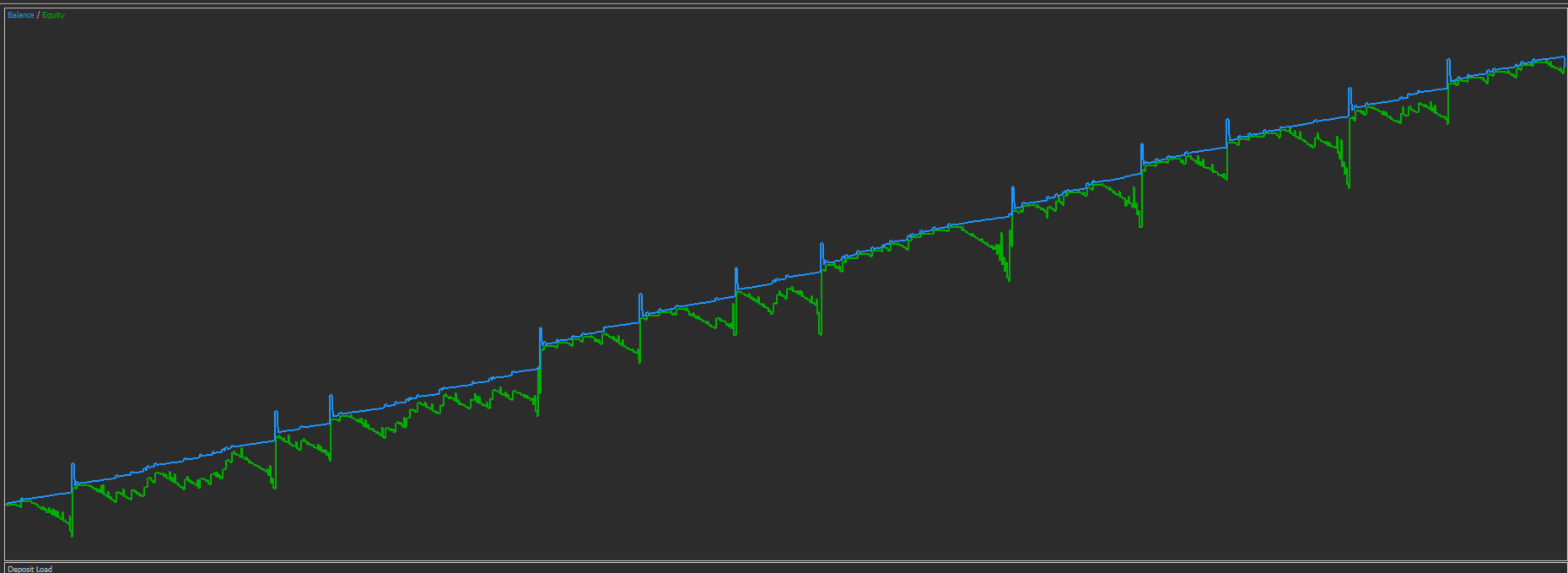
Fintech Grid is a MetaTrader 5 Expert Advisor that combines a hedging grid with basket closing based on weighted average price, enhanced with an equity protection system designed for long-term sustainability.
The EA manages BUY and SELL cycles independently. Each side can build its own basket of positions and close all trades of that side when price reaches a defined target calculated from the basket’s weighted average entry price. This version also includes an Equity Guard module that can close all EA positions and stop new entries if daily or global equity loss limits are reached.
Risk notice: this EA uses grid and martingale-style scaling. Exposure can grow during adverse market conditions. Proper configuration and testing are required. Equity Guard improves discipline, but it does not eliminate risk.
How it works
-
If a side has no open positions, the EA starts a new cycle with the initial lot.
-
If price moves against that side, the EA adds positions using the grid distance rules.
-
The basket closes when price reaches the weighted average target:
-
BUY basket: closes when Bid is at or above Average Price plus TP points, or at or below Average Price minus SL points (if SL enabled).
-
SELL basket: closes when Ask is at or below Average Price minus TP points, or at or above Average Price plus SL points (if SL enabled).
-
-
Equity Guard monitors equity in real time:
-
Daily equity stop: if equity drops by the configured percentage from the day start, the EA closes all its positions and locks trading until the next day.
-
Global equity stop: if equity drops by the configured percentage from the equity peak (high-watermark), the EA closes all its positions and locks trading. For maximum safety, it can remain locked until the EA is restarted.
-
Main features
Independent BUY and SELL cycles with no cross-interference.
Basket closing by weighted average price TP/SL.
Stage-based scaling with lot multiplier and distance multiplier.
Spread filter and slippage control.
NewBar execution mode for smoother execution and faster backtests.
Professional order comments for tracking and auditing, for example: Fintech Grid | BUY S2 | BTCUSD | NB:M1 | AvgTP
On-chart dashboard panel with real-time metrics: balance, equity, floating P/L, daily loss percentage, global drawdown from peak, guard status, positions per side, basket levels, next lot, next distance, progress bars, and side status (WAITING, RUNNING, ADDING, CLOSING).
Inputs explained
General
Magic Number: unique identifier used to separate this EA’s trades from other strategies.
Enable BUY / Enable SELL: enables or disables each side independently.
Money Management
Initial Lot: lot size for the first trade of each new cycle.
Lot Multiplier: increases lot size per stage (S1, S2, S3...).
Max Orders Per Side: maximum number of positions allowed per side in a cycle (core risk control).
Grid / Distance
Base Distance (points): the minimum price movement required before adding the next position.
Distance Multiplier: expands the grid distance per stage to reduce over-dense grids.
Basket Close (Average Price)
Close Basket by Avg TP/SL: enables basket close logic.
Basket TP (points): profit target from the basket’s weighted average price.
Basket SL (points): optional emergency stop from the basket’s weighted average price (recommended for fund-style rules).
Execution / Filters
Max Spread (points): blocks entries when spread is above the limit.
Slippage (points): execution tolerance in points.
Performance Mode
Run On New Bar: runs the strategy logic only on a new candle, improving backtest speed and reducing noise.
Logic Timeframe: timeframe used to detect the new candle.
Equity Guard (Fund Rules)
Enable Equity Guard: activates equity protection rules.
Daily Equity Stop %: closes all EA positions if equity drops by this percent from day start, then locks trading until the next day.
Global Equity Stop %: closes all EA positions if equity drops by this percent from the equity peak (high-watermark), then locks trading for safety.
Global Lock Until Restart: if enabled, trading stays locked after a global stop until the EA is restarted.
Branding / Trade Comments
Brand Name and comment options: controls the order comment format to include side, stage, symbol, execution mode, and basket tag, helping monitoring and audit.
Dashboard Panel
Panel settings: controls the on-chart panel visibility, position, size, refresh interval, and progress bar styling.
Setup files (.set) and broker support
Fintech Grid is designed to run with optimized .set files depending on the symbol and broker conditions (spread behavior, execution quality, contract specs, volatility, and volume step).
Preset .set files for supported assets and brokers will be available in the Discussion or Comments area. After purchasing the EA, contact me via MQL5 messages/comments and I will provide multiple optimized .set configurations for your broker(s) and preferred risk profile (conservative, balanced, aggressive).
Fintech vision: rule-based investment fund approach
Fintech Grid is built with a fund-style mindset: defined risk limits, capital preservation, transparency, and governance through strict parameters. The EA is the execution engine, but the rules and discipline are what make a project sustainable for years. With proper configuration, reporting, and controlled parameter changes, the strategy can be integrated into a structured capital management model.