Smart Trail PRO
- Utilità
-
SMARTECH EOOD
 Welcome to my profile!
 - Versione: 7.0
- Aggiornato: 25 agosto 2026
- Attivazioni: 10
SmartTrail PRO MT5 — All-in-One Trade Management Panel
Your all-in-one trade management companion for MetaTrader 5. SmartTrail PRO takes the stress out of position management. Whether you trade manually or use Expert Advisors, it protects your capital with intelligent, volatility-adaptive stop management — across all symbols, all account types, automatically.
Why SmartTrail PRO?
Most traders lose not because of bad entries, but because of poor exits. SmartTrail PRO solves this by providing a complete, real-time risk management system with an interactive on-chart panel — no coding required.
Set your rules. Let SmartTrail handle the rest.
Key Features
Intelligent Trailing Stops
- ATR-Based Volatility Adaptation — Stop-loss and trailing distances adjust automatically to current market conditions. No fixed pip values that break across different instruments.
- Smart Trailing Mode — Proprietary adaptive algorithm that tightens the trailing distance as your profit grows. The more you're in profit, the tighter the protection.
- Instant Break-Even — One-click button to move all positions to break-even instantly. No waiting for price targets.
- ATR Timeframe Selection — Choose from M5, M15, M30, H1, H4, or D1 for your trailing calculations. Lower timeframes = earlier, tighter activation.
Precision Lot Sizing & Risk Calculation
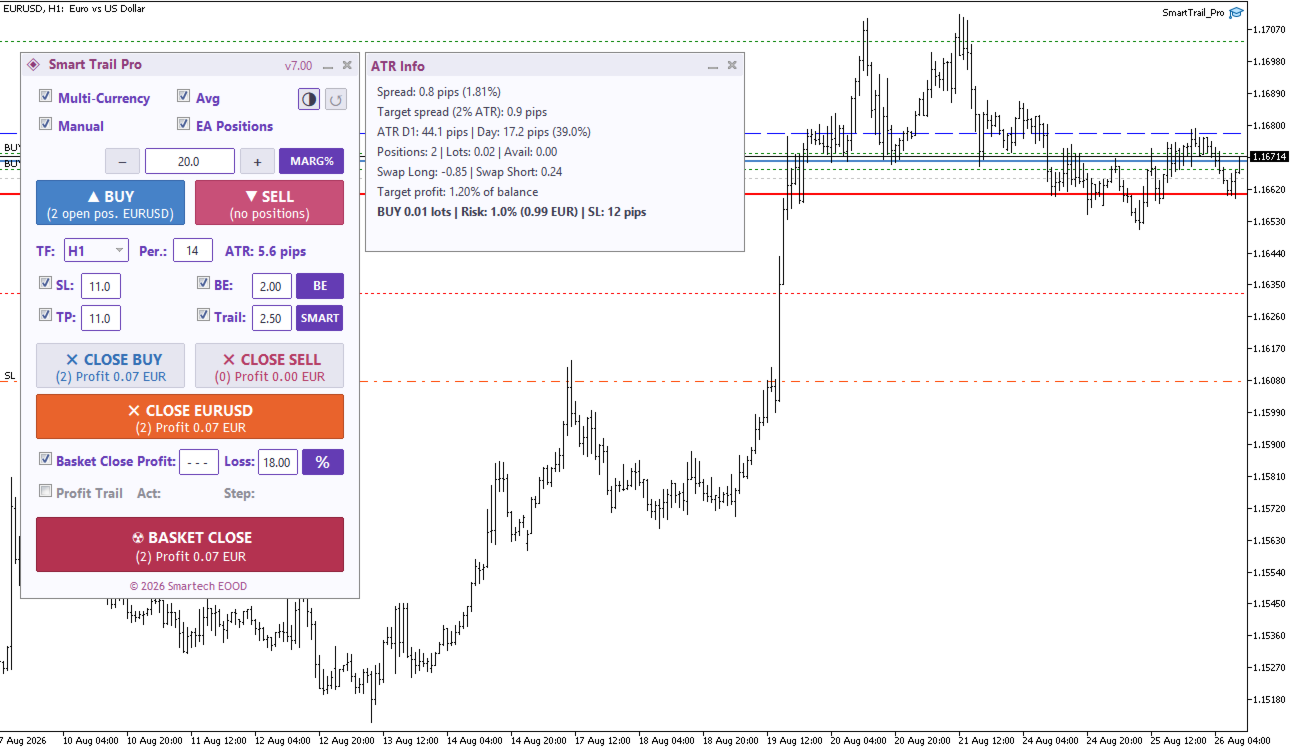
- Three Modes — Fixed Lot (LOT), Risk Percent (%), and Margin Percent (M%) — switch with a single button click on the panel.
- Broker-Accurate Risk Engine — In % mode, lot size is calculated using the broker's own profit functions, ensuring correct results on every instrument — major pairs, exotics, cross-rates, Gold, Indices, Crypto. No simplified formulas that break on non-standard pairs.
- ATR-Linked SL Distance — Risk is calculated against the actual ATR-based stop-loss distance, so your lot size automatically adapts to current volatility. Calm market = larger position. Volatile market = smaller position. Your dollar risk stays constant.
- Volume Step Precision — Lot size is rounded to your broker's exact volume step and clamped within min/max limits. No rejected orders due to invalid lot sizes.
- Quick Adjustment — +/- buttons for fast increments (by lot step or 0.5% risk).
Basket Management
- Portfolio-Level TP & SL — Set Take Profit and Stop Loss targets for your entire basket of positions — in Percent (%) or Fixed Amount ($).
- Basket Profit Trailing — Lock in profits with a trailing mechanism applied to your entire portfolio. Configurable activation threshold and trail step — in % or $.
- Symbol Averaging — Multiple positions on the same symbol are managed as one unified group with a weighted average exit point.
- Visual Average Lines — Weighted average entry price displayed directly on the chart for spatial awareness.
Emergency Protection
- Drawdown Guard — Set a maximum account drawdown percentage. If reached, all positions are closed immediately — an essential safety net against catastrophic losses.
- Global Close & Exit All — Dedicated buttons to close all positions or cancel all pending orders in one click.
Position Filtering
- Manage What You Want — Choose to manage manual trades, specific EA trades, or everything.
- Magic Number Support — Comma-separated list for surgical precision over which positions SmartTrail manages.
- Works Alongside Other EAs — Designed to operate without conflicts next to your existing Expert Advisors.
Professional Control Panel
- Real-Time Dashboard — Live P/L tracking, risk status, and basket performance at a glance.
- DPI-Aware — Automatically scales for any monitor resolution.
- Dark Cyan & Light Rose Themes — Switch anytime with a single click. Your preference is saved.
- Dynamic Tooltips — Hover over any input to see calculations in points (e.g., "SL: 3.0 x ATR = ~106 points").
- Saveable Panel Settings — All panel values are preserved between sessions and chart changes.
- Keyboard Shortcuts — Power users can manage positions without touching the mouse.
- Smart Trailing Mode — Proprietary two-phase adaptive algorithm. Phase 1: full breathing room while the trade develops — identical to Fixed trailing, no premature stops. Phase 2: once profit exceeds a significant threshold, the trailing distance tightens aggressively and accelerates over time — locking in gains on large moves. Includes stall detection that gradually tightens the stop if price consolidates after a big move.
Small winners get room to grow. Big winners get locked in tight.
Universal Compatibility
- Hedging Accounts — Full support for multiple positions per symbol with Symbol Averaging.
- Netting Accounts — Automatically detected; Symbol Averaging is disabled to prevent conflicts.
- FIFO Compliance — For US brokers and FIFO-required accounts, positions are closed in proper opening order.
- Multi-Currency — Attach to a single chart and manage positions across all active symbols simultaneously.
Visual Strategy Tester Mode — Free Bonus!
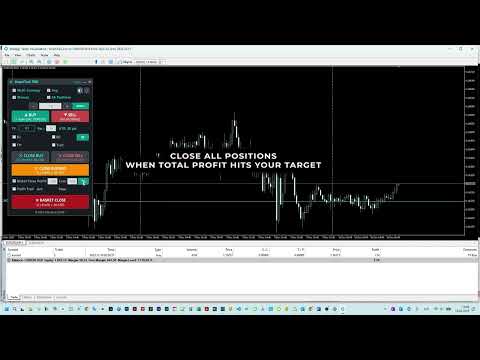
Practice and backtest your manual trading strategies in MetaTrader's Visual Strategy Tester! SmartTrail PRO features a fully interactive panel in visual testing mode — place trades, adjust stops, and test your ideas on historical data with real-time feedback. Perfect for:
- Learning & Practice — New to trading? Test your strategy risk-free on historical charts before going live.
- Strategy Validation — Experienced trader? Quickly verify your manual approach on months of data in minutes.
- Full Panel Access — Buy, Sell, adjust lot size, set SL/TP, use trailing stops — everything works just like on a live chart.
No demo account needed. No real money at risk. Just attach, press Play, and trade.
Quick Start
- Attach SmartTrail PRO to any chart in MetaTrader 5.
- Enable "Algo Trading" in the terminal toolbar.
- Configure your risk parameters on the interactive panel.
- Trade as usual — SmartTrail handles the exits.
Documentation & Support
For the detailed User Guide, visit my official MQL5 Blog post.
If you find SmartTrail PRO useful, a rating or review means a lot! For questions or support, feel free to comment or send a private message.
🔥 Launch Price — Limited Time
SmartTrail PRO is now available at a special introductory price as we build our track record. Price will increase progressively as reviews and live signal history grow. Early buyers lock in the current price for all future updates.
For technical questions or further information, please contact me via my MQL5 Profile.