LFA EA Pro
- Experts
- Versione: 1.0
- Attivazioni: 5

Overview
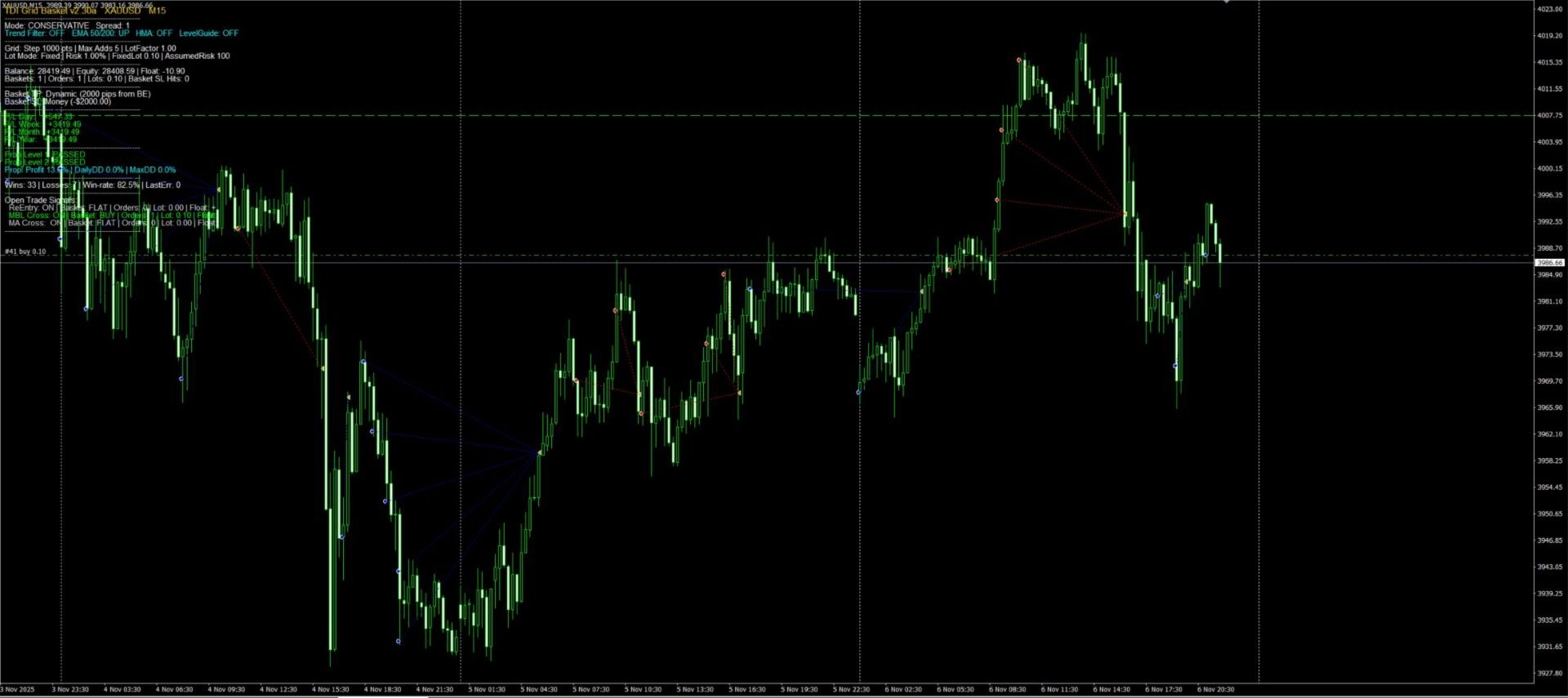
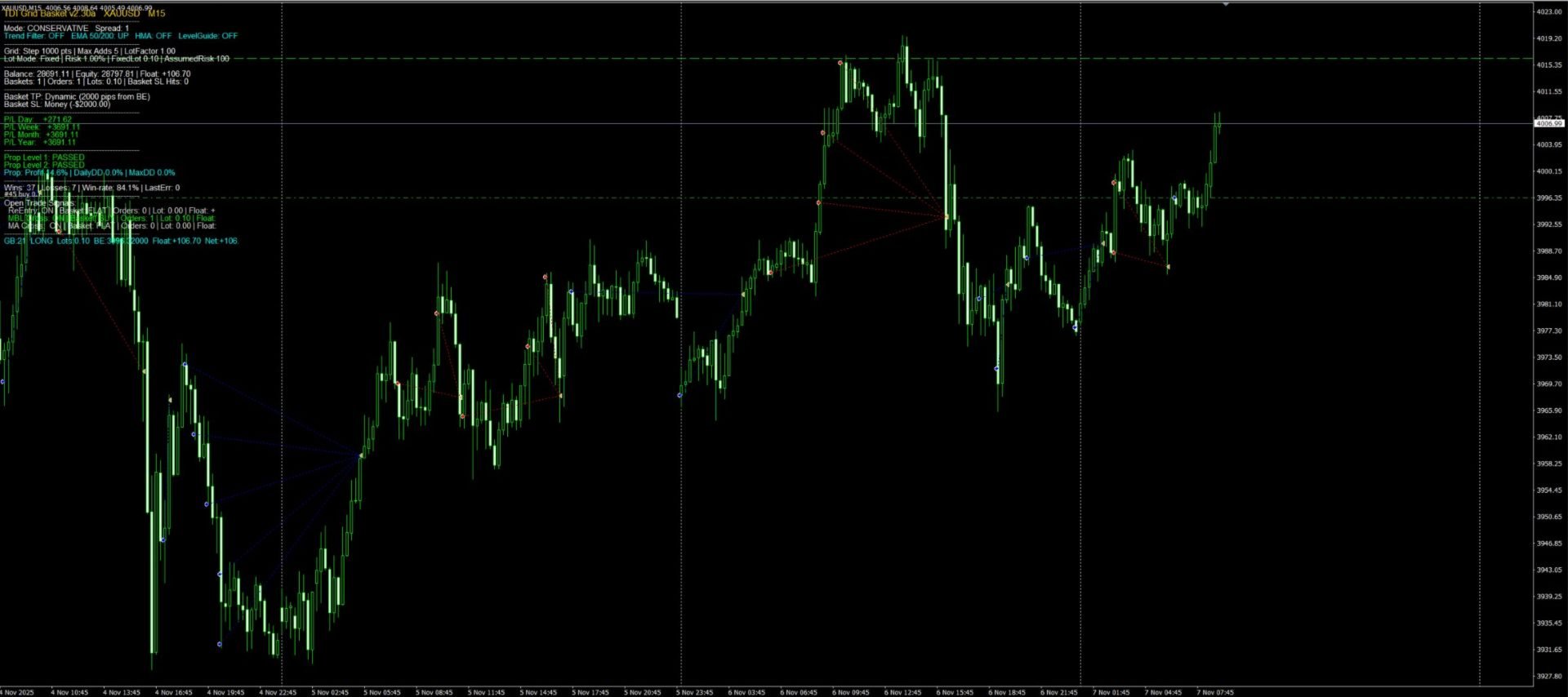
TDI Grid Basket v2.30a is a multi-basket grid EA built around the Traders Dynamic Index (TDI) signals. It opens an initial trade when your TDI conditions align, then manages the position as a basket, adding grid entries only when price moves against the last entry by a defined grid step. The EA targets a basket-level take profit (from break-even) and includes a clear on-chart dashboard for performance and trade status.
Core Features
✅ TDI Signal Engine (3 signal types)
-
Sharkfin (ReEntry)
-
MBL Cross
-
MA Cross (Green/Red cross)
✅ Level Guide Filter
-
Choose how signals are validated around the mid-level (default 50):
-
ZONE mode
-
CROSS50 mode
-
-
Custom mid level and tolerance
✅ Trend Filters
-
Optional EMA trend filter (Fast/Slow EMA)
-
Optional HMA filter (requires the HMA indicator if enabled)
✅ Entry Modes
-
Conservative mode: one basket at a time per symbol
-
Aggressive mode: allows multiple baskets
-
Optional Final EMA confirmation (fast/slow entry EMAs)
✅ Grid Basket Logic
-
Grid adds triggered only after price moves by GridStepPoints
-
Limits maximum additions with Max_Adds
-
Controls progression with Lot_Factor
-
Debounce control: MinSecondsBetweenAdds
✅ Basket Exit System
-
Basket TP options:
-
Pips from break-even (supports Dynamic TP: different TP when no add vs after add)
-
Money target
-
% of equity target
-
-
Basket SL options:
-
Money stop
-
% of equity stop
-
Off
-
✅ Trend Cut Exit (Optional)
-
EMA-based exit confirmation after holding minimum bars
-
Designed to reduce exposure during sustained trend reversal conditions
✅ On-Chart Dashboard
Displays:
-
Mode, spread, filters status
-
Balance, equity, floating P/L
-
Total baskets, total orders, lots, SL hit count
-
Day/Week/Month/Year closed P/L
-
Signal-by-signal open trade breakdown
-
Basket rows with lots, BE price, floating and net P/L
-
Last trade error (for debugging)
✅ Prop Firm Panel (DISPLAY ONLY)
Includes a prop-style tracking panel:
-
Profit %, daily DD %, max DD %
-
Level 1 / Level 2 status
Note: This panel is for display only and does not block trading.
Inputs & Customization (Quick Guide)
-
InpTF: timeframe used for signal calculations
-
Lot Mode: Fixed lots or Risk %
-
GridStepPoints / Max_Adds / Lot_Factor: grid behaviour
-
Basket TP/SL: basket-level exits
-
Dynamic TP: different TP depending on adds
-
Trend Filters: EMA/HMA optional filters
-
Execution Guards: spread limit, slippage, cooldown
Important Notes
-
Works best on major FX pairs with stable spread and good liquidity.
-
Use MaxSpreadPoints to protect against poor fills.
-
For HMA filter, enable UseHMAFilter only if the required HMA indicator is installed and available.
-
Always test on a demo account before live trading.
What’s New in v2.30a
✅ Market validation-safe execution
The EA now prevents trade placement when margin is insufficient, improving stability during low-balance environments and automated tests.
Recommended Setup
-
Timeframe: M15 / H1
-
Start with conservative settings:
-
Conservative mode
-
Low fixed lots or low risk %
-
Moderate grid step
-
Tight spread filter
-
-
Increase aggressiveness only after forward testing.
Disclaimer
Trading is risky. This EA is a tool and does not guarantee profits. You are responsible for your risk settings, broker conditions, and account management.