
Turtle Trade Channels Indicator
- Indicatori
- Versione: 1.71

1. Overview
The Turtle Trade Channels is a comprehensive technical analysis tool for MetaTrader 5, based on the core principles of the classic Turtle Trading system. This indicator is designed to help traders identify significant price movements by plotting dynamic price channels that highlight potential channel breakouts and reversals.
The methodology is based on channel breakouts:
- An upward channel breakout is indicated when the price breaks above the upper channel.
- A downward channel breakout is indicated when the price breaks below the lower channel.
This tool enhances the basic channel breakout concept with integrated volatility reference levels (ATR-based), a real-time information dashboard, and a flexible alert system to keep you informed of key market events.
2. Features
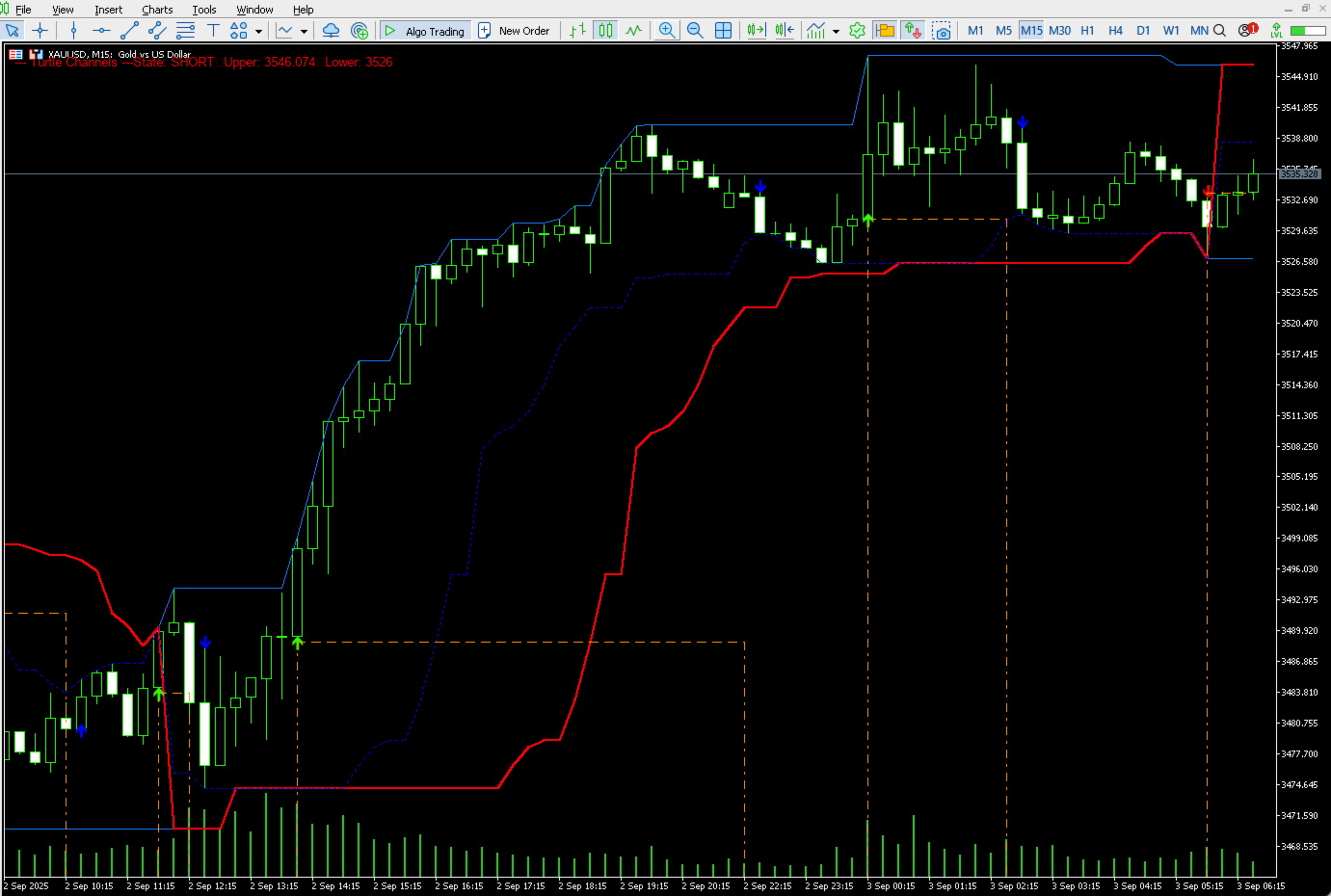
- Dynamic Price Channels: Automatically plots the upper and lower price channels based on user-defined periods.
- Trend and Exit Lines: Includes a main trend line and an exit line to provide context for the current market structure and potential reversal areas.
- ATR-based Volatility Reference: Displays a reference level based on the Average True Range (ATR) at the moment of a channel breakout. This helps in understanding market volatility.
- Multi-Alert System: Receive timely notifications for channel breakout and reversal events. Alerts can be configured for on-screen pop-ups, sound, push notifications to your mobile device, and email.
- On-Screen Dashboard: A convenient information panel that displays the current channel state (Upward Momentum, Downward Momentum, Neutral), key channel price levels, and the current volatility reference value.
- Customizable Visuals: Clear, non-intrusive arrows on the chart indicate significant channel breakout or reversal events.
3. Interpreting the Indicator's Visuals
This indicator provides visual cues and data to assist in technical analysis. It does not provide trading advice or recommendations.
Channel Breakout Visuals
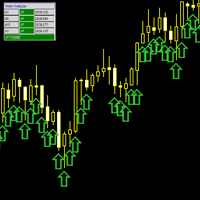
- Upward Breakout (Green Arrow): A green arrow pointing up appears when the high of a candle breaks above the upper channel. This visual indicates strong upward momentum and a potential start of an uptrend.
- Downward Breakout (Red Arrow): A red arrow pointing down appears when the low of a candle breaks below the lower channel. This visual indicates strong downward momentum and a potential start of a downtrend.
Trend Reversal Visuals
- Upward Trend Reversal (Blue 'x' symbol): A blue 'x' symbol appears, indicating a potential reversal of upward momentum. This visual suggests that the current upward movement may be losing strength.
- Downward Trend Reversal (Blue 'x' symbol): A blue 'x' symbol appears, indicating a potential reversal of downward momentum. This visual suggests that the current downward movement may be losing strength.
ATR-based Volatility Reference Line
When the ShowATRStopLoss feature is enabled, a dash-dot line will appear following a channel breakout.
- For an upward breakout, the line appears below the breakout price.
- For a downward breakout, the line appears above the breakout price.
This line represents a volatility reference level calculated using the ATR. It provides a visual representation of market volatility relative to the breakout point. It is a reference for analytical purposes only.
The Dashboard
The on-screen dashboard provides a quick summary of the indicator's status:
- State: Shows if the indicator's logic is currently in an UPWARD MOMENTUM, DOWNWARD MOMENTUM, or NEUTRAL state. The color of the dashboard text will change to reflect this.
- Upper/Lower: Displays the current price values for the main channels.
- Exit: Displays the current price value of the exit line.
- Volatility Reference: Shows the calculated volatility reference price. Displays "---" if no breakout is active.
4. Input Parameters
The indicator is highly customizable. Below is a detailed description of each parameter.
General Settings
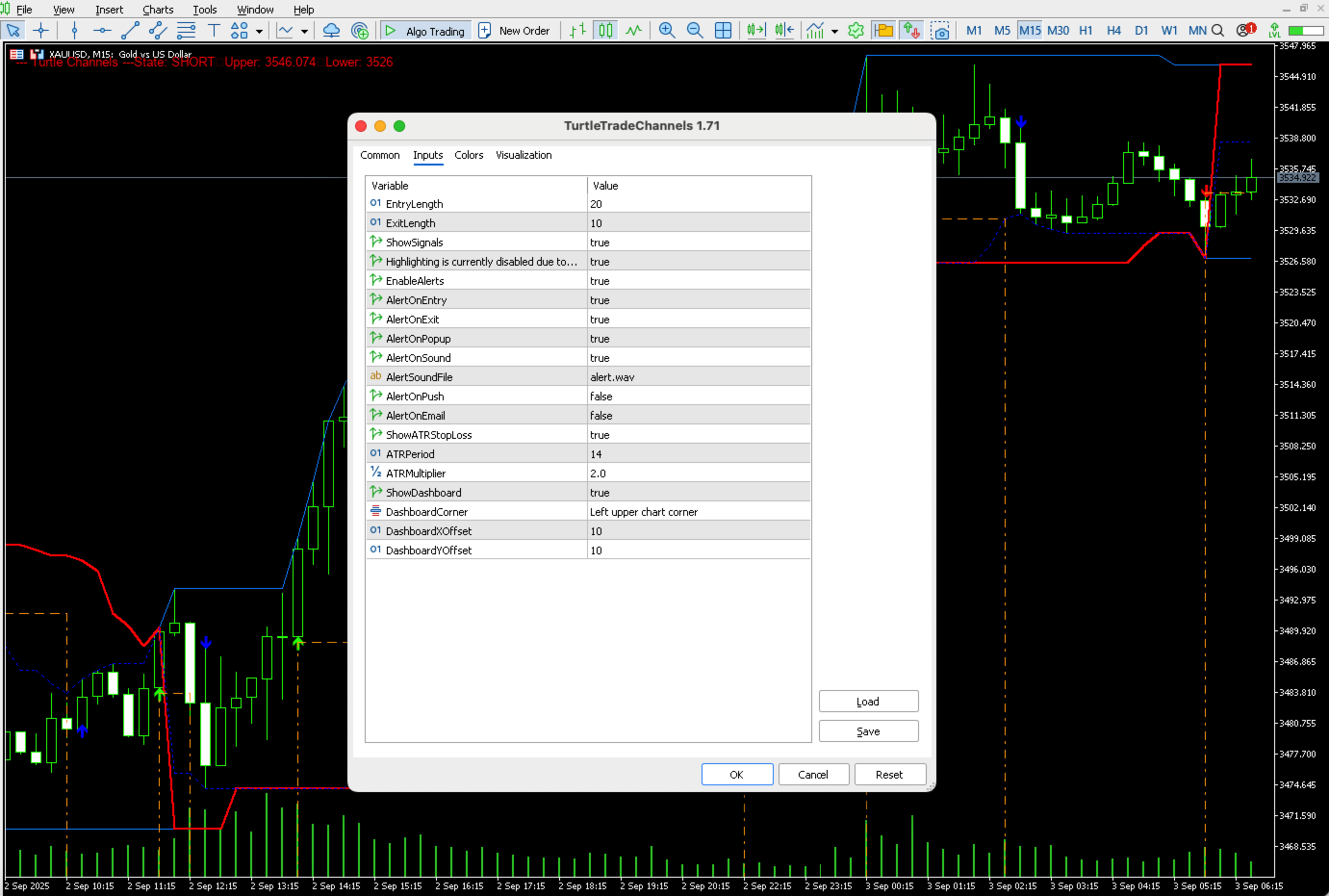
- EntryLength : The lookback period (in bars) for calculating the upper and lower channels. Default is 20.
- ExitLength : The lookback period for calculating the exit line. Default is 10.
- ShowVisuals : (true/false) Toggles the visibility of the channel breakout and trend reversal arrows on the chart.
Alert Settings
- EnableAlerts : (true/false) The master switch to turn all alerts on or off.
- AlertOnChannelBreakout : (true/false) Enables alerts specifically for channel breakout events.
- AlertOnTrendReversal : (true/false) Enables alerts specifically for trend reversal indications.
- AlertOnPopup : (true/false) Enables the standard MetaTrader pop-up alert window.
- AlertOnSound : (true/false) Enables a sound alert.
- AlertSoundFile : The name of the sound file to be played (e.g., "alert.wav").
- AlertOnPush : (true/false) Sends a push notification to your connected mobile device. Requires MetaQuotes ID to be configured in MT5 settings.
- AlertOnEmail : (true/false) Sends an alert via email. Requires email to be configured in MT5 settings.
ATR-based Volatility Reference Settings
- ShowATRVolatilityReference : (true/false) Toggles the visibility of the ATR-based volatility reference line.
- ATRPeriod : The lookback period for the ATR calculation. Default is 14.
- ATRMultiplier : The value to multiply the ATR by to determine the volatility reference distance. Default is 2.0.
Dashboard Settings
- ShowDashboard : (true/false) Toggles the visibility of the on-screen information panel.
- DashboardCorner : Sets the corner of the chart where the dashboard will be displayed (e.g., CORNER_LEFT_UPPER).
- DashboardXOffset : The horizontal distance (in pixels) from the corner.
- DashboardYOffset : The vertical distance (in pixels) from the corner.
Disclaimer
This indicator is a tool to assist with technical analysis. It does not provide financial advice or guarantee any trading outcomes. All trading involves risk, and past performance is not indicative of future results. Please use this tool as part of a comprehensive trading plan that includes your own risk management rules.





















































L'utente non ha lasciato alcun commento sulla valutazione.