Trading Pal MT5

Why choose Trading Pal EA:

This is a EA utility that auto-manage your positions' Stop-Loss (SL) and Take-Profits (TP) dynamically. When opening a single position, it is easy to set the SL and TP manually. But when dealing with multiple positions, it can be very tedious or overwhelming to fill in so many SL and TP values consistently, especially in a short span of time, like in scalping. Over time and after many such trades, trading itself can become a chore. That is where this EA can serve as a pal or assistant in your semi-automated trading journey by handling the unglamorous aspect of trading.

Whether you are trading on your own, or following signals from other providers, sometimes the situation can easily turn frustrating. For example, a potential trade setup is identified with the following information:

Gold Buy: 3328-3325
SL:   3323
TP-1: 3331
TP-2: 3333
TP-3: 3338

You start to layer multiple positions to fill the indicated zone according to your risk management. While still at it, you try to enter the SL and TP of these positions, one by one. Before you can finish, the market accelerates favorably and a Break-Even is called for these positions to be risk-free. Or the price suddenly reverse much beyond your planned SL, and you realize some positions' SL were not set. Needless to say, a lot of other scenes can happen that require the constant updating of the positions' SL and TP, like in consecutive trade setups. Also, it is difficult to set and manually track the TP of multiple positions according to a planned allocation strategy, e.g. 30% for TP-1, 50% for TP-2, and 20% for TP-3.

When SL and TP are not set upfront, there is usually an emotional tendency to let losing positions run and winning positions cut short. With this EA, SL and TP are set accordingly and sent to the broker for a hands-free outcome. When entering with a single but bigger sized position, the opening price is usually not optimized, and subsequent partial closure at different TP prices also require manual attention and execution. So why not let yourself focus on the most important part of opening your positions, then allow this EA to handle the rest of the trade without any human error or emotion. Moreover, when trading using the MetaTrader app on a mobile phone, cell connection can be dropped while travelling, or your attention may be drawn to other matters at hand. And so, it becomes less stressful if you are backed by a trusted companion EA running in the background, knowingly that your SL and TP settings will be handled systematically.

How Trading Pal EA works:

The Trading Pal EA works on individual symbol by attaching it to that specific symbol's chart, with a set of inputs customized to that symbol if need be. It does not matter which timeframe is selected on the chart, as this EA is pre-set to run either on each tick event, or on a periodic timer. The latter is preferred if the market has not much tick movement, so that the SL and TP can be set on a regular basis. On each pass, the EA will run through all open positions (active trades) to perform specific tasks according to these key features. Note that a pending order (buy/sell limit, etc.) when triggered will become an open position with its opening time set to the latest time. The EA will then treat this as the last position to be managed accordingly.

  1. Smart SL Application:
    Automatically applies SL to all open positions if missing, based on either the default level (in pips) or the last position's SL. For the first position's SL, it can be set manually or left empty for the EA to set using the default level. For subsequent positions with no SL, the EA will either, based on input selection, use the exact SL from the last position to fill them in, or set them using the default level. In other words, a specific SL can be set once manually for the EA to use on subsequent related positions. For this feature, buy and sell positions are handled separately.

  2. Flexible TP Allocation:
    Distribute TP targets among all open positions using a smart allocation algorithm based on percentage, with support for up to 4 levels (in pips, from lowest level 1 to highest level 4), including a default one, e.g. 30% - 40% - 20% - 10%. For positions with no TP, the EA will fill them using the 4 TP levels according to the allocation percentages defined in the inputs. The EA will also respect a manually set TP, which will be automatically allocated into one of the 4 levels by range; A manual TP can also be marked as a potential loss if it is set negatively below/above the open price for a buy/sell position. In sum, profits-taking can be automated according to a pre-defined set of target levels by percentages, and enhanced manually by setting the TP for any position along the way. For this feature, the allocation algorithm encompasses both buy and sell positions.

  3. Advance SL mode [Auto] - Break-Even, Trailing or Trail-TP (optional):
    For all open positions, choose between a fully customizable Break-Even (BE) mechanism to go risk-free, Trailing stop or Trail-TP to lock in profits, as your trade moves favorably. BE is defined using a trigger, and a offset level, measured in pips. Similarly, Trailing is defined using a start, a stop, and a step level, all also measured in pips. To illustrate using a buy position, BE is set when the current price is more than the position's open price by the trigger level, and the stop level is set above the open price by an offset amount; Trailing starts after current price is more than the position's open price by the start input, and the stop level is set at an interval below the current price, which then move upon each step increase in the current price. For Trail-TP, profits are locked in at the 4 different TP levels of each position, i.e. when the current price reaches TP-1 of a position, its SL is moved to BE, then when the current prices reaches the next TP level, its SL is moved to that of the last TP. Each mode in advancing SL can be applied on positions either individually as a buy/sell, or as a layer of buys/sells together. The latter considers the top (for buys) or bottom (for sells) position only when determining whether to advance the SL for the remaining positions.

  4. Order Hotkeys [Manual] (optional):
    "Special" pending orders can be used as hotkeys to manually set the SL and TP of all open positions quickly, or close positions above (for buys) or below (for sells) a specific price in bulk, which is very useful when trading on just the MetaTrader mobile app. Imagine when having to shift the TP of multiple positions, the new TP value has to be keyed into each position individually. But with this hotkey function, the new TP value would only need to be keyed once via a pending order serving as a placeholder. For such orders to work, they are specially created at prices that are unlikely to be triggered in the near future. For example, a buy-limit order for XAUUSD can be set at a price of 123, which is so much lower than the current price that chances of it being triggered is almost nil. The price '123' then acts as a code for enabling the hotkey that can be used to set the TP of all buy positions by setting the TP of the buy-limit order correspondingly. For the full explanation of these order hotkeys, see the section below.

  5. Control-Panel [Manual] (optional):
    A dialog panel can be enabled for interactive management of all open positions or pending orders on the MetaTrader terminal only. It features direct controls over the SL and TP of the open positions, including a special function for closing them. It also has functions to manage limit or stop orders (that match the input Magic Number). This user interface works on an ad-hoc basis via input edits and button clicks, alongside other automated functions. The control-panel can be minimized when not in use, and its text size can be adjusted via the EA inputs. It can be dragged around to avoid overlapping with other objects on the chart window; Otherwise, re-maximizing the control-panel will bring it on top of the existing chart objects. The states of the applicable controls, e.g. SL and TP edits, on the panel will be retained when switching the symbol's timeframe on the chart, or changing the EA inputs. See the section below for more details on the control-panel functions, together with a few screenshots of its display on the chart.

  6. Dashboard Overlay (optional):
    See a summary of your pending orders and open positions that the EA is managing in real-time via a display on the symbol's chart. The mean or average SL and TP of all positions will be computed in pips-per-minimum-lot to reflect the potential loss (if negative) or profit (if positive), and to indicate the current risk and reward ratio. Please see the screenshot of an example dashboard on a symbol's chart, available only on a MetaTrader terminal (not mobile app).

  7. Pip Value Calculation:
    Accurate pip distance handling for XAU/GOLD, Bitcoin, Ethereum and Forex majors (including JPY) by default. For other symbols, there is a pip-price factor input that can be set, which has to be confirmed on a demo account first if unsure. For examples, XAU=0.1, BTC=10, ETH=1, JPY=0.01, MajorFX=0.0001. If the pip-price factor is not set on a symbol not mentioned above, the EA will not run, and no dashboard will be shown even if enabled.

  8. Failsafe Execution and Logging:
    Built-in retry mechanisms and detailed logging to the Experts tab on a MetaTrader terminal to help you track and debug in case of broker rejections. The EA will log messages with prefix "INFO", "WARN" and "ERROR" respectively. If SL or TP cannot be set, try to adjust the default level or related input.

What to expect of this EA:

  1. This is a utility EA, so no results will be shown on MetaTrader strategy tester.
  2. This EA can be run on a home PC or VPS with minimal resources.
  3. This EA can be restarted (inputs changed, etc.) anytime, and still continue to function thereafter.
  4. This EA can also be used to manage open positions from other EA by setting the Magic Number input (default 0 is for manual positions).
  5. This EA does not open nor close positions on its own unless manually instructed via the Control-Panel or Order Hotkey. So for any position that has not touch SL or TP yet, it may incur swap fee or suffer from market gaps overnight.
  6. Positions can still be manually updated/closed, or pending orders placed/deleted manually, even when this EA is running, which will not affect its operation.

Control-Panel Functions:

  • Set the same Stop-Loss (SL) or Take-Profit (TP) price level to all buy or sell positions quickly. For TP input, there are 2 price levels that can be allocated according to an input percentage, e.g. 20% of all positions to TP-1 and remaining 80% to TP-2.
  • Set all buy or sell positions to Break-Even (BE) or Trail by pips, which is similar to the corresponding automated functions.
  • Change the Advance/Auto SL mode (None, BE, Trailing or Trail-TP) on the fly.
  • Close positions above (for buys) or below (for sells) a price margin in bulk quickly, with an option to close only those positions in profit or with losses acceptable. This is slightly different from the bulk close functions that are in-built in MT5, which the native MT4 platform is lacking of.
  • Place multiple limit or stop orders quickly across a specified price range, at regular price gaps, to help with position layering in an organized (and preemptive) manner. To avoid input errors, the maximum lots size per pending order, and the maximum quota number per order placement can be set via the EA inputs.
  • Delete pending orders whose prices fall within a specified price range in bulk quickly.
  • Draw lines or dashes with description on the chart window, to mark key price levels visually with different colors for buy, sell or neither.

Actual usage of the control-panel is quite intuitive, as there is a "[Control Info & Status]" bar to show the info regarding a specific control (if the related edit input is blank), and the status of the corresponding function when applied. This info-status bar will be colored in cyan if the function of a control is executed successfully on all affected positions or orders, and in yellow if some failed due to broker rejections, etc. The font "Consolas" that is used on the control-panel (and dashboard) is a monospaced typeface optimized for screen readability.

    Order Hotkeys Explained:

    A pending order needs to be created specially in order to use it as a hotkey. To enable an order hotkey, its price must be set to match the pre-set code (and also the Magic Number) in the EA inputs. Such orders' expiry can be specified, or set to Good-Till-Cancelled. But once these orders are deleted, the respective hotkey functions will cease. The different types of pending orders have different hotkey functions as described:

    • A Buy-Stop order hotkey is used to set the SL of all buy positions. Set its price much higher than the current price of that symbol, e.g. code 8800 for XAUUSD. As and when needed, set its SL to a specific level below the current price to be 'transferred' to all buy positions. If its TP is non-zero, setting the SL below/equal the current price will cause Break-Even to be set for all applicable buy positions (using the BE offset input). Having the SL above the current price will put the BE hotkey on hold until the current price move above the SL.

    • A Buy-Limit order hotkey is used to set the TP of all buy positions. Set its price much lower than the current price of that symbol, e.g. code 770 for XAUUSD. As and when needed, set its TP to a specific level above the current price to be 'transferred' to all buy positions. If its SL is non-zero, e.g. 3.0 or 30 pips, setting the TP below/equal the current price will shift the SL of all buy positions to an amount below the current price by the indicated SL value. Having the TP above the current price will put the trailing hotkey on hold until the current price move above the TP.

    • A Sell-Stop order hotkey is used to set the SL of all sell positions. Set its price much lower than the current price of that symbol, e.g. code 770 for XAUUSD. As and when needed, set its SL to a specific level above the current price to be 'transferred' to all sell positions. If its TP is non-zero, setting the SL above/equal the current price will cause Break-Even to be set for all applicable sell positions (using the BE offset input). Having the SL below the current price will put the BE hotkey on hold until the current price move below the SL.

    • A Sell-Limit order hotkey is used to set the TP of all sell positions. Set its price much higher than the current price of that symbol, e.g. code 8800 for XAUUSD. As and when needed, set its TP to a specific level below the current price to be 'transferred' to all sell positions. If its SL is non-zero, e.g. 8803.0 or 30 pips more than its price, setting the TP above/equal the current price will shift the SL of all sell positions to an amount above the current price by the indicated SL value. Having the TP below the current price will put the trailing hotkey on hold until the current price move below the TP.

    • A pending order of any of the above types with a unique price code is used as a hotkey to change the Auto/Advance SL mode accordingly. If both its SL and TP are zero, no Auto SL mode will be applied. If only its SL is non-zero, the Auto BE mode will be applied. If only its TP is non-zero, the Auto Trailing mode will be applied. If both its SL and TP are non-zero, the Auto Trail-TP mode will be applied. If this order hotkey is deleted or its price changed, the original input mode will be applied.

    • Buy-Limit or Sell-Limit order hotkey with differing price code is used to close positions above (for buys) or below (for sells) a price margin in bulk quickly. For this buy-limit hotkey, its SL value as "multiplied by 10" represents the price margin, so any position whose open price lies above this margin will be closed. The close action will be applied immediately if its TP is set below/equal the current price, otherwise it will be put on hold until the current price move above the TP. For this sell-limit hotkey, its SL value as "divided by 10" represents the price margin, so any position whose open price falls below this margin will be closed. The close action will be applied immediately if its TP is set above/equal the current price, otherwise it will be put on hold until the current price move below the TP.

    With order hotkeys, SL and TP of open positions can be managed manually in an assisted manner, which is similar to how they are managed automatically by the Trading Pal EA. In fact, certain hotkey functions can still apply (semi-manual) while the EA works autonomously behind the scene. Also, multiple order hotkeys of the same type and price code can be created, e.g. one Buy-Stop for setting SL, and another for setting BE. In the case of trailing stops, multiple hotkeys can be created beforehand to be applied in chrono order so that as the current price moves, each hotkey gets triggered one after another to advance the SL in stages. Although order hotkeys may seem complicated, using them to manage all positions' SL and TP manually is definitely easier and faster! Even the close-positions hotkey is different from the bulk close function in MT5, and which MT4 is lacking of. For a start, practice them on a demo account first. The EA dashboard will help to show whether a specific hotkey is turned on or off, provided this feature is enabled.
    Prodotti consigliati
    Un grafico. Controllo totale. Smetti di perdere tempo a gestire oggetti, colori e impostazioni su ogni grafico separatamente. Con       Chart Sync Manager   , puoi       sincronizza, copia e controlla tutti i tuoi grafici MetaTrader       all'istante, utilizzando un solo pannello e poche scorciatoie. Disegna una volta, aggiorna ovunque. Apri e chiudi i grafici con un solo clic. Mantieni pulito il tuo spazio di lavoro con       gestione degli oggetti basata sui simboli   . E non perdere mai detta
    Equity Guard AI
    Niccyril Chirindo
    Equity Guard AI Professional account protection system that closes trades and removes EAs when drawdown limits are breached.Equity Guard is a professional account protection utility designed to safeguard your trading capital. This tool monitors your account equity and drawdown in real-time, automatically executing protective measures when predefined risk thresholds are exceeded. Perfect for prop firm traders, FTMO challenges, and personal accounts. Equity Guard AI installtion Guide       Downl
    SMT Trade Planner e un calcolatore di rischio professionale e pannello di esecuzione ordini direttamente sul grafico MetaTrader. Calcola la dimensione del lotto, mostra linee visuali di entrata, Stop Loss e Take Profit trascinabili sul grafico, valida il trade contro regole di rischio configurabili e permette l'esecuzione con un clic.   Come funziona Allega il Trade Planner a qualsiasi grafico. Il pannello mostra le informazioni del conto e pulsanti di selezione rapida del rischio. Tre linee ori
    MultiChart Pro
    Pablo Filipe Soares De Almeida
    MultiChart Pro – Strumento di Gestione dei Grafici per MetaTrader 5 Questo Expert Advisor (EA) consente di automatizzare l’apertura e la configurazione dei grafici in MetaTrader 5. Supporta fino a quattro grafici con specifici timeframe e template, inclusi quelli offline. Funzionalità Apertura Grafici: Apre fino a tre grafici aggiuntivi (es. D1, M1, M15) e un grafico offline (es. 10 secondi), configurando anche il grafico corrente (es. M5). Applicazione Template: Applica template definiti dall’u
    Synchronizer
    PATRICK PAARSCH
    This Expert Advisor monitors all open positions across all symbols in MetaTrader 5. Whenever a Stop Loss (SL) or Take Profit (TP) is manually set or adjusted on any position, the EA automatically applies that value to all other open positions , regardless of symbol or order type (Buy/Sell). This ensures consistent and synchronized SL and TP levels across your account. Perfect for mobile trading via tablet or smartphone!
    Smart Charts
    Fyodor Korotkov
    Hello, boys and girls! Script allows you either to quickly save opened charts and then close all charts opened by visual tester mode or just faster close all charts. Feel free to take a look at video manual about how to use this script on my YouTube channel. Also, feel free to join my telegram channel , where time to time I publish some exclusive stuffs. Feel free to leave feedback and thoughts how to improve this script - I'd highly appreciate that. All the best.
    Salve commercianti! Sono il tuo assistente commerciale. Permettetemi di dirvi la mia competenza: 1. Sono bravo nella gestione delle tue posizioni, indipendentemente da quale estremità hai posto un ordine, posso aiutarti per la prima volta ad aggiungere una linea di stop loss ragionevole e lo stop loss mobile. 2. Posso aiutarti a evitare l’ascesa e la caduta e a sradicare le debolezze umane dalle radici dei principi. 3. Ti invierò un messaggio di notifica al tuo client MT5 mobile al miglior punt
    Copy Telegram to MT5
    Volodymyr Hrybachov
    Copying trading signals from the Telegram channel to MetaTrader. The utility will help you easily and simply copy transactions from your Telegram channel or chat to the MetaTrader trading terminal almost instantly MT4 version - https://www.mql5.com/en/market/product/62381 Template for signals in the Telegram channel, chat (can be changed in the parameters) SYMBOL = EURUSD, TYPE = SELL, PRICE = 0.00000, LOT = 0.01, STOPLOSS = 0.00000, TAKEPROFIT = 0.00000, The utility is easy to use, everyone
    DeletePendingOrder
    Konstantin Chernov
    5 (1)
    Script for deleting pending orders If you need to delete all pending orders you placed, this script will do it for you! It doesn't have any input parameters. Allow AutoTrading before running the script. Usage: Run the script on a chart. If you need a possibility to adjust parameters of the script, use the version with input parameters https://www.mql5.com/en/market/product/627 You can download MetaTrader 4 version here: https://www.mql5.com/en/market/product/2782
    FREE
    Is your trade at a loss? Does not matter ! You can use this Extra martingale tool.  In the set loss of your trade or your EA's trade , this tool will open another trade at a better price. It can also open multiple trades at different distances and with different lot sizes. Each trade will be assigned a TakeProfit. This tool has a lot of settings. You can set variable lot sizes, variable trade distances, variable TakeProfit sizes, maximum total profit or loss in money. You can also close trades
    **Bneu Prop Firm Challenge Manager Pro** is a trading utility for MetaTrader 5 designed to assist traders participating in proprietary trading firm evaluation challenges. The utility monitors account metrics, tracks challenge progress, and provides protection features to help maintain compliance with challenge rules. **Main Features** **Prop Firm Presets** - Pre-configured rule sets for common proprietary trading firms - FTMO preset with corresponding rule parameters - MyForexFunds (MFF) pres
    One Click Close MT5 is an EA which allows you close orders quickly. EA display on chart two buttons. The first button "Close All Positions" is using to close all opened orders. The second button "Close Profit Positions" is using to close only profitable orders. EA is closing orders for all available symbols, not only for chart symbol. In EA params you can set distance from upper chart frame (Y Offset) and from left chart frame (X Offset). For installation EA it is only need to copy One Click Clo
    FREE
    Quick Lines Tool: un pratico indicatore per tracciare linee di tendenza e rettangoli Quick Lines Tool è un indicatore potente e intuitivo per MetaTrader 4 progettato per i trader che desiderano strumenti di analisi tecnica rapidi ed efficienti. Con questo indicatore, sarai in grado di creare facilmente linee di tendenza, livelli di supporto/resistenza (AP/DW) e rettangoli, ottimizzando il processo di layout del grafico. L'indicatore è ideale sia per i principianti che per i trader professionis
    Order Ticket, Pannello di trading, Gestione del rischio, Trading manuale, Trailing Stop, Gestione ordini, Esecuzione veloce — JoOrderTrade Pro — pannello di esecuzione per MetaTrader 5 Sommario JoOrderTrade Pro è un ticket grafico e un pannello di esecuzione progettato per la gestione manuale degli ordini in MetaTrader 5. Facilita l’invio di ordini market e pending, la configurazione di Stop Loss/Take Profit e fornisce strumenti di gestione del rischio (Trailing Stop, Breakeven, sistema SP), o
    EA is parsing trade signals from Telegram bot and executes it in MT5 terminal. To configure you need to complete the following steps: Specify the bot tokein in input settings. Specify a list of key words used for detecting a type of signal (Buy/Sell), for entry price and for stops. Specify default settings for stops and lot size in case incoming signal don't include these details.
    Trade Control Panel
    Jerry Jilun Anak Liban
    Trade Control Panel Function Normal One Click Function Close All Close All Profit Close All Loss Close All Pending Order Close All Sell Close All Buy Advance One Click Function 1.  Close Partial Lot Sell by Percent It will help you partial close for all open position by desire percent you wanted. No longer partial close one by one for every open position Manual input for desire percent 2. Close Partial Lot Buy by Percent It will help you partial close for all open position by desire percent

    TradeGramBot
    Mario Fuentes Valenzuela
    Telegram Bot EA This Expert Advisor (EA) is a powerful tool that allows traders to receive Telegram notifications, manage Drawdown alerts, set up charts, and much more, all directly from the MetaTrader 5 platform. The Expert Advisor (EA) tool, integrated with Telegram, offers extensive customizable options to enhance your trading activities. The product allows you to display the signal name in the messages for easy tracking. It further provides the feature of sending the MQL5 link, either with
    UTralVirtualMT5
    Viktor Shpakovskiy
    Utility per la gestione delle posizioni aperte e degli ordini pendenti. Il trailing stop integrato ha cinque modalità e sette strumenti. C'è uno stop loss virtuale e un take profit virtuale, che possono essere spostati liberamente sul grafico. Con l'aiuto del simulatore di trading integrato, puoi verificare come funziona l'EA nel tester di strategia. La guida all'Advisor UTralVirtualMT5 è disponibile nella sezione "Commenti". Nel tester MT5, il movimento manuale delle linee virtuali SL e TP seco
    Quick Simple Trade
    Gabriele Giorgetti
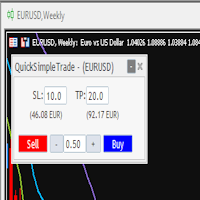
    Quick Simple Trade è un pannello di ordini molto semplice per MT5 per aprire rapidamente un trade specificando Stop Loss e Take Profit calcolando e mostrando i valori dei prezzi. Il pannello può anche essere ridotto al minimo per non interferire con il grafico. Quando l'ordine è aperto, puoi spostare istantaneamente SL e TP direttamente sul grafico. Sopperisce una delle mancanze di MT5, che piú reputo fastidiosa.
    XAU Steady Gain Pro
    Sivakumar Subbaiya
    XAU Steady Gain Pro: Institutional-Grade Neural Trading for XAU/USD Complete Trading Suite: Gain full market transparency. When you buy this EA, you’ll also receive two professional-grade Signal Generation Indicators to help you confirm every entry with institutional precision. MT4 Indicator Nebula Pullback System – Worth $50  : See the Indicator     https://www.mql5.com/en/market/product/162844 MT5 Indicator Quantum Cross Indicator – Worth $50 : See the Indicator     https://www.mql5.com/en/m
    BlackBox XAU
    Enrique Van Rooyen
    BlackBox XAU — Expert Advisor Avanzato per l’Oro Panoramica BlackBox XAU è un sistema di trading progettato con cura per generare profitti sul mercato dell’oro mantenendo al tempo stesso un controllo rigoroso sul drawdown. Invece di inseguire ogni movimento del mercato, applica un approccio disciplinato e basato su regole, capace di adattarsi alla volatilità e di selezionare esclusivamente le opportunità ad alta probabilità . L’EA valuta costantemente le condizioni di mercato in tempo reale, fil
    如果产品有任何问题或者您需要在此产品上添加功能,请联系我 Contact/message me if you encounter any issue using the product or need extra feature to add on the base version. There is a demo version of this panel Dashboard Trading Made Simple Demo in my product list, please try it out to get familiar with all functionalities free, LINK . This system basically utilizes TDI as the main indicator to generate trading signal mainly on H1 and H4 time-frame. The signal will be further filtered and trimmed. Stochastic; Heiken Ashi ca
    Online Accounts Manager MT5
    Kyra Nickaline Watson-gordon
    5 (1)
    OneClick Online Account Manager is a powerful utility that helps you to manage all your accounts from a centralized panel. It is suitable for all single account traders and specially for multiple accounts traders. The utility help you to : Monitor status of all accounts on a private web page. Some information such as account connection status, account profit, DD, Balance, Equity, Margin Level, Number of positions and orders, Daily and Weekly profit/loss and also overall summation of all these p
    FlowAxis
    Aysar Alafif
    5 (1)
    Product Overview   FlowAxis is a semi-automated Expert Advisor for Meta Trader 5 designed for traders who rely on manual trendline analysis and want precise, rule-based trade execution.   Instead of guessing market direction, the trader defines the trend visually, and FlowAxis executes trades automatically when price interacts with predefined trendlines. This approach       combines human market analysis with disciplined, rule-based execution. Important – Please Read Before Use   FlowAxis EA
    BossFXTradePanelEA (MT5)  [First 10 copies sold at 50 USD price will increase to 99USD] BossFXTradePanelEA is a fully interactive trade management panel designed for MetaTrader 5, providing traders with an easy-to-use, one-click interface to execute and manage trades. This EA simplifies trade execution , risk management, and position control by combining market orders, stop loss, take profit, trailing stops, and breakeven functionalities into a single, intuitive panel.  Key features include: On
    Short Description: The ultimate trading assistant. Open trades on ANY symbol with automatic lot size calculation based on your risk percentage. Fast, precise, and safe. Full Description: Stop guessing your lot size. Start trading like a professional. Risk Calculator Pro Panel is designed for traders who need speed and precision. Forget manual calculations or external spreadsheets. This utility allows you to execute trades directly from the chart while automatically managing your risk. Why y
    Trade Guardian Manager
    Cedric Tallefourtane
    Trade Guardian Risk Manager is a MT5 utility Expert Advisor dedicated to risk control and equity protection. Many know how to trade. Few know when to stop. Trade Guardian formalizes discipline and mechanically enforces your limits when emotions or over-exposure take over. Risk management utility No trading logic — Does NOT open trades : does not open positions, does not provide signals, contains no strategy, and does not guarantee results. Operating principle — Equity Monitoring + rule enf
    Copier of transactions through       Telegram           channel. Will help you instantly publish your trade in       Telegram       channel or copy trades from       Telegram           channel. The utility can work in two directions by receiving signals in MT5 and transmitting signals to       Telegram   . Telegram chat for questions and discussion: https://t.me/forex4up_chat No more missed deals No more panic Capital Management Ease of use PAY version: https://www.mql5.com/en/market/product/
    FREE
    CloseAllPosition
    Konstantin Chernov
    4 (2)
    A script for closing positions If you need to quickly close several positions, this script will make all the routine for you! The script does not have any input parameters. Allow AutoTrading before running the script. Usage: Run the script on a chart. If you need to specify the maximal deviation and the number of attempts to close positions, use the script with input parameters https://www.mql5.com/en/market/product/625 You can download MetaTrader 4 version here: https://www.mql5.com/en/market/
    FREE
    Signal Provider Utility Pro (Telegram & Discord) The Professional Solution for Signal Providers. Automated Broadcasting | Smart GUI Panel | Performance Reports Stop managing your signals manually. Signal Provider Utility Pro is the realiable bridge between your MetaTrader 5 terminal and your community on Telegram and Discord. Designed for high-performance signal services, this tool gives you instant control over your broadcasts without ever needing to open the settings window. From real-time tr
    Gli utenti di questo prodotto hanno anche acquistato
    Trade Assistant MT5
    Evgeniy Kravchenko
    4.42 (208)
    It helps to calculate the risk per trade, the easy installation of a new order, order management with partial closing functions, trailing stop of 7 types and other useful functions. Additional materials and instructions Installation instructions - Application instructions - Trial version of the application for a demo account Line function -   shows on the chart the Opening line, Stop Loss, Take Profit. With this function it is easy to set a new order and see its additional characteristics bef
    Forex Trade Manager MT5
    InvestSoft
    4.97 (631)
    Benvenuto a Trade Manager EA, lo strumento definitivo per la gestione del rischio , progettato per rendere il trading più intuitivo, preciso ed efficiente. Non è solo uno strumento per l'esecuzione degli ordini, ma una soluzione completa per la pianificazione delle operazioni, la gestione delle posizioni e il controllo del rischio. Che tu sia un principiante, un trader avanzato o uno scalper che necessita di esecuzioni rapide, Trade Manager EA si adatta alle tue esigenze, offrendo flessibilità s
    Local Trade Copier EA MT5
    Juvenille Emperor Limited
    4.96 (131)
    Sperimenta una copia di trading eccezionalmente veloce con il   Local Trade Copier EA MT5 . Con la sua facile configurazione in 1 minuto, questo copiatore di trading ti consente di copiare i trades tra diversi terminali di MetaTrader sullo stesso computer Windows o su Windows VPS con velocità di copia ultra veloci inferiori a 0.5 secondi. Che tu sia un trader principiante o professionista,   Local Trade Copier EA MT5   offre una vasta gamma di opzioni per personalizzarlo alle tue esigenze speci
    TradePanel MT5
    Alfiya Fazylova
    4.87 (149)
    Trade Panel è un assistente commerciale multifunzionale. L'applicazione contiene più di 50 funzioni di trading per il trading manuale e consente di automatizzare la maggior parte delle operazioni di trading. Attenzione, l'applicazione non funziona nel tester di strategia. Prima dell'acquisto, puoi testare la versione demo su un conto demo. Versione demo qui . Istruzioni complete qui . Commercio. Ti consente di eseguire operazioni di trading con un clic: Apri ordini e posizioni pendenti con calco
    Versione Beta Telegram to MT5 Signal Trader è quasi pronto per il rilascio ufficiale in versione alpha. Alcune funzionalità sono ancora in fase di sviluppo e potresti riscontrare piccoli bug. Se riscontri problemi, ti preghiamo di segnalarli, il tuo feedback aiuta a migliorare il software per tutti. Telegram to MT5 Signal Trader è uno strumento potente che copia automaticamente segnali di trading da canali o gruppi Telegram al tuo account MetaTrader 5 . Supporta canali pubblici e privati e cons
    FarmedHedge Pair Trading Dashboard
    Tanapisit Tepawarapruek
    5 (2)
    VERIFIED TRADING RESULTS - Farmed Hedge Yield Axi Copy:  https://www.mql5.com/en/signals/2356376 - Farmed Hedge Yield Exn Copy:   https://www.mql5.com/en/signals/2356404 - Farmed Hedge Yield V Copy:  https://www.mql5.com/en/signals/2357156 Contact me via private message to receive the User Manual and Setup. * Thai Lauguage Support Available Farmed Hedge Yield Farming - Professional Pair Trading Dashboard (Manual - Hybrid - Semi/Automated EA) VERSION 3 - WILD HARVEST UPDATE Trading Approac
    Trade Dashboard MT5
    Fatemeh Ameri
    4.94 (119)
    Tired of complex order placement and manual calculations? Trade Dashboard is your solution. With its user-friendly interface, placing orders becomes effortless, by a single click, you can open trades, set stop loss and take profit levels, manage trade lot size, and calculate risk to reward ratios, allowing you to only focus on your strategy. Say goodbye to manual calculations and streamline your trading experience with Trade Dashboard. Download  Demo Version  right now. You can find  Details of
    Copy Cat More Trade Copier MT5 (Gatto Copiatore MT5) è un copiatore di trade locale e un framework completo di gestione del rischio ed esecuzione progettato per le sfide di trading odierne. Dalle sfide delle prop firm alla gestione di portafogli personali, si adatta a ogni situazione con una combinazione di esecuzione robusta, protezione del capitale, configurazione flessibile e gestione avanzata dei trade. Il copiatore funziona sia in modalità Master (mittente) che Slave (ricevente), con sincro
    Trade copier MT5
    Alfiya Fazylova
    4.63 (38)
    Trade Copier è un'utilità professionale progettata per copiare e sincronizzare le transazioni tra conti di trading. La copiatura avviene dal conto/terminale del fornitore al conto/terminale del destinatario, che sono installati sullo stesso computer o vps. Prima di acquistare, puoi testare la versione demo su un account demo. Versione demo qui . Istruzioni complete qui . Funzionalità e vantaggi principali: Supporta la copia degli ordini: MT5> MT5, MT4> MT5, MT5> MT4, inclusi i conti di compensaz
    Smart Stop Manager MT5
    Daniel Stein
    4.33 (3)
    Smart Stop Manager – Esecuzione automatica dello stop-loss con precisione professionale Panoramica Smart Stop Manager è il livello di esecuzione della linea Smart Stop, progettato per i trader che richiedono una gestione dello stop-loss strutturata, affidabile e completamente automatizzata su più posizioni aperte. Monitora continuamente tutte le operazioni attive, calcola il livello di stop ottimale utilizzando la logica di struttura di mercato Smart Stop e aggiorna gli stop automaticamente se
    Telegram To MT5 Receiver
    Levi Dane Benjamin
    4.53 (15)
    Copia i segnali da qualsiasi canale di cui sei membro (compresi quelli privati e ristretti) direttamente sul tuo MT5.  Questo strumento è stato progettato con l'utente in mente offrendo molte funzionalità necessarie per gestire e monitorare gli scambi. Questo prodotto è presentato in un'interfaccia grafica facile da usare e visivamente accattivante. Personalizza le tue impostazioni e inizia ad utilizzare il prodotto in pochi minuti! Guida per l'utente + Demo  | Versione MT4 | Versione Discord
    Timeless Charts
    Samuel Manoel De Souza
    5 (3)
    Timeless Charts è una soluzione di grafici avanzata, progettata per i trader professionisti che necessitano di grafici personalizzati / timeframe personalizzati – inclusi grafici a secondi / timeframe a secondi, grafici Renko / barre Renko, grafici a cluster / footprint e strumenti avanzati simili a quelli disponibili nelle piattaforme più popolari. A differenza dei tradizionali grafici offline o dei semplici indicatori personalizzati, questa soluzione crea barre completamente personalizzate con
    HINN MagicEntry Extra
    ALGOFLOW OÜ
    4.71 (14)
    HINN MAGIC ENTRY – the ultimate tool for entry and position management! Place orders by selecting a level directly on the chart! full description   ::  demo-version  :: 60-sec-video-description Key features: - Market, limit, and pending orders - Automatic lot size calculation - Automatic spread and commission accounting - Unlimited partitial take-profits  - Breakeven and trailing stop-loss and take-profit  functions - Invalidation leves - Intuitive, adaptive, and customizable interface - Works
    Non testare un EA solo contro l’unico percorso di mercato che si è realmente verificato. Testalo su molti mercati plausibili e scopri se la sua logica è davvero robusta. Il backtest tradizionale ha un limite fondamentale: mostra soltanto come un sistema avrebbe funzionato in un unico passato reale . Questo è il problema. Il mercato avrebbe potuto seguire molti percorsi diversi. E un expert advisor che funziona bene sullo storico reale non necessariamente si comporterà allo stesso modo se le con
    Smart Stop Scanner – Analisi multi-asset degli stop-loss basata sulla reale struttura di mercato Panoramica Smart Stop Scanner offre un monitoraggio professionale dei livelli di stop-loss su più mercati. Il sistema identifica automaticamente le zone di stop più rilevanti basandosi sulla reale struttura di mercato, sulle rotture significative e sulla logica del price action, presentando tutte le informazioni in un pannello chiaro, coerente e ottimizzato per schermi ad alta risoluzione (DPI-awar
    The News Filter MT5
    Leolouiski Gan
    4.74 (19)
    Questo prodotto filtra tutti gli esperti consulenti e i grafici manuali durante il periodo delle notizie, così non dovrai preoccuparti di improvvisi picchi di prezzo che potrebbero distruggere le tue impostazioni di trading manuali o le negoziazioni effettuate da altri esperti consulenti. Questo prodotto viene fornito anche con un sistema completo di gestione degli ordini che può gestire le tue posizioni aperte e gli ordini in sospeso prima della pubblicazione di qualsiasi notizia. Una volta che
    Exp COPYLOT CLIENT for MT5
    Vladislav Andruschenko
    3.82 (34)
    Trade copyr per MT5 è un trade copyr per la piattaforma МetaТrader 5   . Copia le negoziazioni forex   tra       eventuali conti   MT5   -   MT5, MT4   -   MT5 per la versione COPYLOT MT5 (o MT4   -   MT4 MT5   -   MT4 per la versione COPYLOT MT4) Fotocopiatrice affidabile! Versione MT4 Descrizione completa   +DEMO +PDF Come comprare Come installare     Come ottenere i file di registro     Come testare e ottimizzare     Tutti i prodotti di Expforex Puoi anche copiare le operazioni nel termina
    Trade Manager DashPlus
    Henry Lyubomir Wallace
    5 (13)
    DashPlus è uno strumento avanzato di gestione delle operazioni progettato per migliorare l'efficienza e l'efficacia del trading sulla piattaforma MetaTrader 5. Offre una suite completa di funzionalità, tra cui calcolo del rischio, gestione degli ordini, sistemi di griglia avanzati, strumenti basati su grafici e analisi delle prestazioni. Caratteristiche Principali 1. Griglia di Recupero Implementa un sistema di griglia flessibile e di media per gestire le operazioni in condizioni di mercato avve
    Ultimate Extractor
    Clifton Creath
    5 (9)
    Ultimate Extractor - Professional Trading Analytics for MT5 *****this is the local HTML version of Ultimate Extractor. Check out Ultimate Extractor Cloud on mql5 for the Cloud version****** Ultimate Extractor transforms your MetaTrader 5 trading history into actionable insights with comprehensive analytics, interactive charts, and real-time performance tracking. What It Does Automatically analyzes your MT5 trading history across all Expert Advisors and generates detailed HTML reports with inte
    Equity Protect Pro: Il tuo esperto di protezione del conto completo per un trading senza preoccupazioni Se stai cercando funzionalità come protezione del conto, protezione del capitale proprio, protezione del portafoglio, protezione multi-strategia, protezione dei profitti, raccolta dei profitti, sicurezza del trading, programmi di controllo del rischio, controllo automatico del rischio, liquidazione automatica, liquidazione condizionale, liquidazione programmata, liquidazione dinamica, trailin
    Risk Manager for MT5
    Sergey Batudayev
    4.35 (17)
    Expert Advisor Risk Manager per MT5 è un programma molto importante e secondo me necessario per ogni trader. Con questo Expert Advisor sarai in grado di controllare il rischio nel tuo conto di trading. Il controllo del rischio e del profitto può essere effettuato sia in termini monetari che in termini percentuali. Affinché l'Expert Advisor funzioni, è sufficiente allegarlo al grafico della coppia di valute e impostare i valori di rischio accettabili nella valuta del deposito o in % del saldo
    MT5 to Telegram Signal Provider è un'utilità facile da usare e completamente personalizzabile che consente l'invio di segnali specificati a una chat, canale o gruppo Telegram, rendendo il tuo account un fornitore di segnali. A differenza della maggior parte dei prodotti concorrenti, non utilizza importazioni DLL. [ Dimostrativo ] [ Manuale ] [ Versione MT4 ] [ Versione Discord ] [ Canale Telegram ]  New: [ Telegram To MT5 ] Configurazione Una guida utente passo-passo è disponibile. Nessuna cono
    YuClusters
    Yury Kulikov
    4.93 (43)
    Attention: You can view the program operation in the free version  YuClusters DEMO .  YuClusters is a professional market analysis system. The trader has unique opportunities to analyze the flow of orders, trade volumes, price movements using various charts, profiles, indicators, and graphical objects. YuClusters operates on data based on Time&Sales or ticks information, depending on what is available in the quotes of a financial instrument. YuClusters allows you to build graphs by combining da
    Seconds Chart MT5
    Boris Sedov
    4.59 (17)
    Seconds Chart — uno strumento unico per creare grafici in secondi su MetaTrader 5 . Con Seconds Chart , puoi generare grafici con timeframe definiti in secondi, ottenendo una flessibilità e una precisione d'analisi ideali, non disponibili nei grafici standard in minuti o ore. Ad esempio, il timeframe S15 indica un grafico con candele di 15 secondi. Puoi utilizzare qualsiasi indicatore e Expert Advisor con supporto per simboli personalizzati. Lavorare con loro è comodo quanto operare sui grafici
    Grid Manual MT5
    Alfiya Fazylova
    4.9 (21)
    Grid Manual è un pannello di trading per lavorare con una griglia di ordini. L'utilità è universale, ha impostazioni flessibili e un'interfaccia intuitiva. Funziona con una griglia di ordini non solo nella direzione delle perdite, ma anche nella direzione dell'aumento dei profitti. Il trader non ha bisogno di creare e mantenere una griglia di ordini, lo farà l'utilità. È sufficiente aprire un ordine e il manuale di Grid creerà automaticamente una griglia di ordini per esso e lo accompagnerà fino
    VirtualTradePad One Click Trading Panel
    Vladislav Andruschenko
    4.59 (73)
    Pannello di trading per il trading in 1 clic.   Lavorare con posizioni e ordini!   Trading dal grafico o dalla tastiera. Con il nostro pannello di trading, puoi eseguire operazioni con un solo clic direttamente dal grafico ed eseguire operazioni di trading 30 volte più velocemente rispetto al controllo MetaTrader standard. I calcoli automatici di parametri e funzioni rendono il trading più veloce e conveniente per i trader. Suggerimenti grafici, etichette informative e informazioni complete sugl
    Trade Manager DaneTrades
    Levi Dane Benjamin
    4.36 (28)
    Trade Manager per aiutarti a entrare e uscire rapidamente dalle operazioni calcolando automaticamente il tuo rischio. Incluse funzionalità che ti aiutano a prevenire l'eccessivo trading, il vendetta trading e il trading emotivo. Le operazioni possono essere gestite automaticamente e i parametri di performance del conto possono essere visualizzati in un grafico. Queste caratteristiche rendono questo pannello ideale per tutti i trader manuali e aiuta a migliorare la piattaforma MetaTrader 5. Suppo
    Telegram to MT5 Coppy
    Sergey Batudayev
    5 (8)
    Da Telegram a MT5:   la soluzione definitiva per la copia del segnale Semplifica il tuo trading con Telegram su MT5, il moderno strumento che copia i segnali di trading direttamente dai canali e dalle chat di Telegram sulla tua piattaforma MetaTrader 5, senza bisogno di DLL. Questa potente soluzione garantisce un'esecuzione precisa dei segnali, ampie opzioni di personalizzazione, fa risparmiare tempo e aumenta la tua efficienza. [ Instructions and DEMO ] Caratteristiche principali Integrazione d
    The product will copy all telegram signal to MT5 ( which you are member) , also it can work as remote copier.  Easy to set up, copy order instant, can work with almost signal formats, image signal,  s upport to translate other language to English Work with all type of channel or group, even channel have "Restrict Saving Content", work with  multi channel, multi MT5 Work as remote copier: with signal have ticket number, it will copy exactly via ticket number. Support to backtest signal. How to s
    Take a Break MT5
    Eric Emmrich
    4.75 (24)
    News filter, equity guard & session control for all your EAs — one tool, full protection Take a Break has evolved from a basic news filter into a comprehensive account protection solution . It pauses your other Expert Advisors during news events or based on custom filters. When trading resumes, it automatically restores your entire chart setup , including all EA settings. Why traders choose Take a Break One news filter for all your EAs — no more relying on individual built-in filters that may o
    Altri dall’autore
    Trading Pal MT4
    Tan Bao Shen Chen
    Why choose Trading Pal EA: This is a EA utility that auto-manage your   positions ' Stop-Loss (SL) and Take-Profits (TP) dynamically. When opening a single   position , it is easy to set the SL and TP manually. But when dealing with multiple   positions , it can be very tedious or   overwhelming   to fill in so many SL and TP values consistently, especially in a short span of time, like in scalping. Over time and after many such trades, trading itself can become a chore. That is where this EA c
    Filtro:
    Nessuna recensione
    Rispondi alla recensione