TradingByte Panel
- Utilità
- Versione: 1.4
- Aggiornato: 7 luglio 2025
- Attivazioni: 10

This trading panel is developed specifically for the MT5 platform, offering a range of powerful features to enhance trading efficiency and precision. The current version includes the following core functionalities:
Trend Trading Panel
-
Trade Direction Selection: Users can choose to buy or sell based on market trends.
-
Risk Type Configuration: Supports setting either a fixed monetary risk or a risk-based percentage, allowing traders to manage risk according to their preferences.
-
Stop Loss Options: Multiple stop loss methods are available, including fixed points, fixed lot size, or fixed stop price to adapt to different market conditions.
-
Risk-Reward Ratio Setting: Enables users to define the desired profit-to-loss ratio, helping to optimize trade setups.
-
Take Profit and Stop Loss Visualization: Clearly displays target profit and stop loss zones on the chart for better risk awareness.
-
One-Click Execution: Trades are automatically executed based on the user’s predefined rules, minimizing manual effort and errors.
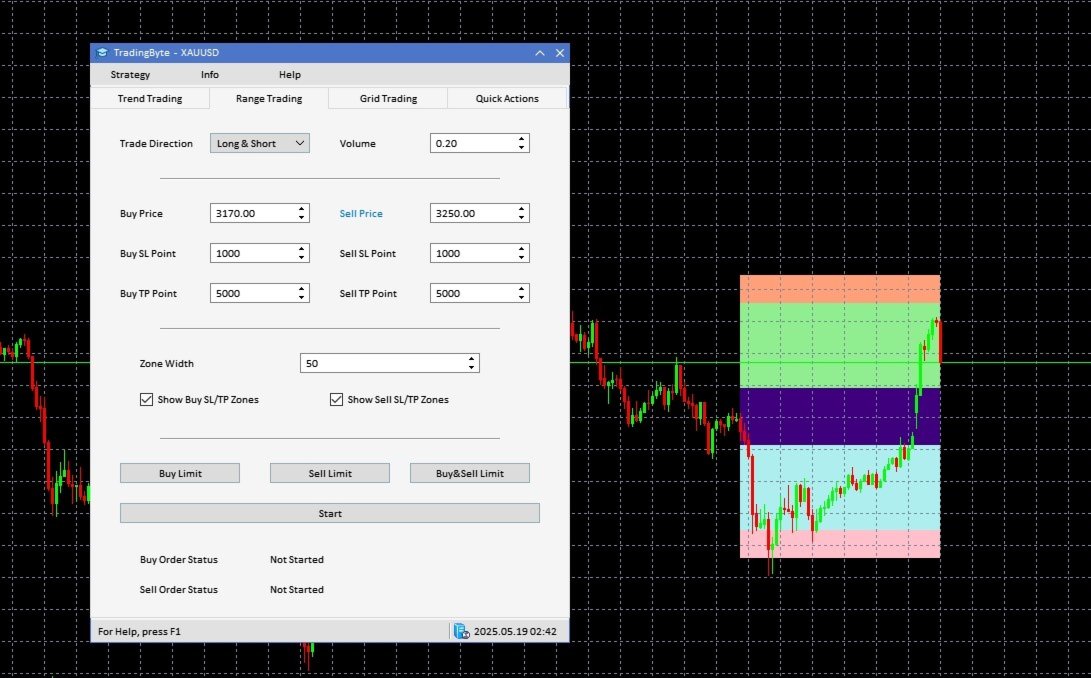
Range (Sideways) Trading Panel
-
Trade Direction and Volume Settings: Allows users to define trade direction and order volume.
-
Range and TP/SL Points Setup: Users can set the upper and lower bounds of the range, along with take profit and stop loss distances, ideal for trading in sideways markets.
-
TP/SL Area Visualization: Clearly shows the predefined take profit and stop loss zones within the range area.
-
Pending Order Creation and Auto Execution: Users can choose to generate pending orders or click to start automatic trading within the specified range. The system will continuously execute trades until a stop loss is triggered, at which point trading halts automatically.
Quick Action Tools
-
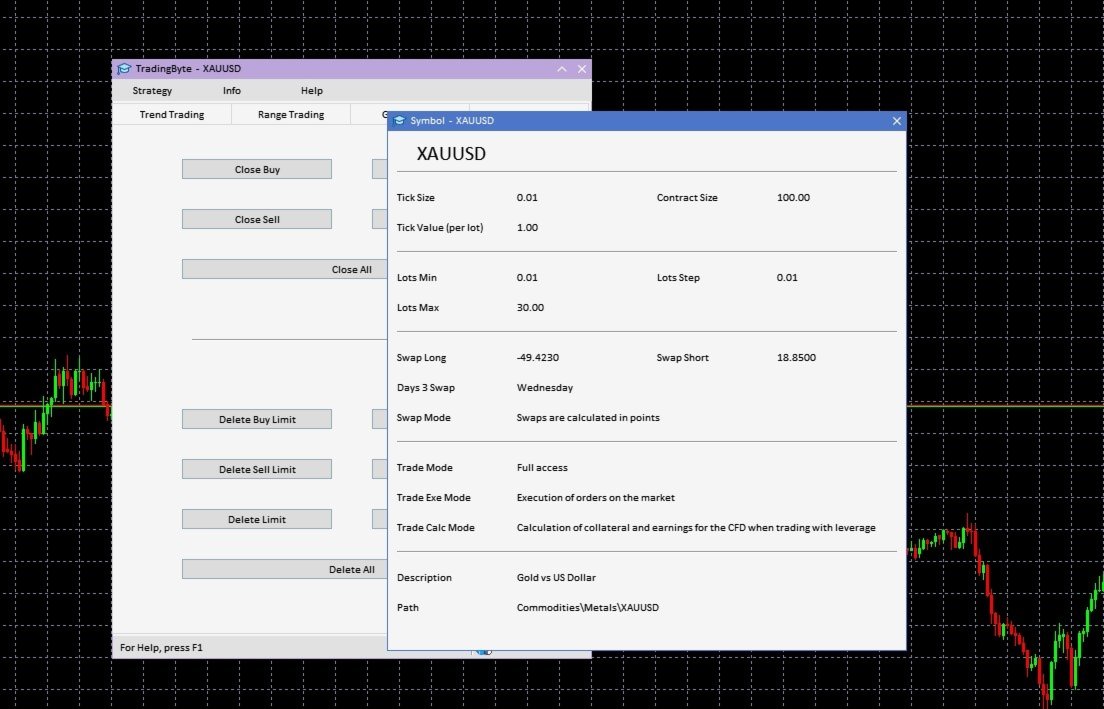
Fast Order and Pending Order Management: Provides one-click functions to quickly close all active and pending orders, ensuring swift control in fast-moving markets.
Account & Product Information Display
-
Account Information Overview: Real-time display of account balance, open positions, and ongoing trades.
-
Trading Symbol Details: Displays comprehensive information on the selected trading instruments to support quick decision-making.
This trading panel is designed to streamline complex trading processes, offering a user-friendly and efficient interface that helps traders execute strategies quickly, control risk effectively, and enhance overall trading performance.