TrendMorph
- Indicators
-
Evgeniy Zhdan
 🚀 Products for MT4 & MT5. Only the best and truly useful tools for traders: https://www.mql5.com/en/users/trendhunter/seller
➖➖➖➖➖➖➖➖➖➖➖➖➖➖➖➖➖➖➖➖➖➖ - Version: 1.0
TrendMorph — adaptive trend indicator with entry arrows
What it is
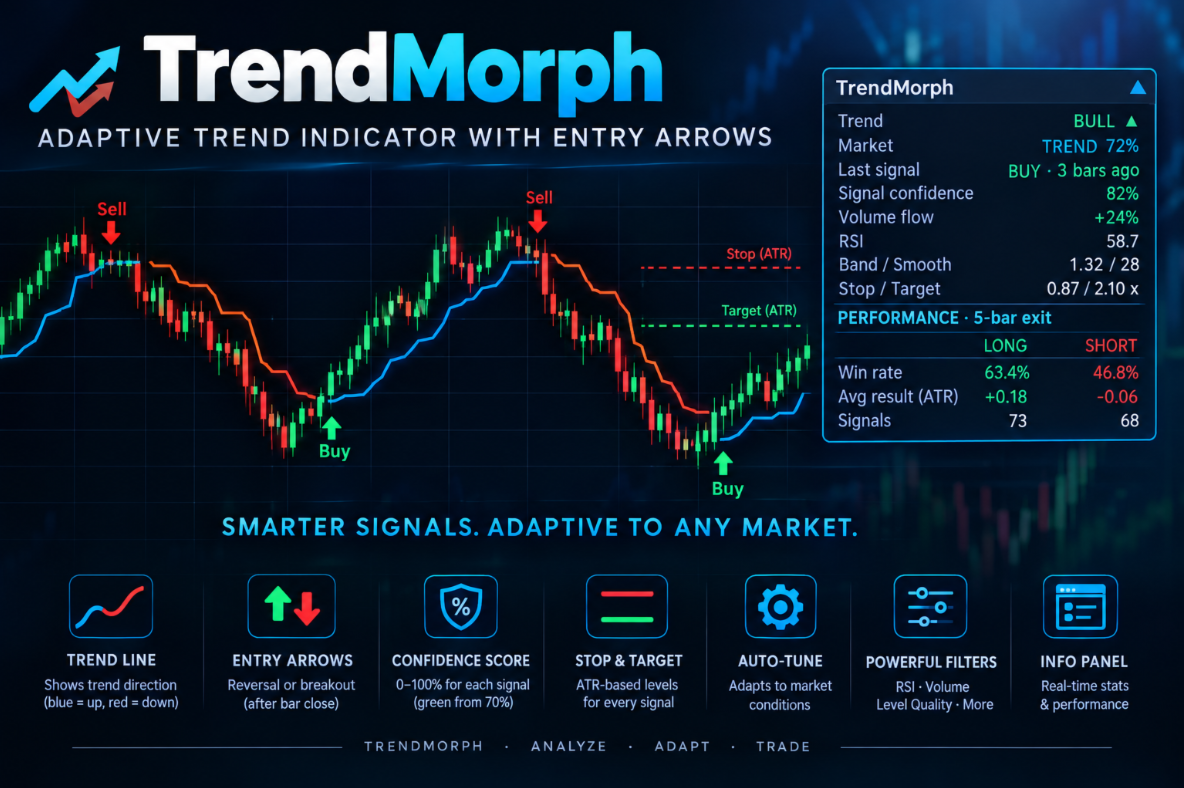
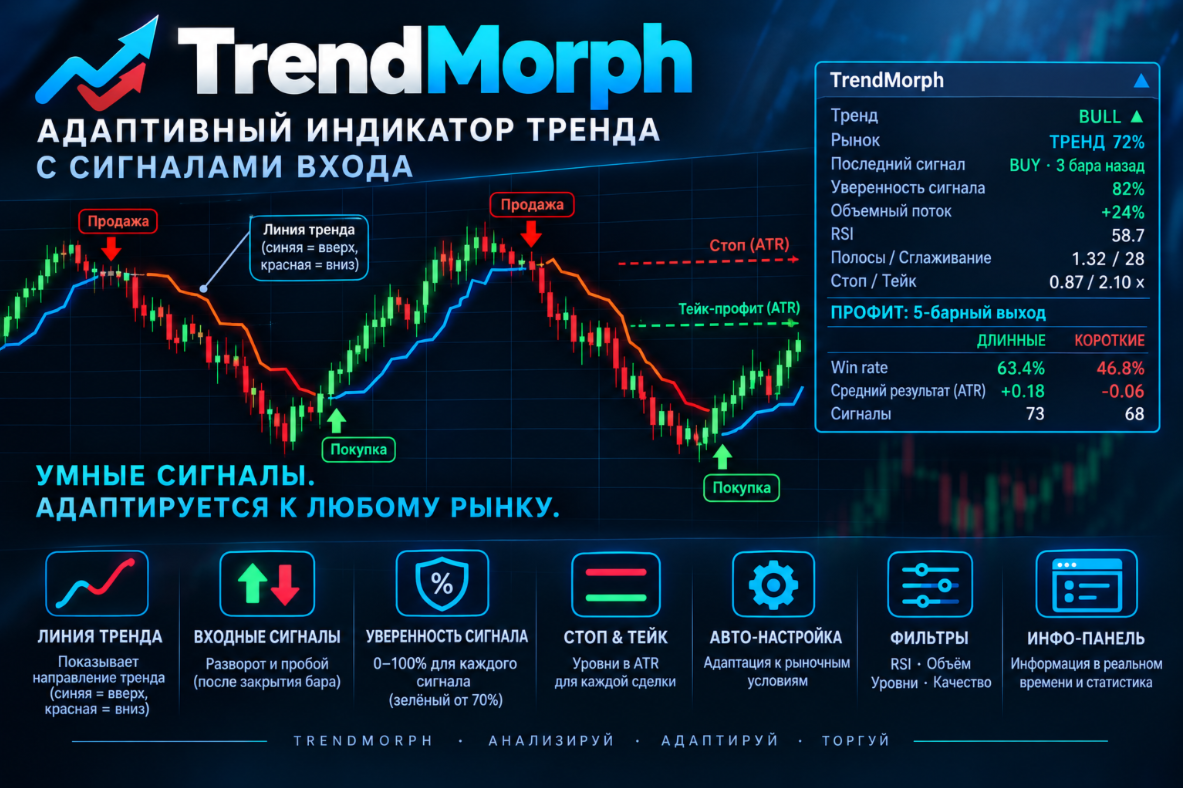
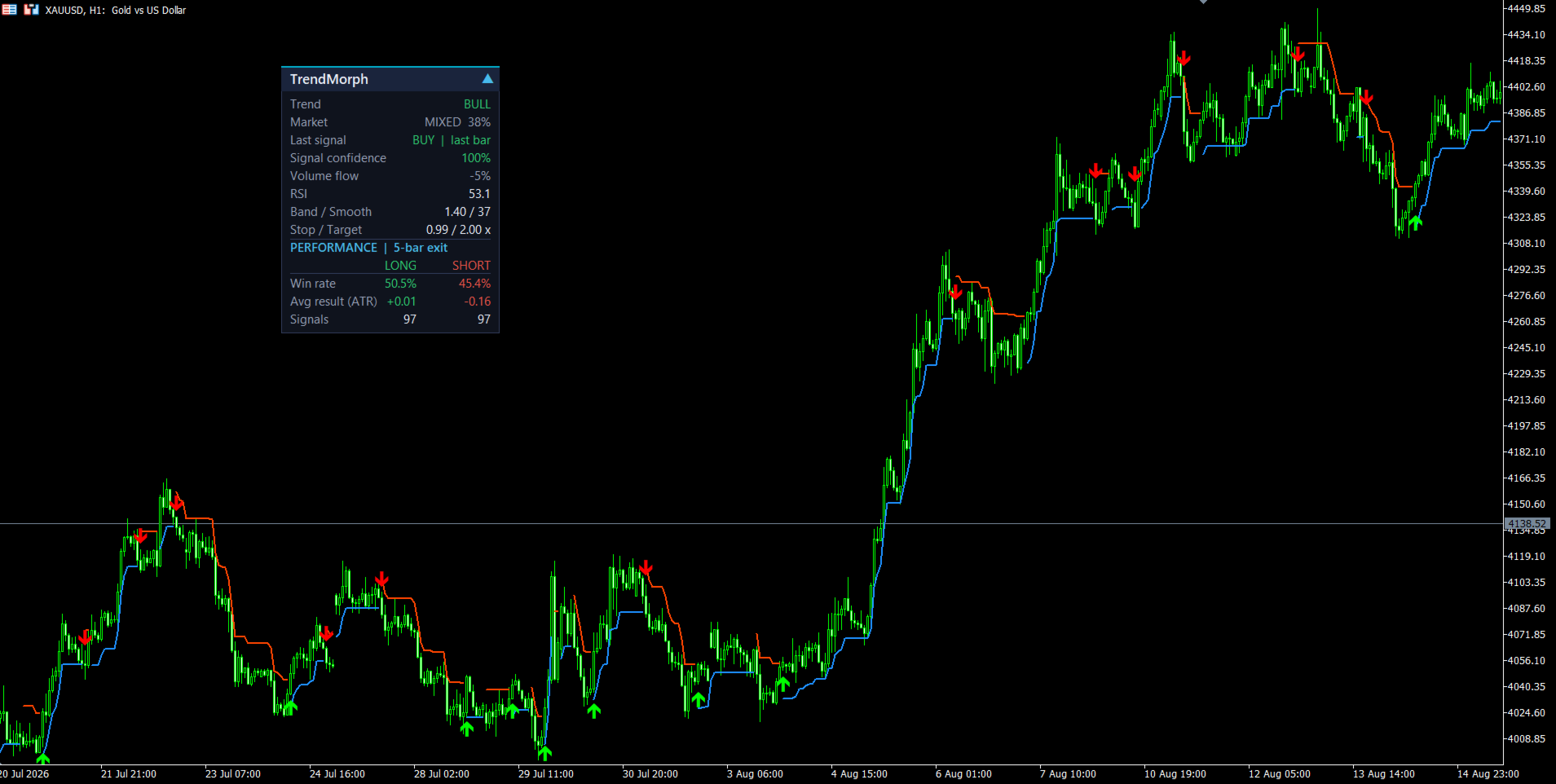
TrendMorph shows trend direction with a colored line, marks reversal points with Buy/Sell arrows, and gives every signal a confidence score together with Stop/Target levels. The indicator can adapt the sensitivity of its line to the current market state, so the same settings work in both quiet and volatile conditions. An information panel is displayed on the chart and all key values are available in buffers for Expert Advisors.
MT4-version: https://www.mql5.com/en/market/product/202707
How it works
- The trend line follows price: blue means an uptrend, red means a downtrend.
- When the trend turns and the signal passes the filters (RSI, volume, level quality, spacing between signals), an arrow appears. The arrow is drawn after the bar closes and never moves or disappears afterwards.
- With Auto-Tune enabled, the line sensitivity (Band Width and Smoothing Period) adapts to the market.
- Each signal comes with a confidence score (0–100) and Stop and Target levels expressed in ATR.
How to use it
- An arrow is an entry signal after the bar close. The trend line shows direction and can serve as a reference for managing a position.
- Check the Market row on the panel: TREND means a trending market, RANGE means sideways movement where signals deserve more care.
- Signal confidence helps filter signals, for example by taking only those at 70% or higher.
- Stop Level and Target Level from the signal bar can be used as references for stop-loss and take-profit.
- The PERFORMANCE block shows how signals performed on the chosen symbol and timeframe. Change settings and compare.
- For Expert Advisors: every value is available via iCustom/CopyBuffer (see "Buffers").
Settings
Signals
- Signal Type — Reversal: the arrow appears when the trend turns. Breakout: the arrow appears at a fresh price extreme against the current move (catching exhaustion); usually more signals.
- Require Fresh Pivot — on: a signal requires a new local extreme formed before the turn (stricter, fewer signals). Off: any turn of the line qualifies.
- Signal Spacing (bars) — minimum number of bars between two signals.
Trend Envelope
- Lookback Window — number of bars used to find local highs and lows. Larger values consider only more significant extremes.
- Smoothing Period — line smoothing. Larger means smoother and slower.
- Band Width — distance of the line from price. Larger means fewer false turns but later signals.
- Price Basis — price used for calculation (open, high, low, close, hl2, hlc3, ohlc4, hlcc4).
- Wilder Smoothing (off = EMA) — smoothing type. Off gives a faster mode.
Momentum Filter
- RSI Filter — enables RSI confirmation of signals.
- RSI Length — RSI period.
- RSI Hot Level — overbought level: a Sell is allowed if RSI rose above this level.
- RSI Cold Level — oversold level: a Buy is allowed if RSI fell below this level.
- Hot Zone Memory (bars) / Cold Zone Memory (bars) — how many recent bars are checked for RSI crossing the corresponding level.
Volume Filter
- Require Volume Surge — signals only on a volume surge.
- Sample Depth (bars) — number of bars used for the average volume.
- Surge Threshold — how many times the bar volume must exceed the average.
Level Quality
- Key Levels Only — only significant extremes.
- Key Level Depth (xATR) — minimum size of the move in ATR for an extreme to count as significant.
Auto-Tune
- Enable Auto-Tune — the indicator adjusts Band Width, Smoothing Period, Stop and Target based on its own internal checks.
- Reactivity (1-20) — adaptation speed. Higher means faster reaction.
- Background Test Matrix — virtual trial trades used by the indicator to assess its own performance (required by Auto-Tune).
- Micro-Batch Learning — results are processed in small batches for quicker reaction.
- Regime Memory Grid — remembers which parameters worked better in which market state.
- Decay Trace Buffer — older results gradually lose weight so fresh ones matter more.
- Volume Pressure Sensor — takes the balance of buying and selling volume into account (shown as Volume flow).
- Lock Plotted Line to Base — on: the drawn line always uses the base Smoothing Period and Band Width (stable look) while signals use adapted values. Off: the line adapts too.
- Step Size — size of a single adjustment step.
- History Depth — how many recent results are considered.
- Win Ceiling / Win Floor — success-rate levels: above Ceiling the line becomes more responsive, below Floor it becomes more cautious.
- Normalize Returns by ATR — results are evaluated in ATR units, independent of price scale.
Stop / Target Levels
- Stop xATR — base ATR multiplier for Stop Level.
- Target xATR — base ATR multiplier for Target Level.
Alerts
- Popup Alert / Push Notification / E-mail — notification methods for a new signal (sent when the bar with the signal closes).
Panel
- Show Panel — show or hide the panel.
- Panel Scale % (0 = auto) — panel scale; 0 adapts automatically to screen resolution and chart width.
- Panel Start X / Panel Start Y — initial panel position.
- Start Collapsed — start with the panel collapsed.
Calculation
- Bars to Analyze — number of history bars processed.
Panel
The panel can be dragged anywhere on the chart with the mouse, and collapsed or expanded with the ▲/▼ button in the header. Position and state are remembered.
| Row | What it shows |
|---|---|
| Trend | BULL ▲ / BEAR ▼: current line direction on the last closed bar. |
| Market | TREND / MIXED / RANGE and a percentage: how trending the market is. Above 65% is TREND, below 35% is RANGE. Helps decide whether to trust a trend signal or be more careful. |
| Last signal | type of the last signal (BUY/SELL) and how many bars ago it appeared. |
| Signal confidence | confidence score of the last signal, 0–100%. Green from 70%, yellow from 40%. |
| Volume flow | balance of buying and selling volume over the last 20 bars, from −100% to +100%. Green above +10%, red below −10%. Shows which side is stronger now. |
| RSI | current value. Red above RSI Hot Level, green below RSI Cold Level. |
| Band / Smooth | current (adapted) Band Width and Smoothing Period. |
| Stop / Target | current ATR multipliers for Stop Level and Target Level. |
| PERFORMANCE: Win rate | share of signals after which price moved in the expected direction. |
| PERFORMANCE: Avg result (ATR) | average signal result in ATR units. |
| PERFORMANCE: Signals | number of evaluated signals. |
PERFORMANCE · 5-bar exit — statistics of real arrows, separately for LONG and SHORT. Each signal is evaluated 5 bars later by comparing the close price with the price at the signal; signals from the last 5 bars are not counted yet. This data lets you quickly see how the indicator behaves on a given symbol and timeframe and choose settings.
Buffers for Expert Advisors
| No. | Buffer | Value |
|---|---|---|
| 0 | Trend Up | Line during an uptrend |
| 1 | Trend Down | Line during a downtrend |
| 2 | Buy | Buy arrow |
| 3 | Sell | Sell arrow |
| 4 | Confidence | Signal confidence, 0–100 |
| 5 | Trend Dir | +1 / −1 |
| 6 | Signal Dir | +1 buy, −1 sell, 0 none |
| 7 | Stop Level | Stop level |
| 8 | Target Level | Target level |
| 9 | Regime | 0–100 |