Multicore Nexus
- Experts
-
Tanaphat Aektichaivorakul
 Our team has been involved in the financial markets for over 7 years, with a focus on gold and automated trading systems.
The Expert Advisors we publish are developed from the knowledge, trading concepts, and practical experience our team has accumulated over the years. - Version: 1.24
- Activations: 5
Multiple gold strategies. One EA to manage them.
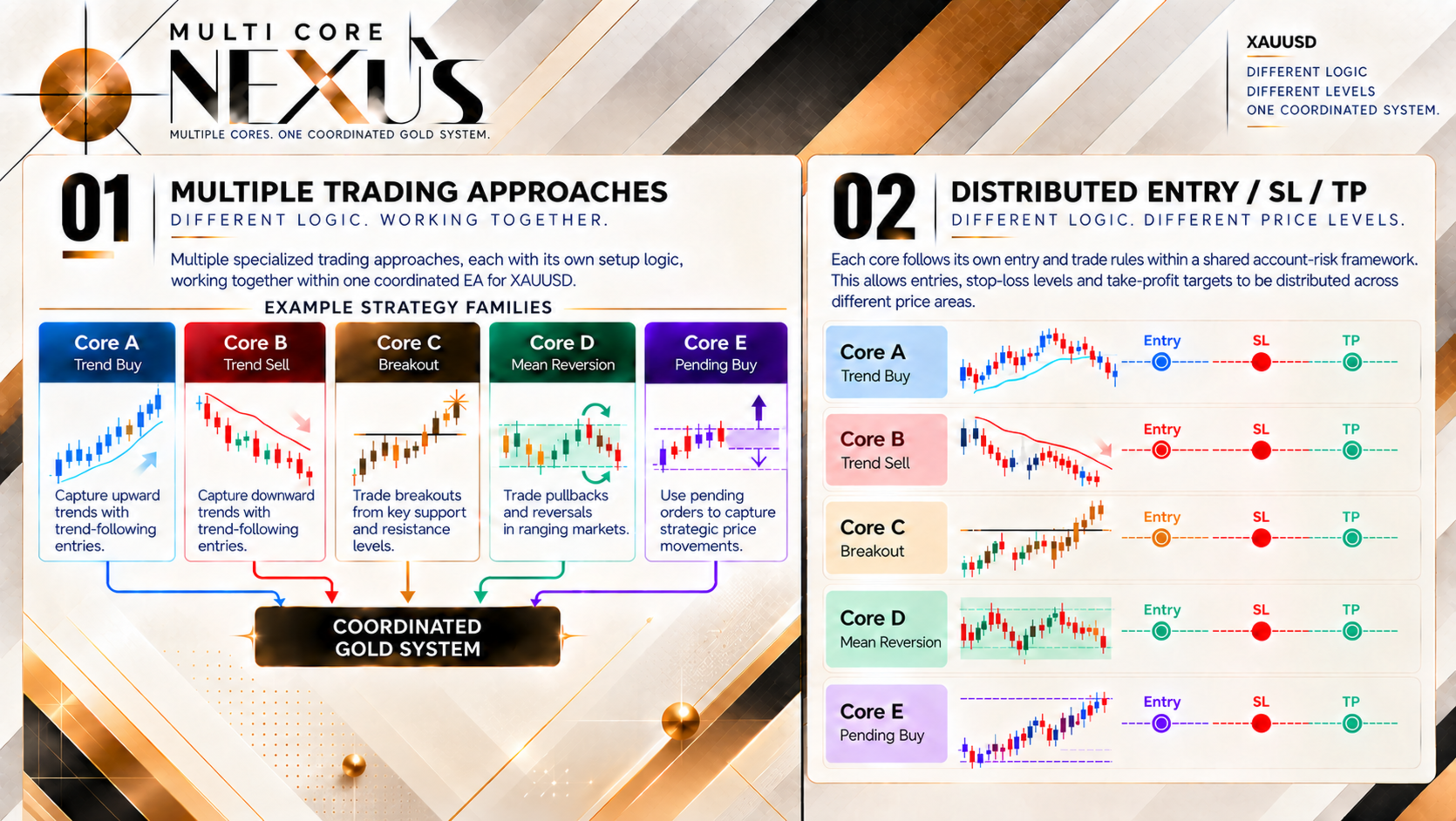
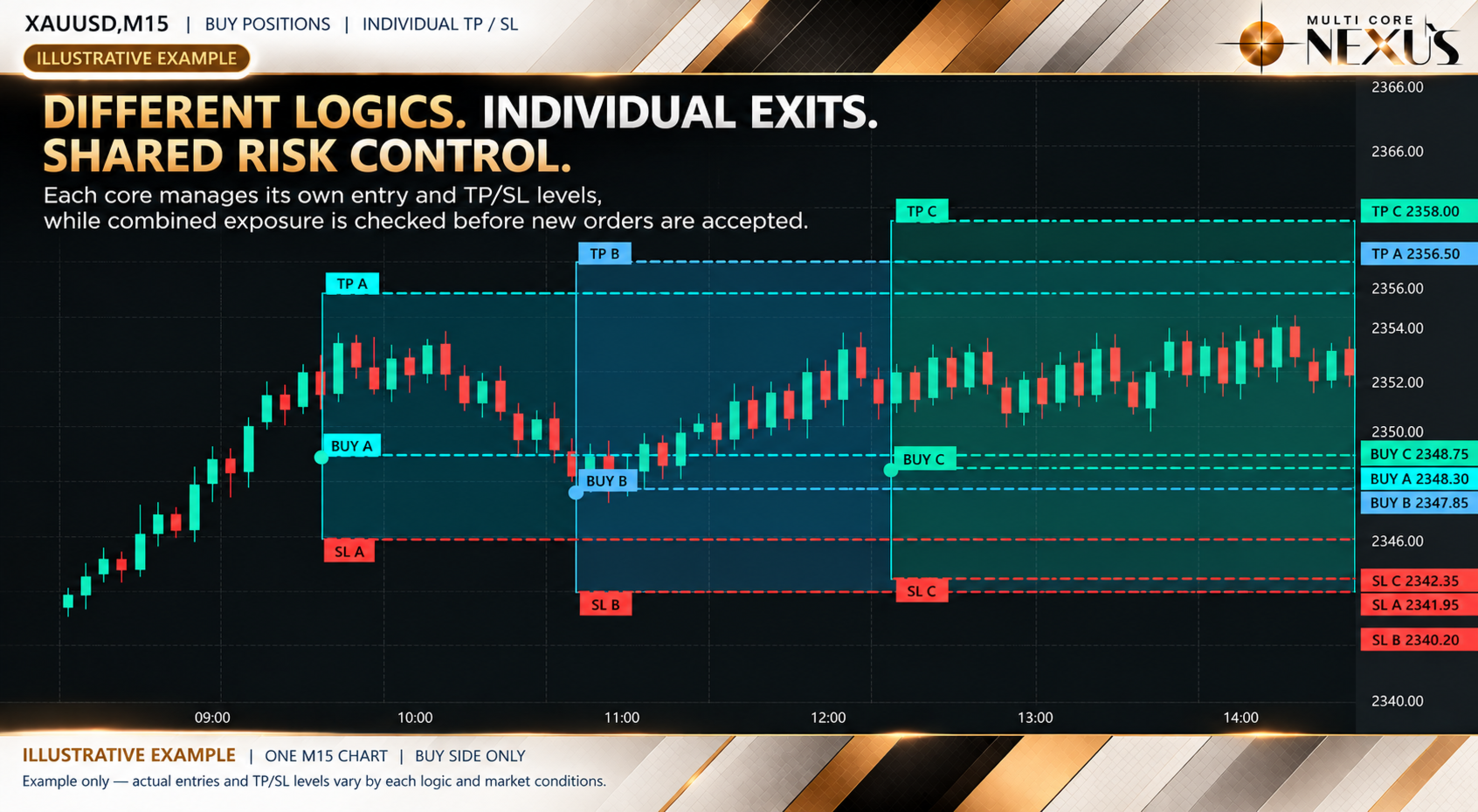
Multicore Nexus combines different buy, sell and pending-order approaches in one MetaTrader 5 EA. Trend, breakout and pullback setups follow their own entry and exit rules, with shared exposure and execution checks before new orders.
Gold Trading · M15 · MT5 Hedging Accounts
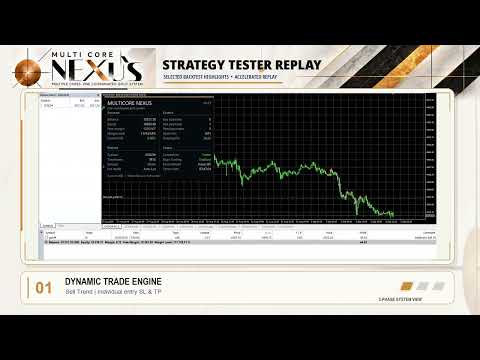
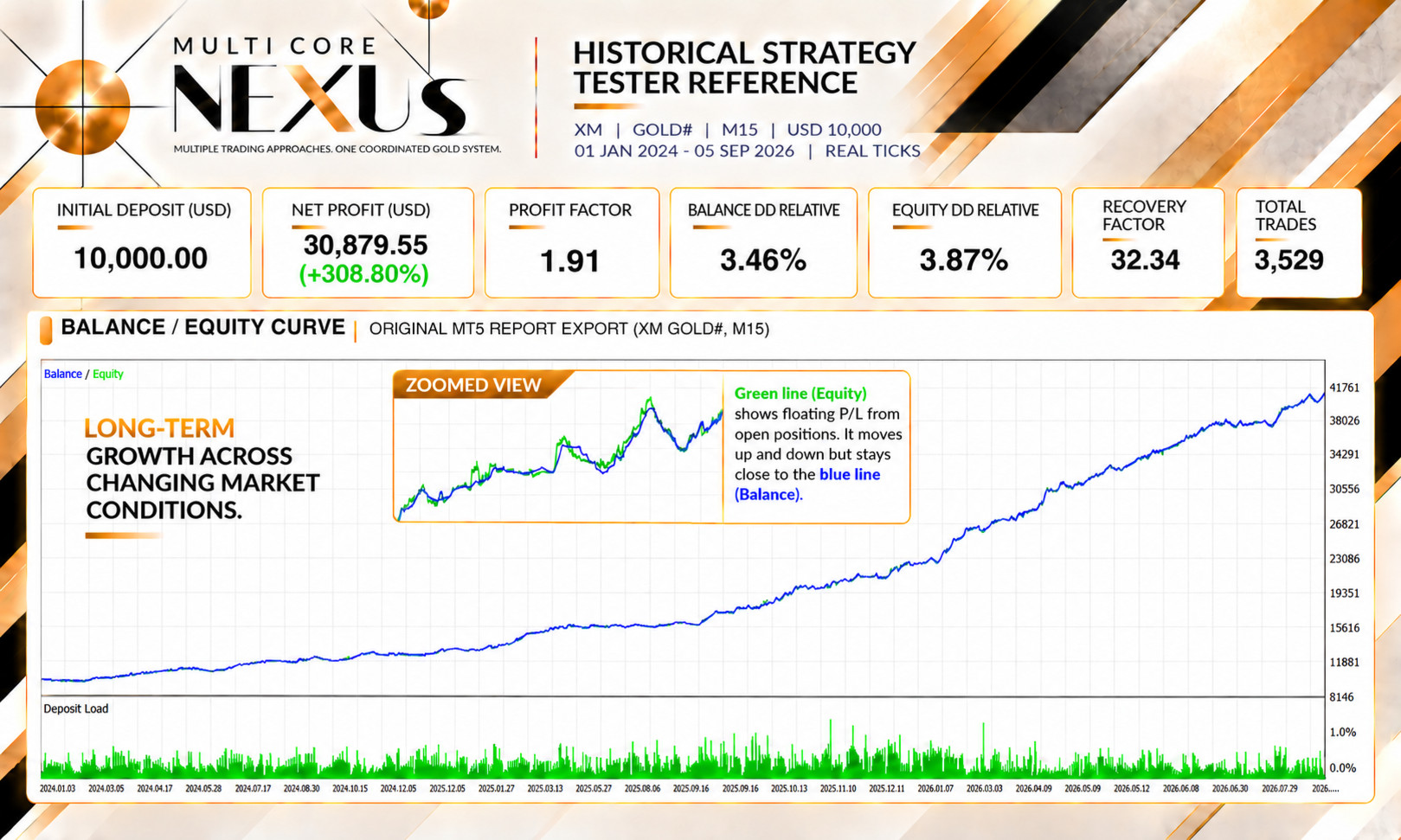
Historical Strategy Tester
XM Global | GOLD# | M15 | Initial deposit: USD 10,000 | Leverage: 1:500 | Auto Lot | Every tick based on real ticks
Period: 2024.01.01–2026.09.05
MULTICORE NEXUS Version 1.24
| Measure | Result |
|---|---|
| Net profit | USD 30,879.55 (+308.80%) |
| Profit Factor | 1.91 |
| Balance Drawdown Relative | 3.46% |
| Equity Drawdown Relative | 3.87% |
| Recovery Factor | 32.34 |
| Total trades | 3,529 |
Capital-based Auto Lot was used with a 0.01-lot reference size, not a fixed 0.01 lot on every order.
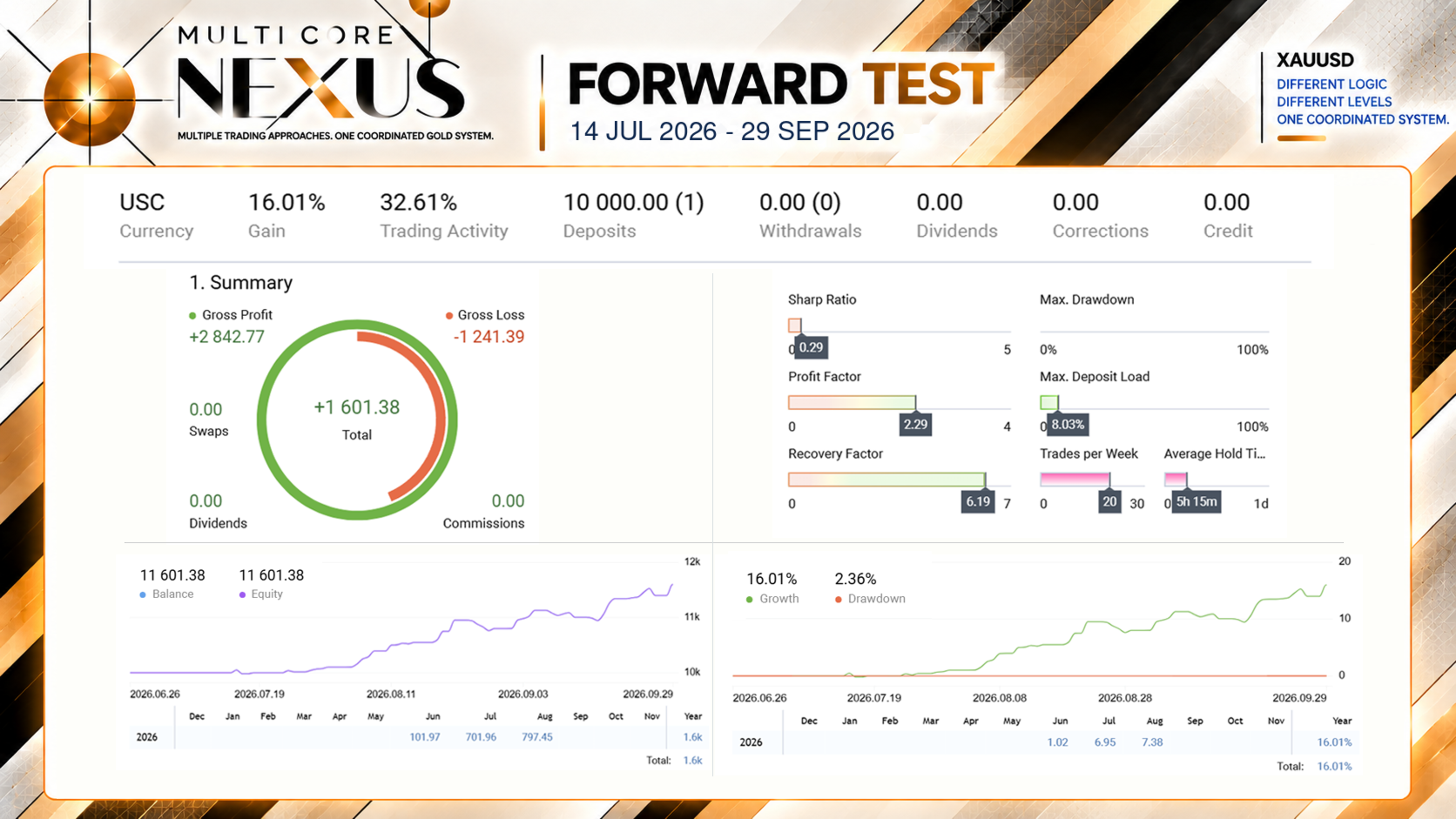
Forward Test
Period: 2026.07.14–2026.09.29
| Measure | Result |
|---|---|
| Account currency | USC |
| Deposit | 10,000 USC |
| Growth | 16.01% |
| Drawdown | 2.36% |
| Net profit | 1,601.38 USC |
| Ending balance | 11,601.38 USC |
| Profit Factor | 2.29 |
| Recovery Factor | 6.19 |
What makes it different
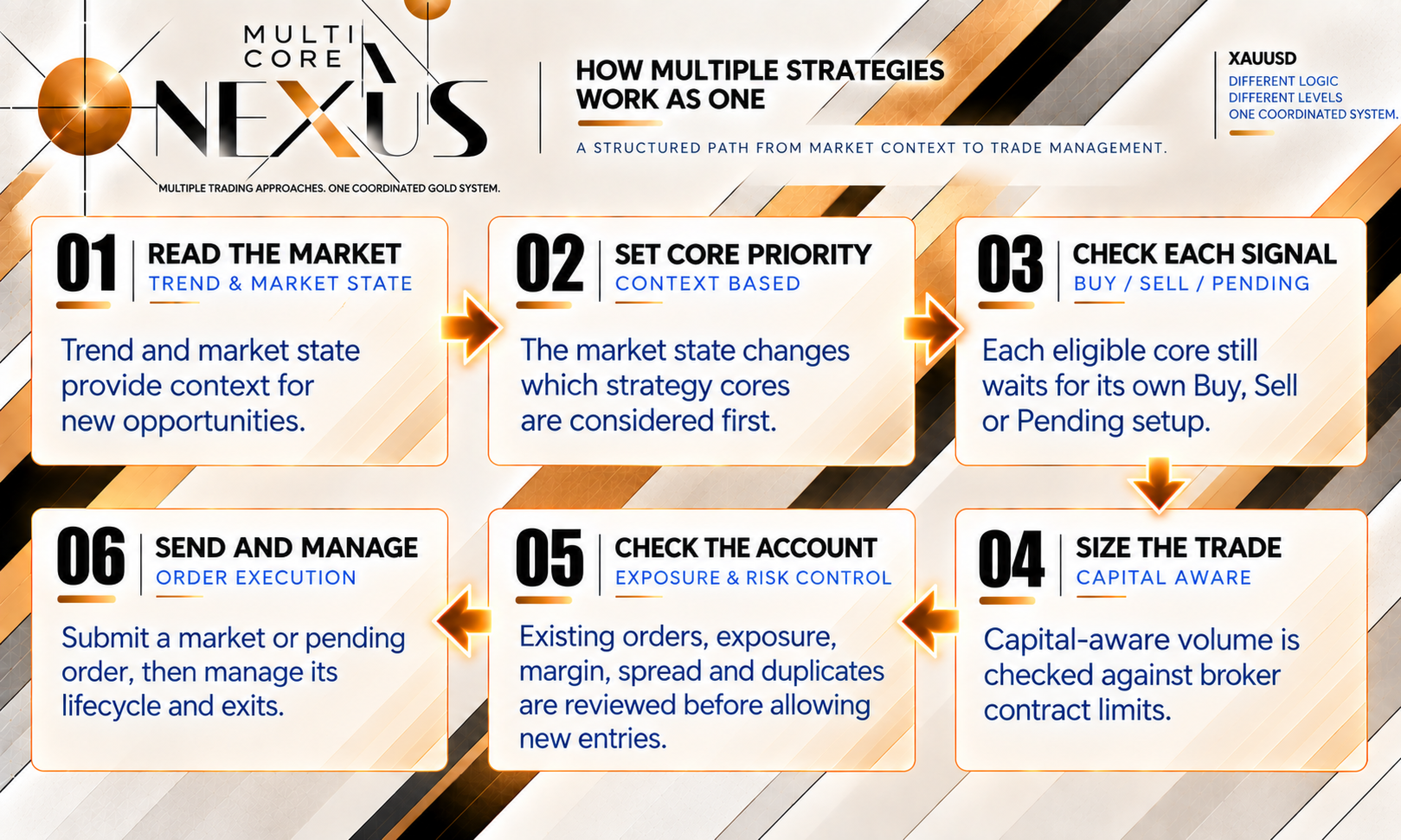
- Market context prioritizes eligible approaches. Each approach still waits for its own valid setup.
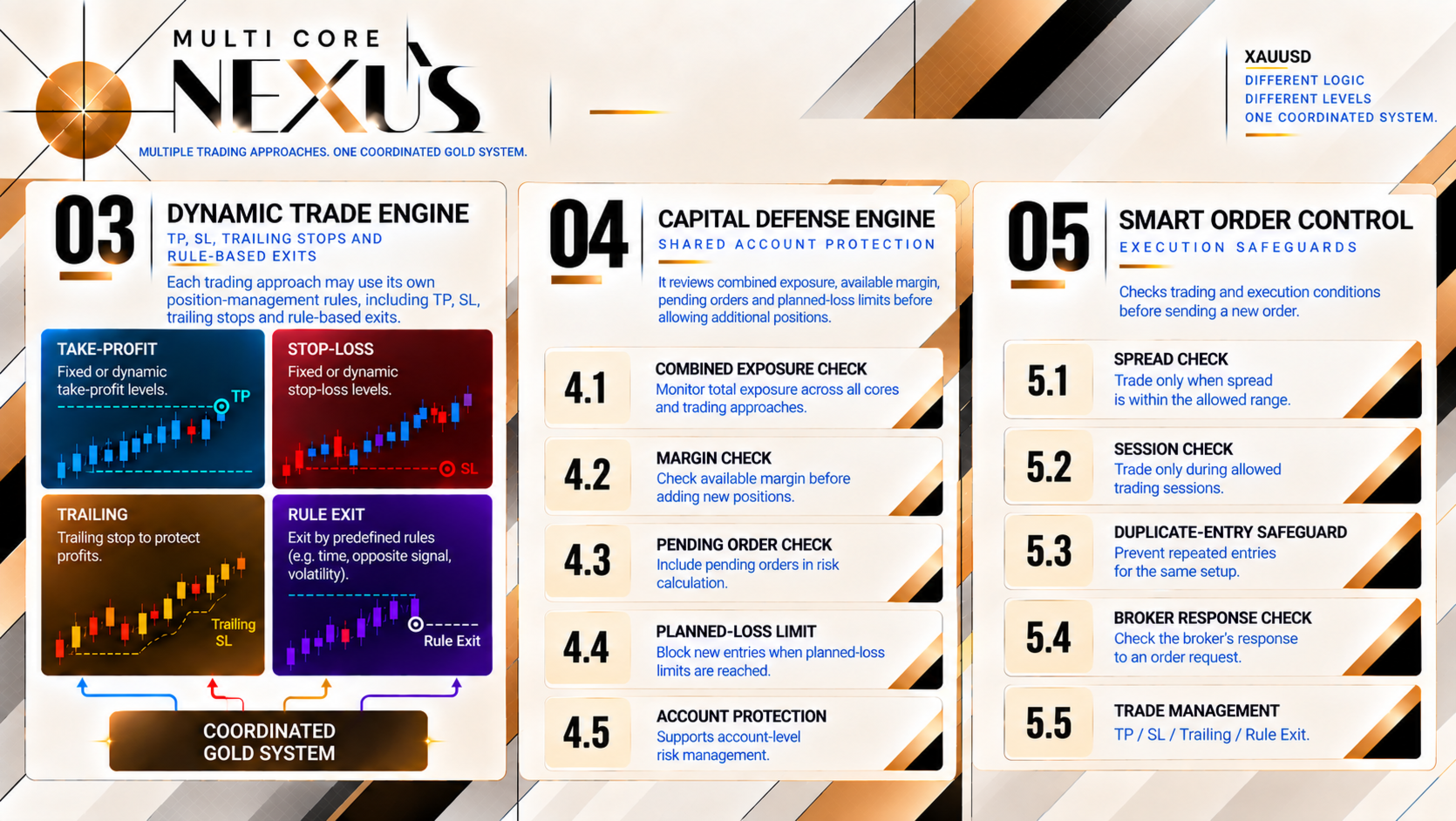
- Individual entries, SL, TP and configured trailing or rule-based exits, with shared checks for exposure, available margin and order conditions.
- The dashboard shows account balance/equity, Nexus positions and pending orders, open lots, floating P/L, spread and operating status. Switch it off with Show Dashboard in the Inputs.
About the presentation
The images explain how multiple approaches work within one coordinated gold system. The buy-side chart illustrates separate entry, SL and TP levels; it is not an actual trade report. Historical and Forward results are separate references.
Getting started
Auto Lot is the default and uses built-in capital-based sizing. For a fixed volume, select Fixed Lot in Lot Mode and enter Fixed Lot Size (Fixed mode only); its default is 0.01 and it does not grow with capital. Broker minimum/maximum/lot step and account safeguards apply in both modes.
- Download the MQL5 Market demo and open MT5 Strategy Tester.
- Select your broker's USD-quoted gold symbol and M15. This edition does not support Forex pairs or other instruments; a Hedging account is required. Gold symbol names may differ between brokers.
- Use the built-in defaults or choose Fixed Lot, then review the report. No separate SET file is needed. New entries require a valid setup and the applicable account/execution checks to pass.
For installation and Input questions, use MQL5 messaging or the product comments.