Gold Pulse Pro MT5
- Experts
- Version: 1.0
- Activations: 20

GoldPulse Pro EA
GoldPulse Pro EA is a fully automated trading system developed for MetaTrader 5. It utilizes the Stochastic Oscillator to identify potential reversal zones for initial market entries. To manage open positions, the Expert Advisor employs a dynamic cost-averaging algorithm equipped with advanced risk management modules, including ATR-based dynamic steps, a smart profit trailing system, and an integrated hedging mechanism.
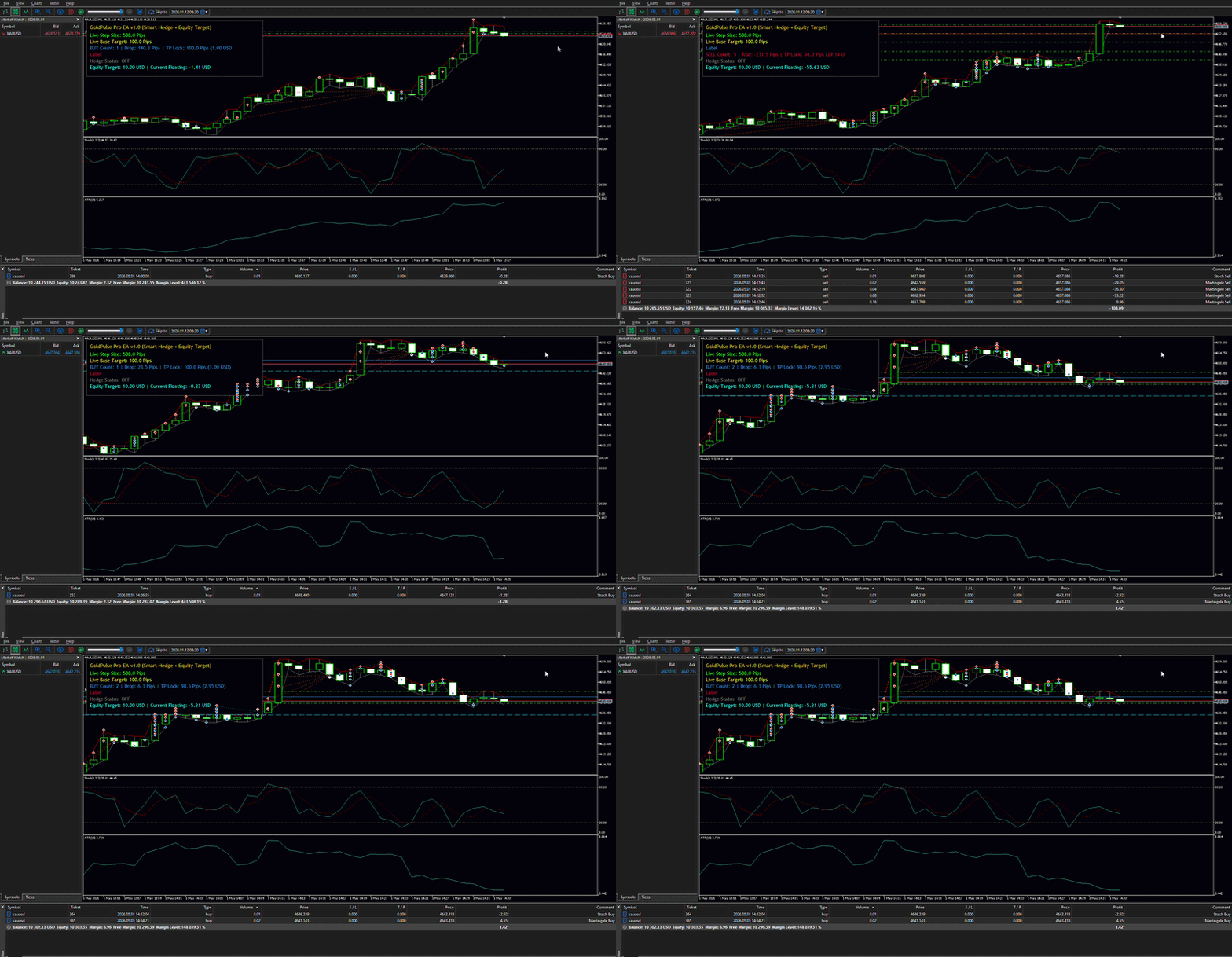
The system is designed to adapt to changing market volatility and features a built-in visual dashboard to monitor all live operational metrics directly on the chart.
Core Features
-
Stochastic Entry Strategy: Identifies market entry points using customizable Overbought and Oversold levels of the Stochastic Oscillator.
-
Dynamic ATR Adjustments: Optionally utilizes the Average True Range (ATR) to dynamically calculate both the distance (Step) between grid orders and the profit targets, adapting to live market volatility.
-
Smart Profit System: Automatically reduces the base profit target as the number of open positions increases. This logic allows the EA to close recovery baskets faster during strong directional trends.
-
Integrated Drawdown Hedging: Features a specialized hedging module that can open proportional counter-positions when a defined number of grid trades is reached, aiming to lock in equity and exit the basket at a specified net USD profit.
-
Equity Protection Modules: Includes a strict loss threshold (Max Loss Amount) to protect account capital, alongside an Equity Gain target to secure basket profits automatically.
-
On-Chart Visual Dashboard: Displays a non-intrusive Z-Order panel showing live step sizes, target distances, hedge status, and dynamically updates H-Lines for upcoming orders and break-even targets.
Input Parameters
Trading Settings
-
Lots: Initial volume for the first trade.
-
Base Step / Multiplier: Distance in points for the next average order.
-
Initial Base Target Pips: The initial profit target for the first trade.
-
Multiplier: Volume multiplier for subsequent recovery trades.
Hedge Settings
-
Hedge Trade Number: Number of trades after which the hedge activates (0 = Disable).
-
Hedge Lot Multiplier: Multiplier applied to the total open volume to calculate the hedge size.
-
Target USD: Net profit in deposit currency to close the hedged basket.
ATR Dynamic Settings
-
Use Dynamic ATR Step: Enable/Disable volatility-based step calculation.
-
Use Dynamic ATR Profit Target: Enable/Disable volatility-based profit targets.
-
ATR Period: Averaging period for the ATR indicator.
Smart Profit Settings
-
Reduce Target as Grid Grows: Enable/Disable dynamic reduction of profit targets.
-
Minimum Target Pips: The absolute minimum profit target allowed during reduction.
Protection & Target Settings
-
Use Equity Protection: Enable/Disable strict loss limits.
-
Max Loss Amount: Maximum allowed floating loss in deposit currency before closing all trades.
-
Equity Gain USD: Desired total basket profit in deposit currency to close all trades (0 = Disable).
Custom Stochastic Settings Based on OSD & OSDIN By DeepakFxTrader
-
OSD Period / OSDIN Period / OSD Slowing: Core calculation periods for the Stochastic Oscillator.
-
Overbought / Oversold: Levels to trigger Sell and Buy entries.
-
Magic: Unique identifier for EA trades.
Important Note
Please test the Expert Advisor on a demo account or within the Strategy Tester to fully understand its cost-averaging and hedging mechanics before using it on a live account. Ensure your trading account has sufficient margin to support grid-based trading strategies.
(You can view my seller profile on MQL5 for more trading tools and utilities).