Chart Order Trade Manager MT5

Trade Manager — Professional Order and Position Management Panel for MetaTrader 5

Automatic lot, Stop Loss and Take Profit calculation, entry by chart click, draggable SL and TP lines, trailing stop, auto break-even, partial close and a complete CSV export of your trading history — all from one interactive chart panel.

OVERVIEW

Trade Manager is a professional order and position management panel for MetaTrader 5. It significantly simplifies manual order entry, automatically calculates lot size, Stop Loss and Take Profit based on the configured risk budget, and displays all relevant parameters clearly in an interactive chart panel.

The panel is fully operable by mouse and keyboard. The entry price can be set with a single chart click, Stop Loss and Take Profit can be dragged directly on the chart with immediate live feedback, and every field supports both AUTO mode (automatic calculation) and MANUAL mode (free input).

FEATURES

The panel and its AUTO and MANUAL modes
Anchored to any chart corner, upper left by default, the panel holds the Entry, S/L, T/P and Lots fields, the risk percentage with five presets, the R:R ratio in steps of 0.1 from 0.1 to 10.0 and the magic number for new orders, plus an account display with the balance, the maximum risk of the current configuration in red and the maximum possible profit in green. Every field switches individually between AUTO and MANUAL at any time. In AUTO, Entry follows the market price, S/L comes from ATR or DefaultSLPips, T/P from the R:R ratio and Lots from risk percentage and SL distance; in MANUAL each accepts plus and minus buttons or free input, Entry also a chart click and S/L and T/P also a drag handle.

Chart-click entry, drag handles and live R:R
A single click on the chart sets the entry price, SL and TP are recalculated and the R:R updates instantly. Handles marked = SL = and = TP = sit on their chart lines: hold, drag, release — the value is applied and the field switches to MANUAL. In AUTO mode the lot size is recalculated on every SL drag, and the panel R:R updates in real time while you are still dragging.

Direction switch with SL/TP mirroring
Switching between LONG and SHORT mirrors manual SL and TP values to the correct side automatically, preserving the pip distance. After every executed order the LONG/SHORT button flips to the direction actually traded, so pressing B while the panel shows SHORT executes a BUY and the panel switches to LONG.

Automatic order type detection
The EA detects by itself whether the entry price lies above or below the market and selects the order type accordingly: market order at market, BUY STOP or SELL LIMIT above market, BUY LIMIT or SELL STOP below market. No manual selection is required.

Execution safeguards
In AUTO mode, SL and TP are recalculated from the actual fill price after a market order and applied via TRADE_ACTION_SLTP, compensating slippage precisely. The filling type IOC, FOK or RETURN is read from the broker symbol properties, so the EA works with any broker, and an order failing through a requote, timeout or brief connection loss is retried up to three times. Before every order SL and TP are checked against the broker minimum stop distance (SYMBOL_TRADE_STOPS_LEVEL); if either is too close to the entry, a clear alert fires before the request is sent.

Risk calculator, ATR stop loss and R:R manager
Lot size is calculated from account balance, risk percentage and SL distance in pips and recalculated on every SL change. With UseATRForSL enabled the SL distance comes from the ATR indicator with a configurable multiplier and adapts to current volatility; disabled, the fixed DefaultSLPips distance applies. Take Profit is placed at the configured risk-reward multiple from the entry, adjustable in steps of 0.1. A risk preset button, 0.5, 1.0, 2.0, 3.0 or 5.0 percent, recalculates the lot size immediately while the SL and TP lines stay in place. Pip size is determined correctly for Forex, Gold, Silver, Crypto, Indices and Energy.

Trailing stop as a toggle
The T key or the trailing button, labelled with the configured pip distance, activates and deactivates an automatic trailing stop. While active the SL is trailed every 10 ticks at that distance behind the current price; deactivating leaves the last SL exactly in place. Works on all filtered open positions and is fully compatible with hedge accounts.

Auto break-even as a toggle
The E key or the B10 button, labelled with the configured trigger in pips, activates and deactivates automatic break-even management. Every open position is monitored individually and its SL moved to the entry price once it reaches the configured BreakEvenTrigger, once per ticket. Deactivating clears the processed-ticket list, so reactivating re-evaluates all open positions immediately.

Trailing and break-even combined
Both can run at the same time. Break-even moves the SL to entry only if it is not already at or beyond entry, so a position whose SL trailing has already pushed past entry is skipped automatically. Trailing only moves the SL when the new level is strictly better and never moves it backwards. The order of activation does not matter.

Chart visualisation and status display
For each filtered open position three lines are drawn automatically: the entry price line dashed, the SL line dotted in red and the TP line dotted in green. Coloured zones visualise the risk zone in red and the reward zone in green with freely configurable transparency. While trailing stop or auto break-even is active, a status label in the lower left corner names the function and its pip distance.

Partial close, Close All and Close By Opposite
Partial close closes a configurable share of a position with one click, 50 percent by default through PartialClosePercent, with the button always showing the current value. Volume is rounded down to the broker lot step, and if it falls below the broker minimum lot, PartialCloseIfBelowMin decides between closing fully and skipping with an alert. Close All closes all filtered positions at once, with the filling mode determined per broker.
Close By Opposite on the W key nets all open LONG against all open SHORT positions through the broker CLOSE_BY mechanism, so no spread is paid on the matched volume. It respects the magic number filter, falls back to a regular market close if the broker rejects CLOSE_BY, leaves unmatched positions open and logs every closed pair at LogLevel 1. All actions — closing, trailing, break-even and partial close — can be restricted to a specific magic number.

Maximum positions and daily loss limit
EnableMaxPositions blocks new orders once the configured number of open positions is reached. EnableMaxDailyLoss blocks new orders once the daily loss of the entire account exceeds MaxDailyLossPercent, across all symbols, realised and unrealised, including commission and swap. Each EA instance checks independently and blocks only its own new orders, while trailing stop, auto break-even, partial close and Close All stay fully active. Both limits are off by default.

CSV export with performance statistics
The complete trading history is written to TradingHistory_[AccountNumber].csv. Existing entries are recognised and not duplicated, so the file grows incrementally with the newest trades on top. Commission is captured correctly for every broker model because entry-leg and exit-leg charges are combined, and the comment column shows the EA name together with the close reason.
With ExportWithBenchmarks enabled, a statistics block is placed at the very top across ten sections: general statistics, profitability with win rate, net profit including commission and swap, gross profit and loss, profit factor and expectancy, trade metrics with largest and average win and loss, pips analysis, time analysis with average holding duration per outcome, trading days with daily win rate and best and worst day, winning and losing streaks, long versus short per direction, the actual average R:R from win and loss amounts, and export info. A status label right of the panel shows the current phase immediately on click.

Save settings
The Save button writes entry, SL, TP, lots, risk percentage, R:R, magic number, direction, the AUTO and MANUAL states and the display options for lines, panel, zones and labels to file and restores them on the next start. ATR, export settings, trailing and break-even are always read from the input parameters instead. A green status label confirms a successful save.

About overlay and keyboard control
The I key or the About button opens a centred info overlay with the current version, all features and all 19 keyboard shortcuts grouped into order entry, position management and display, always centred regardless of chart size.
The EA can be operated entirely without a mouse. L toggles the entry, SL and TP lines, P the panel, Z the zones, O the MT5-native order level lines and Y the trade history arrows, R switches the line labels between right and left and D redraws everything. Q toggles direction, B and S fire a quick BUY or SELL, W triggers Close By Opposite, C closes all filtered positions, X performs the partial close, T toggles trailing, E break-even, H the shortcut reference, and the keys 1 to 5 apply the risk presets. The same actions exist as panel buttons, including Save, Export and the five presets.

PARAMETERS

All parameters ship with working defaults, so the EA is ready to trade the moment it is attached to a chart.

Risk management. RiskPercentage (1.0) is the risk per trade in percent of balance and RRRatio (2.0) the ratio for the automatic TP. The SL distance comes either from UseATRForSL (true) with ATRMultiplier (1.5) and ATRPeriod (14) or from the fixed DefaultSLPips (20.0); DrawLevels and ShowInfoPanel, both true, control the chart lines and the panel.

Order entry. StartWithSellDirection (false) sets the starting direction, DefaultMagicNumber (7) the magic number for new orders.

Position management. EnableAutoTrailing and EnableAutoBreakEven (both false) start those functions immediately; TrailingDistance (20.0 pips), BreakEvenTrigger (10.0 pips), PartialClosePercent (50.0) and PartialCloseIfBelowMin (true) configure them. EnableMaxPositions with MaxPositions (5) and EnableMaxDailyLoss with MaxDailyLossPercent (5.0) hold the two limits, ShowCloseAllButton (true) the Close All button, CloseOnlyMagicNumber (true) the magic number filter; set to false, every open position on the symbol is included, manual trades with magic 0 and positions of other EAs among them.

Export settings. ExportAllSymbols, ExportAllMagicNumbers and IncludeManualTrades (all true) export the whole account including trades with magic 0, ExportWithBenchmarks (true) adds the statistics block, and AutoExportOnClose (false) exports when the EA is removed or the terminal closes.

Intervals, alerts and logging. PanelUpdateSeconds and LineUpdateSeconds (both 1) set panel refresh and line redraw in seconds, 0 meaning every tick. ShowAlerts (true) controls the alert popups; disabled, the EA runs silently while the journal stays complete. RestoreOnTFChange (true) restores the panel state across a timeframe change. LogLevel (1) sets the journal detail from errors only, recommended for live and VPS use, through operational events and diagnostics, up to a full trace including tick logs.

Panel, labels, zones and colours. PanelCorner (UPPER_LEFT), its offsets (20 and 30) and its size (350 wide, PanelMinHeight 477, FieldValueWidth 140) are set in pixels, as are the label side (LabelsOnRight, true), the label offsets (22 each) and the label boxes (222 by 30). ShowRiskRewardZones (true), ZoneTransparency (0 opaque to 100 invisible) and ShowConnectorLine (false) govern the zones. Colours default to EntryLineColor DodgerBlue, StopLossColor Crimson, TakeProfitColor LimeGreen, RiskZoneColor Pink and RewardZoneColor LightGreen for the two zones, PanelBackgroundColor DimGray, and white for PanelTextColor and ButtonTextColor.

INSTALLATION

Copy the compiled file to the Experts folder of your MetaTrader 5 data folder, then restart MetaTrader 5 or press F5 to refresh the Navigator. Drag the EA onto any chart, enable automated trading in the properties dialog and confirm with OK. AutoTrading must also be active in the terminal, through the toolbar button or Ctrl+E.

The panel starts in AUTO mode, so entry, SL, TP and lots are calculated straight away. Set the entry with a chart click, adjust SL and TP with the drag handles, set risk percentage and R:R with the plus and minus or preset buttons, select LONG or SHORT and press BUY or SELL — the EA chooses market or pending automatically. Press T for trailing, E for break-even and H for the shortcut reference.

With CloseOnlyMagicNumber enabled, only positions carrying the configured magic number are managed. Settings are stored in TradeManager_Settings.txt and the export in TradingHistory_[AccountNumber].csv, both in the MT5 Files folder.

COMPATIBILITY

MetaTrader 5 from build 3000, all timeframes and all instruments including Forex, metals such as XAU and XAG, indices, crypto, energy and CFDs. Demo and live accounts, hedge and netting alike. AutoTrading must be enabled in the terminal and in the EA properties. A one-month rental is available alongside the full purchase.


Version 6.82 | fi.con Investment Group | MQL5 Marketplace
Recommended products
Grid Trading EA is a semi-automated one-click trading EA for both Normal Trading and Grid/Martingale Trading . Normal Trading Simply click Buy or Sell directly from the chart. The EA will automatically manage trades by: Setting Stop Loss and Take Profit Managing Trailing Stop Grid / Martingale Trading (For Hedging Account Type Only) When Grid Trading mode is enabled, the EA will automatically open additional grid orders at specified distances while increasing the lot size based on your settings.
Talents ATR Scalper Utility (MT5) The Talents ATR Scalper Utility is a professional-grade trade execution and management tool built for MetaTrader 5. Inspired by the Biblical Parable of the Talents , this utility is designed to help traders multiply their potential with precision risk control, one-click simplicity, and advanced automation. Whether you’re scalping forex, gold, or indices, this tool delivers speed, consistency, and confidence. Key Features One-Click Trade Preview Click below price
Push Capture
Ranaweera Wanasinghe Herath Bandara
PUSH Capture A multi-symbol portfolio EA — engineered by a developer, refined by a trader. PUSH Capture is a fully automated portfolio Expert Advisor that trades a diversified basket of major markets from a single chart. Instead of relying on lagging indicators or reacting to every tick, it follows a disciplined, time-driven framework — entering, managing, and exiting positions according to a defined plan, with the patience and consistency that manual trading rarely achieves. A true portfolio a
Automatic TP and SL
Dushshantha Rajkumar Jayaraman
TradeGuard    by Chart Walker TradeGuard is a MT5 Expert Advisor (EA) designed to enhance your trading experience by automating key aspects of trade management. This EA excels in efficiently managing Take Profit (TP) and Stop Loss (SL) levels, offering a seamless and intelligent approach to trailing stops. One of TradeGuard's standout features is its Smart Trailing Stop, which dynamically adjusts the trailing distance based on market conditions. This adaptive approach helps maximize profits dur
Product Name: Anchor auto TP and SL Trade Manager Pro MT5 The ultimate manual assistant. Turns trades into auto-grids with Hedging, Zero-Loss Breakeven & Spread Detection. Your manual trade will be managed automatically. Anchor Auto TP and SL Trade Manager MT5 Pro is the advanced edition of our popular trade assistant. It transforms simple manual trades into sophisticated, professional-grade recovery grids. Unlike the free version, this PRO edition fully supports Hedging (simultaneous Buy & Sell
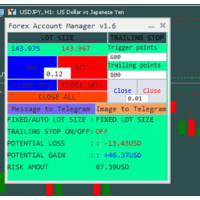
The "Lot Size" button toggles between fixed and auto lot size modes. Fixed mode uses a predetermined lot size, while auto mode calculates lot size based on a customizable percentage of the account balance, displayed at the bottom. The "Trailing Stop" button enables the activation or deactivation of the trailing stop feature. Initially set to "No Trailing," clicking the button changes it to "Trailing ON" when the trailing stop is active, and "Trailing OFF" when it is inactive. Below the button,
Click Trading
Jawad Tauheed
5 (2)
One Click Trading – Auto TP SL Developer TraderLinkz Version 1.00 Category Utility What it does Adds missing TP and SL to your manual trades and pending orders Sets them once per ticket Lets you move TP and SL afterward Works on hedging and netting accounts Scans on every tick and reacts on trade events Why you want it You place faster entries You get consistent risk and exit targets You reduce fat finger errors You keep full manual control Quick start Attach the EA to any chart Keep TP and SL e
FREE
User Manual Buy Trading Utility, Get 2 indicators FREE ! After purchase contact me for your " TWO indicators GIFT (Any one you want) ", adding you in group. Trading Utility MT5 The manual trader's cockpit. Size every trade by risk, place it from the chart, and manage it without ever opening the order dialog. Eight tabs, seven trailing engines, and every stop and target draggable with one click. One panel between you and the order window. Risk-sized entries, draggable stops, seven trailing modes
Orphira Gold
Mohammad Reza Rezaei
Orphira Gold is an automated trading system developed specifically for gold trading in MetaTrader 5. It combines adaptive trade management, equity-based position sizing and several layers of portfolio protection in one straightforward Expert Advisor. The system continuously evaluates market conditions and opens trades only when its internal requirements are met. When a position moves against the expected direction, Orphira Gold may use carefully spaced recovery positions. Every additional order
SwiftEdge Scalper Professional Tick Scalping EA with Full Manual Control Scalping demands split-second decisions, precise risk management, and seamless order execution. Managing breakeven calculations, trailing stops, and multiple positions while watching price action is overwhelming without the right tools. SwiftEdge Scalper is your professional trading assistant designed for active scalpers and day traders. Execute trades with one click or keyboard shortcut, while the EA handles breakeven, tra
Lot calculator tool MT5
Ernestas Kvedaras
3.67 (3)
More stable MetaTrader 4 version is available here:  Lot Calculator Tool . This tool helps you to automatically calculate and manage risk, conveniently place orders visually, schedule orders, trail stops, move them to break-even and more. Features Place market or pending orders using draggable lines Schedule orders Calculate and limit risk using various methods See current spread See time till next candle Set custom order comments Trail stops Move stops to break-even See order profit/loss in p
Equity Master Stop v2 MT5
Frank William Jr Colbert
Trading tool combining a sophisticated equity stop-loss, dynamic take-profit management (Breakeven & Trailing), and symbol-group-based closing logic. It is a complete risk management and trade supervision tool. Features: All features of `Equity Master Stop v1` (floating profit/loss limits, exit protection, skip hours). Take-Profit Override: Can force a TP on any order to lock in a `MAX_FLOATING_PROFIT`. Step Breakeven: Locks in increasing amounts of profit as a trade moves favorably (e.g., aft
Set TP & SL by Price – Auto Order Modifier for MT5 Automatically set precise TP and SL price levels on any trade ️ Works with all pairs and EAs, filter by symbol or magic number This Expert Advisor lets you define and apply exact Take Profit (TP) and Stop Loss (SL) levels to your trades using direct price values (e.g., 1.12345 on EURUSD). No points, no pips. Just clean, accurate trade management across all orders or filtered by chart or magic number. Key Features: Instantly modify T
BTC Master Pro
Farzad Saadatinia
4.58 (12)
BTC Master Pro – Your trusted partner in disciplined Bitcoin trading. The new version is now enhanced with OpenAI artificial intelligence , delivering smarter execution and improved trade filtering in volatile crypto conditions. This professional Expert Advisor is built specifically for Bitcoin (BTCUSD) trading on MetaTrader 5 , focusing on structured execution, controlled exposure, and intelligent risk management. Price: $499  →  Next: $699  →  Final: $999 LIVE SIGNAL HERE OpenAI-Powered Exec
Blues Protector
Andtle Austin Dube
Boost your forex profits with Blues Protector, an advanced MQL5 Expert Advisor designed for MetaTrader 5. This automated trading bot dynamically manages your stop-loss levels to secure gains and reduce risks. Blues Protector EA - User Manual   (For MT5 - Ready-to-Use EX5 File)   1. What This EA Does    The Blues Protector EA automatically secures your profits by smartly adjusting stop-loss levels when your trade reaches a predefined profit level. It works silently in the background, protecting
Gold Titan MT5
Viktoriia Liubchak
The Gold Titan is an automated trading advisor for the MetaTrader platform, developed specifically for the XAU/USD (gold) instrument. It analyzes market data and executes trades based on predefined parameters, supporting traders in their decision-making process. Key Features: • Optimized for XAU/USD Designed with the volatility of gold in mind, making it suitable for trading the gold/US dollar pair. • Combined Market Analysis Uses a mix of technical indicators, price action patterns, and volume
Neo Breakout MT5
Mathewstwapalisha Mulwafu
Breakout EA based  on   advanced strategy , generates market entry signals when the price crosses a border of a certain price ranges. Data has been collected for over 15 years to produce model strategy.  The strategy,  filters out  false signals and  performs technical analysis and considers only the breakouts that show the best result.   It uses a system of filtering false signals. The EA uses advanced adaptive trailing stop. specifically optimized for EURUSD,GBPUSD,USDJPY,EURJPY,GBPJPY The E
Smart Grid Navigator
Anastasia Danilova
Adaptive Grid Trading System Smart Grid Navigator is a professional trading expert advisor that uses a multi-level grid strategy with an intelligent entry filtering system. The program automatically manages positions based on technical indicator analysis and market conditions. The advisor comes with optimized settings and is ready to use immediately after installation. You can launch it on a chart and start testing. All parameters have safe default values and can be adapted to your trading style
Zirk Trading Management Zirk Trading Management is a powerful trade management utility for MetaTrader that helps traders execute trades with consistent risk management. It is designed to simplify position sizing by automatically calculating the correct lot size based on your chosen risk percentage and stop-loss distance. Instead of manually calculating lot sizes, simply set your desired account risk (e.g., 1%), place your stop loss, and the utility instantly determines the appropriate trade volu
MT5 Time-Based Auto Close System EA ​ is an intelligent time-algorithm-based automated order management trading tool. Utilizing a high-tech decision-making engine, it automatically executes precise closing operations when preset holding periods expire, designed to help traders maintain strict trading discipline and avoid emotional interference   . Core Closing Modes The five core closing modes you mentioned form the cornerstone of this EA's strategic logic, allowing flexible configuration base
Strategy Attribution Matrix is a performance and relationship view grouped by Magic Number or comment prefix. Key functions: - Strategy-level trading results - Contribution analysis - Drawdown by strategy group - Correlation estimates between selected groups - Detailed selected-group trade view - Magic Number and comment-prefix grouping - Clear account-history scope and status The utility analyzes available account history. Correlation estimates and attribution results depend on data completen
Imagine flying a real aircraft without ever stepping into a flight simulator. That's what trading is like. You have to simulate your strategy before you can take it to a live market. It is good if you can simulate things speedily before even stepping into any live market, or before coming up with an automated system.  People don't have all day to stare at a higher timeframe chart until the entry signal finally arrives. That's why I built this so that you can simulate your strategy with speed. Th
FREE
Trade Assistance AlgoMatrix v2.0 – Advanced Trade Management Utility for MetaTrader 5 Trade Assistance AlgoMatrix v2.0 is a professional trade management utility for MT5 designed for traders who want better control over positions, exits, and risk directly from the chart. Many traders spend most of their time searching for entries, but long-term consistency often depends on how trades are managed after entry. This utility was created to make that process easier by providing a structured and pract
LotCalculatorPro
Reynaldo Jr Audencial Pascual
LotCalculatorPro + Smart Trading Panel LotCalculatorPro is a powerful all-in-one trading assistant designed to simplify risk management, lot size calculation, and trade execution directly from your chart. This tool helps traders control risk, calculate precise lot sizes, and manage trades automatically with smart features like break-even, partial close, and daily profit/loss protection. It is ideal for Forex traders, prop firm traders, and risk-focused traders who want a clean and efficient trad
Hector EA
Anton Shevtsov
5 (2)
Hector Gold EA — a gold (XAUUSD) trading robot for the MetaTrader 5 platform. Grid logic with a decreasing add-on volume, closing the series at the average price. LIVE SIGNAL Settings & Input Guide The signal is the same Expert Advisor that runs the logic you see in the public statistics. For a result close to the signal, run Hector Gold EA on the recommended settings and on an ECN/RAW account with zero or low spread (FxPro, Ultima Markets, Fusion Markets, IC Markets). On other brokers behav
Crash5 EA ,I s a automatic robot that has the level of professional decision when to take a trade without any emotion. The bot will help in your scalping decision making with its own TP (take profit) and SL (stop loss) with the trail stop when in profit. This is a trend based spike catching ,looking on whats happening in real time charts no repainting of any signals. The robot helps in making decisions on the candle stick pattern opened and closed lat price with the help of RSI ,MACD and the EMA
Gold grid Manager
Eslam Mohamed Hassanein Hassan Aly
Grid Profit Manager PRO is a powerful MT5 Expert Advisor designed to intelligently manage your grid trading positions with precision and control. This tool automatically calculates and applies Take Profit and Stop Loss levels in USD, allowing traders to control their risk and lock in profits efficiently. With independent management for Buy and Sell positions, you gain full flexibility to handle complex grid strategies without manual intervention. Key Features: Separate Buy & Sell position ma
Risk Manager ZST
Amado Arnulfo Fernandez Melo
ZST Risk Manager Pro Professional risk management and account protection panel for MetaTrader 5. ZST Risk Manager Pro is a visual risk management tool for MT5 designed to help traders protect their accounts, control daily losses, equity/balance limits, drawdown, lot exposure, number of open trades, trading hours, spread, and prop firm rules. It is also ideal for traders who use Expert Advisors or automated trading systems that do not include an advanced risk protection layer. In those cases, ZS
Sapphire Strat Maker Alt
Emanuel Cavalcante Amorim Filho
Sapphire Strat Maker Alt   is an EA builder ( Expert Advisor Builder) . With it you can easily create new strategies and optimize them to find the bests parameters to improve your results at maximum. The objective is to bring the capabilities of MQL5 to everyone, even if you don't know how to code. Check out   the Pro Version   clicking here - Sapphire Strat Maker . With this Expert Advisor you can create strategies by combining the indicators provided by the EA. A few of the functionalities ar
FREE
Matrix Arrow EA MT5
Juvenille Emperor Limited
5 (7)
Matrix Arrow EA MT5  is a unique expert advisor that can trade the  Matrix Arrow Indicator's MT5   signals with a trade panel on the chart, manually or 100% automatically.  Matrix Arrow Indicator MT5  will determine the current trend at its early stages, gathering information and data from up to 10 standard indicators, which are: Average Directional Movement Index (ADX), Commodity Channel Index (CCI), Classic Heiken Ashi candles, Moving Average, Moving Average Convergence Divergence (MACD), Rela
Buyers of this product also purchase
Trade Assistant MT5
Evgeniy Kravchenko
4.41 (216)
It helps to calculate the risk per trade, the easy installation of a new order, order management with partial closing functions, trailing stop of 7 types and other useful functions. Additional materials and instructions Installation instructions - Application instructions - Trial version of the application for a demo account Line function -   shows on the chart the Opening line, Stop Loss, Take Profit. With this function it is easy to set a new order and see its additional characteristics bef
TradePanel MT5
Alfiya Fazylova
4.88 (167)
Trade Panel is a multi-functional trading assistant. The app contains over 50 trading functions for manual trading and allows you to automate most trading tasks. Before making a purchase, you can test the demo version on a demo account. Download the trial version of the application for a demonstration account: https://www.mql5.com/en/blogs/post/750865 . Full instructions here . Trade. Allows you to perform trading operations in one click: Open pending orders and positions with automatic risk cal
================================================================================ POC BREAKOUT - V20.72. Full Professional Grade Toolkit ================================================================================ POC Breakout is a full MetaTrader 5 trading dashboard for discretionary traders who want breakout signals, Point of Control (POC) context, volume profiles, order flow, market structure, news, alerts, and advanced trade planning in one professional workspace. Attached directly to you
The product will copy all telegram signal to MT5 ( which you are member) , also it can work as remote copier.  Easy to set up, copy order instant, can work with almost signal formats, image signal,  s upport to translate other language to English Work with all type of channel or group, even channel have "Restrict Saving Content", work with  multi channel, multi MT5 Work as remote copier: with signal have ticket number, it will copy exactly via ticket number. Support to backtest signal. How to s
Footprint Chart Pro — Professional OrderFlow EA for MetaTrader 5 Version 6.34 | Professional tool for real traders | Institutional-Grade Visualization DEMO USERS - PLEASE SELECT EVERY TICK / REAL TICK WHEN TESTING AND YOU HAVE DOWNLOADED HISTORICAL DATA. IF YOU SEE A WAITING SCREEN AND IT IS NOT DOWNLOADING, IT MEANS YOU HAVE LOW HISTORICAL DATA. TRY 1 MIN AND 5 MIN FIRST ON 1 DAY DATA. ONE DAY DATA SHOULD BE THE NEWEST AND MOST CURRENT DATE. PLEASE WAIT UNTIL THE MARKET HAS ROLLED OVER PERIOD.
Global Investing FX Terminal
Santiago Nicolas Pla Casuriaga
The Global Investing FX Terminal is an all-in-one FX dashboard for MetaTrader 5 — CB policy rates, CFTC COT positioning, carry rankings, economic surprises, options skew, retail sentiment, and correlations, thirteen panels in total — rendered on a single zero-flicker canvas overlay and refreshing every 10 seconds from one attached EA. No external software required. Professional FX analysis requires simultaneous access to data that normally lives in separate platforms: rate derivatives, governmen
Premium Trade Manager - The Trade Panel With a Coach Built In Premium Trade Manager puts a trading coach inside your chart, with a full execution engine underneath it. Set the trade up the way you always do, then let Max, your AI trading coach, read that exact setup against your live account and give you a straight verdict before you commit: is the stop disciplined, is the risk sane, is a high-impact release minutes away, are you near a prop-firm limit. Below sits the engine that runs everything
FarmedHedge Pair Trading Dashboard
Tanapisit Tepawarapruek
5 (3)
Farmed Hedge Yield Farming | All Markets (Manual - Hybrid - Semi/Automated EA) VERIFIED TRADING RESULTS - Farmed Hedge Yield Axi Copy:  https://www.mql5.com/en/signals/2356376 - Farmed Hedge Yield Exn Copy:   https://www.mql5.com/en/signals/2356404 - Farmed Hedge Yield V Copy:  https://www.mql5.com/en/signals/2357156 * Before purchasing, please feel free to send me a message if you have any questions about the product or setup. ** After purchase,  Contact me via private message to receive t
Trading Chaos Expert
Gennadiy Stanilevych
5 (11)
This software has no equals in the world and represents a universal trade "console" covering trading signals, automated market entry, setting of Stop Loss and Take Profit, as well as Trailing Profit for multiple trades at the same time in a single open window. Intuitive control of the Expert Advisor in "three clicks" ensures a comprehensive use of all its functions on different computers, including tablets PCs. Interacting with additional signal indicators that mark the chart to give a real mark
Power Candles Strategy Scanner - Self-Optimizing Multi-Symbol Setup Finder Power Candles Strategy Scanner runs the same self-optimizing engine that powers the Power Candles indicator - on every symbol in your Market Watch, side by side. One panel tells you which symbols are statistically tradable right now, which strategy wins on each, the optimal Stop Loss / Take Profit pair, and pings you the moment a fresh signal fires. This tool is part of the Stein Investments ecosystem - 18+ tools plus Max
YuClusters
Yury Kulikov
4.93 (43)
Attention: You can view the program operation in the free version  YuClusters DEMO .  YuClusters is a professional market analysis system. The trader has unique opportunities to analyze the flow of orders, trade volumes, price movements using various charts, profiles, indicators, and graphical objects. YuClusters operates on data based on Time&Sales or ticks information, depending on what is available in the quotes of a financial instrument. YuClusters allows you to build graphs by combining da
Welcome to ENTRY IN THE ZONE WITH SMC MULTI TIMEFRAME Entry In The Zone and SMC Multi Timeframe is a real-time market analysis tool based on Smart Money Concepts (SMC), designed to analyze market structure, price direction, and key trading zones. It supports both Single-Timeframe Analysis and Multi-Timeframe Analysis, providing a clearer view of the overall market structure across multiple timeframes, with real-time BUY / SELL signals that do not repaint. It is designed to help filter trading op
Quant AI Agents
Ho Tuan Thang
5 (1)
Quant AI Agents are independent trading Expert Advisors. Instead of trading using a fixed strategy like other conventional EAs, Quant AI Agents   is a   multi-agent AI trading framework   that turns natural-language strategy prompts into live.  WANT THE SAME RESULTS AS MY LIVE SIGNAL?   Use the exact same brokers I do:   IC MARKETS , IC TRADING   .  Unlike the centralized stock market, Forex has no single, unified price feed.  Every broker sources liquidity from different providers, creating un
VirtualTradePad PRO SE MT5 — professional trading control center for MetaTrader 5 VirtualTradePad PRO SE is a premium chart-based trading panel and trade-management workspace for MetaTrader 5 . It is designed for traders who want faster execution, clearer position control, structured trade management, visual level planning and a professional workflow directly from the chart. This is not only a BUY / SELL panel. PRO SE combines manual trading, pending orders, position management, partial exits, b
AI Agents Supervisor
Ho Tuan Thang
5 (1)
AI Agent Supervisor is NOT an Expert Advisor. AI Agent Supervisor   is a   multi-agent AI risk & portfolio supervisor   that watches every EA on your account and intervenes in real time.  WANT AN AI PORTFOLIO MANAGER WATCHING YOUR FLEET 24/7?   Run your fleet on the same brokers I do:   IC MARKETS , IC TRADING   .  Unlike the centralized stock market, Forex has no single, unified price feed.  Every broker sources liquidity from different providers, creating unique data streams. The Supervisor r
Trade Copier Pro MT5
Vu Trung Kien
3.67 (3)
Trade Copier Pro MT5 is a tool to copy trade remotely to multiple MT4, MT5 and cTradfer accounts at different computers/locations over internet. This is an ideal solution for you if you are a signal provider and want to copy your trades to other receivers globally on your own rules. One provider can copy trades to multiple receivers and one receiver can get trade from multiple providers as well. The provider can even set the subscription expiry for each receiver, so that receiver will not be abl
Custom Timeframe Manager Pro: Unlimited Timeframes in MetaTrader 5 Standard terminal settings often hide important price movement details. By limiting analysis to classic periods only, a trader risks missing trend inception points and true volatility levels. Custom Timeframe Manager Pro is a professional utility that expands the boundaries of MetaTrader 5. Create any custom periods, including fractional and exotic ones, and work with them exactly like standard terminal charts. Available period
Custom Alerts AIO: All-in-One Market Scanner – No Setup Required Overview Custom Alerts AIO is the fastest and easiest way to monitor multiple markets for real-time trading signals—without any setup or extra licenses. It comes with all required Stein Investments indicators already embedded, making it the perfect plug-and-play solution for traders who value simplicity and performance. Just load it to any chart and start receiving alerts across Forex, Metals, Crypto, and Indices. Shares can be a
Adam FTMO MT5
Vyacheslav Izvarin
5 (2)
ADAM EA Special Version for FTMO Please use ShowInfo= false for backtesting ! Our 1st EA created using ChatGPT technology Trade only GOOD and checked PROP FIRMS  Default parameters for Challenge $100,000 Tested on EURUSD and GBPUSD only  Use 15MIN Time Frame Close all deals and Auto-trading  before Weekend at 12:00 GMT+3  Friday For Prop Firms MUST use special Protector  https://www.mql5.com/en/market/product/94362 --------------------------------------------------------------------------------
EasyInsight AIO MT5
Alain Verleyen
4.92 (12)
EASY Insight AIO – All-In-One Power for AI-Driven Trading Want to skip the setup and start scanning the entire market – Forex, Gold, Crypto, Indices, and even Stocks – in seconds? EASY Insight AIO is the complete plug-and-play solution for AI-powered trade analysis. It includes all core Stein Investments indicators built-in and automatically exports clean, structured CSV files – perfect for backtesting, AI prompts, and live market decision-making. No need to install or configure indicators manu
Mt5 To InterativeBrokers Copier allows you to copy deals from MT5 account to Interactive Brokers. With this, you can run your EA strategy on a MT5 Demo/Real Account, then copy all the deals to Interactive Brokers account real time. Features: 1. Copy or Invert-Copy deals Realtime from MT5 to IB Account. 2. Synchronizing positions of both accounts periodicaly, in case any missing copying. 3. You can choose only Buy position or Sell position. Symbols Setup: General Format:  {MT Symbol} -> {IB S
FUTURES ORDERFLOW FOOTPRINT CHART Professional OrderFlow EA for MetaTrader 5 Version 1.01| Professional tool for real traders | Institutional-Grade Visualization STRATEGY TESTER USERS - PLEASE SELECT EVERY REAL TICK WHEN TESTING AND YOU HAVE DOWNLOADED HISTORICAL DATA. IF YOU SEE A WAITING SCREEN AND IT IS NOT DOWNLOADING, IT MEANS YOU HAVE LOW HISTORICAL DATA. TRY 1 MIN AND 5 MIN FIRST ON 1 DAY DATA. ONE DAY DATA SHOULD BE THE NEWEST AND MOST CURRENT DATE. PLEASE WAIT UNTIL THE MARKET HAS ROL
Crystal Trade Manager – Advanced MT5 Risk and Trade Control Utility Overview Crystal Trade Manager (CTM) is a professional MetaTrader 5 utility designed for risk management, trade automation, and instant execution control. It provides traders with an integrated system for protecting equity, managing daily drawdowns, controlling lot sizes, and applying automation features such as automatic SL/TP, break-even, and trailing stop. The tool is suitable for manual traders, prop-firm challenge particip
Features   With MT5 to Interactive Brokers(IB) Trader, you can: 1. Load chart data from IB to MT5, and Analyze with all standard or customer Indicators. 2. Place Orders to IB Account Directly in MT5. 3. Make your Own EAs upon IB Securities by only making minus changes of the trading function. Usage 1) Installation Copy the "Mt5ToIBTraderEn.ex4" and sample files to [MT5 Data Folder]->MQL5->Experts.  2)  MT5 Settings Add the IP Address to the MT5 Allowed URLs in 'Tools->Options->Expert Adviso
Indicator Automation XT - Elite Universal Signal Engine Transform any indicator into a high-performance automated trading system instantly. Stop chasing signals and start executing with precision. Indicator Automation XT is the ultimate evolution of signal-to-trade technology for MetaTrader 5. Designed for traders who demand speed, reliability, and institutional-grade risk management, the XT version bridges the gap between your favorite technical indicators and the live market. Whether it is a
Active Lines
Yury Kulikov
5 (2)
Attention: Demo version for review and testing can be downloaded here . It does not allow trading and can only be run on one chart. Active Lines - a powerful professional tool for operations with lines on charts. Active Lines provides a wide range of actions for events when the price crosses lines. For example: notify, open/modify/close a position, place/remove pending orders. With Active Lines you can assign several tasks to one line, for each of which you can set individual trigger conditions
HINN Lazy Trader
ALGOFLOW OÜ
5 (1)
The core idea: using the user interface, you configure the parameters the chart must meet before entering a position (or positions), choose which entry models to use, and set the rules for when trading and planning should end. Lazy Trader  handles the rest: it  takes over all the routine chart watching and execution! full description  :: 3 key videos [1] ->  [2]   ->  [3] What can it do? - Understands Larry Williams market structure - Understands swing market structure by Michael Huddleston
The Expert Advisor will help you forward all alert from  MetaTrader 5 to Telegram channel/ group.  All alert must save to folder <Data folder>MQL5\Files\Alerts\ , text file with format *.txt and screenshot with format *.gif or *.png. Parameters: - Telegram Bot Token: - create bot on Telegram and get token. - Telegram Chat ID:  - input your Telegram user ID,  group / channel ID - Forward Alert: - default true, to forward alert. - Send message as caption of Screenshot: - default false, set true t
Telegram To MT5 Receiver
Levi Dane Benjamin
4.53 (15)
Copy trade signals from Telegram channels you already belong to (including private and restricted channels) directly into MetaTrader 5. Set your risk rules once, monitor execution, and manage positions with built-in protections designed to reduce mistakes and overtrading. Fast setup : configure your channels, select what to copy, and start within minutes using a clean on-chart interface. User Guide + Demo | MT4 Version Who this is for Traders who follow one or more signal providers and want cons
Telegram to mt5 pro
Janet Abu Khalil
4 (4)
Telegram to MT5 Pro — Advanced Telegram Signal Copier with Auto-Fix, Multi-TP, Risk Control and Full Trade Management Telegram to MT5 Pro — Professional Telegram Signal Copier Telegram to MT5 Pro is a high-performance trade copier that automatically executes signals from Telegram directly into your MetaTrader 5 account, with full control over risk, execution, and trade management. The system consists of two components: • The Expert Advisor (EA) running inside MetaTrader 5 • A companion desktop
More from author
Trading Reporter Dashboard MT5
Juergen Marcus Wolfgang Rosswinkel
5 (1)
Trading Reporter — Visual Performance Dashboard for MT5 A complete account performance dashboard rendered directly on your MT5 chart. No browser, no external tool, no subscription. Attach it once and resize it to fit your screen. Balance and Live Drawdown update every second, and closed-trade statistics refresh within about a second of a position closing, so there is no waiting for the next bar whatever timeframe the chart runs on. Free. No limitations. No trial period. Full source transparen
FREE
Enhanced Telegram Position Tracker MT5
Juergen Marcus Wolfgang Rosswinkel
Enhanced Telegram Position Tracker — Real-Time Trade Monitoring and Reporting for MT5 The most complete Telegram reporting solution for MetaTrader 5. Every trade, every update, every alert is delivered to your Telegram channel, group and forum topics. No missed closures, no duplicates, no spam. OVERVIEW Most Telegram tools send one message when a trade opens and another when it closes. That is all they do. This EA tracks the complete lifecycle of every position — open, SL/TP modification, p
Telegram Trading Reporter MT5
Juergen Marcus Wolfgang Rosswinkel
Telegram Trading Reporter — Automated Performance Reports & Chart Delivery for MetaTrader 5 A pure analysis and reporting Expert Advisor that turns your MetaTrader 5 account history into structured performance reports and delivers them to Telegram automatically, together with visual charts rendered by the terminal itself. OVERVIEW The Telegram Trading Reporter is a pure analysis and reporting Expert Advisor for MetaTrader 5. It does not open, close or modify any positions. It analyses your a
MT5 to Telegram Informer
Juergen Marcus Wolfgang Rosswinkel
MT5 to Telegram Signal Provider — Real-Time Trade Notifications for MetaTrader 5 Every trade event on your account, delivered to your Telegram chats and channels as a formatted message the moment it happens. OVERVIEW MT5 to Telegram Signal Provider is a utility Expert Advisor for MetaTrader 5 that automatically sends trade notifications to one or more Telegram chats or channels. Every trade event on the account is captured and delivered as a formatted message in real time. The EA runs on an
Position Closure Management MT5
Juergen Marcus Wolfgang Rosswinkel
NOHEDGE — Automated Hedge Manager and Risk Controller for MetaTrader 5 A close-only utility that never opens a trade. It resolves the buy/sell pairs you already carry, at zero spread, across your entire account. OVERVIEW Running grid, martingale or manual hedging strategies means you constantly carry open buy/sell pairs that need to be resolved at exactly the right moment — before the spread widens at rollover, before a news spike blows your account, or exactly at your daily profit target. D
Filter:
No reviews
Reply to review