How to Use Trend Line to Detect the Best Entry and Exit Points Using Strategy Assistant

Introduction – What Problem This Article Solves (Point A)
Many traders struggle with one key question:
Where is the best point to enter and exit a trade?
Even with multiple indicators, traders often face confusion, late entries, or early exits. This leads to missed opportunities or unnecessary losses.
The reality is that one of the most powerful tools in technical analysis is also one of the simplest: the Trend Line.
However, most traders either:
- Use trend lines incorrectly
- Ignore higher timeframe analysis
- Or fail to combine trend lines with proper entry confirmation
In this article, we will solve this problem by showing how to use trend lines in a structured and professional way, combined with the power of Strategy Assistant, to find high-quality entries and exits with confidence.
What is a Trend Line?
A trend line is a simple line that represents the direction of market movement.
- In an uptrend → drawn using higher lows
- In a downtrend → drawn using lower highs
A valid trend line must have at least two touch points, but becomes stronger with three or more confirmations.
Trend lines help traders:
- Identify the direction of the market
- Detect dynamic support and resistance
- Find entry and exit opportunities
Multi-Timeframe Trend Line Analysis
To trade effectively, we should not rely on a single timeframe.
We define:
- Master Timeframes (HTF): D1 (Daily), H4
- Entry Timeframe: H1
Step 1 – Analyze Higher Timeframes (D1 & H4)
First, identify fresh and active trend lines on both D1 and H4.
Now we evaluate market conditions:
| D1 Trend | H4 Trend | Market Condition |
|---|---|---|
| Same Direction | Same Direction | Strong Trend |
| Opposite Direction | Retracement Phase | |
| Weak / Broken | Uncertain Market |
Key Insight:
- If D1 and H4 are aligned → expect strong movement
- If H4 is opposite → market is retracing toward D1 trend
This gives us a clear directional bias.
Step 2 – Move to Entry Timeframe (H1)
Once the higher timeframe direction is clear, move to H1 for entry.
The best entry occurs when:
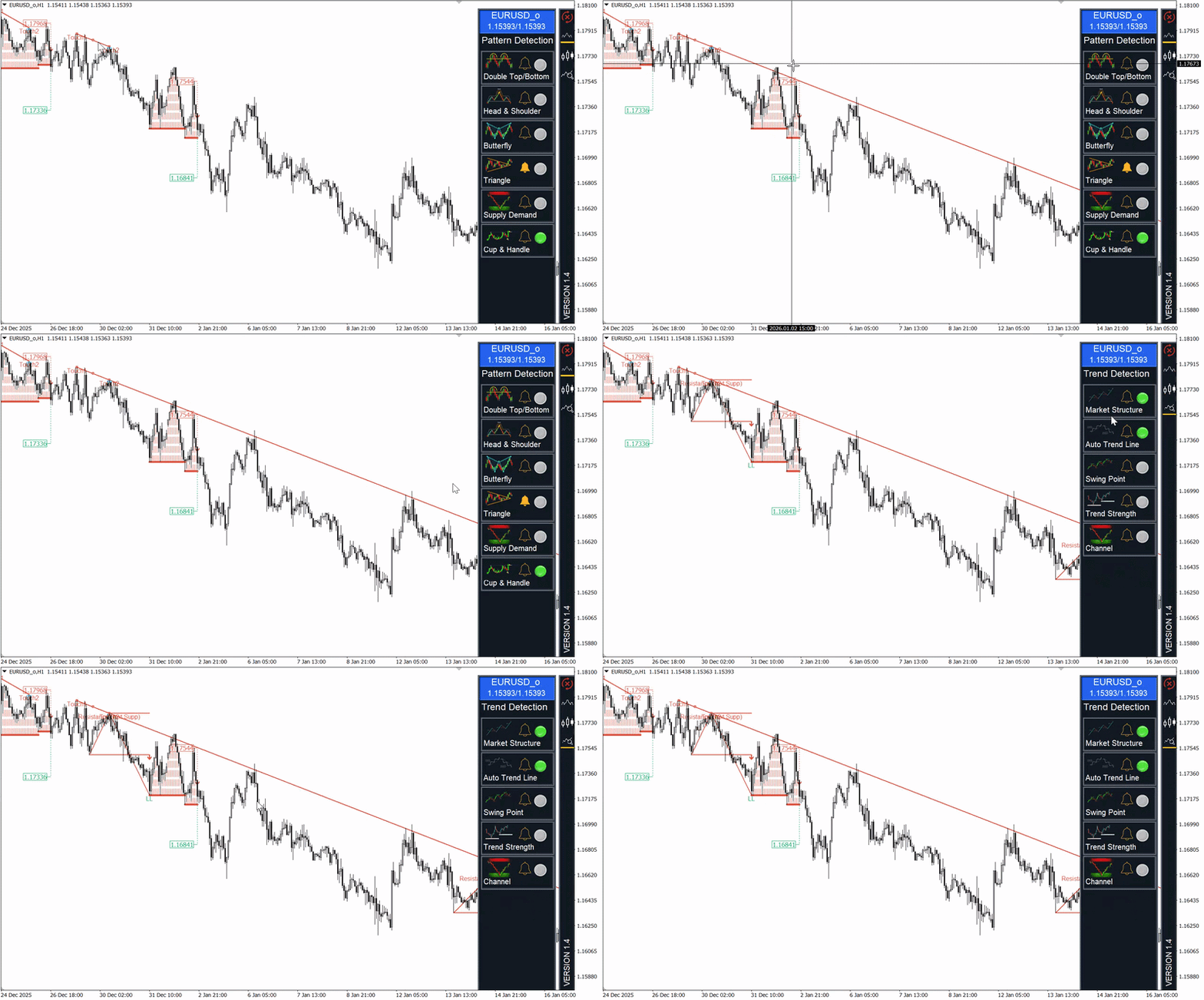
- Price returns to (retests) the H1 trend line
- Market reacts at the trend line
To increase confidence, combine with confirmation signals such as:
- Engulf patterns
- Market Structure Breakout (MSB)
- Other patterns available in Strategy Assistant
💡 With Strategy Assistant, you don’t need multiple indicators — everything is available in one dashboard.
Stop Loss and Take Profit Strategy
Stop Loss Placement
A proper stop loss should be:
- Behind the last swing high/low
- Often positioned beyond the trend line
For better safety:
- Add 1–2 ATR buffer to avoid stop hunts caused by shadows
Take Profit Strategy
Take Profit can be set based on:
- Fixed Risk/Reward (RR) → 1:1, 1:2, or higher
- Key structure levels
A good approach:
- Start with minimum 1:1 RR
- Extend targets if the trend is strong
How to Manage and Keep Profitable Trades
One of the biggest mistakes traders make is closing trades too early.
In strong trends:
- D1, H4, and H1 trend lines are aligned
- Market shows sharp directional movement
In These Conditions:
✔ Keep your trade open
✔ Move Stop Loss to Break Even
✔ Let profits run
Exit Strategy
Exit when:
❌ Price breaks the trend line in the opposite direction
❌ A candle closes beyond the trend line
This is a strong signal that:
👉 The trend may be ending
Conclusion – What the Trader Gains (Point B)
After reading this article, you now have a clear and structured approach to using trend lines professionally:
✔ How to identify strong trend lines
✔ How to use multi-timeframe analysis (D1, H4, H1)
✔ How to find high-probability entry points
✔ How to place Stop Loss and Take Profit correctly
✔ How to manage trades and maximize profits
Most importantly, you learned how to combine all of this using Strategy Assistant, which provides all necessary tools in one place.
Final Thought
Trend lines are simple — but when used correctly, they become one of the most powerful tools in trading.
Master them, and you will significantly improve your entry timing, risk management, and overall trading performance.
How To Test Strategy Assistant :
This Indicator is available for MT4 and MT5 platform, You can download and test them via link below :