Drawdown Sentinel MT5

Professional Drawdown Monitoring & Risk Alert System

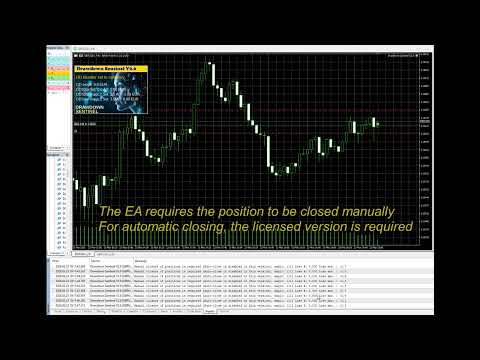
Drawdown Sentinel is a specialized utility designed for traders who need real-time monitoring of their account exposure and drawdown levels. This version focuses on providing instant awareness, allowing you to stay informed about your risk status without the need for automated intervention.

It is essential for all traders who use commercial 'risky' EAs that may not have been thoroughly tested or which use dangerous martingale or grid strategies that could suddenly increase your drawdown, resulting in your account being blown out if you are not constantly present.

Or more simply, if you want an additional security when the risky EA is trading with real money and you are not sure that it uses truly reliable capital protection strategies.

While the professional version of this tool, "Drawdown Monitor for Peaceful Sleep” which you can find among my products, includes automated emergency liquidations, this Sentinel Edition is the perfect companion for manual traders who want to maintain 100% control over their trade closures while benefiting from a sophisticated alert engine.

Core Functionalities

  • Real-Time Equity Tracking: Constantly monitors your floating drawdown and equity fluctuations.

Dual-Layer Monitoring:

  • Global Account Watch: Tracks the total drawdown of your entire portfolio.

  • Specific Magic Number Tracking: Monitor up to two additional independent Magic Numbers separately. This allows you to isolate and track the performance/risk of specific EAs or strategies in real-time, independent of the general account status.

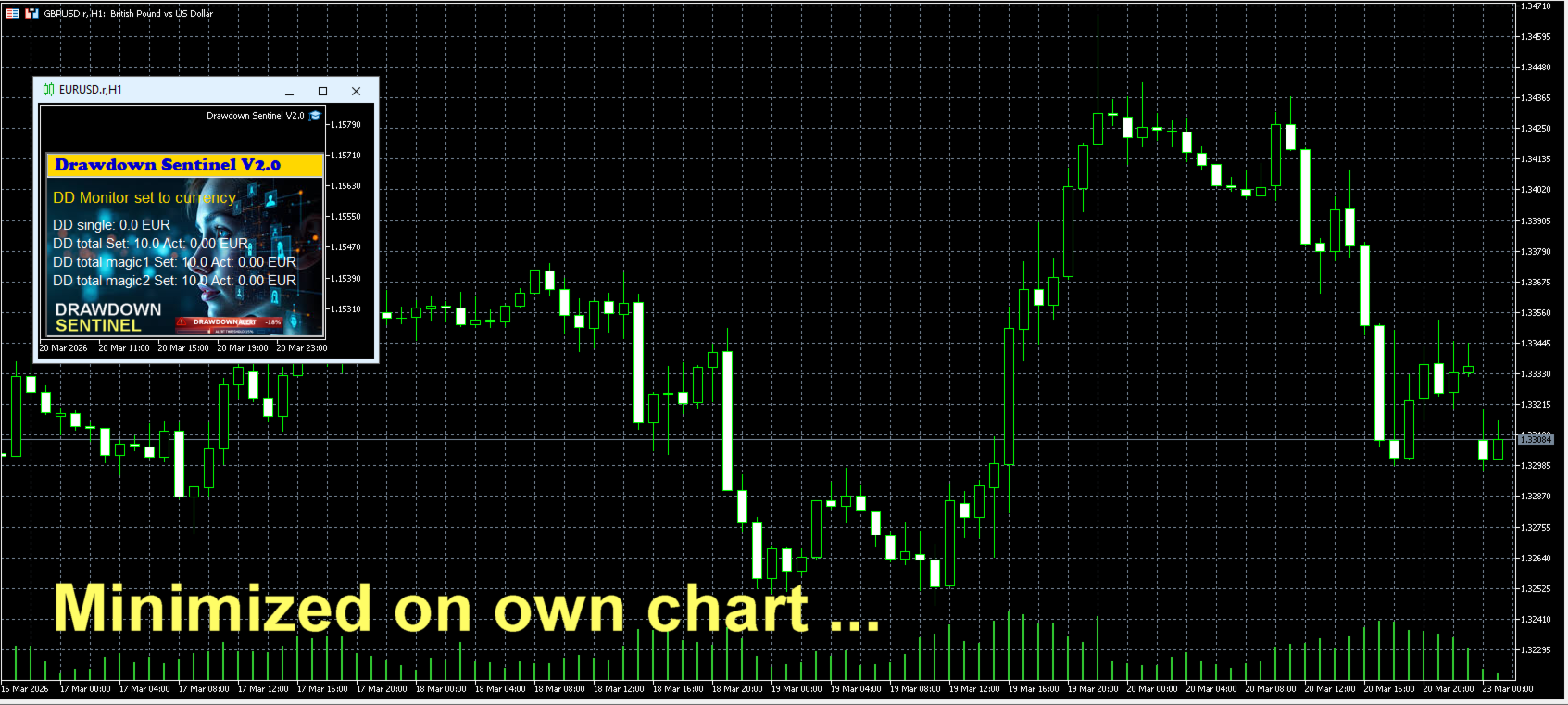
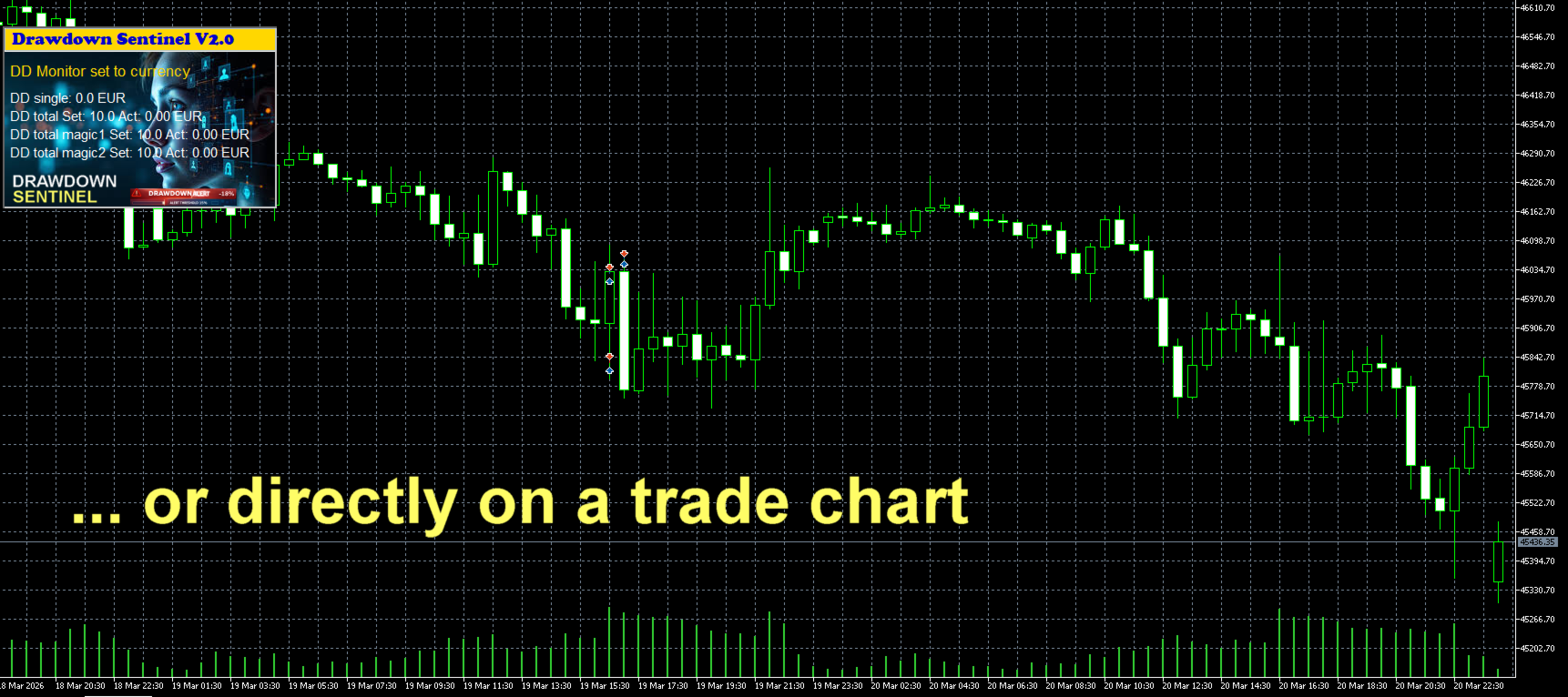
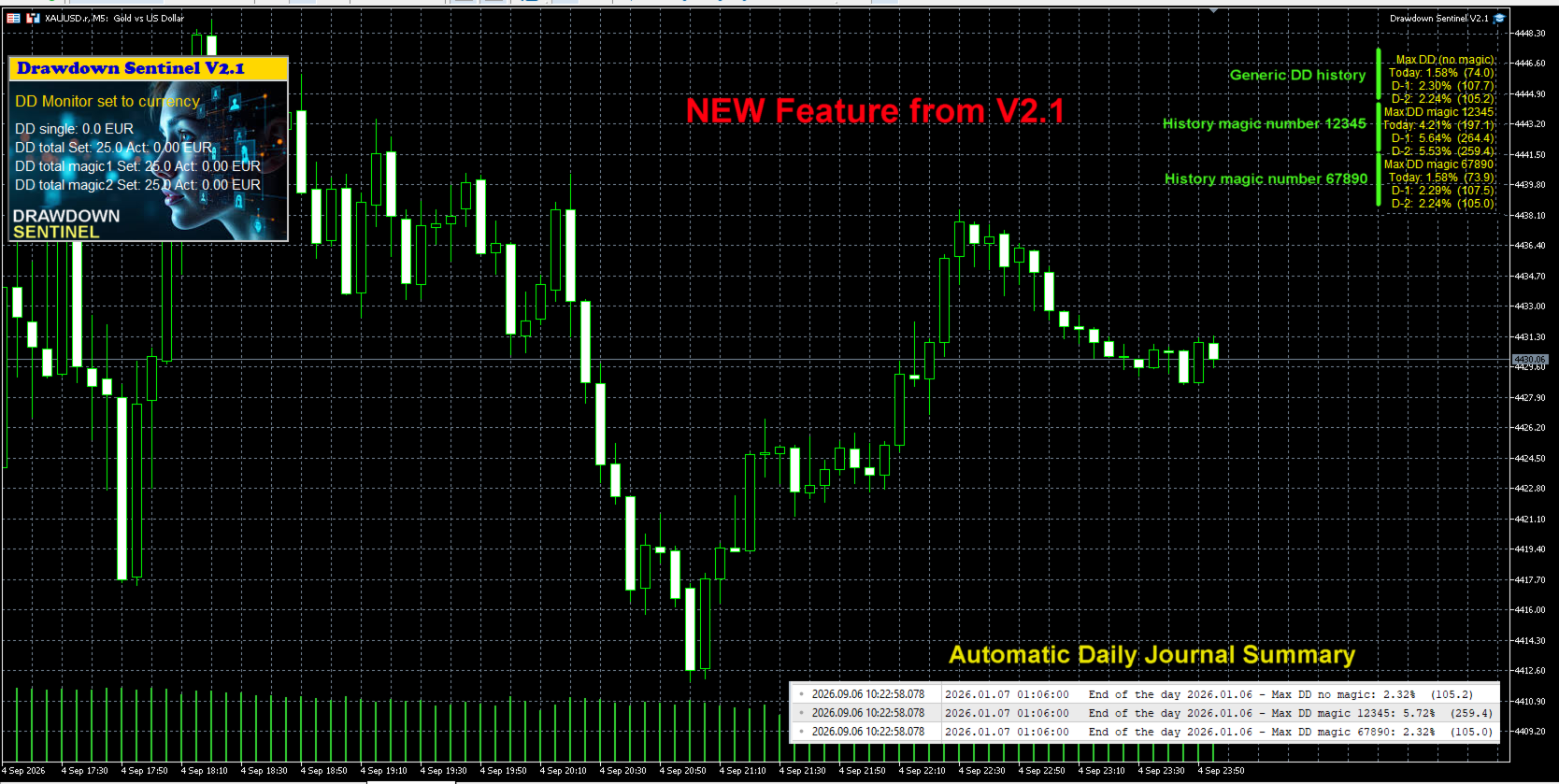
  • Visual Dashboard: A clean, intuitive on-chart interface that shows current drawdown percentage, remaining margin, and specific risk levels for your selected Magic Numbers.

  • Multi-Stage Alerts: Set specific thresholds to receive warnings before drawdown reaches critical levels.

Instant Notification Suite

Never miss a critical move. The Assistant version includes a full suite of alerts:

  • On-Screen Pop-ups: Immediate visual warnings within your MetaTrader terminal.

  • Sound Alerts: Auditory signals to grab your attention instantly.

  • Push Notifications: Stay protected on the go! Receive alerts directly on your mobile device (MT5 App).

  • Email Integration: Detailed risk reports sent to your inbox.

Why Use This Version?

  1. Strategy Validation: Test how the drawdown monitoring logic fits your trading style before committing to full automation.

  2. Granular Control: Understand exactly which EA is consuming your margin by using the independent Magic Number monitors.

  3. Manual Intervention: Ideal for traders who prefer to evaluate market conditions personally before closing positions.

Looking for Automated Equity Protection?

If you require a system that not only monitors but also takes action—such as automatically closing all orders (globally or by specific Magic Number), disabling EAs, or protecting your account balance when specific targets are hit—please visit our Professional Edition available in our Market portfolio.

Setup & Support

  • Easy Installation: Drag and drop onto any chart.

  • Customizable Thresholds: Set your own drawdown limits and Magic Numbers in the input parameters.

  • Dedicated Support: Have questions? Feel free to reach out via the "Comments" tab or private message.

Link to the User Manual


Drawdown Sentinel is not intended for use in backtesting


List of parameters

Parameter Description
Drawdown monitor mode Drawdown monitoring mode: percentage or absolute value:
     true = drawdown percentage related to current equity
     false = absolute value in currency
Max. drawdown in percentage single positions Drawdown max. considered for single positions, as percentage of the account equity     
Max. drawdown in currency single positions Drawdown max. considered for single positions, as absolute value in current currency       
Max. total drawdown in % Total drawdown max. as percentage of the account equity - all positions except specified magic numbers
Max. total drawdown  in currency  Total drawdown max. as absolute value in current currency - all positions except specified magic numbers  
Max. total drawdown in % - magic 1 only  Total drawdown max. as percentage of the account equity -  only for the specified magic number 1
Max. total drawdown in currency - magic 1 only Total drawdown max. as absolute value in current currency -  only for the specified magic number 1
Max. total drawdown in % - magic 2 only   Total drawdown max. as percentage of the account equity -  only for the specified magic number 2 
Max. total drawdown in currency - magic 2 only  Total drawdown max. as absolute value in current currency -  only for the specified magic number 2
Skip monitoring from hour  Disable monitoring from a specific time (hour) to avoid price spikes due to increased spreads when the market closes trading 
Skip monitoring from minute Disable monitoring from a specific time (minute) to avoid price spikes due to increased spreads when the market closes trading  
Skip monitoring until hour  Disable monitoring until a specific time (hour) to avoid price spikes due to increased spreads when the market closes trading  
Skip monitoring until minute  Disable monitoring until a specific time (hour) to avoid price spikes due to increased spreads when the market closes trading  
Skip Saturday/Sunday  Disable monitoring on weekend
Pre-warning percentage  If 25 is entered, a pre-warning is issued when the DD reaches 75% (25% before the position is closed)
Specific magic number to monitor  If a magic number is entered, open positions with this magic number are considered separately in the total DD 
Mobile notification  Enable/disable pre-warning Mobile notification  
E-mail notification Enable/disable pre-warning e-mail notification 
Prefix mail subject Prefix that will be indicated in the subject line of the e-mail to identify that it is a pre-warning from Drawdown monitor
Alert notification Enable/disable pre-warning Alert notification (pop-up box)
Sound notification Enable/disable pre-warning sound notification (only if Alert notification is disabled)
Broker commission per lot in account currency  Broker commissions per lot to be considered in the drawdown calculation 
Control panel X position Position in X of the Control Panel
Control panel Y position  Position in Y of the Control Panel
Display actual values  True = visualization of actual values
False = visualization of set values
Background black  The background of the chart will be all black. 

Link to my Blog

推荐产品
Strike Zone EA MT5
Matteo Schizzerotto
Strike Zone 是一款基于 OHLC 烛台图表模式的 EA 交易,所有回测均基于 10 年的 EA 活动。 回测使用固定参数:1 对、10,000 美元资本和 0.1 手入市量。 经过几天的测试,该 EA 交易在以下货币对和时间范围内被证明是有利可图的: 澳元CAD H4 NAS100 新西兰元 H1 美元兑加元 H1 回测并不能保证未来的利润,任何使用此工具的行为均由使用者承担全部责任。在将以下 EA 放入真实账户之前,必须在模拟账户上进行测试。 ooooooooooooooooooooooooooooooooooooooooooooooooooooooooooooooooooooooooooooooooooooooooooooooooooooooooooooooooooooooooooooooooooooooooo
FREE
Custom Candle Mt5
Robby Suhendrawan
Custom Candle – Multi-Timeframe Visualization Analyzing multiple timeframes is essential for accurate trading decisions, but switching between charts can be inconvenient and inefficient. The Custom Candle indicator solves this problem by overlaying higher-timeframe (HTF) candles directly onto your lower-timeframe (LTF) chart. This allows you to see the bigger picture at a glance, align with the higher trend, and improve trade accuracy—without leaving your current chart. Key Features Multi-Timefr
FREE
钱德动量振荡器(CMO)指标,支持多时间框架,可自定义视觉信号及可配置警报系统。 自由职业编程服务、更新和其他TrueTL产品可在我的 MQL5主页 获取。 非常欢迎您的反馈和评价! 什么是 CMO? 钱德动量振荡器(CMO)是由图沙尔·钱德(Tushar Chande)开发的动量指标,计算价格上涨总和减去价格下跌总和,再除以总移动幅度。CMO 的范围在 -100 到 +100 之间。高于 +50 表示超买状态,低于 -50 表示超卖状态。 零线作为多头和空头市场阶段之间的分界线。与其他振荡器不同,CMO 不使用平滑处理,使其更加灵敏但也更加波动。特别适合识别强趋势阶段和价格衰竭点。 功能特点: 带箭头和垂直线的视觉信号标记 三个具有可配置触发器的独立信号缓冲区 信号检测选项:方向变化、穿越水平线、峰值/谷值 每个信号的可配置警报功能(邮件、推送、声音、弹窗) 支持插值方法的多时间框架(MTF)功能 柱状图或折线图绘制模式 多种颜色模式(简单、基于方向、基于水平) 通过自定义指标调用(iCustom)访问缓冲区,支持 Expert Advisor(EA)集成 输入参数: 基本设置
FREE
Finally, a dashboard that cuts through the noise and shows what actually matters. – Displays All Symbols In Your Market Watch List (Updates in real time) This advanced Multi-Timeframe ATR & Volume Dashboard gives traders a crystal-clear view of market volatility and liquidity across all symbols and timeframes in one glance .     Real-Time ATR & Volume Data – See exact volatility (ATR) and trading activity (Volume) for M1 to MN1     Smart Grouping – Automatically classifies instruments (Forex, In
FREE
How it works –   Base-departure detection — algorithmically finds consolidation bases (overlapping range with compressed volatility) followed by displacement departures. Patterns: Drop-Base-Rally, Rally-Base-Drop, Rally-Base-Rally, Drop-Base-Drop — detected structurally, not by candle names. –   Strength score (0–100) — from departure velocity, time-at-base, freshness (each revisit decays the score), higher-timeframe confluence and origin volume. –   Lifecycle — Fresh, Tested (decaying), Broken
FREE
Prometheus Analyst
Humphrey Mangera
PROMETHEUS TECHNICAN VERSION Free | By THE SONS A gift from The Sons — no strings, no trial, no expiry. Every trader deserves access to professional-grade market intelligence. That belief is why Prometheus Technical Version exists, and why it costs nothing. Consider it our handshake to the trading community. What You're Getting This is not a simplified tool dressed up as a gift. Prometheus Technican Version is a fully built, institutional-quality technical analysis indicator running a dual-model
FREE
Dynamic Pivot Zones
Vincent Jose Proenca
Dynamic Pivot Zones – Your Level Assistant on the Chart This indicator is a bit like a GPS for your trading . It shows you where the price likes to hang out, where it gets nervous, and where it flies through. No more calculating pivots by hand or guessing support and resistance levels. What it does: Automatically plots H1, H4, and D1 pivots . Shows support and resistance zones : R1, R2, S1, S2. Lines are colored and easy to read , so you can instantly see what’s hot or cold. Why you’ll love it:
FREE
Apt Indicator MT5
Mohamed Samsudeen
APT – Advance Pivot Trader Indicator for MetaTrader 5 APT – Advance Pivot Trader is a technical indicator developed for MetaTrader 5. The indicator is based entirely on mathematical and algorithmic calculations and is designed to analyze market structure using pivot-based logic. Professional Trading Tools for Every Trader: https://www.mql5.com/en/users/royalcrescent777/seller Join our Community & Signal channels: https://www.mql5.com/en/channels/xauusd-signal Timeframe and Risk Guidance The in
FREE
Indicator Description Range Filter Pro is a sophisticated trading tool for XAUUSD (Gold) that combines adaptive price filtering with volume analysis and real-time market monitoring. Designed for both novice and professional traders, this indicator helps identify trend direction, potential reversals, and significant market movements through its multi-layered approach. Key Components 1.Dynamic Range Filter 2.Volatility-Adjusted Bands 3.Volume-Enhanced Candles 4.Professional Trading Dashboard 5.M
FREE
Spread Hunter MT5
Dmitrii Kovalevskii
Spread Hunter MT5 – 当前和历史点差指标 用途 该指标在图表右上角以紧凑面板形式显示当前点差值(以点为单位)。将光标悬停在任何K线上时,会显示该K线的历史点差。 该工具对于策略对点差大小敏感的交易者来说不可或缺:剥头皮交易、新闻交易、高波动性工具交易。 主要功能 当前点差 持续显示在右上角。实时更新(每秒一次)。 历史点差 鼠标悬停在任何K线上时,会出现一个包含以下信息的弹出提示: K线时间 点差值(以点为单位) 提示显示的是该K线周期内的最小点差(经纪商历史数据存储的特性) 颜色指示 绿色 – 点差在正常范围内(≤ 设定阈值) 红色 – 点差过高(> 阈值) 阈值可由用户配置(默认为20点)。 解读 低点差(绿色)   – 有利的入场条件,尤其适用于剥头皮和日内交易。 高点差(红色)   – 建议暂缓交易或使用更宽的止损。 历史点差   – 帮助评估过去在你分析的点位上是否存在舒适的入场条件。 实现特点 适用于任何时间框架和交易品种。 实时显示当前点差。 悬停显示历史点差。 可配置背景,提高可读性。 不使用外部DLL库。 对终端性能影响极小。 配置参数 参数 描
FREE
Market Hours Pro
Musa Terrance Khosa
Market Hours Pro shows Tokyo, London, and New York trading sessions directly on your MT5 chart, including scheduled overlap periods. It’s designed to give you a clear view of global market timing so you can plan trades, spot high-activity periods, and align strategies with standard Forex hours. How It Works Displays scheduled session times visually on your chart. Highlights session overlaps for London/New York and Tokyo/London. Automatically adjusts times for your timezone or broker time. Shows
FREE
Squeeze Momentum Force is an advanced technical analysis indicator designed for MetaTrader 5. It combines volatility squeeze detection with momentum analysis to identify high-probability trading opportunities. Based on John Carter's original concept, this enhanced version incorporates: Multi-Timeframe (MTF) analysis. Divergence detection. Volume weighting. Modern user interface for quick market interpretation. The indicator identifies periods of low volatility (squeeze) that typically precede si
Opening range
Mattia Impicciatore
1 (1)
Opening‑Range Sessions(自动 GMT 版) 是一款轻量级指标,可为主要外汇交易时段—— 悉尼、东京、伦敦、纽约 ——自动绘制开盘区间(高点、低点及彩色箱体)。指标会自动读取经纪商服务器的时区,无论服务器或交易者身处何地,都会在正确的本地时间开始对应会话。 主要功能 自动时区检测 – 利用服务器的 GMT 偏移,无需手动调整时间,换服务器或 VPS 也不用重新设置。 四大内置会话 + 全日区间 – 您可单独启用/停用悉尼、东京、伦敦、纽约或 24 小时全日箱体。 点数 / 百分比两种区间模式 – 区间可设定为固定点数,或按开盘价百分比计算。 跨午夜完美处理 – 像悉尼这类跨越 00:00 的会话能完整显示,无箱体断裂。 丰富的图形自定义 – 各会话箱体独立配色,可调线型及粗细,自动居中标注会话名称。 实时更新 – 调整任意参数,效果即时呈现,无需刷新图表。 纯 MQL5 代码 – 无外部库,CPU/RAM 占用极低,VPS 环境也可安心运行。 快速上手 将指标拖入任意图表(任何周期)。 按策略选择 模式 (点数 / 百分比)并设置 区间数值 。 启用所需会话,调整颜
FREE
Apex SYNC
Alex Amuyunzu Raymond
APEXSYNC TRADE COPIER PRO - THE INSTITUTIONAL-GRADE COPYING REVOLUTION ULTRA-LOW LATENCY | SMART RISK INTELLIGENCE | PROP-FIRM SAFE Tired of slow, basic copiers that risk your capital? Meet ApexSync Pro - the next-generation trade copier engineered to DOMINATE the MT4/MT5 ecosystem with institutional-grade performance, AI-driven risk management, and prop-firm certified safety protocols. WHY APEXSYNC PRO BEATS EVERYTHING ELSE Feature Old Copiers APEXSYNC PRO Speed 500ms+ (slow) <200ms   (blazing
FREE
Our offer also includes a free panel — Indicator Panel — which allows you to show or hide indicators created by BOToBRACIA. Pivot Points are a classic technical analysis indicator that calculates the central pivot point (PP) as well as support (S1–S3) and resistance (R1–R3) levels based on the previous day’s High, Low, and Close. The indicator allows you to: • identify key zones where the price may bounce or break through • determine the direction of the trend • find good entry points, as well a
FREE
TradeVision Pro
Ian Nganga Comba
TradeVisonPro Forex Analyzer Pro MT5 交易账户分析与监控仪表板 TradeVisonPro Forex Analyzer Pro 是一款专为 MetaTrader 5 用户设计的交易分析和账户监控解决方案。 本产品将 MT5 交易数据整理到结构化的网页仪表板中,使交易者能够查看账户信息、监控未平仓头寸、分析交易历史、跟踪策略、记录交易日志以及查看绩效统计数据。 TradeVisonPro Forex Analyzer Pro 旨在帮助交易者整理交易信息,并通过受支持的桌面和移动网页浏览器访问这些数据。 主要功能 • MT5 账户仪表板 • 未平仓头寸监控 • 交易历史分析 • 交易日历 • 策略跟踪 • 交易日志 • 账户绩效统计 • 绩效报告 • 交易通知 • 多账户支持 • 可分享的只读报告 MT5 账户仪表板 在一个结构化的仪表板中查看 MetaTrader 5 交易账户的重要信息。 可显示的信息包括: • 账户余额 • 净值 • 可用保证金 • 保证金水平 • 未平仓头寸 • 浮动盈亏 • 交易量 • 经纪商信息 • 账户信息 仪表板集中显示
FREE
AZ session scalper
Yurii Shvechikov
AZ session scalper A small but useful session indicator, designed primarily for scalping. Enable the session you plan to trade, watch the reaction of the M5/M15 candlesticks to the level of the previous trading session, and enter. We always look at the reaction of the current session to the previous one. For example, if you trade the Americas, enable the European session, and watch how one session takes away liquidity from another. Important: adjust the time to your broker's time zone in the i
FREE
Trap Zone
Luigi Nunes Labigalini
5 (1)
This indicator serves as an alert for climax regions. How does it work? When the 20-period arithmetic moving average meets the 200-period arithmetic moving average, a conflict region forms with two major opposing forces fighting. This causes the price to show random peaks until a winner side is defined, which can be dangerous. Therefore, the indicator paints the region between the moving averages to alert you. How to use it? It can be used for specific volatility or support and resistance str
FREE
Einstein de Wall Street
Andres Daniel Pabon Perez
5 (2)
Who is he?: Peter Tuchman, a stock trader on the NYSE. Why is he famous?: He's known as the "Einstein of Wall Street" because of his physical resemblance to the famous trader and his hairstyle. He's frequently photographed by the media, earning him the nickname "the most photographed trader on Wall Street." His image is often used to illustrate market volatility. Career history: He started in 1985 as a telegraph operator and has held various positions before becoming a stockbroker. AND THIS I
FREE
Level Painter
Andrei Kurylkovich
Level Painter PRO — Professional Manual Chart Markup Tool  Level Painter PRO   is a powerful and stylish tool for manually drawing support and resistance levels, price zones, rectangles, and vertical areas on the MetaTrader 5 chart. The indicator is designed for traders who value visual analysis and prefer to mark up their charts manually while maintaining full control over the process. Key Features Manual Drawing of Levels and Zones Horizontal Lines — quickly mark key price levels Vertical Line
FREE
This indicator uses a different approach from the previous version to get it's trendlines. This method is derived from Orchard Forex, and the process of making the indicator is demonstrated in there video   https://www.youtube.com/watch?v=mEaiurw56wY&t=1425s . The basic idea behind this indicator is it draws a   tangent line   on the highest levels and lowest levels of the bars used for calculation, while ensuring that the lines don't intersect with the bars in review (alittle confusing? I know
FREE
Candle Pivot Points v8.3 — Impulse Detector Through Sequential Pivot Points This price momentum indicator visualizes directional movement through a sequence of control points (pivots) with a customizable step size. Point color shows the direction of the impulse, count shows its strength and length. --- DESCRIPTION CandlePivotPoints builds an adaptive pivot point grid from the candle open. When price consistently passes a defined number of points in one direction, the indicator confirms a
FREE
用户指南 NEXA Pivot Scalper PRO 概述 NEXA Pivot Scalper PRO 是一款在 MetaTrader 5 平台上运行的自动交易系统(Expert Advisor)。 该程序会分析价格在 Pivot(枢轴)水平附近的行为,并结合技术指标评估短期市场状况。 当多个交易条件同时满足时,系统会自动执行交易。 该 Expert Advisor 基于预先设定的交易规则和风险管理机制运行。 本产品以 MetaTrader 5 的编译 Expert Advisor 文件(EX5)形式提供。 交易原理 该 Expert Advisor 的交易逻辑基于价格与每日 Pivot 水平之间的关系。 系统在生成交易信号之前会分析以下因素: 价格与 Pivot 水平的位置关系 短期振荡指标条件 当前市场波动性 市场活跃程度 只有当多个条件同时满足时,系统才会执行交易。 这种方式旨在减少在不利市场条件下的交易。 推荐交易环境 交易品种 Gold (XAUUSD) 推荐时间周期 M5 推荐交易时段 欧洲交易时段和美国交易时段 交易平台 MetaTrader 5 该 Expert A
FREE
Ultima Breakout Pro
Hiroaki Hagiwara
Ultima Breakout Pro – Advanced Range Breakout EA with Multi-TP & Trend Filter Account Type: Recommended: ECN/Raw Spread Accounts   (low spreads preferred) Minimum Balance:   $200 (for 0.01 lots) Leverage:   1:30 or higher Not Recommended: High-spread accounts (avoid brokers with >20 pips spread) Micro accounts with high commission Expert Advisor Type: Type: Breakout Trading System Category: Trend & Range Trading Timeframes: M5 (Best Performance), Any Timeframes Symbols: EURUS
FREE
Multi Stochastic Dashboard 基于随机指标的多货币扫描器。同时监控多达12个品种的所有时间周期 — 所有信息都在图表上的一个面板中显示。 适用对象 适合使用随机指标、厌倦了在数十个图表之间切换寻找入场点的交易者。面板一目了然地展示完整的市场全貌。 工作原理 图表上出现一个表格:纵轴为品种,横轴为时间周期。每个单元格显示当前随机指标值并按区域着色: •      绿色 — 振荡器处于超卖区域。颜色越亮,越深入区域。 •      红色 — 振荡器处于超买区域。颜色强度反映信号强度。 •      灰色 — 中性区域,等待中。 当同一品种的多个时间周期显示相同方向时 — 这就是值得分析的时机。 面板功能 面板通过Canvas绘制 — 无闪烁无延迟。三种配色方案:Dark、Medium、Light。字体大小可调。面板可拖动到屏幕任意位置。 点击品种名称 — 立即将当前图表切换至该品种。 多个副本 可以在同一图表上运行任意数量的副本,例如不同的随机指标设置并排显示。只需为每个副本设置唯一的Instance ID:第一个设为1,第二个设为2,以此类推。每个面板的位置单独保
FREE
MQL5 Market Professional Description MUNNA Venus XAUUSD – Free Demo Edition Professional Gold Trading Expert Advisor for MetaTrader 5 MUNNA Venus XAUUSD – Free Demo Edition is a fully automated Expert Advisor developed exclusively for XAUUSD (Gold) trading on MetaTrader 5. This free educational version allows traders to study, test, and understand automated basket-based trading in a controlled environment using demo accounts and the MT5 Strategy Tester. The Expert Advisor combines configurable g
FREE
Average Session Range: Calculate and Average the Sessions High-Low Range of Specific Time Sessions Over Multiple Days. The Session Average Range is a sophisticated and precise tool designed to calculate the volatility of specific time sessions within the trading day. By meticulously analyzing the range between the high and low prices of a defined trading session over multiple days, this tool provides traders with a clear and actionable average range. **Note:** When the trading platform is closed
FREE
Nexus SnD Blueprint
Yudi Sri Warsito
Nexus SnD Blueprint : The Ultimate Framework for Institutional Trading. "A premium indicator delivering high-precision zone detection powered by a clutter-free, intelligent modern UI." Are you tired of cluttered charts, overlapping zones, and fake alerts that disrupt your trading focus? Welcome to Nexus SnD Blueprint, a masterpiece for Smart Money Concepts (SMC) and Supply & Demand traders who prioritize absolute precision and professional visual aesthetics. Nexus SnD Blueprint is more than just
FREE
KN dashboard PRO
Muhammad Nabil Abdullah Uthman
5 (1)
KN DASHBOARD PRO – Smart Dashboard ️ Everything is displayed live on the chart: Give me a rating please Number of open trades (Buy / Sell) Total lot size Daily, weekly, and monthly profit Margin, balance, liquidity, and floating profit Accurate real-time results monitoring system This gives you complete control over performance without opening your trading history. A quick breakdown of the indicator's function: This indicator displays a dashboard on the chart containin
FREE
该产品的买家也购买
Trade Assistant MT5
Evgeniy Kravchenko
4.41 (215)
它有助于计算每笔交易的风险,容易安装新的订单,具有部分关闭功能的订单管理, 7 种类型的追踪止损和其他有用的功能。   附加材料和说明 安装说明   -   应用程序说明   -   模拟账户应用程序的试用版 线条功能  - 在图表上显示开仓线、止损线、止盈线。 有了这个功能,就可以很容易地设置一个新的订单,并在开仓前看到它的附加特性。   风险管理  - 风险计算功能在考虑到设定的风险和止损单的大小的情况下,计算新订单的成交量。它允许你设置任何大小的止损,同时观察设定的风险。 批量计算按钮 - 启用 / 禁用风险计算。 在 " 风险 " 一栏中设置必要的风险值,从 0 到 100 的百分比或存款的货币。 在 " 设置 " 选项卡上选择风险计算的变量: $ 货币, % 余额, % 资产, % 自由保证金, % 自定义, %AB 前一天, %AB 前一周, %AB 前一个月。   R/TP 和 R/SL - 设置止盈和止损的关系。 这允许你设置相对于损失的利润大小。 例如, 1 : 1 - 这决定了 TP = SL 的大小。 2 : 1 - 这意味着 TP 是 SL 的两倍。 RR -
欢迎来到 Trade Manager EA——这是一个终极风险管理工具,旨在使交易变得更直观、精准和高效。它不仅仅是一个下单工具,而是一个用于无缝交易计划、仓位管理和风险控制的全面解决方案。不论您是新手交易员、资深交易员,还是需要快速执行的剥头皮交易员,Trade Manager EA 都可以满足您的需求,适用于外汇、指数、大宗商品、加密货币等各种市场。 借助 Trade Manager EA,复杂的计算已成过去。只需分析市场,在图表上用水平线标记入场、止损和止盈,设置您的风险水平,Trade Manager 就会立即计算出理想的头寸规模,并实时显示以点、账户货币计价的止损和止盈。每笔交易都得以轻松管理。 主要功能: 头寸规模计算器 :根据定义的风险瞬间确定交易规模。 简单的交易计划 :在图表上用可拖动的水平线直接计划交易,设置入场、止损和止盈。 实时显示 SL 和 TP :以账户货币、点或分显示止损和止盈,便于分析。 高级保护工具 盈亏平衡选项 : 基本盈亏平衡 :当您的交易达到设定水平时自动保护利润。 多级盈亏平衡 :设置多达 4 个级别以逐步保护利润。 尾随止损选项 : 基本尾随
Local Trade Copier EA MT5
Juvenille Emperor Limited
4.97 (146)
通过 Local Trade Copier EA MT5 获得非常快速的交易复制体验。它的简单1分钟设置,使您可以在同一台Windows计算机或Windows VPS上在多个MetaTrader终端之间复制交易,具有闪电般快速的复制速度,低于0.5秒。 无论您是初学者还是专业交易者, Local Trade Copier EA MT5 都提供了广泛的选项,可根据您的特定需求进行自定义。对于任何希望增加利润潜力的人来说,这都是终极解决方案。 今天就尝试一下,看看为什么它是市场上最快、最简单的贸易复印机! 提示: 您可以在您的模拟账户中下载并试用 Local Trade Copier EA MT5 模拟版: 这里 将下载的免费演示文件粘贴到您的 MT5 >> 文件 >> 打开数据文件夹 >> MQL5 >> 专家文件夹并重新启动您的终端。  免费演示版本每次可在 4 小时内发挥全部功能,仅限演示帐户。 要重置试用期,请转至 MT5 >> 工具 >> 全局变量 >> Control + A >> 删除。 请仅在非关键模拟账户上执行此操作,不要在挑战道具公司账户中执行此操作。 如果您无法
TradePanel MT5
Alfiya Fazylova
4.88 (166)
交易面板是一款多功能交易助手。该应用包含超过50种手动交易功能,并允许您自动执行大多数交易任务。 在购买之前,您可以在演示账户上测试演示版本。下载用于演示账户的试用版应用程序: https://www.mql5.com/zh/blogs/post/762579 。 完整说明 这里 。 贸易. 只需单击一下即可执行交易操作: 打開掛單和頭寸,並自動計算風險。 一鍵打開多個訂單和頭寸。 打開訂單網格。 按組別關閉掛單和頭寸。 反轉頭寸方向(關閉買入>打開賣出,關閉賣出>打開買入)。 鎖定頭寸(通過開啟缺少的頭寸,使買入和賣出頭寸的數量相等)。 一鍵部分關閉所有頭寸。 將所有頭寸的止盈和止損設置在同一價格水平。 將所有頭寸的止損設置在盈虧平衡水平。 開倉時,可使用以下功能: 在多個訂單或倉位之間分配計算出的數量(在單擊一次時開啟多個訂單和倉位)。 在開啟訂單前在圖表上可視化交易水平。 僅在當前點差不超過設定值時才開啟倉位。 止盈和止損之間的自動比例。 虛擬止損和止盈。 自動將止損和止盈的大小增加為當前點差的大小。 基於ATR指標讀數計算止盈和止損。 設置掛單的到期日期。 為掛單設置追蹤(掛單
Astro Trade MT5
Indra Maulana
5 (2)
AstroTrade Trading Assistant AstroTrade is a comprehensive multi-functional trading utility developed for the MetaTrader 5 platform. It integrates essential tools for trade execution, risk management, and technical monitoring into a single unified interface. The application is designed to assist traders in managing their daily operations through a visual and structured environment. Visual Trade Execution and Risk Management The application includes a specialized trading panel that assists in c
================================================================================ POC BREAKOUT - V20.72. Full Professional Grade Toolkit ================================================================================ POC Breakout is a full MetaTrader 5 trading dashboard for discretionary traders who want breakout signals, Point of Control (POC) context, volume profiles, order flow, market structure, news, alerts, and advanced trade planning in one professional workspace. Attached directly to you
测试版发布 Telegram to MT5 Signal Trader 即将进入正式的 Alpha 版本。一些功能仍在开发中,您可能会遇到一些小错误。如果您遇到问题,请反馈,您的意见将帮助我们改进软件。 Telegram to MT5 Signal Trader 是一款强大的工具,能够将 Telegram 频道或群组的交易信号自动复制到您的 MetaTrader 5 账户。 支持公开和私人频道,可将多个信号提供者连接至一个或多个 MT5 账户。软件优化、高效、稳定,精准控制每笔复制交易。 界面简洁,仪表盘美观,图表交互性佳,导航直观。您可以管理多个信号账户,自定义每个提供者的设置,并实时监控所有操作。 系统需求 由于 MQL 限制,EA 需要配合 PC 端应用与 Telegram 通信。 安装程序可通过官方 安装指南 获取。 核心功能 多提供者支持: 从多渠道复制信号至多个 MT5 帐户 高级信号识别: 关键词、模式和标签全面自定义 逐提供者控制: 可启用/禁用特定信号类型、平仓策略等 灵活风险管理: 固定手数、固定金额、余额/权益百分比、部分平仓设置 可定制 SL/TP: 覆盖信号
Farmed Hedge Yield Farming | All Markets (Manual - Hybrid - Semi/Automated EA) MULTI-ASSET SUPPORT Trade any asset available on your broker - Forex: Major, Minor, Exotic pairs - Crypto: BTC, ETH, XRP, SOL, BNB - Stocks: Apple, Tesla, Amazon, Google, etc. - Commodities: Gold, Silver, Oil, Gas - Indices: US30, NAS100, SPX500, DAX40 - Any CFD your broker offers VERIFIED TRADING RESULTS - Farmed Hedge Yield Axi Copy:  https://www.mql5.com/en/signals/2356376 - Farmed Hedge Yield Exn Copy:   https:/
Exp COPYLOT CLIENT for MT5
Vladislav Andruschenko
3.97 (35)
适用于 MetaTrader 5 的专业交易复制器 快速、专业、稳定可靠的 交易复制器 ,适用于 MetaTrader 。 COPYLOT 可在 MT4 和 MT5 终端之间复制 Forex 交易,并支持 Hedge 和 Netting 账户。 COPYLOT 的 MT5 版本支持: - MT5 Hedge → MT5 Hedge - MT5 Hedge → MT5 Netting - MT5 Netting → MT5 Hedge - MT5 Netting → MT5 Netting - MT4 → MT5 Hedge - MT4 → MT5 Netting MT4 版本 完整说明 + DEMO + PDF 如何购买 如何安装 如何获取日志文件 如何测试和优化 Expforex 的所有产品 您也可以将交易复制到 MT4 终端(MT4 → MT4,MT5 → MT4): COPYLOT CLIENT for MT4 COPYLOT 是一款专业的交易和持仓复制器,可同时与 2、3 甚至 10 个终端协同工作。 支持从 模拟账户和投资者账户 复制,也支持同时在多个终端上运行。 您可以使
HINN MagicEntry Extra
ALGOFLOW OÜ
4.71 (17)
LIMITED SUMMER SALE -40% !   ONLY $30 insead of $50!  Maximum real discount!  ONLY UNTIL 08/22 HINN MAGIC ENTRY – the ultimate tool for entry and position management! Place orders by selecting a level directly on the chart! full description   ::  demo-version  :: 60-sec-video-description Key features: - Market, limit, and pending orders - Automatic lot size calculation - Automatic spread and commission accounting - Unlimited partitial take-profits  - Breakeven and trailing stop-loss and take-p
Power Candles 策略扫描器——自优化多符号设置查找器 Power Candles策略扫描器 采用与Power Candles指标相同的自优化引擎,可同时扫描您“市场观察”中的所有交易品种。一个面板即可显示当前哪些品种在统计上具备交易价值、每种策略的最佳应用方向、最优止损/止盈组合,并在新信号触发时立即向您发送提醒。 本工具是 Stein Investments 生态系统的一部分 - 18+ 款工具,加上 Max,您的一对一 AI 交易导师。  随时在线,深入了解每一款指标,在您需要梳理思路的那一刻就在那里。  立即认识他: https://stein.investments 您的全面市场监控。每个交易品种超过3,000次自动优化。2种警报类型。一键切换图表并采取行动。 为何您需要此工具 大多数多标的扫描器仅展示价格 波动 。每只股票的波动率、百分比变化、RSI。您仍需自行摸索正确的策略、合适的止损位以及理想的入场阈值。Power Candles策略扫描器针对每只股票自动解答这些问题,仅在数学验证过的交易设置中触发实际入场信号时才会向您发出提示。这就是全部卖点。 自动
Telegram to MT5 Multi-Channel Copier 可自动将您 Telegram 频道中的交易信号直接复制到 MetaTrader 5。无需机器人,无需浏览器扩展,无需手动复制。您在 Telegram 上收到信号,EA 会在几秒钟内在您的终端上开仓。 本产品包含两个组件:一个监听您 Telegram 频道的 Windows 应用程序,以及在您的 MT5 终端上执行信号的 EA。同时也提供 MT4 版本。 设置指南和应用程序下载: https://www.mql5.com/en/blogs/post/768988 工作原理 Windows 应用程序使用您自己的 API 凭据连接到 Telegram,而不是机器人。这意味着它可以读取您订阅的任何频道、群组或话题,包括私人和 VIP 频道。检测到信号后,它会进行解析并发送给 EA。EA 根据您的经纪商解析交易品种名称,基于您的风险设置计算手数,然后开仓。 整个过程都是自动的。您无需守在电脑前。 打开应用程序并登录 Telegram(仅第一次)。 选择要监听的频道或话题。 按下 Start。EA 会处理其余的一切。 支持的
Trade copier MT5
Alfiya Fazylova
4.57 (51)
Trade Copier 是一种专业实用程序,旨在复制和同步交易账户之间的交易。 复制发生从供应商的帐户/终端到收件人的帐户/终端,安装在同一台计算机或 vps 上。 促销活动 - 如果您已经购买了“Trade copier MT5”,您可以免费获取“Trade copier MT4”(用于 MT4 > MT5 和 MT4 < MT5 的复制)。欲了解更多详细条款,请通过私人消息与我们联系! 在购买之前,您可以在演示帐户上测试演示版本。 演示 这里 。 完整说明 这里 。 主要功能和优点: 支持复制MT5>MT5、MT4>MT5、MT5>MT4,包括МТ5 netting账户。 供应商和收件人模式在同一产品中实现。 简单直观的界面,允许您直接从图表中实时控制复制。 连接中断或终端重新启动时不会丢失设置和位置。 允许您选择要复制的符号,也可以替换接收者的符号,例如 EURUSD> USDJPY。 支持回拷贝。 能够仅复制某些订单。 允许您设置开仓交易价格的最大差异和最大时间延迟。 正确复制部分订单关闭的执行。 计算复制手数的几种方法。 同步止盈和止损。有几种方法可以计算它们的位置。 支持
Telegram To MT5 Ultra
Mirel Daniel Gheonu
5 (4)
Telegram To MT5 — 信号复制器 将您的 Telegram 频道中的交易信号变成真实的 MT5 订单 — 自动执行,可用于任意数量的账户,风险与规则完全由您掌控。 Telegram To MT5 将您已在 Telegram 关注的 VIP / 信号频道连接到您的 MetaTrader 5 终端。一个免费的配套桌面应用读取消息(即使是禁止机器人的频道),而本 EA 在您的账户上执行这些信号 — 应用您自己的风险设置、品种映射、止盈处理、交易时段与新闻过滤。 它是一个信号复制器,而非黑箱策略:由您决定信任哪些频道,以及每笔交易如何计算手数和管理。 分步设置与配套应用安装指南 工作原理 [您的 Telegram 频道] -> [配套桌面应用] -> [MT5 + 本 EA] -> 订单 配套桌面应用(免费,已包含)使用您的 Telegram 账户登录并监视您所选择的频道。即使是禁止机器人的 VIP 频道也能正常工作,它通过一个私有、加密的本地桥接转发每条消息。 本 EA 挂在一个图表上,在 MT5 接收这些信号,并按照您的规则开仓 / 管理交易。 应用与 EA 之间的连接是位于
Premium Trade Manager - 内置交易导师的图表面板 Premium Trade Manager 将一位交易导师嵌入您的图表,并在其下搭载完整的执行引擎。像往常一样建立交易,然后让您的 AI 交易导师 Max 读取这笔具体的交易,结合您的实时账户给出直接判断,再由您决定是否下单:止损是否符合纪律化交易的要求、风险规模是否合理、高影响新闻事件是否即将发布、您是否接近资金盘限额。其下是完整的执行引擎,负责点击之后的一切:一键按风险下单、您在图表上拖动规划且交易进行中仍可随时调整的计划、最多四个分批止盈级别、七种移动止损方式、实时资金盘合规检查、新闻屏蔽保护,以及对自身成本进行评级的点差功能。决策由您做出。Max 给出第二次审视。面板负责此后的一切。 购买前先亲手体验。 直接在浏览器中点击实时面板,这是在购买前感受其工作方式的最快途径。 stein.investments/products/premium-trade-manager Max 是您的一对一 AI 交易导师,他直接内置于面板之中。  他了解您的账户、您的设置和您的规则,用您自己的语言回答,并在每笔交易下单前进
VirtualTradePad PRO SE MT5 — MetaTrader 5 专业交易控制中心 VirtualTradePad PRO SE 是一款基于图表的高级交易面板,也是适用于 MetaTrader 5 的交易管理工作区。它专为希望获得更快执行、更清晰持仓控制、结构化交易管理、可视化价位规划,以及直接在图表上完成专业交易流程的交易者而设计。 这不仅仅是一个 BUY / SELL 面板。PRO SE 将手动交易、挂单、持仓管理、部分平仓、篮子利润/亏损控制、加仓均价层级、ATM 规则、信号监控、实时市场信息、策略测试器 (Strategy Tester) 流程以及面向 VPS 的运行方式整合到一个互相关联的界面中。 MT4 版本 | 完整说明和截图 | 如何购买 | 如何安装 | 如何获取日志文件 | 如何测试与优化 | Expforex 的所有产品 为什么交易者会选择这套面板 图表一键交易 ,并支持键盘快速操作 快速完成开仓、平仓、修改、反转、锁仓与部分平仓 深度控制仓位、挂单、总利润与风控逻辑 自动参数计算,减少手动输入与重复劳动 为什么 PRO SE 比标准手动交易更高

Anchor Trade Manager
Kalinskie Gilliam
5 (7)
Anchor: The EA Manager Your EAs manage their own trades. Anchor manages the account around them. Anchor gives you one place to control your EAs, manage risk and decide when trading is allowed. Any EA, any vendor, any broker or symbol. No source-code changes required. The Problem Most EAs only know what they are doing. They cannot see when another EA is already trading, when several EAs open and are stacking risk or when the account has reached your loss limit. Even using just one EA, it may not
Timeless Charts
Samuel Manoel De Souza
5 (7)
Timeless Charts is an all-in-one trading utility for professional traders. It combines custom chart types such as Seconds Charts and Renko with advanced order flow analysis using Footprints , Clusters , Volume Profiles , VWAP studies, and anchored analysis tools for deeper market insight. Trading and position management are handled directly from the chart through an integrated trade management panel , while Market Replay and Virtual Accounts provide environments for practicing trading skills and
Trade Dashboard MT5
Fatemeh Ameri
4.95 (132)
疲于复杂的订单下达和手动计算?Trade Dashboard 是您的解决方案。凭借其用户友好的界面,订单下达变得轻而易举,只需点击一下,您就可以开设交易、设置止损和止盈水平、管理交易手数,并计算风险回报比,让您只需专注于您的策略。告别手动计算,使用 Trade Dashboard 简化您的交易体验。 立即下载演示版本 。 您可以在这里找到仪表盘功能和特性的详细信息 。 加入 Telegram 频道 。 购买后请给我发消息以获取支持。如果您需要添加更多功能,可以在产品的评论区留下您的想法,我愿意听取任何建议,希望您能在使用我的产品时获得最佳体验 。 这是 MT4 版本。 风险管理:使用 Trade Dashboard,可以将您的风险设置为账户余额或权益的百分比,或将风险设置为总金额。在图表上直观地定义您的止损,让工具准确计算每个货币对的适当手数。该工具还可以根据您期望的风险回报比自动设置止盈水平。它甚至可以在手数计算中涵盖佣金和点差费用。此外,您的止损和止盈可以转变为虚拟水平,隐藏于经纪商。通过 Trade Dashboard 的高级风险管理功能,掌控风险,保护您的资本。 交易线
Trade Manager DaneTrades
Levi Dane Benjamin
4.23 (30)
交易管理器可帮助您快速进入和退出交易,同时自动计算风险。 包括帮助您防止过度交易、报复性交易和情绪化交易的功能。 交易可以自动管理,账户绩效指标可以在图表中可视化。 这些功能使该面板成为所有手动交易者的理想选择,并有助于增强 MetaTrader 5 平台。多语言支持。 MT4版本  |  用户指南+演示 交易经理在策略测试器中不起作用。 如需演示,请参阅用户指南 风险管理 根据%或$自动调整风险 可选择使用固定手数或根据交易量和点自动计算手数 使用 RR、点数或价格设置盈亏平衡止损 追踪止损设置 最大每日损失百分比,在达到目标时自动平仓所有交易。 保护账户免遭过多提款并阻止您过度交易 最大每日损失(以美元为单位)在达到目标时自动关闭所有交易。 保护账户免遭过多提款并阻止您过度交易 一键实现所有交易的盈亏平衡 自动计算从手机/电话发送的交易的风险 OCO 在设置中可用 交易和头寸管理 通过设置每月、每周、每天、每小时或每分钟的最大交易次数,停止过度交易和报复性交易。 高级挂单管理。 调整何时关闭挂单的规则 追踪挂单 支持市价订单和挂单 每日最大利润目标(以美元为单位)以确保头寸并停止
Custom Alerts AIO:多市场智能监控,一键启动,无需设置 概述 Custom Alerts AIO 是一款“开箱即用”的高级市场扫描工具,无需额外安装任何其他指标或进行复杂设置。它内置了 Stein Investments 的所有核心指标(FX Power、FX Volume、FX Dynamic、FX Levels 和 IX Power),可帮助您轻松监控所有主要资产类别,如外汇、黄金、指数和加密货币。如果您的经纪商支持股票,您也可以手动添加个股进行监控。 1. 为什么选择 Custom Alerts AIO? 无需额外购买任何指标 • 所有关键指标均已内置,开箱即用。 • 专注于实时预警,不包含任何图形元素,性能高效,界面简洁。 全面覆盖所有主要市场 • 支持监控外汇、金属、加密货币和指数市场。 • 无需手动输入任何交易品种,只需在设置中勾选资产类别即可启用。 • 股票并不属于默认类别,如有需要可手动通过参数输入添加。 高效、专业、便捷 • 无需图表模板和手动加载,适合自动化或远程交易环境。 • 非常适合 VPS 上长期运行,或作为后台市场预警工具使用。 2
Footprint Chart Pro — Professional OrderFlow EA for MetaTrader 5 Version 6.34 | Professional tool for real traders | Institutional-Grade Visualization DEMO USERS - PLEASE SELECT EVERY TICK / REAL TICK WHEN TESTING AND YOU HAVE DOWNLOADED HISTORICAL DATA. IF YOU SEE A WAITING SCREEN AND IT IS NOT DOWNLOADING, IT MEANS YOU HAVE LOW HISTORICAL DATA. TRY 1 MIN AND 5 MIN FIRST ON 1 DAY DATA. ONE DAY DATA SHOULD BE THE NEWEST AND MOST CURRENT DATE. PLEASE WAIT UNTIL THE MARKET HAS ROLLED OVER PERIOD.
Welcome to ENTRY IN THE ZONE WITH SMC MULTI TIMEFRAME Entry In The Zone and SMC Multi Timeframe is a real-time market analysis tool based on Smart Money Concepts (SMC), designed to analyze market structure, price direction, and key trading zones. It supports both Single-Timeframe Analysis and Multi-Timeframe Analysis, providing a clearer view of the overall market structure across multiple timeframes, with real-time BUY / SELL signals that do not repaint. It is designed to help filter trading op
Seconds Chart MT5
Boris Sedov
4.61 (18)
秒级图表 (Seconds Chart) - 一款专为 MetaTrader 5 设计的独特工具,用于创建秒级时间框架的图表。 通过 秒级图表 ,您可以构建以秒为单位的时间框架图表,获得标准分钟或小时图表无法提供的极致灵活性和分析精度。例如,时间框架 S15 表示每根蜡烛图持续15秒。您可以使用任何支持自定义交易品种的指标和EA交易系统。操作它们就像在标准图表上交易一样方便。 与标准工具不同, 秒级图表 让您能够在超短时间框架下进行高精度交易,无延迟干扰。 免费演示版: Seconds Chart v2.29 Demo.ex5 下载免费演示版,亲自体验: 功能齐全 - 所有功能均可使用 24小时测试 - 足够评估准确性和便利性 仅限模拟账户 - 大多数经纪商均可轻松开立 仅限GBPCAD图表 - 大多数终端均可使用 这些限制仅适用于演示版。完整版适用于任何账户类型(真实、演示、竞赛)和任何图表(XAUUSD、EURUSD 等),无任何限制。 如何安装演示版 通过上方链接下载演示文件 打开MetaTrader -> 文件 -> 打开数据文件夹 -> MQL5 -> Experts 将下
EA Auditor
Stephen J Martret
5 (4)
EA Auditor is an independent analysis tool for traders evaluating Expert Advisors and trading signals on MetaTrader 5. It audits backtest reports, reviews posted developer signals, and cross-verifies the two against each other to help traders assess strategies before committing capital. The MQL5 market offers a wide range of Expert Advisors from many developers, with varying approaches, quality, and transparency. EA Auditor provides a consistent, data-driven framework for reviewing them, answer
The product will copy all telegram signal to MT5 ( which you are member) , also it can work as remote copier.  Easy to set up, copy order instant, can work with almost signal formats, image signal,  s upport to translate other language to English Work with all type of channel or group, even channel have "Restrict Saving Content", work with  multi channel, multi MT5 Work as remote copier: with signal have ticket number, it will copy exactly via ticket number. Support to backtest signal. How to s
YuClusters
Yury Kulikov
4.93 (43)
Attention: You can view the program operation in the free version  YuClusters DEMO .  YuClusters is a professional market analysis system. The trader has unique opportunities to analyze the flow of orders, trade volumes, price movements using various charts, profiles, indicators, and graphical objects. YuClusters operates on data based on Time&Sales or ticks information, depending on what is available in the quotes of a financial instrument. YuClusters allows you to build graphs by combining da
Quant AI Agents
Ho Tuan Thang
5 (1)
Quant AI Agents are independent trading Expert Advisors. Instead of trading using a fixed strategy like other conventional EAs, Quant AI Agents   is a   multi-agent AI trading framework   that turns natural-language strategy prompts into live.  WANT THE SAME RESULTS AS MY LIVE SIGNAL?   Use the exact same brokers I do:   IC MARKETS , IC TRADING   .  Unlike the centralized stock market, Forex has no single, unified price feed.  Every broker sources liquidity from different providers, creating un
Features   With MT5 to Interactive Brokers(IB) Trader, you can: 1. Load chart data from IB to MT5, and Analyze with all standard or customer Indicators. 2. Place Orders to IB Account Directly in MT5. 3. Make your Own EAs upon IB Securities by only making minus changes of the trading function. Usage 1) Installation Copy the "Mt5ToIBTraderEn.ex4" and sample files to [MT5 Data Folder]->MQL5->Experts.  2)  MT5 Settings Add the IP Address to the MT5 Allowed URLs in 'Tools->Options->Expert Adviso
MetaTrader 5 专业交易面板 —— 图表与键盘一键交易的高效控制中心 一款面向主动交易者的专业 Trading Panel,可让您比标准 MetaTrader 操作方式更快、更直观地完成开仓、平仓、修改、管理与控制。 这不是一个普通的小工具,而是一个为高频手动操作、仓位管理、挂单控制与利润管理而设计的完整交易工作台。 通过这套面板,您可以直接在图表上一键执行交易,通过键盘快速触发核心操作,并借助自动参数计算、图形提示、信息标签以及可视化管理功能,大幅减少重复性操作,让整个交易流程更加流畅、高效且专业。 使用我们的交易面板,您可以直接从图表上一键下单,执行交易操作的速度可比标准 MetaTrader 控件快约 30 倍。 全新高级版本现已推出: 使用 VirtualTradePad PRO SE 升级您的交易流程 — 适用于 MetaTrader 5 和 MetaTrader 4 的新一代专业交易面板。 MT4 版本 | 完整说明 + DEMO + PDF | 如何购买 | 如何安装 | 如何获取日志文件 | 如何测试与优化 | Expforex 的所有产品 为什么交易者会
作者的更多信息
This indicator is extremely useful for traders who want to keep an eye on the market structure without wasting time drawing it manually.  It also adds an important optional feature, which is MTF (Multi-Timeframe) analysis . Multi-Timeframe (MTF) analysis is a trading technique that consists of analysing the same financial instrument on different time intervals (charts) simultaneously, in order to gain a more complete view of the market. Starting with the analysis of higher timeframe charts to i
FREE
Drawdown monitor constantly monitors your account, preventing you from blowing your account and losing more money than you expected! You can monitor the overall drawdown as well as up to two additional drawdowns for specific magic numbers This licensed version of Drawdown monitor EA  can be used  both  on demo and live accounts without any limitation. Before using Drawdown monitor EA on a live account , I advise you to configure and test all parameters and verify that its operation meets your
US30 Dow Scalper
Marco Cesare Dezzani
5 (1)
US30 Dow Scalper US30 Dow Scalper is a fully automated Expert Advisor specifically engineered for the Dow Jones Industrial Average (US30) . The algorithm is designed to capitalize on volatility spikes and institutional price levels during the New York Session Open , employing a high-precision breakout strategy. Link to Live signals : see link in the User manual Trading Logic The EA identifies the price range (High/Low) established during the opening minutes of the US market. It places pending
US30 Auditor Scalper
Marco Cesare Dezzani
US30 Auditor Scalper To trade the US30 (Dow Jones) index during certain market sessions, a good strategy alone isn’t enough: you need a broker that guarantees seamless execution and minimal slippage right at the point of entry. US30 Auditor Scalper is a specialized algorithmic tool designed for Live Market Validation . Unlike backtests, this "Auditor" edition allows you to bridge the gap between simulation and reality. It operates with a strictly controlled logic, executing a single trade per d
FREE
筛选:
无评论
回复评论