Drawdown Sentinel MT5

Professional Drawdown Monitoring & Risk Alert System

Drawdown Sentinel is free a specialized utility designed for traders who need real-time monitoring of their account exposure and drawdown levels. This version focuses on providing instant awareness, allowing you to stay informed about your risk status without the need for automated intervention.

It is essential for all traders who use commercial 'risky' EAs that may not have been thoroughly tested or which use dangerous martingale or grid strategies that could suddenly increase your drawdown, resulting in your account being blown out if you are not constantly present.

Or more simply, if you want an additional security when the risky EA is trading with real money and you are not sure that it uses truly reliable capital protection strategies.

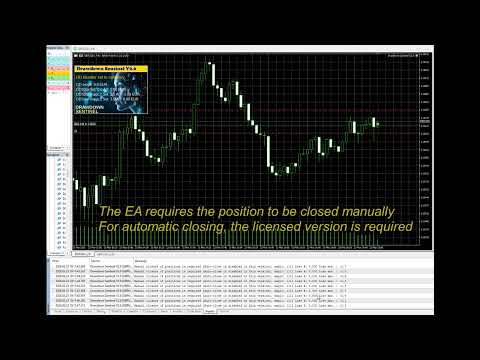
While the professional version of this tool, "Drawdown Monitor for Peaceful Sleep” which you can find among my products, includes automated emergency liquidations (it closes all positions with excessive drawdown), this Sentinel Edition is the perfect companion for manual traders who want to maintain 100% control over their trade closures while benefiting from a sophisticated alert engine.

Core Functionalities

  • Real-Time Equity Tracking: Constantly monitors your floating drawdown and equity fluctuations.

Dual-Layer Monitoring:

  • Global Account Watch: Tracks the total drawdown of your entire portfolio.

  • Specific Magic Number Tracking: Monitor up to two additional independent Magic Numbers separately. This allows you to isolate and track the performance/risk of specific EAs or strategies in real-time, independent of the general account status.

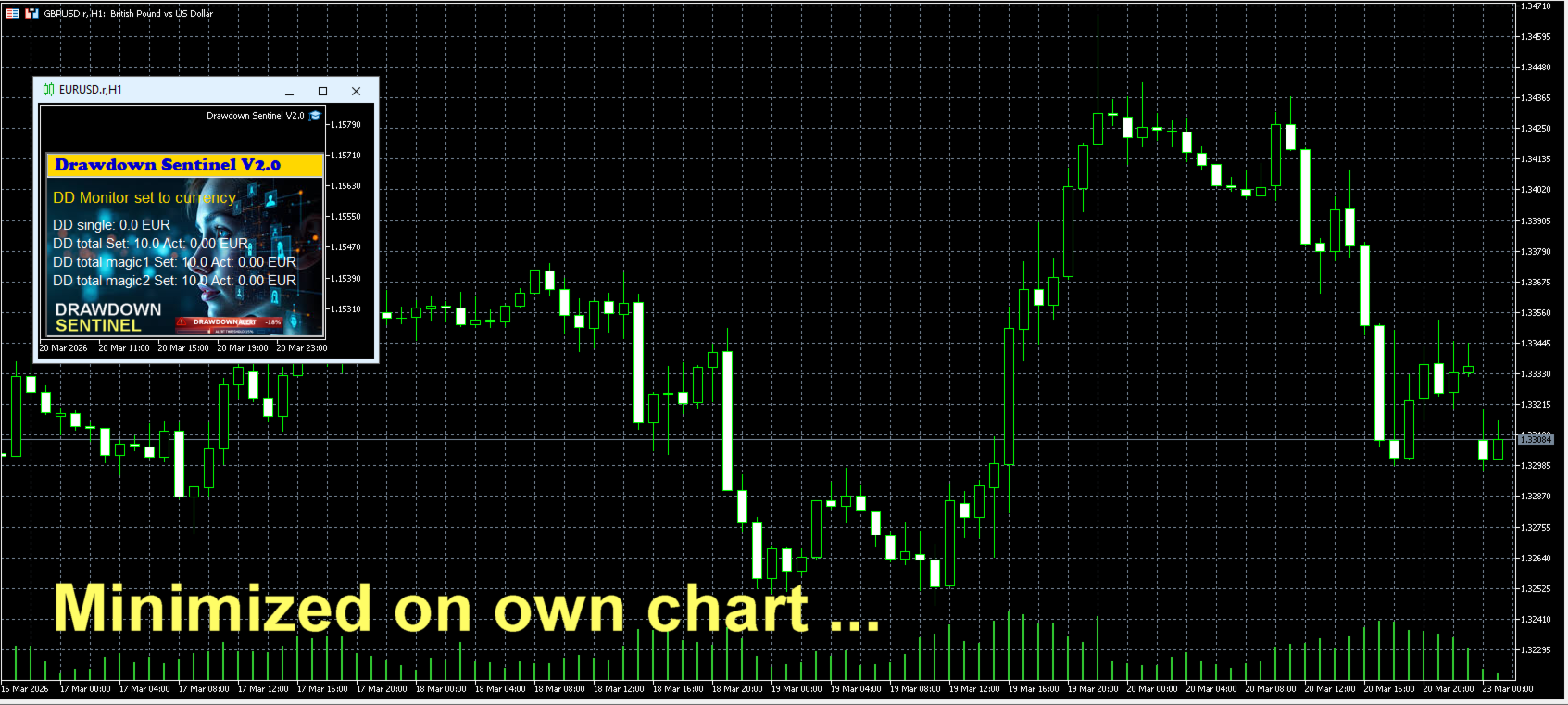
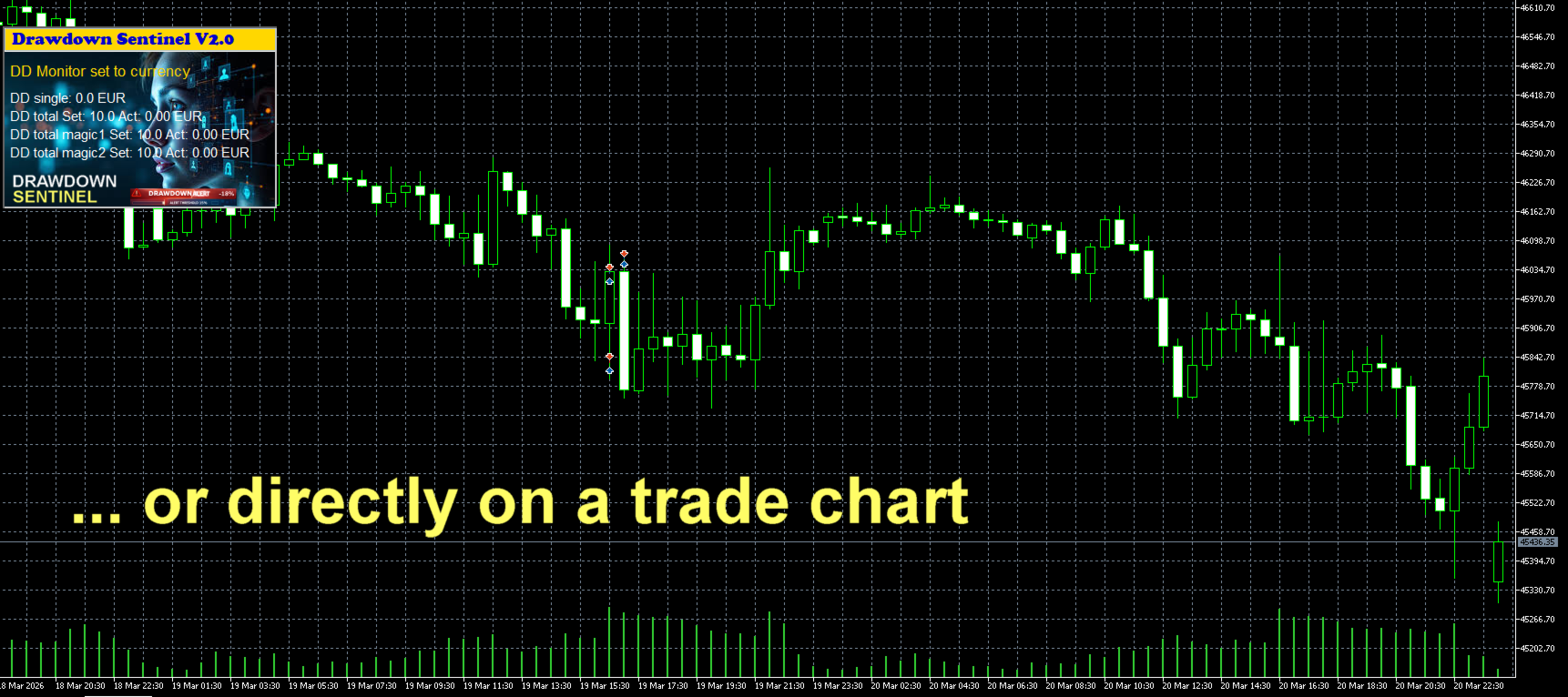
  • Visual Dashboard: A clean, intuitive on-chart interface that shows current drawdown percentage, remaining margin, and specific risk levels for your selected Magic Numbers.

  • Multi-Stage Alerts: Set specific thresholds to receive warnings before drawdown reaches critical levels.

Instant Notification Suite

Never miss a critical move. The Assistant version includes a full suite of alerts:

  • On-Screen Pop-ups: Immediate visual warnings within your MetaTrader terminal.

  • Sound Alerts: Auditory signals to grab your attention instantly.

  • Push Notifications: Stay protected on the go! Receive alerts directly on your mobile device (MT5 App).

  • Email Integration: Detailed risk reports sent to your inbox.


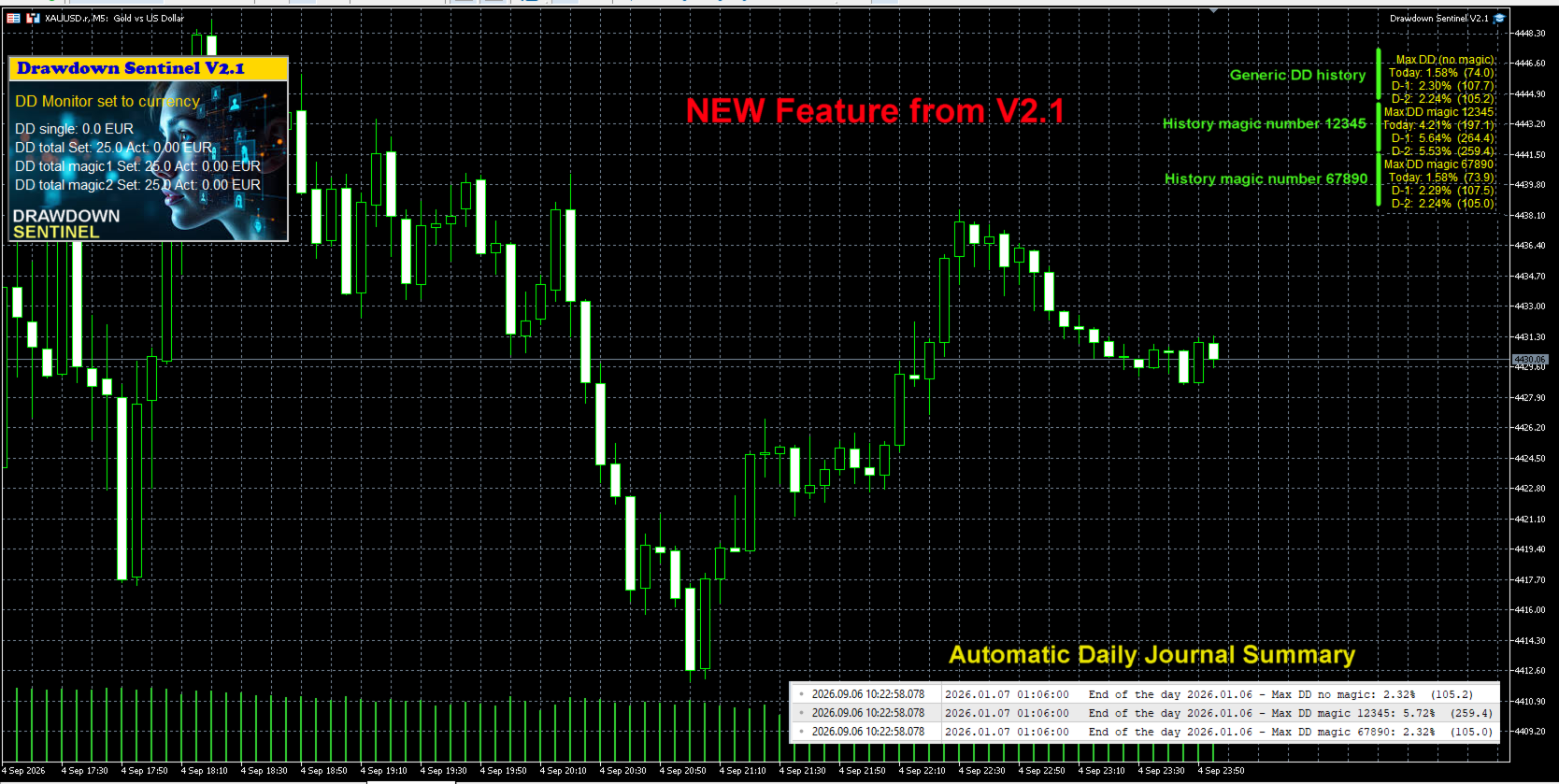
New Feature starting from V2.1

Historical Peak Drawdown Logging (Today, D-1, D-2) To help users optimize their risk management settings and fine-tune their emergency closure thresholds, this update introduces a daily peak drawdown tracking module.

  • Multi-Period Tracking: The EA continuously records the maximum equity drawdown reached during the current trading day (Today), the previous day (D-1), and two days prior (D-2).

  • Granular Data: Daily maximums are calculated separately for overall account equity, Magic Number 1, and Magic Number 2.

  • Automatic Daily Journal Summary: At the end of each trading day (at midnight / bar close), the EA logs a formatted summary of these peak drawdown metrics to the Expert Journal.

This historical visibility provides actionable data regarding normal equity fluctuations, allowing traders to set realistic drawdown thresholds that prevent premature trade closures while maintaining adequate capital protection.

See screenshot


Why Use This Version?

  1. Strategy Validation: Test how the drawdown monitoring logic fits your trading style before committing to full automation.

  2. Granular Control: Understand exactly which EA is consuming your margin by using the independent Magic Number monitors.

  3. Manual Intervention: Ideal for traders who prefer to evaluate market conditions personally before closing positions.

Looking for Automated Equity Protection?

If you require a system that not only monitors but also takes action—such as automatically closing all orders (globally or by specific Magic Number), disabling EAs, or protecting your account balance when specific targets are hit—please visit our Professional Edition available in our Market portfolio.

Setup & Support

  • Easy Installation: Drag and drop onto any chart.

  • Customizable Thresholds: Set your own drawdown limits and Magic Numbers in the input parameters.

  • Dedicated Support: Have questions? Feel free to reach out via the "Comments" tab or private message.

Link to the User Manual


Drawdown Sentinel is not intended for use in backtesting


List of parameters

Parameter Description
Drawdown monitor mode Drawdown monitoring mode: percentage or absolute value:
     true = drawdown percentage related to current equity
     false = absolute value in currency
Max. drawdown in percentage single positions Drawdown max. considered for single positions, as percentage of the account equity     
Max. drawdown in currency single positions Drawdown max. considered for single positions, as absolute value in current currency       
Max. total drawdown in % Total drawdown max. as percentage of the account equity - all positions except specified magic numbers
Max. total drawdown  in currency  Total drawdown max. as absolute value in current currency - all positions except specified magic numbers  
Max. total drawdown in % - magic 1 only  Total drawdown max. as percentage of the account equity -  only for the specified magic number 1
Max. total drawdown in currency - magic 1 only Total drawdown max. as absolute value in current currency -  only for the specified magic number 1
Max. total drawdown in % - magic 2 only   Total drawdown max. as percentage of the account equity -  only for the specified magic number 2 
Max. total drawdown in currency - magic 2 only  Total drawdown max. as absolute value in current currency -  only for the specified magic number 2
Skip monitoring from hour  Disable monitoring from a specific time (hour) to avoid price spikes due to increased spreads when the market closes trading 
Skip monitoring from minute Disable monitoring from a specific time (minute) to avoid price spikes due to increased spreads when the market closes trading  
Skip monitoring until hour  Disable monitoring until a specific time (hour) to avoid price spikes due to increased spreads when the market closes trading  
Skip monitoring until minute  Disable monitoring until a specific time (hour) to avoid price spikes due to increased spreads when the market closes trading  
Skip Saturday/Sunday  Disable monitoring on weekend
Pre-warning percentage  If 25 is entered, a pre-warning is issued when the DD reaches 75% (25% before the position is closed)
Specific magic number to monitor  If a magic number is entered, open positions with this magic number are considered separately in the total DD 
Mobile notification  Enable/disable pre-warning Mobile notification  
E-mail notification Enable/disable pre-warning e-mail notification 
Prefix mail subject Prefix that will be indicated in the subject line of the e-mail to identify that it is a pre-warning from Drawdown monitor
Alert notification Enable/disable pre-warning Alert notification (pop-up box)
Sound notification Enable/disable pre-warning sound notification (only if Alert notification is disabled)
Broker commission per lot in account currency  Broker commissions per lot to be considered in the drawdown calculation 
Control panel X position Position in X of the Control Panel
Control panel Y position  Position in Y of the Control Panel
Display actual values  True = visualization of actual values
False = visualization of set values
Background black  The background of the chart will be all black. 

Link to my Blog

おすすめのプロダクト
Strike Zone は、OHLC ローソク足チャート パターンに基づいたエキスパート アドバイザーであり、すべてのバックテストは 10 年間のエキスパートのアクティビティに基づいています。 バックテストには固定パラメーターが使用されました: 1 ペア、資本 $10,000、市場エントリー 0.1 ロット。 数日間のテストの後、この Expert Advisor は次のペアと時間枠で収益性が高いことが証明されました。 AUDCAD H4 NAS100 ニュージーランドドルCAD H1 USDCAD H1 バックテストは将来の利益を保証するものではなく、このツールの使用は使用者の単独の責任となります。次の EA をライブ口座に置く前に、デモ口座でテストする必要があります。
FREE
Custom Candle – Multi-Timeframe Visualization Analyzing multiple timeframes is essential for accurate trading decisions, but switching between charts can be inconvenient and inefficient. The Custom Candle indicator solves this problem by overlaying higher-timeframe (HTF) candles directly onto your lower-timeframe (LTF) chart. This allows you to see the bigger picture at a glance, align with the higher trend, and improve trade accuracy—without leaving your current chart. Key Features Multi-Timefr
FREE
**MTF Confluence Dashboard** is a free, self-contained indicator: a compact on-chart panel that classifies trend direction (Bullish / Bearish / Neutral) across up to six timeframes (M15, M30, H1, H4, D1, W1) and shows a one-line bias summary. Trend per timeframe is based on a fast/slow EMA relationship, confirmed by price position relative to the fast EMA (not a raw EMA cross) to cut down on whipsaw: - **Bullish** — fast EMA above slow EMA, and price above the fast EMA - **Bearish** — fast E
FREE
Session Sync MT5
Mohammadreza Faghanimakrani
Session Sync MT5 displays the Tokyo, London, New York and Sydney trading sessions directly on your chart. Each session uses its own regional daylight-saving rules and is converted to your broker's server time. The active broker time model is shown on the chart, so you can see exactly what the indicator is using. What you get • Tokyo, London, New York and Sydney session boxes • Session High/Low calculated from M1 data, independent of chart timeframe • Historical sessions loaded automatically
FREE
チャンデ・モメンタム・オシレーター(CMO)インジケーター(マルチタイムフレーム対応、カスタマイズ可能なビジュアルシグナル、設定可能なアラートシステム搭載)。 フリーランスプログラミングサービス、アップデート、その他のTrueTL製品は私の MQL5プロフィール からご利用いただけます。 フィードバックとレビューを心よりお待ちしております! CMO とは? チャンデ・モメンタム・オシレーター(CMO)は、タシャー・チャンデが開発したモメンタム指標で、価格上昇の合計から価格下落の合計を引き、総移動幅で割った値を計算します。CMO は -100 から +100 の範囲で動きます。+50 以上は買われすぎ、-50 以下は売られすぎを示します。 ゼロラインは強気相場と弱気相場の閾値として機能します。他のオシレーターとは異なり、CMO はスムージングを使用しないため、より反応が早い反面、より変動が大きくなります。強いトレンド局面や価格の疲弊ポイントを識別するのに特に有効です。 特徴: 矢印と垂直線による視覚的なシグナルマーカー 設定可能なトリガーを持つ独立した 3 つのシグナルバッファ シ
FREE
Finally, a dashboard that cuts through the noise and shows what actually matters. – Displays All Symbols In Your Market Watch List (Updates in real time) This advanced Multi-Timeframe ATR & Volume Dashboard gives traders a crystal-clear view of market volatility and liquidity across all symbols and timeframes in one glance .     Real-Time ATR & Volume Data – See exact volatility (ATR) and trading activity (Volume) for M1 to MN1     Smart Grouping – Automatically classifies instruments (Forex, In
FREE
How it works –   Base-departure detection — algorithmically finds consolidation bases (overlapping range with compressed volatility) followed by displacement departures. Patterns: Drop-Base-Rally, Rally-Base-Drop, Rally-Base-Rally, Drop-Base-Drop — detected structurally, not by candle names. –   Strength score (0–100) — from departure velocity, time-at-base, freshness (each revisit decays the score), higher-timeframe confluence and origin volume. –   Lifecycle — Fresh, Tested (decaying), Broken
FREE
PROMETHEUS TECHNICAN VERSION Free | By THE SONS A gift from The Sons — no strings, no trial, no expiry. Every trader deserves access to professional-grade market intelligence. That belief is why Prometheus Technical Version exists, and why it costs nothing. Consider it our handshake to the trading community. What You're Getting This is not a simplified tool dressed up as a gift. Prometheus Technican Version is a fully built, institutional-quality technical analysis indicator running a dual-model
FREE
Dynamic Pivot Zones – Your Level Assistant on the Chart This indicator is a bit like a GPS for your trading . It shows you where the price likes to hang out, where it gets nervous, and where it flies through. No more calculating pivots by hand or guessing support and resistance levels. What it does: Automatically plots H1, H4, and D1 pivots . Shows support and resistance zones : R1, R2, S1, S2. Lines are colored and easy to read , so you can instantly see what’s hot or cold. Why you’ll love it:
FREE
APT – Advance Pivot Trader Indicator for MetaTrader 5 APT – Advance Pivot Trader is a technical indicator developed for MetaTrader 5. The indicator is based entirely on mathematical and algorithmic calculations and is designed to analyze market structure using pivot-based logic. Professional Trading Tools for Every Trader: https://www.mql5.com/en/users/royalcrescent777/seller Join our Community & Signal channels: https://www.mql5.com/en/channels/xauusd-signal Timeframe and Risk Guidance The in
FREE
Indicator Description Range Filter Pro is a sophisticated trading tool for XAUUSD (Gold) that combines adaptive price filtering with volume analysis and real-time market monitoring. Designed for both novice and professional traders, this indicator helps identify trend direction, potential reversals, and significant market movements through its multi-layered approach. Key Components 1.Dynamic Range Filter 2.Volatility-Adjusted Bands 3.Volume-Enhanced Candles 4.Professional Trading Dashboard 5.M
FREE
Spread Hunter MT5 – 現在および履歴スプレッドインジケーター 目的 このインジケーターは、現在のスプレッド値をポイント単位でコンパクトなパネルとしてチャートの右上隅に表示します。任意のローソク足にカーソルを合わせると、そのバーの履歴スプレッドを表示します。 このツールは、スプレッドの大きさに敏感な戦略(スキャルピング、ニューストレード、高ボラティリティ商品の取引)を持つトレーダーに不可欠です。 主な機能 現在のスプレッド 右上隅に常時表示されます。リアルタイムで更新されます(毎秒1回)。 履歴スプレッド 任意のローソク足にマウスを合わせると、以下の情報を含むツールチップが表示されます: バーの時間 ポイント単位のスプレッド値 バー期間の最小スプレッドが表示されていることの注記(ブローカーによる履歴データ保存の特性) 色分け表示 緑 – スプレッドが通常範囲内(≤ 設定閾値) 赤 – スプレッドが高い(> 閾値) 閾値はユーザーが設定可能です(デフォルトは20ポイント)。 解釈 低スプレッド(緑)   – 特にスキャルピングと日中取引において、好ましいエントリー条件
FREE
Market Hours Pro shows Tokyo, London, and New York trading sessions directly on your MT5 chart, including scheduled overlap periods. It’s designed to give you a clear view of global market timing so you can plan trades, spot high-activity periods, and align strategies with standard Forex hours. How It Works Displays scheduled session times visually on your chart. Highlights session overlaps for London/New York and Tokyo/London. Automatically adjusts times for your timezone or broker time. Shows
FREE
Opening range
Mattia Impicciatore
1 (1)
Opening‑Range Sessions(GMT 対応版) は、主要な外国為替市場セッション—— シドニー、東京、ロンドン、ニューヨーク ——のオープニングレンジ(高値・安値とカラーボックス)を自動で描画する軽量インジケーターです。 ブローカーサーバーのタイムゾーンを自動検出するため、サーバーやトレーダーがどこにいても各セッションが正しいローカル時刻で開始されます。 主な機能 自動タイムゾーン検出 – サーバーの GMT オフセットを取得し、サーバー変更や VPS 移行時の手動調整が不要。 4 つの組み込みセッション + 24 時間ボックス – シドニー、東京、ロンドン、ニューヨーク、または 24 時間レンジを個別にオン/オフ可能。 ピップス / パーセントモード – オープン価格からの固定ピップ幅または%でレンジを指定。 深夜跨ぎを自動処理 – 0:00 を跨ぐセッション(例: シドニー)でもボックスが途切れず正しく表示。 高いカスタマイズ性 – セッションごとにボックス色を設定、ラインのスタイル・太さも自由、中央にセッション名を自動表示。 即時反映 – パラメータ変更がリアルタ
FREE
Apex SYNC
Alex Amuyunzu Raymond
APEXSYNC TRADE COPIER PRO - THE INSTITUTIONAL-GRADE COPYING REVOLUTION ULTRA-LOW LATENCY | SMART RISK INTELLIGENCE | PROP-FIRM SAFE Tired of slow, basic copiers that risk your capital? Meet ApexSync Pro - the next-generation trade copier engineered to DOMINATE the MT4/MT5 ecosystem with institutional-grade performance, AI-driven risk management, and prop-firm certified safety protocols. WHY APEXSYNC PRO BEATS EVERYTHING ELSE Feature Old Copiers APEXSYNC PRO Speed 500ms+ (slow) <200ms   (blazing
FREE
TradeVisonPro Forex Analyzer Pro MT5取引口座分析・モニタリングダッシュボード TradeVisonPro Forex Analyzer Proは、MetaTrader 5ユーザー向けに設計された取引分析および口座モニタリングソリューションです。 本製品は、MT5の取引データを構造化されたWebダッシュボードに整理し、口座情報の確認、保有ポジションの監視、取引履歴の分析、戦略の追跡、トレードジャーナルの記録、パフォーマンス統計の確認を可能にします。 TradeVisonPro Forex Analyzer Proは、取引情報を整理し、対応するデスクトップおよびモバイルWebブラウザからアクセスできるようにすることを目的としています。 主な機能 • MT5口座ダッシュボード • 保有ポジション監視 • 取引履歴分析 • トレードカレンダー • 戦略追跡 • トレードジャーナル • 口座パフォーマンス統計 • パフォーマンスレポート • 取引通知 • 複数口座対応 • 共有可能な読み取り専用レポート MT5口座ダッシュボード MetaTrader 5取引口
FREE
AZ session scalper A small but useful session indicator, designed primarily for scalping. Enable the session you plan to trade, watch the reaction of the M5/M15 candlesticks to the level of the previous trading session, and enter. We always look at the reaction of the current session to the previous one. For example, if you trade the Americas, enable the European session, and watch how one session takes away liquidity from another. Important: adjust the time to your broker's time zone in the i
FREE
Trap Zone
Luigi Nunes Labigalini
5 (1)
This indicator serves as an alert for climax regions. How does it work? When the 20-period arithmetic moving average meets the 200-period arithmetic moving average, a conflict region forms with two major opposing forces fighting. This causes the price to show random peaks until a winner side is defined, which can be dangerous. Therefore, the indicator paints the region between the moving averages to alert you. How to use it? It can be used for specific volatility or support and resistance str
FREE
Einstein de Wall Street
Andres Daniel Pabon Perez
5 (2)
Who is he?: Peter Tuchman, a stock trader on the NYSE. Why is he famous?: He's known as the "Einstein of Wall Street" because of his physical resemblance to the famous trader and his hairstyle. He's frequently photographed by the media, earning him the nickname "the most photographed trader on Wall Street." His image is often used to illustrate market volatility. Career history: He started in 1985 as a telegraph operator and has held various positions before becoming a stockbroker. AND THIS I
FREE
Level Painter PRO — Professional Manual Chart Markup Tool  Level Painter PRO   is a powerful and stylish tool for manually drawing support and resistance levels, price zones, rectangles, and vertical areas on the MetaTrader 5 chart. The indicator is designed for traders who value visual analysis and prefer to mark up their charts manually while maintaining full control over the process. Key Features Manual Drawing of Levels and Zones Horizontal Lines — quickly mark key price levels Vertical Line
FREE
This indicator uses a different approach from the previous version to get it's trendlines. This method is derived from Orchard Forex, and the process of making the indicator is demonstrated in there video   https://www.youtube.com/watch?v=mEaiurw56wY&t=1425s . The basic idea behind this indicator is it draws a   tangent line   on the highest levels and lowest levels of the bars used for calculation, while ensuring that the lines don't intersect with the bars in review (alittle confusing? I know
FREE
Candle Pivot Points v8.3 — Impulse Detector Through Sequential Pivot Points This price momentum indicator visualizes directional movement through a sequence of control points (pivots) with a customizable step size. Point color shows the direction of the impulse, count shows its strength and length. --- DESCRIPTION CandlePivotPoints builds an adaptive pivot point grid from the candle open. When price consistently passes a defined number of points in one direction, the indicator confirms a
FREE
️ RISK MANAGER — Risk Management Indicator Indicator version:   1.70 ·   Style:   QuikTrade ·   Position:   bottom-left corner of the chart 1. What it is Risk Manager   is an informational indicator for MetaTrader 5 that shows the   daily risk budget   in real time and helps calculate the   recommended lot , taking into account: risk per single trade (% of balance); daily risk (% of balance); losses and profits already realized today; risk of open positions (based on their Stop Loss); distance
FREE
ユーザーガイド NEXA Pivot Scalper PRO 概要 NEXA Pivot Scalper PRO は、MetaTrader 5 プラットフォーム向けに開発された自動売買システム(Expert Advisor)です。 このプログラムは、価格が Pivot(ピボット)レベル付近で示す動きを分析し、テクニカル指標を用いて短期的な市場状況を評価します。 複数の取引条件が同時に満たされた場合に、自動的に取引が実行されます。 この Expert Advisor は、事前に設定された取引ルールとリスク管理ルールに基づいて動作します。 本製品は MetaTrader 5 用のコンパイル済み Expert Advisor ファイル(EX5)として提供されます。 取引コンセプト この Expert Advisor の取引ロジックは、価格と日次 Pivot レベルの関係に基づいています。 取引シグナルを生成する前に、以下の要素を分析します。 Pivot レベルに対する価格の位置 短期オシレーターの状態 市場の現在のボラティリティ 市場の取引活動 複数の条件が同時に満たされた場合のみ、取引が実
FREE
Ultima Breakout Pro – Advanced Range Breakout EA with Multi-TP & Trend Filter Account Type: Recommended: ECN/Raw Spread Accounts   (low spreads preferred) Minimum Balance:   $200 (for 0.01 lots) Leverage:   1:30 or higher Not Recommended: High-spread accounts (avoid brokers with >20 pips spread) Micro accounts with high commission Expert Advisor Type: Type: Breakout Trading System Category: Trend & Range Trading Timeframes: M5 (Best Performance), Any Timeframes Symbols: EURUS
FREE
Multi Stochastic Dashboard ストキャスティクスベースのマルチ通貨スキャナー。最大12銘柄を全タイムフレームで同時監視 — チャート上の1つのパネルですべて表示。 対象ユーザー ストキャスティクスを使用し、エントリーポイントを探して何十ものチャートを切り替えることに疲れたトレーダー向け。パネルは一目で市場全体の状況を表示します。 仕組み チャートにテーブルが表示されます:縦軸に銘柄、横軸にタイムフレーム。各セルは現在のストキャスティクス値を表示し、ゾーンに応じて色付けされます: •      緑 — オシレーターが売られすぎゾーン。明るいほど、ゾーンが深い。 •      赤 — オシレーターが買われすぎゾーン。色の強度がシグナルの強さを反映。 •      グレー — ニュートラルゾーン、待機中。 同じ銘柄の複数のタイムフレームが同じ方向を示している場合 — それが分析の好機です。 パネル機能 パネルはCanvasで描画 — ちらつきやラグなし。3つのカラースキーム:Dark、Medium、Light。フォントサイズ調整可能。パネルは画面上のどこにでもドラッグ
FREE
Average Session Range: Calculate and Average the Sessions High-Low Range of Specific Time Sessions Over Multiple Days. The Session Average Range is a sophisticated and precise tool designed to calculate the volatility of specific time sessions within the trading day. By meticulously analyzing the range between the high and low prices of a defined trading session over multiple days, this tool provides traders with a clear and actionable average range. **Note:** When the trading platform is closed
FREE
Nexus SnD Blueprint : The Ultimate Framework for Institutional Trading. "A premium indicator delivering high-precision zone detection powered by a clutter-free, intelligent modern UI." Are you tired of cluttered charts, overlapping zones, and fake alerts that disrupt your trading focus? Welcome to Nexus SnD Blueprint, a masterpiece for Smart Money Concepts (SMC) and Supply & Demand traders who prioritize absolute precision and professional visual aesthetics. Nexus SnD Blueprint is more than just
FREE
KN dashboard PRO
Muhammad Nabil Abdullah Uthman
5 (1)
KN DASHBOARD PRO – Smart Dashboard ️ Everything is displayed live on the chart: Give me a rating please Number of open trades (Buy / Sell) Total lot size Daily, weekly, and monthly profit Margin, balance, liquidity, and floating profit Accurate real-time results monitoring system This gives you complete control over performance without opening your trading history. A quick breakdown of the indicator's function: This indicator displays a dashboard on the chart containin
FREE
XAU VWAP Mean Reversion H4 Expert Advisor for MetaTrader 5 — Gold / XAUUSD focus Version: 1.00 What it is XAU VWAP Mean Reversion H4 is an Expert Advisor for gold on the H4 chart. Intraday VWAP mean-reversion style participation on gold H4. Built for structured automated participation — not grid , not martingale . Evaluate on your broker and risk profile before any live use. This product is a technical system . Exact thresholds and entry equations remain internal product design and are not publ
FREE
このプロダクトを購入した人は以下も購入しています
Trade Assistant MT5
Evgeniy Kravchenko
4.41 (216)
取引 ごとのリスクの 計算、新規注文 の 簡単 な 設置、部分的 な 決済機能 を 持 つ 注文管理、 7 種類 のトレーリングストップなど 、便利 な 機能 を 備 えています 。 追加の資料と説明書 インストール手順   -   アプリケーションの手順   -   デモアカウント用アプリケーションの試用版 ライン機能 チャート上にオープニングライン、ストップロス、テイクプロフィットを表示します。この機能により、新規注文を簡単に設定することができ、注文を出す前にその特徴を確認することができます。   リスク計算 リスク計算機能は、設定されたリスクとストップロス注文のサイズを考慮して、新規注文のボリュームを計算します。ストップロスの大きさを自由に設定できると同時に、設定したリスクを守ることができます。 Lot calc ボタン - リスク 計算 を 有効 / 無効 にします 。 Risk フィールドでは 、必要 なリスクの 値 を 0 から 100 までのパーセンテージまたは 預金通貨 で 設定 します 。 設定」 タブで 、 リスク 計算 の 種類 を 選択 します :「 $ 通
Trade Manager EAへようこそ。これは、取引をより直感的、正確、そして効率的にするために設計された究極の リスク管理ツール です。これは単なるオーダー実行ツールではなく、包括的な取引計画、ポジション管理、リスク管理のためのソリューションです。初心者から上級者、迅速な実行を必要とするスキャルパーまで、Trade Manager EAはあらゆるニーズに対応し、為替、指数、商品、暗号通貨などさまざまな市場で柔軟に対応します。 Trade Manager EAを使用すると、複雑な計算が過去のものになります。市場を分析し、エントリーポイント、ストップロス、テイクプロフィットのレベルをチャート上のラインでマークし、リスクを設定するだけで、Trade Managerが最適なポジションサイズを即座に計算し、SLとTPをピップ、ポイント、口座通貨でリアルタイムに表示します。すべての取引が簡単かつ効果的に管理されます。 主な機能: ポジションサイズ計算機 :定義されたリスクに基づいて取引サイズを瞬時に決定します。 簡単な取引計画 :エントリー、ストップロス、テイクプロフィットを設定するためのド
TradePanel MT5
Alfiya Fazylova
4.88 (167)
Trade Panelは多機能なトレーディングアシスタントです。アプリには手動取引用の50以上のトレーディング機能が搭載されており、ほとんどの取引作業を自動化することができます。 アプリの説明書+ビデオガイド: https://www.mql5.com/en/blogs/post/756482 デモ口座用アプリの試用版: https://www.mql5.com/en/blogs/post/750865 アプリのインストール方法: https://www.mql5.com/en/blogs/post/756239 アプリをビジュアルモードでテストする方法: https://www.mql5.com/en/blogs/post/770277 VPSのMetaTraderにアプリをインストールする方法: https://www.mql5.com/en/blogs/post/770190 取引。 ワンクリックで取引操作を行うことができます: リスクを自動計算して指値注文やポジションを開く。 複数の注文やポジションをワンクリックで開く。 注文のグリッドを開く。 保留中の注文やポジションをグルー
================================================================================ POC BREAKOUT - V20.72. Full Professional Grade Toolkit ================================================================================ POC Breakout is a full MetaTrader 5 trading dashboard for discretionary traders who want breakout signals, Point of Control (POC) context, volume profiles, order flow, market structure, news, alerts, and advanced trade planning in one professional workspace. Attached directly to you
ベータリリース Telegram to MT5 Signal Trader はまもなく正式なアルファ版をリリースします。いくつかの機能はまだ開発中で、小さな不具合に遭遇する可能性があります。問題が発生した場合はぜひご報告ください。皆さまのフィードバックがソフトウェア改善に役立ちます。 Telegram to MT5 Signal Trader は、 Telegram のチャンネルやグループからの取引シグナルを自動的に MetaTrader 5 にコピーする強力なツールです。 パブリックおよびプライベートの両方のチャネルに対応し、複数のシグナル提供元を複数のMT5口座に接続可能です。ソフトウェアは高速で安定し、すべての取引を細かく制御できます。 インターフェースは直感的で、ダッシュボードとチャートは見やすく設計されており、リアルタイムで動作状況をモニターできます。 必要環境 MQL の制限により、EA は Telegram と通信するためのデスクトップアプリが必要です。 インストーラーは公式の インストールガイド にあります。 主な機能 マルチプロバイダー: 複数の Telegram
Local Trade Copier EA MT5
Juvenille Emperor Limited
4.94 (148)
Local Trade Copier EA MT5 による、驚くほど高速な取引コピーを体験してください。1分で簡単にセットアップできるこの取引コピー機は、同じWindowsコンピュータまたはWindows VPS上の複数のMetaTrader端末間で取引をコピーすることができ、0.5秒未満の高速コピースピードを実現します。 初心者であろうとプロのトレーダーであろうと、 Local Trade Copier EA MT5 には、あなたの特定のニーズに合わせてカスタマイズするための幅広いオプションが用意されています。これは、利益の可能性を高めたい人にとって究極のソリューションです。 今すぐ試してみて、これが市場で最も速くて簡単なトレードコピー機である理由を理解してください。 ヒント: デモアカウントで Local Trade Copier EA MT5 デモバージョンをダウンロードして試すことができます: ここ ダウンロードした無料のデモ ファイルを MT5 >> ファイル >> データ フォルダを開く >> MQL5 >> Experts フォルダに貼り付けて、ターミナルを再起動しま
Farmed Hedge Yield Farming | All Markets (Manual - Hybrid - Semi/Automated EA) VERIFIED TRADING RESULTS - Farmed Hedge Yield Axi Copy:  https://www.mql5.com/en/signals/2356376 - Farmed Hedge Yield Exn Copy:   https://www.mql5.com/en/signals/2356404 - Farmed Hedge Yield V Copy:  https://www.mql5.com/en/signals/2357156 * Before purchasing, please feel free to send me a message if you have any questions about the product or setup. - You can test the system using Strategy Tester: Visual Mode , a
That backtest looks great. But will it still be making money tomorrow, next week, next month? EA Overfitter re-runs your EA on 100 price histories it has never seen. One score tells you if the edge is real. A backtest tells you what an EA did on one price history — the one that happened to occur. What you cannot tell from it is how much of that result was the strategy and how much was the particular path. EA Overfitter answers that. It builds up to 100 synthetic price histories your EA has n
Telegram to MT5 Multi-Channel Copier   は、Telegram チャンネルのトレードシグナルを MetaTrader 5 へ自動コピーします。ボット不要、ブラウザ拡張不要、手動コピー不要。Telegram にシグナルが届くと、EA が数秒であなたのターミナルに注文を出します。 製品は 2 つのコンポーネントで構成されます:Telegram チャンネルを監視する Windows アプリと、MT5 ターミナルでシグナルを執行する本 EA です。MT4 版もあります   こちら . セットアップガイドとアプリのダウンロード: https://www.mql5.com/en/blogs/post/768988 仕組み Windows アプリは、ボットではなくあなた自身の API 認証情報で Telegram に接続します。そのため、プライベートや VIP を含む、購読中のあらゆるチャンネル・グループ・トピックを読めます。あなたに直接メッセージを送るシグナルボット、個人チャット、さらには自分の「保存済みメッセージ」もソースとして使えます。シグナルを検出すると解
25% discount on the release of the tool: only for the next 3 buyers Send a message to receive a demo version. AstroTrade Trading Assistant AstroTrade is a comprehensive multi-functional trading utility developed for the MetaTrader 5 platform. It integrates essential tools for trade execution, risk management, and technical monitoring into a single unified interface. The application is designed to assist traders in managing their daily operations through a visual and structured environment. Vi
Exp COPYLOT CLIENT for MT5
Vladislav Andruschenko
3.97 (35)
MetaTrader 5 用のプロフェッショナル取引コピー機 MetaTrader 向けの高速・高性能・信頼性の高い 取引コピー機 です。 COPYLOT は、MT4 と MT5 のターミナル間で Forex 取引をコピーでき、 Hedge 口座と Netting 口座の両方に対応しています。 COPYLOT MT5 版の対応構成: - MT5 Hedge → MT5 Hedge - MT5 Hedge → MT5 Netting - MT5 Netting → MT5 Hedge - MT5 Netting → MT5 Netting - MT4 → MT5 Hedge - MT4 → MT5 Netting MT4 版 完全な説明 + DEMO + PDF 購入方法 インストール方法 ログファイルの取得方法 テストと最適化の方法 Expforex のすべての製品 MT4 ターミナルへのコピーも可能です(MT4 → MT4、MT5 → MT4): COPYLOT CLIENT for MT4 COPYLOT は、2台、3台、さらには10台のターミナル間で同時に動作できる、プロフェッ
HINN MAGIC ENTRY – the ultimate tool for entry and position management! SIMPLE. FASTEST. INTUITIVE. MAX AUTOMATED. Place orders by selecting a level directly on the chart! full description   ::  demo-version  :: 60-sec-video-description Key features: - Market, limit, and pending orders - Automatic lot size calculation - Automatic spread and commission accounting - Unlimited partitial take-profits  - Breakeven and trailing stop-loss and take-profit  functions - Invalidation leves - Intuitive, a
Telegram To MT5 — シグナルコピア Telegram チャンネルのトレードコールを、実際の MT5 注文に変換します — 自動で、好きなだけの口座に対応し、リスクとルールは完全にあなたの管理下に置けます。 Telegram To MT5 は、あなたが Telegram で既にフォローしている VIP / シグナルチャンネルを MetaTrader 5 端末に接続します。無料の付属デスクトップアプリがメッセージを読み取り(ボットを禁止しているチャンネルでも可能)、この EA があなたの口座でそれらを執行します — あなた自身のリスク設定、シンボルマッピング、テイクプロフィット処理、セッションおよびニュースフィルターを適用します。 これはシグナルコピアであり、ブラックボックス戦略ではありません。どのチャンネルを信頼するか、各トレードのロットと管理方法をあなたが決めます。 ステップバイステップの設定と付属アプリのインストールガイド 仕組み [あなたの Telegram チャンネル] -> [付属デスクトップアプリ] -> [MT5 + この EA] -> 注文 付属デスクトッ
Premium Trade Manager - コーチ内蔵型トレードパネル Premium Trade Manager は、AIトレーディングコーチをあなたのチャートの中に置き、その下に完全な執行エンジンを備えたツールです。いつも通りにトレードをセットアップし、あなた専任のAIトレーディングコーチ Max にそのセットアップをそのまま読み取らせて、発注前に率直な見解を伝えてもらいましょう。ストップの幅が規律あるアプローチに合っているか、リスクサイズは適切か、高影響のニュースイベントが数分後に迫っていないか、プロップファームの制限に近づいていないか。その下には、クリックの後をすべて処理するエンジンが備わっています。ワンクリックのリスクサイズ計算による発注、チャート上でドラッグして組み立て、発注後も動かせるプラン、最大4段階の分割利確、7種類のトレール方式、リアルタイムのプロップファームコンプライアンス、ニュースガード、そしてコストを自ら採点するスプレッド機能。判断はあなたが下す。Max がもう一度確認する。後のことはすべてパネルが担う。 購入前に実際に触れて試せます。 ブラウザ上でライブ
Anchor: The EA Manager Your EAs cannot see each other, but Anchor can. Anchor gives you one place to coordinate your EAs, manage risk, and decide when trading is allowed. It works alongside the trading bots you already use without any changes to them. The Problem One EA opens a trade. Then another starts trading. The next thing you know, you wake up to multiple grids built across your account. Each EA may be doing exactly what it was designed to do, but together they can place far more risk on y
Power Candles Strategy Scanner - 自動最適化型マルチシンボル設定ファインダー パワーキャンドル・ストラテジー・スキャナーは 、パワーキャンドル・インジケーターを駆動するのと全く同じ自己最適化エンジンを、マーケットウォッチに登録されているすべての銘柄に対して並行して実行します。1つのパネルで、現在統計的に取引可能な銘柄、各銘柄で勝率の高い戦略、最適なストップロス/テイクプロフィットの組み合わせが表示され、新たなシグナルが発生した瞬間に通知が届きます。 このツールは、Stein Investmentsのエコシステムの一部です。  18種類以上のツールをすべて閲覧し、AIを活用したセットアップの推奨を受け取り、  https://stein.investments でコミュニティに参加しましょう 市場動向を網羅。銘柄ごとに3,000件以上の自動最適化。2種類のアラート。ワンクリックでチャートを切り替えて即座にアクション。 なぜこれが必要なのか 多くのマルチ銘柄スキャナーは、 価格の動き (ボラティリティ、変動率、銘柄ごとのRSI)を表示するだけです。それ
Trade Dashboard simplifies how you open, manage, and control your trades, with built-in lot size calculation. It allows you to execute trades, manage risk, and control positions directly on the chart, with tools such as partial close, breakeven, and trailing stop. Designed to reduce manual work and help you stay focused on your trading decisions. A demo version is available for testing. Detailed explanations of features are provided within the MQL5 platform. Installation instructions are include
Ultimate Extractor - Professional Trading Analytics for MT5 *****this is the local HTML version of Ultimate Extractor. !!!!!it is not compatible with Cloud!!!! For the online version please reach out to me directly****** Ultimate EA manager also now available when you use cloud pro and above for free!! Ultimate Extractor transforms your MetaTrader 5 trading history into actionable insights with comprehensive analytics, interactive charts, and real-time performance tracking. What It Does Automa
Grid Manual MT5
Alfiya Fazylova
4.73 (22)
「Grid Manual」は、注文のグリッドを操作するための取引パネルです。 ユーティリティはユニバーサルで、柔軟な設定と直感的なインターフェイスを備えています。 それは、損失を平均化する方向だけでなく、利益を増やす方向でも注文のグリッドで機能します。 トレーダーは注文のグリッドを作成して維持する必要はありません。 すべてが「Grid Manual」によって行われます。 注文を開くだけで十分であり、「Grid Manual」は注文のグリッドを自動的に作成し、非常に閉じるまでそれに付随します。 完全な説明とデモバージョン ここ。 ユーティリティの主な機能と機能 ユーティリティは、モバイル端末から開かれた注文を含め、あらゆる方法で開かれた注文を処理します。 「制限」と「停止」の2種類のグリッドで機能します。 グリッド間隔の計算には、固定と動的(ATRインジケーターに基づく)の2つの方法で機能します。 オープンオーダーグリッドの設定を変更できます。 チャート上の各注文グリッドの損益分岐点を表示します。 各注文グリッドの利益率を表示します。 ワンクリックでグリッドから収益性の高い注文を閉じるこ
Signal TradingView to MT5 Pro Automator TradingViewとMetaTrader 5間の即時プロフェッショナル実行 TradingViewのシグナル(アラート)とMT5での実際の約定を繋ぐ、最も強固なコミュニケーションブリッジで、取引戦略を自動化します。スピード、柔軟性、そして完璧なリスク管理を求めるトレーダー向けに設計されたこのExpert Advisorは、あらゆるアラートメッセージを正確な成行または指値注文に変換します。 強みと利点 ユニバーサルパーシングエンジン(独自技術): あらゆるアラート形式からデータを自動的に認識し、抽出できる高度なテクノロジー。単一の固定フォーマットに制限されることはありません。システムはシンボル(銘柄)、アクション、価格、SL(ストップロス)、TP(テイクプロフィット)を自動的に理解します。 リアルタイム実行: レイテンシ(遅延)を最小限に抑えるよう最適化された、1秒未満の超高速ポーリング技術。シグナルを受信してから数ミリ秒以内に注文が実行されます。 機関投資家レベルのリスク管理: 以下に基づく自動かつ正確
この製品は、ニュースタイム中にすべてのエキスパートアドバイザーと手動チャートをフィルタリングするため、急激な価格変動によるマニュアルトレードのセットアップの破壊や他のエキスパートアドバイザーによって入力された取引について心配する必要はありません。この製品には、ニュースのリリース前にオープンポジションとペンディングオーダーを処理できる完全な注文管理システムも付属しています。 The News Filter  を購入すると、将来のエキスパートアドバイザーのためにビルトインのニュースフィルターに頼る必要はなく、今後はすべてのエキスパートアドバイザーをここからフィルタリングできます。 ニュース選択 ニュースソースは、Forex Factoryの経済カレンダーから取得されます。 USD、EUR、GBP、JPY、AUD、CAD、CHF、NZD、CNYなど、任意の通貨数に基づいて選択できます。 Non-Farm(NFP)、FOMC、CPIなどのキーワード識別に基づいて選択することもできます。 影響レベルによってフィルタリングするニュースを選択することができ、低、中、高の影響範囲から選択できます。
Trade copier MT5
Alfiya Fazylova
4.59 (54)
Trade Copierは、取引口座間の取引をコピーして同期するように設計された専門的なユーティリティです。 コピーは、同じコンピューターまたはvps にインストールされている、サプライヤーのアカウント/端末から受信者のアカウント/端末に行われます。 キャンペーン - すでに「Trade copier MT5」をご購入の方は、「Trade copier MT4」を無料で入手できます(MT4 → MT5 および MT4 ← MT5 のコピー用)。詳細な条件については、どうぞ個別メッセージでお問い合わせください。 購入する前に、デモ アカウントでデモ バージョンをテストできます。 デモ版 こちら 。 詳細な説明は こちら 。 主な機能と利点: MT5ネッティングアカウントを含む、MT5> MT5、MT4> MT5、MT5> MT4のコピーをサポートします。 高いコピー速度(0.5秒未満)。 ベンダーモードと受信者モードは同じ製品内に実装されています。 チャートから直接リアルタイムでコピーを制御できる、簡単で直感的なインターフェイス。 接続が切断されたり、端末が再起動されたりしても、設定と位
FUTURES ORDERFLOW FOOTPRINT CHART Professional OrderFlow EA for MetaTrader 5 Version 1.01| Professional tool for real traders | Institutional-Grade Visualization STRATEGY TESTER USERS - PLEASE SELECT EVERY REAL TICK WHEN TESTING AND YOU HAVE DOWNLOADED HISTORICAL DATA. IF YOU SEE A WAITING SCREEN AND IT IS NOT DOWNLOADING, IT MEANS YOU HAVE LOW HISTORICAL DATA. TRY 1 MIN AND 5 MIN FIRST ON 1 DAY DATA. ONE DAY DATA SHOULD BE THE NEWEST AND MOST CURRENT DATE. PLEASE WAIT UNTIL THE MARKET HAS ROL

The product will copy all telegram signal to MT5 ( which you are member) , also it can work as remote copier.  Easy to set up, copy order instant, can work with almost signal formats, image signal,  s upport to translate other language to English Work with all type of channel or group, even channel have "Restrict Saving Content", work with  multi channel, multi MT5 Work as remote copier: with signal have ticket number, it will copy exactly via ticket number. Support to backtest signal. How to s
あなたがメンバーである任意のチャネルから(プライベートおよび制限されたものを含む)シグナルを直接あなたのMT5にコピーします。  このツールは、トレードを管理し監視するために必要な多くの機能を提供しながら、ユーザーを考慮して設計されています。 この製品は使いやすく、視覚的に魅力的なグラフィカルインターフェースで提供されています。設定をカスタマイズして、数分で製品を使用を開始できます! ユーザーガイド + デモ  | MT4版 | Discord版 デモを試してみたい場合は、ユーザーガイドにアクセスしてください。 Telegram To MT5 受信機は、ストラテジーテスターで動作しません! Telegram To MT5の特徴 複数のチャネルから一度にシグナルをコピー プライベートおよび制限されたチャネルからシグナルをコピー BotトークンまたはChat IDは必要ありません   (必要に応じて使用することができます) リスク%または固定ロットを使用して取引 特定のシンボルを除外 すべてのシグナルをコピーするか、コピーするシグナルをカスタマイズするかを選択 すべてのシグナルを認
MT5 to Telegram Signal Provider は、Telegramのチャット、チャンネル、またはグループに 指定された シグナルを送信することができる、完全にカスタマイズ可能な簡単なユーティリティです。これにより、あなたのアカウントは シグナルプロバイダー になります。 競合する製品とは異なり、DLLのインポートは使用していません。 [ デモ ] [ マニュアル ] [ MT4版 ] [ Discord版 ] [ Telegramチャンネル ]  New: [ Telegram To MT5 ] セットアップ ステップバイステップの ユーザーガイド が利用可能です。 Telegram APIの知識は必要ありません。必要な全ては開発者から提供されます。 主な特長 購読者に送信する注文の詳細をカスタマイズする機能 例えば、Bronze、Silver、Goldといった階層型のサブスクリプションモデルを作成できます。Goldサブスクリプションでは、すべてのシグナルが提供されます。 id、シンボル、またはコメントによって注文をフィルターできます 注文が実行されたチャート
Prop Firm Os
Gayathiri Gopalakrishnan
5 (1)
PROP FIRM OS Structured Trading Assistant for MetaTrader 5 PROP FIRM OS is a structured trading assistant designed for MetaTrader 5 users who prefer rule-based market analysis and organized trading workflows. The Expert Advisor combines market analysis tools, scanner functions, dashboard monitoring, alerts, risk-control settings, and trade management features inside one system. PROP FIRM OS is designed to help traders follow selected rules, filters, and monitoring conditions during trading activ
News Filter EA: Advanced Algo Trading Assistant News Filter EA is an advanced algo trading assistant designed to enhance your trading experience. By using the News Filter EA , you can integrate a Forex economic news filter into your existing expert advisor, even if you do not have access to its source code. In addition to the news filter, you can also specify trading days and hours for your expert. The News Filter EA also includes risk management  and equity protection features. MT4 Version Ma
EA Auditor
Stephen J Martret
5 (5)
EA Auditor is an independent analysis tool for traders evaluating Expert Advisors and trading signals on MetaTrader 5. It audits backtest reports, reviews posted developer signals, and cross-verifies the two against each other to help traders assess strategies before committing capital. The MQL5 market offers a wide range of Expert Advisors from many developers, with varying approaches, quality, and transparency. EA Auditor provides a consistent, data-driven framework for reviewing them, answer
購入後にメッセージをお送りください。完全版マニュアルキット + AI機能をテストできる3日間のOpenAI APIトライアル + 追加ボーナスギフトをお受け取りいただけます 現在の価格は、8月のリローンチアップデートに伴う期間限定割引価格です — 値上げ前に今すぐエディションを確保してください。 次回価格:$340 これは、あなたが市場で試したことのある、または見たことのあるどのトレーディングパネルともまったく異なります。現在、リテール市場で利用できる最も革新的なAI搭載トレーディングパネルの一つです。 AIをチャートに直接接続することを想像してください   — AIによる推奨、口座監査、AIトレードシグナルの受信、そしてワンクリックでの実行。 Telegramを通じてスマートフォンから   取引口座全体を管理することを想像してください   — AIとのチャット、即時アラートの受信、取引の管理、どこからでも口座を保護できます。   複数のEA   を稼働させ、それぞれのEAのパフォーマンスを個別に監視し、その取引を管理したり、特定のポジションをスマートフォンから直接決済したりできるこ
作者のその他のプロダクト
US30 Dow Scalper
Marco Cesare Dezzani
5 (1)
US30 Dow Scalper US30 Dow Scalper is a fully automated Expert Advisor specifically engineered for the Dow Jones Industrial Average (US30) . The algorithm is designed to capitalize on volatility spikes and institutional price levels during the New York Session Open , employing a high-precision breakout strategy. Link to Live signals : see link in the User manual Trading Logic The EA identifies the price range (High/Low) established during the opening minutes of the US market. It places pending
This indicator is extremely useful for traders who want to keep an eye on the market structure without wasting time drawing it manually.  It also adds an important optional feature, which is MTF (Multi-Timeframe) analysis . Multi-Timeframe (MTF) analysis is a trading technique that consists of analysing the same financial instrument on different time intervals (charts) simultaneously, in order to gain a more complete view of the market. Starting with the analysis of higher timeframe charts to i
FREE
US30 Auditor Scalper To trade the US30 (Dow Jones) index during certain market sessions, a good strategy alone isn’t enough: you need a broker that guarantees seamless execution and minimal slippage right at the point of entry. US30 Auditor Scalper is a specialized algorithmic tool designed for Live Market Validation . Unlike backtests, this "Auditor" edition allows you to bridge the gap between simulation and reality. It operates with a strictly controlled logic, executing a single trade per d
FREE
Drawdown monitor constantly monitors your account, preventing you from blowing your account and losing more money than you expected! You can monitor the overall drawdown as well as up to two additional drawdowns for specific magic numbers This licensed version of Drawdown monitor EA  can be used  both  on demo and live accounts without any limitation. Before using Drawdown monitor EA on a live account , I advise you to configure and test all parameters and verify that its operation meets your
フィルタ:
レビューなし
レビューに返信