 MetaTrader 5
 专家
专家 指标
指标 程序库
程序库 实用工具
实用工具 窗口小部件
窗口小部件 规则
规则适用于MetaTrader 5的EA交易和指标 - 104
 使用EA交易和指标,使外汇交易获得更多盈利。EA交易可使您自动开启和关闭交易,而指标将帮助您更准确地预测市场行为。
该页面提供MetaTrader 5应用程序的目录。
使用EA交易和指标,使外汇交易获得更多盈利。EA交易可使您自动开启和关闭交易,而指标将帮助您更准确地预测市场行为。
该页面提供MetaTrader 5应用程序的目录。 
Expert Advisor Description EA TugOfWar will open both buy and sell positions at different times according to the triggered signal, the most positions and in accordance with the market direction that will win and profit. Profit target per war is 1% to 5%. Warmode normal = Longterm strategy Warmode extreme = Shortterm strategy
Parameter Description StartTrade = Time to start trading / open position EndTrade = Time to end trading / open position WarMode = 1 -> Normal, 2 -> Extreme (lots of tr
FREE

SimpleMACD is a clean, configurable MACD indicator for MetaTrader 5. It computes the classic three-component output — main line, signal line, and histogram — using a transparent EMA implementation with an SMA seed that matches the standard MetaTrader behavior. Why traders use SimpleMACD SimpleMACD gives you a straightforward MACD with no hidden modifications. All EMA periods and the applied price are configurable, so you can match any published MACD setup exactly. The histogram color flips autom
FREE

HTF Vision - Higher Timeframe Candle Display Free now, celebrating release of Live Chart Viewer utility https://www.mql5.com/en/market/product/158488
HTF Vision provides traders with an intuitive way to visualize higher timeframe price action directly on their current chart. This powerful indicator overlays candlestick data from selected higher timeframes (H1, H4, or Daily) as customizable boxes, giving you instant context of larger market movements without switching charts. Key Features: Mult
FREE

Portfolio Builder EA — Trade a Portfolio, Not a Single Bet
Portfolio Builder EA runs a diversified portfolio of channel-based strategies on a single EURUSD H1 chart. Instead of betting everything on one entry idea, it combines two complementary core systems — and lets you switch on up to three additional satellite systems — each fully isolated by its own magic number and sized automatically as a percentage of your balance.
What it does for you Built-in diversification: two complementary core s
FREE

Cyclic Trend is a MetaTrader 5 indicator that presents a confirmed market bias and an adaptive price zone. It processes price data through a proprietary cycle-detection framework and outputs two visual elements: a trend label (BULLISH, BEARISH, or NEUTRAL) and a dynamic channel that appears on the relevant side of price (lower band during bullish phases, upper band during bearish phases). Visual Output A text label in a user‑selectable corner, with customisable font, size, colour, and offset. A
FREE

KCI Arrow: The Next-Generation Kinematic Trading Engine
KCI Arrow is a state-of-the-art, institutional-grade MT5 indicator engineered for algorithmic precision and visual clarity. Moving beyond traditional momentum analysis, this tool introduces a proprietary Kinematics Engine that decodes market velocity, path length, and price variance in real-time. Designed specifically for professional traders who demand clean charts and actionable intelligence, KCI Arrow dynamically adapts to shifting marke

Analizador de estructuras de choque GRATUITO
Crash Structure Analyzer FREE es una herramienta de análisis estructural liviana diseñada para operadores que desean una visión clara del comportamiento del mercado de índices sintéticos.
Esta herramienta analiza la estructura de precios reciente en tiempo real y proporciona un contexto estructural simple sin agregar indicadores pesados al gráfico.
La versión GRATUITA se centra en la claridad estructural al tiempo que recopila datos de mercado p
FREE

NovaTac Volition Exit Commander is a position-aware MT5 exit indicator with separate BUY and SELL scores, closed-bar confirmation, trailing references and confluence-qualified management states.
NovaTac Volition Exit Commander is a position-aware exit analysis indicator for MetaTrader 5. It evaluates conditions relevant to managing BUY and SELL positions and displays separate Close BUY and Close SELL scores.
The indicator combines momentum, trend strength, volatility, candle behaviour, marke
FREE

介绍《波动医生罗盘》 - 您在任何市场中赢利的可靠指南!
揭示永恒数学定律的秘密:借助我们独家技术,深入探讨交易精髓,其根基稳固,扎根于超越所有市场的数学原则。虽然我们不会透露具体秘密,但请放心,这一创新是您在任何市场条件下取得卓越可靠性的通行证。
革命性的双重功能:想象一下拥有识别趋势方向和趋势力量的能力,而这一切都在一个图表中!我们的指标巧妙地结合了趋势方向和力量,为您节省宝贵时间,并保护您的利润免受错误进入的风险。告别困扰,迎接自信的交易决策。
为每个市场量身定制:我们明白每个市场都是独特的。因此,我们的《波动医生罗盘》灵活适应每个市场,确保它了解市场的微妙差异并做出相应调整。借助其依赖ATR(平均真实范围)的特性,它为每个市场建立了一个特定的阈值,证明其作为真正趋势指标的实力。
解码市场动态:白色柱状图述说着交易者渴望理解的故事。当价格行动未能突破ATR阈值时,这些白色柱状图发出警告信号。它们揭示了支撑这一动态的强大力量的缺失,表明可能出现反转或区间波动模式。由于ATR阈值参数默认设置为1,您可以轻松识别缺乏信心的动态,避免错误突破,保护您的投
FREE

WANT TO AUTOMATE THESE ZONES? Stop waiting for setups! The Smart SR Levels Sniper EA is now live. It reads these exact indicator zones, filters for high-probability "thin" zones , auto-calculates your risk , and targets the next SR levels for Take Profit . It can even scan all your open charts at once! Stop guessing where the market will turn. Let the volatility tell you. Smart SR Levels Sniper EA https://www.mql5.com/en/market/product/165191
LogicLadder SR Zones
------------------------
FREE

Transform your MetaTrader 5 chart into a professional trading cockpit. Apex Dashboard is a high-performance utility designed for serious traders who need complete situational awareness. It moves beyond simple monitoring by providing a comprehensive overview of your account's solvency, performance, and risk exposure in real-time. Unlike standard indicators, Apex Dashboard features a Persistent Data Engine . It records your historical Peak Drawdown to a local file, ensuring your risk metrics r
FREE

1. 简介 感谢您使用 Joon Trade Planner 。 Joon Trade Planner 是一款适用于 MetaTrader 5 的可视化交易规划工具。 它可以帮助交易者在下达真实订单之前,快速制定 BUY(买入)和 SELL(卖出)交易计划。 您可以直接在图表上设置交易方向、手数(Lot)、止盈(TP)和止损(SL),并实时查看预估盈亏及风险收益比(Risk/Reward)。 本指标不会执行任何真实交易。 仅用于交易规划和风险管理。 2. 功能特点 可视化交易面板 BUY / SELL 快速切换 手数调节 TP 拖拽调整 SL 拖拽调整 自动计算 Risk/Reward 切换时间周期后保持设置 3. 安装 将指标复制到 MQL5\Indicators\Market\ 重启 MetaTrader 5。 打开图表。 加载 Joon Trade Planner 。 如有需要,请启用 DLL。 4. 界面说明 TP 面板 TP 距离 预计盈利 盈利百分比 Risk/Reward 比例 主控制面板 Reset BUY / SELL 手数调整 当前价格 Risk/Reward 信息
FREE
This indicator combines RSI(14) and ADX(14) to find out the signal that price moves strongly. When it appears signal (represent by the yellow dot), and price is going down, let consider to open a SELL order. Otherwise, let consider to open a BUY order. In this case, the strength of moving is strong (normally after sideway period), so we can set TP by 3 times of SL .
FREE

This indicator is an automated version of the Fibonacci retracement (Fib) indicator. Deciding the best areas to use when drawing the fib can be tricky and this indicator was made with that in mind. When you drop it on the chart it will automatically choose the best points to draw the fib with, but in case you aren't satisfied with those regions, you can adjust it as you wish.
FREE

RangeBurst
Profit from breakout moves during your chosen trading hours automatically
RangeBurst is a custom time-range breakout Expert Advisor that captures breakouts from defined market ranges. You set the range hours — RangeBurst records the high and low, then places pending orders above and below the range. When price breaks out, the EA enters automatically and manages your position with an opposite-level stop, trailing stop, and time-based exit. Built for traders who want a structured, ru
FREE

XAU Volume Level Break H1 Expert Advisor for MetaTrader 5 — Gold / XAUUSD focus
Version: 1.00 What it is XAU Volume Level Break H1 is an Expert Advisor for gold on the H1 chart. Volume-profile-inspired HVN/LVN style level break logic on H1 gold. Built for structured automated participation — not grid , not martingale . Evaluate on your broker and risk profile before any live use. This product is a technical system . Exact thresholds and entry equations remain internal product design and are not
FREE
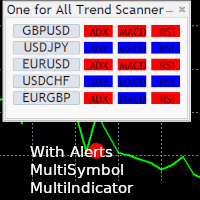
One for All Trend Scanner is a trend following multi-symbol indicator that can be used with any input: forex, stocks, commodities,... The panel shows three indicators and six symbols with the trend for every pair (symbol/indicator): up, down or no trend. The indicators are: Average Directional Movement Index (ADX) Moving Average Convergence Divergence (MACD) Relative Strength Index (RSI) You can choose which indicators will use for entry/exit and can adjust the parameters of each indicator sepa
FREE

Marubozu Gold EA v2.00 is a professional breakout trading system built for XAUUSD (Gold) and other volatile instruments. It detects strong Marubozu candlestick patterns and executes breakout entries with precision risk management based on %Balance Lot Engine. The EA features a beautiful on‑chart dashboard, daily protections, and a clean no‑grid architecture for stable performance.
XAUUSD Configuration – Marubozu Gold EA Symbol: XAUUSD Timeframe: M30 Account Type: Cent Account (≈ 20,000 USDC st
FREE

MT4 version Overview The Lowess Channel indicator is a smoothed trend-following tool designed to help traders identify the direction of the trend , detect flat or ranging markets , and spot breakouts from consolidation zones. It creates a central smoothed line with upper and lower channel boundaries, adapting to market noise while maintaining clarity. How It Works The indicator builds a channel around a smoothed price line. The central line reflects the current trend. The upper and lower bounda
FREE

FusionAlert StochRSI Master is an indicator available for MT4/MT5 platforms, it is a combination of RSI & Stochastic indicator which provide "alerts" when the market is inside "overbought and oversold" regions combined for both indicators, results in more precise and accurate signals to be used as a wonderful tool, in the form of "buy or sell" signals. This indicator comes with many customization options mentioned in the parameter section below, user can customise these parameters as needful. Jo
FREE

本指标的目的是判断点差和利率大小,以及按照存款货币每一个点的风险,设置从当前价位计算的止损距离。 本指标告知交易者有关金融工具在每个时段之间转换时可能的额外费用和利润。它还告知有关的点差和挂单的距离,从当前价位的尾随止损位。此外,指标告知交易者有关存款货币每一个点的风险。
信息被显示在图表下方的单独子窗口里。它可以避免图表被不同的信息塞满。点差和利率监控指标适合任何自定义模板。
这个多时间框架和多品种指标扫描吞没和镊子形态。结合您自己的规则和技术,该指标将允许您创建(或增强)您自己的强大系统。 特征 可以同时监控您的市场报价窗口中可见的所有交易品种。将该指标仅应用于一张图表,并立即监控整个市场。 监控从 M1 到 MN 的每个时间范围,并在识别出吞没或镊子形成时向您发送实时警报。支持所有 Metatrader 原生警报类型。 使用 RSI 作为趋势过滤器,以正确识别潜在的逆转。 该指示器包括一个交互式面板。请参阅单独的屏幕截图。 可以配置为显示买入/卖出线和 TP/SL 线(基于 ATR 乘数)。这些线将显示在您通过单击面板中的信号打开的图表上。请看下面的截图。
该指标可以将信号写入一个文件,EA 可以使用该文件进行自动交易。
输入参数
输入参数的描述和解释可以在 这里 找到。 重要的
我强烈建议将指标放在干净(空)的图表上,上面没有任何其他可能干扰扫描仪的指标。请注意,由于具有多功能性,既不会在安装指标的图表上绘制买入/卖出建议,也不会绘制线条和箭头。它们将绘制在图表上,该图表将在单击面板中的信号时打开。

Blodsalgo Analytics — 解读你的交易。为 MetaTrader 5 打造的免费实时分析平台。 Blodsalgo Analytics 是一款 免费的辅助工具 ,它把你的 MetaTrader 5 终端连接到网页端的专业分析面板。每一笔成交、每一项指标和每一个持仓都会自动同步,让你看清每个账户、每个 EA 的真实表现:所有经纪商集中在一处,任何设备都能查看。 安装步骤、面板地址和所有链接都在本产品的 安装与链接说明(评论) 中。 MQL5 Market 的规范不允许在产品说明中放置外部链接,因此这些内容全部集中在那里。 这不是交易 EA。 它不会开仓、改单或平仓。它只是一个只读的数据连接器,安静地与你的 EA 并行运行,完全不会干扰交易。 仅向 BLODSALGO EA 的用户开放。 免费。无订阅。无隐藏费用。 全新 — 2026 重大版本:面板已彻底重建 全新界面 — 简洁的卡片式设计、全新的侧边导航,19 个功能区集中在一个应用中 重建的总览 — 带可视化刻度的 KPI 卡片、最新动态、策略排行、多空对比与月度业绩一目了然 为手机重做 — 顶部栏不再吞掉屏幕:每个
FREE

What does this indicator do? Stochastic Signal Pro analyzes market momentum using an optimized Stochastic Oscillator to detect: Overbought zones Oversold zones High-probability reversal points It automatically generates Buy and Sell signals directly on the chart. Key Features Buy & Sell arrows
No repaint signals
Works on MT5
All timeframes
All symbols (Forex, Gold, Indices, Crypto)
Beginner friendly
Lightweight & fast Alerts Included MT5 popup alert Sound alert Push notif
FREE

DQN Gold XAUUSD 是一个基于神经网络的 MetaTrader 5 交易指标,用于分析黄金市场 (XAUUSD) 并在图表上显示 BUY 和 SELL 信号。 该指标使用 Deep Q-Network (DQN) 强化学习模型,并通过历史价格数据进行训练。 模型逻辑 模型基于六种交易策略进行训练: 动量策略 趋势策略 Multi-RSI 策略 突破策略 均值回归策略 无信号状态 系统会根据当前市场条件自动选择最合适的策略。 指标流程 特征提取
使用多个技术指标分析市场。 市场分析
DQN 模型评估当前市场结构。 策略选择
算法选择最适合当前市场环境的策略。 信号生成
当条件满足时,指标会显示 BUY 或 SELL 信号。 所有信号在K线收盘后确认。 推荐设置 交易品种:XAUUSD
时间周期:H1 风险提示 金融市场交易存在风险。本指标仅作为分析工具。

这个多时间框架和多品种指标识别高概率的突破模式。它通过识别强大的、对称的三角旗和三角形来做到这一点。这个图案 在更高的时间范围内 不会经常出现。 但是当它发生时,这是一个非常高概率的设置。该指标还包括一个内柱扫描仪。例如,它可用于检测由主蜡烛 (MC) 和 4 个内部蜡烛形成的特殊类型的内线形态(请参阅下面的策略说明)。 可在此处 找到此策略的单独指标。结合您自己的规则和技术,该指标将允许您创建(或增强)您自己的强大系统。 特征 可以同时监控您的市场报价窗口中可见的所有交易品种。仅将指标应用于一张图表并立即监控整个市场。 可以监控从 M1 到 MN 的每个时间范围,并在识别出三角旗、三角形或内部柱形时向您发送实时警报, 或者当地层发生突破时。支持所有 Metatrader 原生警报类型。 该指示器包括一个交互式面板。请参阅下面的屏幕截图#4。 可以配置为显示买入/卖出线和 TP/SL 线(基于 ATR 乘数)。这些线将显示在您通过单击面板中的信号打开的图表上。请参阅下面的屏幕截图 #5。 指标可以将信号写入一个文件,EA 可以使用该文件进行自动交易。比如 这个产品 。

Se procuras um robô rápido, agressivo e de alta frequência , o Best Scalper 5min TF é uma das melhores opções. Projetado para timeframes ultra curtos (M5 – 5 minutos) , ele entra e sai de operações rapidamente, capitalizando nos pequenos movimentos do mercado. Este robô combina filtros de volatilidade, padrões de candles e suporte/resistência dinâmica para identificar as melhores oportunidades. Ele é otimizado para pares de moedas e índices altamente voláteis , como US100 e GOLD , onde os peque
FREE

Convenient tool for measuring the number of points between the prices directly on the chart. Displays in the measurement between points in percentage, points (financial) and time (bars ). Compatible with all graphical timeframes. When fixed on the chart is displayed in all timeframes. Press Ctrl, click the first point, move the mouse and will now display the measurement. Click again and fix. Very fast tool that does not occupy much space. Input Parameters Line Color Line Style Text Color Text Si
FREE

VR ATR Pro 是一款技术指标,旨在基于对先前交易时段的 统计分析 来确定目标价位。其核心是对选定时间段内的 平均价格波动 进行数学计算。 基于统计学的指标工作原理 该指标的运作基础是观察价格的每日行为:每个交易时段都有其特定的 波动幅度 ——价格从开盘点向上和向下运行一定的点数距离。 类似地,可以假设在每个新交易时段开始时,价格都有一个条件性的 "运行区间" ...通过简单的数学计算确定 平均值 ...这个平均值不能保证一定达到,但可以作为 参考基准 ,指示当前时段内价格可能运行的幅度。 因此,该指标应用了这一原则:它分析选定时间段内的 历史价格波动 ,计算 平均统计值 ,并在图表上显示相应的价位。这使交易者能够理解当前金融工具的 强度 和 "运行区间" 。 指标显示 该指标在图表上显示两个价位: 上方价位 —— 上涨行情 的计算目标。 下方价位 —— 下跌行情 的计算目标。 此外,价位也可以显示为 区域 ,以便考虑偏差并获得 目标价格范围 。 主要特点 信号在时段结束后 固定 ,之后不再更改。 适用于多种 资产类别 :货币对( Forex )、金属、指数( CFD )、期货和

Quick Lines Mastery Lite v1.85 — 用户手册 发布方: Forex Noob Tube 网址: forexnoobtube.com 1. 概述 Quick Lines Mastery Lite 是一款专为 MT5 交易者设计的精简、专业图表工具,注重速度、精度和整洁的界面。通过一个可拖动的浮动控制面板,您可以一键快速部署预配置的水平线、垂直线、射线趋势线和拖放趋势线。 2. 仪表盘界面与控制 仪表盘采用紧凑的居中布局,不会遮挡图表。 提示: 点击并拖动深灰色标题 ( Quick Lines Mastery Lite ) 即可将面板重新定位到图表窗口的任意位置。 H-Line 1 & H-Line 2: 使用预定义的自定义颜色、宽度和样式,在图表上即时创建水平价格线。 V-Line 1 & V-Line 2: 在您点击的具体 K 线柱上即时绘制垂直时间标记。 Ray Trend: 部署一条从锚点向右无限延伸的射线趋势线。 Drag Trend: 在起始点击点和释放点之间部署标准的有限趋势线段。 CANCEL 按钮: 立即解除当前激活的工具,清除绘图状态并恢复
FREE

The Consolidation Detector is a precision-engineered Expert Advisor designed to identify periods of low-volatility market activity. By scanning a user-defined lookback period, this tool automatically detects price consolidation and highlights structural zones on your chart. It is an essential asset for traders utilizing Smart Money Concepts (SMC) who need to visually identify potential breakout or liquidity zones with accuracy.
FREE

Product name Rilvanta RSI PrimeSuite
Short headline A pure RSI professional suite for overbought/oversold context, regular and hidden divergence, failure swings, RSI structure and multi-timeframe RSI alignment.
Overview Rilvanta RSI PrimeSuite is a pure RSI analysis indicator designed for traders who want a complete RSI-based view without mixing in unrelated trend, volume, VWAP, ATR, Bollinger, SMC, ICT or moving-average filters. The indicator focuses on the core tools that make RSI useful: o
FREE

• Please test the product in the Strategy Tester before purchasing to understand how it works.
• If you face any issues, contact me via private message—I’m always available to help.
• After purchase, send me a screenshot of your order to receive a FREE EA as a gift.
Welcome to our collection of Expert Advisors! Each EA is available for just $80, a price set to help the entire trading community succeed. My mission is to provide affordable tools that make trading easier and more accessible t

Superior MT5 To Telegram Signals Notifier
OVERVIEW Superior MT5 To Telegram Signals Notifier is a smart bridge tool for MetaTrader 5 that instantly sends your trading activity directly to your Telegram phone app, channels, or group chats. It tracks your account in real time and broadcasts trade openings, closures, modifications, pending orders, and clear chart screenshots automatically using a simple Telegram Bot.
Whether you run a VIP signal channel and want to share trades automatically wit

此免费EA专用于M5时间周期。 此外,交易货币仅限日元(JPY)计价。 其设计规格不支持以美元(USD)或欧元(EUR)计价进行回测或实际交易。 交易手数也固定为0.01。 请将其视为仅供回测使用的测试版EA。 由于我本人也在实际前瞻交易中使用该EA,如果下载实时信号的需求持续增加,我计划将其公开。
TYO EA LAB的开发理念
TYO EA LAB致力于开发融合了自营交易公司(Prop Firm)运作思维的量化EA。 我们重视的并非单个EA的短期业绩,而是多种策略组合后的稳定性、分散性,以及在实际交易中的可复现性。
在开发过程中,除了长期验证数据外,我们还运用了基于AI的数据挖掘技术。 通过对市场数据进行多角度分析,提取如时间段、月度趋势、价格波动偏向等反复出现的统计优势,以此构建交易逻辑。
此外,TYO EA LAB的EA作为量化EA,其设计前提是支持多策略同时运行。 各EA虽各具特色,但设计上旨在使整个投资组合协同运作,其真正的优势在组合运行时比单独运行更能充分展现。
TYO
FREE

Multi Timeframe Buy and Sell Power Pro MT5
The "Multi Timeframe Buy and Sell Power Pro" indicator for MetaTrader 5 is a versatile tool designed to provide traders with a clear visual representation of market pressure across nine standard timeframes, from M1 to MN1. By aggregating buy and sell strength percentages derived from recent price action and tick volume, it helps identify potential trends, reversals, and neutral market conditions in real-time.
The indicator displays this information in a

CandleScope Pro Demo – Candlestick Pattern Indicator CandleScope Pro Demo is a powerful and easy-to-use indicator for MetaTrader 5 that automatically detects and labels the most popular candlestick patterns directly on your chart. This tool is designed to help traders of all levels quickly identify key reversal and continuation signals, improving decision-making and trading accuracy. Key Features: Automatic Detection: Instantly scans and highlights the following candlestick patterns: Doji Spin
FREE

AurelineGold
MetaTrader 5 Expert Advisor designed for XAUUSD / Gold
AurelineGold is an Expert Advisor for MetaTrader 5 designed for the XAUUSD (Gold) M1 chart.
It enters trades automatically based on short-term price movement and trend direction, then manages positions using predefined Stop Loss, Take Profit, and protection logic.
It does not include an analysis dashboard, signal panel, related chart-drawing settings, or manual operation buttons. The EA may apply the AurelineGold chart color
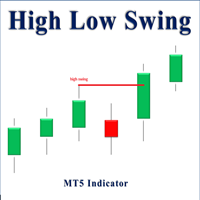
High Low Swing (HLS) Indicator
The HLS indicator is a technical analysis tool designed to identify swing highs and lows in the market, aiding swing traders in making informed decisions. It offers an adjustable "degree" parameter, allowing you to customize the sensitivity to strong price movements based on current market conditions.
Features:
• Clear Buy/Sell Signals: The indicator plots signals directly on the chart, simplifying trade identification.
• Adjustable Swing Strength: The "degr
FREE

Pivot Points Indicator – a fast, reliable, and fully customizable pivot detection for MetaTrader 5. This indicator uses MetaTrader’s native iHighest and iLowest functions to identify pivot highs and lows by scanning for the highest and lowest prices within a user-defined window of bars. A pivot is confirmed only when the current bar is the absolute maximum or minimum within the selected range, ensuring accurate and timely signals based on robust built-in logic.
Key Features No Repainting : Onc
FREE

重要提示:该专家顾问仅用于数据下载,不执行任何交易操作。 专家顾问功能:准确、正确且快速地下载历史数据。 必要性:有时我们会注意到,某些包含绘图、图形、线条和箭头的指标在放置在图表上或切换时间框架时表现异常。绘图和线条可能会在主屏幕上不自然地移动。此问题是由于某些指标可能需要的必要数据缺失所致。
使用步骤: 在新窗口中打开一个新的交易对。 将专家顾问拖到新的交易对上。 在短时间内,它将下载所需的历史数据。
在平台屏幕底部的工具箱部分,专家选项卡下(如说明图所示),将显示消息和通知。您会看到一条确认消息,表明下载成功:
“交易对已成功下载。” 完成后关闭窗口。
重要警告:
在专家顾问设置中,有一个名为 DownloadAllSymbols 的选项。建议将其设置为“False”,以便专家顾问仅下载您列表中可用交易对的历史数据。
不要选择“True”,因为这样专家顾问将尝试下载所有交易对、指标、股票、金属以及经纪人提供的其他隐藏符号的历史数据。下载完成后,所有这些名称将出现在您的列表中,这可能会对您造成不便,因为它可能包含数百个您不打算交易的符号。 另一个主题:
我邀请您尝试我的 Sulei
FREE

Smart Gold Scalp M5 AutoLot Recommended for 2-digit XAUUSD brokers Suitable for accounts starting from $100. Auto Lot settings are optimized for balances between $100 and $1,000, with built-in risk management and daily profit control. Overview Smart Gold Scalp M5 AutoLot is an automated Expert Advisor designed specifically for XAUUSD on the M5 timeframe. The EA uses an EMA 9 and EMA 21 crossover strategy to identify market trends and execute trades automatically. The indicators are calculated i

BAR KAPANIŞ GERİ SAYIMI BAR CLOSE COUNTDOWN, mevcut mumun kapanmasına kalan süreyi göstermek için tasarlanmış pratik bir MetaTrader 5 göstergesidir. Geri sayım, aktif mumun yakınında doğrudan grafikte görünür ve yatırımcıların platform saatini kontrol etmeden veya kalan süreyi manuel olarak hesaplamadan mumun tamamlanmasını izlemelerine olanak tanır. Bu gösterge, geri sayımı her saniye günceller ve seçilen grafik zaman dilimine otomatik olarak uyum sağlar. M1, M5 ve M15 gibi kısa vadeli grafikl
FREE

The Liquidity Profiler Tools is indicator identifies major buy-side and sell-side liquidity levels and visualizes internal buyer/seller activity through volume delta-filled quadrants, providing a complete toolkit for analyzing liquidity sweeps and potential reversals. Detection The indicator utilizes a pivot-based detection system. When a swing high is confirmed, a Buy-Side Liquidity (BSL) zone is created; a swing low creates a Sell-Side Liquidity (SSL) zone. The script includes "Filter Overlap

CDS SR Fractal Level: Dynamic Fractal Support & Resistance with Breakout Alerts Overview Tired of manually drawing and updating support and resistance lines? The CDS SR Fractal Level indicator automates this crucial process by intelligently identifying key market levels based on fractals. This lightweight and efficient tool allows you to focus on your trading strategy, not on chart setup, ensuring you never miss an important price level or a potential breakout. This indicator is clean, simple,
FREE

SLTrailingATR — User Guide Overview SLTrailingATR is a professional risk management Expert Advisor that automatically manages Stop Loss for your existing positions using M1 timeframe ATR . It will: Set an initial Stop Loss automatically Trail Stop Loss as the trade moves in your favor Never move Stop Loss against your position This EA does NOT open trades .
It works perfectly with manual trading, signal services, and any other Expert Advisor. ️ Key Features Feature Description Initial S
FREE

Quantum Scalp Momentum is a four-in-one confluence indicator for MetaTrader 5 scalping. It overlays EMA9 and VWAP on the chart, monitors volume spikes and Stochastic momentum internally, and prints a BUY or SELL arrow only when all four components agree. Features Four-factor confluence: EMA9 for micro-trend direction, VWAP for fair value, a volume-spike check for participation, and Stochastic for momentum timing. Single clear signal: arrows fire only on full agreement of the four components, whi

• Please test the product in the Strategy Tester before purchasing to understand how it works.
• If you face any issues, contact me via private message—I’m always available to help.
• After purchase, send me a screenshot of your order to receive a FREE EA as a gift.
Important Note: Please Adjust the "Distance Between Orders" Setting. Reduce it to achieve optimal results, ideally between 2 and 10. Trading in Forex and volatile markets can be challenging and risky. No strategy will be effect

Never Miss a Candle Close Again!
By default, MetaTrader 5 does not show the remaining time for a candle to close. For scalpers, day traders, and price-action traders, knowing exactly when a candle finishes is crucial for accurate entries and exits.
This lightweight, highly optimized Custom Indicator solves that problem by placing a sleek, real-time countdown timer directly on your chart.
Key Features:
* ️ Real-Time Precision: Displays the exact time remaining (Hours:Minutes:Seconds)
FREE
What It Does This indicator shows up to 5 moving averages from any higher timeframe on your current chart. Instead of switching timeframes to see the bigger picture, you get the trend information in one place. Example: Trading on 1-hour chart while displaying Daily moving averages to see the longer-term trend. Key Features Flexible Configuration Display up to 5 moving averages with individual enable/disable options Choose any higher timeframe as your source (4-hour, Daily, Weekly, Monthly, etc.)
FREE

Investment Castle Engulfing — Never Miss an Engulfing Candle
Whether you scalp or trade the daily, bullish and bearish engulfing candles are some of the most reliable signals — but spotting them across timeframes is tedious and easy to miss. This indicator finds them for you, including an engulfing candle forming on a higher timeframe while you trade a lower one.
What it does for you Automatic engulfing detection: bullish and bearish engulfing candles are flagged for you. Multi-timeframe aware
FREE

Mmaa Pro EA – Professional Bitcoin Trading Robot Tested & Verified on Exness – Time Range Breakout Strategy with Full Automation A specialized expert advisor built exclusively for Bitcoin. It identifies your chosen time range, tracks the highest and lowest prices, then places pending orders with precision on breakout or reversal. Advanced capital protection and instant execution. Features Included in This Version: Selectable breakout or reversal strategy. Multi-mode stop loss and take profi
FREE

This EA has no stop loss. All risks are at your discretion.
Fed Chair Gringott MT5 EA is a fully automatic Expert Advisor for Scalping Trading on XAUUSD timeframe M1. The basic strategy starts with Market order in Trend Following, so this EA Follow the Trend .
Fed Chair Gringott MT5 EA is similar to a Plug And Play package, please test it yourself. hundreds of times before making a purchase. I choose how it works. You choose the capital to invest. If you like it, buy it. Investing
FREE

Overview AlgoNLP.mqh is a standalone MQL5 library that converts human-written trading instructions into structured trade intents that your Expert Advisor (EA) or indicator can understand. Do leave a review if you like :D
Also check out my new Indicator : ALGOCHAMP v3 Plus Example input: Buy gold at 2370 with TP 0.3% and SL 1% Output intent: Side: BUY | Type: LIMIT | Symbol: XAUUSD | Entry: 2370 | TP: 0.3% | SL: 1% | Lot: 0.00 This enables you to build chat-controlled or Telegr
FREE

The Daily Highs and Lows Indicator is a versatile tool that combines support and resistance levels with real-time market dynamics. By incorporating previous daily highs and lows, it provides valuable insights into market psychology and identifies potential areas of price reversals or breakouts. With its ability to adapt to changing market conditions and customizable options, traders can stay ahead of trends and make informed decisions. This indicator is suitable for various trading styles and ti
FREE

IMPORTANT NOTE: This is a professional Trade Management Utility and on-chart assistant. It is NOT an automated trading robot. It does not open trades on its own. The UltraFast Trade Manager MT5 is the ultimate execution and risk-management suite designed to give you absolute control over your manual and algorithmic trades. When managing multiple positions, calculating complex net break-even points, or constantly monitoring the economic calendar, hesitation can lead to costly mistakes. This utili
FREE

### FTBP Telegram Panel - Your On-Chart Notification Center
**FTBP Telegram Panel** is not just an Expert Advisor, but a full-featured tool for traders who want to receive instant notifications about their trades in Telegram and manage the visual style of their terminal. The product is completely free!
### Key Features
* **Instant Telegram Notifications:** Get alerts for every opened and closed trade, including the ticker, volume, and financial result. * **Interactive Control Panel:** Forget
FREE

Zigzag Indicator For RSI, To easily identify the highs and lows of the rsi signal. It is easier to observe divergent and convergent signals. Default setting: InpRsi =14 //Rsi Period InpDepth =12; // Depth InpDeviation =5; // Deviation InpBackstep =3; // Back Step
If you want open Exness account try this link : https://one.exness-track.com/a/teg5teg5 Dev buy taphu: Ha Van Tan - hatatrata - Trader's profile - MQL5 community Email: tan.ha@outlook.com
FREE

Trade Sentiment or trade assistant is a MT5 Indicatior. That show buy or sell signal of different indicator to assist to take trades. That will help you to take right trades or to get confirmation for your trade. You don't need to have this indicators. Including indicators like RSI , STOCH , CCI. And the signals are Based on different Timeframes like 5M , 15H , 1H and 4H.
FREE

A buy signal can be seen on the dashboard when the previous signal is red and the next signal is green, then the SAR is green and the RSI is green.
A Sell Signal can be seen on the dashboard when the previous Signal is green and the Signal after it is red, then the SAR is red and the RSI is red.
Line function - shows on the chart the lines of Opening, Stop Loss, Take Profit. With this function, it is easy to create a new order and see its additional characteristics before opening. TP and SL
FREE
Candle size oscillator is an easy to use tool to figure out candle size from highest to lowest price of each candle. It's a powerful tool for price action analysts specifically for those who works intraday charts and also a perfect tool for short term swing traders. Kindly note that you can also edit the Bullish and Bearish candles with different colors.
#Tags: Candle size, oscillator, price action, price range, high to low, candle ticks __________________________________________________________
FREE

Currency Strength Chart is a powerful Forex indicator designed to track and visually represent the strength of individual currencies within a basket of the 8 major currencies: USD, EUR, GBP, JPY, AUD, NZD, CAD, and CHF. By calculating the relative strength of each currency, the indicator provides traders with a comprehensive overview of how each currency is performing against the others in real-time. This indicator helps traders identify potential trading opportunities by highlighting strong cur
FREE

This is an ordinary MACD indicator displayed in the main window according to the selected chart style, i.e. Bars, Candlesticks or Line. When you switch the chart type, the indicator display also changes. Unfortunately I could not improve the chart type switching speed. After switching, there are delays before the arrival of a new tick.
The indicator parameters Fast EMA period Slow EMA period Signal SMA period Applied price
FREE

If you love this indicator, please leave a positive rating and comment, it will be a source of motivation to help me create more products <3 Key Takeaways Fisher is a repaint indicator. It recalculates previous bars when new bars become available. Modified to avoid repainting to accommodate some merchants. Fisher indicator is quite a simple histogram indicator that detects the trend's direction and strength and signals about trend changes. Traders look for extreme readings to signal potential p
FREE

If you love this indicator, please leave a positive rating and comment, it will be a source of motivation to help me create more products <3 How to use Aroon Indicator? The AroonUp and the AroonDown measure the strength of the uptrend and the strength of the downtrend, respectively. These lines fluctuate between zero and 100. Values close to 100 indicate a strong trend and values near zero indicate a weak trend where the lower the AroonUp, the weaker the uptrend and the stronger the downtrend,
FREE
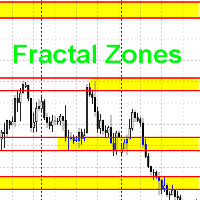
Данный индикатор рисует торговые зоны по фракталам со старших периодов, что упрощает торговлю по уровням.
На одном графике данный индикатор рисует два типа торговых зон. Например если текущий период - H1, то торговые зоны будут искаться по фракталам с H4 и с D1. В стандартных настройках фрактальные зоны с H4 будут рисоваться желтым цветом, а с D1 - зеленым. При наложении зон, происходит смешивание цветов в месте пересечения зон. Как данную вещь поправить, я не знаю в данный момент.
Принцип пои
FREE

本指标是 MT5 专属的 K 线收盘实时监控与声音警报工具,核心实现指定周期 K 线收盘节点的精准提醒,搭配可视化全局开关、双模式警报与实时信息展示,操作便捷且适配全交易周期,避免错过关键交易时机,是交易盯盘的实用辅助工具。 核心功能 自定义监控周期,支持选择指定周期或当前图表周期,自动计算周期秒数,适配 MT5 全交易周期(M1-MN); 双模式独立声音警报,可分别开启 / 关闭 收盘前倒数预警 (自定义预警秒数)和 收盘 / 新 K 线生成警报 ,支持自定义警报音效文件; 可视化全局 GUI 开关,图表右上角悬浮操作按钮,一键切换警报启停,通过颜色、文字、图标直观区分状态,操作无延迟; 实时图表信息展示,动态刷新服务器时间、距离收盘剩余时间、警报全局状态,信息清晰明了,无需额外查看工具; 轻量化稳定运行,秒级精准监控,内置防抖动处理避免重复警报,指标卸载 / 关闭时自动清理定时器、按钮等对象,无残留不卡顿。 适配说明 支持 MT5 所有终端版本,兼容全交易品种、全 K 线周期;纯参数化配置,无需编程基础,即装即用,操作简单。
FREE
In order to provide accurate entrances and exits in trending markets, the RSI EMA ADX EA is a professionally constructed Expert Advisor that combines the strength of three popular technical indicators: the Average Directional Index (ADX), Exponential Moving Average (EMA), and Relative Strength Index (RSI). For traders looking for high-accuracy, low-risk automation, it is perfect. Strategy Logic
1. RSI (Relative Strength Index):
removes oversold and overbought market circumstances.
ct evidenc
FREE

最后,界面变得方便。 现在,您可以用鼠标控制指标周期。 只需点击按钮并滚动鼠标滚轮即可增加或减少CCI周期。 按钮可以放在任何方便的地方,一键固定使用。 您可以在一个图表上设置多个指标,并同时单独或全部管理它们。 图表上的简单安装使您不必担心重命名或更改每个指标的参数,自动算法本身将重命名和创建必要的对象,以及在使用后删除它们。 界面尽可能方便,实际上不需要手动干预。 这个组件非常适合那些经常在交易策略中使用CCI指标的人。 不是脚本! 可以在图表上不断工作!在测试仪中不起作用。 一个巨大的要求留下您对这个免费产品的反馈。 安装工程:
-将"Button_CCI"设置为图表。 将出现一个按钮来控制指示器和CCI指示器本身. 您可以在一个窗口中设置多个指标,将为每个指标创建一个按钮。
-按钮出现在一排,一个接一个,但你可以将它们移动到主图表上的任何方便的地方。 一旦按钮固定到位,它们就不能移动。
-当按下按钮时,相应指示器的控制模式被激活。 与此同时,图形本身的滚动被禁用。 当鼠标向前滚动时,CCI周期增加,向后减少. 如果按下多个按钮,则多个指示器一次更改。
-更改图表的时
FREE
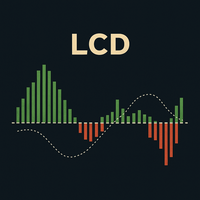
LCD 拉盖尔聚合离散指标:MACD 的高级改良版 LCD 拉盖尔聚合离散指标 (LCD Laguerre Convergence Divergence) 是一种先进的技术指标,旨在改进经典的 MACD 指标,提供更快、更灵敏和更具适应性的动量检测。其主要优势在于使用了 拉盖尔滤波器 (Laguerre filters) ,它比传统的移动平均线能更精确地响应价格变化。 主要优势 更高灵敏度和更小滞后性: 拉盖尔滤波器能生成更早的进场和出场信号,这在波动剧烈的市场中至关重要。 对波动性的适应能力: 它根据 ATR(平均真实波幅) 动态调整,在低波动性时过滤掉噪音,在高波动性时快速做出反应。 改进的噪音过滤: 包含一个 决策区 (Decision Zone) 和额外的平滑处理(直方图的 EMA),以减少虚假信号。 可选的成交量确认: 允许通过成交量来验证信号,这对于 H1-D1 等时间周期非常有用;在 M1-M30 的剥头皮交易中可以将其禁用。 视觉灵活性: 可以自定义线条和直方图的颜色、粗细和样式。 组成部分与工作原理 L-Fast 线: 代表短期动量,对价格反应迅速。 L-Signal
FREE
MetaTrader市场是 出售自动交易和技术指标的最好地方。
您只需要以一个有吸引力的设计和良好的描述为MetaTrader平台开发应用程序。我们将为您解释如何在市场发布您的产品将它提供给数以百万计的MetaTrader用户。
