 MetaTrader 5
 エキスパート
 インディケータ
 ライブラリ
ライブラリ
 ユーティリティ
 ウィジェット
 ルール
ルール
YouTubeにあるマーケットチュートリアルビデオをご覧ください
ロボットや指標を購入する
仮想ホスティングで
EAを実行
EAを実行
ロボットや指標を購入前にテストする
マーケットで収入を得る
販売のためにプロダクトをプレゼンテーションする方法
MetaTrader 5のためのエキスパートアドバイザーとインディケータ - 104
 自動売買ロボットとインジケータを使用して、外国為替取引の収益性を高めます。 自動売買ロボットを使用すると、取引の開始と終了を自動化でき、インジケータは市場の行動をより正確に予測するのに役立ちます。
このページには、MetaTrader5アプリケーションのカタログが掲載されています。
自動売買ロボットとインジケータを使用して、外国為替取引の収益性を高めます。 自動売買ロボットを使用すると、取引の開始と終了を自動化でき、インジケータは市場の行動をより正確に予測するのに役立ちます。
このページには、MetaTrader5アプリケーションのカタログが掲載されています。 
Indicator Description
This simple yet highly practical indicator draws clearly visible price levels above and below the current market price. It is optimized for use on the M1 timeframe, making it especially suitable for traders who depend on fast and precise market feedback. Although it is designed with M1 in mind, the indicator can be used on other timeframes as well. The indicator follows a minimalist design philosophy, focusing purely on functionality without unnecessary features or visual d
FREE

Aurum Break — Non-Repainting XAUUSD Breakout Indicator (Free) A clean, non-repainting breakout indicator built for gold, works on any timeframe. Aurum Break marks BUY and SELL signals when price breaks out of its recent trading range with a volatility filter, combining a rolling N-bar high/low with an ATR-based range check to filter out weak, low-momentum breakouts. A built-in cooldown prevents signal clustering during choppy conditions. Core feature: every signal is confirmed on a fully closed
FREE

Gold Prop Firm is a professional indicator specifically designed for trading gold (XAUUSD). It automatically identifies price consolidation ranges—key liquidity accumulation zones where potential breakouts are most likely to occur. The algorithm creates a Breakout Box around these areas, analyzes volume distribution, and determines trigger strength . When the boundaries of the range are breached, the indicator generates clear trading signals in the form of arrows. Gold Prop Firm is su

EasyADX - Color Trend Histogram & Alerts for MT5 Visual color-coded ADX Trend Histogram with automatic pop-up and push notifications. Instantly spot strong trends and filter out noisy sideways markets. Key Features: 3-Color Visual Histogram: Green for Strong Uptrends, Red for Strong Downtrends, Gray for Flat/Ranging markets. Custom ADX Threshold: Easily adjust the trend filter level (default at 25). Real-Time Alerts: Get Pop-up alerts and Push Notifications on your phone right at the start of a
FREE

QA Hull Moving Average — Product Description (MQL5 Marketplace) A clean, standalone Hull Moving Average indicator for MetaTrader 5. Configurable period, applied price, color, width and style — all from the Inputs tab. Minimal lag, maximum responsiveness. QA Hull Moving Average The most responsive moving average — built clean for MetaTrader 5. Hull Moving Average (HMA) was developed by Alan Hull to solve the fundamental problem with traditional moving averages: lag. While SMA and EMA delay signal
FREE

Trade Manager Pro MT5 は、単一のフローティングインターフェースから取引執行およびポジション管理のあらゆる側面を完全にコントロールできるよう設計された、プロフェッショナル向けオールインワントレード管理パネルです。高速な注文執行、高い精度、そしてインテリジェントな自動化を組み合わせることで、MetaTrader 5 を強力なプロフェッショナル向けトレーディングワークステーションへと変えながら、軽量・高速・使いやすさを実現しています。 MetaTrader 5 のネイティブ取引クラスを使用して開発されており、優れた安定性、ブローカーとの高い互換性、そして信頼性の高い注文執行を提供します。注文発注、リスク計算から高度なポジション管理、取引パフォーマンスの監視まで、取引プロセスのすべてを効率化します。 FX、ゴールド、株価指数、コモディティ、株式、暗号資産(仮想通貨) を取引する場合でも、 Trade Manager Pro MT5 は複雑さを排除し、効率的な裁量取引に必要なプロフェッショナルツールを提供します。 主なメリット ワンクリックで注文を実行。 自動リスク管理によ
FREE

¿Qué hace exactamente? Este Indicador rastrea el gráfico de forma automática para calcular y dibujar Zonas de Oferta (Supply) y Zonas de Demanda (Demand) basándose puramente en la acción del precio. Identifica puntos clave: Busca patrones estructurales (swings de 3 velas) donde el precio ha marcado un máximo o un mínimo importante. Filtra por volatilidad: Utiliza el ATR (Average True Range) para medir la fuerza del movimiento y asegurarse de que la zona trazada tiene un tamaño lógico y no es so
FREE
マルチタイムフレーム対応、カスタマイズ可能なビジュアルシグナル、設定可能なアラートシステムを備えたOsMA(MACDヒストグラム)インジケーター。
フリーランスプログラミングサービス、アップデート、その他のTrueTL製品は私の MQL5プロフィール からご利用いただけます。
フィードバックとレビューを心よりお待ちしております!
OsMAとは? OsMA(移動平均のオシレーター)はMACDとシグナルラインの差であり、MACDヒストグラムとも呼ばれます。正の値はMACDがシグナルラインの上にあること(上昇モメンタム)を示し、負の値はMACDがシグナルラインの下にあること(下降モメンタム)を示します。ゼロラインのクロスオーバーはMACD/シグナルのクロスオーバーに対応し、潜在的なトレンド転換を示します。増加するバーはモメンタムの上昇を示し、減少するバーはモメンタムの低下を示します。 OsMAシグナルはゼロラインのクロス(トレンド転換)、OsMAと価格の乖離、ヒストグラムのピークと谷の検出時に生成されます。このインジケーターはトレーダーがモメンタムの動きの強さと方向を高精度で測定するの
FREE
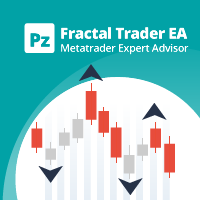
This EA trades untested fractals using pending orders. It offers many trading behaviors and flexible position management settings, plus many useful features like customizable trading sessions and a martingale mode. [ Installation Guide | Update Guide | Troubleshooting | FAQ | All Products | Get Help ] Easy to use and supervise It implements 4 different trading behaviors Customizable break-even, SL, TP and trailing-stop Works for ECN/Non-ECN brokers Works for 2-3-4-5 digit symbols Trading ca
FREE

BodyCandleBreakout – Smart Body Breakout Signal Indicator for MT5 BodyCandleBreakout is a clean, price-action-based indicator that instantly identifies when the current candle's close price breaks beyond the body (high or low) of the previous candle . No repainting. No lag. Just pure, objective breakout signals directly on your chart. Overview Breakouts are among the most reliable price-action signals in trading. But not all breakouts are created equal. BodyCandleBreakout focuses
FREE
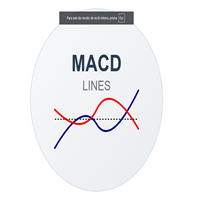
MACD Lines - Indicador MACD com Visualização em Linhas Descrição Este é um indicador MACD (Moving Average Convergence Divergence) modificado que apresenta uma visualização mais limpa e elegante em comparação com o MACD padrão do MT5. A principal diferença é que ele remove o histograma tradicional e mantém apenas as linhas MACD e Signal, permitindo uma melhor visualização dos cruzamentos e tendências. Características Principais Linha MACD em azul escuro com espessura 2 Linha Signal em vermelho co
FREE

Daily P/L Risk Management is a MetaTrader 5 utility that watches your account's daily profit and loss and acts automatically when a limit is hit. It tracks both realized and unrealized P/L and can close positions, disable trading or alert you. It is a practical safety net for prop-firm challenges and disciplined day trading. Features Daily loss and profit limits, set by money amount or percent of balance/equity. Combined P/L tracking: counts both closed-trade (realized) and open-position (unreal
FREE

A1rum Liquidity Delta is a clean technical analysis indicator designed to help traders observe market pressure, liquidity movement, and directional bias in a simple and structured way. This indicator focuses on liquidity behavior, market reaction, and delta-style pressure reading to support better decision-making during live trading and market review. It is suitable for traders who want a cleaner chart, quick visual confirmation, and a more organized way to study price movement across different
FREE

MILESTONE: 100+ Downloads in Week 1! From an explosive community launch to a premium trading asset. Thank you to the trading community! Within just 7 days of release, Ronex Gold surpassed 100+ downloads . The live feedback has been unanimous: "This algorithm is too accurate to be free." To protect the strategy from broker tracking, prevent market crowding (which causes bad slippage), and fund dedicated premium support, the free public beta is now officially closed. Ronex Gold has transitioned
FREE

MG Hybrid Trend – A multi-timeframe adaptive trend and reversal analysis tool. Use the EA to trade XAUUSD on the M15 timeframe. MG Hybrid Trend is a new intelligent trading system that combines the power of : Multi-Timeframe Trend Analysis + Momentum + Reversal Detection + Smart Position Management Under a Hybrid Scoring Model 6 Slots architecture that processes signals from M1 → M30 → H1 up to W1/D1. The EA is designed to intelligently trade with the trend (Trend Rider). With the abil
FREE

PipPal - Your Animated Robot Trading Companion Trading can feel lonely and stressful. PipPal puts a friendly little robot right on your chart who stays with you through every trade. He flies out of a glowing sci-fi portal, follows your live price in real time, and reacts to what is happening in your account - so your chart finally feels alive. PipPal is a pure visual companion. It reads your open trades to show emotions, but it never opens, modifies, or closes any position. Your trading stays 10
FREE

Overview DYJ BetaLogicDynamicsEA: Statistical Mean-Reversion Powered by Beta Distribution. Unlock data-driven trading with the DYJ BetaLogicDynamicsEA . This expert advisor employs the Beta Distribution probability density function to dynamically model MACD-based market intensity. By identifying statistical extremes, it automates high-precision mean-reversion entries. Featuring a built-in real-time graphical dashboard and bilingual support (CN/EN), this tool transforms complex statistical probab

My other indicators https://www.mql5.com/en/market/product/156702 https://www.mql5.com/en/market/product/153968 (FREE) https://www.mql5.com/en/market/product/153960 (FREE) MyFXRoom Equal Highs & Lows – Intelligent S/R Detector
What it does MyFXRoom Equal Highs & Lows automatically detects, validates, and draws Equal Highs and Equal Lows from confirmed 5-bar swing points. It highlights key support and resistance formed by multiple unbroken reactions at the same price area — the zones many tra
FREE

BB RSI Mean Reversion Pro is a MetaTrader 5 Expert Advisor that trades mean reversion setups using Bollinger Bands and RSI confirmation. It is designed for major forex pairs on the H4 timeframe and includes optional Donchian filtering, trailing stop, break-even logic, session filtering, and configurable risk controls. Recommended pairs are EURUSD, GBPUSD, and USDCHF. Product Description BB RSI Mean Reversion Pro for MT5 BB RSI Mean Reversion Pro is a MetaTrader 5 Expert Advisor designed to trade
FREE
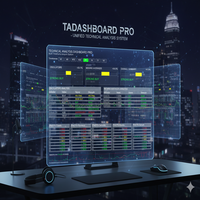
Technical Analysis Dashboard Pro (TADashboard Pro) – 統一テクニカル分析システム TADashboard Pro は、複数のテクニカル指標と時間枠(タイムフレーム)を単一のビジュアルインターフェースに統合した、高度なテクニカル分析パネルです。 正確性 と 効率性 を求めるトレーダー向けに設計されており、本システムは 8つの異なる時間枠 にわたる 7つのオシレーター と 4つの移動平均線 を同時に分析し、意思決定を簡素化する正規化されたスコアを生成します。 主な特徴 (主なとくちょう): マルチタイムフレーム分析 (Multi-Timeframe Analysis): 統合されたビジュアルセレクターにより、M1、M5、M15、M30、H1、H4、D1、W1の各期間を簡単に監視できます。 高度なスコアリングシステム (Advanced Scoring System): オシレーター、移動平均線、および総合評価の独立したスコア( $-100$ から$+100$まで)。 搭載インジケーター (Included Indicators): RSI
FREE

MQL5に投稿する用の、短く実用的な日本語版の説明です: Dynamic Market Profile (DMP) — カスタム・ボリュームプロファイル Dynamic Market Profile は、チャート上の任意の場所の出来高(ボリューム)を、手動かつ瞬時に分析できるインジケーターです。日足や週足といった固定のプロファイルに縛られる必要はありません。分析したい特定の値動き、レンジ(保ち合い)、トレンドの波をピンポイントで自由に選択できます。 インタラクティブな長方形(レクタングル)を使って、最大 5つの独立したエリアを同時に チャート上に描画できます。 普段のトレードでの使い方 エリアを作成: キーボードの 「1、2、3、4、5」 のいずれかを押すか(または画面上のボタンをクリック)、長方形をチャートに表示させます。 チャート上で調整: 長方形の端をドラッグして、分析したい正確な「期間」と「価格帯」を囲みます。 瞬時に分析: インジケーターがそのエリアのボリュームプロファイルを生配信のようにリアルタイムで計算・描画します。 特定のプロファイルを消したい場合は、その長方形を削
FREE
Stop guessing where the market will turn. Our advanced High/Low Indicator for MT5 is the ultimate tool for mastering price action and identifying key market structure. It automatically scans the chart to identify and clearly plot all critical swing highs and lows in real-time, helping you see the true story behind the candles. These crucial, non-repainting levels form the backbone of any successful trading strategy. Use them to instantly visualize the market's framework, allowing you to pinpoint
FREE

Self-Learning SBF - Structure Break Forecaster Every time the market breaks a key structural level, Self-Learning SBF asks a simple question: "What happened last time price did this?" Instead of relying on fixed rules, the indicator keeps a live archive of every structure break it observes and how it played out — and it never stops learning. Every new signal is compared against the most similar cases in that archive, turning market history into a probability score and clear, tiered price targets
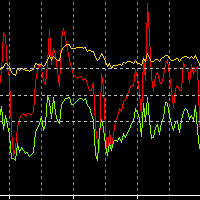
Necessary for traders: tools and indicators Waves automatically calculate indicators, channel trend trading Perfect trend-wave automatic calculation channel calculation , MT4 Perfect trend-wave automatic calculation channel calculation , MT5 Local Trading copying Easy And Fast Copy , MT4 Easy And Fast Copy , MT5 Local Trading copying For DEMO Easy And Fast Copy , MT4 DEMO Easy And Fast Copy , MT5 DEMO
The homeopathic indicator is also called the CCI indicator. The CCI indicator was proposed
FREE

Connors RSI Advanced Suite for MetaTrader 5 Take your mean-reversion trading to the institutional level with the Connors RSI Advanced Suite . Developed by Larry Connors, this powerful momentum oscillator is designed to identify high-probability entry and exit points by measuring the velocity , duration , and magnitude of price changes. Unlike the standard RSI, which only looks at price change magnitude, Connors RSI is a robust three-part composite indicator consisting of: RSI(3): Short-term p
FREE

Are you optimizing your trading strategies? Use the advanced and more visual representation of optimization results with the benefits of interactive HTML pages. Examples and detailed instructions .
Here are some of the benefits: Easy-to-understand graphs. Filters by any criterion and threshold (min/max). In MT5, there are only 5 of them. 43 optimization criteria instead of 8. All the criteria recorded in .opt files are available. If you have access to the EA code, you can add balance and equit

トレードビジュアライザー(TVIZ)の説明
提供されるコードは、MetaTraderの価格チャート上に過去および現在の取引データを直接プロットするために設計された、非常に効率的でインタラクティブなユーティリティ(以下、トレードビジュアライザー(TVIZ)と呼びます)です。プロの開発者やFXトレーダーにとって、ターミナルの履歴タブで生の取引データを確認するのは面倒で、価格変動との視覚的なつながりも希薄です。完全な取引履歴をプロットすることで取引データを視覚的に分かりやすくする他のマーケットソリューションと同様に、このスクリプトは正確なエントリーポイントとエグジットポイントをローソク足に直接投影することで、このギャップを埋めます。数値取引データを明確な視覚形式に変換することで、アルゴリズム開発者や手動トレーダーは、戦略のエントリーの精度、エグジットの効率性、そして全体的な市場タイミングを即座に評価できます。そのため、エキスパートアドバイザー(EA)のデバッグや、週末の手動取引の記録を行う上で不可欠なツールとなります。
このインジケーターの中核は、MetaTraderのオブジェクト作成機
FREE

TREND SENTINEL LITE — Professional Trend Following Logic Trend Sentinel Lite is a high-quality, conservative trading algorithm designed for traders who value capital preservation and steady growth. This EA is built on a classic, time-tested combination of Exponential Moving Averages (EMA) and the Relative Strength Index (RSI). Unlike many free robots that use dangerous "toxic" trading styles, Trend Sentinel Lite follows a strictly professional approach. Why use Trend Sentinel Lite? Safety First:
FREE

どのトレーダーにも覚えのある手順があります。インジケーターの設定を開き、数値を変え、OKを押し、チャートを凝視し、違うと判断して、また設定を開く。Stochastic はどのオシレーターよりもこれが厄介です。3つの期間と2本のレベル、つまり合わせ込むべき数値が5つあり、組み合わせを変えるたびに設定ダイアログを往復することになります。Stochastic Live Tuner はその往復を終わらせます。 本製品は、 チャート上でそのままリアルタイムに 調整できる、2本ライン方式の古典的なスロー Stochastic(%K と %D)です。チャート上には5つのスライダーを備えた小さなパネルが表示されます。%K 期間、%D 期間、Slowing、そして2本のレベルです。どれをドラッグしても、インジケーターは目の前で即座に再計算・再描画されます。5,3,3 か 14,3,3 か、80/20 か 75/25 か——その答えはフォーラムのスレッドではなく、ご自身のチャート上で数秒で得られます。 %D の平滑化方法はボタン1つ。 SMA、EMA、SMMA、LWMA をパネルから直接切り替えられます。
FREE

Pointer Sync is a pointer synchronizer between open charts. It makes the MT5 cross (activated by the middle mouse button) to be replicated on all open charts. In addition, it is possible to create horizontal lines (letter H) and vertical lines (letter V), very useful for studying. The appearance of the lines is customizable. Note: Synchronization is through the X and Y scale in pixels , not price and/or date. It is a simple and free utility. Enjoy!
This is a free indicator, but it took hours to
FREE

Live Risk Dashboard MT5 EA Monitor your account risk clearly and trade within your limits Live Risk Dashboard MT5 EA is a practical account-monitoring utility for MetaTrader 5. It displays your most important trading and risk information directly on the chart, helping remove the "math anxiety" of managing open positions. Instead of repeatedly checking different MT5 windows or manually calculating floating profit, drawdown usage, and remaining limits, you can view everything in one clean, compact
FREE

MadMax Trader – Multi-Strategy Forex EA for MQL5 Overview
MadMax Trader is an automated trading system designed for the MetaTrader 5 Windows platform. It integrates multiple trading approaches to adapt to different market conditions across various Forex pairs and timeframes. The EA operates without manual intervention, executing trades based on predefined technical criteria. Key Functionalities Multi-Strategy Approach The EA incorporates three distinct trading methodologies: Swing Trading: Iden

Noetrix Partial Entry
Noetrix Partial Entry is a visual scale-in planning utility for MetaTrader 5. It helps discretionary traders build and manage a staggered pending-entry plan directly on the chart.
The utility does not generate trading signals and does not place orders automatically. A plan is sent only after an explicit click on PLACE ALL and, by default, a confirmation dialog.
MAIN FEATURES
• Build from 1 to 5 Buy Limit or Sell Limit entries. • Split a total volume across the enabled e
FREE

# XAU Tokyo Momentum H1
**Expert Advisor for MetaTrader 5 — Gold / XAUUSD focus** **Version:** 1.00
---
## What it is
**XAU Tokyo Momentum H1** is an Expert Advisor for **gold** on the **H1** chart. Tokyo session momentum participation for gold H1.
Built for structured automated participation — **not grid** , **not martingale** . Evaluate on your broker and risk profile before any live use.
This product is a **technical system** . Exact thresholds and entry equations remain internal pro
FREE

CasperIT Manual Trade Manager MT5 FREE
CasperIT Manual Trade Manager is a free trading utility for MetaTrader 5. It helps manual traders open positions, control risk, and protect profitable trades from a compact chart panel.
The utility does not generate automatic entry signals or promise profits. You remain in control of every trade.
Main Features
- One-click **BUY** and **SELL** buttons - Automatic risk-based lot calculation - ATR-based Stop Loss and Take Profit - Break-even protection aft
FREE

Jackson Support and Resistance V it a powerful advance support and resistance indicator which provide signal base on price action, it Design to make things easy for everyone to draw support and resistance. we believe most strategies are built with support and resistance as a foundation .Having support and resistance perfect can be a game change to you way of trading. It flexible to all instrument .don't forget to watch our video on how to us this indicator prefect and progressive.
FREE
Spectral Frequency Engine — AI-Driven FFT Expert Advisor for EUR/USD (M1)
Spectral Frequency Engine is an advanced automated trading system (Expert Advisor) optimized for EUR/USD on the M1 (1-minute) timeframe. This EA uses cutting-edge Fast Fourier Transform (FFT) spectral analysis to identify hidden momentum waves and frequency shifts within market data — transforming raw price movement into a scientific trading signal.
Unlike conventional EAs that rely only on moving averages or oscillator
FREE

Magic Trend
This MT5 indicator is a Moving Average with 3 signal colors. The 3 input parameters on this Indicator give you a chance to set any Moving Average of choice. A combination of 2 different exponential moving averages, relative strength index, commodity channel index, and William's percent range provide the signals.
White color = Null/No/Exit Signal Green color = Buy Signal Red color = Sell Signal
Point To Note: Confirm the color change only after the current candle closes to avoid
FREE

Market Strike v.1 is a smart intraday trading indicator designed to help traders read price reaction zones with more clarity. It combines M1 and M5 confluence, side volume analysis, clear buy/sell labels, and intraday target guidance to improve trade timing and reduce late entries. This indicator is built for traders who want to identify fresh highs and lows, spot stronger reversal zones, and confirm whether a signal is regular or supported by higher intraday confluence. When M1 and M5 align at
FREE

XAU Asian Range Break M15 Expert Advisor for MetaTrader 5 — Gold / XAUUSD focus
Version: 1.00 What it is XAU Asian Range Break M15 is an Expert Advisor for gold on the M15 chart. Asian range breakout participation for gold M15. Built for structured automated participation — not grid , not martingale . Evaluate on your broker and risk profile before any live use. This product is a technical system . Exact thresholds and entry equations remain internal product design and are not published here. A
FREE
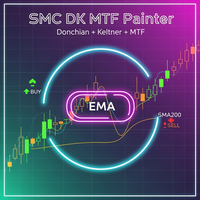
SMC Donchian Keltner MTF Trend Painter The SMC Donchian Keltner MTF Trend Painter for MetaTrader 5 is a versatile trend indicator that combines Donchian and Keltner channels with a multi-timeframe EMA bias. It delivers a clear, multi-dimensional view of market trends and precise trading signals – ideal for both intraday and swing traders. Key Features: Multi-Timeframe Trend Assessment: Candles are colored according to EMA bias from two timeframes (e.g., H1/H4), instantly showing the dominant ma
FREE

Manual ATR Grid Manager is a manual trading system for gold (XAUUSD) that lets you choose your entry and then hands the ongoing trade management to the EA. Place a market buy or sell, or a buy/sell limit or stop order, directly from the chart. Set your lot size and entry price, with on-screen instructions guiding each step. Once the position opens, the EA manages its profit target. If price moves against you, an adjustable ATR-based grid can add positions at intervals that respond to market vola
FREE

Ritz Conspiracy 16 – 多層型マーケット・インテリジェンス・システム Ritz Conspiracy 16 は、16種類の主要テクニカル指標を
1つの統合ビジュアルパネルにまとめた 多層型マーケット分析インジケーター です。 マーケット・インテリジェンスの概念に基づいて設計され、
トレンド、ボラティリティ、モメンタム、出来高、価格構造など、
あらゆる角度から市場の挙動を司令室のように読み取ります。 “コンスピラシー(共謀)” 的アプローチにより、
16のアルゴリズムが生み出す小さな手がかりをつなぎ合わせ、
市場が本当に向かおうとしている力学を一つの大きな絵として描き出します。 最終的に、各テクニカルカテゴリに対する BUY/SELL の確率パーセンテージ を
リアルタイムで、かつ適応的に、非常に情報量豊かに表示します。 Ritz Conspiracy 16 の内部構造 1つのインジケーター、6つの主要カテゴリ、16の分析エンジン。 1. TREND インテリジェンス クラシック指標と適応型指標を組み合わせ、
トレンドの方向性と強さを捉える層。 Moving Aver
FREE

Rise of the Beasts – SuperTrend Auto-Trading EA Rise of the Beasts is a powerful, fully automated Expert Advisor that unleashes trend-following precision using the legendary SuperTrend indicator . Built for traders who want clean entries, smart exits, and consistent results, this EA dominates markets by identifying trend shifts with accuracy and acting instantly. Whether you trade forex, indices, metals, or crypto , Rise of the Beasts adapts to any market with strong risk control and volatili
FREE

Corex Smart Bear Bull インジケーター は、MetaTrader 5 向けの 非リペイント型トレンド再エントリー・ツール です。5 種類の移動平均を 1 本の Fusion ラインにブレンドし、高速・低速の 2 層感度フィルターでスムージングを行い、トレンドの強さを示すカラークラウドを描画します。さらに Williams %R の トリプルスタック・コンフィデンスエンジン を重ね、6 つの独立したサブトリガー(ダイバージェンス、エクストリームスナップ、エグゾースション、コンティニュエーション、プルバック、トリプル)を通してすべてのシグナルをフィルタリングします。各シグナルには 0〜100 のスコアが付与され、逆張り保護レイヤーを通過したものだけが表示されるため、トレーダーはレジームが実際に切り替わる瞬間に BULL / BEAR トレンドラベル、トレンド内部での再エントリー三角形、そしてトレンドが崩れたときの X(エグジット)マークを確認できます。アラートパッケージは、トレンド転換・再エントリー・エグジットのタイミングで、ポップアップ、モバイルプッシュ、メール、サウ
FREE

Breakouter X6 Portfolio – 6市場を1つのEAで管理 BreakouterはMetaTrader 5向けのマルチマーケット・ブレイクアウトEAです。1つのチャートからXAUUSD、USTEC、XAUCHF、XAUJPY、XAGUSD、XAGEURをまとめて管理します。 システムはスイング高値とスイング安値を識別し、有効化されたすべての市場で保留注文、Stop Loss、Take Profit、ブレークイーブン、トレーリングを調整します。内部取引モジュールは事前設定済みで、個別に選択または最適化する必要はありません。 概要 厳選された6市場を1つの連携ポートフォリオで管理 1つのXAUUSD M5チャートでの起動を推奨 ブローカー最小ロットまたは新規取引ごとのパーセントリスク 接頭辞、接尾辞、代替名に対応する柔軟なシンボル割り当て ポートフォリオ、注文、市場状況を表示する統合ダッシュボード DLL、WebRequest、外部インジケーター、追加ファイルは不要 無料のMarketデモはMetaTrader 5ストラテジーテスターで確認できます。公開MQL5ライブモ

Automated Utility & Risk Assistant (AURA) is the ultimate trading utility for MetaTrader 5, engineered for traders who demand precision, discipline, and total control. This is not just an order placement tool; it is a comprehensive Risk Infrastructure & Account Guardian (TradeCop) designed to eliminate emotional decision-making, automate complex math, and safeguard your account against prop-firm violations and execution errors. Whether you are a retail trader, a scalper, or a Prop-Firm challen
FREE

もともと1984年にDavid Weisによって作成されたハイパーフォースインジケーターは、シンボルのトレンドの強さを波形で示します。
波が大きいほど、傾向が強くなります。
小さな波はトレンドの弱い、またはトレンドのない市場を意味します。
波では、棒と棒の差が大きいほど、傾向が強くなります。
あるバーと別のバーの間の距離が減少し始めると、それは波がその傾向を失い始めたことを意味します。
そのため、強い力で波を捉え、弱まったときに外に出るのが理想的です。
移動平均などの他の指標であるMACDは、この傾向を強さで確認するのに役立ちます。 移動平均などの他の指標であるMACDは、この傾向を強さで確認するのに役立ちます。
FREE

A professional fully customizable pull back strategy expert advisor with optional Martingale features.
Opens and closes orders above and below moving average based on your settings. Successfully tested on all major Forex pairs, Commodities, Volatility Indexes, Synthetic Indexes. This Expert Advisor can work with pretty much any index available on MT5 platform. Works good on any time frame, but I'd suggest to run it on H1.
I've tried to keep Expert Advisor settings as simple as possible to mini
FREE

Neural FX is a high-performance automated trading solution specifically designed for the MetaTrader 5 platform. This system utilizes a sophisticated Trend-Following strategy to identify high-probability entries during strong market momentums, ensuring you stay on the right side of the market. Whether you are a professional trader or a beginner, this EA provides a "set-and-forget" experience with advanced risk management protocols.
FREE
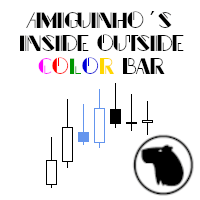
A simple price action indicator to highlight inside and outside bars (candles) with colors. It is possible to choose what type of bar can be highlighted among: inside, ouside or both. It is can be possible to choose a first specific color for the shadow and the border of bars (candles), a second specific color for high/bull bar (candle) and a third specific color for down/bear bar (candle)
FREE
The Big Mac B MQL5 expert advisor is a based off a Bollinger breakout strategy. The MACD indicator is used to confirm either a buy or sell trend. The MFI indicator to act as a trading range to ensure that the buy or sell is not activated when the price is in an overbought or oversold condition.
Trades will only be entered if the current price is within the trading range of the MFI indicator. Default settings are for the USDJPY on the 5 minute time-frame.
To work with the news server, you must a
FREE

この三か月のトレードに、いくらかかったかご存じですか。いくら勝ったか負けたかではなく、一つひとつのポジションを開いて閉じるのにいくらかかったか、です。このツールは口座にすでにある決済済みの履歴を読み、それを金額で示します。各約定の瞬間に提示されていたスプレッド、エントリーとイグジットのスリッページ、手数料、スワップ。事前に何かを入れておく必要はありません。読むだけで、注文を送ることは決してありません。
見えていないお金
トレード一回につき、四つの費用がかかります。二つは取引報告書に出てきます。残りの二つは損益の中に隠れていて、だからほとんど誰も足し合わせません。
- スプレッド。その瞬間の値段より少し高く買い、少し安く売っています。必ず。損益からすでに引かれているので、費用として表に出ることがありません。 - スリッページ。ある値段を求めて、別の値段で約定します。とくにストップが作動したときや、相場が速く動いたときに起こります。 - 手数料。ブローカーが取引に対して取るもの。多くの人が唯一数えている費用です。 - スワップ。ポジションを翌日に持ち越したときに引かれる、あるいは
FREE

The POC_Levels indicator calculates and displays the 3 most frequently occurring price levels (Points of Control – POC) based on historical candles. It is useful for identifying areas of high market interest (like support/resistance zones) across any timeframe. How It Works
The indicator analyzes the last LookbackBars candles. It counts how many times each price level (based on the selected price type) appears. Then it selects the top 3 most frequent prices and draws horizontal lines at those l
FREE

Description: The Custom Moving Averages indicator displays three different moving averages on the chart: a 10-period Simple Moving Average (SMA10) in lime, a 21-period Simple Moving Average (SMA21) in red, and a 200-period Exponential Moving Average (EMA200) in thicker white. This indicator helps traders identify trends and potential entry/exit points based on the behavior of these moving averages. Features: Three moving averages in different periods: SMA10, SMA21, and EMA200. Customizable color
FREE
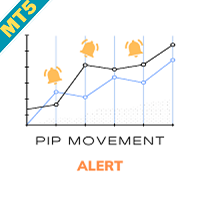
Pip Movement Alert MT5で市場のモメンタムを先取りしましょう。この多通貨対応の汎用インジケーターは、複数のシンボルにおける正確なピップの動きを追跡し、トレーダーにアラートを提供するために設計されており、外国為替、株式、暗号通貨、商品取引に最適です。Forex FactoryやRedditのr/Forexなどのトレーディングコミュニティで称賛され、InvestopediaやTradingViewの議論でも急激な市場変動を検出する能力で注目されており、価格の急激な変動を活用しようとするトレーダーにとって必須のツールです。ユーザーは、ピップベースの重要な動き(例:10ピップ単位)を最大95%の信頼性で特定し、リアルタイムアラートを活用してボラティリティの急上昇を捉えることで、取引タイミングが20-30%改善したと報告しています。主な利点には、多通貨モニタリング、カスタマイズ可能なピップ閾値、チャートを常に分析せずに追跡を簡素化する軽量デザインが含まれ、スカルパー、デイトレーダー、スイングトレーダーに最適です。 Pip Movement Alert MT5は、ユーザー定義の
FREE

Short description Plots a repeating grid of round-dollar levels on ETHUSD — labeled Wall / Hot Zone / Exit / Trap by their typical institutional role — tuned for lower timeframes (M1 through H1). Full description Draws horizontal reference lines at 10 intervals around the current ETHUSD price, based on the idea that round-dollar levels (multiples of $100, and near-round levels like $X20/ X80, $X50, $X10/$X90) tend to act as psychological reaction zones where liquidity and stop-hunts commonly clu
FREE

SmartSMC EA – Liquidity Sweeps For over 10 years in the Gold market I’ve watched how price hunts liquidity before the real move. SmartSMC EA is my distilled version of that edge: a simple, disciplined SMC liquidity-sweep engine that trades XAUUSD with clean risk and professional execution.
Why choose SmartSMC?
Because it blends Smart Money Concepts with rock-solid automation. You don’t need to second-guess the chart—attach the EA, choose your risk, and let it handle entries, exits, sizing and
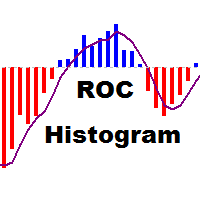
The indicator displays the value of ROC (Rate of change) from the selected price or moving average as a histogram. You can plot the moving average ROC values for smoothing indicator.
Displayed Data ExtROC - rate of change ExtMAROC - smoothing line
Parameters You can change the price, on which the indicator is calculated.
Inputs InpMAPeriod - in case you want to calculate the moving average ROC, enter averaging period. Enter 1 for the calculation of the specified prices. InpMAMethod - smoothin
FREE
スキャルピングタイマー – 要求の厳しいスキャルパーのためのリアルタイム精度 スキャルピングタイマー は、 完璧なタイミング と 最小限の取引コスト を重視するスキャルパーやデイトレーダーのために特別に設計された、コンパクトな視覚インジケーターです。このリアルタイムパネルは、スキャルピングに不可欠な2つの指標を表示します。 チャートで設定されたローソク足のクローズまでの残り時間の 正確なカウントダウン 現在の銘柄の スプレッドの即時表示 この重要な情報が手元にあれば、急な動きを予測し、コストのかかるエントリーを避け、より高い精度でエントリーおよびエグジット取引を実行できます。 主な機能: ティックごと、秒ごとの継続的な更新 により、完全な精度を保証します。 現在のローソク足のクローズまでのカウントダウン は、最後の数秒での潜在的なブレイクアウトや急騰を検出するのに役立ちます。 現在のスプレッドの表示 は、エントリーコストが許容できるかどうかを評価するために不可欠です。 コンパクトでクリーン、完全にカスタマイズ可能なパネル :位置、色、サイズなどを選択できます。 すべての時間枠と銘柄に対
FREE
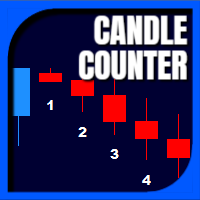
Candle Counter is a simple indicator that list the amout of candles in the day according to the current chart timeframe. It is specially useful for those teaching others how to trade, as it can draw attention to a specific candle of the day. Configuration:
Reverse mode - if on, the actual candle is the first one.
Position - Above or below the candles.
Vertical distance - Vertical distance from the candles in pipets/points.
Size - Font size. If you need help please don't hesitate to contact me.
FREE

Hello traders!
Meet Gold Vanguard , the next-generation Expert Advisor designed for precision trading on XAUUSD .
Built by Elite Trading Systems (2025) , it combines multi-strategy intelligence , adaptive risk control , and ATR-based dynamic SL/TP to master gold’s volatility. No more random trades — Gold Vanguard integrates four proven algorithms (Soros Macro, PTJ Reversal, Simons Pattern, and LW Breakout) working together in one AI-driven engine.
The result? Consistent, optim

Secura Gold: AI-Powered Adaptive Trading System The Evolution of Gold Trading is Here Secura Gold represents a quantum leap in automated trading technology. This isn't just another EA - it's 7 expert systems in one , powered by a self-learning neural network that continuously adapts to market conditions. Live Signal: coming soon What Makes Secura Gold Revolutionary? Multi-Strategy AI Brain Unlike single-strategy EAs, Secura Gold employs 7 distinct trading methodologies that work in con
FREE

News EA は、MetaTrader 5向けのプロフェッショナルな高速ニューストレード用エキスパートアドバイザーです。主要な経済指標発表時に発生する高ボラティリティ市場でのスキャルピング向けに最適化されており、Forex、ゴールド(XAUUSD)、インデックスなどの取引に対応しています。 EAは予定された経済イベントの前にBuy StopおよびSell Stopの両方の予約注文を自動的に設定し、手動操作なしで市場の動きによって適切な方向の取引を開始します。 重要:このEAは、影響度の高い経済ニュース発表時の実際の市場環境で使用することを目的として設計されています。MetaTrader 5のストラテジーテスターはニュース取引を正確に再現することができません。これは、スプレッド拡大、スリッページ、約定遅延、流動性の変化、ブローカー固有の注文執行条件など、実際の市場環境を再現できないためです。そのため、EAをリアル口座で使用する前に、必ずブローカーのデモ口座でテストを行ってください。 以下のような主要な経済イベントの取引に適しています: Non-Farm Payrolls(NFP・米国雇

Spread Arbitrage Line คืออะไร อินดิเคเตอร์ตัวนี้เป็นเครื่องมือสำหรับดู ส่วนต่างราคา (Spread) ระหว่าง สินทรัพย์ที่เปิดกราฟอยู่
กับ สินทรัพย์อีกตัวที่เราเลือก พูดง่าย ๆ คือช่วยให้เห็นว่า
ตอนนี้ราคาของ 2 สินทรัพย์ “ห่างกันมากหรือน้อย” กว่าปกติหรือไม่ เหมาะกับคนที่ดูคู่สัมพันธ์ของราคา เช่น Pair Trading Spread Trading Arbitrage แนวสถิติ การหาจังหวะที่ราคาสองตัวเบี่ยงออกจากกันมากเกินไป อินดิเคเตอร์นี้ดูอะไรได้บ้าง ตัวอินดิเคเตอร์จะมี 3 ส่วนหลัก 1) เส้น Spread เป็นเส้นหลักของอินดิเคเตอร์
แสดงค่าความต่า

Alligator Runner EA – Smart XAUUSD Expert Advisor Alligator Runner EA is a fully automated trading robot designed specifically for XAUUSD (Gold) on the MetaTrader 5 platform. It combines trend-based logic with level trading mechanics, powered by the Alligator indicator, to detect precise entries and exits in the market. Key Features : Trend-following strategy with level re-entries ️ Built-in Stop Loss , Take Profit , and dynamic trailing Designed exclusively for XAUUSD – no optimiza
FREE

オールインワン トレーディングダッシュボード プロ MT5 | ニュース、ヒートマップ、スキャナー、SMCツール、キャンドルタイマー オールインワン トレーディングダッシュボード プロは、複数の必須機能を1つのシンプルで効率的なダッシュボードに統合した、強力なMT5取引ツールです。複数のインジケーターを使用する代わりに、このツールを使えば、チャート上で必要な機能をすべて直接利用できます。
迅速な意思決定、より優れた市場認識、そしてよりプロフェッショナルな取引環境を求めるトレーダーのために開発されました。
このダッシュボードは、XAUUSD(金)、FXペア、指数、仮想通貨の取引に特に便利で、あらゆる取引スタイルに対応する汎用性の高いソリューションです。
主要機能 キャンドルタイマー (MT5)
現在のキャンドルのリアルタイムカウントダウン
正確なエントリーとエグジットに役立ちます
全時間枠に対応
マルチ時間枠分析ツール
現在のチャートと並行して、より長い時間枠を表示
トレンドの確認と合流に役立ちます
取引セッションインジケーター
東京、ロンドン、ニューヨークのセッ

Aegis QuadFlow AI Trader Aegis QuadFlow AI Trader は、MetaTrader 5 向けの半自動エキスパートアドバイザーです。マルチタイムフレーム市場分析、手動注文実行、自動ポジション管理、グリッドバスケット管理を、1つのプロフェッショナルな取引インターフェースに統合しています。 本EAは、ルールベースの集中型AIエンジンを使用して、複数の時間足で10種類のテクニカル要素を分析し、以下の5段階の推奨判断を生成します。 待機 売り 強い売り 買い 強い買い 10インジケーターAIエンジン 分析エンジンは、以下の10種類のテクニカル要素を継続的に評価します。 流動性スイープ — LS
過去の市場高値および安値付近で発生する可能性のある、強気・弱気の流動性スイープを検出します。 アンカードVWAP — AVW
アンカー指定された出来高加重平均価格に対する現在価格の位置を評価します。 ボリュームプロファイル — VP
選択した過去の範囲内で出来高分布とPoint of Controlを計算します。 オーダーフロー圧力 — OF
ローソク足の

Smart Recovery AI Multi Level MT5 は、インテリジェントなエントリーロジック、適応型市場フィルタリング、構造化されたマルチレベル回復を 1 つの強力なエキスパートアドバイザーに統合するために設計された、MetaTrader 5 用の次世代自動取引システムです。実際の取引条件向けに構築され、この EA はランダムな取引実行ではなく、精密なエントリー、制御された回復動作、およびバスケットベースの利益管理を優先します。 コア戦略ロジック Smart Recovery AI Multi Level MT5 は、方向性と回復のハイブリッドシステムとして動作します: 複数の確認フィルターを使用して有効な市場機会を検出 確認された方向性バイアスに基づいて初期取引を開設 価格がポジションに反して移動した場合、制御された回復レベルを活性化 調整された出場管理のためにすべての取引を統一されたバスケットとして管理 ドルで定義された利益目標に達した際にバスケット全体をクローズ このアプローチは加重エントリーの優位性を生み出し、価格が安定した際に効率的に退出できるようにしながら

โครงสร้างตลาด ZigZag (ความลึก 30) – คําอธิบาย + การตั้งค่า อินดิเคเตอร์นี้ใช้หาโครงสร้างตลาดแบบ: HH (Higher High) = ยอดสูงขึ้น → แนวโน้มขึ้น HL (Higher Low) = ยกฐาน → แนวโน้มยังขึ้น LH (Lower High) = ยอดต่ําลง → แนวโน้มลง LL (Lower Low) = ทําโลว์ใหม่ → แนวโน้มลงชัด ใช้ร่วมกับ ZigZag เพื่อ "คัดเฉพาะสวิงใหญ่" ไม่มั่ว หลักการทำงาน ZigZag จะหา "จุดกลับตัว" ตามค่า Depth เอาจุดเหล่านั้นมาเปรียบเทียบ: สูงกว่าเดิม → HH ต่ํากว่าเดิม → LH โลว์สูงขึ้น → HL โลว์ต่ําลง → LL แสดง label + เส้นแนวนอน
FREE
MetaTraderマーケットはトレーダーのための自動売買ロボットやテクニカル指標を備えており、 ターミナルから直接利用することができます。
MQL5.community支払いシステムはMetaTraderサービス上のトランザクションのためにMQL5.comサイトに登録したすべてのユーザーに利用可能です。WebMoney、PayPal または銀行カードを使っての入金や出金が可能です。

取引の機会を逃しています。
- 無料取引アプリ
- 8千を超えるシグナルをコピー
- 金融ニュースで金融マーケットを探索