 MetaTrader 5
 专家
专家
 指标
指标
 程序库
程序库
 实用工具
实用工具
 窗口小部件
窗口小部件
 规则
规则
适用于MetaTrader 5的EA交易和指标 - 107
 使用EA交易和指标,使外汇交易获得更多盈利。EA交易可使您自动开启和关闭交易,而指标将帮助您更准确地预测市场行为。
该页面提供MetaTrader 5应用程序的目录。
使用EA交易和指标,使外汇交易获得更多盈利。EA交易可使您自动开启和关闭交易,而指标将帮助您更准确地预测市场行为。
该页面提供MetaTrader 5应用程序的目录。 
Exponential Moving Average indicators are widely used by Forex traders all around.
This EA uses a simple Scalping Strategy using 4 exponential moving averages and have lots of config parameters. EMA1: 9 | EMA2: 13 | EMA3: 21 | EMA4: 200 Basically the EA Strategy place an order when it detects that the last candle touched the 3ª EMA line and the last 5 candles do not touch it.
In order to know more about the strategy, we presented it in our youtube channel: Video with EA Strategy Details: htt
FREE

First Hour Stretch EA Information: DE40, US100, US30 Timeframe to trade M1. Rate FTMO or Topstep Broker. Work with 2-4 Trades a Day. Fixed SL and TP Funktion. Fixed Lot is auto Standard added. Automatic add London and US Session. Robot Entry Signals:Strategy Buy and Sell. Robot enter Trade with 2 Candle in Direction. EA makes more Trades when Working-Time higher. Strong Code for error Warning, Calculation and more. Write me a Message of Questions when you are undecided.
FREE

IBS Pro — Internal Bar Strength Indicator IBS Pro is a clear and adaptable MetaTrader 5 indicator designed to show the strength of a market close within its recent trading range. Its scale runs from 0 to 100. Readings near 0 suggest that price is closing close to the lower part of the range, while readings near 100 suggest that price is closing near the upper part. Values around 50 indicate a more balanced market condition. The indicator can analyze the range of one candle or several candles, he
FREE

ESENAR EA MT5 is an advanced Support & Resistance–based automated trading system designed for disciplined range trading on the H1 timeframe . It dynamically detects the highest high and lowest low over a configurable lookback period and builds adaptive S&R zones with visual clarity. When price enters these zones, ESENAR strategically places BuyStop and SellStop pending orders , automatically managing, validating, and canceling orders as market structure updates. The EA includes robust risk mana
FREE

每位交易者都熟悉这个流程:打开指标设置、改一个数字、点击确定、盯着图表看、觉得不对、再打开设置。而在这些来回的对话框中,没有哪个指标比 RSI 更折腾 — 周期用 14 还是 9?水平线放 70/30 还是 80/20?RSI Live Tuner 终结了这个流程。 这是一个可以 直接在图表上实时调节 的相对强弱指数。图表上有一个小面板,带有 RSI 周期和两条水平线的滑块。拖动滑块,指标会立刻重新计算并重绘,就在您眼前完成。14 还是 9、70/30 还是 80/20,这些问题在您自己的行情上几秒钟就有答案,不必去翻论坛帖子。 可选的 MA 信号线。 可直接在面板上开启或关闭 RSI 的移动平均线,用独立滑块设置其周期,并用一个按钮循环切换算法 — SMA、EMA、SMMA、LWMA。每一次更改都会立即反映在图表上。 自有 RSI 实现,而非套壳。 本指标采用自己实现的标准 Wilder RSI — 真正的 Wilder 平滑平均涨跌幅,并与标准 RSI 做过数值校验 — 所以您调的就是您看到的。不重绘。 还有实时样式编辑器。 用 16 色调色板和 RGB 滑块调整 RSI 线、MA
FREE

基本主题构建器:简化您的图表自定义 通过 基本主题构建器 指标,彻底改变您的交易体验。这款多功能工具旨在简化您在MetaTrader 5 平台上自定义图表外观的过程。该指标提供了一个用户友好的面板,您可以轻松切换不同的主题和配色方案,提升交易环境的视觉吸引力和功能性。 Free MT4 version 基本主题构建器 指标是那些希望轻松个性化MetaTrader 5图表的交易者的终极工具。通过其简单的面板界面和各种主题预设,您可以迅速调整图表的外观,以匹配您的交易风格或心情。无论您偏爱经典外观还是现代美学,基本主题构建器提供了一系列选项,以增强您的视觉体验并提高专注度。立即优化您的交易设置,体验这款实用且易于使用的指标。
主要特点: 轻松管理主题: 使用便捷的面板界面,单击即可快速更改图表主题。 预定义预设: 从几种预配置的主题和配色方案中进行选择,包括经典、深色、浅色等,以适应您的交易偏好。 可自定义选项: 调整颜色和样式,按您的喜好定制图表外观。 用户友好界面: 享受简单直观的设计,无需复杂设置或配置。 提升交易专注度: 通过视觉吸引力强且无干扰的图表环境,改善您的交易体验。
FREE

Manual Trade Manager for XAUUSD (v1 – Always BreakEven) – FREE Take your manual gold trading to the next level with this lightweight yet powerful trade management tool.
This Expert Advisor does not open trades in live trading — it is specifically designed to manage manually placed orders on XAUUSD , helping you automate risk control through smart break-even and trailing stop logic. Key Features: Break-even Stop Loss : Automatically adjusts SL to break even when a specified profit level is reache
FREE

综合指数(Composite Index)指标,支持多时间框架,可自定义视觉信号及可配置警报系统。
自由职业编程服务、更新和其他TrueTL产品可在我的 MQL5主页 获取。
非常欢迎您的反馈和评价!
什么是综合指数? 综合指数由康斯坦斯·布朗(Constance Brown)开发,旨在克服 RSI 在趋势市场中的失败摆动问题。它将 RSI 动量(慢速 RSI 与快速 RSI 之差)与平滑的快速 RSI 组件相结合。在结果上绘制的两条信号 SMA 有助于识别基于交叉的进场和出场点。 综合指数旨在显示标准 RSI 在强趋势期间无法揭示的动量背离。当价格创出新高而综合指数未能同步时,形成看跌背离,反之亦然。指标上的 SMA 交叉提供额外的进场信号。 功能特点: 在主 CI 线上绘制的两条信号 SMA 线(SMA2 和 SMA3) 带箭头和垂直线的视觉信号标记 三个具有可配置触发器的独立信号缓冲区 信号检测选项:方向变化、穿越水平线、峰值/谷值 每个信号的可配置警报功能(邮件、推送、声音、弹窗) 支持插值方法的多时间框架(MTF)功能 柱状图或折线图绘制模式 多种颜色模式(简单、基于方
FREE

Ouroboros: 自适应因果关系指标 (Adaptive Causality Indicator) Ouroboros 是一款独特的交易技术分析工具,基于“根理论”(Root Theory) 和自适应因果关系概念开发。与标准的震荡指标或滞后的移动平均线不同,Ouroboros 将成交量加权的价格波动整合在一起,旨在识别市场的“推力”区域和结构性转变。 核心逻辑 该指标映射了市场的生物生长过程,即初始的“根”(价格走势) 与“营养条件”(成交量) 相互作用。当这些力量对齐时,Ouroboros 可以清晰地以视觉方式呈现市场的扩张与收缩周期。 主要功能 根推力线 (Root Thrust Line): 一条动态的黄色线条,根据K线实体和成交量做出反应,识别市场高能运动与停滞时期。 “Sottosopra” 云图: 一种复杂的视觉云图系统,突显机构流动性区域以及潜在的支撑/阻力位,并向未来偏移以预测市场周期。 纯分析工具: 设计为简洁、非侵入性的技术工具,非常适合智能资金概念 (SMC) 交易者和量化研究人员。 无交易功能: 这是一个纯粹的分析工具。它不执行任何交易,也不包含自动化策略,
FREE

Volume Footprint Analysis is a precision-engineered, volume-based indicator that transforms raw market volume into an intuitive, color-coded signal system. Built on concepts from Volume Spread Analysis (VSA) and Smart Money principles, this tool removes the guesswork from volume interpretation and gives traders clear, actionable insights on when to buy or sell — on any timeframe and across any trading instrument. MT4 Version - https://www.mql5.com/en/market/product/138564/ Join To Learn Mark
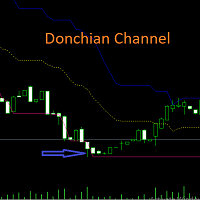
Harness the Power of Donchian Channels for Trend Trading
The Donchian Channel Indicator may your key to precision trading. With Donchian channels, you'll gain insights into market volatility, breakouts, and overbought/oversold conditions. This winning strategy is named after its developer, Richard Donchian.
How Does the Donchian Strategy Work? The upper band represents the previous period's highest high; The lower band represents the previous period's lowest Low; The centre band reflects
FREE

Aurum Nexus Gold Professional Automated Trading for XAUUSD Aurum Nexus Gold is a fully automated Expert Advisor (EA) for MetaTrader 5, designed exclusively for XAUUSD. It analyzes market conditions in real time, executes trades automatically, and manages every position with advanced risk control for stable and efficient performance. Features Fully Automated Trading XAUUSD Optimized Smart Risk Management Automatic Stop Loss & Take Profit Break Even & Smart Trailing Stop Spread Pr
FREE

1. The Expert Adviser is built with a basic, simple and stable breakout trading strategy with a touch of Price Action pattern that is highly effective with over 80% accurate entry on Scalping and Trend following trading pattern. 2. The EA created a good money management system with a low draw down and options for Number of Trades, Auto SL and Auto trade trailing.... 3. The EA has option to select trade direction (BUY ONLY, SELL ONLY OR BUY & SELL). 4. The EA has option to set TP in Pips or Mone
FREE

Blodsalgo Analytics — 解读你的交易。为 MetaTrader 5 打造的免费实时分析平台。 Blodsalgo Analytics 是一款 免费的辅助工具 ,它把你的 MetaTrader 5 终端连接到网页端的专业分析面板。每一笔成交、每一项指标和每一个持仓都会自动同步,让你看清每个账户、每个 EA 的真实表现:所有经纪商集中在一处,任何设备都能查看。 安装步骤、面板地址和所有链接都在本产品的 安装与链接说明(评论) 中。 MQL5 Market 的规范不允许在产品说明中放置外部链接,因此这些内容全部集中在那里。 这不是交易 EA。 它不会开仓、改单或平仓。它只是一个只读的数据连接器,安静地与你的 EA 并行运行,完全不会干扰交易。 仅向 BLODSALGO EA 的用户开放。 免费。无订阅。无隐藏费用。 全新 — 2026 重大版本:面板已彻底重建 全新界面 — 简洁的卡片式设计、全新的侧边导航,19 个功能区集中在一个应用中 重建的总览 — 带可视化刻度的 KPI 卡片、最新动态、策略排行、多空对比与月度业绩一目了然 为手机重做 — 顶部栏不再吞掉屏幕:每个
FREE

Candle Timer MT5 (FREE) Never miss a candle close again. Candle Timer MT5 is a lightweight and accurate countdown indicator that displays the remaining time until the current candle closes. It is designed for traders who need precise timing for entries, exits, and candle-based trading strategies. Whether you are a scalper, day trader, or swing trader, this indicator helps you stay synchronized with the market without distracting you from your analysis. Features Accurate real-time candle countdow
FREE

CC Cent(Cash Cow Cent)的免费配套工具。 只读。从不开仓、平仓或修改任何交易。 需要配合 CC Cent EA 使用: 在市场中查看 CC Cent
Monitor for CC Cent:随时随地看住你的奶牛。 一款为 CC Cent EA 打造的只读面板。在 VPS 上运行 EA,然后在笔记本、办公电脑或第二个终端上,用同样的奶牛主题面板跟踪每一个篮子。 Monitor 只读取数据。它无法下单、平仓或修改订单,因此可以放心地与实盘账户一起运行,即使用投资者(只读)密码登录也可以。
显示内容 账户: 余额、净值,以及所监控 EA 今天、昨天、本周和本月的利润。 每个篮子一张卡片: 持仓和手数、平均价格、止盈、到达止盈时的预计利润和浮动盈亏。 强平价格: 篮子触及强平的价格。 状态标签: 连接状态、方向模式(只做多、只做空或双向)以及信标(beacon)状态。 空仓时的交易状态: 网格模式和 EA 的交易时间。 图表线: 篮子止盈、追踪起点和止损线,以及 EA 使用篮子止损时的止损线。使用 BB 线止盈时,面板显示 "BB line",不显示止盈价位。 声音:
FREE

纯数学助力交易稳定
TPR Dashboard Signals PRO 是一款适用于 MetaTrader 5 的高级多货币对日线信号仪表盘。该指标基于多项式回归、统计概率建模和三层市场机制分类系统,消除了猜测和主观图表解读。
PRO 版本有何不同?
免费版提供原始分析,而 PRO 版本通过添加入场点和止盈点,提供绝对清晰的执行指导。
4.0 版本新增功能:简易版
4.0 版本根据用户反馈进行了重新设计,旨在实现一个目标:让仪表盘易于使用,同时提供清晰的执行指导。只需在交易时段开始时设置挂单和止盈点,即可完成设置,每天只需不到 10 分钟。
1. 全面支持交易时段选择
选择符合您个人交易安排的交易时段。仪表盘会根据您的选择自动重新校准所有数学模型:
亚洲交易时段
欧洲交易时段
纽约交易时段
无需计算时区。该指标会自动检测您经纪商的服务器时间(GMT+3)。
2. 支持所有货币对和所有交易品种
现在,您不仅可以获得外汇货币对的信号,还可以获得商品、加密货币、股票等所有交易品种的信号,前提是这些品种至少有两年的交易历史。
3. 固定入场点和止盈点(专业版)
FREE

The indicator displays volume clusters or volume profiles to choose from. For trading symbols which contain the tape of deals, the indicator can perform calculations based on the tape of deals.
Input variables
StepPoint - cluster step in points, if the value is zero, the step is assigned automatically. HistoryTicks - size of tick history (for VolumeType in the mode TimeAndSales). AssociatedTimeframe - binding the indicator to the specified timeframe of the chart, if the value is equal to Cu

Are you tired of the slow, clunky, and uninformative default order panel in MetaTrader 5? Discretionary trading demands speed, precision, and above all, clear information. Clicking through multiple menus, dragging stops one by one, and lacking a consolidated view of your risk are barriers that cost you time and, most importantly, money. Professional trading requires professional tools. Trader Panel Alpha X Pro is the definitive solution. It's not just another "order ticket"; it's a complete trad
FREE

NEXA Donchian Break 1. 产品概述 NEXA Donchian Break 是一款自动交易专家顾问(Expert Advisor),
基于 Donchian 通道识别 价格突破区域 ,
并仅在满足附加技术条件时执行交易。 本产品以 学习与研究目的免费发布 ,
旨在帮助用户通过参数设置,理解
突破逻辑、趋势过滤以及止损 / 止盈结构之间的关系。 本产品 不保证也不承诺任何交易结果 。
实际表现可能因市场环境、经纪商条件以及用户参数设置而有所不同。 2. 策略结构说明 本 EA 提供两种可选的策略模式。 策略模式 V1 Donchian 通道突破识别 使用 Momentum 指标确认方向 使用 ADX 指标过滤趋势强度 初始止损基于 ATR 计算 在满足条件后,可切换为结构性(Swing)止损 策略模式 V2 Donchian 通道突破识别 使用 MACD 柱状图判断趋势加速 使用 OBV 斜率过滤成交量方向 可选使用 ADX 作为附加趋势过滤 止损基于 Donchian 通道的相反边界 不同策略模式采用不同的过滤组合,
用户可通过对比学习不同的突破确认方法。
FREE

Free Global Stop Loss and Take Profit Setter with Break Even
Free one click Stop Loss and Take Profit tool for manual trading. Apply a fixed SL and TP to every open position on the symbol, or move them all to break even, with a single button. It only modifies Stop Loss and Take Profit levels — it never opens or closes a trade. Set your SL and TP distance in points, click once, and every position on the current symbol is protected. The break even button moves stops to entry (or a configurable num
FREE

SilverTrend Signal Indicator (v4.0) Brief Description
The SilverTrend_Signal is a versatile, trend-following technical analysis indicator designed for MetaTrader 5. It identifies potential market reversal points by analyzing price action within a dynamic volatility-based channel. The indicator plots clear buy (up arrow) and sell (down arrow) signals directly on the chart and provides customizable audio/visual alerts to notify traders of new trading opportunities; helping traders quickly sp
FREE

Swift Pips Hunter is designed for traders who value speed, precision, and rapid execution. This Expert Advisor (EA) acts as a specialized scalper, targeting short-term volatility to capture quick profits (pips) while strictly managing risk. Unlike risky grid or martingale systems, Swift Pips Hunter focuses on quality entries over quantity. It utilizes an advanced algorithm to identify micro-trend breakouts and momentum shifts, entering the market with sniper-like precision.

專業的交易工具 - AO 和價格之間的背離指標,讓您及時接收趨勢反轉的信號或捕捉價格回調(取決於設置)。指標設置允許您調整由於 AO 峰值的斜率和價格變化的百分比而導致的背離強度,從而可以微調信號的強度。作為 EA 的一部分,指標代碼經過非常快速的優化和測試。
指標不會重新繪製,交易方向的箭頭正好位於信號出現的位置 - 在柱的開盤處。 Fractal True FastPeriod_P = 5 ; //Fast period SlowPeriod_P = 34 ; //Slow period LeftBars_P = 1 ; //LeftBars RightBars_P = 1 ; //RightBars IndDivForce_P = 15.0 ; //Divergences force of indicator (not for Lite version) PriceDivForce_P = 0.01 ;
FREE

BB Strategy V5.01 Advanced Bollinger Bands Grid Expert Advisor BB Strategy V5.01 is a fully automated Expert Advisor for MetaTrader 5 that combines Bollinger Bands mean-reversion trading, percentage-based grid management, advanced entry filtering, and intelligent risk control. The EA is designed to identify temporary market overextensions and capture high-probability reversal opportunities while filtering out low-quality entries that often occur during strong trending conditions. Unlike traditio
FREE

价格行为辅助指标套件4-3 枢轴点PivotPoints指标 这是一套个人常年交易在使用的价格行为辅助指标,已涵盖了价格行为交易的基本需求。任何标的都可以载入使用。 纯价格行为手工交易的福音,提供多项辅助。非价格行为交易者请谨慎购买,该套指标无任何买卖信号,纯辅助。 该套指标包含4个组件,由于平台的原因只能拆分开,购买的朋友请看清介绍,按需购买。 4-1、4-2为收费指标,4-3、4-4为免费指标。 全套指标包含以下四个内容—— 4-1 缺口自动标记,包括跳空缺口和影线缺口的自动标记,实体缺口由于MT5不支持透明度着色的原因已去除,以保持图表整洁。含实体缺口的版本仅在TV版提供(TV版指标为单指标所有辅助功能齐全的版本,还有许多MT5版本没有的工具) 4-2 H/L自动标记,仅在影线部分对H/L的情况做提醒,不进行数H1/H2的标记,以保持图表的整洁和可读性。 4-3 枢轴点PivotPoints指标,只显示当天的枢轴点情况,为日内止盈止损提供参考。 4-4 ATR/ATR%数值,提供5M/30M/1D/1Y的ATR数值,可以直观的反应标的的波动情况。
FREE

Preferred pair for USDCAD trading
Conditions for purchases of the trading system "Ozy_M15":
1) The price is above the moving average SMA 48. 2) Price correction starts down, but the moving average within this correction should not be crossed by the candle body. 3) At the same time, the correction itself should be at least as deep as the bottom line of the Ozymandias indicator. 4) After this, as soon as the closing price of the next candle is higher than the upper line of the Ozymandias indicat
FREE

HotkeyTrader Pro — Expert Advisor for MetaTrader 5 HotkeyTrader Pro is an Expert Advisor that allows executing and managing trades through configurable keyboard shortcuts, with integrated risk management tools and position tracking. Keyboard execution The EA includes 11 predefined keyboard shortcuts for opening buy and sell orders, managing open positions, and executing partial or full closes. It is compatible with external macro software such as AutoHotKey and with programmable input devices. R
FREE

This Indicator works as a momentum oscillator however it is most used to surf the trends. Despite of being an oscillator, MACD (Moving Average Convergence/Divergence) doesn't work with over limit conditions (such as OverBought or OverSold). Graphically it's shown as two lines and an histogram with the diference of them. Standard metatrader has this indicator, however with only the two lines and without the histogram. This way it is much easier to read and uderstand it.
FREE

。。。。。。。。。。。。。。。。。。。。。。。。。。。。。。。。。。。。。。。。。。。 This indicator is based on Bollinger Bands indicator. It helps user clearly know the Band is expand or contract.
The method of use is the same as the traditional Brin channel index. Users can use different color areas to distribute forest channel indicators in expansion or contraction stage. -------------------------------------------------------------------------------------------
FREE

如果产品有任何问题或者您需要在此产品上添加功能,请联系我 Contact/message me if you encounter any issue using the product or need extra feature to add on the base version.
PA Touching Alert is a tool to free you from watching price to touch certain critical price levels all day alone. With this tool, you can set two price levels: upper price and lower price, which should be greater than/less than the current price respectively. Then once price touches the upper price or lower price, alert and/or notification would be sent
FREE

Bollinger Bands % or Bollinger Bands Percentage is one of the indicators used in the Sapphire Strat Maker - EA Builder .
It is calculated using the following formula:
Perc = (CLOSE_PRICE - LOWER_BOLLINGER) / (UPPER_BOLLINGER - LOWER_BOLLINGER) * 100
Thus, by taking the difference between closing price to the lower band and dividing it by the difference of the upper and the lower price levels of a Bollinger Bands indicator, we can calculate this indicator.
It shows how far the price is from
FREE
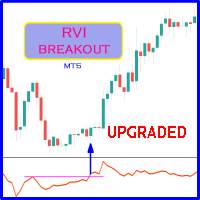
Probability emerges to record higher prices when RVi breaks out oscillator historical resistance level. It's strongly encouraged to confirm price breakout with oscillator breakout since they have comparable effects to price breaking support and resistance levels; surely, short trades will have the same perception. As advantage, a lot of times oscillator breakout precedes price breakout as early alert to upcoming event as illustrated by last screenshot. Furthermore, divergence is confirmed in
FREE

Aurexon DriftWave EMA
MetaTrader 5 Custom Indicator Overview
Aurexon DriftWave EMA is an EMA-based chart context indicator for MetaTrader 5. It is designed to give traders a clear visual overview of trend direction, impulse behavior, and volatility boundaries directly on the price chart. Instead of relying only on arrow signals, the indicator displays EMA lines, EMA cloud, ATR volatility rails, and optional closed-bar Buy/Sell confirmation arrows. Key Features Fast EMA impulse line Slow EMA t
FREE

This powerful tool ensures you never miss important trading signals by providing instant Alerts whenever specific indicators generate signals. With its sleek and user-friendly interface, you can effortlessly stay on top of market opportunities. Once an alert is received, you have the flexibility to decide your next move, putting you in full control of your trading decisions.
Does not work in the Strategy Tester!
Indicator Alert Features Automatically get alerted when a chosen indicator produce
FREE

Slave EA (v1.x) – All Key Features Signal Reader
Grabs Master’s trade signals (via GlobalVariable or CSV) in real time. Most Powerful Future
• Copy from any read only or investor password account also
Trade Copier
• Opens new trades to match Master
• Updates SL/TP instantly when Master modifies
• Closes trades the moment Master closes them ️ Smart Filters & Options
• Symbol Filter – Copy only specified pairs or “ALL”
• Direction Filter – BUY only, SELL only, or BOTH
•
FREE

Ratio X Trend Watcher – Advanced Trendline Breakout Indicator Learn More about Ratio X Systems:
Source code and compiled EA: Reasons why the .mq5 file changes everything. Integrated MQL5 message filters: How to protect professional operating systems without DLLs? How can you build your own expert advisor (EA) brand using white-label trading software? MQL5 programming methods with ChatGPT and Claude Code (no development knowledge required) You will have unlimited access to all source code (.mq5)
FREE

MTF Candle Panel displays real multi-timeframe candlesticks in a compact side panel on your chart, allowing you to instantly see price action from higher and lower timeframes without switching charts . Each timeframe is shown in its own row with properly scaled candles, so you get an accurate visual of structure, direction, and momentum at a glance. MT4 Version - https://www.mql5.com/en/market/product/163704/ Join To Learn Market Depth - https://www.mql5.com/en/channels/suvashishfx How it

Blahtech Fisher Transform indicator is an oscillator that displays overbought and oversold locations on the chart. The Fisher Transform algorithm transforms prices with any distribution shape into a normal distribution. The end result is a curve with sharp turning points that may help to identify bullish or bearish trends. Fisher Transform values exceeding 1.66 on the daily chart are considered to be good areas for reversal trades. Links [ Install | Update | Training | All Products ]
F

Investment Castle Legacy — Trend Trading With Your Own Zones
Investment Castle Legacy is a trend-based Expert Advisor that combines the built-in Investment Castle indicator with your own manual Buy and Sell zones — automation that still respects the levels you trust. It is the classic Investment Castle engine, refined and dependable.
What it does for you Trend engine + your zones: trades the trend using the built-in Investment Castle indicator, around the manual Buy/Sell zones you define. Vola
FREE

Smc Session Killzone and Breakout
The Smc Session Killzone and Breakout indicator automates the institutional session trading model for MetaTrader 5. It draws the Asian, London, and New York session ranges as labelled boxes on the chart, detects when price sweeps beyond the Asian session high or low, and fires a non-repainting entry signal after a Market Structure Shift is confirmed. All signals are based on closed bars and do not repaint. The underlying model follows the sequence that institut
FREE

Native Spread Monitor answers a simple question: is the spread you are being charged right now normal for this hour of the day, or are you about to overpay? Every free spread tool shows the CURRENT spread. None of them show what is typical for this hour, because MetaTrader 4 never kept per-bar spread history. MetaTrader 5 does, and this indicator uses it.
HOW TO USE IT
1. Drag the indicator onto any chart. A panel appears in the bottom-left corner (you can move it to another corner in the set
FREE

HiloPower – Advanced Trend and Market Strength Indicator for MetaTrader 5 HiloPower is not just another trend indicator developed from the traditional Hi-Lo. It was designed to offer a more complete and intelligent reading of the market, combining direction, strength, and intensity of movements. With it, the trader can see not only where the price is going, but also how strong and volatile that movement really is.
FREE

Wormhole 时间框架指标对于 MetaTrader 5 (MT5) 不仅仅是另一个交易工具——它是您在金融市场中的竞争优势。它专为初学者和专业交易者设计,Wormhole 改变了您分析数据和做出决策的方式,确保您始终领先一步。 为什么您需要(免费)Wormhole 指标 超越竞争对手: 能够在同一图表上同时查看两个时间框架意味着您总是领先一步。再也不用在图表之间切换,一切所需尽在眼前。 解锁隐藏的机会: 通过改变传统的时间框架,发现其他交易者忽略的模式,将 5 分钟图表的边界从 00:00 到 00:05 调整为 00:01 到 00:06。这些微小的变化可能揭示独特的市场动态。 获得可操作的洞察: 使用精确的工具检测趋势、反转和支撑/阻力水平,Wormhole 为您提供信心,使您能够做出明智的交易决策。 经过验证的创新 Wormhole 并非凭空猜测,而是先进研究的成果: 使用机器学习分析市场低效性。 识别零售交易群体,揭示隐藏的市场动态。 这些见解推动了该指标的开发,体现了专业级策略。 Wormhole 如何赋能您 更快的决策: 实时数据使您领先市场动态。 终极多样性: 无论
FREE

Basic MA EA — Free Trend-Following Expert Advisor
⸻
Description:
Basic MA EA is a simple and efficient Expert Advisor based on a Moving Average trend-following strategy. It’s designed for traders who want a clean and reliable automated trading solution without complex configurations.
This EA is perfect for beginners, demo testing, and portfolio diversification. It works with any symbol and timeframe.
FREE

The TTM Squeeze is a trading strategy developed by John Carter of Trade the Markets that uses the combination of Bollinger Bands and Keltner Channels to identify periods of low volatility, followed by periods of high volatility. The strategy is based on the principle that low volatility periods are typically followed by high volatility periods and is used to identify potential trading opportunities. When the Bollinger Bands move inside the Keltner Channels, it is referred to as a squeeze, and i
FREE

Lot/Margin Stair automatic Times3 SMA escape universal fxsimple INSTRUCTION SL_Pips_Index 10000 TP_Pips_Index 10000
Forex, NQ100, DE40, US30, IC Market, Robo Forex, FTMO... EA Robot Trade with every Broker.
use the Strategy: small wins no Stops Settings: Set1> onlyBuy to: (true) only Buy Set> onlySell to: (true) for only Sell
universal Robot Forex and Index trade Lot automatic Write a Message for any Question or Modification for Upgrade
FREE
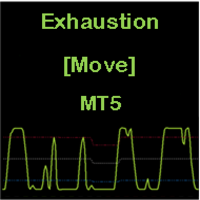
CONSTITUTION Exhaustion [Move] is an indicator consisting of an oscillator and three dynamic levels (upper, middler, lower). The inputs can be used to adjust the oscillator, dynamic levels and warning signals. It is designed for the MT5 platform only. APPLICATION This indicator should be used with a trend filter [e.g. moving averages, MA 200]. It detects the exhaustion of correction movements within a trend, thus giving entry points for new trades. It is usually used in the RENKO chart for SCA

Algo Point is a practical market analysis tool developed for traders who want a clearer and more objective view of price movements. The indicator processes market behavior and presents visual signals that may help identify potential buying and selling areas. It also provides customizable notifications, allowing users to follow opportunities without constantly watching the chart. Algo Point can be applied to different Forex instruments and timeframes, supporting discretionary analysis while keepi
FREE

Trade Risk Desk answers one question at the moment you need it answered: what volume makes this stop cost exactly what you decided to risk. Drag the stop line to where it belongs on the chart and the panel prints the volume, the money behind it, and the margin the position will hold. What It Answers Set the risk as a percent of balance or as a fixed amount in account currency. Put the stop where your idea says it belongs. The panel reads the symbol settings your broker publishes and prints: the
FREE

Simple indicator to calculate fibonacci retracement levels on time. Add to chart and move trend line to set the fibonacci retracement levels. Inputs Levels - levels for which to calculate values, separated by space, default are fibonacci levels Show time - if true, time will be shown on levels Show date - if true, date will be shown on levels Show fibonacci level - if true, value of levels will be shown Fibonacci lines color - color of levels Trend line color - color of trend line which de
FREE
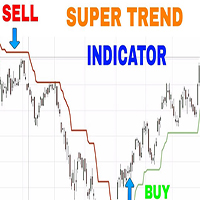
As the name suggests, it indicates the direction of the price movement in a market that is trending, that is following any particular path . It is plotted in stock price charts for investors to see marked current trend which is shown in red when prices have dipped and green when prices have risen.
Input Parameters:
CCI Indicator period ATR Indicator Period CCI Activation level Horizontal Shift of Indicator Bars
Otherwise ; You can use the Default settings

1. Overview The ATR Dynamic Stop (CE) is a powerful technical indicator designed to help traders identify and follow market trends. Its core function is to provide a dynamic trailing stop-loss based on price volatility, as measured by the Average True Range (ATR) indicator. The main objectives of the ATR Dynamic Stop are: Profit Optimization: It helps you ride a strong trend by setting a reasonable stop-loss, preventing premature exits due to minor market noise and fluctuations. Risk Management:
FREE

Trend Hunter EA: Stop Guessing, Start Trend Following Are you tired of entering trades that look perfect, only to have the market reverse strongly against you? The most common reason for this is trading against the dominant, underlying trend. The Trend Hunter EA is meticulously engineered to solve this exact problem by ensuring you are always trading in harmony with the market's primary direction. The Professional Strategy: Power on the High Frame, Precision on the Low Frame The Trend Hunter EA
FREE

Dominance EA At its core, Dominance EA is a minimalist, bias-driven trading system built around a simple but powerful idea: market dominance . Rather than reacting to every tick or micro-pattern, the EA steps back and evaluates which side of the market—buyers or sellers—controlled the previous trading day, then aligns its next action with that dominant force. The system operates on a once-per-day execution model , triggered strictly at the start o
FREE
TransitGhost Signal indicator, this is one of my best forex trading strategy. The strategy is based on the simple moving average cross, 5 SMA AND 200 SMA of which take a longer time to cross. Whenever the is a cross between the 5 SMA and 200 SMA a signal will be given, when the 5 SMA cross the 200 SMA to the upside ,a buying arrow will appear on chart, and push notification(alert) "Buy now, use proper risk management" will be sent on both the MT5 PC and mobile app, and when the 5 SMA cross the 2
FREE

Ornstein–Uhlenbeck Z-Score Regime Suite 不仅观察偏离程度,更要了解当前走势是否仍有延续的力量。 两个走势可能达到完全相同的Z-Score,却代表截然不同的市场状态。一个可能即将回归均值,另一个则可能正在形成持续性,并延续远超预期的时间。 该套件将 Ornstein–Uhlenbeck过程 应用于标准化序列,将三个关键维度结合起来: 偏离距离、持续性和回归时间 。 一次加载,三项同步读数 指标会自动组织三个独立的子窗口: **Z-Score:**跟踪当前K线,衡量价格偏离均值的方向和强度。 **Phi:**使用已收盘K线,估计当前行为更倾向于回归还是持续。 **Half-Life:**将持续性转换为以K线数量表示的预计半衰期。 因此,该指标不仅显示价格偏离了多远,还能帮助识别 这种偏离背后究竟存在怎样的行为结构 。 震荡、过渡与延续 三项读数的组合可以用于研究不同状态: 与快速均值回归相符的偏离; 仍保持较强持续性的极端走势; 均值回归力量逐渐减弱; 从震荡状态向方向性行为过渡; 持续性走势可能进一步延续; 持续性下降并重新恢复平衡。 当Phi和H

FIBONACCI TREND Pro Smart Market Structure + Multi-Timeframe SuperTrend Dashboard The FiboSuper indicator is an advanced trading system designed for MetaTrader 5 that blends three core methodologies of technical analysis: Trend Following (EMA & SuperTrend) , Market Structure (ZigZag & Auto-Fibonacci) , and Multi-Timeframe Confluence (Live Dashboard) . 1. On-Chart Components SuperTrend Line (Blue / Orange Dots): Blue Dots (Up Trend): Indicates a Bullish market environment. Focus s

BOLETA ATA is a quick-execution trading panel for MetaTrader 5, built for manual traders who want to buy, sell, and manage positions without leaving the chart. Compact, straightforward, and with built-in protection automations. Main Panel Stop Loss and Take Profit with an on/off checkbox and an editable field — click and type the value directly, no need to open settings Lot size field (Qty) , editable at any time 3 clickable lot presets : a single click applies the value to the Qty field; a doub
FREE

Support and Resistance Prototipo ABC V3 https://youtu.be/FXVxBdsxmwM?si=h4jNCVrufdJ9ylQ3 Asesor Experto (Expert Advisor) para MetaTrader 5 Support and Resistance Prototipo ABC es un Expert Advisor (EA) diseñado como una base sólida para la automatización de estrategias basadas en niveles de soporte y resistencia. A diferencia de un indicador, este robot está pensado para ejecutar lógica de trading, gestionar escenarios de mercado y servir como plataforma para el desarrollo de sistemas más avanza
FREE

HA Trend Flow is a professional two-stage smoothed Heiken Ashi trend indicator for MetaTrader 5.
It is designed to clearly visualize market trends , reduce noise and reliably identify sideways market phases – without repainting. Ideal for trend traders, scalpers, swing traders and multi-timeframe analysis . Key Benefits Much smoother trends compared to standard Heiken Ashi 2-stage smoothing (OHLC + Heiken Ashi) Automatic sideways / chop detection Clear neutral & doji candle identificat
FREE

The Magic LWMA indicator is of great help in determining trend direction. It can be an excellent addition to your existing strategy or the basis of a new one. We humans can make better decisions when we see better visually. So we designed it to show a different color for rising and falling trends. Everyone can customize this in the way that suits them best. By setting the Trend Period, we can optimize it for longer or shorter trends for our strategy. It is great for all time frames.
IF YOU NEE
FREE

CV Session Range Pro – Professional Trading Session Indicator for MetaTrader 5 CV Session Range Pro is a professional trading session indicator for MetaTrader 5, designed for precise visualization and analysis of global market sessions, trading ranges, and important price areas. The indicator helps traders analyze market activity, volatility phases, and liquidity zones of different trading sessions with a clean and structured visual interface. Supported Sessions: Tokyo Session Frankfurt Session
FREE

M GH ZigZag Momentum ATR Pro – Version 1.6 MGH ZigZag Momentum ATR Pro is a fully automated trading system designed for gold (XAUUSD runs on the M15 timeframe). It integrates internal ZigZag Structure Mapping, multi-layer momentum filters, and a hybrid stop-loss system to deliver stable long-term performance with risk management. Version 1.5 adds a function to Scan Strateg with 3 time frames, filtering open orders more accurately, and adjusting trade opening and closing times base
FREE

Manual Support And Resistance Zones is a tool to quickly add multiple zones of interest to the chart and name them. Zones can be set in traditional input settings, or using menu after clicking on a small button in lower left corner.
** Important **
1. Remember that zones entered in input setting persist after reinitialization (reset, timeframe change) Zones that we set in button menu reset after reinitialization.
2. When clicking in the button menu to enter data in fields, remember that it is po
FREE
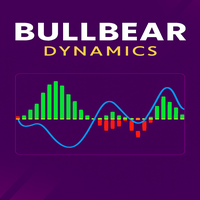
BullBear Dynamics is a powerful and intuitive custom indicator designed for MetaTrader 5 traders who want to clearly visualize market momentum, identify bullish and bearish conditions, and trade with confidence. Built with professional-grade algorithms, this tool transforms raw price action into actionable signals using dynamic histograms, signal lines, and adaptive thresholds.
Whether you are a beginner exploring technical analysis or an advanced trader looking for a reliable confirmation t
FREE
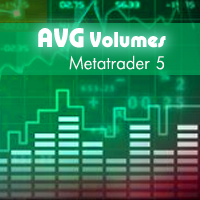
This indicator is based on Volumes standard indicator, calculates the average of Volumes based on the last N bars set by users, and if the value of the volume is bigger then a set % respect the average a different color will be used. The indicator is shown in a separate indicator window. This version has now a limitation in setting the % about the threshold.
If you are interested to set threshold consider to buy the PRO version ( https://www.mql5.com/en/market/product/35925 ) If you want to use
FREE

GIVE A LOOK TO MY OTHER PRODUCTS ! 100 % PER MONTH PROFIT----CONTACT ME FOR MORE INFO ! Smoothed MA cross alert,is a cool indicator that notificate you directly on your telephone or email when 2 Smoothed Moving average ( you choose the parameters ) crosses. This is very important when you want to know a change of trend and you can't stay in front of your pc! The indicator give you the alert just when the next bar opens ,so give you a more accurate entry. Please ask me for more info... You find
FREE
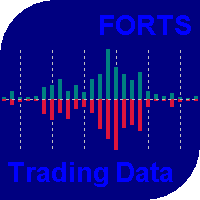
The indicator has been designed for use on FORTS, but it can also work on other markets, at brokers broadcasting the required data. A peculiarity of these data is that they cannot be requested from the broker's server as a section of history, but can only be obtained for the current moment. The indicator periodically requests the broker, collects to a file and displays the following history from the stored file: The weighted average price. The volume of buy pending orders. The volume of sell pen
FREE

XAU Momentum Rank H4 Expert Advisor for MetaTrader 5 — Gold / XAUUSD focus
Version: 1.00 What it is XAU Momentum Rank H4 is an Expert Advisor for gold on the H4 chart. Cross-sectional style momentum ranking adapted to single-symbol gold H4. Built for structured automated participation — not grid , not martingale . Evaluate on your broker and risk profile before any live use. This product is a technical system . Exact thresholds and entry equations remain internal product design and are not publ
FREE
MetaTrader市场是 出售自动交易和技术指标的最好地方。
您只需要以一个有吸引力的设计和良好的描述为MetaTrader平台开发应用程序。我们将为您解释如何在市场发布您的产品将它提供给数以百万计的MetaTrader用户。
