 MetaTrader 5
 Experts
 지표
지표
 라이브러리
라이브러리
 유틸리티
유틸리티
 위젯
위젯
 규칙
규칙
MetaTrader 5용 Expert Advisor 및 지표 - 104
 트레이딩 로봇과 지표를 사용하여 외환 거래를 더 수익성 있게 만들 수 있습니다. 트레이딩용 로봇을 사용하면 개점 및 폐점 거래를 자동화할 수 있으며, 지표는 시장 행동을 보다 정확하게 예측할 수 있습니다.
이 페이지에는 MetaTrader 5 응용 프로그램의 카탈로그가 나와 있습니다.
트레이딩 로봇과 지표를 사용하여 외환 거래를 더 수익성 있게 만들 수 있습니다. 트레이딩용 로봇을 사용하면 개점 및 폐점 거래를 자동화할 수 있으며, 지표는 시장 행동을 보다 정확하게 예측할 수 있습니다.
이 페이지에는 MetaTrader 5 응용 프로그램의 카탈로그가 나와 있습니다. 
Version 1.5: manual color change added
This indicator helps to trade price action and momentum strategies like Guerrilla Trading or similar strategies.
The indicator displays: most recent highs and lows number of consecutive breaks past breaks of most recent highs and lows retest lines flag formations manual color change User can change colors. Go to Indictor Properties/Input, set "Auto Color" to false and change the colors. Set "Auto color" back to true to go back to pre-set colors. Please wa
FREE

AstraQuant AI Ribbon Matrix AI-Style EMA Ribbon Trend Indicator for MT5 AstraQuant AI Ribbon Matrix is built for traders who want a clean, premium, visual trend system directly on the MT5 chart. It combines multi-EMA ribbon structure, AI-style confidence scoring, MTF trend alignment, smart buy/sell signals, and TP/SL planning Why Traders Choose This Indicator Premium EMA Ribbon: clearly shows trend direction, compression, expansion, and momentum. Buy/Sell Signal Arrows: visual entry signals de

"This Expert Advisor is provided free of charge to demonstrate my high-quality coding skills. I specialize in custom MQL4/MQL5 Freelance development ." "For custom Expert Advisors, Indicators, or scripts, please contact me through the MQL5 Jobs section The Single Position Risk Controlled Expert Advisor (EA) for MetaTrader 5 offers a simple, yet robust, momentum-following strategy. It is designed to prioritize capital protection by strictly limiting the number of open positions to one
FREE
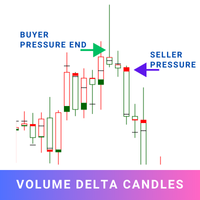
Volume Delta Candles offer a straightforward way to analyze trading activity within each candle, making it easier to see what's happening without needing an extra volume indicator. This tool uses lower timeframe or real-time data to show the percentage of buying and selling volume within a candle as a colored bar. Make sure you understand Volume and Volume Delta before jumping in. If you’re not sure, reach out to me first for a quick rundown. But if you're already familiar, you're good to go! Ke

TickFlow is a tool for tick-data analysis and visual highlighting of significant zones on the chart. The utility aggregates current and historical ticks, shows the buy/sell balance, and helps to identify support/resistance levels and cluster zones. This is the MetaTrader 4 version. How it works (brief) TickFlow collects tick data and aggregates it by price steps and candles. Based on the collected data the indicator builds visual layers: up/down tick counters, buy/sell ratio, historical levels
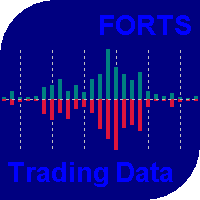
The indicator has been designed for use on FORTS, but it can also work on other markets, at brokers broadcasting the required data. A peculiarity of these data is that they cannot be requested from the broker's server as a section of history, but can only be obtained for the current moment. The indicator periodically requests the broker, collects to a file and displays the following history from the stored file: The weighted average price. The volume of buy pending orders. The volume of sell pen
FREE

Auto SLTP Maker MT5 is an assistant for all those who forget to set StopLoss and/or TakeProfit in deal parameters, or trade on a very fast market and fail to place them in time. This tool automatically tracks trades without StopLoss and/or TakeProfit and checks what level should be set in accordance with the settings. The tool works both with market and pending orders. The type of orders to work with can be set in the parameters. It can track either trades for the instrument it runs on, or all

Trendline Alert Pro is a MetaTrader 5 indicator that monitors the objects that you created such as trendlines, horizontal lines, rectangles, Fibonacci levels, and instantly alerts you when price interacts with them.
Contact me to get a 7 days trial version of the product with full functionality. MT4 version is her e
Multi-Object Monitoring Trendlines, channels, and angled lines Horizontal & vertical lines Rectangles (support/resistance zones) Fibonacci retracements & expansions (customizable

MSOB Pro – Market Structure & Order Block Indicator.
The ultimate smart Market Structure, Order Block and FVG detector for MetaTrader 5. MSOB Pro automatically identifies high-probability swing points (Swing Highs & Swing Lows) across any symbol and any timeframe — from M1 to Monthly.
Automate your analysis with this combination indicator that constantly prints the most high value zones for liquidity.
I am open to adding features on request - These updates will come for free to those that h

실제 팽이 표시기
해머나 도지나 널 캔들스틱과 다른 팽이의 진정한 의미인 균형잡힌 몸체와 심지 높이 비율로 차트에서 정확한 팽이를 감지합니다.
이 지표는 차트에서 발견된 팽이의 수에 날개 아이콘을 표시합니다.
설정에는 다음이 포함됩니다.
Number of Bars : 막대 수에 대한 검색 조정
아이콘 색상 : 아이콘 색상 변경
아이콘 코드 : 아이콘에 대한 wingdings 코드 변경 실제 팽이 표시기
해머나 도지나 널 캔들스틱과 다른 팽이의 진정한 의미인 균형잡힌 몸체와 심지 높이 비율로 차트에서 정확한 팽이를 감지합니다.
이 지표는 차트에서 발견된 팽이의 수에 날개 아이콘을 표시합니다.
설정에는 다음이 포함됩니다.
Number of Bars : 막대 수에 대한 검색 조정
아이콘 색상 : 아이콘 색상 변경
아이콘 코드 : 아이콘에 대한 wingdings 코드 변경
FREE

GOLDEN ANGEL MT5 - Documentation GOLDEN ANGEL MT5 Beta Free
GOLDEN ANGEL MT5 Beta Free is a smart, fully automated trading robot built for MetaTrader 5. It accurately follows strong market trends on Gold (XAUUSD), EURUSD, and GBPUSD while keeping your account safe. Unlike regular trading robots, version 6.09 uses a special Anti-Rejection Buffer Zone . This completely stops annoying broker errors like "Position close to market" during high volatility. It also runs a margin paycheck before ever
FREE
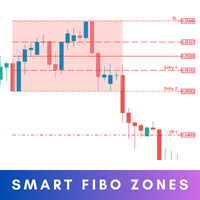
Smart Fibo Zones are powerful, auto-generated Fibonacci Retracements that are anchored to key market structure shifts . These zones serve as critical Supply and Demand levels, guiding you to identify potential price reactions and confirm market direction. Fibonacci calculations, widely used by professional traders, can be complex when it comes to identifying highs and lows. However, Smart Fibo Zones simplify this process by automatically highlighting order blocks and key zones, compl
SMC Trend Momentum – Adaptive Trend and Momentum Oscillator SMC Trend Momentum is a momentum oscillator plotted in a separate window.
The indicator combines a Donchian position bias with a ZigZag leg normalization and transforms this into a smoothed, color‑coded histogram for assessing trend direction and momentum changes. Optionally, a higher timeframe filter can be applied. The indicator is designed to be flexible for different trading styles (short‑term, swing, indices, FX) using ready‑to‑u
FREE

Gold Beast Pro MT5 Gold Beast Pro MT5 is a professional automated trading system designed specifically for XAUUSD (Gold) on MetaTrader 5. The EA is built to operate fully automatically while maintaining stable trade execution and adaptive market behavior under different market conditions. Gold Beast Pro focuses on precision execution, intelligent market participation, and controlled risk management to provide a smooth and efficient automated trading experience. The system is optimized for trader

핵심 장점: 단 한 번의 클릭으로 계좌를 보호하세요. 이제 더 이상 손으로 직접 롯(Lot) 크기를 계산하거나 얼마를 잃을지 불안해하며 예측할 필요가 없습니다. 차트 위의 라인을 움직이기만 하면, 패널이 위험을 완벽하게 통제할 수 있는 정확한 롯 크기를 자동으로 계산해 줍니다. (회색 선을 움직이세요) 사용 방법 (간단한 3단계): 리스크 설정: 설정(파라미터) 메뉴에서 계좌 잔고의 일정 비율(예: 1%)을 리스크로 잡을지, 아니면 고정 금액(예: $50)을 지정할지 선택합니다. 라인 드래그: 차트에 3개의 라인이 나타납니다. 마우스로 회색 선을 움직여 트레이딩 전략을 조정하세요: 회색: 진입 가격 (Entry Price) 빨간색: 손절가 (Stop Loss - 최대 손실 제한선) 초록색: 익절가 (Take Profit - 목표 수익 청산선) 롯(Lot) 수량 복사: 패널 화면에서 "Lot" 항목의 숫자를 확인한 후, MT5에서 수동으로 주문을 실행합니다. 패널 알림(경고)의 의미
FREE

Easy Lot Size Calculator Stop calculating lot sizes manually and start trading visually.
Automatic position lot size calculator for MT5 (MT4 also available)
The Easy Lot Size Calculator is the ultimate trade management dashboard. It is designed for traders who need speed, precision, and strict risk management. Whether you are a scalper needing split-second execution or a swing trader demanding exact risk percentages, this EA handles the math so you can focus on the chart. Why Use This Ca
FREE

DualVector Sentinel EA Adaptive Dual-Position Trading Engine with Smart Risk Control DualVector Sentinel EA is a professionally engineered Expert Advisor designed to operate consistently across changing market conditions using a dual-position execution model and strict risk discipline. The EA evaluates price structure at the open of each new candle , identifies directional bias using Donchian Channel equilibrium , and deploys a dominant + counter position pair with predefined stop-loss and take
FREE

Pivot Point Super trend it can be used to catch price turning points and can show arrows for buying and selling. calculations are based on price peaks . you can control the price turning points by increasing the Pivot point period input on the indicator the ATR factor is for how far apart do you want the bands to be spread apart price break outs are also spotted in their early stages which will make trading much better
FREE

Risk Calculator Panel is a free on-chart utility that calculates the correct position size for every trade based on the risk you choose. Type your Stop Loss and Take Profit, pick your risk, and the panel instantly shows the exact lot size to use. One click on BUY or SELL opens the trade with the calculated lot, Stop Loss and Take Profit already set. It is a pure manual-trading assistant - it does not generate trading signals and has no restrictions.
Features: - Two risk modes: risk a percentag
FREE

Standard RSI uses a fixed smoothing factor. Every bar gets the same weight whether the market is trending cleanly or chopping sideways. That is why most RSI signals fail during consolidation. Mystical RSI measures how chaotic price action is on every bar using the Fractal Dimension Index and dynamically adjusts its smoothing in real time. When the market trends, it reacts fast. When the market chops, it slows down and filters out noise. No manual adjustment needed. How It Works The indicator cal
FREE
BBTrend is a relatively new indicator developed by John Bollinger to work with Bollinger Bands. It is one of only a few indicators that can signal both strength and direction making it a very valuable tool for traders.
Calculations The calculations are fairly simple. The default periods of 20 and 50 are shown, but these can be changed through the parameters. Lower = MathAbs(lowerBB(20) - lowerBB(50)) Upper = MathAbs(upperBB(20) - upperBB(50)) BBTrend = (lower - upper) / middleBB(20)
Interpret
FREE

Ritz Smart Trend Adaptive Finder – Auto-Detect Dynamic Trend Channels A powerful trend detection indicator that adaptively analyzes price structure using dynamic ATR and statistical filters to discover the most significant trend channels on any timeframe and symbol. This tool automatically finds the most relevant period and slope for price movement and draws upper/lower channel zones, midline (mean), and trend support/resistance. Suitable for trend-following, breakout, and mean-reversion strateg
FREE

전략 설명
그리드 트레이딩 EA (오토 로트 & 리스크 관리 내장) 는 매수(BUY)와 매도(SELL) 포지션을 동시에 병행하여 개설하는 양방향 그리드 어드바이저입니다. 이 전략은 뚜렷한 추세 없이 횡보 채널 내에서 움직이는 통화쌍에 최적화되어 있습니다. 본 EA는 이중 예치금 보호 기능과 폭넓은 전략 맞춤 설정 옵션을 갖추고 있습니다. 주요 특징 1. 양방향 그리드 트레이딩 동시 양방향 트레이딩: BUY(매수) 주문과 SELL(매도) 주문이 병렬로 오픈 적응형 그리드: 가격이 어느 방향으로 움직이든 주문이 자동으로 추가됨 균형 잡힌 포트폴리오: 포지션 헤징을 통해 전체 리스크를 낮춤 횡보장에 이상적: 박스권 움직임에서 최대 효율 발휘 ️ 2. 2단계 인출(Drawdown) 방어 1단계 (트레이딩 일시 중지) 사전 설정된 인출 수준 도달 시 (예: 25%) 트레이딩이 자동으로 일시 중지됨 인출이 임계값 아래로 내려가면 재개됨 2단계 (위험 방어) 위험 수준의

SuperPanel Multitime Overview SuperPanel Multitime is a high-performance, clean, and non-intrusive Multi-Timeframe (MTF) Dashboard indicator designed specifically for professional MetaTrader 5 traders. It provides an instant, real-time overview of market trend health and volume data directly on your main chart—completely eliminating chart clutter and complex, lagging signal lines. Key Features Multi-Timeframe Analysis: Monitor trends seamlessly across multiple timeframes (from M1 up to D1) at a
FREE

VWAP (Volume Weighted Average Price) indicator with ±1σ and ±2σ bands calculated from real traded volume and tick volume too for forex The start and end times of the session are fully configurable, as well as the standard deviation levels and the number of bands displayed. It shows the day’s volume-weighted average price and helps traders identify value areas, price extremes, and intraday trading opportunities with precision.
FREE

Market Structure Shift with FVG Indicator for MT5 This MT5 indicator from the apexfintech.net suite identifies market structure shifts and fair value gaps (FVGs) to provide traders with potential trading opportunities. It alerts users on these events via mobile notifications, enabling them to react quickly to changing market conditions. Key Features: Market Structure Shift Detection: Identifies bullish and bearish market structure shifts based on swing high/low breaks and significant candl
FREE

News Radar Pro transforms MT5’s built-in economic calendar into a live, on-chart trading tool. View upcoming macroeconomic events directly on your chart with impact-based filtering, countdown timers, and intelligent alerts, all in your chosen timezone. No external websites, APIs, or data feeds required. How It Works Economic Calendar Integration
Access MT5’s global economic events database directly on your chart. Event Filtering
Filter economic events by impact level (High, Medium, Low) and cu

Corex Smart Bear Bull 인디케이터 는 MetaTrader 5용 비(非)리페인트형 추세 재진입 도구 입니다. 다섯 개의 이동평균을 하나의 Fusion 라인으로 통합하고, 빠른·느린 두 개의 감도 레이어로 한 번 더 스무딩 처리한 뒤, 추세 강도를 보여주는 컬러 클라우드를 그립니다. 여기에 Williams %R 트리플 스택 컨피던스 엔진 을 덧씌워, 모든 신호를 여섯 가지 독립 서브 트리거(다이버전스, 익스트림 스냅, 소진, 추세 지속, 풀백, 트리플)를 통해 필터링합니다. 각 신호는 0~100 점수로 평가되고 역추세 보호 레이어를 통과해야만 표시되므로, 트레이더는 레짐이 실제로 전환되는 순간에 BULL / BEAR 추세 라벨, 추세 내부의 재진입 삼각형, 추세가 무너질 때의 X(엑싯) 마크를 확인할 수 있습니다. 알림 패키지는 추세 전환, 재진입, 종료 시점에 팝업, 모바일 푸시, 이메일, 사운드의 임의 조합으로 발동됩니다. MT4 버전 확인: Corex Smart
FREE

Stocks Trade — 머신러닝 기반의 섹터 특화형 트레이딩 로봇 저희는 엄격히 제한된 트레이딩 상품 섹터와 결합된 가장 효율적인 포트폴리오 접근 방식을 선보입니다. 주요 목표는 사전 준비 없이도 누구나 미국 주식 거래를 시작할 수 있도록 하는 것입니다. 가능한 한 많은 안정적인 미국 주식을 동시에 거래하여 단기간 내에 유의미한 수익을 달성하면서도 예치금의 최대한의 안전성을 보장합니다. 제품에 대해 더 자세히 알아보고 기능을 확장할 수 있도록 도와주는 링크 다음과 같은 경우: MetaTrader 4 터미널용 이 로봇 버전을 원하시는 경우 동일한 로봇이지만 28개 통화쌍으로 거래하는 버전을 원하시는 경우 동일한 로봇이지만 암호화폐로 거래하는 버전을 원하시는 경우 Telegram 커뮤니티에 가입 — 소통, 지원, 업데이트 동일한 기술 기반의 보다 진보된 무료 솔루션 버전을 원하시는 경우 동일한 기술 기반의 초고급 유료 솔루션 버전을 원하시는 경우 이 로봇은 누구를 위한 것인가요?

Easy Trade Executor는 MT5용 빠른 포지션 크기 계산, 주문 실행 및 거래 관리 도구입니다. Open Price, Stop Loss 및 Take Profit 레벨을 차트에 직접 배치하고, 포지션 크기를 자동으로 계산한 후 몇 번의 클릭만으로 리스크를 관리하면서 거래를 실행할 수 있습니다.
왜 Easy Trade Executor를 선택해야 할까요?
Easy Trade Executor는 단순히 리스크를 계산하는 것을 넘어, 차트에서 직접 빠르고 효율적으로 거래를 관리하고자 하는 트레이더를 위해 설계되었습니다. 이 도구는 포지션 크기 계산, 주문 실행 및 거래 관리를 하나의 워크플로우로 통합하여 수동 계산이나 여러 터미널 창 사이를 오가는 대신 거래 자체에 집중할 수 있도록 도와줍니다. Easy Trade Executor의 주요 기능: 리스크 기반 자동 포지션 크기 계산; 차트에서 직접 Market Order 및 Pending Order 실행; 자동 거래 관리를 위한 T

Discover mrKrabsGold – Kelly MultiTP , your ultra-optimized scalping EA designed to maximize profits while controlling risk: Key Features: Scalping & Hedging Strategy: Detects and exploits quick trend reversals with automatic hedging to limit drawdowns. Dynamic Kelly Sizing: Allocates optimal position size based on your past performance using an adjustable Kelly factor. Multi-Take Profit Tiers: Lock in gains in stages (50%, 33%, then the balance) as the move unfolds. Adaptive
FREE

DS True Open Sessions V2.6 Daily, Weekly, Monthly, Quarterly and Yearly Open Levels Indicator for MetaTrader 5 DS True Open Sessions V2.6 is a MetaTrader 5 indicator that automatically calculates and displays major market opening levels on the chart. The indicator plots: Daily Open Weekly Open Monthly Open Quarterly Open Yearly Open Each level is calculated from the corresponding market period opening price and displayed as a horizontal chart reference. Features Daily Open Displays the opening p
FREE

OTE Trade Copier MT5 Trade Copier & Prop Firm Risk Manager Copy trades locally between MT5 terminals and across MT4/MT5 platforms on the same PC or VPS while protecting your funded accounts with advanced risk controls. IMPORTANT: Send me a message for the Complete User Manual Before Installation
Why Traders Choose OTE Trade Copier MT5 Supports MT5 to MT5 trade copying Supports MT4 to MT5 and MT5 to MT4 when used with the MT4 version Designed for prop firm and funded account traders Daily drawd

MicroScalper News Protector is an institutional-grade visual economic news traffic light and high-resolution countdown timer specifically engineered for Prop Firm funded traders, scalpers, and day traders. Trading during high-impact macroeconomic releases (such as NFP, CPI, or FOMC) is one of the main reasons traders lose their funded accounts due to sudden slippage, spread widening, or strict Prop Firm news-trading prohibitions. This utility keeps your situational awareness at 100% right on you
FREE

Account Performance Report turns the history of your account into one HTML report that you open in any browser: balance and drawdown, the result of each Expert Advisor and each symbol, a daily P&L calendar, monthly returns and the usual statistics. The main figures are also shown on the chart, and the report is kept up to date while the terminal runs. How To Use Attach Account Performance Report to any chart of the account. It does not trade, so any symbol and timeframe will do. The report is wr
FREE

1
Session opens — bias is determined At each new M15 bar during London hours the EA checks whether price is above or below the 20-EMA to set bullish or bearish bias for that bar. 2 Session high/low is tracked The EA maintains a rolling 20-bar lookback of session highs and lows, updating the liquidity levels automatically every bar. 3 Liquidity sweep is confirmed When a candle's wick pierces the session level by the sweep buffer and closes back inside, the sweep flag is raised — signalling insti
FREE

MFI Divergence is a technical indicator that detects regular bullish and bearish divergences between price and the Money Flow Index (MFI) at swing highs and lows. It highlights potential reversal points by drawing clean green (bullish) and red (bearish) arrows directly on the chart. The indicator uses configurable swing detection, customizable MFI period, and an optional MFI threshold filter to show signals only in oversold/overbought zones. Alerts are triggered only once per bar on candle close
FREE

Direction sets the side. Timing sets the moment. Vector speaks only when both agree.
TrendCue Vector separates market direction from entry timing.
The Context line defines the preferred side of the market. Candle colour shows the current Vector timing state. A fresh setup appears only when a new candle-colour transition agrees with Context.
Simple chart. Clear workflow. No engine parameters to optimize.
HOW IT WORKS
Context is the coloured line.
Green Context → favour long setups Red Con
FREE

This is a simple EA Can only open ONE trade EVER then MUST be reattached to the chart everytime you want to use it. Designed to help manual traders Has lot sizes and stops / targets in pips. For a sell trade the engulfing bar must close below the previous green bars low Includes Alarm and Phone notifications
Basically if you find a price zone you like and will take a trade if there is an engulfing bar . use this.
FREE
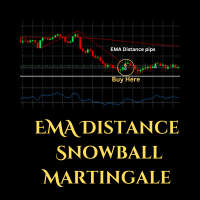
Expert Advisor (EA) that utilizes the basic EMA Distance strategy along with RSI for take profit, and employs support and resistance levels from the Zigzag indicator as stop-loss and take-profit points, you can follow these guidelines: Dow Theory Strategy : This involves analyzing trends using the Dow Theory principles, mainly focusing on identifying primary trends (bullish or bearish) and secondary trends (corrections). You'll need to implement rules for identifying these trends based on price
FREE

News Hound for MT4 / MT5
A professional economic news calendar for every chart — MT4 and MT5 — from the same trusted MQL5.com source. MetaTrader 5 has a built-in economic calendar. MetaTrader 4 doesn't. This tool fixes that — and gives you a single, shared news feed that every chart on your PC or VPS can read, in both platforms.
Why I built it This is the foundation for something bigger. All my upcoming Expert Advisors are built around this news engine. Instead of locking news filtering insid
FREE

Alligator Runner EA – Smart XAUUSD Expert Advisor Alligator Runner EA is a fully automated trading robot designed specifically for XAUUSD (Gold) on the MetaTrader 5 platform. It combines trend-based logic with level trading mechanics, powered by the Alligator indicator, to detect precise entries and exits in the market. Key Features : Trend-following strategy with level re-entries ️ Built-in Stop Loss , Take Profit , and dynamic trailing Designed exclusively for XAUUSD – no optimiza
FREE

Use this expert advisor whose strategy is essentially based on the Relative Strength Index (RSI) indicator as well as a personal touch.
Other free expert advisors are available in my personal space as well as signals, do not hesitate to visit and leave a comment, it will make me happy and will make me want to offer content. Expert advisors currently available: LVL Creator LVL Creator Pro LVL Bollinger Bands
Trading is not a magic solution, so before using this expert on a live account, carry
FREE

한 봉의 종가와 다음 봉의 시가 사이의 가격 갭을 표시합니다. 열린 갭은 가격이 메울 때까지 연장되는 박스로 그려지며, 메워진 갭은 숨길 수 있습니다. 주요 기능 마감된 봉에서 계산되며, 값이 리페인트되지 않음 모든 심볼과 타임프레임에서 작동 모든 기간, 레벨, 색상을 입력값에서 변경 가능 최대 봉 수 설정으로 가벼운 리소스 사용 지표를 삭제하면 객체가 자동으로 제거됨 입력값 갭: 최소 갭 크기(포인트), 검색할 봉 수, 메워진 갭 표시, 갭 상승 색상, 갭 하락 색상. 표시: 계산할 최대 봉 수. 참고 이 제품은 분석 도구입니다. 거래를 실행하지 않습니다. 본인의 전략에 맞게 이 도구를 맞춤 제작하거나, 필터와 알림이 추가된 고급 버전이 필요하신가요? MQL5에서 개인 메시지를 보내 주시면 견적을 회신해 드리겠습니다. 먼저 데모 계좌에서 충분히 테스트해 보시기를 권장합니다.
FREE

Backtested performance (USDJPY M5, 2020–2026): Win Rate: ~75% Max Drawdown: ~1% This EA is a scalping strategy specialized for the Asian trading session (range market focused). The Asian market is characterized by relatively low volatility and a tendency to form range-bound conditions.
This system is designed to take advantage of stable price movements, aiming for consistent entries while minimizing unnecessary risk. Features Optimized entries for the Asian session Simple and stable logic base
FREE

The Supertrend etradro indicator is volatility based and is more of a trend following indicator in function. The ATR indicator, which is integrated into the calculation of the super trend, also calculates course gaps (gaps) and does not overlook them. This allows more accurate values to be calculated. When measuring volatility, the mean value of the current price serves as the basis. Since the Supertrend indicator features sliding stop and reversal lines, it is quite similar in function to the P
FREE

Stop losing money on bad lot sizes. Trade Panel Risk calculates exactly how much to buy or sell, executes your trade in one click, and protects your account automatically — all from a single panel on your chart. You tell it: "I want to risk 1% of my balance with a 20-pip stop loss." It tells you: "Buy 0.43 lots." You click BUY. Done. No spreadsheets. No mental math. No mistakes. THE PROBLEM MOST TRADERS HAVE

PLEASE HELP REVIEW/ SUPPORT/ SHARE THIS OTHER INDICATOR HERE https://www.mql5.com/en/market/product/51637 AS YOU DOWNLOAD THIS ONE FOR FREE. THANKS.
This Indicator is based on four moving averages and the PIVOT points. The indicator provides clarity to trading, especially in ranging markets when price is very slow and tight. You can trade intensively daily, every day with this indicator. You may decide to trade with this indicator alone and get the maximum out of the market. The indicator w
FREE

Demo test with Demo account
NB: Ask for manual user and vip setting DigitopiaVolumeProfileV2 is a professional Anchored Volume Profile indicator for MetaTrader 5. Designed for institutional traders, it provides precise visualization of liquidity, value areas, and order flow. KEY FEATURES: Manually Anchored Profiles: Define your own analysis periods with draggable Start/End lines. Value Area (CME): Automatic calculation of POC, VAH, and VAL according to market standards. Delta Volume & True Ti

️ IMPORTANT NOTE REGARDING STRATEGY TESTER: In Strategy Tester: The EA switches to a built-in local mathematical algorithm. Backtest results show only the baseline performance. In Live Trading (Demo/Real accounts): The EA fully utilizes the AI neural network for advanced signal filtering. ️ CRITICAL SETUP REQUIRED (PLEASE READ BEFORE RUNNING): This Expert Advisor utilizes a unique dual-core AI system (Cloud Artificial Intelligence via API + Local Self-Learning Neural Network). For the

Visual trading tool for MetaTrader 5 with automatic lot calculation, draggable SL/TP lines, risk-reward ratio display, and one-click execution.
Smart Lot OneClick Manager is a fast, intuitive, and clean visual trading assistant designed for MetaTrader 5. It streamlines your risk management and order execution directly on the chart, eliminating manual calculations and saving crucial seconds during high-volatility sessions. Key Features: Automatic Lot Calculation: Automatically calculates the exa
FREE
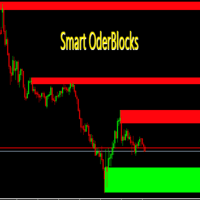
Smart OrderBlocks Indicator for MetaTrader 5 A Differentiated Vision and a Bit of Price Action! Smart OrderBlocks is an advanced indicator that reveals market structure from a unique perspective through intelligent supply and demand zone detection. Key Features OrderBlocks Detection Internal OrderBlocks : Capture micro-level market dynamics Swing OrderBlocks : Identify macro market momentum trends Advanced Volatility Intelligence Volatility detection using: Adaptive Average True Range (AT
FREE

This EA has no stop loss. All risks are at your discretion.
Fed Chair Gringott MT5 EA is a fully automatic Expert Advisor for Scalping Trading on XAUUSD timeframe M1. The basic strategy starts with Market order in Trend Following, so this EA Follow the Trend .
Fed Chair Gringott MT5 EA is similar to a Plug And Play package, please test it yourself. hundreds of times before making a purchase. I choose how it works. You choose the capital to invest. If you like it, buy it. Investing
FREE

HiloPower – Advanced Trend and Market Strength Indicator for MetaTrader 5 HiloPower is not just another trend indicator developed from the traditional Hi-Lo. It was designed to offer a more complete and intelligent reading of the market, combining direction, strength, and intensity of movements. With it, the trader can see not only where the price is going, but also how strong and volatile that movement really is.
FREE

This indicator is based on Bollinger Bands and moving averages, and uses ADX to get the turning point of the market trend and display a sign.
It is basically intended for use with currency pairs and futures with high volatility. In our tests we use it on XAUUSD, 5m and 15m. Win rate is more than 80% with 50 pips stop loss and 50 pips gain or more.
The indicator is also a simple indicator that allows you to enable or disable alerts and change the color of the arrows from the indicator settings
FREE

If you love this indicator, please leave a positive rating and comment, it will be a source of motivation to help me create more products <3 Key Takeaways StochRSI is an oscillator that measures the RSI level relative to its high-low range over a period of time. It is more sensitive than the traditional RSI and can highlight overbought or oversold conditions in the market. StochRSI is typically used to generate more frequent and timely trading signals compared with the traditional RSI. StochRSI
FREE

Adaptive Gold Breakout EA is an automated trading system for XAUUSD on MetaTrader 5, designed to trade breakout opportunities only when supported by strong trend and momentum conditions. Strategy Overview The EA uses a Donchian Channel breakout approach combined with multi-timeframe confirmation to filter low-quality setups and reduce trading during sideways markets. Entry Conditions Trades are executed only when all conditions are met: Breakout confirmed on M15 candle close Trend directi
FREE

Trend Master Gold EA is an automated trading software designed for use on the MQL5 platform. This Expert Advisor uses a trend-following strategy to identify trading opportunities in the gold market. The EA is designed to work on the 5M timeframe.
The Trend Master Gold EA uses a combination of technical indicators and price action analysis to identify potential trade setups. The EA is equipped with an advanced money management system that helps to minimize risk and maximize profits. The EA also
FREE

실시간 가격 및 총 수익 표시 지표 라이브 트레이딩 및 화면 공유에 완벽 데이 트레이더, 스캘퍼 및 라이브 스트림 트레이딩 세션을 위해 특별히 설계됨 이 전문 지표는 차트에서 직접 실시간 가격 표시와 포괄적인 수익 추적을 제공합니다 - 고빈도 거래 및 라이브 트레이딩 방송에 필수적입니다. 주요 기능 실시간 가격 표시 매초 라이브 매수 가격 업데이트 모든 심볼 유형에 대한 전문적 형식화 귀금속을 위한 특별 골드/XAU 형식화 화면 공유에 완벽한 대형 명확한 표시 데이 트레이딩 결정을 위한 즉시 가격 업데이트 포괄적 수익 추적 트레이딩 히스토리로부터의 계좌 총 수익 거래 종료 시 실시간 수익 업데이트 사용자 정의 추가 수익 금액 수수료 및 스왑 포함 플러스/마이너스 지표가 있는 전문적 수익 형식화 성능 최적화 스마트 캐싱 시스템 - 최소 CPU 사용 1초 업데이트 간격 - 번개처럼 빠름 효율적인 타이머 기반 업데이트 실시간 거래 모니터링 전문적 오류 처리 고급 사용자 정의 조정 가능한
FREE

Position Size Companion – Interactive Risk & Lot Calculator for MT5
Position Size Companion is a professional, chart-based position sizing tool designed for traders who demand precision, speed, and visual clarity when managing risk. It is fully suitable for both Forex markets and synthetic instruments such as Volatility indices (e.g., V75), and similar symbols.
With this tool, traders can bid farewell to constantly using external or built-in GUIs that require manual input of entry and stop-l
FREE

MT5 해머 & 스타 바 패턴 인디케이터 이 강력한 MT5 인디케이터는 차트에서 해머(Hammer) 와 스타 바(Star Bar) 같은 핵심 반전 패턴을 빠르게 식별할 수 있는 도구입니다. 시장의 흐름에 상관없이 중요한 반전 신호를 놓치지 않고 포착할 수 있습니다. 주요 기능과 장점: 고/저점 감지 : 현재 캔들을 이전 X개의 캔들과 비교하여 신호 정확성을 확보 꼬리와 몸통 비율 설정 : 위/아래 꼬리가 몸통의 X배 이상이어야 하며, 불필요한 신호 필터링 반대 꼬리 확인 : 신호 꼬리의 X배 이상으로 반대 꼬리 확인, 신뢰도 향상 알림 기능 : 모바일 푸시 알림과 차트 코멘트로 중요한 신호 놓치지 않음 권장 시간 프레임 : H4 이상, 더 안정적이고 신뢰할 수 있는 신호 제공 모든 트레이더에게 적합 : 초보자는 쉽게 사용 가능, 숙련자는 전략에 맞게 커스터마이즈 가능 재도색 없음 : 신호가 한 번 나타나면 고정, 믿을 수 있는 분석 지원 이 인디케이터를 사용하면 시장에서 반전 가능
FREE

거래 시각화 도구(TVIZ) 설명
제공된 코드는 MetaTrader 가격 차트에 과거 및 현재 거래 데이터를 직접 표시하는 매우 효율적인 대화형 유틸리티인 거래 시각화 도구(TVIZ)를 나타냅니다. 전문 개발자와 외환 트레이더에게 터미널의 기록 탭에서 원시 거래 내역 데이터를 검토하는 것은 지루하고 가격 움직임과 시각적으로 단절된 느낌을 줄 수 있습니다. 전체 거래 내역을 차트에 표시하여 거래 데이터를 생생하게 보여주는 다른 시장 솔루션과 마찬가지로, 이 스크립트는 정확한 진입 및 청산 시점을 캔들스틱에 직접 표시하여 이러한 격차를 해소합니다. 수치 거래 데이터를 명확하고 시각적인 형식으로 변환함으로써 알고리즘 개발자와 수동 트레이더는 전략 진입의 정확성, 청산의 효율성, 그리고 전반적인 시장 타이밍을 즉시 평가할 수 있습니다. 따라서 Expert Advisor(EA) 디버깅이나 주말 수동 거래 일지 작성에 필수적인 도구입니다.
이 지표는 MetaTrader의 객체 생성 기능을
FREE

Korean RSI Cross Alert EA for MT5 RSI Cross Alert EA는 상대강도지수(RSI) 가 일반적인 과매수 또는 과매도 수준에 도달할 때 알림을 보내는 MetaTrader 5용 간단한 도구입니다. 차트를 계속 확인하지 않아도 RSI 상태를 모니터링할 수 있습니다. 차트에 설치하면 EA가 RSI 값을 확인하고 중요한 수준을 돌파할 때 팝업 알림 을 표시합니다. 이를 통해 차트를 빠르게 확인하고 잠재적인 거래 기회를 평가할 수 있습니다. 기능 RSI가 과매수 수준(기본값 70)을 상향 돌파할 때 감지
RSI가 과매도 수준(기본값 30)을 하향 돌파할 때 감지
MetaTrader 5 팝업 알림
모든 심볼과 시간대에서 사용 가능
가볍고 사용하기 쉬움 작동 방식 EA는 차트의 RSI 지표를 모니터링합니다. RSI가 과매수 수준 위로 올라가거나 과매도 수준 아래로 내려가면 팝업 알림이 나타납니다. RSI 기간과 알림 수준은 설정에서 조정할 수 있습니다. 이 EA는
FREE

Basket Take-Profit Utility Pro is the full-featured upgrade to the free Lite version
A professional on-chart trade management tool for MetaTrader 5 that monitors and closes groups of trades the moment their combined profit or loss target is reached. All settings are configured directly from the interactive panel on your chart via dropdowns, toggle buttons, and keyboard input — no inputs window required.
What's new in Pro vs Lite (free):
Feature Lite
(Free) Pro Single basket
Panel-d

The Custom Alert Lines.mq5 Indicator is designed to create two horizontal lines on the chart that serve as levels for alerts when the price crosses them. Key Functions and Features Two Customizable Lines (L1 and L2): The indicator allows the user to set the color, style, and thickness for each of the two lines via input parameters. Crossing Alerts: The indicator monitors when the closing price of the current bar crosses the level of one of the lines. Upon crossing, a pop-up alert is generated a
FREE

Arixis Trade Replay — Reconstruct and Understand Your Historical Campaigns
Arixis Trade Replay transforms historical MetaTrader 5 trading activity into an interactive visual reconstruction directly on the chart. Instead of examining hundreds of isolated deals in the account history, the application reconstructs observable trading campaigns and allows the trader to review the sequence in which positions were opened, expanded and eventually closed. During replay, entry and exit events can be disp
FREE

Your signals in Telegram, your trades in MetaTrader 5.**
Phoenix Telegram Copier reads trade signals from your Telegram channel or group and opens them on your account. It understands the usual signal layout: side, symbol, entry, stop loss and one or more take profits. Every take profit becomes its own position, so you can bank part of a trade early and let the rest run.
**How it works** 1. Create a Telegram bot (with @BotFather) and add it to your channel or group. 2. Put the bot token and t
FREE
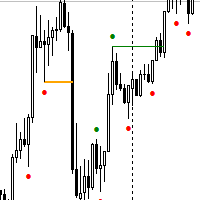
Next Arrival : Flip or Die Trading Arena. Flip a trading account: https://flipordie.com/chapter-1-thirteen-doublings-double-a-trading-account/ NOTE: Turn Pattern Scan ON
This indicator identifies Swing Points, Break of Structure (BoS), Change of Character (CHoCH), Contraction and Expansion patterns which are plotted on the charts It also comes with Alerts & Mobile notifications so that you do not miss any trades. It can be used on all trading instruments and on all timeframes. The non-repaint
FREE
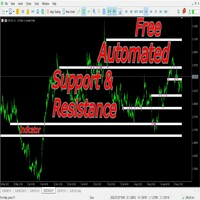
This indicators automatically draws the support and resistances levels (key levels) for you once you've dropped it on a chart. It reduces the hustle of drawing and redrawing these levels every time you analyse prices on a chart. With it, all you have to do is drop it on a chart, adjust the settings to your liking and let the indicator do the rest.
But wait, it gets better; the indicator is absolutely free! For more information: https://youtu.be/rTxbPOBu3nY For more free stuff visit: https:
FREE

이중 라인 신호, 두 레벨 시스템, 멀티 타임프레임 지원, 사용자 정의 시각 신호 및 고도로 구성 가능한 알림 시스템을 갖춘 고급 TSI (True Strength Index).
프리랜서 프로그래밍 서비스, 업데이트 및 기타 TrueTL 제품은 제 MQL5 프로필 에서 이용하실 수 있습니다.
피드백과 리뷰를 환영합니다!
True Strength Index (TSI)란 무엇인가요? True Strength Index (TSI)는 William Blau가 개발한 모멘텀 오실레이터입니다. 가격 모멘텀(현재 종가와 이전 종가의 차이)에 이중 지수 평활화를 적용하여 시장 노이즈를 효과적으로 필터링하고 기본 추세 방향을 드러냅니다. TSI는 -100과 +100 사이에서 진동하며, TSI 메인 라인과 시그널 라인(TSI의 이동 평균) 두 개의 라인으로 구성됩니다. 양수 값은 강세 모멘텀, 음수 값은 약세 모멘텀을 나타냅니다. 두 라인 간의 교차와 High/Low 레벨을 통한 움직임이 주요
FREE
MetaTrader 마켓은 거래 로봇과 기술 지표들의 독특한 스토어입니다.
MQL5.community 사용자 메모를 읽어보셔서 트레이더들에게 제공하는 고유한 서비스(거래 시그널 복사, 프리랜서가 개발한 맞춤형 애플리케이션, 결제 시스템 및 MQL5 클라우드 네트워크를 통한 자동 결제)에 대해 자세히 알아보십시오.
