 MetaTrader 5
 专家
专家
 指标
指标
 程序库
程序库
 实用工具
实用工具
 窗口小部件
窗口小部件
 规则
规则
适用于MetaTrader 5的EA交易和指标 - 111
 使用EA交易和指标,使外汇交易获得更多盈利。EA交易可使您自动开启和关闭交易,而指标将帮助您更准确地预测市场行为。
该页面提供MetaTrader 5应用程序的目录。
使用EA交易和指标,使外汇交易获得更多盈利。EA交易可使您自动开启和关闭交易,而指标将帮助您更准确地预测市场行为。
该页面提供MetaTrader 5应用程序的目录。 
此指标显示世界主要市场的当前时间。它也显示当前时段。 使用非常容易。它不会占用太多图表空间。 它可以与 EA 或其它面板一起工作, 比如 虚拟交易板 。 这是经典风格版本。 Dear friends and users of our EAs, please add your ratings in the Reviews section. All updates to our forex software are free ! This is a free trading utility! 其它功能: 输入参数中有一个选项: 显示/隐藏鼠标覆盖按钮提示, 您也可以选择提示的语言英语 / 俄语; 关闭按钮终止此应用程序; 最大化/最小化按钮在图表上缩放格板; 格板可以在图表上移动。要想移动,在面板上部靠近关闭和最小化按钮的地方用鼠标拖拽,移动到期望的位置。 Expforex,Vladon,Indicator,Utility
FREE

ED Multi Timeframe BOS CHOCH Dashboard ED Multi Timeframe BOS CHOCH Dashboard is a market structure indicator designed to give traders a clear view of market direction across multiple timeframes from one chart. Instead of constantly switching between charts, the dashboard helps you monitor Break of Structure (BOS), Change of Character (CHOCH), Swing Highs (SH), and Swing Lows (SL) across multiple timeframes. The indicator is designed to help traders understand whether market structure is current
FREE

TapTrade is a MetaTrader 5 chart trading assistant (Expert Advisor). It provides an on-chart control panel and draggable lines for Entry, Stop Loss, Take Profit, and Break-Even so you can place market and pending orders with clear risk control. Semi-manual: you decide when to click Place. No trading signals and no guaranteed profit. What it does Attach TapTrade to any chart. Choose order type (Buy/Sell Market, Limit, Stop), set risk mode and value, drag the chart lines to your levels, select TP
FREE

CROW_RANGO — ORB Expert Advisor for MT5 CROW_RANGO is an experimental ORB (Opening Range Breakout) Expert Advisor designed for intraday trading, scalping, and prop firm evaluations. The system automatically detects the market opening range and executes LONG or SHORT trades when valid breakout conditions are identified using momentum filters, EMA confirmation, and structural validation. The goal of the project is to develop an automated trading tool focused on fast-moving markets and high-volatil
FREE
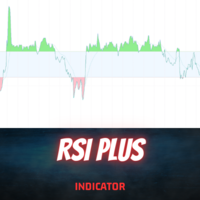
Introduction
The RSI Plus is an innovative technical analysis tool designed to measure the strength and direction of the market trend. Unlike the traditional RSI indicator, the RSI Plus boasts a distinctive ability to adapt and respond to market volatility, while still minimizing the effects of minor, short-term market fluctuations.
Signal
Buy when the RSI plus has been in the oversold (red) zone some time and it crosses above the 20 level on previous candle close
Sell when the RSI plus ha
FREE

Introducing the AI Keltner Channel , a cutting-edge Forex indicator that leverages machine learning to dynamically calculate Keltner Channels in real-time. Unlike traditional Keltner Channel indicators, which rely on static inputs, the AI Keltner Channel adapts continuously to ever-changing market conditions, providing traders with a more accurate and responsive view of price trends and volatility. Powered by advanced machine learning algorithms, the AI Keltner Channel analyzes historical and re
FREE

Reward Multiplier is a semi-automatic trade manager based on pyramid trading that opens additional orders with the running profit of your trades to maximize return exponentially without increasing the risk.Unlike other similar EAs, this tool shows potential profit/loss and reward to risk ratio before even entering the first trade! Download full version here ( In the mini version. Starting lot is fixed at 0.01 (or minimum allowed lot size ) Guide + tips here MT4 version here You only open the
FREE

Our offer also includes a free panel — Indicator Panel — which allows you to show or hide indicators created by BOToBRACIA -> MT4 / MT5 Our offer also includes a version for MetaTrader 4 -> https://www.mql5.com/en/market/product/171186?source=Site+Market+My+Products+Page
Pivot Points are a classic technical analysis indicator that calculates the central pivot point (PP) as well as support (S1–S3) and resistance (R1–R3) levels based on the previous day’s High, Low, and Close.
The indicato
FREE

BarTimer v1.0 | Visualización Dinámica de Tiempo para MT5 BarTimer v1.0 es un indicador de alta precisión diseñado para traders que buscan gestionar el tiempo de cierre de sus velas sin saturar su espacio de trabajo. A diferencia de los contadores numéricos tradicionales, utiliza una barra de progreso visual que permite interpretar el ciclo del mercado de un solo vistazo. BarTimer v1.0 "La gestión del tiempo es tan crítica como la gestión del riesgo. BarTimer transforma un dato abstracto en una
FREE
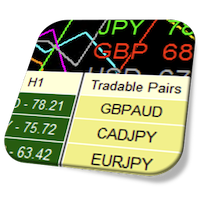
Currency Strength Meter is the easiest way to identify strong and weak currencies. This indicator shows the relative strength of 8 major currencies + Gold: AUD, CAD, CHF, EUR, GBP, JPY, NZD, USD, XAU. Gold symbol can be changed to other symbols like XAG, XAU etc. By default the strength value is normalised to the range from 0 to 100 for RSI algorithm: The value above 60 means strong currency; The value below 40 means weak currency;
This indicator needs the history data of all 28 major currency

KWS MTF EMA Trend Dashboard Pro By Kingdom Wealth Solutions Overview Instantly visualize market trend direction across all 21 MT5 timeframes in one compact dashboard. The KWS MTF EMA Trend Dashboard Pro uses customizable EMA crossover logic to identify bullish and bearish trends, providing a clear Trend Score (-100 to +100) for quick decision-making. Key Features Multi-Timeframe Analysis — M1 to Monthly on a single panel Custom EMA Settings — Independent Fast/Slow EMA periods
FREE

“Circle Rising Point” 是一款基于 周期论 的指标,不论您的交易周期是短周期还是长周期,您都可以通过这款指标 寻找不同周期,不同波段的起涨点和起跌点 ,因此在不同周期图表上,展现给您的信号都是不同的,适用于 左侧交易 。 这款指标建议搭配多周期窗口配合使用分析。 指标介绍 适用产品 这款指标适用于任何交易品种, 外汇、加密货币、贵金属、股票、指数。 适用周期 Circle Rising Point 指标适用于所有时间帧 - 从分钟 (M1) 到日线 (D1)。 适用人群 有一定基础的交易者和专家级交易者。
最大盈利潜力
Circle Rising Point指标的入场信号通常出现在不同波段下跌趋势快结束的时候,即使在入场信号出现后继续下跌,也不会有很大的跌幅, 从而最大限度地降低风险,并增加盈利。 多语言支持 指标面板将自动以您的语言显示。 视觉和声音警报 您不会错过信号,因为每个信号都显示在屏幕上,并带有声音通知。 操作便利 您只需要在设置面板根据您的喜欢设置交易信号的颜色即可。
如何使用Circle Rising Point指标进行交易?
订阅并在您的终
FREE

An easy to use, fast, asynchronous WebSocket library for MQL5. It supports: ws:// and wss:// (Secure "TLS" WebSocket) text and binary data It handles: fragmented message automatically (large data transfer) ping-pong frames automatically (keep-alive handshake) Benefits: No DLL required. No OpenSSL installation required. Up to 128 Web Socket Connections from a single program. Various Log Levels for error tracing Can be synchronized to MQL5 Virtual Hosting . Completely native t

此免费EA专用于M5时间周期。 此外,交易货币仅限日元(JPY)计价。 其设计规格不支持以美元(USD)或欧元(EUR)计价进行回测或实际交易。 交易手数也固定为0.01。 请将其视为仅供回测使用的测试版EA。 由于我本人也在实际前瞻交易中使用该EA,如果下载实时信号的需求持续增加,我计划将其公开。
TYO EA LAB的开发理念
TYO EA LAB致力于开发融合了自营交易公司运作理念的量化EA。 我们重视的并非单个EA的短期业绩,而是多种策略组合后的稳定性、分散性以及实际操作中的可复现性。
在开发过程中,除了长期验证数据外,我们还运用了基于AI的数据挖掘技术。 通过对市场数据进行多角度分析,提取如时间段、月度趋势、价格波动偏向等反复出现的统计优势,以此构建交易逻辑。
此外,TYO EA LAB的EA作为量化EA,其设计前提是支持多策略同时运行。 各EA虽各具特色,但设计上旨在使整个投资组合协同运作,其真正的优势在组合运行时比单独运行更能充分展现。
TYO EA LAB以 AI ×
FREE

Helios Smart Position Manager 概述 Helios Smart Position Manager 是一款专为 MetaTrader 5 设计的专业交易同步工具。当您修改任意持仓的止损或止盈时,EA 会自动检测该变化,并将其应用至同一交易品种的所有其他持仓。这消除了逐一手动更新每个持仓的需要,在管理同一品种的多笔交易时既节省时间,又能防止操作失误。 工作原理 EA 持续监控所有未平仓持仓,并保存当前止损和止盈水平的快照。当检测到某个持仓的止损或止盈发生变化时,EA 会识别同一品种的所有其他持仓,并自动应用相同的修改。同步每次处理一项变更,内置冷却期以防止冲突,并跳过刚刚修改过的持仓以避免同步循环。 止损和止盈的变化相互独立地被检测。如果您仅更新止损,则只有止损会在各持仓间同步;如果您同时更新两者,则两个值都会同步。价格水平在修改前会针对每个品种进行精度标准化处理。 操作模式 自动同步模式持续监控所有持仓,并立即应用更改,无需任何确认对话框。这是注重速度的活跃交易场景下的推荐模式。自动同步可直接从面板一键开启或关闭,当您希望完全手动控制而不进行自动修改时,可切换
FREE

Overview Inspired by Tradingview’s falconCoin, The Market Cipher indicator is a momentum oscillator used to detect overbought/oversold conditions and potential trend reversals. Traders can also use it to spot divergences between price action and momentum for early entry or exit signals. Configuration Guide Core Indicator Settings The indicator calculates momentum using a short-term and a longer-term average. Momentum is plotted as a wave oscillating between overbought and oversold thresholds. Ov
FREE

Fimathe H/M 适用于 MetaTrader 5 Fimathe H/M 是一款适用于 MetaTrader 5 的智能交易系统,基于两个时间周期之间的结构性突破逻辑。该系统使用较高时间周期定义交易循环,使用较低时间周期构建通道并执行入场。 该逻辑基于客观价格规则开发,不使用马丁格尔、不使用网格交易,也不包含激进的回本机制。每一个新的高周期循环都会形成新的交易结构,而低周期则用于构建参考通道并确认突破。 工作方式 该EA使用两个可配置时间周期: 一个高时间周期,用于定义循环 一个低时间周期,用于构建通道和执行交易 配置示例: H1 与 M1 H1 与 M5 H4 与 M1 H4 与 M5 当高时间周期出现新的K线时,系统会开始一个新的交易循环。在该循环内部,系统使用低时间周期的前几根K线构建参考通道。 通道形成后,EA会监控低时间周期中的K线实体突破。当突破被确认后,系统可根据方向和设定规则执行交易。 主要特点 基于高低周期循环的交易逻辑 根据低周期前几根K线自动构建通道 基于K线实体突破的入场逻辑 开盘通道识别 根据通道大小识别分段通道 小通道的 C1 结构投影 每个循环仅执
FREE

Overview Universal Indicator Scanner MT5 is a utility for MetaTrader 5 designed to help users inspect the visible signal structure of custom indicators. The scanner reads indicator buffers and chart objects to show how an indicator presents its signals on the chart. It is intended for analysis, configuration and troubleshooting. It does not trade, does not open positions and does not provide trading recommendations. Main Purpose Many custom indicators use buffers, arrows, labels or chart objects
FREE

Trend Multi-Timeframe Dashboard tells you whether the market is going up or down on four timeframes at once, using a fast and a slow exponential moving average on each timeframe. Instead of guessing the direction or flipping through charts, you see the whole picture in one panel. By default it reads the M15, H1, H4 and D1 timeframes, and the settings are fully configurable. Each timeframe is shown in green when the trend is up, red when it is down and grey when it is flat, and the percentage gap
FREE

Attention - the indicator was initially developed for trading futures and the nuances of the Sunday session. This modification does not take into account the Sunday premarket, but is strictly tied to the time on the chart for correct operation on the spot market. Standard ATR indicator, you can enable ignoring abnormally large candles. It is possible to change the location of the displayed text in 4 corners of the chart. You can change the calculation period (days ago). Bonus - the indicator ha
FREE
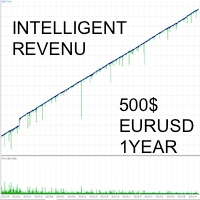
The INTELLIGENT INCOME strategy is a combination of custom indicators and a very advanced trading algorithm. It has been tested with real ticks, and passed the stress test with slippage approximating real market conditions over a period of 5 years. SMART INCOME EA IS FOR THOSE WHO: - HAVE NO KNOWLEDGE PUSH IN TRADING - WANT TO HAVE A PASSIVE INCOME EVERY DAY - WISH TO ATTEND OTHER OCCUPATIONS - WISH TO RISK THE MINIMUM CAPITAL POSSIBLE
FEATURES - Only with the EURUSD pair; The Multi-currency o
FREE
Close ALL button for simply closing your trades. +Close all BUYS in profit button, for closing your trades that are in profit. Leaving the trades in a loss untouched. +Close all SELLS in profit button, for closing your trades that are in profit. Leaving the trades in a loss untouched. +Hide and unhide buttons. Easy for when you don't need them
Configurable options Option: Close All trades OR for current Symbol/Pair only Option: close pending orders Option: Edit button text Option: Locate button
FREE

Indicador baseado no ATR (Avarage True Range) que exibe o tamanho em pips ou pontos do ativo. O indicador ATR SIZE ALERT dispara um alerta caso o preço atinja o numero de pips pre definido pelo usuário: Input: Periodo (periodo do indicador ATR) Pips (tamanho do movimento esperado) Alert (alerta sonoro) Além do alerta sonoro, o indicador também possui alerta visual.
FREE

Aurum Xau Vector is a professional trading indicator designed specifically for Gold / XAUUSD.
The indicator combines price geometry, Fibonacci-style target alignment, ATR-based risk zones, MACD confirmation, candle confirmation, session filtering, and alert notifications in one clean tool.
It is built for traders who want fewer but more selective Gold signals. Instead of printing many random arrows, Aurum Xau Vector focuses on quality filtering and can be configured to allow only one signal p
FREE

The given MQL5 code is for an Expert Advisor (EA) that implements a trading strategy using the Alligator indicator and the Standard Deviation indicator. Here's a breakdown of the code:
The code defines various input parameters for the EA, including entry lots, stop loss, take profit, indicator parameters, and expert settings. The OnInit() function initializes the EA by setting some variables and validating the initialization. The OnTick() function is called on each tick of the price data and c
FREE

Pyjama Chart is a technical analysis indicator for MetaTrader 5 that plots price structure levels and imbalance zones directly on the chart.
The indicator identifies historical swings, breaks of structure, order blocks, fair value gaps, and liquidity levels according to customizable user parameters. Calculations and object management are optimized to minimize resource usage.
Features
1. Market Structure - Identifies macro (Swing) and micro (Internal) pivot points (HH, HL, LH, LL). - Display
FREE

The initial price is 150 USD, the future price is 250 USD
Smart Neuro Trade Robot - The EA does not use the usual strategies for trading. The EA traps the price, gradually adding it up from orders opened using a safe and profitable strategy. He does not use dangerous strategies like martingale and its varieties. In whatever direction the market moves, the adviser will in any case close a series of orders in plus, because he will open deals in both directions and when he gets a profit he
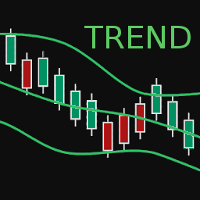
BBTrend is a relatively new indicator developed by John Bollinger to work with Bollinger Bands. It is one of only a few indicators that can signal both strength and direction making it a very valuable tool for traders.
Calculations The calculations are fairly simple. The default periods of 20 and 50 are shown, but these can be changed through the parameters. Lower = MathAbs(lowerBB(20) - lowerBB(50)) Upper = MathAbs(upperBB(20) - upperBB(50)) BBTrend = (lower - upper) / middleBB(20)
Interpret
FREE

Advanced Multi-Session Boxes (with Dynamic Floating Labels) Advanced Multi-Session Boxes is a premium, highly optimized trade-management utility designed to map out the Asian, London, and New York sessions with pinpoint accuracy based on your broker's time. This tool provides a clean, visual representation of daily session ranges directly on your charts without cluttering your screen or lagging your platform. Key Features: Anti-Overlap Graphics Engine: Built-in protection against the MetaTrader
FREE

CRT RSI EA - Sistema de Trading de rechazo ycontinuacion de tendencia con RSI PRESENTACIÓN: CRT RSI EA es un experto automatizado especializado en operar rechazos de precio que confirman tendencias , utilizando los límites del RSI como zonas de entrada estratégicas. ESTRATEGIA CENTRAL: El EA se enfoca en identificar: Rechazos en niveles clave que confirman la fuerza de la tendencia actual Operaciones dentro de los límites del RSI entre 30-70, evitando zonas neutras Se
FREE
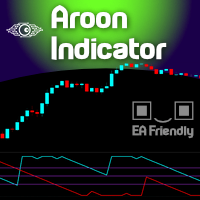
The name Aroon means “ Dawn's Early Light ” in Sanskrit. His creator Tushar Chande chose this name because the indicator is designed to catch the beginning of a new trend. At first sight it seems a little confusing all those jagged lines but after you understand the basics of it, you will find this indicator pretty cool and use it in a variety of ways, i.e.: Trigger, Trend Filtering System, and so on. The Aroon indicator was created in 1995 so it is a "modern" indicator compared to the Jurassic
FREE

️ VinoSentinel for XAUUSD Specialized SELL-Side Gold Scalping EA VinoSentinel is a specialized XAUUSD Expert Advisor designed exclusively for automated SELL-side trading. Instead of trying to trade every market direction, VinoSentinel focuses on one specific objective: Finding, executing and managing structured bearish opportunities on Gold. The EA combines three independent Sentinel signal engines with a unified trade-management and protection framework. It is built for traders who prefer
FREE

TS Trading Trade Manager is a trade panel for MetaTrader 5. You set your risk, draw the position on the chart, and send it with one click. The lot size is calculated for you. The panel makes no trading decisions: no signals, no automation. Nothing is sent until you press a button. Risk-based position sizing Choose the risk as a percentage of the account balance, as a fixed cash amount, or as a fixed lot size. Stop loss and take profit as a distance in points or as an absolute price. Switching co
FREE

Native Account Stats breaks your own closed-trade history down by symbol, by hour of day and by weekday, with profit factor, win rate, expectancy and the drawdown of the closed-trade equity curve. Trades are reconstructed from MT5 deals, so deposits, credits and corrections never count as winning trades.
WHAT IT SHOWS
A panel on the chart reports: Trades, net result, profit factor, win rate, expectancy and max drawdown Average win, average loss, largest win, largest loss A breakdown by symbol
FREE

Is a clean and lightweight multi-timeframe support/resistance indicator for MetaTrader 5, designed for traders who focus on key higher timeframe price reactions. This free version gives you access to: one higher timeframe selection, historical level projection, and the most important equilibrium level — the 50% HTF range. What HTF Levels Draws The indicator automatically plots: HTF High HTF Low HTF 50% Level (midpoint) You can also: extend levels historically, visualize HTF candle boundaries, d
FREE

Hourly xx:00 Candle Direction Signal for MT5 Know the direction of every hourly opening candle. The Hourly xx:00 Candle Direction Signal automatically analyzes the candle that starts exactly at xx:00 on your selected timeframe (M1–H1) and instantly tells you whether it closed LONG , SHORT , or DOJI . Designed for traders who want a simple and reliable hourly bias, the indicator displays clear chart signals and can send real-time notifications to your desktop or mobile device. Features Detects
FREE

Anchored VWAP is a lightweight, interactive volume-weighted average price indicator designed for traders who need precision without clutter.
Unlike standard VWAP that resets every session, this tool lets you drop up to five custom anchors directly on any candle. Each anchor calculates VWAP from that exact point forward, complete with standard deviation bands to highlight where price may find support or resistance relative to volume.
Key Features: • Up to 5 simultaneous anchors — compare multi
FREE
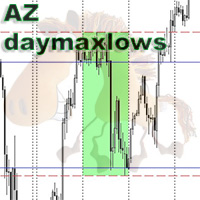
The simplest indicator. You select the day of the week (Monday/Friday), the indicator draws the highs and lows of this day on the body and shadow of the candle. The fill color settings of the selected day, the style and color of the lines can be changed. The indicator searches for the nearest selected day. The idea is to speed up the visualization of the price reaction to the body/shadow of the candle of the selected day.
FREE

This is a comprehensive summary of the Phoenix Master Engine (MT5). This tool is designed as a high-performance "Execution Dashboard" that blends Smart Money Concepts (SMC) with real-time momentum tracking. Project: Phoenix Master Engine (v1.0) Platform: MetaTrader 5 Strategy Type: Order Flow & Momentum Execution Visual Style: Dark Mode (Indigo/Teal/Black) 1. Core Visual Features Dynamic Volume Profile: Unlike standard indicators, this renders a "no-flicker" horizontal volume profile in the cha
FREE

The Keltner Channel is a volatility-based technical indicator composed of three separate lines. The middle line is an exponential moving average (EMA) of the price. Additional lines are placed above and below the EMA. The upper band is typically set two times the Average True Range (ATR) above the EMA, and the lower band is typically set two times the ATR below the EMA. The bands expand and contract as volatility (measured by ATR) expands and contracts. Since most price action will be encompasse
FREE

Spread Hunter MT5 – 当前和历史点差指标 用途 该指标在图表右上角以紧凑面板形式显示当前点差值(以点为单位)。将光标悬停在任何K线上时,会显示该K线的历史点差。 该工具对于策略对点差大小敏感的交易者来说不可或缺:剥头皮交易、新闻交易、高波动性工具交易。 主要功能 当前点差
持续显示在右上角。实时更新(每秒一次)。 历史点差
鼠标悬停在任何K线上时,会出现一个包含以下信息的弹出提示: K线时间 点差值(以点为单位) 提示显示的是该K线周期内的最小点差(经纪商历史数据存储的特性) 颜色指示 绿色 – 点差在正常范围内(≤ 设定阈值) 红色 – 点差过高(> 阈值) 阈值可由用户配置(默认为20点)。 解读 低点差(绿色) – 有利的入场条件,尤其适用于剥头皮和日内交易。 高点差(红色) – 建议暂缓交易或使用更宽的止损。 历史点差 – 帮助评估过去在你分析的点位上是否存在舒适的入场条件。 实现特点 适用于任何时间框架和交易品种。 实时显示当前点差。 悬停显示历史点差。 可配置背景,提高可读性。 不使用外部DLL库。 对终端性能影响极小。 配置参数 参数 描
FREE

The Elsna ATR is a custom MetaTrader 5 indicator that combines two key features into one clean chart overlay: Average True Range (ATR) Display Calculates the current ATR value for the selected period (default = 14). Can show the value in pips or price units . Candle Countdown Timer Displays a live countdown showing how much time remains until the current candle closes. Updates every second, even when the market is quiet. This indicator helps traders quickly gauge market volatility (via ATR) and
FREE

Blahtech Fisher Transform indicator is an oscillator that displays overbought and oversold locations on the chart. The Fisher Transform algorithm transforms prices with any distribution shape into a normal distribution. The end result is a curve with sharp turning points that may help to identify bullish or bearish trends. Fisher Transform values exceeding 1.66 on the daily chart are considered to be good areas for reversal trades. Links [ Install | Update | Training | All Products ]
F
FREE
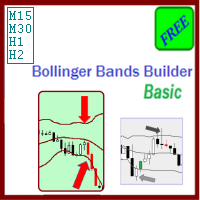
The Bollinger Bands Builder Basic expert advisor is a free and configurable trading strategy using the Bollinger Bands indicator as its primary signal provider technique.
Like its sibling products from the expert advisors group, this systems aims to ensure low drawdown and avoiding exposure to high risks through:
usage of automatically placed stop loss orders for all launched trades; allowing maximum 1 managed open trade at a given time, avoiding pressure on margin/deposit load; minimization o
FREE

opnMAX Sysifus: Indicator Overview Traditional Volume Profile and TPO (Time Price Opportunity) indicators suffer from a fatal flaw: they rely on hundreds of heavy graphical objects that lag the MetaTrader 5 terminal, drain CPU resources, and interfere with Expert Advisor execution. opnMAX Sysifus is engineered to solve this. It is a razor-sharp, highly optimized structural mapper that dives into granular 1-minute tick data to reveal exactly where institutional liquidity is parked and where sudd
FREE

钱德动量振荡器(CMO)指标,支持多时间框架,可自定义视觉信号及可配置警报系统。
自由职业编程服务、更新和其他TrueTL产品可在我的 MQL5主页 获取。
非常欢迎您的反馈和评价!
什么是 CMO? 钱德动量振荡器(CMO)是由图沙尔·钱德(Tushar Chande)开发的动量指标,计算价格上涨总和减去价格下跌总和,再除以总移动幅度。CMO 的范围在 -100 到 +100 之间。高于 +50 表示超买状态,低于 -50 表示超卖状态。 零线作为多头和空头市场阶段之间的分界线。与其他振荡器不同,CMO 不使用平滑处理,使其更加灵敏但也更加波动。特别适合识别强趋势阶段和价格衰竭点。 功能特点: 带箭头和垂直线的视觉信号标记 三个具有可配置触发器的独立信号缓冲区 信号检测选项:方向变化、穿越水平线、峰值/谷值 每个信号的可配置警报功能(邮件、推送、声音、弹窗) 支持插值方法的多时间框架(MTF)功能 柱状图或折线图绘制模式 多种颜色模式(简单、基于方向、基于水平) 通过自定义指标调用(iCustom)访问缓冲区,支持 Expert Advisor(EA)集成 输入参数: 基本设置
FREE

FKG Trade Manager – 专业风控与订单管理专家顾问 (EA) FKG Trade Manager 是一款功能强大的多语言交易管理 EA,旨在帮助交易者全面掌控持仓、风险敞口和订单执行。它在图表上提供了一个简洁的深色主题可移动交互面板,助您告别情绪化交易,实现日常仓位管理自动化。 核心功能 快捷分批平仓按钮 (10%, 20%, 50%): 一键安全锁仓部分利润,实时显示每个档位的手数与浮动盈亏。 动态篮子盈亏追踪: 实时监控总盈亏(含隔夜费与佣金),带有直观的颜色状态提示。 高级保本 (Break-Even) 自动化: 当价格达到指定点数时自动移动止损以锁定利润,并可选择同时取消挂单。 隐形止损/止盈线 (Stealth): 使用图表虚拟显示的止损止盈水平,有效防止被对家或平台恶意扫损。 自动多级分批止盈 (PTP): 支持最多 5 个自定义距离/手数阶梯,实现全自动金字塔式减仓。 批量订单控制: 一键平掉所有仓位、仅平盈利仓位,或一键取消所有待处理挂单。 多语言界面: 原生支持 12 种全球主流语言。
FREE

具有多时间框架支持、可自定义视觉信号和可配置警报系统的Awesome Oscillator(AO)指标。
自由编程服务、更新和其他TrueTL产品可在我的 MQL5个人资料 中获取。
非常欢迎您的反馈和评价!
什么是AO? Awesome Oscillator(AO)由比尔·威廉姆斯开发,是一种动量指标,通过计算中间价格(最高价 + 最低价)/2的34周期和5周期简单移动平均线(SMA)之差来测量市场动量。该指标有助于识别市场的总体方向和潜在的反转点。 AO围绕零线振荡。正值表示看涨动量(快速SMA高于慢速SMA),负值表示看跌动量。直方图表示使动量变化的可视化更加容易:当直方图在零以上并上升时,看涨动量在增加;当在零以下并下降时,看跌动量在增加。交易者通常使用AO来识别背离、零线交叉以及"双峰"或"碟形"形态作为交易信号。 功能: 带箭头和垂直线的视觉信号标记 三个独立的信号缓冲器,具有可配置的触发条件 信号检测选项:方向变化、水平穿越、高点/低点 每个信号的可配置警报功能(电子邮件、推送、声音、弹窗) 具有插值方法的多时间框架(MTF)功能 直方图或线条绘图模式 多种颜色模式
FREE

The ICT Unicorn Model indicator highlights the presence of "unicorn" patterns on the user's chart which is derived from the lectures of "The Inner Circle Trader" (ICT) .
Detected patterns are followed by targets with a distance controlled by the user.
USAGE (image 2) At its core, the ICT Unicorn Model relies on two popular concepts, Fair Value Gaps and Breaker Blocks. This combination highlights a future area of support/resistance.
A Bullish Unicorn Pattern consists out of:
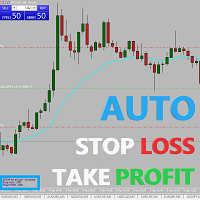
Easy and simple Automatic Stop Loss and Take Profit manager.
For all pairs, indexes etc. Works with all instruments.
All types of orders. All charts.
Users inputs:
- take profit in pp
- stop loss in pp
- font name,size and color
- corner for place settings info
Save & Load settings option.
Fast, simple and reliable trade assistant.
A "MUST HAVE" for all traders.
Check out other tools provided by our team!

Trade Panel Manager — Master all trades in one dashboard Stop calculating volume manually, stop worrying about forgetting to set SL/TP. TTrade Panel Manager transforms MetaTrader 5 into a professional trading command center — drag and drop a few lines on the chart, the EA automatically calculates lot sizes according to your desired risk level, displaying SL/TP in pips and currency in real time, right before you press the button.
Why download now?
Accurate lot size calculation based on risk pe
FREE

This trading bot is designed for MetaTrader 5 (MT5) to manage open positions effectively by automating partial closures based on a predefined risk-reward ratio. It includes Telegram integration to send notifications directly to your group or channel about trading activities, including entry, stop-loss, and take-profit levels. Key Features : Partial Close Management : Automatically closes a percentage of the trade volume when the target level is reached. Risk-Reward Calculation : Sets profit leve
FREE

WANT TO AUTOMATE THESE ZONES? Stop waiting for setups! The Smart SR Levels Sniper EA is now live. It reads these exact indicator zones, filters for high-probability "thin" zones , auto-calculates your risk , and targets the next SR levels for Take Profit . It can even scan all your open charts at once! Stop guessing where the market will turn. Let the volatility tell you. Smart SR Levels Sniper EA https://www.mql5.com/en/market/product/165191
LogicLadder SR Zones
------------------------
FREE

Description:
The Dynamic Color Stochastic is an enhanced version of the classic Stochastic Oscillator that provides instant visual feedback on market momentum through color-coded line transitions. Unlike the standard indicator, this version automatically changes the color of both the Main (%K) and Signal (%D) lines based on their relative positions. This allows traders to identify bullish and bearish crossovers instantly without squinting at the lines. Bullish Momentum (Green): When the Main
FREE

賬戶儀表板統計
它是一個工具,可以幫助您有一個集中的觀點,以便了解您賬戶的利潤和損失,這樣您就可以跟踪它,它還帶來了回撤分析,以了解所獲得的風險 下載並在您的帳戶中激活後,您必須將其附加到任何交易品種,例如 EURUSD H1,然後從這一刻起,該工具將開始監控您的統計數據
該面板是完全高級的,您可以將其隱藏並移動到您喜歡的位置 根據您的帳戶操作,主要特徵如下 每日一段時間(每日盈虧逐日更新) weekly時間段(weekly gain and loss renew weekly) 每月一段時間(每月盈虧每月更新) 每年一段時間(每年更新的年度損益) 最大回撤(控制每秒監控根據您的餘額達到的最大風險) 例如,如果您的餘額為 1000 美元,提款標記為 10%,則表示您的賬戶在某個時刻達到了 100 美元的總風險
FREE

I’m sharing this EA here for free to support the trading community. I hope it’s helpful, and don’t hesitate to reach out if you have any questions or feedback!
Requirements
Trading pairs all trending Pairs especially USDJPY
Timeframe M1 to H6
Minimum deposit $ 100 Leverage 1:200 Brokers Hedging Pro or ECN Account
Key Features: 1. Good Risk Management: Mono MA ensures your capital is always protected with its sophisticated risk management system. It calculates risk as a percentage of your acco
FREE

Gold Jesus Blessings AI Neural EA MT5 for XAUUSD Auto Trading - New York Session Recommended - Use Latest Upgrade V22 as of 22 Jan 2026 Use Every tick Mode & 1 Mint OHLC mode for Back-test. (Note the EA is by default set for 3 Digit Broker, for 2 Digits broker, write to me for set file-I'll share) Launch Offer for 1st 10 Copies Only at $198 - Price will be hiked to $299 after sale of 1st 10 copies. Advanced AI-Driven XAUUSD Trading Expert Advisor Gold Jesus Blessings AI Neural EA MT5 is a fu

Never risk more than you plan to — down to the cent. (NOTE: IF YOU HAVE ANY COMMENTS AND SUGGESTION TO IMPROVE THE INDICATOR PLEASE LEAVE A REVIEW OR COMMENT) Gold Lot Size Calculator turns a single click-and-drag on your chart into the exact lot size for your trade. Set how much you're willing to risk in dollars, drag from your entry to your stop-loss level, and release — your position size is calculated and locked right on the chart. No spreadsheet, no calculator app, no mental math under pres
FREE

Trailing Activation EA Trailing Activation EA is a utility Expert Advisor for the MetaTrader 5 platform that executes trades when price moves through a defined activation level and then reverses by a specified distance. The EA monitors price movement, records the extreme reached after the activation level is crossed, and opens a trade only when the market pulls back by the configured limit distance. The program can operate in two entry modes. In local mode the activation levels and parameters ar
FREE

The Follow Line Indicator is an essential technical analysis tool that provides a clear, immediate visualization of the trend while detecting high-probability reversals in real-time. By combining adaptive price tracking with clear visual alerts, it transforms complex data into actionable trading signals. Key Features Dynamic Trend Line: Tracks the market's prevailing direction, automatically adjusting to each new price extreme. Clear Colors: The line turns Blue during uptrends and Red during dow
FREE

️ Aviso de Risco Negociar no mercado financeiro envolve riscos significativos. Esta ferramenta é um auxílio à tomada de decisão e não garante lucros. Opere com responsabilidade e sempre com gerenciamento de risco adequado. Atenção : Testado em timeframe de 2 minutos e no mini-indice da B3 do Brasil. Elimine falsos sinais do MACD com confirmação da força do candle em tempo real. Este indicador avançado gera sinais de COMPRA (seta azul) e VENDA (seta vermelha) apenas quando o MACD cruza a linha d
FREE

GOM Trade Manager helps you execute trades the way you want it. Works on all instruments Forex, Commodities, & Crypto.
It helps you with lot calculations, spread addition and balance calculations so you can just focus on actual trading.
For full automatic planned management, stackable triggers and spread widening protection >> check out GOM Trade Manager Pro .
------------------------------------------NOTABLE FEATURES------------------------------------------ You set everything based on bid
FREE

Cobalt Rainbow MMA (多重移动平均线) 专业版 通过 66 个不同的维度,洞察市场的每一次呼吸! Cobalt Rainbow MMA 是一款先进的技术分析工具,它将复杂的市场趋势转化为视觉上的艺术品和战略性的信号站。与普通的移动平均线不同,它以数学上的和谐扫描 66 个不同的层级,为您同时提供市场的宏观趋势和微观动能。 为什么选择 Cobalt Rainbow MMA? 当大多数交易者只关注一两条移动平均线时,价格往往在这些线条之间的缝隙中波动。 Cobalt Rainbow 覆盖了从 2 周期到 200 周期的全频谱,让您能够实时观察“市场的呼吸”。 智能周期分布: 采用对数计算方法,让您能以显微镜般的精度观察短期价格波动,并以望远镜般的清晰度把握长期趋势。 4 级高级预警系统: 无需时刻盯盘!当价格穿越云带、当所有均线完美对齐、或者当市场进入挤压状态(Squeeze)时,您将立即收到通知。 极致性能优化: 管理 66 条线是一项繁重的工作,但凭借 Cobalt 的工程技术,该指标最小化了 RAM 和 CPU 的占用,确保您的终端运行快速且响应灵敏。 ️
FREE

AutoRiskManage v2.3 — Documentation Expert Advisor — MetaTrader 4 & 5 AutoRisk Manage v2.3 Automated risk management EA with interactive graphical panel. Applies SL/TP, Break Even, Trailing Stop, and lot size calculation by risk percentage — for any instrument, any broker. MT4 / MT5 v2.3.0 MQL4 · MQL5 C2C + B2C Time Space Technology Overview AutoRiskManage is an Expert Advisor that acts as a risk management layer on top of any manually opened position. It does not generate trading signals — i
FREE

Mapa płynności KREDZIA organizuje aktywną płynność opartą na brokerach powyżej i poniżej ceny, pomagając inwestorom planować potencjalne cele płynności i monitorować obszary, w których może rozwinąć się zmiatanie, reakcja lub odwrócenie.
PEŁNY OPIS Ważne maksima i minima mogą stanowić potencjalne cele w zakresie wykorzystania płynności, ale ręczne śledzenie bieżących poziomów wraz ze starszymi, niesprawdzonymi odniesieniami szybko staje się trudne. Mapa płynności KREDZIA tworzy ustrukturyzowa
FREE

There is no magic in moving averages but they can be used to form the basis of a simple trading strategy that works. You can develop many strategies using moving averages but remember that complex trading strategies are not always best. Both day traders and swing traders can benefit from a moving average. 55 Period EMA The 55-period long-term moving average will be considered the longer-term trend direction indicator: When the 55 EMA is below both the 9 and 21, we will consider the trend to be
FREE

Trade Manager Pro is a MetaTrader 5 tool designed to assist with trade execution, position management, risk control, and account monitoring from a single on-chart interface. It is built to work alongside manual trading or automated systems and does not interfere with external Expert Advisors. The tool is intended for traders who require direct control over order execution and position management while maintaining consistent risk rules across different market conditions. Core Function The indica
FREE
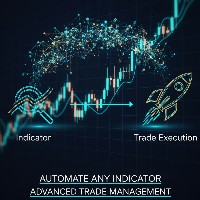
Indicator Automator EA: The Ultimate Indicator Automation Tool Tired of being chained to your desk, waiting for signals from your favorite indicator? Do you want to eliminate emotional trading and unlock the true potential of your manual strategy? Indicator Automator EA is a powerful and highly versatile Expert Advisor for MetaTrader 5 designed to automate any trading indicator that provides clear Buy and Sell signals through its indicator buffers. You don't need to be a programmer. If you have

Trade Copier Master and Follower in 1 is a local expert advisor for copying trades between master and follower accounts on different terminals on the same device. It supports master/follower modes, configurable symbol mapping for different brokers, multiple money management options, risk-based sizing, stop loss/take profit copying, partial close copying, and deviation handling. The follower can close positions independently, invert trades, and adjust symbols with prefixes, suffixes, or explicit
FREE

Get the best out of your forex trading experience with our Superb Trend indicator! Our revolutionary technology helps you make smarter and more successful trades, no matter your skill level. With a simple and intuitive interface, you'll be able to analyze trends and make wiser decisions in no time. Stop gambling with your money; start leveraging our Superb Trend Indicator to outperform the market!
Trend Signals: Bullish trend will show as Green line. Bearish trend will show as Red line.
Supe
FREE
MetaTrader市场是 出售自动交易和技术指标的最好地方。
您只需要以一个有吸引力的设计和良好的描述为MetaTrader平台开发应用程序。我们将为您解释如何在市场发布您的产品将它提供给数以百万计的MetaTrader用户。
