 MetaTrader 5
 专家
专家
 指标
指标
 程序库
程序库
 实用工具
实用工具
 窗口小部件
窗口小部件
 规则
规则
适用于MetaTrader 5的EA交易和指标 - 106
 使用EA交易和指标,使外汇交易获得更多盈利。EA交易可使您自动开启和关闭交易,而指标将帮助您更准确地预测市场行为。
该页面提供MetaTrader 5应用程序的目录。
使用EA交易和指标,使外汇交易获得更多盈利。EA交易可使您自动开启和关闭交易,而指标将帮助您更准确地预测市场行为。
该页面提供MetaTrader 5应用程序的目录。 
Advanced Multi-Session Boxes (with Dynamic Floating Labels) Advanced Multi-Session Boxes is a premium, highly optimized trade-management utility designed to map out the Asian, London, and New York sessions with pinpoint accuracy based on your broker's time. This tool provides a clean, visual representation of daily session ranges directly on your charts without cluttering your screen or lagging your platform. Key Features: Anti-Overlap Graphics Engine: Built-in protection against the MetaTrader
FREE

WONNFX INFOLINE MT5 is a lightweight informational indicator that displays key trading data directly on your chart. In a single line, it shows your current floating profit/loss in pips, deposit currency, and percentages, as well as the spread and time remaining until the current bar closes. This indicator is ideal for traders who need a concise yet comprehensive snapshot of their open positions in real-time, without cluttering the chart. Key Features Display of Floating Profit/Loss: In pip
FREE

Add this selection of 6 trading strategies to your trading, as this EA offers uncorrelated strategies to diversify!
This EA (Expert Advisor) has a selection of strategies to choose from, depending on what you want to trade. Some strategies were designed for Stocks and Crypto. I aim to have a mean-reverting and a trend-following strategy for every market that performed well on statistically significant positive backtests. This EA was designed for you to use multiple uncorrelated strategies toget
FREE

ATS Indicator - 市场结构 (BOS / CHoCH) 与订单块 适用于 MetaTrader 5 的清晰市场结构读取工具。指标标记每个波段高点和低点,将每次突破标注为 延续 (BOS) 或 性质转变 (CHoCH),并绘制行情起点的订单块,直到价格将其缓解。 有何不同 历史与实时一致。 只有当波段两侧的K线都已收盘时才确认该波段,历史与实时使用同一规则。不重绘。 图表打开时逐根K线显示新的突破 ,可选弹窗或推送提醒。 图表整洁。 只保留最近的区域(默认8个);价格缓解后区域立即消失。 面板 结构趋势与最近一次突破:延续或反转。 活跃的需求区与供给区数量。 顺势最近的区域:距离、参考止损(区域之外,基于ATR)和目标(以R计)。 交易时段与伦敦/纽约 killzone(GMT,自动识别服务器时差)、ATR 和点差。 诚实说明 这是一个读取结构的工具。我在 XAUUSD 上把结构突破和订单块入场作为独立交易信号进行了测试:扣除成本后,它们本身没有统计优势。请将本指标用于分析市场和设置止损与目标,并结合您自己的方法和风险管理。 适用于任何品种和周期。仅绘图:不会开仓、修改或平
FREE

Introduction MT5 ships with the Envelopes indicator. This indicator allows you to create equidistant bands from a moving average by specifying a “deviation.” Unfortunately, the deviation is an arbitrary number. You might determine that 0.220 works well to contain 95% of close prices for USDCHF,H1, but when you change the period to H4, most of the bars are now outside the bands. So, I created this self-tuning indicator. Instead of specifying a percent “deviation,” you specify the percent of bars
FREE

Dynamic Range and Target Indicator: Your Reliable Trading Partner
Introducing an innovative indicator that revolutionizes how you analyze markets and make trading decisions. Whether you're a beginner seeking clear guidance or an experienced trader looking to enhance your strategy, this tool is designed to meet your needs.
Key Features:
1. Dynamic Range Determination: The indicator continuously analyzes the market, identifying the most recent significant price ranges.
2. Clear Support an

Read Manual Setup Guide Apex Institutional Edge is a high-performance technical analysis indicator for MetaTrader 5 that automatically identifies and tracks Supply and Demand zones across all markets and timeframes. Designed with optimized native MQL5 engineering , the indicator detects institutional-style price imbalances and displays them as clean, easy-to-read zones directly on your chart. Key Features • Automatic Supply and Demand zone detection
• Multi-Timeframe (MTF) zone overlay
• Fresh a
FREE

iK Trendz Trading: The Ultimate Multi-Asset Trend Intelligence iK Trendz Trading is a professional-grade trend following indicator designed to provide traders with a crystal-clear view of market direction across multiple symbols and timeframes simultaneously. By combining advanced volatility-based logic with an intuitive Multi-Timeframe (MTF) dashboard, it eliminates the noise and identifies high-probability trading zones. Whether you are a scalper, day trader, or swing trader, this tool is desi
FREE

Apex Sniper Pro Indicator for MetaTrader 5
Apex Sniper Pro is a professional multi-timeframe price action and market structure indicator designed for MetaTrader 5. The indicator combines institutional Smart Money Concepts (SMC) with candlestick momentum analysis to identify high-probability trend continuation and reversal setups on any financial instrument.
All signals are calculated strictly on the close of the candle. Once a bar closes and an arrow is printed, the signal is 100% fixed and wi
FREE

Stop guessing your lot size. Risk the same amount on every trade. Most traders blow accounts not because of bad entries, but because of inconsistent position sizing: fixed lots with variable stops means every trade risks a different — and unknown — amount of money. TrendSync Risk Calculator solves this in one drag. How it works Attach the indicator. It automatically anchors three draggable lines at the current price: Entry , SL at N×ATR and TP at your chosen R:R . Drag any line — or type a new A
FREE
As a tribute to all the "quants" and "quantums" in this market who promise to make you rich quickly and easily, my ADR Dashboard is now just $39 — until summer is over, or perhaps a little longer. It won't make you rich quick, but it gives you a perfect view of the potential trading ranges of an asset. The intention of the dashboard is to provide a quick overview of the daily, weekly and monthly range of configured assets. In "single asset mode" the dashboard shows you possible reversal points

Spike Alert Pro - Advanced Volatility & Market Spike Detector Stay ahead of sudden market movements with Spike Alert Pro , a powerful, highly responsive, and meticulously coded indicator designed to detect high-volatility market spikes in real time. Whether you are trading Forex or Gold (XAUUSD), catching rapid price expansions is crucial for successful trading. Spike Alert Pro acts as your personal market monitor, ensuring you never miss a critical trading opportunity by delivering instan

Overview SMC AllInOne 直接在图表上绘制 Smart Money Concepts 结构:摆动高低点(HH/HL/LH/LL)、结构突破(BOS)与趋势转变(CHO CH)、订单块(Order Blocks)、公允价值缺口(FVG)以及流动性区域 。不重绘,仅基于已确认的K线计算。 How it works 该指标检测摆动点,分类市场结构,在结构突破时 标记 BOS/CHOCH,将突破前最后一根反向K线标记为订单块,将价格缺口标记为 FVG,并在等高/等低点绘制流动性线。 Disclaimer 如果您不熟悉 Smart Money Concepts(订单块、流动性、BOS/CHOCH、FVG),请在使用本指 标前先学习相关概念。这是一个可视化工具,而非信号生成器——正 确解读需要具备 SMC 知识。
FREE

Big Dog MT5 – XAUUSD M5 精准剥头皮交易员 大狗MT5 这是一个专为……设计的高性能顾问 XAUUSD 在 M5 时间框架上 的表现。该系统运用精准的入场逻辑和先进的多元分析方法,专注于以高效的市场入场和可控的回撤行为,把握高概率的超短线交易机会。 基本策略 Big Dog MT5 采用专有的分析系统,运用多种数学方法评估价格走势。这种多层次的方法使投资顾问能够精准定位入场点,同时最大限度地降低不必要的市场风险。 该系统基于以下原理构建: 基于高精度的高频记录。 短期交易期 降低长期市场风险敞口 在波动性变化的条件下表现出的适应性行为 表现和行为 EA当然是, 激进的交易频率 专为偏好主动交易系统而非缓慢的长期持有策略的交易者而设计。默认参数提供了坚实的基础,优化关键设置可以显著提高执行稳定性。 正确配置后,Big Dog MT5 提供以下功能: 输入准确度稳定 有效的资金回撤管理 在各种传播条件下均能稳定运行。 优化参数(重要) 要充分发挥 Big Dog MT5 的性能,需要进行正确的设置: 扩展筛选器: 智能交易系统面板实时显

QuantumAlgo Basic Indicator — MetaTrader 5 多功能市场信息指标 QuantumAlgo Basic Indicator 是 MetaTrader 5 的专业 多用途指标 。将您的终端转变为信息丰富的工作站,提供实时市场数据、波动率计时和关键机构级别。 为什么交易者选择 QuantumAlgo Basic Indicator 简洁专业界面 — 适合白色背景的 Glassmorphism 设计 实时市场情报 波动率显示 每日机构级别(PDH、PDL、Pivot、Open) 交易时段及当前时段高亮 点差及品种信息 账户净值、余额和当日盈亏 轻量级 — 不影响图表性能 适用于任何品种 兼容任何时间框架 核心功能 Time Context — 当前与下一个时段、倒计时 波动率显示 — 点差、ATR、当日区间 机构级别 — PDH/PDL、Daily Open、Pivot 账户快照 可定制显示 明暗主题 推荐设置 平台: MetaTrader 5 品种: 任意 时间框架: 任意 VPS: 不需要 设置: 默认 ️ 重要 — 防诈骗 本指标 仅通过 MQL
FREE

SurfBot Radar is a free breakout and trend indicator for MetaTrader 5. It plots a Donchian channel (the highest high and lowest low of the last N bars), marks the first bar that breaks the channel, and confirms each breakout with flow — the net of directional volume over a recent window. Breakout + matching flow shows a clear BUY or SELL signal; a breakout without flow is flagged as "no confirmation".
A graphical on-chart panel (placeable in any corner) shows the current state, the flow, the c
FREE
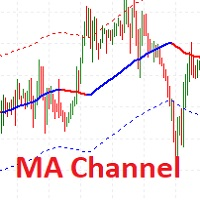
I present the well-known Moving Average indicator.
This indicator is presented as a channel, where the upper and lower lines are equidistant from the main line by a percentage set by the user.
The indicator is easy to use. The basic settings of the moving average have been saved and a percentage parameter (Channel%) has been added.
Basic parameters:
Channel% - shows how much we want to deviate from the main line.
The indicator is freely available.
FREE

1) Product Description Adaptive Grid Engine (AGE) v1.64 — Smart Grid System with L1 TP + Average TP
Adaptive Grid Engine (AGE) v1.64 is a flexible and adaptive grid‑based trading system designed for traders who want structured grid logic with strong risk‑management tools. The EA combines ATR‑based or fixed grid spacing, EMA trend filtering, L1 direct TP, automatic weighted‑average TP for multi‑order series, session filtering, equity‑based protection, and a real‑time dashboard.
AGE automati
FREE

Bneu GLA Trend EA — Now with AI Trade Filter
FREE FOR A LIMITED TIME This EA will be sold at $199 in a future update. Download now while it's still free.
NEW IN v1.05: AI-Powered Trade Scoring
Every trade signal is now analyzed by our AI system before entry. The AI scores each setup from 0 to 100 and adjusts position size accordingly.
This is a free addition — no extra cost.
HOW AI IMPROVES GLA
The GLA method detects trend shifts well, but not every crossover is equally strong. The AI la
FREE

This is a classic trading strategy based on two Moving Averages crossover. customized for usdjpy with a Good risk management strategy RR 1/2 . ( Long when fast MA crosses slow MA from below and Short when fast MA crosses slow MA from above ) TF : 5MIN MAX Lot size to use : 2% e.g : Balance =100 => lot size = 0.02 Balance =1000 => lot size = 0.20 Balance =10000 => lot size = 2
------
FREE

Institutional Swing Map
Institutional Swing Map is a powerful visual indicator designed to help traders clearly understand daily market structure by connecting highs and lows and highlighting key price zones.
It operates on a higher timeframe (default: Daily) and projects that structure directly onto your current chart, giving you a clearer perspective of market behavior.
Key Features
High-to-High & Low-to-Low Connections Automatically draws trend lines connecting consecutive daily highs a
FREE

Grid Scalp Master Indicator Grid Scalp Master Indicator is a powerful, visual-centric market momentum and grid simulation system engineered specifically for MetaTrader 5. It translates complex mathematical breakout and asymmetrical grid logic into a clean, actionable visual framework directly on your chart layout. Designed for traders who want the precision of a grid execution model without giving up manual control, this indicator tracks high-probability breakout zones, maps dynamic grid layers,
FREE

Algo Point is a practical market analysis tool developed for traders who want a clearer and more objective view of price movements. The indicator processes market behavior and presents visual signals that may help identify potential buying and selling areas. It also provides customizable notifications, allowing users to follow opportunities without constantly watching the chart. Algo Point can be applied to different Forex instruments and timeframes, supporting discretionary analysis while keepi
FREE

This indicator is a sophisticated MetaTrader 5 tool that calculates and displays Average Daily Range (ADR) levels on your chart. It draws horizontal lines representing expected price movement ranges based on historical daily volatility, helping traders identify potential daily high and low targets. ADR (Average Daily Range) = The average difference between the daily high and low over a specified period (default: 14 days). Unlike ATR which includes gaps between days, ADR focuses purely on int
FREE
总体说明
Digital Clock 是由 Everton Messias 开发的一款 MetaTrader 5 (MT5) 专用实时数字时钟指标。该工具旨在帮助交易者在分析图表时随时查看准确时间,而无需切换到系统时钟或外部软件。对于需要严格掌握交易时段、重要新闻发布时间、市场开盘与收盘节奏的交易者来说,此指标提供了极高的实用性。无论您是进行剥头皮交易、日内交易、波段交易,还是依赖时间周期的策略,这款数字时钟都能为您带来更高的效率与更清晰的节奏感。 主要功能:
实时显示 —— 以时、分、秒为单位,每秒自动更新,确保时间精准
完全自定义 —— 可调整颜色、字体、字号,让时钟完美融入您的图表风格
灵活定位 —— 可放置在图表的左侧、右侧、顶部、底部甚至中央任意位置
自动刷新 —— 不需要手动干预,时钟始终保持最新状态
兼容所有时间周期与交易品种 —— 从1分钟到月线图,从外汇到指数、黄金、加密货币均可使用
支持暗色/亮色主题 —— 在任何 MT5 主题中都具有良好可读性
适用于多图表环境 —— 多窗口监控市场时也能轻松掌握当前时间
轻量
FREE

BarTimer v1.0 | Visualización Dinámica de Tiempo para MT5 BarTimer v1.0 es un indicador de alta precisión diseñado para traders que buscan gestionar el tiempo de cierre de sus velas sin saturar su espacio de trabajo. A diferencia de los contadores numéricos tradicionales, utiliza una barra de progreso visual que permite interpretar el ciclo del mercado de un solo vistazo. BarTimer v1.0 "La gestión del tiempo es tan crítica como la gestión del riesgo. BarTimer transforma un dato abstracto en una
FREE

Prop Firm Trade Manager MT5 Managing risk and staying compliant with strict evaluation rules requires absolute precision. The Prop Firm Trade Manager MT5 is a professional trading panel MT5 designed to streamline your manual execution, automate complex calculations, and protect your funding account from rule violations.
Click for USER GUIDE & FREE TRIAL VERSION Featuring mt5 advanced dashboards, this tool displays real-time data directly on your main chart. It functions as an all-in-one trade

ACTION CHAIN Multi-Engine Confluence & Order Flow Indicator Action Chain is a quantitative signal indicator for MetaTrader 5 built on market structure, volumetric calculations, and order flow mechanics. Rather than relying on a single lagging indicator, Action Chain integrates 6 independent analytical modules into a weighted mathematical confluence matrix. A signal is plotted only when the cumulative weight of active modules meets or exceeds the user-defined threshold. Key Technical Specificatio
FREE

Spread Candle Clock is a clock that displays the remaining time of the current candle along with the spread in real time directly on the chart.
Features:
Real-time candle countdown. Live spread (SP) display. Adjustable size. Customizable colors. Configurable position in all four corners. Compatible with all symbols and timeframes. Includes a button to minimize to a small panel.
FREE
Ea交易在两个移动平均线的交叉点开仓。 它有一个广泛的选择进入和退出一个职位。 它非常适合自动进入市场或基于两个移动平均线创建和测试您自己的策略。 专家顾问的其他优点包括直观的界面和交易参数的详细设置,测试历史数据和优化各种市场条件的策略的能力。 风险管理系统允许您设置止损和止盈水平,以及根据账户余额控制头寸大小。 移动平均线的灵活设置使专家能够适应任何交易风格-从倒卖到长期投资。 内置的交易统计数据可以帮助您分析您的表现,并对您的交易策略进行必要的调整。 专家顾问在"MovingAverageCrossSignal"指标的基础上工作,并具有其所有功能和设置。 该指标不是必需的。 但是,如果您希望指标在测试后以您的所有设置显示在图表上,则需要将参数切换为"#Location indicator=Market"。 在此之前,您需要将指标下载到您的交易终端。 它又快又免费。: https://www.mql5.com/zh/market/product/148478 你的反馈对我很重要。 正是他们使实现这样的质量和容错成为可能。 您有任何问题或想分享您的意见吗? 写评论或发送消息-我总是保

How many times have you looked for a PIVOT that works on a specific candle every day?
Many traders like to estimate the direction of the day's trend based on a specific time each day, such as 30 minutes after the market opens, or at 12 noon, and so on.
This indicator allows you to specify a certain time (hour and minute) and plots a pivot from that time to the next day at the same time. It shows five lines based on that specific candle/hour: median, maximum, minimum, support and resistance.
FREE

CV Session Range Pro – Professional Trading Session Indicator for MetaTrader 5 CV Session Range Pro is a professional trading session indicator for MetaTrader 5, designed for precise visualization and analysis of global market sessions, trading ranges, and important price areas. The indicator helps traders analyze market activity, volatility phases, and liquidity zones of different trading sessions with a clean and structured visual interface. Supported Sessions: Tokyo Session Frankfurt Session
FREE

Daily P/L Risk Management is a MetaTrader 5 utility that watches your account's daily profit and loss and acts automatically when a limit is hit. It tracks both realized and unrealized P/L and can close positions, disable trading or alert you. It is a practical safety net for prop-firm challenges and disciplined day trading. Features Daily loss and profit limits, set by money amount or percent of balance/equity. Combined P/L tracking: counts both closed-trade (realized) and open-position (unreal
FREE
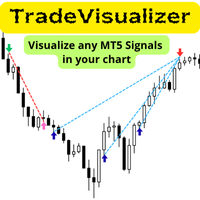
Trade Visualizer 指标让您的交易数据“活起来”,可将完整的交易历史直接绘制在 MT5 图表上。无论您是在分析自己的表现还是研究 MQL5 信号交易者的策略,此工具都能将原始数据转化为清晰直观的可视化图形。每笔交易都配有进场与出场箭头、连接线以及显示价格、利润、手数和点数的详细提示,让您轻松理解任何策略的逻辑与表现。 注意: 下载此指标后,请向我们发送包含您邮箱地址的消息,以免费领取 Trade Visualizer 模板 。 功能特点:
• 与最新版本 ProTrading Analytics Excel Template v1.7 无缝集成,支持回测、实盘交易与 MQL5 信号数据分析。
• 可在同一品种上对比多个交易者或策略(通过不同 Trader ID)。
• 完全自定义买卖颜色、线型和箭头大小。
• 自动调整 CSV 与经纪商时间(GMT 偏移)。
• 支持不同经纪商符号后缀。
• 直观分析交易逻辑、时机与出入场精度。
FREE

FREE

GoldTrendPro is a professional trend-following Expert Advisor built exclusively for XAUUSD . It identifies high-probability pullback opportunities by combining EMA21 momentum re-entry with EMA50 trend confirmation on the H4 timeframe, while executing trades on M15 . Advanced risk management includes ATR-based dynamic position sizing , an equity protection kill switch , and a daily drawdown limit with automatic reset to help maintain disciplined exposure. Tested on 19 months of real tick data (Ja
FREE

正态分布、正态分布图、筹码峰、成交量
# 黄金MT5交易平台中正态分布图指标的知识理论 在金融市场的复杂环境中,尤其是黄金MT5交易平台,交易者需要借助各种工具来剖析市场动态,其中正态分布图指标占据着举足轻重的地位。 正态分布,又称为高斯分布,是统计学中一种基础且关键的概率分布。在黄金市场里,正态分布图指标以可视化的图形形式,将黄金价格的波动分布特征清晰呈现。它基于大量的历史价格数据,依据统计学原理构建而成。 从图形本身来看,正态分布图呈现出经典的钟形曲线。曲线的峰值对应着黄金价格出现频率最高的数值,即均值。这一均值代表了在特定时间段内,黄金价格最为集中的水平。例如,在某一相对稳定的市场周期内,均值所对应的价格可能就是该时期黄金交易最为活跃的价格区间。 围绕均值,正态分布通过标准差来进一步刻画价格的离散程度。大约68%的数据会落在均值加减1个标准差的范围内,约95%的数据会处于均值加减2个标准差的区间内,而约99.7%的数据则包含在均值加减3个标准差的范围之中。这意味着,当黄金价格在均值附近波动时,其处于正常波动范围的概率较高;而一旦价格突破2个标准差甚至3个标准差的界限,就表明价格出
FREE

# INVAI Risk Planner
INVAI Risk Planner is a visual position sizing indicator for MetaTrader 5. It helps traders plan an Entry, Stop Loss and Take Profit before placing a trade manually.
The indicator does not open, close or modify trades. It does not place pending orders. All trading decisions and order execution remain under the user's control.
## Main features
- Three visual levels: Entry, Stop Loss and Take Profit. - Direct vertical dragging without permanent selection points. - Positio
FREE

Session Box Range draws the Asian, European and US trading sessions as high-low boxes, so you can see at a glance where each session opened, how far it travelled and where it closed.
The range of the most recent session is printed on the on-chart toggle buttons, so the number stays readable no matter how far you zoom or scroll.
FEATURES
- Session hours are entered in GMT, and the broker's server offset is detected automatically, so the same settings work on any broker and survive the ser
FREE

A clean, information-dense dashboard that sits on your chart and answers the five questions every trader should ask before pulling the trigger:
1) What am I looking at? — Symbol, timeframe, live spread in points and pips.
2) When am I trading? — Active forex session with overlap detection, candle countdown timer, broker server time (auto-detected UTC offset, DST-proof), and your local time.
3) How much should this move? — 5 configurable ATR multiplier rows for quick SL/TP sizing, plus Daily,
FREE
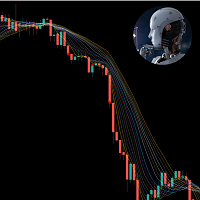
This indicator is very useful in observing the direction of the market. It allows users to enter multiple MA lines with specific display method. In addition, it is also possible to change the candle color same to color of the background of chart, so that we only focus on the MA lines. When a signal appears, represented by a red or green dot, we can consider opening a sell (red dot) or buy (green dot) order. Note: it need to set stoploss at the highest value of MA lines (with sell order) or lowe
FREE
DS RVOL: The Relative Volume Indicator for MT5 RVOL is a straightforward Relative Volume (RVOL) indicator for MetaTrader 5. It shows you how current volume compares to a historical average, providing a quick way to gauge the strength of a price move. How it Works Relative Volume is a simple ratio: R V O L = C u rre n t V o l u m e / A v er a g e H i s t or i c a l V o l u m e RVOL > 1.0 : Volume is higher than usual. This suggests there's strong interest and potential for a sustained move. RVOL
FREE

Bot-utility.
Tracks the total balance on the trading account - that is, it works on all symbols and with magic number.
Has a parameter: Balance Stop, % - balance trailing, as a percentage of the balance
I created Balance Risk Bot specifically for Candle Bot , which will close all positions if the total deposit drops as a percentage.
All Information can find there
in Telegram
and My Broker XM
Live Signal Signal
FREE

Pattern Scanner Dashboard is a high-performance multi-symbol indicator designed to scan your entire Market Watch for two of the most reliable chart setups: Double Bottom and Cup & Handle . Instead of manually checking dozens of charts, this scanner automatically tracks market structure across all your active symbols and alerts you the moment a setup forms or breaks out. Key Features Multi-Symbol Scanning: Automatically scans all instruments in your Market Watch window simultaneously. Dual Patter
FREE

Smart Fractal es un indicador diseñado para identificar automáticamente los fractales más importantes del mercado, resaltando los máximos y mínimos relevantes directamente sobre el gráfico. Su objetivo es ayudar al trader a localizar zonas potenciales de reversión, niveles de soporte y resistencia, así como puntos clave para el análisis de la estructura del precio. A diferencia de un simple indicador visual, Smart Fractal facilita la lectura de la acción del precio al destacar únicamente los piv
FREE

FREE

Megatron Shark Indicator – MT5 Harmonic Pattern Detection Tool The Megatron Shark Indicator is a MetaTrader 5 tool for detecting and displaying Shark harmonic patterns directly on the chart. It automatically identifies bullish and bearish Shark formations, calculates entry, stop-loss, and take-profit levels, and provides real-time alerts. This allows traders to quickly integrate harmonic pattern analysis into their trading process without manual drawing. Advantages * Automatic Pattern Detection
FREE

Fractals Alligator Filter is an indicator for MetaTrader 5 that detects fractals and filters them according to their position relative to the Alligator lines. There is also the HotkeyFractalsEA utility designed to simplify trading.
The indicator automatically separates fractals into valid and invalid fractals: valid fractals are displayed with colored arrows; invalid fractals can be displayed separately or hidden in the settings. Two filtering modes are available: filtering relative to the Tee
FREE

CROW_GOLD_NUCLEUS CROW_GOLD_NUCLEUS is an automated MT5 trading system specialized in XAUUSD (Gold), developed under the Proyecto Artemiss architecture and the 13 CROW brand. The system is designed to detect momentum expansions and liquidity zones using dynamic volatility filters, ATR logic, EMA filtering, and advanced risk management. It is not designed to predict the market. Its core philosophy is based on: probability automated execution risk control statistical optimization Main Features: XA
FREE

SMC Donchian Regime Breakout The SMC Donchian Regime Breakout indicator for MetaTrader 5 is a comprehensive trading tool that combines a powerful set of analytical features to provide clear, actionable signals for breakout and mean-reversion strategies. It's designed to help you identify market regimes, trade with the dominant trend, and manage your risk effectively. Key Features: Multi-faceted Market Analysis: The indicator integrates several powerful analytical tools: Anchored VWAP (AVWAP) wi
FREE

Candle Timer V5 再也不会错过K线收盘! Candle Timer V5 是一款适用于 MetaTrader 5 的高级多周期倒计时面板,可在一个优雅且始终可见的面板中,实时显示您所交易的各个时间周期当前K线距离收盘还剩多少时间。 专为剥头皮交易者、日内交易者和多周期分析师设计,无需频繁切换图表或时间周期,即可获得精确到秒的K线收盘时间。 主要功能 多周期倒计时 — 同时监控 M1、M5、M15、M30、H1、H4、D1、W1 和 MN1 的K线收盘倒计时。 实时进度条 — 一眼即可查看当前K线已经运行了多少进度。 临近收盘警示颜色 — 当K线即将收盘时,倒计时文字会自动改变颜色,帮助您及时做好交易准备。 面板自由移动 — 可固定在图表四个角落中的任意位置,也可以使用鼠标自由拖动。 高级可定制设计 — 自定义字体、字体大小、文字颜色、背景颜色、边框/强调色以及进度条颜色。 轻量且不干扰交易 — 纯显示型图表叠加面板,不会对图表性能或其他指标/EA造成明显影响。 为什么交易者选择它 精准把握入场时间 — 精确掌握K线收盘秒数,为基于收盘确认的交易策略提供帮助。 轻松实现多周
FREE

Pointer Sync is a pointer synchronizer between open charts. It makes the MT5 cross (activated by the middle mouse button) to be replicated on all open charts. In addition, it is possible to create horizontal lines (letter H) and vertical lines (letter V), very useful for studying. The appearance of the lines is customizable. Note: Synchronization is through the X and Y scale in pixels , not price and/or date. It is a simple and free utility. Enjoy!
This is a free indicator, but it took hours to
FREE

[TÉLÉCHARGER LES FICHIERS DE L'ENSEMBLE DANS LA DESCRIPTION POUR TESTER] À propos du robot Best Forex Scalping IA est un puissant robot de trading conçu pour maximiser vos profits sur le marché des devises. En utilisant une combinaison d'indicateurs de tendance et d'inversion sur plusieurs périodes, ce robot garantit des transactions précises et rentables ! Découvrez la meilleure IA de scalping Forex Avant de vous lancer, nous vous encourageons à tester notre robot en mode démo avec le fichier
FREE

This is a buyer and seller aggression indicator that analyzes the shape of each candle and project this data in a histogram form. There are 4 histograms in one. On the front we have two: Upper - Buyer force. Lower - Seller force. At the background we also have two histogram, both with same color. They measure the combined strenght of buyers and sellers. This histograms can be turned off in Input Parameters. It is also possible to have the real or tick volume to help on this force measurement. IN
FREE

GOLD 5‑Second Chart Generator is a specialized EA that can generate a 5‑second chart for GOLD (XAUUSD) from any chart, without being tied to a specific symbol. ️ This EA does not execute trades. It only generates custom second‑based charts. No automated trading logic is included.
Features Works on any chart You can attach the EA to USDJPY, EURUSD, or any other symbol. It will still collect GOLD ticks in the background and generate a dedicated 5‑second chart ( GOLD_S5 ). GOLD‑focused desig
FREE

Gold Sniper Cloud EA (Cloud Trend Strategy) Gold Sniper Cloud EA is an automated trading robot based on the Cloud indicator.
It trades only when strong trend conditions are confirmed, helping traders avoid false signals and over-trading. The EA is specially optimized for Gold (XAUUSD) but can also be used on other trending symbols. Main Advantages Fully automated trading
Uses multi-confirmation Cloud strategy
Smart risk and money management
Automatic Stop Loss and Take Profit
Optio
FREE

- Real price is 80$ - 50% Discount (It is 39$ now) - It is enabled for 1 purchases. Contact me for extra bonus (Gann Trend indicator), instruction or any questions! - Non-repaint, No lag - I just sell my products in Elif Kaya Profile, any other websites are stolen old versions, So no any new updates or support. - Lifetime update free Gann Gold EA MT5 Introduction W.D. Gann’s theories in technical analysis have fascinated traders for decades. It offers a unique approach beyond traditional chart

This indicator, called the “Moving Average Crossover Suite,” is the classic moving average crossover indicator. It takes into account all types of moving averages available in MQL5. As is well known, this indicator—whether it involves two or three moving averages, of the same or different types—has been extensively discussed in the relevant literature, particularly in *Technical Analysis of the Financial Markets* and *The Visual Investor*, both by John Murphy. First, it should be noted that the
FREE

Spectar Daily Loss Limiter is a small, free risk utility for MetaTrader 5. It does exactly one thing: it enforces a daily loss limit that you choose.
Many traders know their daily limit but break it after a bad trade. Many prop-firm style evaluations also measure the daily loss from the broker server's midnight and count floating (open) profit and loss, not only closed trades. This tool follows the same logic, so you can see in real time how much room you have left today.
How it works
1. At t
FREE

GBPJPY Awesome Oscillator Reversal Breakout (H1) is a fully automated MetaTrader 4 strategy designed to capture **confirmed reversal breakouts** on GBPJPY using an oscillator-based reversal trigger with rule-based **pending STOP execution** beyond recent price structure. The EA was backtested on **GBPJPY on the H1 timeframe** from **April 1, 2004 to April 24, 2024** using a MetaTrader 4 backtest engine (base data: GBPJPY_M1_UTC2). No parameter setup is required — the system is delivered with op
FREE

Pivot Point Super trend it can be used to catch price turning points and can show arrows for buying and selling. calculations are based on price peaks . you can control the price turning points by increasing the Pivot point period input on the indicator the ATR factor is for how far apart do you want the bands to be spread apart price break outs are also spotted in their early stages which will make trading much better
FREE

# Zikiman CopyTrader — MT5 本地跟单复制工具
**Zikiman CopyTrader** 是一款快速、实用的 MT5 到 MT5 交易复制工具,适用于运行在**同一台 Windows 电脑或 VPS** 上的多个 MetaTrader 5 终端。
将一个终端设为 **Sender(主账户)**,再将一个或多个终端设为 **Receiver(接收账户)**。系统会在本机同步支持的交易操作,同时每个 Receiver 都可以保留独立的手数计算方式、过滤条件和安全限制。
所有通信都通过 MetaTrader 共享文件环境完成,无需 DLL、WebRequest、外部程序、网络服务器或远程跟单订阅。
## 一个 EA,同时支持 Sender 和 Receiver
在每个终端安装同一个 EA,首次启动时选择角色:
- **Sender** — 发送源账户中符合条件的交易操作。 - **Receiver** — 在目标账户执行获准复制的操作。
切换时间周期或重启终端后,角色和账户设置仍会保留。之后也可以直接在面板上更换角色。使用不同的频道名称,可以在同一
FREE
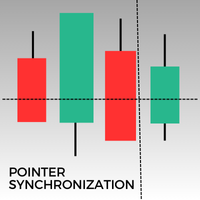
此MetaTrader 5指标可在相同资产的所有打开图表上自动同步指针。无论您是在1分钟图还是日线图上,指针都会自动对齐到所有打开窗口中的相同价格。此功能确保了分析的一致性和快速性,从而增强决策过程。同步多个图表之间的指针,对于希望在不同时间框架内保持价格变动准确概览的交易者来说,这是一个宝贵的工具。
FREE
The Spider ZIGZAG is an algorithm to determine how critical the current peak is by spreading several lines with different parameters instead of one line between each 2 peaks. 1. The more zigzag's lines meet at a peak the higher probability the market will go for correction or change direction. 2. Usually when 3-4 zigzag's lines meet at a peak, the market enters a correction period, this don't happen instantly, it might take some time. 3. Usually when 5-6 zigzag's lines meet at a peak, th
FREE

SmartAlgo Candle Timer is a simple MetaTrader 5 indicator that displays the remaining time until the current candle closes directly on the chart. The timer updates every second and calculates the remaining time using the current chart symbol and timeframe. The displayed countdown helps traders keep track of the current candle's remaining duration without needing to monitor the platform clock separately. Main Functions The indicator displays a live countdown for the current candle. The remaining
FREE

实时价格和总利润显示指标 完美适用于实盘交易和屏幕分享 专为日内交易者、剥头皮交易者和实时交易直播会话设计 这个专业指标直接在您的图表上提供实时价格显示和综合利润跟踪 - 对于高频交易和实时交易广播至关重要。 核心功能 实时价格显示 每秒更新实时买价 所有品种类型的专业格式化 黄金/XAU的特殊格式化 大型清晰显示,完美适合屏幕分享 日内交易决策的即时价格更新 综合利润跟踪 来自交易历史的账户总利润 交易平仓时的实时利润更新 自定义额外利润金额 包含佣金和库存费 带正负指标的专业利润格式化 性能优化 智能缓存系统 - 最小CPU使用 1秒更新间隔 - 闪电般快速 高效的基于定时器的更新 实时交易监控 专业错误处理 高级自定义 可调节字体名称和大小 盈亏自定义颜色 图表上任意位置的灵活定位 专业角落锚定 关键词: 实时价格显示,实时利润追踪器,交易利润指标,账户监视器,日内交易工具,剥头皮指标,直播显示,屏幕分享工具,高频交易,外汇指标,黄金价格显示,利润计算器,实时更新,实时图表显示,交易表现监视器,MT5指标,MetaTrader 5工具
FREE

该指标在图表上显示圆形水平。 它们也被称为心理、银行或主要参与者级别。 在这些水平上,多头和空头之间存在真正的斗争,许多订单的积累导致波动性增加。 该指标会自动调整到任何工具和时间范围。 当80水平被突破然后测试时,我们买入。当20级被突破然后测试时,我们卖出。目标是00。 注意力。由于强大的支撑 。 和阻力位,价格可能略低于 00 水平。
输入参数 。
Bars Count - 线条长度(以条为单位) 。 Show 00 Levels - 显示或不显示 00 级 。 Show 10, 90 Levels 。 Show 20, 80 Levels 。 Show 30, 70 Levels 。 Show 40, 60 Levels 。 Show 50 Levels 。 N Lines - 限制图表上级别数的参数 。 Distance 00 Levels - 层间距离(自动或手动) 。 Line Position - 图形前面或后面的线 。
Visual Button - 按钮显示(启用/禁用) 。 Corner - 按钮锚定角度 。 X indent - 以像素为单位的水平填充
FREE

Spread Profile by Hour 根据你的经纪商自己的 tick 历史,为一个交易品种统计服务器日中每个小时的点差分布,并绘制成 24 根柱。柱的实心部分是该小时的点差中位数,颜色较浅的顶部延伸到第 90 百分位数。输入你常用的止损大小后,每根柱都会标注其点差中位数占该止损的比例,这样成本就与你的风险使用同一单位。 这是一个测量工具。它不下任何订单,不使用 DLL,也不使用 WebRequest,除了你开启的 CSV 导出之外,不写入任何文件。 为什么需要它:对于日内和剥头皮规则,决定优势能否保留下来的往往是点差,而不是入场信号。终端显示的是此刻的点差,而K线历史每根K线只保存一个点差值,这掩盖了一小时之内实际发生的情况。同样的规则可能在清淡时段有效,却在每日换日或交易时段开盘时亏损,原因仅仅是那时的点差要宽好几倍。本指标读取报价本身——通过 CopyTicksRange 读取最近 N 个日历日内的每一个卖价 (Bid) 和买价 (Ask) tick——并按服务器时间中一天里的小时将它们分组。 它为每个服务器小时计算以下内容,统计范围为最近 N 个日历日,不含今天,因此在你
FREE
BBTrend is a relatively new indicator developed by John Bollinger to work with Bollinger Bands. It is one of only a few indicators that can signal both strength and direction making it a very valuable tool for traders.
Calculations The calculations are fairly simple. The default periods of 20 and 50 are shown, but these can be changed through the parameters. Lower = MathAbs(lowerBB(20) - lowerBB(50)) Upper = MathAbs(upperBB(20) - upperBB(50)) BBTrend = (lower - upper) / middleBB(20)
Interpret
FREE

Operational Logic The algorithm determines the trend by tracking the highest high and lowest low over a user-defined period. It establishes a median line and applies an Average True Range (ATR) offset to identify potential trend shifts. This approach aims to distinguish between minor price fluctuations and significant trend changes. Key Features Trend Identification: Uses price action and range analysis to define the current trend direction. Volatility Adaptation: Incorporates the ATR indicator
FREE
MetaTrader市场是 出售自动交易和技术指标的最好地方。
您只需要以一个有吸引力的设计和良好的描述为MetaTrader平台开发应用程序。我们将为您解释如何在市场发布您的产品将它提供给数以百万计的MetaTrader用户。
