 MetaTrader 5
 专家
专家
 指标
指标
 程序库
程序库
 实用工具
实用工具
 窗口小部件
窗口小部件
 规则
规则
适用于MetaTrader 5的EA交易和指标 - 109
 使用EA交易和指标,使外汇交易获得更多盈利。EA交易可使您自动开启和关闭交易,而指标将帮助您更准确地预测市场行为。
该页面提供MetaTrader 5应用程序的目录。
使用EA交易和指标,使外汇交易获得更多盈利。EA交易可使您自动开启和关闭交易,而指标将帮助您更准确地预测市场行为。
该页面提供MetaTrader 5应用程序的目录。 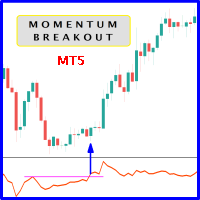
When prices breakout resistance levels are combined with momentum oscillator breaks out its historical resistance levels then probability emerges to record farther higher prices. It's strongly encouraged to confirm price breakout with oscillator breakout since they have comparable effects to price breaking support and resistance levels; surely, short trades will have the same perception. Concept is based on find swing levels which based on number of bars by each side to confirm peak or trough
FREE

Grid Scalp Master Indicator Grid Scalp Master Indicator is a powerful, visual-centric market momentum and grid simulation system engineered specifically for MetaTrader 5. It translates complex mathematical breakout and asymmetrical grid logic into a clean, actionable visual framework directly on your chart layout. Designed for traders who want the precision of a grid execution model without giving up manual control, this indicator tracks high-probability breakout zones, maps dynamic grid layers,
FREE

TimeToClose The "TimeToClose" indicator is an essential tool for traders who need to monitor the remaining time before a candle closes. This indicator displays the remaining time directly on the BID line, providing a clear and precise reference during real-time trading. Key Features: Displays the remaining time for the current candle to close. Direct integration on the BID line for better visualization. Simple and user-friendly configuration. Ideal for all types of traders, from beginners to pro
FREE

Range Breakout EA – Simple Description Concept
An automated trading robot for MetaTrader 5 that exploits range breakouts with two key periods: Features Automatic market hours management Customizable Stop Loss and Take Profit Smart Trailing Stop Built-in testing mode for simulation Detailed logs for monitoring How It Works Records extreme prices at the start of the day Waits for a breakout of the secondary range Opens a position in the breakout direction Automatically manages the trade (SL/TP/Tr
FREE

Aurum Apex EA — Institutional-Grade Asian Range Breakout System for XAUUSD
WHY AURUM APEX?
Gold doesn't move randomly — it follows predictable session-based patterns. Every night, the Asian session builds a consolidation range. When London opens, price breaks out with momentum. Aurum Apex EA captures this edge with surgical precision.
Built on a proven breakout framework with Profit Factor 4.08 in rigorous backtesting, this EA combines battle-tested entry logic with advanced money ma
FREE

该指标仅显示类似布林带风格的波动通道的上轨和下轨,不绘制中间的移动平均线。其主要目标是提供一个简洁且灵活的波动性包络,使用户能够专注于价格相对于通道边界的行为,同时保持对图表外观和布局的完全控制。 与传统布林带不同(传统布林带始终显示中间均线),本指标仅在计算中使用移动平均线。中间线被有意隐藏,以减少视觉干扰,并允许用户根据需要单独管理或添加中间线。 上轨和下轨可以分别设置不同的颜色,从而实现更清晰的视觉区分,并适应不同的图表主题或个人偏好。若用户希望还原传统布林带的外观,可以添加一个具有相同参数的独立移动平均指标,从而完全自定义中间线的样式和显示方式。 该指标使用移动平均线作为波动通道计算的内部基准。默认情况下采用简单移动平均(SMA),以确保计算的透明性和一致性。同时也支持其他类型的均线,例如指数移动平均(EMA)、平滑移动平均(SMMA)和线性加权移动平均(LWMA),从而使波动通道能够适应不同的市场环境和分析需求。 主要特点: 仅显示上下波动通道
不绘制中间线(仅用于计算)
上下轨支持独立颜色设置
支持多种均线类型(SMA、EMA、SMMA、LWMA)
界面简洁、清晰
周期和偏
FREE

这个小工具可以帮助您通过在图表上拖动简单的线条来定义风险管理。它显示您直接在该行根据账户百分比或固定资金金额计算的实际手数。
您所要做的就是按键盘上的“t”键激活该线并将该线拖至止损点。就是这样。
在设置中,您可以定义线条和文本的颜色和宽度,还可以定义线条和右侧的文本间距,并且可以以帐户百分比或固定资金大小设置风险。
如果您有疑问或愿望,请随时询问。
这个小工具可以帮助您通过在图表上拖动简单的线条来定义风险管理。它显示您直接在该行根据账户百分比或固定资金金额计算的实际手数。
您所要做的就是按键盘上的“t”键激活该线并将该线拖至止损点。就是这样。
在设置中,您可以定义线条和文本的颜色和宽度,还可以定义线条和右侧的文本间距,并且可以以帐户百分比或固定资金大小设置风险。
如果您有疑问或愿望,请随时询问。
FREE

Next Bar Countdown 是一款高精度、高性能的 MetaTrader 5 時間指標,專為向交易者顯示當前燭台結束前的剩餘時間而設計。精確的時間對許多交易策略至關重要,尤其是在新燭台開啟時需要立即做出決策的情況下。 主要功能: 該指標提供多種超越標準計時器的功能: 雙時間框架顯示: 您可以同時顯示當前圖表時間框架和第二個可自由選擇的時間框架(例如 H4 或每日)的倒數計時。 防滯技術: 透過伺服器時間與本地系統時間之間的智能同步,計時器運行絕對流暢。即使市場波動性較低或週末未收到報價,它也不會跳過任何秒數。 個性化設計: 字體、大小和在圖表上的位置都可以完全根據您自己的圖表設置進行調整。 視覺警報: 在烛台收盤前的最後幾秒鐘,該指標可改變倒數計時的顏色,及時引起您的注意。 全面的通知系統: 當烛台即將收盤時,您可透過終端警報或直接發送到智慧型手機的推送通知隨時掌握最新資訊。 操作與反饋 安裝完成後,您可透過輸入視窗輕鬆設定所有參數。該指標可立即使用,無需複雜的預設設定。 由於此工具為免費提供,您的反饋或評價對我們而言非常寶貴。如果您有任何疑問或進一步優化的建議,可隨時使用內
FREE

在資訊安全領域,暴力攻擊是指透過系統性的反覆試驗方法來取得密碼、登入憑證或加密金鑰。受此方法的啟發,我們開發了「暴力趨勢」 (Brute Force Trend),這是一款利用演算法識別模式和反轉點的市場分析工具。
主要特點:
多種計算方法-九種不同的價格處理方式,可適應不同的交易風格。
非重繪指標-訊號在K線收盤後固定,可靠度更高。
直覺的視覺化-彩色直方圖指示趨勢強度,顏色越深,越能反映趨勢的可信度。
可自訂的警報-當指標突破中心線時,提供視覺、聲音或推播通知。
配置靈活性-可根據不同的市場和策略調整週期、強度和樣式。
使用方法:
高點:當指標突破中心線時。
低點:當指標突破中心線時。
趨勢強度:顏色越深,趨勢強度越大,而灰色區域則表示市場橫盤整理或波動性較低。
強力趨勢旨在作為您分析的輔助工具,幫助您基於結構化資料做出決策。建議在不同的市場條件下進行測試,並結合其他技術進行驗證。
了解更多:@SAC_BARBOSA
FREE

每位交易者都熟悉这个流程:打开指标设置、改一个数字、点击确定、盯着图表看、觉得不对、再打开设置。而在这些来回的对话框中,没有哪个指标比 RSI 更折腾 — 周期用 14 还是 9?水平线放 70/30 还是 80/20?RSI Live Tuner 终结了这个流程。 这是一个可以 直接在图表上实时调节 的相对强弱指数。图表上有一个小面板,带有 RSI 周期和两条水平线的滑块。拖动滑块,指标会立刻重新计算并重绘,就在您眼前完成。14 还是 9、70/30 还是 80/20,这些问题在您自己的行情上几秒钟就有答案,不必去翻论坛帖子。 可选的 MA 信号线。 可直接在面板上开启或关闭 RSI 的移动平均线,用独立滑块设置其周期,并用一个按钮循环切换算法 — SMA、EMA、SMMA、LWMA。每一次更改都会立即反映在图表上。 自有 RSI 实现,而非套壳。 本指标采用自己实现的标准 Wilder RSI — 真正的 Wilder 平滑平均涨跌幅,并与标准 RSI 做过数值校验 — 所以您调的就是您看到的。不重绘。 还有实时样式编辑器。 用 16 色调色板和 RGB 滑块调整 RSI 线、MA
FREE

Smart Bulk SL Setter MT5 Script – Bulk Stop Loss Management Overview Smart Bulk SL Setter is a trade management script for MetaTrader 5 designed to modify the Stop Loss level of multiple existing open positions at once. The script executes once per attachment and applies a user-defined Stop Loss price based on selected filters.
It does not run in the background, does not open trades, and does not generate signals. Core Functionality The script allows setting a unified Stop Loss level for multip

TMA EA by Achira Meegasthanna TMA EA by Achira Meegasthanna is an automated Expert Advisor based on a Triangular Moving Average (TMA) band concept . The EA analyzes price movement relative to dynamically calculated upper and lower TMA bands and uses candle confirmation to identify potential reversal signals. The system can automatically open Buy and Sell positions and close positions in the opposite direction when a new signal is detected. Main Settings TMA Band Analysis The EA calculates a T
FREE

Reward Multiplier is a semi-automatic trade manager based on pyramid trading that opens additional orders with the running profit of your trades to maximize return exponentially without increasing the risk.Unlike other similar EAs, this tool shows potential profit/loss and reward to risk ratio before even entering the first trade! Download full version here ( In the mini version. Starting lot is fixed at 0.01 (or minimum allowed lot size ) Guide + tips here MT4 version here You only open the
FREE

The Hon Heiken Ashi Trend Sniper is a professional-grade, strictly non-repainting indicator designed to catch high-probability trend entries while keeping you safe during flat, ranging markets. By combining the smoothed price action of Heiken Ashi candles, the directional bias of dual Exponential Moving Averages (EMAs), and the momentum detection of the Average Directional Index (ADX), this indicator provides clear, actionable BUY and SELL arrows only when the market is genuinely moving. Whe
FREE

The Market Momentum indicator is based on the Volume Zone Oscillator (VZO), presented by Waleed Aly Khalil in the 2009 edition of the International Federation of Technical Analysts journal, and presents a fresh view of this market valuable data that is oftenly misunderstood and neglected: VOLUME. With this new approach of "seeing" Volume data, traders can infer more properly market behavior and increase their odds in a winning trade.
"The VZO is a leading volume oscillator; its basic usefulness
FREE

本指标的目的是判断点差和利率大小,以及按照存款货币每一个点的风险,设置从当前价位计算的止损距离。 本指标告知交易者有关金融工具在每个时段之间转换时可能的额外费用和利润。它还告知有关的点差和挂单的距离,从当前价位的尾随止损位。此外,指标告知交易者有关存款货币每一个点的风险。
信息被显示在图表下方的单独子窗口里。它可以避免图表被不同的信息塞满。点差和利率监控指标适合任何自定义模板。

CHoCH + BOS + Hacim Profili — Akıllı Piyasa Yapısı Göstergeleri Gerçek zamanlı piyasa yapısı dağılımı ve canlı hacim analiziyle birleştirilmiş bu gösterge sayesinde piyasa yapısı değişiklikleri (CHoCH) ve yapı kırılmaları (BOS) sinyallerini hem salınım hem de iç yapı üzerinde otomatik olarak tanımlar, emir bloklarını, eşit yüksek/düşük seviyeleri ve likidite hareketlerini işaretler ve alıcı ve bunların en aktif olduğu yerlerde tam olarak canlı bir Hacim Profili görüntüler.
"The price will be u

Connors RSI Advanced Suite for MetaTrader 5 Take your mean-reversion trading to the institutional level with the Connors RSI Advanced Suite . Developed by Larry Connors, this powerful momentum oscillator is designed to identify high-probability entry and exit points by measuring the velocity , duration , and magnitude of price changes. Unlike the standard RSI, which only looks at price change magnitude, Connors RSI is a robust three-part composite indicator consisting of: RSI(3): Short-term p
FREE

The Vix_Fix indicator, or "Vix Fix," is a tool designed to identify potential market bottoms. It operates on the principle of measuring extreme fear or pessimism among the crowd, which are moments when the market often has a high probability of reversing to the upside. Main Purpose: To help traders find high-probability BUY (Long) entry points by identifying when the market is "oversold." How it Works In simple terms, the Vix Fix measures the distance between the current bar's Low and the Highes
FREE

Im Sorry Ai Signal v1.26 – Precision Gold Scalping for MT5 Elevate your trading with Im Sorry Ai Signal , the latest technical indicator from the WinWiFi Robot Series . Specifically engineered for Gold (XAUUSD) scalpers on the MetaTrader 5 platform, this tool simplifies complex market movements into clear, actionable visual signals. Designed with a focus on Price Action within the M5 (5-Minute) timeframe , this indicator helps traders identify high-probability entry points in the fast-paced gol
FREE

DQN Gold XAUUSD 是一个基于神经网络的 MetaTrader 5 交易指标,用于分析黄金市场 (XAUUSD) 并在图表上显示 BUY 和 SELL 信号。 该指标使用 Deep Q-Network (DQN) 强化学习模型,并通过历史价格数据进行训练。 模型逻辑 模型基于六种交易策略进行训练: 动量策略 趋势策略 Multi-RSI 策略 突破策略 均值回归策略 无信号状态 系统会根据当前市场条件自动选择最合适的策略。 指标流程 特征提取
使用多个技术指标分析市场。 市场分析
DQN 模型评估当前市场结构。 策略选择
算法选择最适合当前市场环境的策略。 信号生成
当条件满足时,指标会显示 BUY 或 SELL 信号。 所有信号在K线收盘后确认。 推荐设置 交易品种:XAUUSD
时间周期:H1 风险提示 金融市场交易存在风险。本指标仅作为分析工具。

Fixed Range Volume Profile 是一款适用于 MetaTrader 5 的成交量分布分析指标。通过在图表上绘制标准趋势线,即可计算并直观呈现任意自选价格与时间区间内的成交量分布,适用于外汇、黄金 (XAUUSD)、股指和加密货币交易。 专为日内交易、剥头皮(Scalping)和波段交易打造,指标会自动标出控制点(POC)、价值区高低轨(VAH/VAL)以及关键的高成交量支撑阻力位,无需繁琐的手动命名或复杂配置。 核心成交量分布架构 指标内置智能 趋势线追踪引擎 ,能自动捕捉图表上最新绘制或拖动的趋势线。当您在任何波段行情或整理区间上拖动、缩放趋势线时,成交量柱状图会在起点与终点之间实时平滑重绘。 系统自动计算 控制点(POC) 以标定该区间内成交量最大的核心价格,同时生成包含指定成交量比例(默认 70%)的 价值区(VAH 与 VAL) 。高成交量节点(HVN)会以醒目颜色标出主力密集成交区,而低成交量区域则揭示价格快速通过与流动性稀薄的区间。 交易流程与行情解读 分析行情时,只需在任意价格波动或盘整形态上绘制一条普通趋势线。指标会立即在两端点之间生成成交量分布图

用于 MetaTrader 5 的 Ilan 由于使用虚拟交易,同时并发双向交易 (买与卖) 成为可能。 这样,允许用户在 MetaTrader 5 的单向持仓规则下,采用流行策略。
EA 设置 该 EA 的设置很简单。不过,策略的所有重要设置均可调整。可用工具: 单一 MagicNumber 用于识别交易; 交易方向选项 ( Trade direction ): 仅买入, 仅卖出或者并发双向; 开仓步长 ( Step ) 和盈利距离 ( TakeProfit ) 可自动适应 4 或 5-位的报价; 起始手数 ( Start lot ) 和增量系数 ( Lot coefficient ) 用来指定本金使用大小; 最后, 交易数量限制 ( Max trades in one direction ) 和最终一系列交易的止损 ( Max loss of last trade ) 用于风险管理。
您可以根据需要在单一账户里使用多个 Ilan EA (即便是单一金融品种)。它们之中的每一个都仅处理自己的虚拟交易,不会与其它实例交互。手工交易加上 EA - 这不会影响交易策略。即使有

VR ATR Pro 是一款技术指标,旨在基于对先前交易时段的 统计分析 来确定目标价位。其核心是对选定时间段内的 平均价格波动 进行数学计算。 基于统计学的指标工作原理 该指标的运作基础是观察价格的每日行为:每个交易时段都有其特定的 波动幅度 ——价格从开盘点向上和向下运行一定的点数距离。 类似地,可以假设在每个新交易时段开始时,价格都有一个条件性的 "运行区间" ...通过简单的数学计算确定 平均值 ...这个平均值不能保证一定达到,但可以作为 参考基准 ,指示当前时段内价格可能运行的幅度。 因此,该指标应用了这一原则:它分析选定时间段内的 历史价格波动 ,计算 平均统计值 ,并在图表上显示相应的价位。这使交易者能够理解当前金融工具的 强度 和 "运行区间" 。 指标显示 该指标在图表上显示两个价位: 上方价位 —— 上涨行情 的计算目标。 下方价位 —— 下跌行情 的计算目标。 此外,价位也可以显示为 区域 ,以便考虑偏差并获得 目标价格范围 。 主要特点 信号在时段结束后 固定 ,之后不再更改。 适用于多种 资产类别 :货币对( Forex )、金属、指数( CFD )、期货和

READ THE MARKET BEFORE YOU TRADE IT.
A setup means nothing if the market conditions behind it are wrong.
NOSTROMO MARKET ANALYZER is a professional Market Conditions Indicator for MT5 built to tell you what kind of market you are dealing with before capital is committed.
One premium HUD. Immediate context. No noise.
KNOW THE ENVIRONMENT.
MARKET PULSE QUIET · ACTIVE · EXPANDING · EXTREME
OPERATIVE STATE MARKET CLOSED · STANDBY · SELECTIVE · OPERATIVE · HIGH INTENSITY · CAUTION
GLOBAL SES
FREE

Product name Rilvanta RSI PrimeSuite
Short headline A pure RSI professional suite for overbought/oversold context, regular and hidden divergence, failure swings, RSI structure and multi-timeframe RSI alignment.
Overview Rilvanta RSI PrimeSuite is a pure RSI analysis indicator designed for traders who want a complete RSI-based view without mixing in unrelated trend, volume, VWAP, ATR, Bollinger, SMC, ICT or moving-average filters. The indicator focuses on the core tools that make RSI useful: o
FREE

Risk Calculator Panel is a free on-chart utility that calculates the correct position size for every trade based on the risk you choose. Type your Stop Loss and Take Profit, pick your risk, and the panel instantly shows the exact lot size to use. One click on BUY or SELL opens the trade with the calculated lot, Stop Loss and Take Profit already set. It is a pure manual-trading assistant - it does not generate trading signals and has no restrictions.
Features: - Two risk modes: risk a percentag
FREE

This custom indicator enhances your MetaTrader 5 trading experience by adding an intuitive crosshair tool that follows your mouse's movement across the chart. Here's what it does:
1. **Real-Time Mouse Tracking**: As you move your mouse over the chart, the indicator dynamically draws a crosshair on the exact point your cursor is hovering over. This crosshair consists of two lines—a horizontal and a vertical line—that intersect at the current mouse position.
2. **Precise Data Reference**: The c
FREE

• Please test the product in the Strategy Tester before purchasing to understand how it works.
• If you face any issues, contact me via private message—I’m always available to help.
• After purchase, send me a screenshot of your order to receive a FREE EA as a gift.
Welcome to our collection of Expert Advisors! Each EA is available for just $80, a price set to help the entire trading community succeed. My mission is to provide affordable tools that make trading easier and more accessible t

• Please test the product in the Strategy Tester before purchasing to understand how it works.
• If you face any issues, contact me via private message—I’m always available to help.
• After purchase, send me a screenshot of your order to receive a FREE EA as a gift.
Time frame: M1
Leverage : Higher the better
Spread: Lower the better
Account type : All types
(EA may enter hedge positions, if you want to
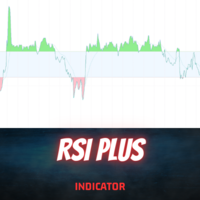
Introduction
The RSI Plus is an innovative technical analysis tool designed to measure the strength and direction of the market trend. Unlike the traditional RSI indicator, the RSI Plus boasts a distinctive ability to adapt and respond to market volatility, while still minimizing the effects of minor, short-term market fluctuations.
Signal
Buy when the RSI plus has been in the oversold (red) zone some time and it crosses above the 20 level on previous candle close
Sell when the RSI plus ha
FREE

Forex17 Clock 是一款适用于 MetaTrader 5 的轻量级、极简实用工具,用于在图表上显示经纪商服务器时间和/或用户自定义调整的时间。该产品旨在提供清晰、准确的时间信息,同时不干扰图表分析,保持图表整洁和高效。 该时钟直接以文本形式绘制在图表上,不使用面板、背景、边框或其他干扰性的视觉元素。这种设计方式确保了极低的资源占用率,与明亮和深色主题具有良好的兼容性,并完全尊重价格刻度和K线显示。该工具适合重视简洁性、视觉秩序和稳定性的交易者。 Forex17 Clock 允许用户选择文本显示的图表角落,调整字体大小和颜色,并设置相对于服务器时间的小时偏移。这使得用户可以直接在图表上方便、可靠地查看本地时间或不同时区的时间参考。 本产品不进行任何市场分析,不生成交易信号,不执行订单,也不与其他指标或专家顾问进行技术集成。它是一款独立运行的纯信息类工具,专注于在图表上显示时间。 该产品遵循 MQL5 的最佳开发实践,代码结构简洁,通过定时器进行轻量更新,强调稳定性和可预测性。Forex17 Clock 适合希望在 MetaTrader 5 中以低干扰方式监控时间的交易者。 由人
FREE

Multi Timeframe Buy and Sell Power Pro MT5
The "Multi Timeframe Buy and Sell Power Pro" indicator for MetaTrader 5 is a versatile tool designed to provide traders with a clear visual representation of market pressure across nine standard timeframes, from M1 to MN1. By aggregating buy and sell strength percentages derived from recent price action and tick volume, it helps identify potential trends, reversals, and neutral market conditions in real-time.
The indicator displays this information in a

AurelineGold
MetaTrader 5 Expert Advisor designed for XAUUSD / Gold
AurelineGold is an Expert Advisor for MetaTrader 5 designed for the XAUUSD (Gold) M1 chart.
It enters trades automatically based on short-term price movement and trend direction, then manages positions using predefined Stop Loss, Take Profit, and protection logic.
It does not include an analysis dashboard, signal panel, related chart-drawing settings, or manual operation buttons. The EA may apply the AurelineGold chart color

每位交易者都熟悉这套流程:打开指标设置,改一个数字,点 OK,盯着图表眯眼看半天,觉得不对,再打开设置。OsMA——Moving Average of Oscillator,也就是单独拿出来的 MACD 柱状图——和 MACD 一样要设三个数字,所以每次想试另一组参数,同样要付出三个数字来回改的代价。OsMA Live Tuner 终结了这一切。 它就是可以 直接在图表上实时调节 的 OsMA 柱状图(MACD 线减去它的 Signal 线)。图表上有一个小面板,带三个滑块:Fast EMA、Slow EMA 和 Signal 周期。拖动其中任意一个,柱状图就会立即重算并重绘,全程尽在眼前。「用 12/26/9 还是用自己的数」——在自己的图表上几秒钟就有答案,不必去论坛翻帖子。 真正的 OsMA,不是套壳。 指标采用自己的教科书式实现:Fast EMA 减 Slow EMA 得到 MACD 线,对该线取 SMA 得到 Signal,两者之差即为 OsMA——中间没有任何内置句柄。你调的就是你看到的。不重绘。 还有实时样式编辑器。 用 16 色调色板和 RGB 滑块调整柱状图的颜色和粗
FREE

Discount 50% for 20 first customers
This Trading System from Scarface Trades. This expert does not use dangerous martingale, grid , have stoploss and tp, recommended to use 1% risk and 1:2 RR Ratio. The best pair is Tesla, i use icmarkets to backtest. It scan the 5 min opening range, and define order block after breakout the opening range, will take position on retest the order block. So far i have backtested only Tesla make a good profit. Download this set files 5minorobteslamt5.set.zip Pair
FREE

The Liquidity Profiler Tools is indicator identifies major buy-side and sell-side liquidity levels and visualizes internal buyer/seller activity through volume delta-filled quadrants, providing a complete toolkit for analyzing liquidity sweeps and potential reversals. Detection The indicator utilizes a pivot-based detection system. When a swing high is confirmed, a Buy-Side Liquidity (BSL) zone is created; a swing low creates a Sell-Side Liquidity (SSL) zone. The script includes "Filter Overlap

This indicator show the candle remaining time on the chart and/or in the corner of the window. It also display notificaton (popup and push) when a new candle is formed (optional). You configure the timer on candles and at chart corner. I don't need to explain the functions because are very simple. MT4 version: https://www.mql5.com/en/market/product/38677 Any doubt or suggestion please contact us. Enjoy!
This is a free indicator, but it took hours to develop. If you want to pay me a coffee, I a
FREE

KS Fibonacci Tool 是一款专为 MetaTrader 5 平台设计的自定义指标,旨在自动识别当前的“聪明钱概念”(SMC)市场结构波段(leg),并实时绘制相应的斐波那契水平线。
核心用途
该指标帮助交易者基于最近一次显著的价格波动(结构波段)直观地查看斐波那契回调和扩展水平,这是 ICT/SMC 交易方法论中的常用手段。
主要功能
自动识别市场结构:
通过追踪波段高点和低点来识别看涨和看跌波段。
支持根据K线实体或K线影线(可配置)来检测结构突破。
实时记录并维护当前结构的高点和低点。
可视化元素:
绘制两条水平线,分别代表当前结构的高点和低点(默认颜色为蓝色)。
在当前波段上绘制最多 5 个可自定义的斐波那契水平线:
默认水平:-0.25、0.0、0.5、1.0、1.25
每个水平线均可独立设置颜色、线型和线宽。
动态特性:
随价格变动实时更新。
当发生结构突破时,指标会自动重置,并针对新波段重新开始绘制斐波那契水平线。
标签同时显示斐波那契比率和精确的价格水平。
FREE

UMNi-CMND MT5 Remote Command & Trade Control System UMNi-CMND turns Telegram into a full remote control panel for your MetaTrader terminal. Send commands from your phone to open trades, manage positions, query account status, and receive complete trade telemetry — all without touching the platform. KEY FEATURES Full remote trade execution via Telegram Open, close, and manage positions by command Move SL/TP, set breakeven, partial close Live status, account, and position q

DCA Master — Automated Dollar Cost Averaging for MT5
Important: This EA is designed for swap-free accounts or accounts with no overnight fees. Holding positions for weeks or months on standard accounts will result in significant swap costs that reduce your returns.
This is a long-term investment tool, not a trading bot. It does not speculate, scalp, or chase short-term moves. It buys at regular intervals and holds.
WHAT IT DOES
FREE

V-Wave EA Unlock the power of automated trading with V-Wave EA ! This cutting-edge Expert Advisor integrates a robust set of indicators, including VWAP , Moving Averages , IBS , and FIBO Levels for precise entries. Key Features: 1. Powerful Indicators: VWAP (Volume-Weighted Average Price): The core of the strategy, ensuring optimal entries based on volume-driven market trends. Two Moving Averages: Customize crossover and trend strategies for added confirmation. IBS (Internal Bar Strength): Fin

Slave EA (v1.x) – All Key Features Signal Reader
Grabs Master’s trade signals (via GlobalVariable or CSV) in real time. Most Powerful Future
• Copy from any read only or investor password account also
Trade Copier
• Opens new trades to match Master
• Updates SL/TP instantly when Master modifies
• Closes trades the moment Master closes them ️ Smart Filters & Options
• Symbol Filter – Copy only specified pairs or “ALL”
• Direction Filter – BUY only, SELL only, or BOTH
•
FREE

Indicator Description 4 Hull MA Color + Envelopes is a powerful trend-following indicator for MetaTrader 5 that combines four Hull Moving Averages (HMA) with Moving Average Envelopes to clearly identify market direction, trend strength, and potential reversal or pullback zones. This indicator is designed to reduce noise, react quickly to price movement, and provide a clean visual structure for professional trading. Key Features 4 Hull Moving Averages (20, 50, 100, 200) Automatic color change
FREE

Fibonacci Trend Indicator for MT5 Unlock the power of Fibonacci analysis on your MetaTrader 5 charts!
Our Fibonacci Trend Indicator automatically plots dynamic support and resistance levels so you can spot trends, reversals, and breakout opportunities at a glance. Features & Advantages Automatic Fibonacci Levels
Instantly displays seven key Fibonacci retracement levels based on the highest and lowest prices from your chosen lookback period — no manual work required. Dynamic Trend Adaptatio
FREE

VR Locker 是一款用于 MetaTrader 4 和 MetaTrader 5 的独特智能交易顾问,将经典对冲变成真正的利润管理艺术。与其与市场对抗,VR Locker 使用作者独特的 正锁 逻辑:机器人开出两个等量相反仓位,并沿价格移动用订单网格「推开」,将未实现利润积累到「安全垫」中。这能降低账户回撤,往往降至零,并减轻交易者的压力。九种手数计算方法、十三种距离类型、四种真实止盈均价模式、同时智能管理多个锁单以及 Telegram、Push、Email 和 Alert 统一通知系统,使 VR Locker 成为市场上最周到的「锁单器」— 新手和专业人士的理想选择。 设置文件(set files)、产品演示版、说明和奖励可在 [博客] 中获取 为什么 VR Locker 是锁单管理的最佳选择 想象一个不猜测价格去向,而是利用市场本质为自己服务的交易机器人。VR Locker 不预测未来 — 它构建一个 安全网格 ,其中任何强烈的价格移动都会转化为未实现利润。当典型顾问恐慌地平掉亏损交易或等待反转时,VR Locker 平静地积累「安全垫」,即使在最动荡的时期也保护账户。这
Easy Order Send help you to put your order on the chart using shortcuts keys like (SHIFT or CTRL). To send a order, hold CTRL or SHIFT and press left click mouse. It's a Beta version with features below: 1 - Send Buy and Sell order with SHIFT AND CTRL
2 - Cancel Button to your order
3 - Cancel Button to your position
4 - Move your order
5 - Monitor your Profit after trade on.
FREE

LZ Multi-Timeframe Candle Timer displays the remaining time before the current bar closes for multiple timeframes simultaneously on a single dashboard. Monitor up to 9 timeframes (M1, M5, M15, M30, H1, H4, D1, W1, MN1) without switching charts. The indicator uses server time, updates every second, and is optimized for smooth display with minimal CPU use.
Feature highlights
- Multi-timeframe display: select which timeframes to show (M1 through MN1) via boolean inputs. Display only the interval
FREE
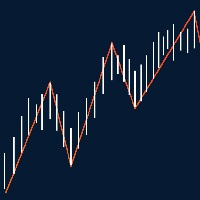
This indicator show Gann Swing Chart (One Bar) with multi layer wave. 1. Wave layer F1: Gann waves are drawn based on candles. SGann wave(Swing of Gann) is drawn based on Gann wave of wave layer F1. 2. Wave layer F2: Is a Gann wave drawn based on the SGann wave of wave layer F1. SGann waves are drawn based on Gann waves of wave layer F2. 3. Wave layer F3: Is a Gann wave drawn based on the SGann wave of wave layer F2. SGann waves are drawn based on Gann waves of wave layer F3. ---------Vi
FREE

Aurum Xau Vector is a professional trading indicator designed specifically for Gold / XAUUSD.
The indicator combines price geometry, Fibonacci-style target alignment, ATR-based risk zones, MACD confirmation, candle confirmation, session filtering, and alert notifications in one clean tool.
It is built for traders who want fewer but more selective Gold signals. Instead of printing many random arrows, Aurum Xau Vector focuses on quality filtering and can be configured to allow only one signal p
FREE

Apex Risk Manager Pro
Expert Advisor — MetaTrader 5
Know your exact position size, stop loss, and risk before you enter, on any pair, any timeframe, in one clean panel.
Apex Risk Manager Pro is a live pre-trade calculator that reads your account balance, the current price, ATR, and pip value, then instantly shows you the safe lot size, the exact money at risk, and your stop-loss and take-profit prices. It removes the guesswork and the manual math, so every trade is sized to you
FREE
Time and Price Fractal Studies is an indicator that will help you identify certain patterns that tend to repeat themseleves at certail times of the day or at certain prices. It is used to study Fractal Highs ad Lows in relation to time and price. You will get to answer certail questions like: At what time of day does this market usually turn around. At what price does the market turn. Is it at round numbers etc.
FREE

Hourly Spread Map answers one question: at which hours does this symbol cost more to enter, and by how much. It reads the spread field that the terminal stores in every closed M1 bar of your own broker feed, sorts those measurements into 24 hours by 7 days of the week, and shows the result as a grid in the indicator sub-window. What It Measures Every closed M1 bar carries one spread measurement. The indicator collects them over the period you choose, groups them by the hour and weekday of the ba
FREE
SMC Donchian Keltner MTF Painter The SMC Donchian Keltner MTF Painter for MetaTrader 5 is a versatile trend indicator that colors candles according to multi-timeframe EMA bias and Keltner channel breakouts. The combination of trend and momentum logic enables fast, visual assessment of market conditions – perfect for both intraday and swing traders. Key Features: Multi-Timeframe Trend Assessment: Candle colors are based on EMA slope from two timeframes (e.g., H1/H4), instantly showing the curren
FREE

Doji Hammer Scanner MT5 Multi-Symbol Doji & Hammer Candlestick Scanner with Clickable Chart Navigation Added the option to scan Market Watch or a custom list, as well as an option to open the chart in different views.
Doji Hammer Scanner is a simple MT5 indicator that automatically scans multiple symbols and detects Doji and Hammer candlestick patterns on the last closed candle. Instead of manually switching between charts, the scanner checks all configured symbols and displays detected patter
FREE

TradeVectorFX Starter — MQL5 Product Description TradeVectorFX Starter Grid Recovery EA — NFA/FIFO Compliant — US Brokers — Free TradeVectorFX Starter is the free entry point to the TradeVectorFX engine — the same core logic as the full paid version, with lot sizing capped at $999 equity behavior so you can run it live, verify the strategy on your broker, and decide whether to scale before spending a dollar. It is engineered specifically for U.S. NFA/FIFO-regulated accounts: positions open and c
FREE
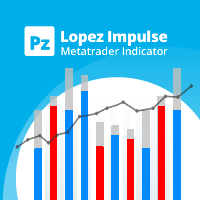
该指标同时评估波动率和价格方向性,从而发现以下事件。 [ 安装指南 | 更新指南 | 故障排除 | 常见问题 | 所有产品 ] 决定性和突然的价格变动 大锤子/流星图案 大多数市场参与者都支持强劲的突破 犹豫不决但动荡的市场形势 这是一个非常易于使用的指标... 蓝色直方图代表看涨的冲动 红色直方图代表看跌冲动 灰色直方图表示当前的波动率 移动平均线是平均波动率 该指标实施各种警报 指示器不重涂或重涂 ...具有直接的交易含义。 当看涨冲动超过平均波动率时,您可以购买 当看跌冲动超过平均波动率时,您可以卖出 该指标跟踪市场波动以及每个单个柱的看涨和看跌冲动。如果看涨的冲动超过平均波动率,那可能是做多空头的好机会。这些强劲的价格走势是可靠的,因为其他市场参与者可能会补仓。如果使用得当,此指示器功能非常强大。
作者 ArturoLópezPérez,私人投资者和投机者,软件工程师和Point Zero Trading Solutions的创始人。
FREE
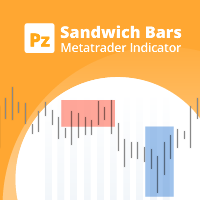
Spot high-probability trades: sandwich bar breakouts at your fingertips This indicator detects Sandwich Bars of several ranges, an extremely reliable breakout pattern. A sandwich setup consists on a single bar that engulfs several past bars, breaking and rejecting the complete price range. [ Installation Guide | Update Guide | Troubleshooting | FAQ | All Products ] Easy and effective usage Customizable bar ranges Customizable color selections The indicator implements visual/mail/push/sound ale
FREE

The Ultimate Real-Time Account Dashboard & Pro Stats Monitor AURA Trade Information Panel - Ultimate Edition Maximize your trading efficiency with the ultimate all-in-one on-chart dashboard. The AiO Trade Information Panel provides a comprehensive, real-time overview of your trading performance, essential market data, and vital technical indicators without cluttering your workspace. Designed for both day traders and scalpers, this panel helps you stay disciplined and make informed decisions in
FREE

MultiTP Trade Manager EA — Advanced Trade Management Made Effortless (MT5)
Limited Offer – First 100 Downloads FREE!
Be among the first 100 traders to download Trade Anchor Manager (MT4/MT5) completely free of charge. Hurry – once the limit is reached, the offer closes instantly! After trying it out, we’d love if you could leave a review and share your thoughts – your feedback helps us improve and lets other traders know what to expect.
Need this Trade Anchor Manager for MT4? http
FREE

徽标 MT4 版本: https://www.mql5.com/en/market/product/121289 MT5 版本: https://www.mql5.com/en/market/product/121290
水印 MT4 版本: https://www.mql5.com/en/market/product/120783 MT5 版本: https://www.mql5.com/en/market/product/120784
“Logo”脚本旨在在 MetaTrader 4 (MT4) 的交易图表上显示自定义徽标或图像作为背景。此脚本允许交易者使用徽标或任何其他所需图像来个性化他们的图表。
工作原理:
图像准备: 首先选择您想要在图表上显示为徽标的图像。 使用任何图像编辑软件将图像转换为位图文件格式 (.bmp)。 保存图像: 转换完成后,将 .bmp 图像文件保存到 MT4 安装目录中的以下目录:
\MQL4\Images\
(通常位于 Program Files 文件夹下的 MetaTrader 4 文件夹中。)
脚本配置:
在 MetaEditor
FREE
This utility EA closes any buy or sell order when it reaches the desired profit value, or when the stop gain is activated. Closes orders opened manually or by other robots. Very effective for protecting or guaranteeing gains in rapid price movements. It works on any period and any asset available on MT5.
Trailing Start: Example, if the price moves 70 pips in favor, it activates the stop gain. Traling Stop: or Traling Step: If the price moves by the amount defined above the Trailing Start it w
FREE

Multi ATR Dashboard
基于ATR的多货币波动率扫描仪。同时监控多达12种工具在所有时间框架内的波动性——所有这些都在图表上的一个面板中。
适用对象
适用于需要查看波动性当前正在加速或减弱的交易者,无需在图表之间切换。该面板一目了然地提供了完整的市场概况。
工作原理
图表上会出现一个表格:工具垂直排列,时间框架水平排列。每个单元格显示当前的ATR值,并根据其与工具自身平均波动率的偏差进行着色:
红色 — 波动率飙升,走势强于平常。颜色越亮,偏差越强。 蓝色 — 异常平静,走势弱于平常。颜色越亮,压缩越深。 灰色 — 波动率在正常范围内。 当一个工具的多个时间框架显示相同的方向时 — 这是分析的时机。
面板功能
面板通过Canvas绘制 — 无闪烁,无延迟。三种配色方案:深色、中等、浅色。字体大小可调。面板可以用鼠标拖动到屏幕的任何位置。
点击工具名称 — 立即将当前图表切换到该工具。
多份副本
在一个图表上,您可以根据需要运行任意数量的指标副本 — 例如,将不同ATR周期的指标并排放置。为此,每个副本都需要分配一个唯一的实例ID:第一个为1,第二
FREE

你有没有注意到,图表上的ADX与书本上的数字对不上?这是有原因的。标准内置的ADX使用指数平滑法——真正的Wilder平滑版本,也就是威尔斯·王尔德(Welles Wilder)本人发布的那个版本,只作为单独的指标提供,而大多数交易者从未加载过它。ADX Live Tuner默认为你提供教科书式的Wilder ADX,并在此基础上加入了Live Tuning实时调节流程。 这是一个完整的三线ADX(+DI、-DI和ADX线),你可以 直接在图表上实时调节 。图表上有一个小面板,带有ADX周期和 趋势阈值 的滑块——阈值是区分"趋势"与"盘整"的虚线水平。拖动任一滑块,指标会立即重新计算并重绘,效果实时可见。20、25还是30才是你所交易品种上真正标志可交易趋势的阈值——在自己的图表上几秒钟就能得到答案,而不必去论坛里讨论。 真正的Wilder ADX,而非套壳。 该指标运行自己的教科书式实现:TR、+DM和-DM按照文档记载的初始值约定(S = (S[1] x (n-1) + X) 除以 n)在周期内进行Wilder平滑处理,DI = 100 x 平滑后的DM 除以 平滑后的TR,DX
FREE

Native Spread Monitor answers a simple question: is the spread you are being charged right now normal for this hour of the day, or are you about to overpay? Every free spread tool shows the CURRENT spread. None of them show what is typical for this hour, because MetaTrader 4 never kept per-bar spread history. MetaTrader 5 does, and this indicator uses it.
HOW TO USE IT
1. Drag the indicator onto any chart. A panel appears in the bottom-left corner (you can move it to another corner in the set
FREE

LC Trading Sessions is a precision indicator designed to map liquidity windows across major global sessions ( New York, London, and Tokyo ). It is the perfect tool for Day Traders and Scalpers who need to visualize market opens and closes while maintaining a clutter-free chart. What does the indicator do? Automatic Mapping: Plots vertical lines with clear labels identifying the start and end of each session. Future Projection: Displays upcoming session opens, allowing you to plan your trading da
FREE

发现 mrKrabsGold – Kelly MultiTP ,您的超优化剥头皮EA,旨在最大化利润并控制风险: 核心功能: 剥头皮 & 套保策略: 自动识别并利用快速趋势反转,同时进行套保以限制回撤。 动态凯利资金管理: 根据您的历史表现,使用可调节的凯利因子分配最优仓位。 多级止盈: 在行情推进过程中分阶段锁定收益(50%、33%,然后清仓)。 自适应止损: 基于ATR和近期K线波动范围计算止损,贴合当前市场波动性。 保本 & 跟踪止损: 达到预设盈利门槛后锁定收益,并动态追踪止损捕捉更大行情。 ️ 高级筛选: 自定义交易日 & 时间: 只在您最优表现的时段交易。 最大点差过滤: 避免在点差过大时进行高成本执行。 ️ 最低波动性(ATR) & 强趋势(ADX): 仅在动能十足的趋势市场中开仓。 ️ 多周期确认(MTF): 在次级周期上通过EMA确认,提高信号可靠性。 选择 mrKrabsGold – Kelly MultiTP 的理由: 全自动运行: 安装、启用后,EA 24/5 自动完成分析、仓位计算与管理
FREE

Atlas Liquidity Map MT5
Atlas Liquidity Map MT5 is a clean visual liquidity indicator for MetaTrader 5. It maps important liquidity areas directly on the chart, including Buy-Side Liquidity, Sell-Side Liquidity, Equal Highs, Equal Lows, Liquidity Sweeps, Reclaims and possible Failed Breakouts. It is designed for traders who use Price Action, Smart Money Concepts, ICT-style analysis, Liquidity Sweeps, Stop Hunts and market structure. Instead of filling the chart with a large panel or noisy signa

Adaptive Grid Engine (AGE) — Smart Trend-Filtered Grid System Adaptive Grid Engine (AGE) is a professional grid trading system built around a core principle: grid trading without trend filtering is gambling. AGE only opens new series in the direction confirmed by a multi-zone trend engine, while still allowing the grid to extend naturally as the market moves — giving you controlled, rule-based exposure instead of blind martingale. Unlike basic grid EAs that fire orders in both directions regardl
FREE

[Translated with ChatGPT] 请随意免费下载,如果你喜欢的话,我这里有一个剃头经理: https://www.mql5.com/en/market/product/101312
【欢迎提出可实施的改进建议。这个自动交易程序将永远保持免费。】
时间框架:5分钟以上(1分钟时间框架的蜡烛很短,无法设置止损)
货币:多种
设置:
手数:自动交易程序的交易量
持仓时间:5分钟时间段内持有的时间为900,000毫秒,或等于3个蜡烛
自动交易程序应观察多远:回望10个蜡烛,这是用户可选的,它决定自动交易程序观察多远以确定检测到的十字星是否发生在极端位置(具有最高高点或最低低点)
较短阴影的比例:你希望十字星的短尾有多长
较长阴影的比例:你希望较长尾巴有多长
(通过调整这些设置,你可以影响自动交易程序的盈利能力,例如,如果增加持有仓位的持续时间,在良好的市场反转中,利润可能相当可观。阴影/尾巴会影响交易的频率,如果设置较宽松,将进行更多交易,但十字星的质量也会受到影响。)
自动交易程序概述
正如名字所示,Doji Style是一款用于交易十字星(特别是锤
FREE
MetaTrader市场是一个简单方便的网站,在这里开发者可以出售自己的交易应用程序。
我们将帮助您发布您的产品,并向您解释如何为市场准备您的产品描述。市场上所有的应用程序都是加密保护并且只能在买家的电脑上运行。非法拷贝是不可能的。
