 MetaTrader 5
 专家
专家
 指标
指标
 程序库
程序库
 实用工具
实用工具
 窗口小部件
窗口小部件
 规则
规则
适用于MetaTrader 5的EA交易和指标 - 102
 使用EA交易和指标,使外汇交易获得更多盈利。EA交易可使您自动开启和关闭交易,而指标将帮助您更准确地预测市场行为。
该页面提供MetaTrader 5应用程序的目录。
使用EA交易和指标,使外汇交易获得更多盈利。EA交易可使您自动开启和关闭交易,而指标将帮助您更准确地预测市场行为。
该页面提供MetaTrader 5应用程序的目录。 
Easy Trade Executor 是一款用于 MT5 的快速仓位计算、交易执行和交易管理工具。 直接在图表上放置 Open Price、Stop Loss 和 Take Profit 水平,自动计算仓位大小,并通过几次点击即可在可控风险下开立交易。
为什么选择 Easy Trade Executor?
Easy Trade Executor 专为不仅希望计算风险,而且希望直接在图表上快速高效管理交易的交易者而设计。 该工具将仓位计算、订单执行和交易管理整合到一个工作流程中,让您能够专注于交易,而无需进行手动计算或频繁切换终端窗口。 Easy Trade Executor 提供: 基于风险的自动仓位计算; 直接在图表上放置市价单(Market Orders)和挂单(Pending Orders); 用于自动管理交易的移动止损(Trailing Stop); 一键平仓; 50% 仓位部分平仓; 包含佣金和隔夜利息(Swap)的保本(Breakeven)功能; 简洁且极简的界面设计; 适合新手和资深交易者的高效操作体验。
直接在图表上开仓 Easy Trade Executor 允

即时 Telegram 通知。可直接在图表上设置价格水平,当价格突破该水平时即可收到消息。添加一个水平只需一次点击。你可以用鼠标拖动线条,以精确设置所需的价格水平。 便捷控制面板: 所有活动提醒都会显示在列表中
可以通过拖动线条来编辑价格水平
不需要的提醒可以一键删除
提醒在触发后会自动移除
可选择在图表上隐藏提醒线
支持自定义通知文本(例如:crossed、reached、touched)
支持 Dark/Light 模式 工作原理: 点击 Add Alert
图表上会出现一条价格水平线
将其移动到所需的价格水平
当价格突破该水平时 - 你将会在 Telegram 收到消息 简单设置: 通过 @BotFather 创建 Telegram 机器人并获取 Bot Token。
创建一个 Telegram 频道(公开或私密),获取其 Chat ID,并将机器人添加为具有发送消息权限的管理员。
在 MetaTrader 5 → Tools → Options → Expert Advisor 中启用 https://api.telegram.org 的 WebRequest,将该工具附加到任
FREE

Prop Risk Meter – 为 Prop Firm 交易者打造的免费回撤仪表盘。Prop Risk Meter 是面向自营交易公司(Prop Firm)和资金账户交易者的免费只读回撤仪表盘与风险面板,实时监控每日亏损、每日回撤和净值回撤 — 适用于 FTMO、FundedNext、Funding Pips、The5ers、E8 及任何资金账户。 在您的图表上实时显示: - 今日亏损对照您可配置的每日亏损限额(金额、已用百分比、信号灯进度条) - 从净值峰值起的当前回撤,对照您的最大回撤限额 - 以账户货币显示的剩余每日缓冲 - 总持仓手数与持仓数量 - 清晰的状态判定:OK · NEAR LIMIT(默认 80%)· OVER LIMIT 设计上即为只读。本工具以指标形式构建。MQL5 中的指标无法发送、修改或关闭订单——这是技术属性,不是承诺。Prop Risk Meter 只显示您的数字;它绝不触碰您的交易,绝不索取密码,不使用 DLL,不发起任何网络请求。 为什么免费?交易者失去资金账户最常见的原因不是策略差,而是没看到每日亏损限额逼近就已越线。这个面板让这段距离时刻可见
FREE

OTE Trade Copier MT5 Trade Copier & Prop Firm Risk Manager Copy trades locally between MT5 terminals and across MT4/MT5 platforms on the same PC or VPS while protecting your funded accounts with advanced risk controls. IMPORTANT: Send me a message for the Complete User Manual Before Installation
Why Traders Choose OTE Trade Copier MT5 Supports MT5 to MT5 trade copying Supports MT4 to MT5 and MT5 to MT4 when used with the MT4 version Designed for prop firm and funded account traders Daily drawd

AutoFibonacci draws Fibonacci retracement and extension levels automatically. It finds the significant swing high and low on the chart itself, so the levels appear without you drawing anything, and they update as new highs and lows form. Drawing Fibonacci by hand has a practical problem: you choose the swing. Two traders looking at the same chart pick different points and get different levels. This indicator removes that step. It works on any symbol and any timeframe. How the range is chosen Thr
FREE

概述 Multi Timeframe Open Lines是一款适用于MetaTrader 5的轻量级指标,可在当前图表上直接显示所选时间周期的开盘价水平线。 本指标可以显示更高时间周期、更低时间周期以及相同时间周期的开盘价。 例如,可以在H1图表上显示H4和D1的开盘价,也可以在H1图表上显示M15的开盘价。 最多可以同时设置三个时间周期,并且每个时间周期都可以单独配置。 本指标仅用于辅助图表分析。它不会提供交易信号,不会开仓、修改持仓或平仓。 工作原理 每条开盘价线从所选时间周期的开始时间绘制到下一个周期的开始时间。 通过这种分段显示方式,可以清楚地确认每个开盘价所属的时间区间,并查看当前市场价格位于该开盘价的上方还是下方。 本指标也可以显示当前正在形成周期的开盘价,并自动更新显示。 主要功能 最多同时显示三个时间周期的开盘价 支持更高、更低和相同时间周期 可单独启用或关闭每个时间周期 可单独设置每条线的颜色、样式和宽度 可调整历史周期的显示数量 可显示当前周期的开盘价 可使用垂直线连接连续的开盘价水平 在图表右侧显示最新开盘价标签 可调整标签文字大小 可调整刷新间隔 自动使用当前
FREE

GBPJPY Awesome Oscillator Reversal Breakout (H1) is a fully automated MetaTrader 4 strategy designed to capture **confirmed reversal breakouts** on GBPJPY using an oscillator-based reversal trigger with rule-based **pending STOP execution** beyond recent price structure. The EA was backtested on **GBPJPY on the H1 timeframe** from **April 1, 2004 to April 24, 2024** using a MetaTrader 4 backtest engine (base data: GBPJPY_M1_UTC2). No parameter setup is required — the system is delivered with op
FREE
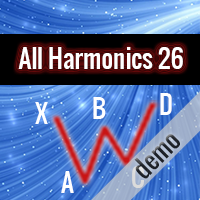
This is the demo version of "All Harmonics 26" indicator . "All Harmonics 26" searches for 26 types of harmonic patterns and outputs them in a convenient way. You can check out the documentation here . This demo version has the following limitations: The indicator searches only for one type of harmonic patterns out of 26:- Gartley. The indicator outputs new patterns with a lag of 10 bars.
FREE

HiLo Ladder 是经典 HiLo 指标 的全新演绎版本。HiLo 指标长期以来被交易者广泛使用,用于识别市场趋势的方向和潜在的反转点。无论是短线交易者还是长期投资者,HiLo 都是帮助他们判断市场节奏的重要工具。 与传统的 HiLo 不同, HiLo Ladder 在图表上的绘制采用阶梯式结构 —— 也就是交易者常说的 “阶梯线” 。这种表现形式不仅在视觉上更直观,而且能够有效地避免连续曲线带来的模糊感。每一段阶梯代表一个清晰的趋势区间,使得价格的上升和下降状态一目了然。 主要优势: 绿色表示价格处于上涨阶段,红色表示下跌阶段,让用户快速区分市场情绪。 阶梯式的走势比传统连线更稳定,减少了噪音干扰。 分析更加直观,无需复杂的解读,新手也能轻松使用。 能够帮助交易者更快地识别趋势变化,尤其是在震荡行情中。 可用作确认入场信号、辅助离场策略或仅作为趋势跟踪工具。 对于希望快速把握市场节奏的交易者来说, HiLo Ladder 提供了一种现代化的方式来解读价格走势。它结合了 HiLo 经典的核心逻辑,同时通过 “阶梯” 视觉效果增强了清晰度和可操作性。在快节奏的市场环境下,它
FREE

Version 1.5: manual color change added
This indicator helps to trade price action and momentum strategies like Guerrilla Trading or similar strategies.
The indicator displays: most recent highs and lows number of consecutive breaks past breaks of most recent highs and lows retest lines flag formations manual color change User can change colors. Go to Indictor Properties/Input, set "Auto Color" to false and change the colors. Set "Auto color" back to true to go back to pre-set colors. Please wa
FREE

Welcome to OmniZones Pro. Unlike traditional Supply & Demand indicators that simply draw rectangles at swing highs and lows, OmniZones features a State-Aware Algorithmic Pipeline that evaluates, scores, and tracks the lifecycle of every single zone in real-time. Perfect for scalping High-Liquidity Assets (Nasdaq, DAX, Gold, US30) or forex majors. Key Features: Quantitative Scoring Matrix: Zones are not created equally. OmniZones algorithmically evaluates Tick Volume Participation , Escape
FREE

AdnanEdge is a technical signal indicator for MetaTrader 5. It analyzes market conditions using five independent strategies and displays BUY or SELL arrows on the chart when a valid signal appears. The indicator is read-only and does not place trades. The built-in dashboard shows the current signal direction, strategy name, quality score, market regime, and relative volume. An adaptive mode automatically selects the best strategy for current conditions. Key Features Five signal strategies: MA C
FREE

Stop losing money on bad lot sizes. Trade Panel Risk calculates exactly how much to buy or sell, executes your trade in one click, and protects your account automatically — all from a single panel on your chart. You tell it: "I want to risk 1% of my balance with a 20-pip stop loss." It tells you: "Buy 0.43 lots." You click BUY. Done. No spreadsheets. No mental math. No mistakes. THE PROBLEM MOST TRADERS HAVE

Demo test with Demo account
NB: Ask for manual user and vip setting DigitopiaVolumeProfileV2 is a professional Anchored Volume Profile indicator for MetaTrader 5. Designed for institutional traders, it provides precise visualization of liquidity, value areas, and order flow. KEY FEATURES: Manually Anchored Profiles: Define your own analysis periods with draggable Start/End lines. Value Area (CME): Automatic calculation of POC, VAH, and VAL according to market standards. Delta Volume & True Ti

️ IMPORTANT NOTE REGARDING STRATEGY TESTER: In Strategy Tester: The EA switches to a built-in local mathematical algorithm. Backtest results show only the baseline performance. In Live Trading (Demo/Real accounts): The EA fully utilizes the AI neural network for advanced signal filtering. ️ CRITICAL SETUP REQUIRED (PLEASE READ BEFORE RUNNING): This Expert Advisor utilizes a unique dual-core AI system (Cloud Artificial Intelligence via API + Local Self-Learning Neural Network). For the
Trend Hunter EA: Stop Guessing, Start Trend Following Are you tired of entering trades that look perfect, only to have the market reverse strongly against you? The most common reason for this is trading against the dominant, underlying trend. The Trend Hunter EA is meticulously engineered to solve this exact problem by ensuring you are always trading in harmony with the market's primary direction. The Professional Strategy: Power on the High Frame, Precision on the Low Frame The Trend Hunter EA
FREE

AlphaPro EA – Technical Overview 1. Introduction
AlphaPro EA is an Expert Advisor for MetaTrader 4 and MetaTrader 5.
It applies multiple algorithmic strategies with risk control features and supports various trade management modes.
The system is designed for use on different timeframes and multiple currency pairs. 2. Core Features Algorithmic Execution – Uses multi-layered entry/exit logic combining scalping, breakout, and trend-based methods. Risk Management – Supports balance-based lot sizing
FREE

The Stochastic Oscillator is one of the main indicators used in the analysis of financial assets. It is one of the highlights in the study of price movements and can be an important indicator of changing trends in the capital market. Stochastic is an oscillator used to identify when an asset is overbought or oversold. It consists of two lines: %K, which is calculated from the highs and lows of a period, and %D, which is a moving average of %K. Our version contains color filling, which facilitate
FREE

Daily VWAP — Institutional Reference for Intraday Value The Daily VWAP is a professional indicator based on the Volume-Weighted Average Price (VWAP) , designed to reveal the true balance between price and volume throughout the trading session. Unlike traditional moving averages, the Daily VWAP incorporates the weight of traded volume in every price movement, providing a much more accurate reference to the behavior of institutional traders and large market participants. What the indicator deliver
FREE

简介 这是一款结合了经典震荡指标 Williams %R 与 Bollinger Bands (布林带) 的复合型技术指标。它不同于传统直接基于价格的布林带,而是通过对 Williams %R 进行平滑处理后再进行标准差计算。 这种创新的组合能够有效捕捉动量爆发的瞬间,并利用布林带的动态特性来过滤普通震荡信号。当平滑后的 WPR 突破布林带上下轨时,通常预示着一个强力波段行情的开启。
核心功能与优势 双重过滤机制: 指标首先对原始 Williams %R 进行平滑处理(参数可调),有效减少了传统 WPR 常见的锯齿状噪点。 动态动量阈值: 与固定在 -20/-80 的静态超买超卖线不同,本指标引入了布林带作为动态边界,能够根据市场近期波动率自动调整信号触发点。
直观的视觉信号: 颜色变换: 指标线会根据其与布林带的位置关系自动变换颜色(突破上轨为绿,跌破下轨为红,震荡为灰)。 箭头提示: 当发生“穿透性”突破时,系统会在副图自动标注 L (Long) 或 S (Short) 信号。 高度可定制化: 用户可以自由调整 WPR 周期、平滑周期以及布林带的标准差倍数,以适应从 sc
FREE

Volatility Dragon Align Alert is a multi-timeframe SuperTrend indicator.
It shows H1, H4 and D1 SuperTrend on one panel.
ALIGNED = all three timeframes match.
MISALIGNED = they do not match.
When aligned it draws:
- StopLoss line (H1 ATR)
- TakeProfit line (H1 ATR)
Alerts:
- Aligned
- Misaligned
- H1 flip
- Price testing the stop line
- StopLoss hit
- TakeProfit hit
The panel also shows floating profit of open positions on the same symbol.
Designed for Deriv Volatility indices (V10, V25, V2
FREE

H4 CONTAINER MTF BOXES (MetaTrader 5) | //| | //| One H4 container box holds every H1, M30, M15, M5 and M1 box | //| that falls inside it. Each inner timeframe has its own on/off | //| switch. | //| | //| LEVELS | //|
FREE

I’m sharing this EA here for free to support the trading community. I hope it’s helpful, and don’t hesitate to reach out if you have any questions or feedback!
Requirements
Trading pairs all trending Pairs especially USDJPY
Timeframe M1 to H6
Minimum deposit $ 100 Leverage 1:200 Brokers Hedging Pro or ECN Account
Key Features: Versatile Timeframe Trading : Operates effectively on all timeframes, from the swift M1 to the more extended D1, accommodating a wide range of trading strategies and
FREE

注意:此免費版本只可使用到2026/09/30
交易最怕的不是虧損,而是「方向不明」
為什麼很多交易者會被掃出場?因為他們只看單一時框。本指標透過 AI 降噪技術,將 H1 的穩健與 M15 的靈敏結合,為您打造一個自動化的趨勢過濾網。
「讓數據說話,讓 AI 帶路,您只需負責收穫成果。」本指標在商品行情圖表中顯示H1(圓點)與M15(箭頭)兩個時間段的趨勢方向,其他時間段的計算結果會顯示於下方的曲線圖中。行情的走向、震盪、強度、交易量等請參考Stochastic, MACD, RSI等指標,指標可精準地判斷波段的方向與合適的進出場時機。
指標特色如下:
1. AI 多重時框(MTF)動態演算
本指標搭載 AI 趨勢過濾算法,自動同步 H1 (長期趨勢監測) 與 M15 (精準進場導航)。AI 會自動過濾掉已知趨勢方向中不具備獲利空間的微小波動,確保你始終站在大趨勢的正確一邊並且減少盤整時的心理壓力。
H1 圓點: 您的導航雷達,鎖定大波段方向。
M15 箭頭: 您的開火按鈕,精準捕捉發動瞬間。
2. 雙週期行情圖,一眼看出方向與
FREE

这是一个正在积极维护的版本,已针对当前的MT5版本进行了重新编译和功能扩展。
手动扫描每一根K线以寻找可识别的反转或延续形态非常耗时,而且很容易遗漏,尤其是在跨多个图表或时间周期时。
Phoenix K线形态监测器可在形态形成时自动检测 18 种标准 K线形态,在图表上进行标记,并实时统计数量,以便您查看该交易品种实际产生了哪些形态。
它如何为您捕捉形态
- 检测三大类共18种形态:单根K线形态(锤头、吊颈、流星、倒锤头及四种十字星变体)、两根K线形态(看涨/看跌吞没、穿刺线、乌云盖顶、看涨/看跌孕线、镊子顶/底)以及三根K线形态(晨星、暮星) - 图表上会显示箭头标记每个检测到的形态 - 实时更新的“形态历史”面板,显示各形态的出现次数 - “仅显示已确认形态”过滤器,可排除当前K线仍在形成中的形态
警报
检测到形态时可配置警报,支持声音和推送通知选项。
使用 Phoenix K线形态监测器可: - 在反转形态确认的瞬间捕捉到它,无需盯着每根K线看 - 查看特定交易品种上实际出现频率最高的形态 - 过滤掉未确认、仍在形成中的形态,以减少噪音
使用方法
1. 将其附
FREE
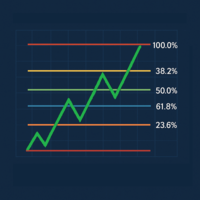
Last Candle Fibonacci is an indicator that makes it easy to see the Fibonacci levels of the previous candle. It can be configured for use on any timeframe, works on major currency pairs, and allows traders to identify reversal zones more clearly. Its design is intended to integrate seamlessly into the chart, highlighting key levels that help confirm pullbacks, potential entries, and targets. It is a lightweight, stable, and practical tool for those seeking a more structured market analysis and t
FREE

This EA has no stop loss. All risks are at your discretion.
Fed Chair Gringott MT5 EA is a fully automatic Expert Advisor for Scalping Trading on XAUUSD timeframe M1. The basic strategy starts with Market order in Trend Following, so this EA Follow the Trend .
Fed Chair Gringott MT5 EA is similar to a Plug And Play package, please test it yourself. hundreds of times before making a purchase. I choose how it works. You choose the capital to invest. If you like it, buy it. Investing
FREE

Basket Take-Profit Utility Pro is the full-featured upgrade to the free Lite version
A professional on-chart trade management tool for MetaTrader 5 that monitors and closes groups of trades the moment their combined profit or loss target is reached. All settings are configured directly from the interactive panel on your chart via dropdowns, toggle buttons, and keyboard input — no inputs window required.
What's new in Pro vs Lite (free):
Feature Lite
(Free) Pro Single basket
Panel-d
SMC Trend Momentum – Adaptive Trend and Momentum Oscillator SMC Trend Momentum is a momentum oscillator plotted in a separate window.
The indicator combines a Donchian position bias with a ZigZag leg normalization and transforms this into a smoothed, color‑coded histogram for assessing trend direction and momentum changes. Optionally, a higher timeframe filter can be applied. The indicator is designed to be flexible for different trading styles (short‑term, swing, indices, FX) using ready‑to‑u
FREE

Direction sets the side. Timing sets the moment. Vector speaks only when both agree.
TrendCue Vector separates market direction from entry timing.
The Context line defines the preferred side of the market. Candle colour shows the current Vector timing state. A fresh setup appears only when a new candle-colour transition agrees with Context.
Simple chart. Clear workflow. No engine parameters to optimize.
HOW IT WORKS
Context is the coloured line.
Green Context → favour long setups Red Con
FREE

Demand and supply zones Support and Resistance areas Show broken zones Show tested and untested zones Show weak zones Fractal factors Notifications when price reaches point of Interest with Push notifications and pop ups Customizable History Clickable Works on all Timeframes Works on all pairs.
Free for a while till further notice and changes. The demand and supply bot coming soon
FREE

This is a simple RSI indicator, but unlike the original one, it sends alerts when volume falls below the upper level or rises above the lower level, so you never miss a trading opportunity. Combined with support and resistance levels, it can provide strong entry opportunities into the market. I recommend keeping the levels as they are, i.e. 75 above and 25 below Check out my signal " PipStorm Invest ", save it to your favorites and come back from time to time to check it again :)
FREE

该工具直接在图表上显示经济新闻。它会显示即将发生的事件、事件发生时间、事件的重要性,并发送通知。
适用对象:
关注经济新闻的交易者
根据新闻进行交易的交易者
希望及时接收提醒的交易者
需要在图表上直接使用简洁直观日历的用户
主要功能
新闻面板 - 在图表上显示最近的经济事件
货币筛选器 - 仅显示您交易品种的货币新闻
提醒 - 在新闻发布前指定时间发出通知
推送通知 - 向您的 MetaTrader 移动设备发送通知
声音提醒 - 可自定义声音提醒
颜色指示器 - 以视觉方式指示重要性和紧急程度
设置 提醒时间 - 事件发生前多少分钟发送提醒
最低重要性 - 提醒的最低新闻重要性
按货币筛选 - 按当前交易品种的货币筛选新闻
启用声音提醒 - 启用声音提醒通知
启用推送提醒 - 启用推送通知到您的手机
启用额外 1 分钟提醒 - 在事件发生前 1 分钟发送额外提醒
使用方法使用方法
在图表上安装该实用程序
在属性窗口中配置设置
面板将显示在左上角
事件发生前指定时间将发送警报
FREE

Risk Manager Trade Panel is an on-chart tool that helps you size and manage trades with one click. Set your risk per trade as a percentage (for example 0.5%, 1% or 2%) and the panel instantly shows the correct lot size for your stop distance, taking your symbol's tick value and 3/5-digit pricing into account. One-click actions: Move the open position to breakeven (with a spread-safe offset). Close 50% of the position (partial close). Close the whole position. The tool does not open trades automa
FREE

MT5 Alligator Indicator The MT5 Alligator Indicator , created by Bill Williams , helps traders find market trends and avoid sideways markets. It uses three moving average lines to show Buy and Sell opportunities. Indicator Lines Jaw (Blue): Long-term trend Teeth (Red): Medium trend Lips (Green): Short-term trend Benefits Finds strong market trends Reduces false signals Gives clear Buy and Sell signals Improves trade timing Works on Forex, Gold, Crypto, Indices, and Stocks Good for scalping, day

TANIN POLYLINE MT5 is the ultimate drawing assistant for Price Action traders. If you love the flexibility of the Polyline tool on TradingView, this indicator brings that exact experience to your MetaTrader 5 terminal.
Designed by Tanin Coder , this tool allows you to map out market structures, waves, and trends with speed and precision. A professional, fast, and convenient Polyline drawing tool inspired by TradingView. Supports Magnetic Snap, Straight Lines, and Auto Price Labels. RECOMMENDE
FREE

Weis Waves(魏斯波浪) 是由大卫·魏斯 (David Weis) 开发的技术指标,灵感来源于理查德·威科夫 (Richard Wyckoff) 的原理。
与传统逐根显示的成交量不同,Weis Waves 将成交量累积为连续的上涨或下跌“波浪”,当价格方向反转时重新开始计算。 这种方法使交易者能够清晰地看到市场运动的 真实力度 ,因为每一波浪都反映了支撑一系列K线的成交量强度。 主要特点: 将成交量分组为买入波浪和卖出波浪。 突出显示市场的主导力量(买方或卖方)。 有助于识别 趋势延续 或 潜在反转 。 基于威科夫方法论,被广泛应用于成交量与资金流分析。 Weis Waves 被众多专业交易者使用,用于分析价格与成交量之间的平衡,提供更深入的市场动态视角。
FREE

1. Overview Thank you for choosing the Trend Maximizer. This tool is designed for technical analysis within the MetaTrader 5 platform. It is a sophisticated trend-following indicator that helps traders identify the prevailing market trend and can also function as a dynamic, trailing stop-loss level. The core of the indicator is based on a combination of a user-selected Moving Average (MA) and the Average True Range (ATR) indicator. By analyzing the relationship between the MA and the calculated
FREE

Introducing the "Super Trend Filter Oscillator," your ultimate trading companion designed to enhance your technical analysis and help you make informed decisions in the financial markets. This innovative oscillator is crafted to provide valuable insights into market trends and price movements, assisting traders like you in identifying potential entry and exit points. Features: Trend Identification: The Super Trend Filter Oscillator excels in detecting prevailing market trends, whether they are b
FREE

**Risk Guard Dashboard MT5 (EA) – Scanner + Risk Manager + Execution Panel**
Risk Guard Dashboard MT5 is a professional assistant for MetaTrader 5 that integrates into a single panel: a multi-timeframe scanner, Prop Firm-style risk control, performance statistics, and an execution panel. Designed with institutional aesthetics, high readability, and optimized performance for monitoring multiple symbols in real-time.
**Main Features**
• **Multi-symbol and Multi-timeframe Scanner:** simultaneou
FREE

Bulk Comport Manager is an lightweight yet useful EA utility. It helps you: - Modify TP and SL in bulk according to price levels or pips (points). - Modify TP and SL for all positions or for individual BUY and SELL positions . - Close all BUY or SELL positions, or all positions . - Move to the break-even point when the price moves X points (set in the input). - Start trailing when the price moves X points (set in the input). - Set the trailing price increment (set in the input). - Minimize/Maxi
FREE

Launch price: $39 - increases to $49 once the first 10 copies sell. Message me after purchase and I'll help you set it up for your exact symbol/broker.
Drag a line. Watch every chart update. Never break your risk plan by accident.
Most risk panels stop at "drag SL, see lot size." This one goes further: move your Stop Loss and Take Profit follows automatically to hold your exact R:R — move your Entry and SL/TP travel with it, so your risk never silently drifts. And every level you plan appears

TITAN AEGIS SCALPER
Next-Gen Gold Scalping Ghost Engine for XAUUSD
Titan Aegis Scalper is a premium algorithmic scalping system engineered exclusively for XAUUSD (Gold). It combines the power of Pending Order Execution with a revolutionary Ghost Protocol that completely hides your Stop Loss and Take Profit from your broker.
Unlike market-order scalpers that suffer from slippage and stop-hunting, Titan Aegis Scalper places precision Buy Limit and Sell Limit orders at ATR-calculated optimal

OLYMPUS HARMONIC APEX — The Volatility-Adaptive Triad Grid
"Master the Reversion. Survive the Volatility."
Why trade standard Major pairs with static grids that blow up when the trend explodes? Olympus Harmonic Apex introduces a completely new paradigm in Forex automated trading: The Triad Cross-Pair Reversion System.
We exclusively trade the holy trinity of cross pairs (AUDCAD, NZDCAD, AUDNZD). These pairs share a profound mathematical correlation. When they diverge, they almost always sna

============== -- If you are a fan of FIBONACCI... then this is defenitely a tool for you
-- Please master the optimal trade entry concept and you will become profitable
-- Show me you comment about this tool and I will give you more tools: Tradelist Panel, Watermark, Reversal tool, ... ============== Hallo Trader, This is fibonacci system based on the previous day levels (low and high) and the current day levels.
You can choose your favorite in settings. I use the Previous Day Fibo and use the
FREE
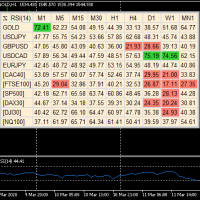
A useful dashboard that shows the RSI values for multiple symbols and Time-frames. It can be easily hidden/displayed with a simple click on the X top left of the dashboard. You can input upper and lower RSI values and the colours can be set to show when above/below these values. The default values are 70 and 30. You can choose whether the dashboard is displayed on the right or left of the chart. If you want to have 2 dashboards on the same chart you must input a different name for each. The sca
FREE

HURDLES EA Refined Gold Trading for XAUUSD on M30 Built with structure. Designed for control. HURDLES EA is an automated trading system for XAUUSD on M30, created for traders who prefer a more refined and structured approach to Gold trading. The EA checks price action, market structure, Murrey Math levels, Gator Oscillator, and trade filter conditions before opening a trade.HURDLES EA Refined Gold Trading for XAUUSD on M30 OVERVIEW HURDLES EA is an automated trading system created for XAUUSD on
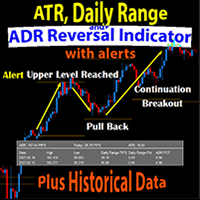
The Daily Range ATR ADR Reversal Indicator shows you where price is currently trading in relation to its normal average daily range. You will received alerts via pop-ups when price exceeds its average daily range. This will enable you to identify and trade pullbacks and reversals quickly.
The Indicator also shows you the Daily Range of Price for the current market session as well as previous market sessions. It shows you the ATR which is the average range of pips that a candle may move in that

Day Direction Scanner is an indicator that uses the direction of the current candlestick on the 1-Day, 4-Hour, 1-Hour, 15-Minute, and 5-Minute periods to determine the market's direction. When all the candlesticks converge in a single direction, the indicator indicates whether the day is bullish or bearish, or if there is no clear direction. It is useful for easily getting an idea of the market's direction during the day.
Features:
- Works on all currency pairs, indices, and commodities.
- F
FREE
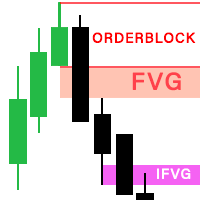
The latest version of Indicator is fully integrated into an all-in-one package, including: Fair Value Gaps (FVG). Implied Fair Value Gap (IFVG). OrderBlock (OB). The options in the settings section are relatively easy to navigate, and you can even use them right away upon activation without encountering difficulties when using the default configuration. The indicator utilizes an algorithm to automatically draw and identify Order Blocks (OB), Fair Value Gaps (FVGs), and Implied Fair Value Gaps
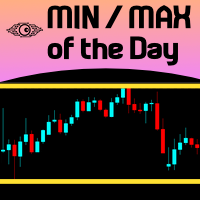
For those Price Action traders who love to trade strong Price points, like yesterday's HIGH and LOW, here is an indicator to ease the identification of those values, drawn directly on your chart! MIN/MAX of the Day will automatically draw 2 lines showing you those points for you, AND, if you like any HIGH and LOW in the past, not just yesterday's prices. It can also be configured to additionally show today's HIGH and LOW prices - just configure the refresh rate of those lines at your own taste/s
FREE

no Trade operation, Robot Set auto SL to every manually Trade from a Phone Automatic Phone TradeManager Need just Set on 1 Symbol Auto BE Trigger is added that immediately sets a stop-loss for every () But does NOT calculate position size based on risk, allows the fixed SL to adjusted dynamically drag on Chart or Menu. It protects capital around the clock, reduces emotional mistakes, and ensures consistent risk management.
FREE

The purpose of Impulse Release is to prevent trading in the wrong direction. While the Impulse System operates in a single timeframe, Impulse Release is based on two timeframes. It tracks both the longer and the shorter timeframes to find when the Impulse points in the same direction on both. Its color bar flashes several signals: If one timeframe is in a buy mode and the other in a sell mode, the signal is "No Trade Allowed", a black bar. If both are neutral, then any trades are allowed, showi

Smart Trade Assistant Pro for MT5 The Forex market is full of EAs that try to trade automatically for you. However, many EAs may not fit your personal trading style, market perspective, or unique strategy. Your trading decisions come from your own experience. You decide when to enter the market. You control the risk. You manage the trade using your own strategy and confidence.
• The Challenge However, most traders face the same problem... When the market starts moving quickly, you may need to
Contact me after payment to send you the user manual PDF file. Download the MT4 version here. Unlocking Trading Insights Dive into the heart of market dynamics with Advance Divergence Scanner designed for traders seeking a competitive edge. The Divergence Indicator is your key to identifying crucial divergences across various charts, empowering you to make informed decisions in the dynamic world of financial markets. The Divergence A Divergence signals a potential reversal point because directi

This utility automates Take Profit (TP) and Stop Loss (SL) levels for your trades, calculated in Money (Example : if you type 10, it means 10USD) . It ensures consistent risk management for all your positions. Crucial Note for Manual Traders: If you intend to use this utility on trades opened manually (without an Expert Advisor), you must change the 'Magic Number' setting to 0 (zero) . This allows the utility to correctly identify and manage your manual orders.
FREE

Trend Master Gold EA is an automated trading software designed for use on the MQL5 platform. This Expert Advisor uses a trend-following strategy to identify trading opportunities in the gold market. The EA is designed to work on the 5M timeframe.
The Trend Master Gold EA uses a combination of technical indicators and price action analysis to identify potential trade setups. The EA is equipped with an advanced money management system that helps to minimize risk and maximize profits. The EA also
FREE

Dynamics Edge: Statistical Precision in Mean Reversion Dynamics Edge is a volatility boundary indicator designed to identify price exhaustion with high precision. Using an advanced standard deviation calculation ( $2.2 \sigma$ ), it maps the extremities where price is statistically likely to return to equilibrium (median). Key Features: Dynamic Exhaustion Edges: Solid lines that expand and contract based on volatility, identifying overbought (Blue) and oversold (Red) zones. OCR-Ready Price Tags:
FREE
Moving Average Color
Moving Average (MA) is a trend indicator, which is a curved line that is calculated based on price changes. Accordingly, the moving average is the trader’s assistant, which confirms the trend. On the chart it looks like a bending line that repeats the price movement, but more smoothly. Moving Average Color it is a standard moving average indicator with a color change when the trend direction changes. The ability to set additional levels has also been added. It is a handy too
FREE

The London Pulse EA is an Expert Advisor designed to trade the Daily Range London Breakout strategy, ideal for traders looking to capitalize on the volatility of the London session. It automatically tracks the highest and lowest points during the Asian session to identify key breakout levels. The EA features a weekly Forex calendar , allowing traders to factor in macroeconomic events when making trading decisions. It also offers flexible lot size management , which can be set as either a fixed l
FREE

Dynamic Range and Target Indicator: Your Reliable Trading Partner
Introducing an innovative indicator that revolutionizes how you analyze markets and make trading decisions. Whether you're a beginner seeking clear guidance or an experienced trader looking to enhance your strategy, this tool is designed to meet your needs.
Key Features:
1. Dynamic Range Determination: The indicator continuously analyzes the market, identifying the most recent significant price ranges.
2. Clear Support an

Limited Launch Offer – Save Up To 84% Genomex AI is launching with a special early adopter pricing campaign for a limited number of buyers. Once each launch tier is sold out, the price automatically increases and will never return to the previous level. First 3 Buyers – Only $39 Next 3 Buyers – Only $49 Next 6 Buyers – Only $59 Regular Launch Price – $149 Future Retail Price – $249 This introductory offer is available only during the official launch period. Once a pricing tier is sold out,

TradeGreat Mean Reversion EA TradeGreat is an automated trading system built around statistical price behavior analysis relative to a Moving Average (MA) . The system evaluates price deviation from the average value using proprietary mathematical models rather than traditional indicator-based signals. The strategy relies on quantitative analysis of market behavior, where the Moving Average serves as a reference point, while entry and exit decisions are determined by internal mathematical calcul
FREE
MultiTP Trade Manager EA — Advanced Trade Management Made Effortless (MT5)
Limited Offer – First 100 Downloads FREE!
Be among the first 100 traders to download Trade Anchor Manager (MT4/MT5) completely free of charge. Hurry – once the limit is reached, the offer closes instantly! After trying it out, we’d love if you could leave a review and share your thoughts – your feedback helps us improve and lets other traders know what to expect.
Need this Trade Anchor Manager for MT4? http
FREE

MGH SuperTrend Scan Module – Version 1.6 - Advanced Multi-Trend Trading System for XAUUSD (Gold) - Designed for M15 trading The MGH SuperTrend_Scan module is a fully automated Expert Advisor designed for Gold (XAUUSD). This module includes a built-in SuperTrend detection system, multiple EMA trend confirmations, momentum filtering, and a Strategy Scanner Engine. Version 1.5 adds adjustable opening and closing times for news events each day. To reduce drawdown, closing trades on Fridays (
FREE
As a tribute to all the "quants" and "quantums" in this market who promise to make you rich quickly and easily, my ADR Dashboard is now just $39 — until summer is over, or perhaps a little longer. It won't make you rich quick, but it gives you a perfect view of the potential trading ranges of an asset. The intention of the dashboard is to provide a quick overview of the daily, weekly and monthly range of configured assets. In "single asset mode" the dashboard shows you possible reversal points

Big Dog MT5 – XAUUSD M5 精准剥头皮交易员 大狗MT5 这是一个专为……设计的高性能顾问 XAUUSD 在 M5 时间框架上 的表现。该系统运用精准的入场逻辑和先进的多元分析方法,专注于以高效的市场入场和可控的回撤行为,把握高概率的超短线交易机会。 基本策略 Big Dog MT5 采用专有的分析系统,运用多种数学方法评估价格走势。这种多层次的方法使投资顾问能够精准定位入场点,同时最大限度地降低不必要的市场风险。 该系统基于以下原理构建: 基于高精度的高频记录。 短期交易期 降低长期市场风险敞口 在波动性变化的条件下表现出的适应性行为 表现和行为 EA当然是, 激进的交易频率 专为偏好主动交易系统而非缓慢的长期持有策略的交易者而设计。默认参数提供了坚实的基础,优化关键设置可以显著提高执行稳定性。 正确配置后,Big Dog MT5 提供以下功能: 输入准确度稳定 有效的资金回撤管理 在各种传播条件下均能稳定运行。 优化参数(重要) 要充分发挥 Big Dog MT5 的性能,需要进行正确的设置: 扩展筛选器: 智能交易系统面板实时显
Native Session Volume Splits traded volume by trading session: Asia, London, the London/New York overlap, New York, and everything outside those windows. Free tools that show session times only paint a coloured box on the chart. None of them tell you how much volume actually happened inside each session, because MetaTrader 4 never had real volume at all. MetaTrader 5 does, and this indicator uses it.
WHAT IT SHOWS
A histogram in a sub-window, one bar per candle, coloured by the session it fal
FREE
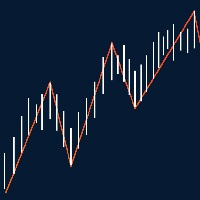
This indicator show Gann Swing Chart (One Bar) with multi layer wave. 1. Wave layer F1: Gann waves are drawn based on candles. SGann wave(Swing of Gann) is drawn based on Gann wave of wave layer F1. 2. Wave layer F2: Is a Gann wave drawn based on the SGann wave of wave layer F1. SGann waves are drawn based on Gann waves of wave layer F2. 3. Wave layer F3: Is a Gann wave drawn based on the SGann wave of wave layer F2. SGann waves are drawn based on Gann waves of wave layer F3. ---------Vi
FREE

This indicator is a zero-lag indicator and displays strength of trend change . True Trend Oscillator Pro works best in combination with True Trend Moving Average Pro that displays exact trend as is. Oscillator value is exact price change in given direction of the trend.
True Trend Moving Average Pro: https://www.mql5.com/en/market/product/103586
If you set PERIOD input parameter to 1 this indicator becomes a sharpshooter for binary options.
Developers can use True Trend Oscillator in Exper
FREE
MetaTrader市场提供了一个方便,安全的购买MetaTrader平台应用程序的场所。直接从您的程序端免费下载EA交易和指标的试用版在测试策略中进行测试。
在不同模式下测试应用程序来监视性能和为您想要使用MQL5.community支付系统的产品进行付款。
