One Click Trader Panel MT5
- Yardımcı programlar
- Sürüm: 1.4
- Güncellendi: 19 Kasım 2026

OCT Trader: One Click Trader Panel for MT5
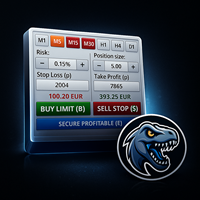
OCT Trader is a trading panel for MetaTrader 5. It lets you open, manage and close trades from the chart with one click. It has a dark neon design, and every value can be changed directly on the panel without opening the EA settings.
Key features
One-click market trading
- Press BUY or SELL to open a trade instantly with your chosen lot size.
- The stop loss is always set. The take profit is set only when TP is switched ON.
Pending orders
- Choose between Limit, Stop and Stop Limit orders.
- Set the distance from the current price on the panel. For Stop Limit orders you also set the gap between the trigger price and the limit price.
- Stop loss and take profit are placed relative to the price where the order will actually open.
- One button deletes all pending orders placed by the panel.
Easy value editing
- Stop Loss, Take Profit, Trailing, Pending Distance, Stop Limit Gap and Lot Size can each be changed in two ways.
- Type a value into the edit box, or use the + and - buttons.
- Your settings are saved per symbol and restored automatically.
Trailing stop and TP toggle
- TRAIL ON/OFF switches the trailing stop for open trades.
- TP ON/OFF switches the take profit for new trades.
- APPLY SL/TP sets your current panel values on the open OCT trades.
Safe trade management
- Every trade and order opened by the panel carries the comment “OCT Trader” and a unique magic number.
- CLOSE OCT closes only the trades opened by the panel, so trades from other EAs on the same symbol stay untouched.
- CLOSE ALL closes every position on the current symbol when you want a full exit.
- The trailing stop and APPLY SL/TP also work only on OCT trades.
Live information
- A status line shows the number of OCT trades, their combined profit or loss, the pending order count and the current spread.
- Profit is shown in green and loss in red.
Clean removal
- When you remove the EA, the entire panel is deleted from the chart, including the background, logo, buttons, edit boxes and labels.
- Nothing is left behind on the chart.
Input parameters
| Input | Description |
|---|---|
| Lot size | Default volume for new trades |
| Stop loss / Take profit | Default distances in points |
| Trailing points | Default trailing distance |
| Trailing / TP enabled | Default state of the toggles |
| Pending distance | Default distance of pending orders from price |
| Stop limit gap | Default gap between trigger and limit price |
| Pending expiry (min) | Pending order lifetime, 0 = Good Till Cancelled |
These are only starting values. Once you edit values on the panel, the panel’s saved values are used.
Notes
- Distances are measured in points, not pips.
- On netting accounts, MT5 merges all trades on one symbol into a single position, so the panel cannot separate its trades from other EAs’ trades there. The separation works fully on hedging accounts.
- Always test on a demo account first.
Risk warning: Trading leveraged products carries a high level of risk. This tool executes the orders you place and does not guarantee profit.