Horos Chart Layers Multi Indicator Toolkit
- Индикаторы
- Версия: 1.22
- Обновлено: 29 октября 2026
- Активации: 10

Every chart, one clean panel. Tick what you need, nothing else.
Horos turns any MT5 chart into a layered chart you read in seconds. One indicator, one panel, ten groups: General, Regime, Trend, Momentum, Volatility, Volume, Horizontal levels, Diagonal lines, Zones & structure and Layout. Over 90 settings, each on or off with one click and each explained by a tooltip.
Why Horos
Reading a chart usually means loading ten indicators in separate windows and drawing the levels by hand. The chart gets crowded and the levels go stale. Horos keeps everything in one panel. Levels are calculated, not drawn, so they follow the market as price moves. Presets give you a clean start for trend, reversal, levels or volume work, and you can save up to three presets of your own.
1. Lines and panes
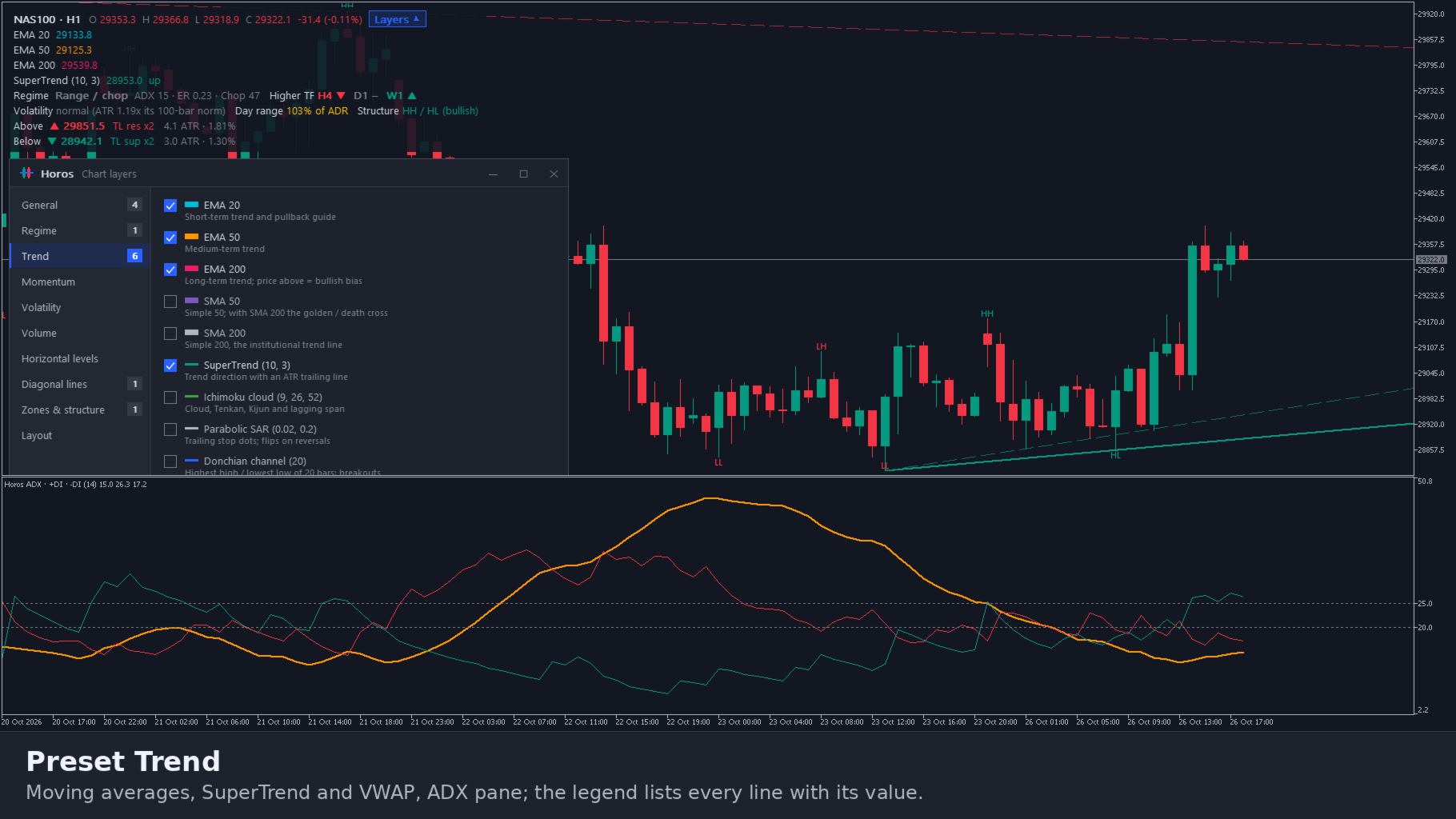
• Trend: EMA 20, 50 and 200; SMA 50 and 200; EMA and SMA of H4, Daily and Weekly; SuperTrend; Ichimoku cloud; Parabolic SAR; Donchian channel; VWAP with 1 and 2 standard deviation bands
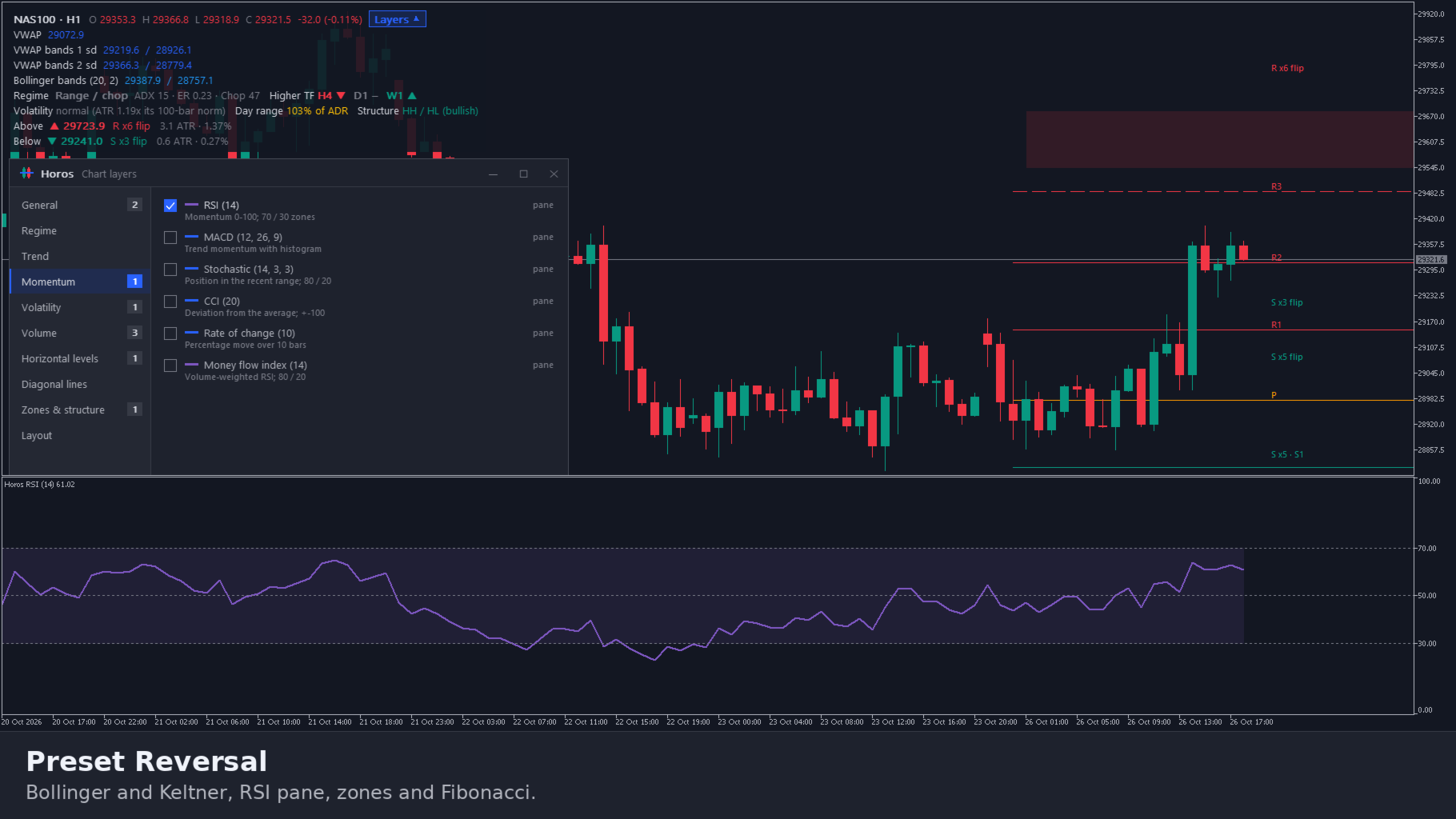
• Volatility: Bollinger bands, Keltner channel, ATR, Squeeze momentum, ADR targets, regression channel (100 bars, 2 standard deviations)
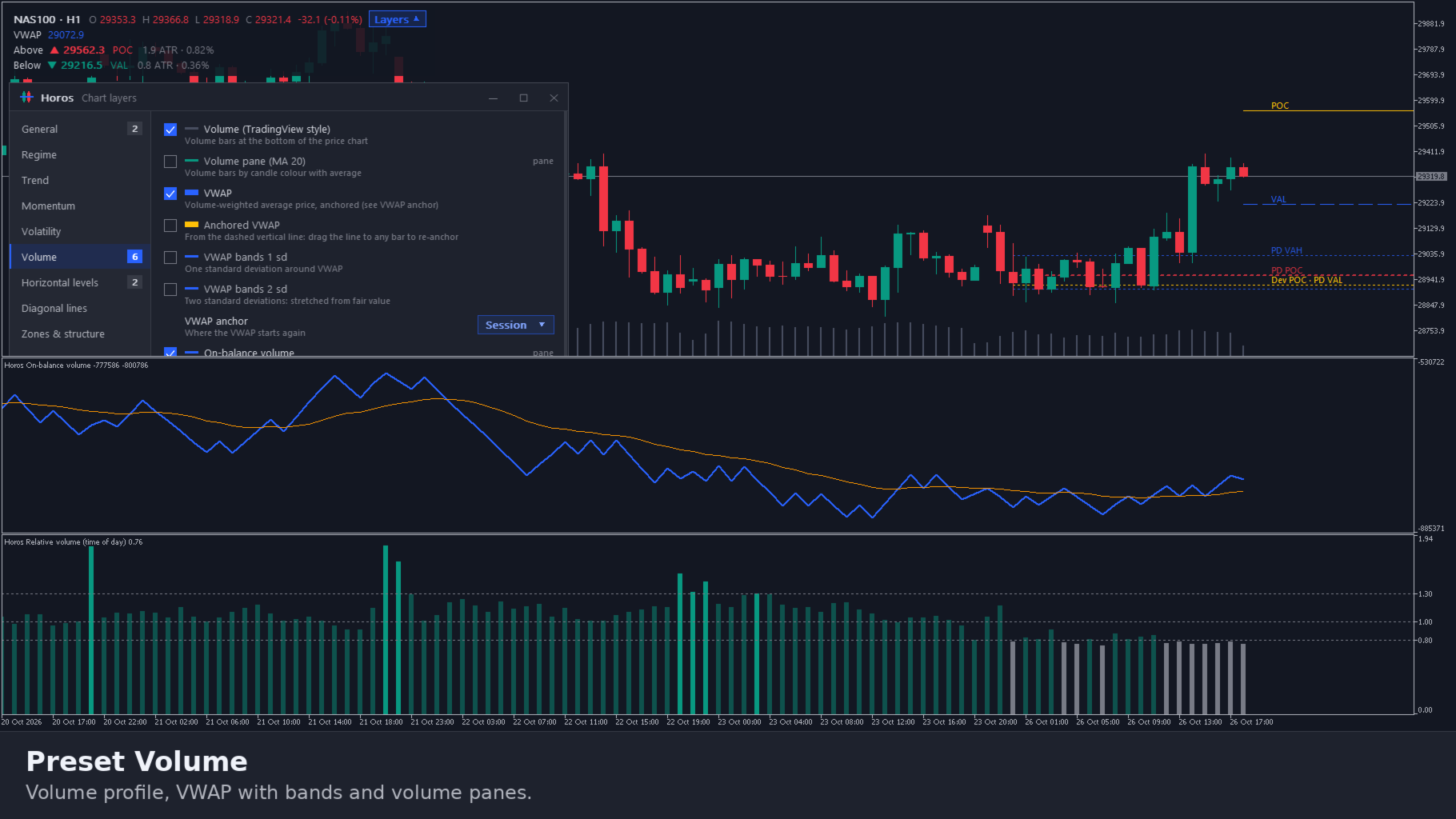
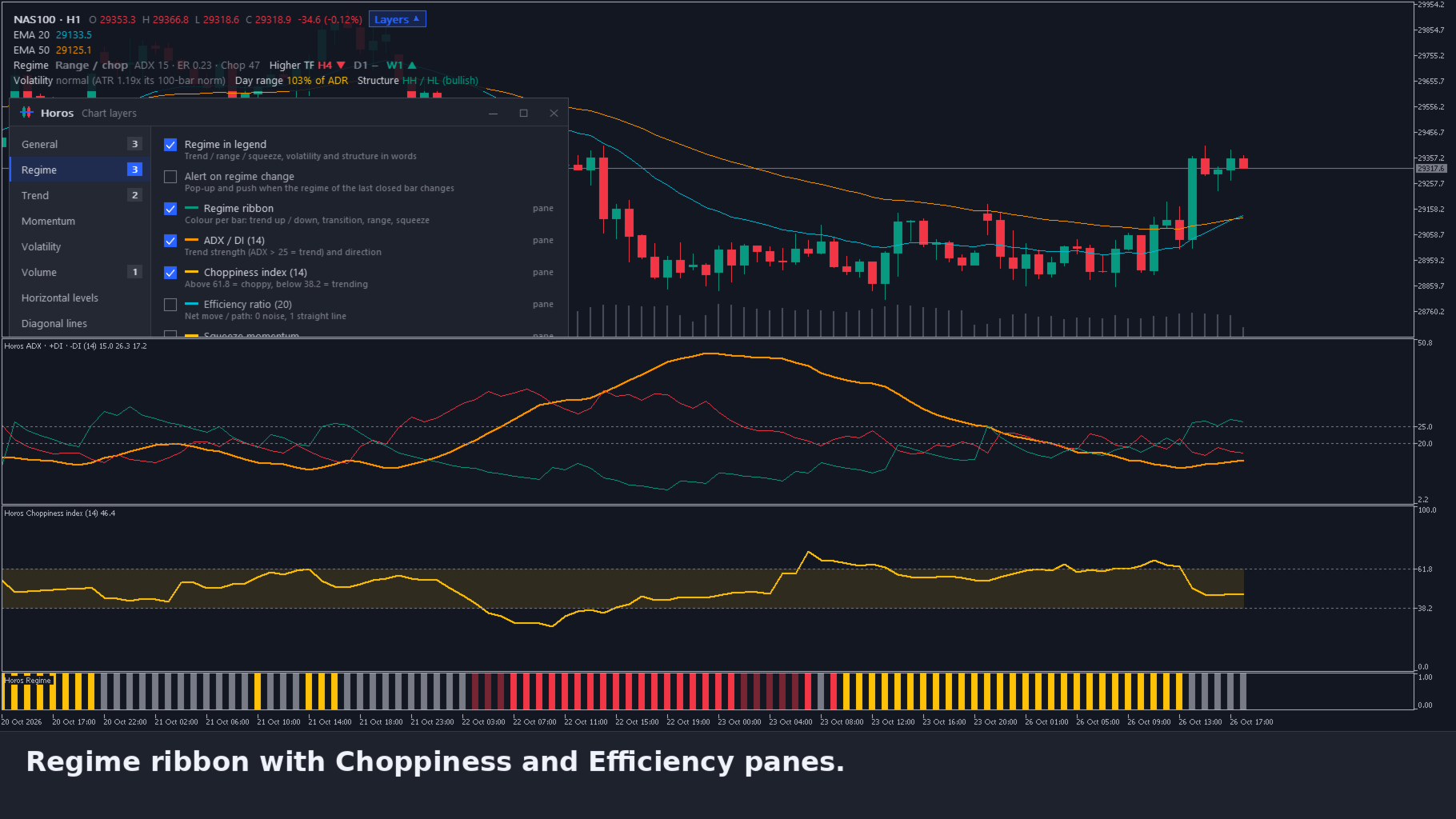
• Panes below the chart: RSI, MACD, Stochastic, CCI, rate of change, ADX / DI, ATR, Squeeze, volume, OBV, MFI, CMF, relative volume, Choppiness index, Efficiency ratio and a regime ribbon
• Each moving average and VWAP line can get its own colour, chosen from the swatch in the panel
2. Support, resistance and levels
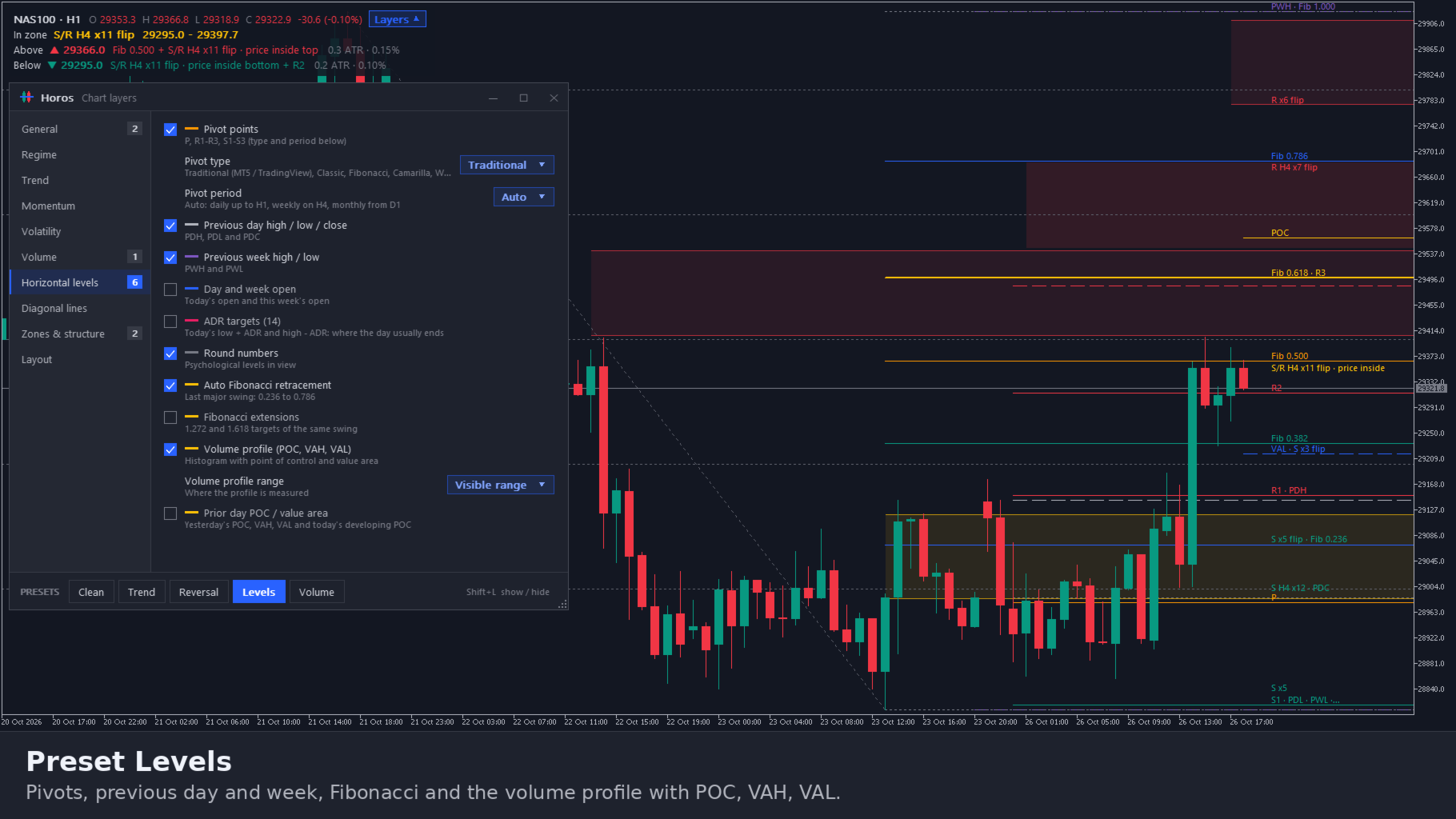
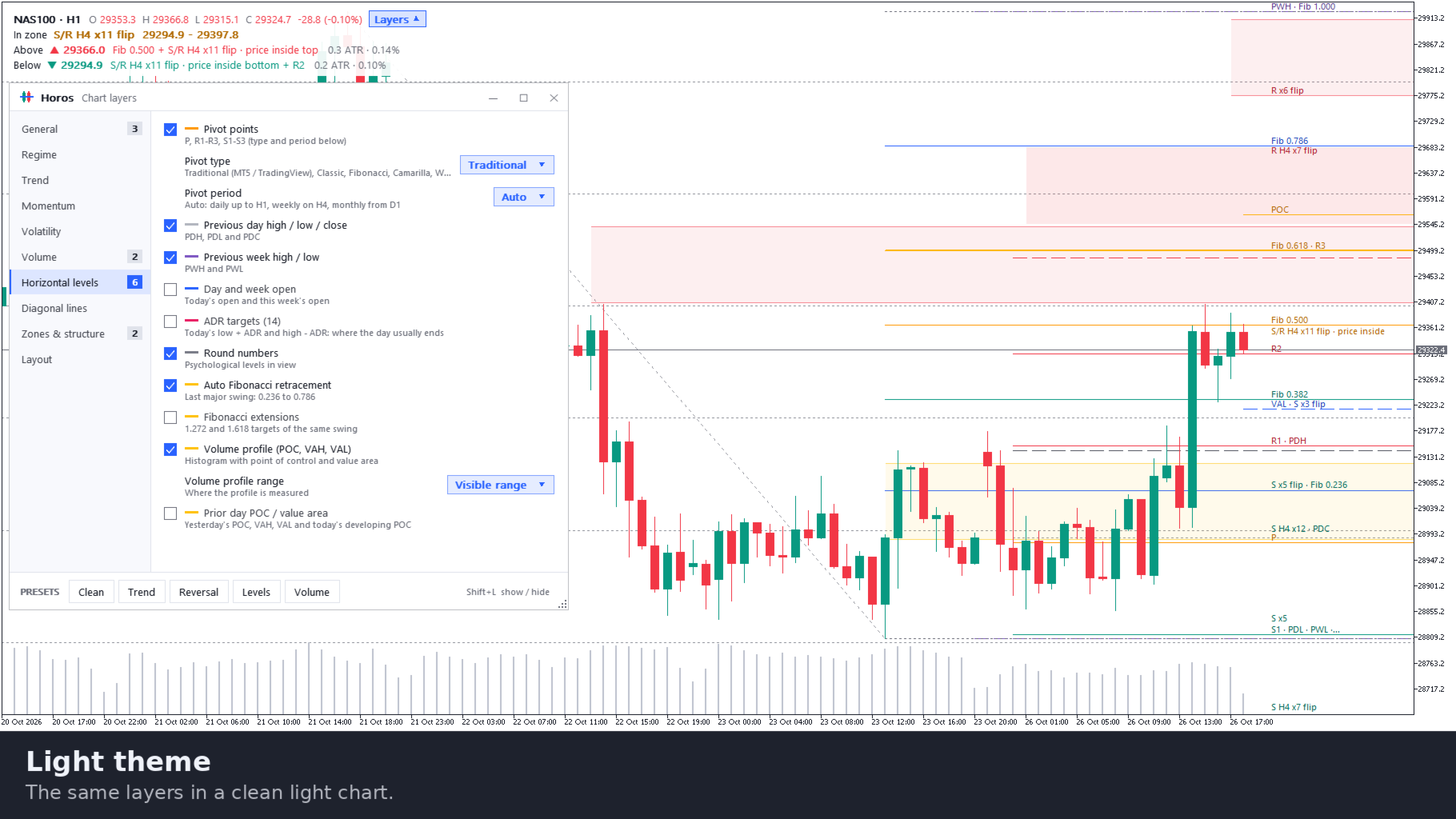
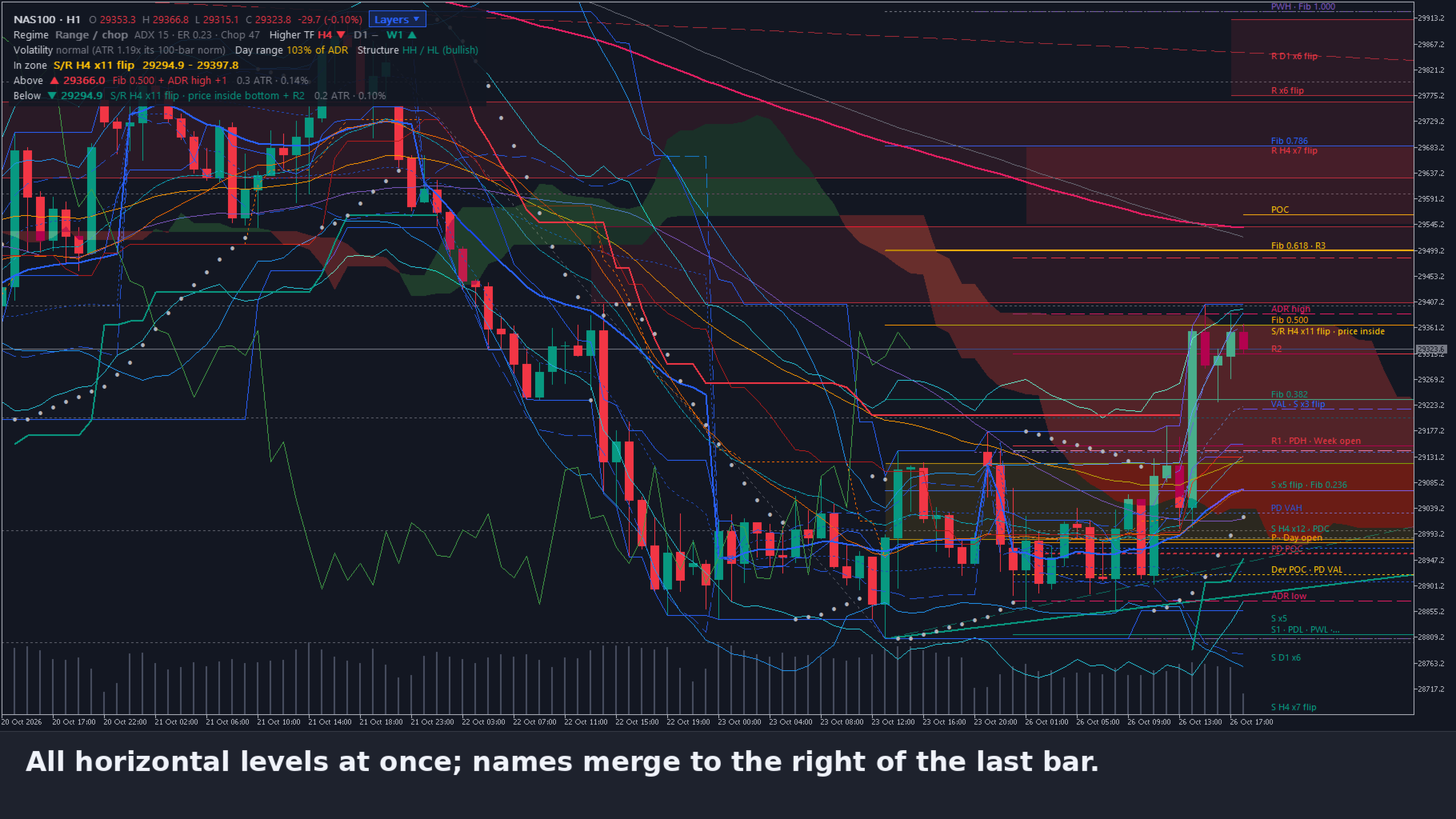
• Pivot points: Traditional, Classic, Fibonacci, Camarilla or Woodie, on a daily, weekly, monthly, 4H or custom period
• Previous day and week high, low and close, day and week open, ADR targets and round numbers
• Auto Fibonacci retracement and extensions of the last major swing
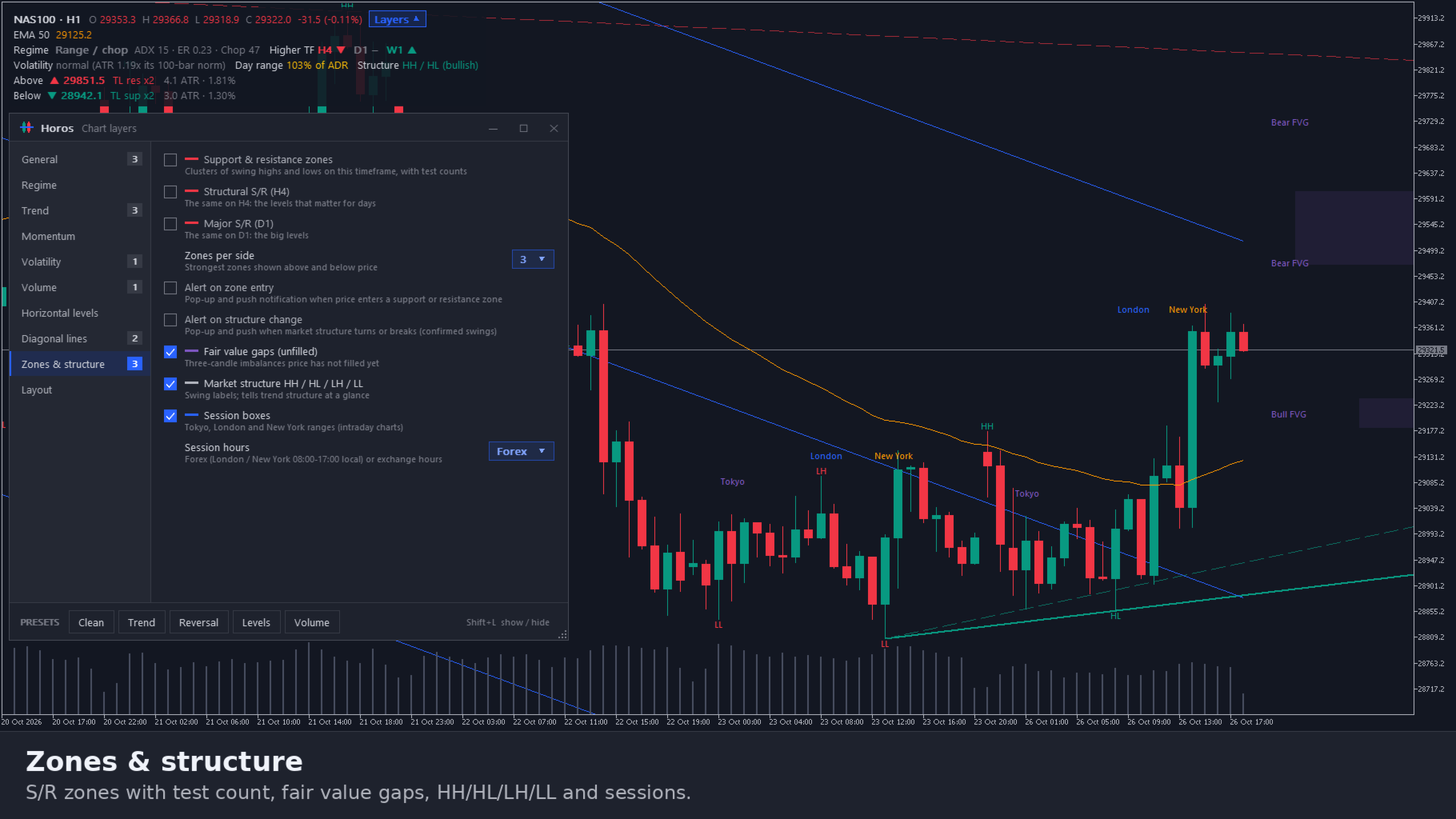
• Support and resistance zones from clusters of swing highs and lows, with the number of tests, on this timeframe, H4 and D1. Click a zone to lock it, click again to hide it. Zones far from price fade
• Volume profile with point of control, value area high and low, plus the value area of the prior day
• Anchored VWAP: drag the start line to any bar
3. Trend lines, structure and sessions
• Auto trend lines through swing points, labelled with their number of touches
• Regression channel
• Fair value gaps that price has not filled yet
• Market structure: HH, HL, LH and LL on confirmed swings, equal highs and lows
• Session boxes and levels for Tokyo, London and New York
4. Regime in plain words
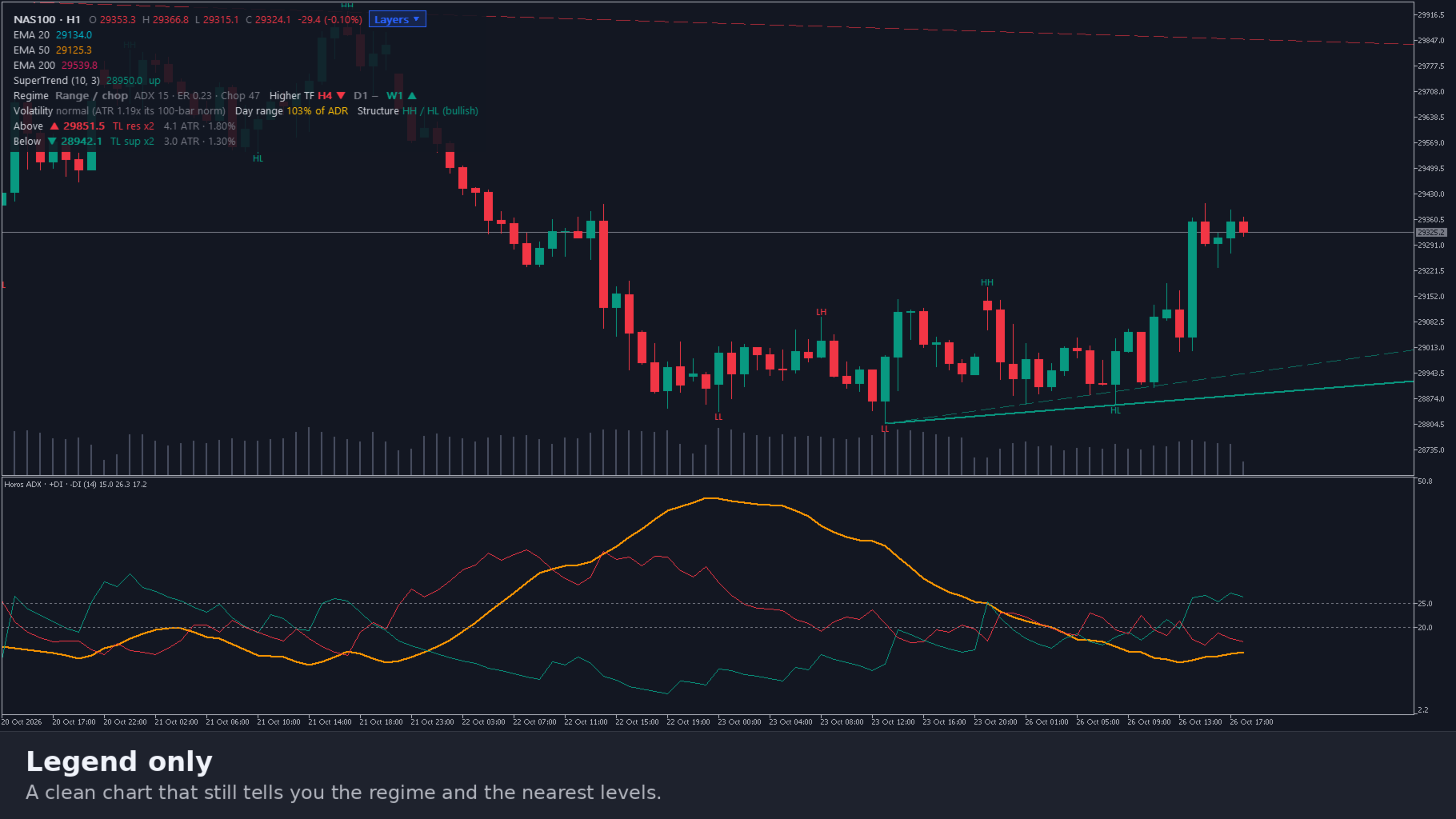
A ribbon colours each bar as trend up, trend down, transition, range or squeeze. The legend states the regime in words, with ADX, efficiency ratio and choppiness. It also shows the trend of the higher timeframes, whether volatility is elevated, normal or quiet, today's range as a percentage of the average daily range, the market structure, and the nearest level above and below price with its distance in ATR and in percent. A compact legend shows only the essentials.
5. One clear panel
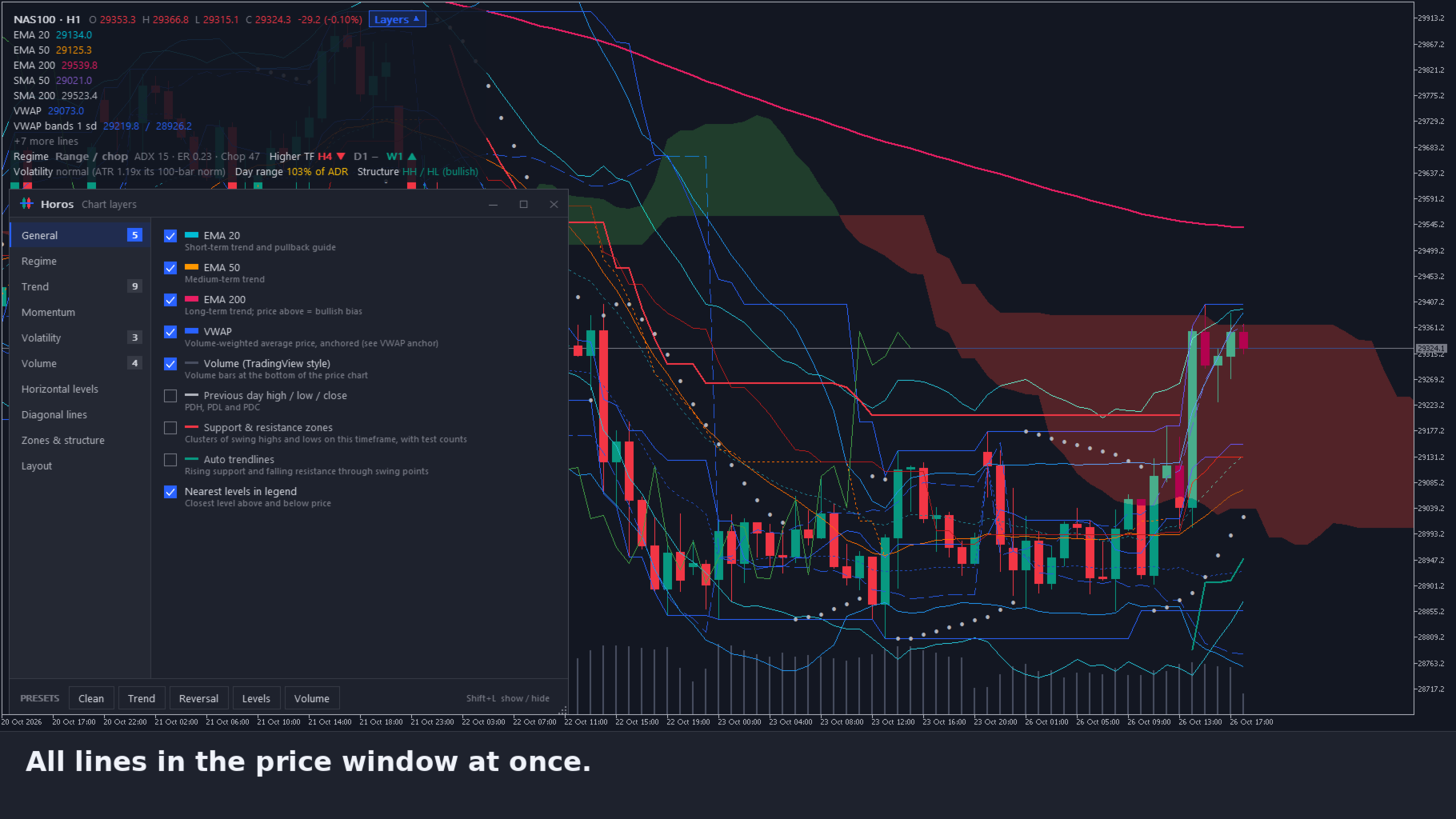
• Ten groups on the left, the layers of the selected group on the right
• Search bar to find any layer instantly
• Favourites: pin up to eight layers so they stay at the top
• Click the count next to a group to switch all its layers on, or all off when some are on
• Each group has a short info text you can expand
• Presets: Clean, Trend, Reversal, Levels and Volume, plus three of your own (My 1 to My 3)
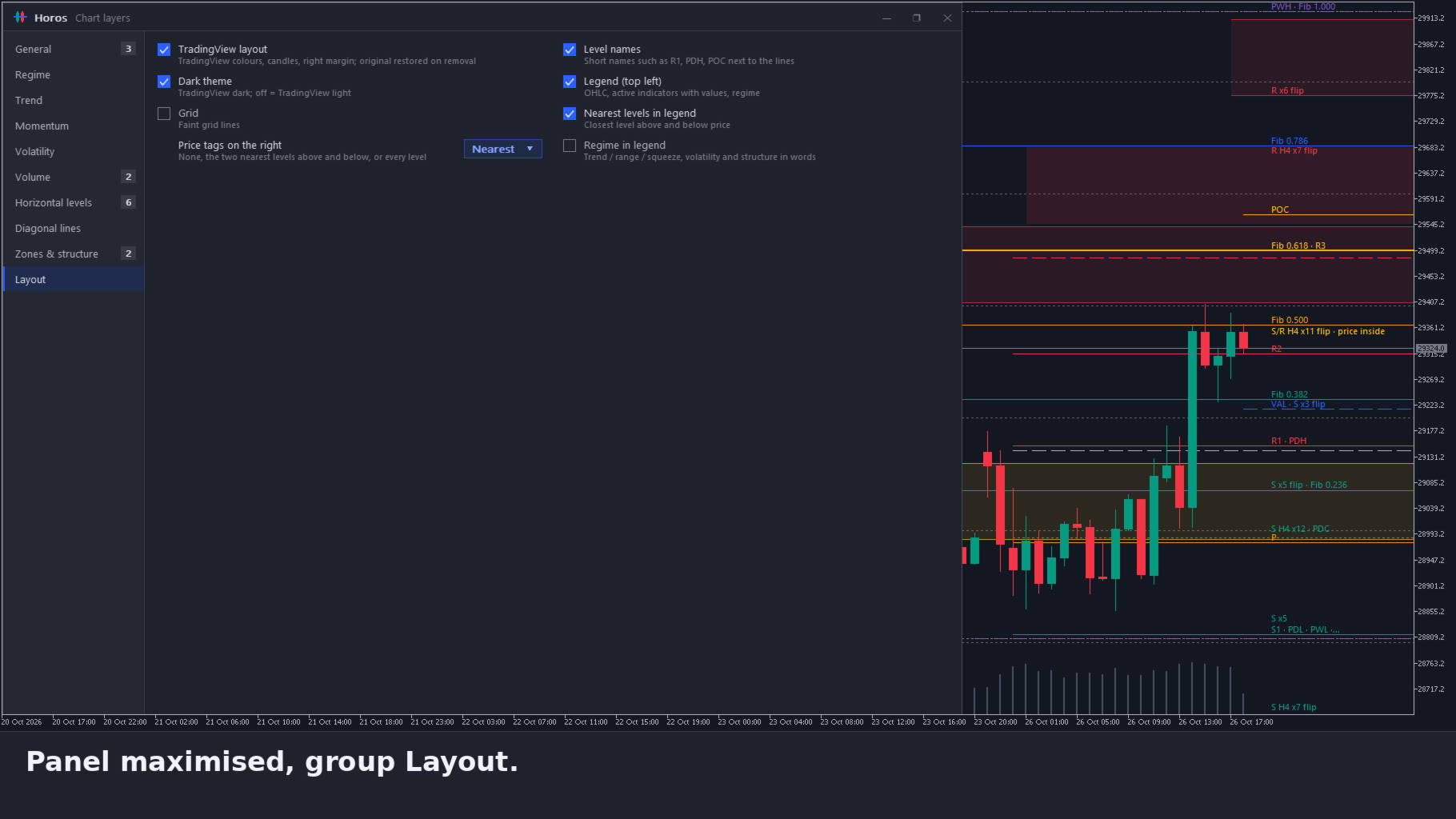
• Move, resize, maximise and minimise the panel. Shift+L shows or hides it
• Crosshair with dotted or solid lines of 1 to 3 pixels, a colour of your choice, and optional price and time tags
• Tooltips in the panel are on by default. Tooltips on the chart can be switched on in Layout and show the explanation of the line, level or pane under the mouse
• Light and dark theme. Your own chart colours return when you remove Horos
6. Alerts (off by default)
• Zone entry, structure change, regime change, break of structure, FVG fill
• MA or VWAP touch or cross, once the price has been away from the line for 5 bars
• Relative volume at 1.5x, 2x, 2.5x or 3x the usual volume
• Pop-up and push notification. Alerts do not fire in the Strategy Tester. An alert describes what happened; it is not a trade signal.
Specifications
• Type: indicator on the main chart window, with its panes built in. Never opens a trade
• Platform: MetaTrader 5 desktop, any symbol and timeframe
• Native MQL5, no DLLs, no web requests. Push notifications go through MetaQuotes' service
• Settings are stored in MQL5\Files\Horos
• On forex and CFD symbols the broker sends tick volume, so the volume layers count price changes rather than exchange volume
• H4 and D1 zones appear once the terminal has loaded that history
• Interface in English. The user guide (PDF, English and Dutch) is attached in the Comments tab
Works well with
Pentad Multi Strategy EA, Panoptic Market Dashboard, ChronoReplay, EA Sentinel Guard Pro and DayLock Prop Firm Daily Loss Guard. Horos shows the structure and levels of the chart you open. Panoptic reads the markets across timeframes, EA Sentinel scores every robot on the account, DayLock guards your daily loss limit and ChronoReplay lets you practise on history. Each product is sold separately and works on its own.
Important
Horos is an analysis tool. It draws and describes levels, lines and the regime. It does not predict where the market will go and it is not investment advice. Trading leveraged products carries a high risk of losing money.