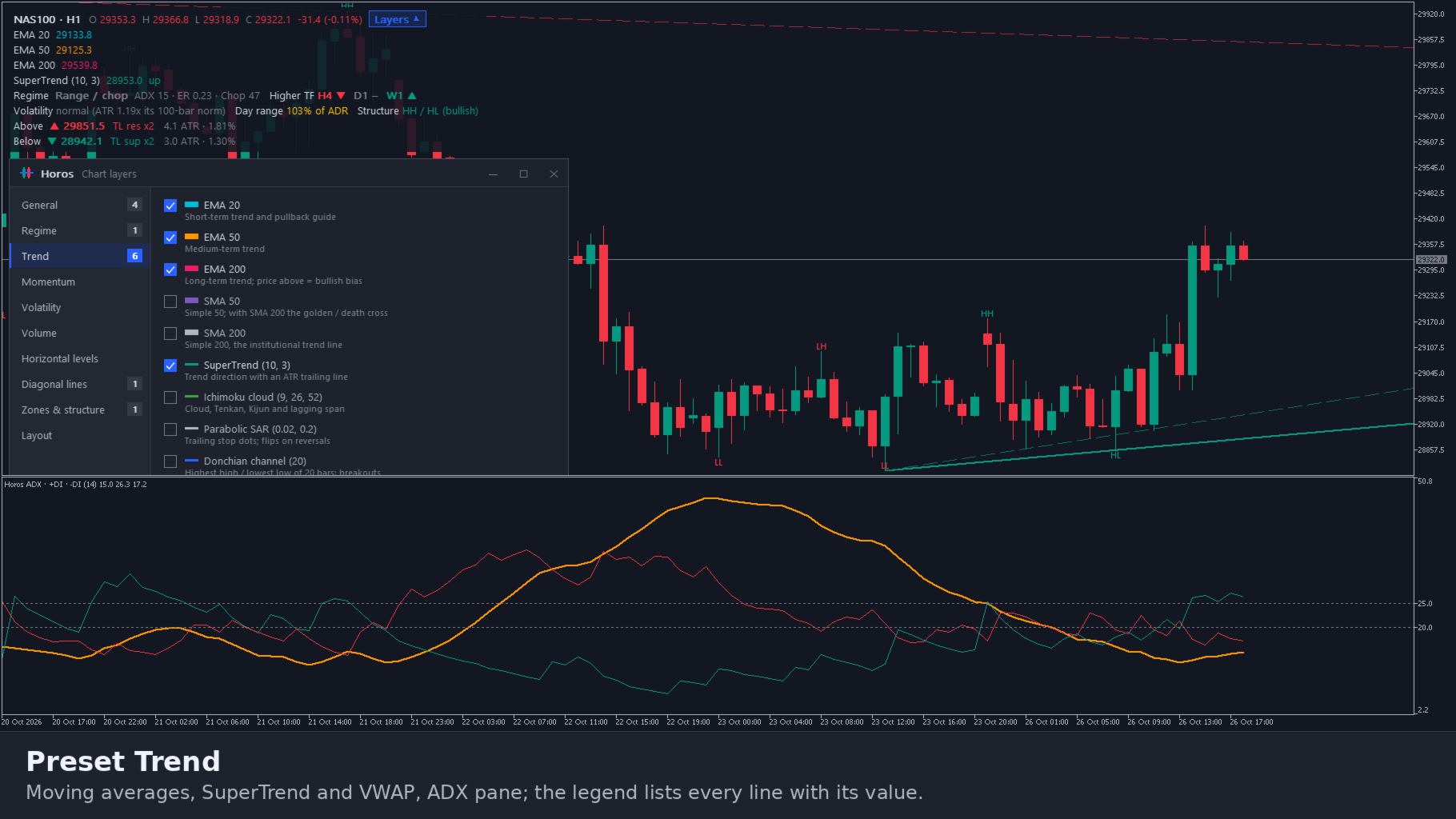
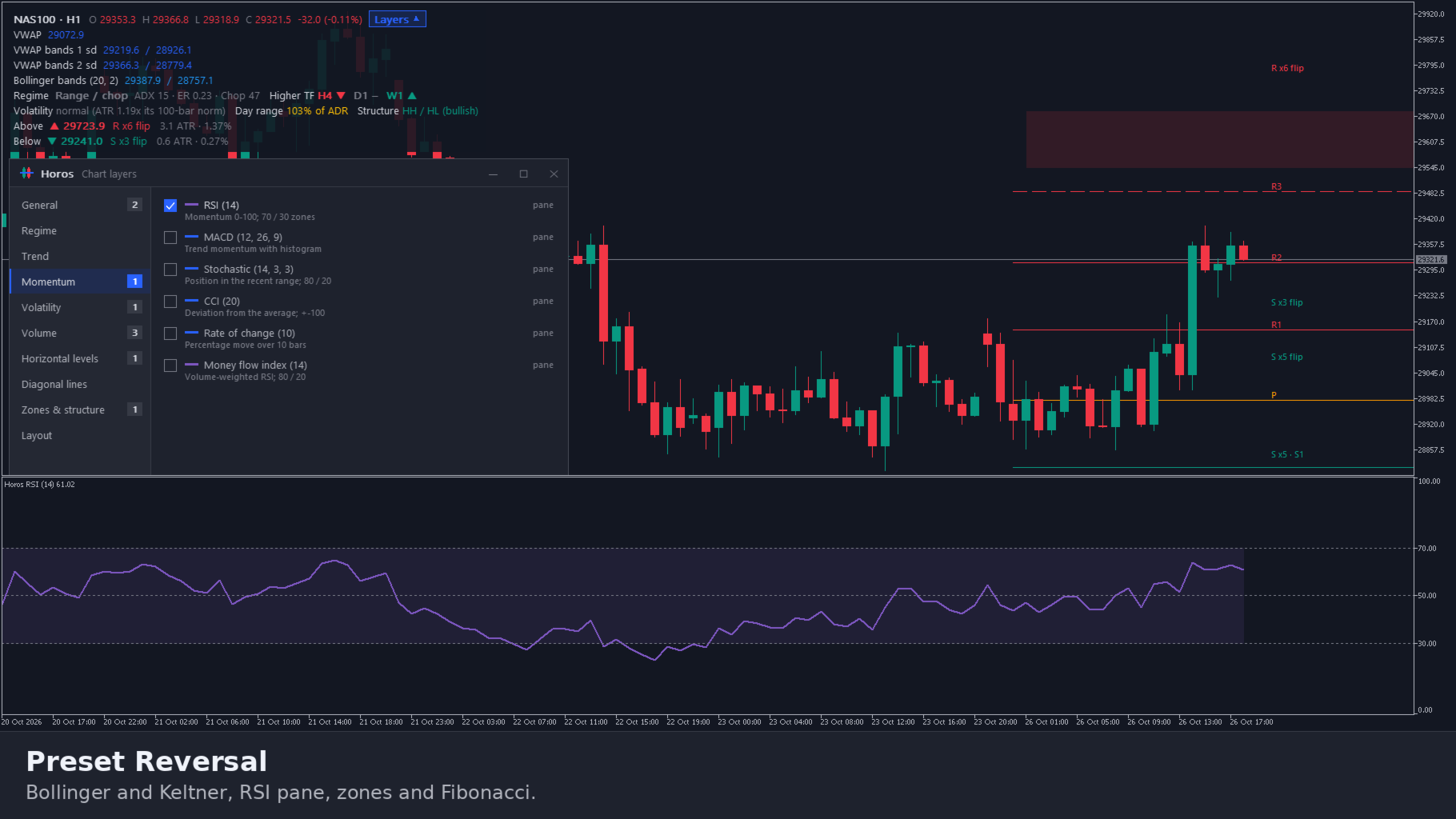
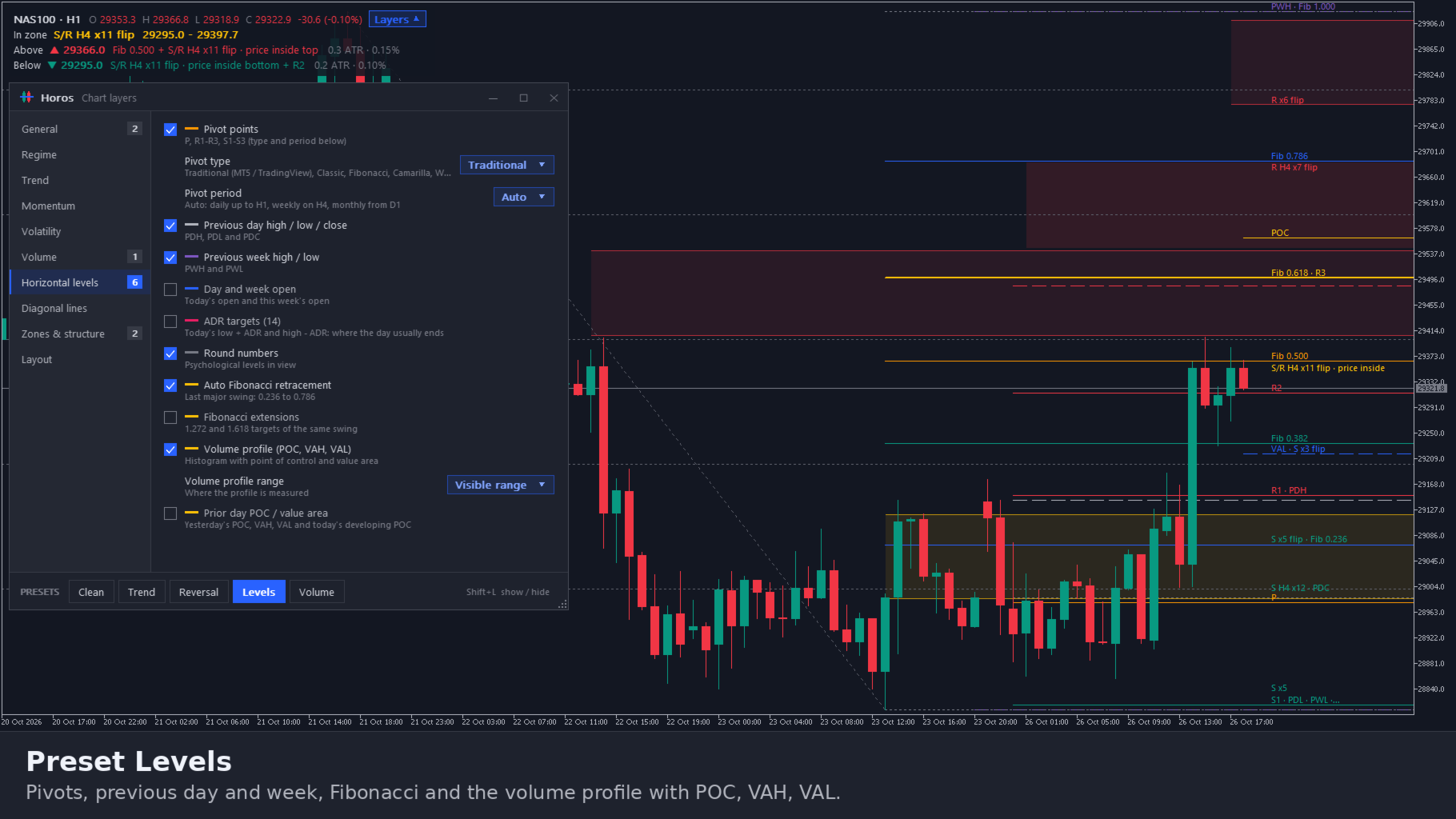
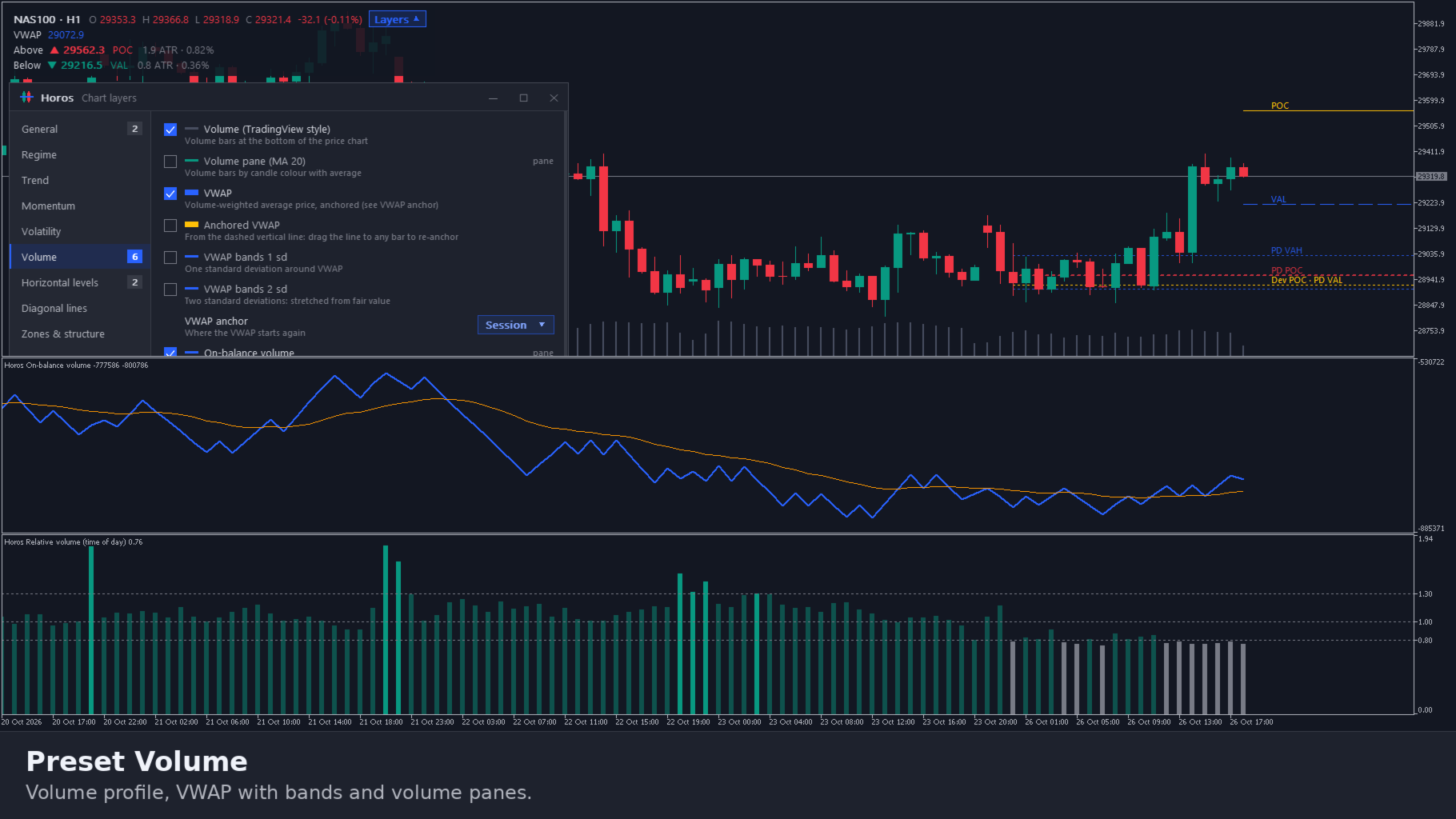
Horos Chart Layers Multi Indicator Toolkit
- 지표
- 버전: 1.20
- 업데이트됨: 28 10월 2026
- 활성화: 10

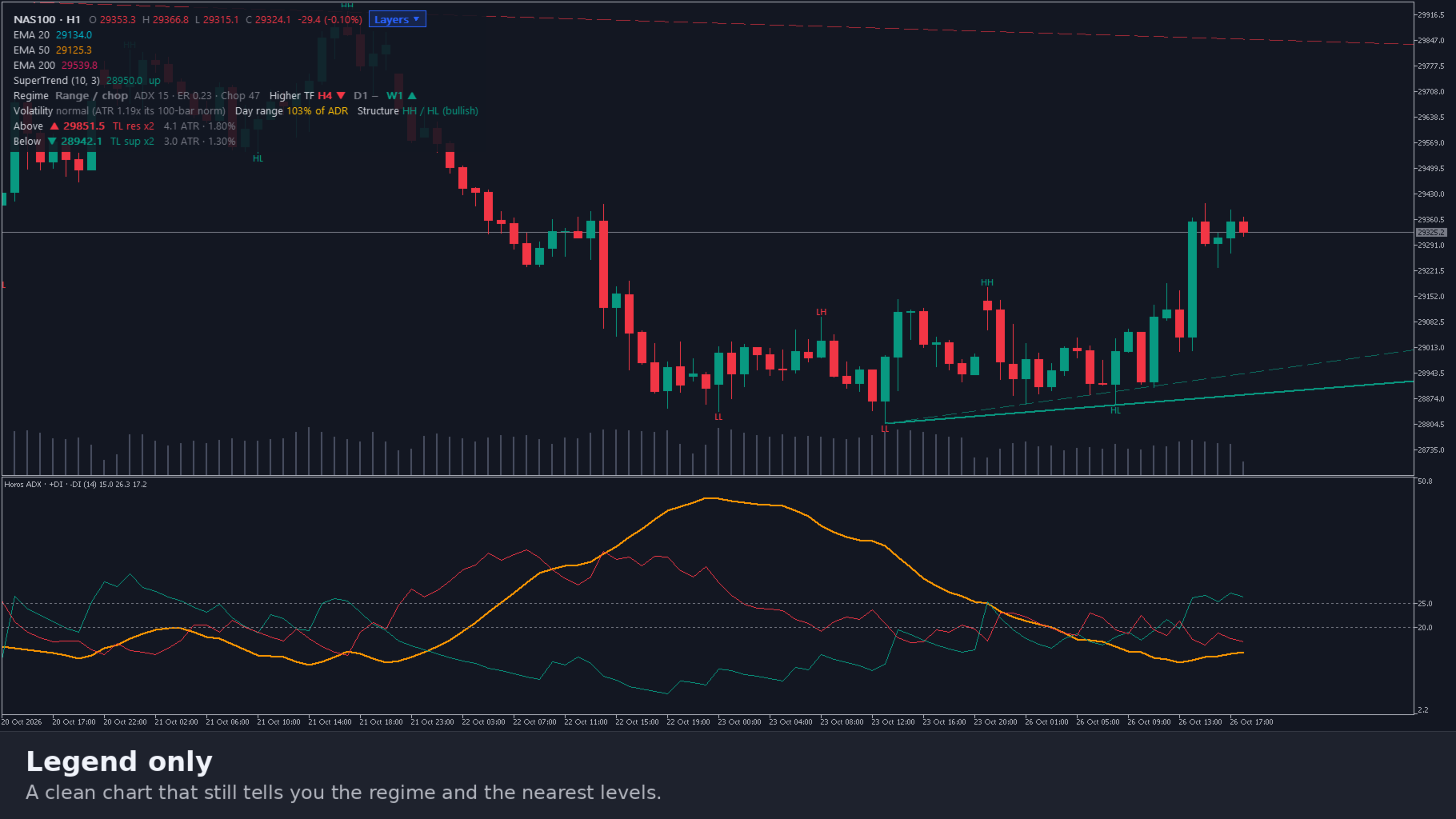
Horos turns any MT5 chart into a clean chart you read in seconds, and you tick exactly what is on it.
One indicator, one panel, ten groups: trend, momentum, volatility, volume, regime, horizontal levels, diagonal lines, zones and structure, and the layout. Support and resistance, pivots, Fibonacci, volume profile, anchored VWAP, trendlines and fair value gaps, recalculated live so they move with the market. A legend tells you in plain words what the chart is doing and where the nearest level is.
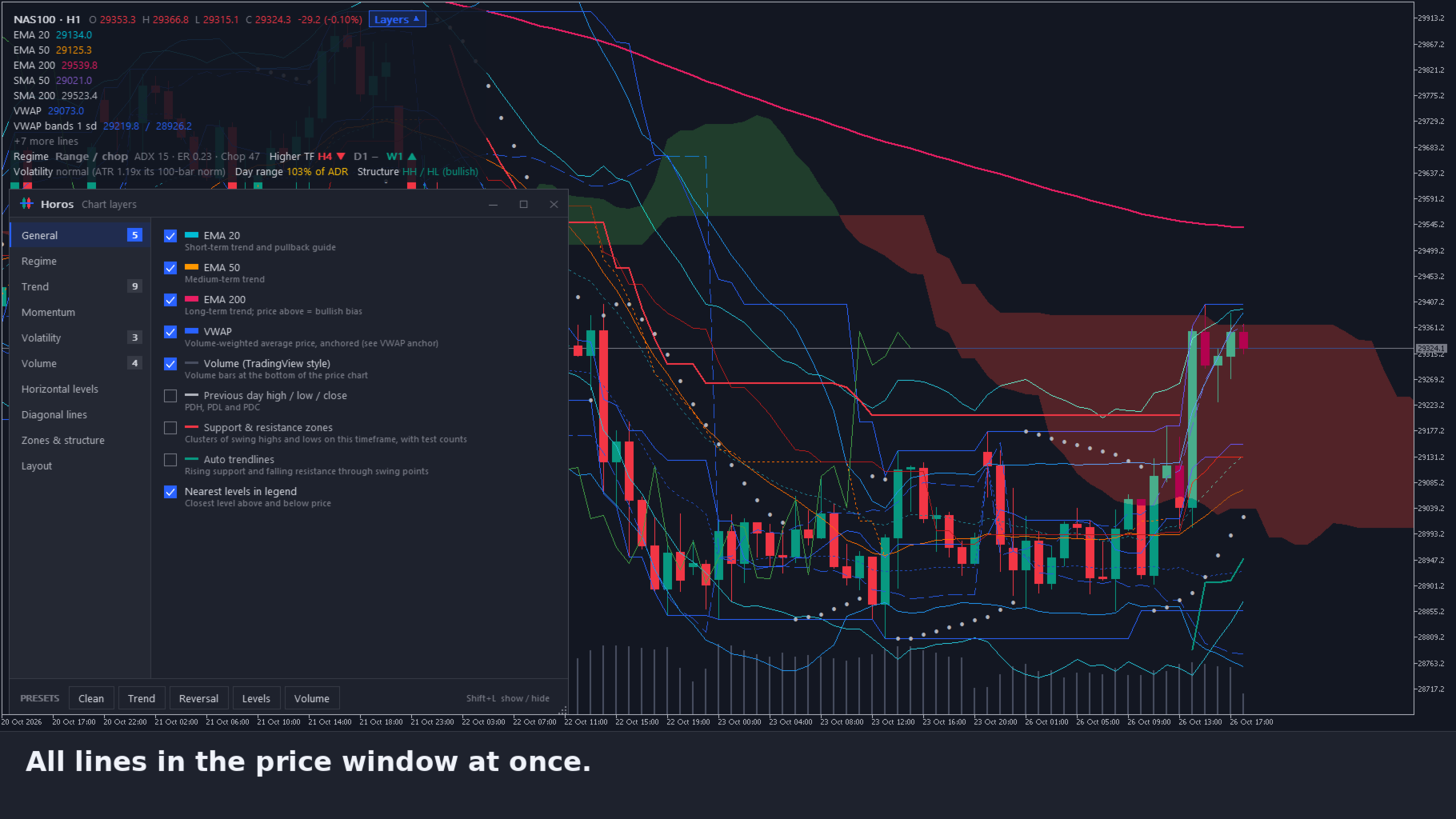
50+ layers, each on or off with one click. Lines in the price window, oscillators in their own panes, zones and profiles drawn semi-transparent behind the candles. Alerts for zone entries, structure breaks and regime changes. Never opens a trade. Native MQL5, no DLLs, no web requests.
| Price: 35 USD One-time purchase · All future updates included |
Why Horos
Judging a chart usually means loading ten indicators, each with its own window, colours and settings, and then drawing the levels by hand. The chart gets crowded, the levels go stale and switching symbols starts it all over.
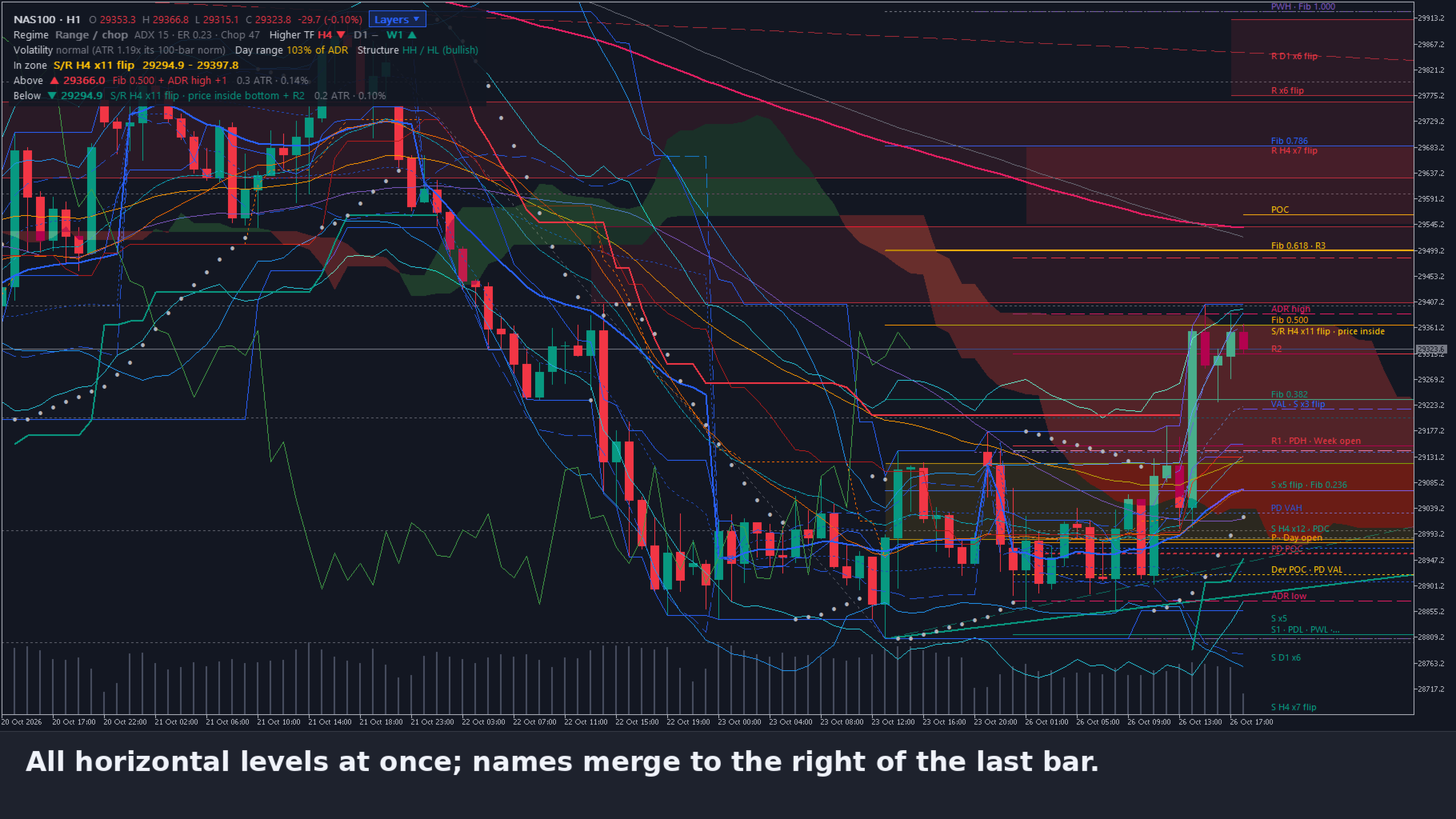
Horos keeps everything in one panel. Tick a layer and it appears, untick it and it is gone without stretching the scale. Levels are calculated, not drawn: they follow the market, merge their names to the right of the last bar and count how often price tested them. Presets give a clean start for trend, reversal, levels or volume work.
1. Lines and panes
- Trend: EMA 20 / 50 / 200, SMA 50 / 200, SuperTrend, Ichimoku cloud, Parabolic SAR, Donchian channel, VWAP with 1 and 2 standard deviation bands (session, week or month)
- Momentum: RSI, MACD, Stochastic, CCI, rate of change, each in its own pane in matching colours
- Volatility: ATR, Bollinger bands, Keltner channel, Squeeze momentum
- Volume: volume, OBV, MFI, CMF and relative volume against the same time of day
- Own colours: click the colour swatch of a moving average or VWAP to give it your own colour; it is saved
2. Support and resistance
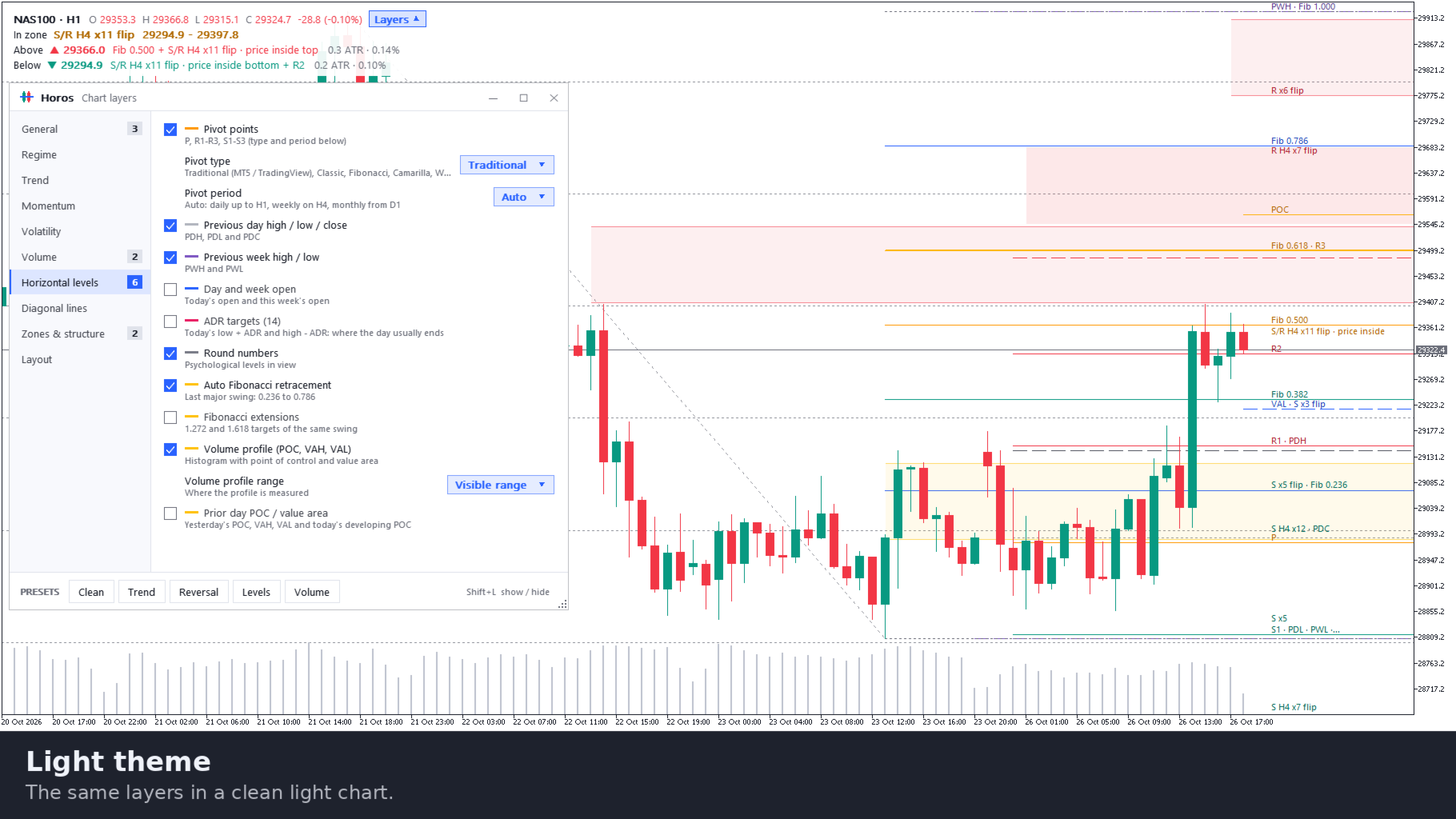
- Pivot points: Traditional, Classic, Fibonacci, Camarilla and Woodie; daily, weekly, monthly or automatic by timeframe
- Reference levels: previous day and week high, low and close, day and week open, ADR targets, round numbers
- Auto Fibonacci: retracement and extensions of the last major swing (at least 3 ATR)
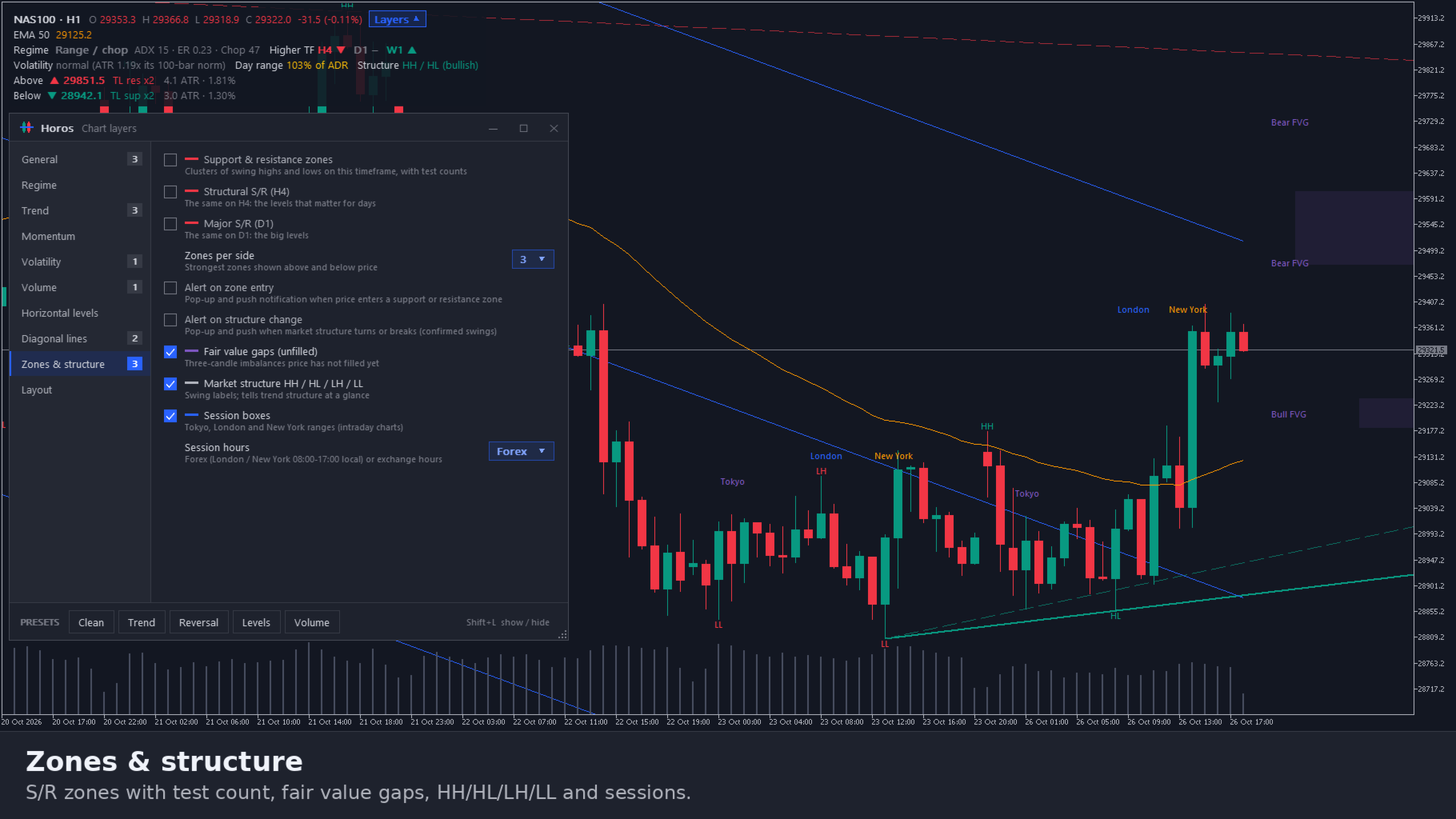
- Zones: support and resistance zones from clusters of swing highs and lows, with the number of tests, on this timeframe, H4 and D1. Zones from higher timeframes get an outline; a zone that flipped from resistance to support says so
- Volume profile: POC, value area high and low for the visible range, today or the last 300 bars, plus the prior day's value area and today's developing POC
- Anchored VWAP: drag a vertical line to any bar, such as a swing high or a news candle, and the VWAP starts there; the anchor is kept per chart
3. Diagonal lines and structure
- Auto trendlines through swing points, not broken by a close since, with their touch count
- Linear regression channel (100 bars, 2 standard deviations)
- Fair value gaps that price has not filled yet
- Market structure: HH, HL, LH and LL on confirmed swings, equal highs and lows, break of structure
- Session boxes for Tokyo, London and New York, daylight saving included
4. Regime in plain words
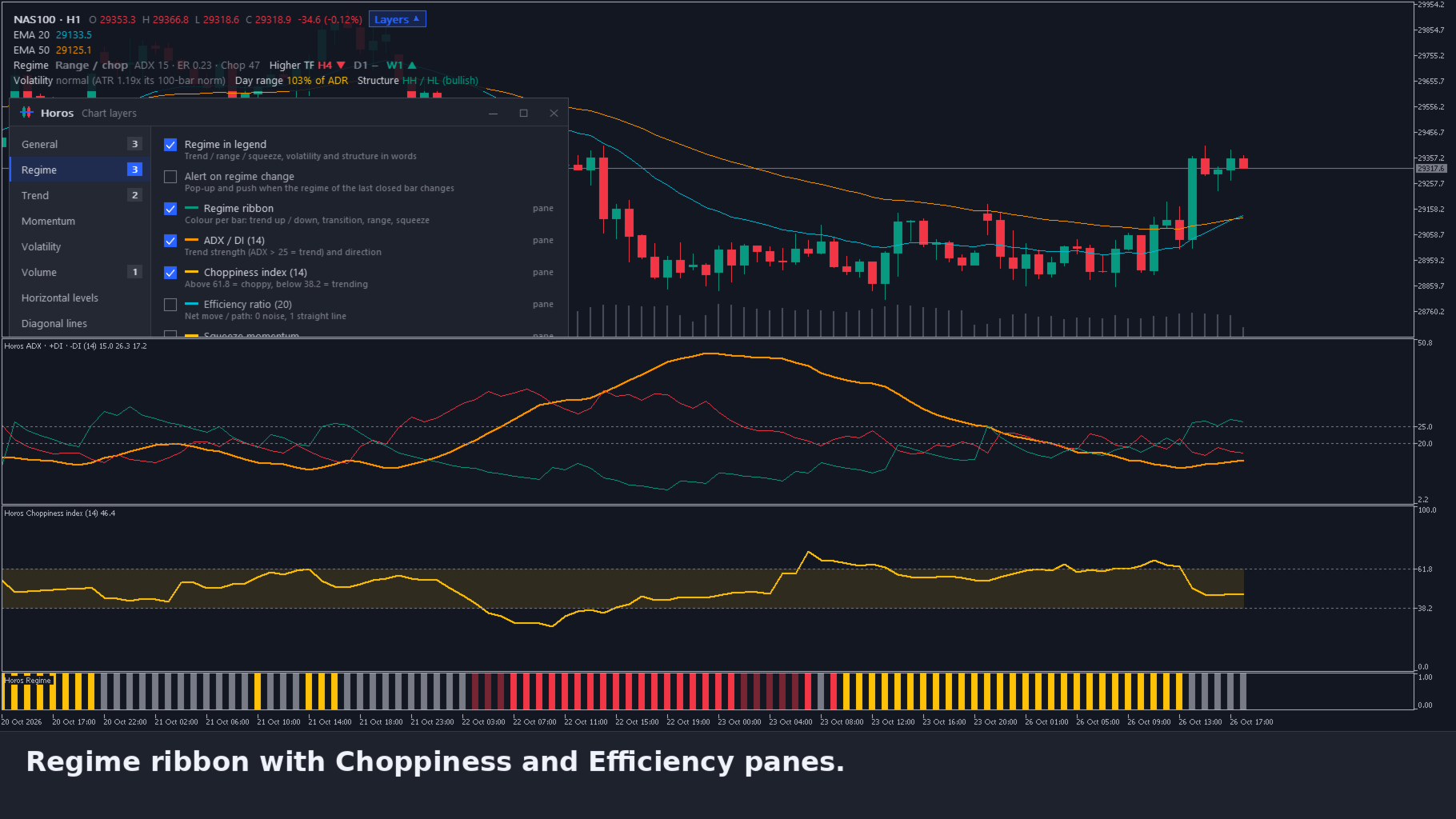
A ribbon colours every bar as trend up, trend down, transition, range or squeeze (ADX, efficiency ratio, choppiness and Bollinger inside Keltner). The legend says the regime of the last closed bar in words, together with the higher-timeframe trend, whether volatility is elevated, normal or quiet, today's range against the average daily range, the market structure, and the nearest level above and below price with its distance in ATR.
5. One clear panel
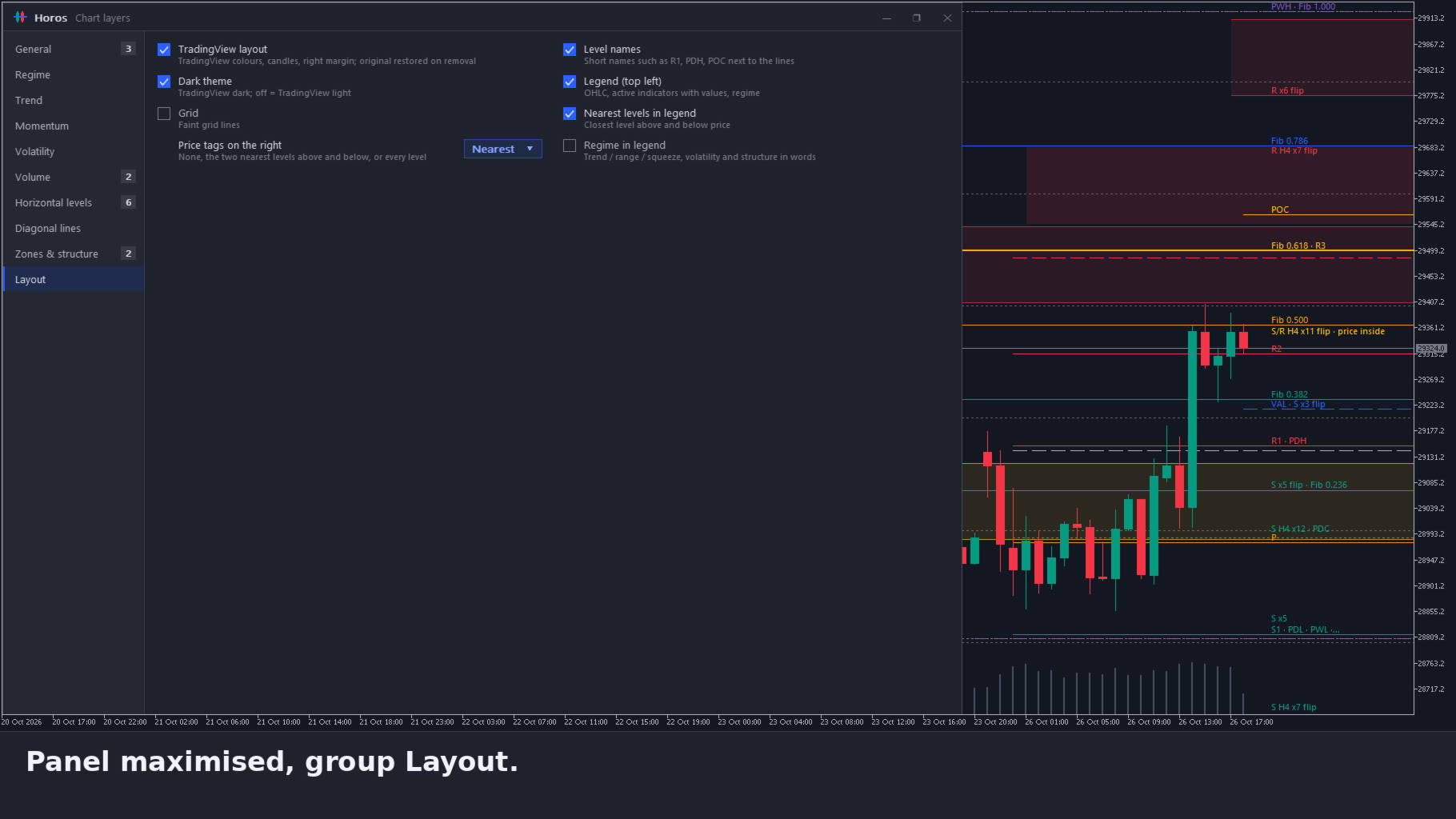
- Ten groups on the left, the layers of a group on the right; options such as the pivot type or the profile range open as a drop-down list
- Move, resize, maximise and minimise the panel like a window; Shift+L shows or hides it
- Presets: Clean, Trend, Reversal, Levels and Volume. Choices are saved, per profile if you want
- Alerts (off by default): price enters a support or resistance zone, structure turns or breaks, the regime changes. Pop-up and push notification. An alert describes what happened, not a trade to take
- Clean chart look in dark or light; your own chart colours return when you remove Horos
Works well with Orama, Agora, Kairos Guard Pro, DayLock, EA Sentinel, Pentad, Panoptic and ChronoReplay
Orama Market Map shows where in the whole market things move; Horos then shows the structure and levels of the chart you open. Agora 3D Order Flow shows the depth of one symbol and Kairos Guard Pro guards the moment around news and spread spikes. DayLock guards the account against your daily and max loss, EA Sentinel Guard Pro scores every robot on the account, Pentad Multi Strategy EA and Panoptic Market Dashboard trade and read the markets, and ChronoReplay lets you practise on history. Separate products; each works on its own.
Up and running in three steps
- Drag Horos onto any chart. The chart gets the clean layout and the panel opens.
- Pick a preset at the bottom of the panel: Clean, Trend, Reversal, Levels or Volume.
- Tick what you want to add per group. Shift+L hides the panel; the legend stays.
The user guide (PDF, English and Dutch) is attached in the Comments tab.
Specifications
- Type: indicator in the main chart window, with its own oscillator panes built in; never opens a trade
- Platform: MetaTrader 5 desktop, any symbol and timeframe
- Data: your broker's bars of this symbol (and H4, D1 and M1 for zones and the prior day profile); no DLLs, no web requests. Push notifications go through MetaQuotes' service, like any MT5 notification
- Files: settings in MQL5\Files\Horos; nothing is sent anywhere
- Language: English interface; user guide in English and Dutch
Good to know
- On forex and CFD symbols the broker sends tick volume, not exchange volume; volume layers then count price changes.
- Zones on H4 and D1 need enough history of those timeframes; they appear once the terminal has loaded it.
- In the Strategy Tester the visual mode shows the panel and all layers.
Important
Horos is an analysis tool. It draws and describes levels, lines and the regime; it does not predict where the market will go and it is not investment advice. Trading leveraged products carries a high risk of losing money. Questions are answered in the comments and private messages on this site.