Quant Gold Engine Mini
- Эксперты
- Версия: 1.0
- Активации: 5

Quant Gold Engine - Mini
Precision-Built XAUUSD Trading, Powered by AI-Enhanced Strategy Logic
Quant Gold Engine - Mini is a purpose-built Expert Advisor engineered specifically for trading Gold (XAUUSD). It combines rigorous quantitative analysis, disciplined risk management, and classical technical analysis with modern AI/Machine Learning enhancements — all refined under continuous human oversight and strategic control.
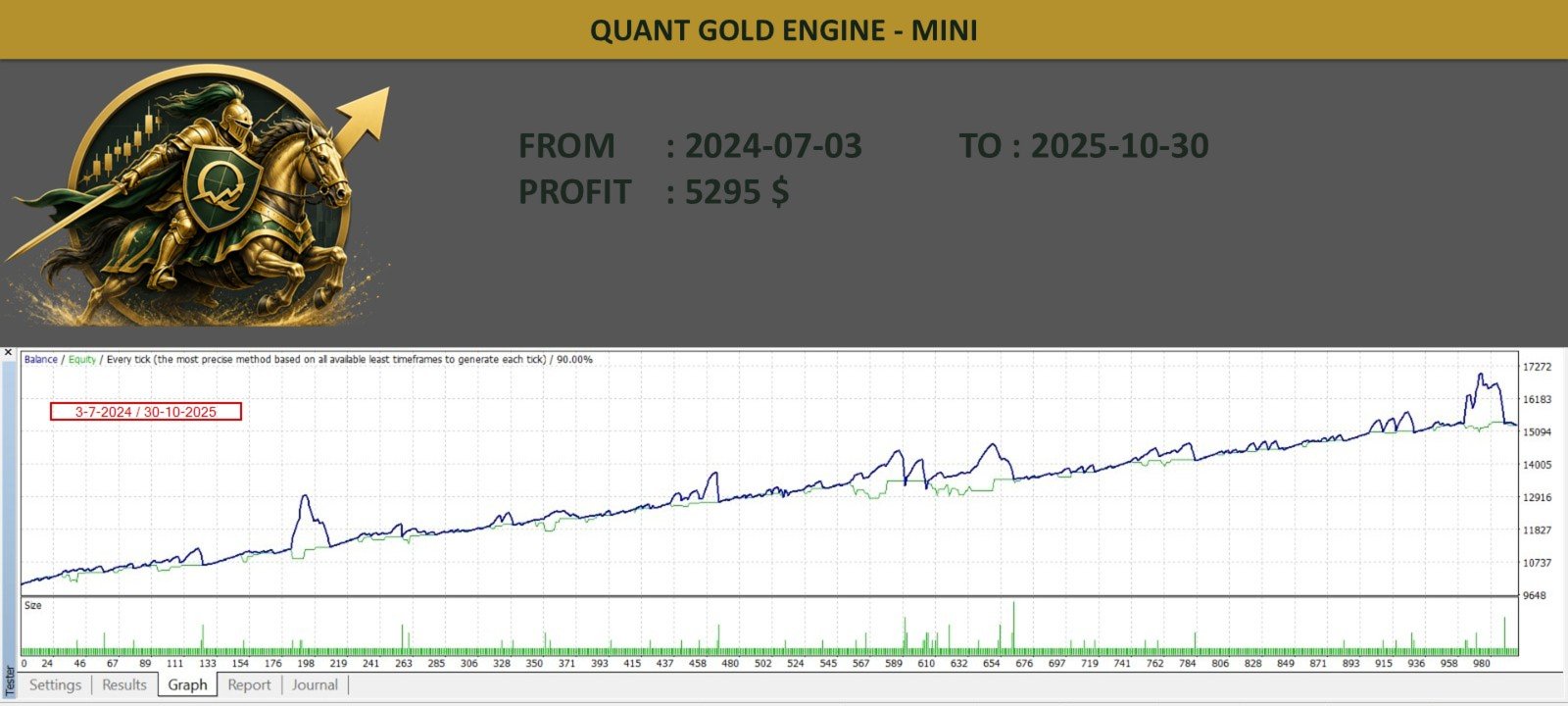
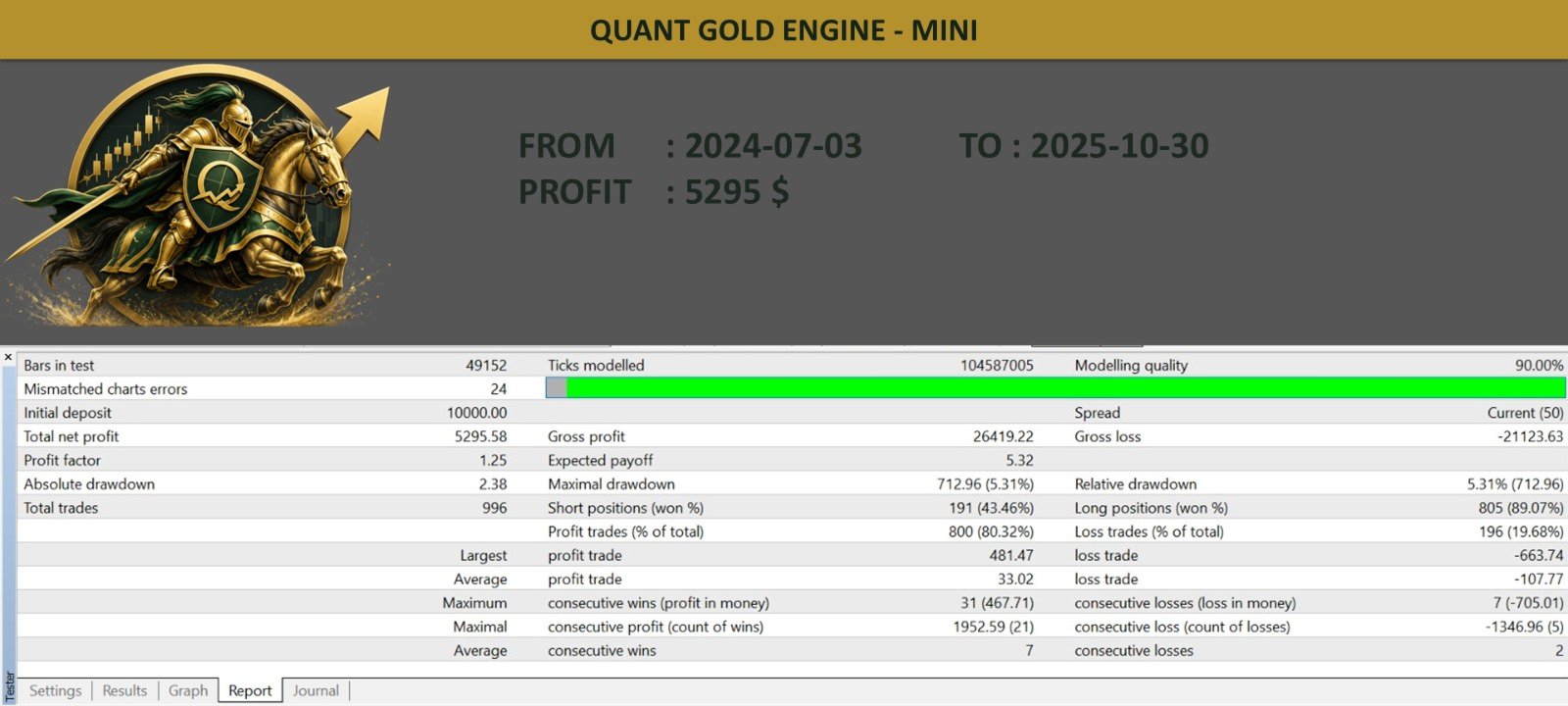
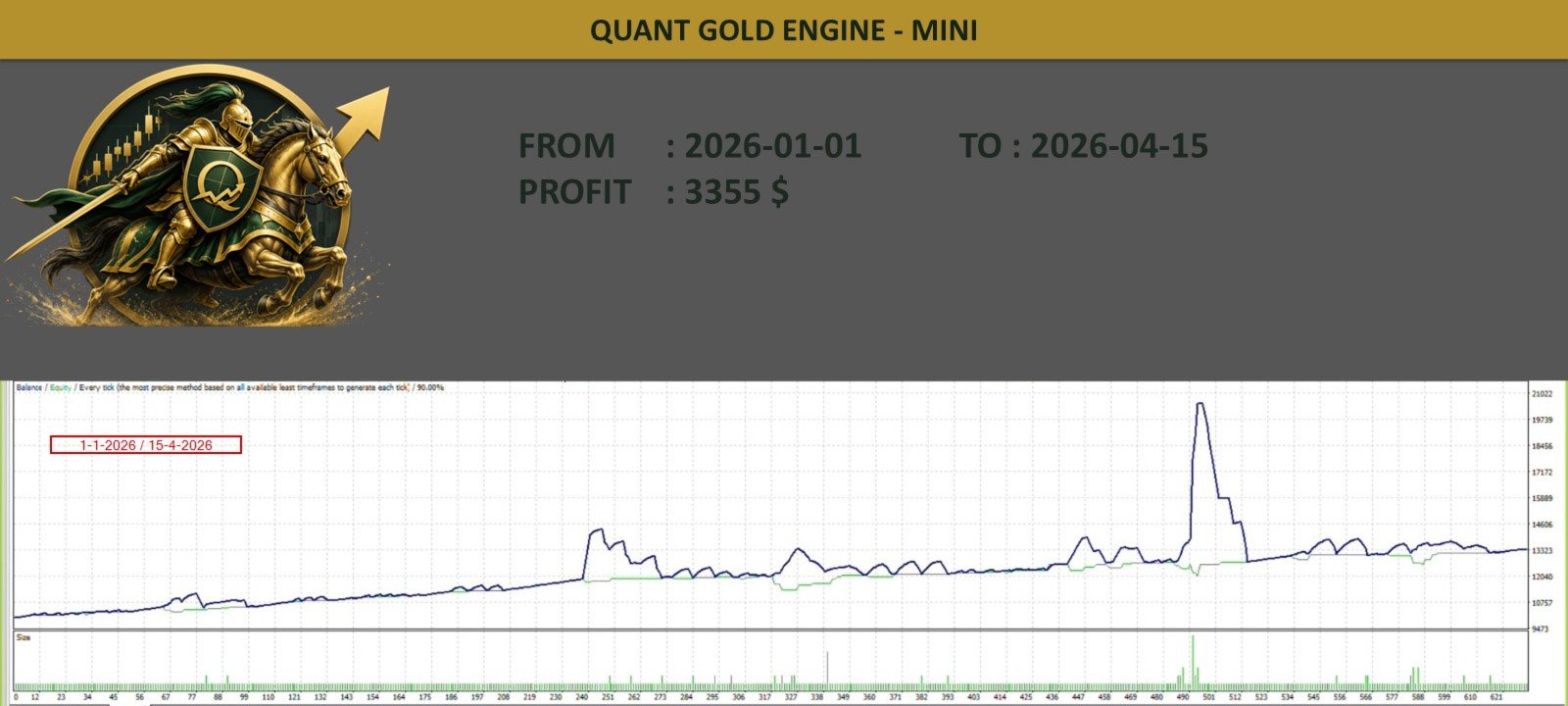
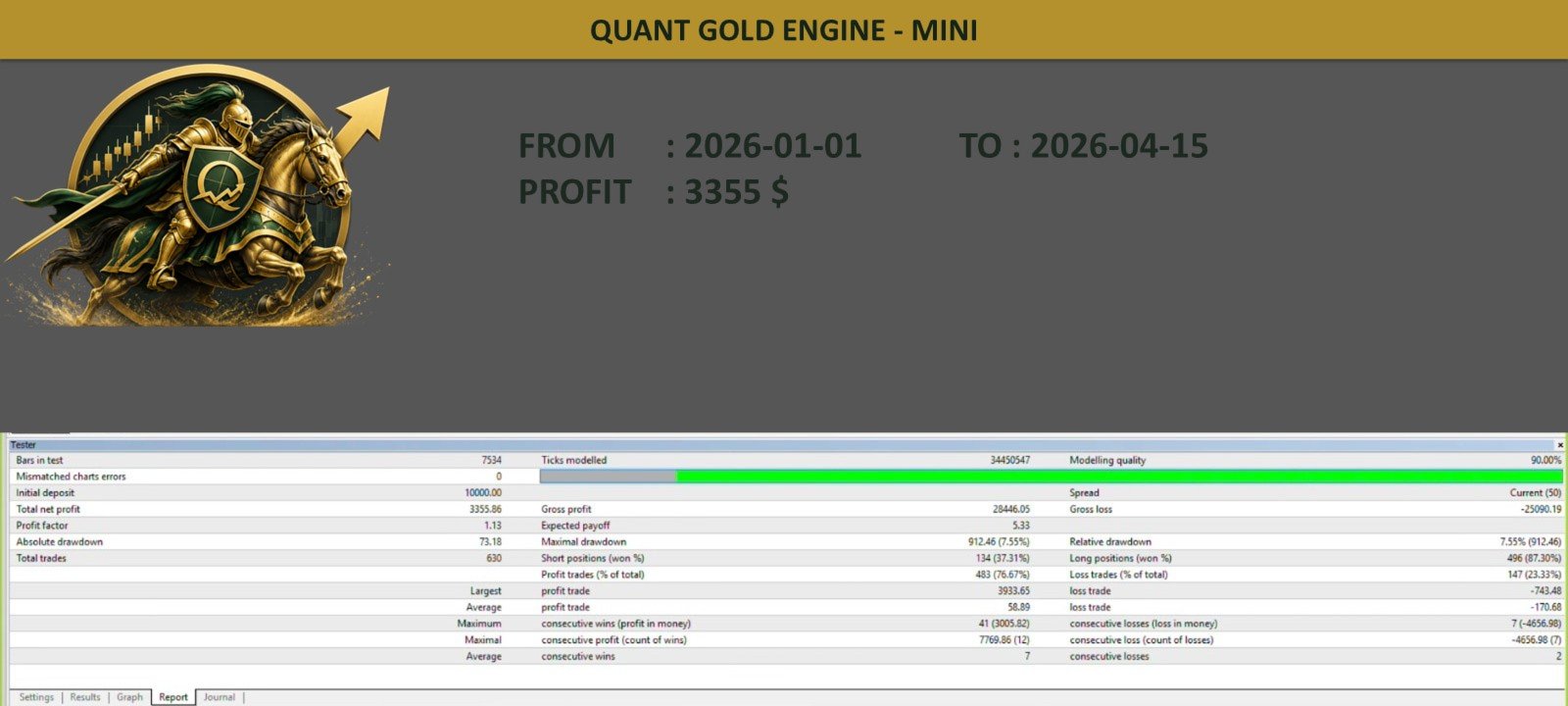
Rather than relying on a single indicator or blind automation, this EA is built around a structured decision framework that reads market scenarios and adapts its behavior accordingly. The strategy has been extensively validated through an extensive series of backtests across varied market conditions, with the large majority showing profitable results.
Key Highlights
- 🥇 Gold-Specific Strategy — Designed and tuned exclusively for XAUUSD price behavior and volatility patterns
- 🤖 AI & ML Enhanced — Machine learning components support decision-making alongside proven technical and quantitative methods
- 🧠 Human-Supervised Logic — Strategic oversight ensures the EA's behavior stays aligned with sound trading principles, not just automated pattern-matching
- 🛡️ Built-in Risk Management — The EA internally calculates and manages its own Stop Loss and Take Profit levels as part of its strategy logic, removing the need for manual SL/TP input
- 💾 Crash-Resilient State Saving — The EA saves its state and can recover open orders and market data automatically after a power failure, MetaTrader crash, or internet disconnection — minimizing risk from unexpected downtime
Recommended Setup
| Parameter | Value |
| Platform | MetaTrader 4 |
| Symbol | XAUUSD |
| Timeframe | M15 (auto-adjusts if changed) |
| Minimum Capital | $2,000 |
| Recommended Capital | $4,000 |
| Estimated Avg. Monthly Profit* | ~$400 USD |
| Minimum Lot Size | 0.01 |
| Leverage Required | 1:500 recommended — 1:100 minimum |
*Estimated performance is based on backtesting and historical strategy behavior. Past performance does not guarantee future results — please trade responsibly and only with capital you can afford to allocate to automated strategies.
EA Inputs
- SymbolName_ModifyIfRequired (default: "XAUUSD") — If your broker lists Gold under a different symbol name, enter the exact name as shown in your Market Watch window.
- AutoStart (default: "true") — When true, the EA begins trading immediately upon loading. Set to "false" to instead start manually via the on-chart control button.
⚠️ Important: Single Instance Only
This EA is designed to run in only one chart window at a time. Do not attach it to multiple charts or run it in parallel windows. Doing so may cause it to override its saved orders and internal calculations, resulting in incorrect behavior, conflicting trade management, or corrupted state data. Always confirm only one instance of the EA is active before starting a new session.
Setup Instructions
- Attach the EA to the XAUUSD chart on the M15 timeframe (the EA will auto-adjust if you use a different timeframe).
- Ensure AutoTrade is enabled in MetaTrader 4.
- Run the EA on one chart window only — do not run it in parallel on additional windows.
- Do not close the chart window or change the timeframe while the EA is running.
- Maintain your account balance at or above the recommended capital at all times.
- In periods of high market volatility, you may use the Pause/Resume function at your own discretion and risk.
- Before closing the terminal, always use the Wait Exit button and confirm the EA status shows "Exited" before closing the chart window.