SignalForge Discord Telegram Signal Copier
- Утилиты
- Версия: 2.70
- Обновлено: 5 мая 2026
- Активации: 10
SignalForge - The Complete Signal Copier and Trade Manager for MT5
SignalForge is a full signal copying and trade management suite for MetaTrader 5. It copies signals from Discord, Telegram, and file-based sources, then manages every trade with breakeven, trailing stops, partial closes, add-on positions, and a news filter that respects prop firm rules. A built-in channel backtester lets you test any signal channel before you trade it live. One EA handles every signal source, full trade management, prop firm protection, and multi-language signal detection. No external software and no servers are required.
An MT4 companion copier is available to buyers through MQL5 messaging. It copies trades between MT5 and MT5, MT4 and MT4, and across MT4 and MT5 in both directions. A TradingView and webhook bridge script is available to buyers in the same way, and works with any source that can send a webhook.
New in Version 2.7
Candle Confirmation Mode. The EA can wait for a candle to close above (buy) or below (sell) the signal level before placing the trade. The timeframe is configurable from M1 to H4, with an automatic timeout for expired signals. This suits break-and-retest strategies where you want the breakout confirmed before risking money.
Asset-Specific Breakeven. Separate trigger values for Forex, Gold and Silver, Indices, and Crypto. Gold moves differently than NAS100, and now your breakeven reflects that.
Asset-Specific Trailing Stop. Separate start values per asset class, instead of one setting for everything.
Asset-Specific Partial Close. Separate trigger per asset class. Take partials at 25 pips on Gold, 40 points on US30, and 100 points on Crypto, all in one EA.
Dashboard Connection Status. A live indicator showing Discord and Telegram connection health, so you know immediately when something is wrong.
Dashboard Confirmation Queue. See pending signals waiting for candle confirmation, with symbol, direction, and age.
Reorganized Inputs. Clean categories: Signal Sources, Trade Execution, Trade Management, Risk Management, and Output and Tools.
Improved Parsing. Signals such as "TP: 150+ pips" are now correctly recognized as pips rather than price levels.
Signal Sources
Discord using a Bot Token or User Token, across multiple channels.
Telegram using a Bot Token, across multiple chats.
File signals read from a text file, compatible with any application that can write a signal to a file or send a webhook.
Local trade copier with sender and receiver in one EA, for unlimited accounts.
AI parser using Gemini, OpenAI, DeepSeek, or Grok for complex signal formats.
Built-in pattern parser with automatic detection of more than fifty symbols.
Multi-Language Signal Detection
SignalForge recognizes trading signals in nine languages: English, German, Spanish, Portuguese, French, Italian, Russian, Arabic, and Chinese. All keywords use whole-word matching, so "shortly" does not trigger "short" and "along" does not trigger "long". This prevents false trades from ordinary chat messages.
Candle Confirmation Mode
Most signal providers advise waiting for confirmation before entering. SignalForge can do this automatically. When a signal arrives, the EA stores it in a confirmation queue and monitors the chosen timeframe. When a candle closes beyond the signal level, the trade is placed. If no confirmation occurs within the timeout, the signal is discarded.
The timeframe is configurable from M1 to H4, the timeout defaults to four hours, and the queue respects all filters including drawdown protection, news, spread, time filter, and cooldown. Pending signals appear on the dashboard in real time, and the feature works with Multi-TP, where each level is queued separately.
Trade Management
Smart breakeven triggers at a set profit and moves the stop loss to entry, with asset-specific triggers for Gold, Indices, and Crypto.
Trailing stop with configurable start, distance, and step, and asset-specific start values per class.
Partial close that closes a set percentage at a chosen profit level and can move the stop to breakeven, with asset-specific triggers.
Add-on trades that average into a position with group stop loss synchronization and take profit inheritance.

Multiple take profits, where TP1, TP2, and TP3 are parsed from the signal with automatic lot splitting.
Stop loss re-entry that places a pending order at the original level after a stop is hit.
Manual override, where the EA detects manual changes to stop loss or take profit and does not overwrite them.
Close and modify commands such as "Close XAUUSD" or "Move SL to 4800" from Discord or Telegram.
Prop Firm Protection
Daily loss limit in money or percentage terms.
Maximum total drawdown as a hard stop from the initial balance.
Daily profit target that stops trading once reached.
Spread filter that skips signals when the spread is too high.
An optional close-all setting that closes every position on the account.
A one-second check that runs through OnTimer, independent of the chart symbol, and stays active even during news freeze windows.
News Filter
SignalForge uses the built-in MQL5 economic calendar, so no external data is needed. A smart currency filter blocks only the affected pairs, so USD news pauses XAUUSD and EURUSD but leaves an unrelated pair like GBPJPY open. During a news window the EA can freeze all activity, including opens, closes, and modifications, and it can optionally close affected trades a set number of minutes before the event. The dashboard shows a countdown to the next events.
Channel Backtester
You can test a signal channel before subscribing to it or trading it live. For Discord, set the export option and the EA downloads the channel history, up to twenty thousand messages, and extracts all signals to a CSV file. For Telegram, export the chat as JSON from Telegram Desktop and the EA converts it. You then run the file in the MT5 Strategy Tester and receive a full report with equity curve, profit factor, and drawdown, so you know whether a channel is profitable before risking real money.
Live Dashboard
The dashboard shows real-time profit and loss, a drawdown bar that shifts from green to yellow to red, a news countdown with the next events, the win and loss rate, the Discord and Telegram connection status, and the confirmation queue with direction and age. Feature toggles can be clicked to enable or disable functions, the scan interval is adjustable, and the panel can be minimized to a single line.
Local Trade Copier
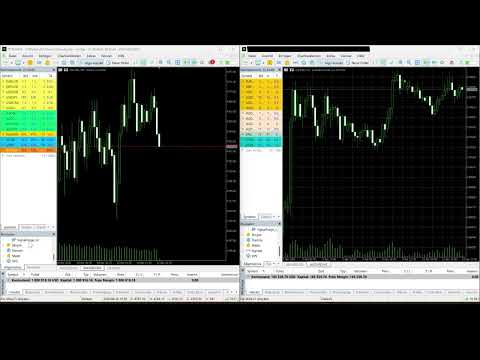
One EA acts as both sender and receiver. It copies between MT5 and MT5, MT4 and MT4, and across MT4 and MT5 in both directions, with latency under one second. It supports a lot multiplier, stop loss and take profit synchronization, and close synchronization, with atomic file writing to prevent false closures, across unlimited receiver accounts.
TradingView and Webhook Integration
A Python bridge script is available to buyers through MQL5 messaging. It accepts alerts from TradingView and from any application or script that can send a webhook. Alternatively, you can route alerts through Telegram with no script needed.
Additional Features
Commentary filter that ignores long chat messages without stop loss or take profit.
Symbol whitelist and blacklist.
Cooldown after a loss to prevent over-trading.
Lot scaling per asset class for Forex, Gold, Indices, and Crypto.
Pending order expiry.
Signal forwarding to Telegram.
Discord webhook forwarding.
Trade journal in CSV.
Time filter for trading hours, with options for no Friday and no weekend.
Reverse mode to swap buy and sell.
Fourteen symbol mappings.
Quick Start
Attach the EA to any chart. Enter your Discord Bot Token or Telegram Bot Token. Set your channel or chat IDs. Configure your lot size and risk. Signals are then copied and managed automatically, with no external software and no servers.
Frequently Asked Questions
Does it work with TradingView? Yes. A bridge script is available to buyers through MQL5 messaging, or you can route TradingView alerts through Telegram with no script needed.
Is there an MT4 version? An MT4 companion copier is available to buyers through MQL5 messaging.
Does it work with prop firms? Yes. It includes daily loss limits, maximum drawdown, a profit target, and a news freeze. The drawdown check runs every second and can close all trades on the account.
Can I test a signal channel before trading live? Yes, using the built-in channel backtester for Discord and Telegram.
What languages does it understand? Nine: English, German, Spanish, Portuguese, French, Italian, Russian, Arabic, and Chinese, with no AI needed for standard formats.
Does it tell chat messages from real signals? Yes. The commentary filter ignores long messages without stop loss or take profit, so only real signals with explicit levels are executed.
What is Candle Confirmation Mode? Instead of entering immediately, the EA waits for a candle to close above or below the signal level, confirming the breakout before risking money. The timeframe and timeout are configurable.
Can I set different breakeven, trailing, and partial values for Gold and Indices? Yes. Version 2.7 introduces asset-specific triggers, so you can set breakeven at 25 pips for Gold but 40 points for US30 in the same EA.
Can I forward signals to my own Discord? Yes. Create a webhook in your server and paste the URL into SignalForge.
Can I manually adjust stop loss or take profit? Yes. The EA detects your manual changes and does not overwrite them.
Disclaimer
Trading involves substantial risk. Past performance is not indicative of future results. This EA copies and manages trades based on external signals and does not generate trading signals itself. The developer is not responsible for any losses. Always test on a demo account before trading live.
SignalForge is a full signal copying and trade management suite for MetaTrader 5. It copies signals from Discord, Telegram, and file-based sources, then manages every trade with breakeven, trailing stops, partial closes, add-on positions, and a news filter that respects prop firm rules. A built-in channel backtester lets you test any signal channel before you trade it live. One EA handles every signal source, full trade management, prop firm protection, and multi-language signal detection. No external software and no servers are required.
An MT4 companion copier is available to buyers through MQL5 messaging. It copies trades between MT5 and MT5, MT4 and MT4, and across MT4 and MT5 in both directions. A TradingView and webhook bridge script is available to buyers in the same way, and works with any source that can send a webhook.
New in Version 2.7
Candle Confirmation Mode. The EA can wait for a candle to close above (buy) or below (sell) the signal level before placing the trade. The timeframe is configurable from M1 to H4, with an automatic timeout for expired signals. This suits break-and-retest strategies where you want the breakout confirmed before risking money.
Asset-Specific Breakeven. Separate trigger values for Forex, Gold and Silver, Indices, and Crypto. Gold moves differently than NAS100, and now your breakeven reflects that.
Asset-Specific Trailing Stop. Separate start values per asset class, instead of one setting for everything.
Asset-Specific Partial Close. Separate trigger per asset class. Take partials at 25 pips on Gold, 40 points on US30, and 100 points on Crypto, all in one EA.
Dashboard Connection Status. A live indicator showing Discord and Telegram connection health, so you know immediately when something is wrong.
Dashboard Confirmation Queue. See pending signals waiting for candle confirmation, with symbol, direction, and age.
Reorganized Inputs. Clean categories: Signal Sources, Trade Execution, Trade Management, Risk Management, and Output and Tools.
Improved Parsing. Signals such as "TP: 150+ pips" are now correctly recognized as pips rather than price levels.
Signal Sources
Discord using a Bot Token or User Token, across multiple channels.
Telegram using a Bot Token, across multiple chats.
File signals read from a text file, compatible with any application that can write a signal to a file or send a webhook.
Local trade copier with sender and receiver in one EA, for unlimited accounts.
AI parser using Gemini, OpenAI, DeepSeek, or Grok for complex signal formats.
Built-in pattern parser with automatic detection of more than fifty symbols.
Multi-Language Signal Detection
SignalForge recognizes trading signals in nine languages: English, German, Spanish, Portuguese, French, Italian, Russian, Arabic, and Chinese. All keywords use whole-word matching, so "shortly" does not trigger "short" and "along" does not trigger "long". This prevents false trades from ordinary chat messages.
Candle Confirmation Mode
Most signal providers advise waiting for confirmation before entering. SignalForge can do this automatically. When a signal arrives, the EA stores it in a confirmation queue and monitors the chosen timeframe. When a candle closes beyond the signal level, the trade is placed. If no confirmation occurs within the timeout, the signal is discarded.
The timeframe is configurable from M1 to H4, the timeout defaults to four hours, and the queue respects all filters including drawdown protection, news, spread, time filter, and cooldown. Pending signals appear on the dashboard in real time, and the feature works with Multi-TP, where each level is queued separately.
Trade Management
Smart breakeven triggers at a set profit and moves the stop loss to entry, with asset-specific triggers for Gold, Indices, and Crypto.
Trailing stop with configurable start, distance, and step, and asset-specific start values per class.
Partial close that closes a set percentage at a chosen profit level and can move the stop to breakeven, with asset-specific triggers.
Add-on trades that average into a position with group stop loss synchronization and take profit inheritance.
Multiple take profits, where TP1, TP2, and TP3 are parsed from the signal with automatic lot splitting.
Stop loss re-entry that places a pending order at the original level after a stop is hit.
Manual override, where the EA detects manual changes to stop loss or take profit and does not overwrite them.
Close and modify commands such as "Close XAUUSD" or "Move SL to 4800" from Discord or Telegram.
Prop Firm Protection
Daily loss limit in money or percentage terms.
Maximum total drawdown as a hard stop from the initial balance.
Daily profit target that stops trading once reached.
Spread filter that skips signals when the spread is too high.
An optional close-all setting that closes every position on the account.
A one-second check that runs through OnTimer, independent of the chart symbol, and stays active even during news freeze windows.
News Filter
SignalForge uses the built-in MQL5 economic calendar, so no external data is needed. A smart currency filter blocks only the affected pairs, so USD news pauses XAUUSD and EURUSD but leaves an unrelated pair like GBPJPY open. During a news window the EA can freeze all activity, including opens, closes, and modifications, and it can optionally close affected trades a set number of minutes before the event. The dashboard shows a countdown to the next events.
Channel Backtester
You can test a signal channel before subscribing to it or trading it live. For Discord, set the export option and the EA downloads the channel history, up to twenty thousand messages, and extracts all signals to a CSV file. For Telegram, export the chat as JSON from Telegram Desktop and the EA converts it. You then run the file in the MT5 Strategy Tester and receive a full report with equity curve, profit factor, and drawdown, so you know whether a channel is profitable before risking real money.
Live Dashboard
The dashboard shows real-time profit and loss, a drawdown bar that shifts from green to yellow to red, a news countdown with the next events, the win and loss rate, the Discord and Telegram connection status, and the confirmation queue with direction and age. Feature toggles can be clicked to enable or disable functions, the scan interval is adjustable, and the panel can be minimized to a single line.
Local Trade Copier
One EA acts as both sender and receiver. It copies between MT5 and MT5, MT4 and MT4, and across MT4 and MT5 in both directions, with latency under one second. It supports a lot multiplier, stop loss and take profit synchronization, and close synchronization, with atomic file writing to prevent false closures, across unlimited receiver accounts.
TradingView and Webhook Integration
A Python bridge script is available to buyers through MQL5 messaging. It accepts alerts from TradingView and from any application or script that can send a webhook. Alternatively, you can route alerts through Telegram with no script needed.
Additional Features
Commentary filter that ignores long chat messages without stop loss or take profit.
Symbol whitelist and blacklist.
Cooldown after a loss to prevent over-trading.
Lot scaling per asset class for Forex, Gold, Indices, and Crypto.
Pending order expiry.
Signal forwarding to Telegram.
Discord webhook forwarding.
Trade journal in CSV.
Time filter for trading hours, with options for no Friday and no weekend.
Reverse mode to swap buy and sell.
Fourteen symbol mappings.
Quick Start
Attach the EA to any chart. Enter your Discord Bot Token or Telegram Bot Token. Set your channel or chat IDs. Configure your lot size and risk. Signals are then copied and managed automatically, with no external software and no servers.
Frequently Asked Questions
Does it work with TradingView? Yes. A bridge script is available to buyers through MQL5 messaging, or you can route TradingView alerts through Telegram with no script needed.
Is there an MT4 version? An MT4 companion copier is available to buyers through MQL5 messaging.
Does it work with prop firms? Yes. It includes daily loss limits, maximum drawdown, a profit target, and a news freeze. The drawdown check runs every second and can close all trades on the account.
Can I test a signal channel before trading live? Yes, using the built-in channel backtester for Discord and Telegram.
What languages does it understand? Nine: English, German, Spanish, Portuguese, French, Italian, Russian, Arabic, and Chinese, with no AI needed for standard formats.
Does it tell chat messages from real signals? Yes. The commentary filter ignores long messages without stop loss or take profit, so only real signals with explicit levels are executed.
What is Candle Confirmation Mode? Instead of entering immediately, the EA waits for a candle to close above or below the signal level, confirming the breakout before risking money. The timeframe and timeout are configurable.
Can I set different breakeven, trailing, and partial values for Gold and Indices? Yes. Version 2.7 introduces asset-specific triggers, so you can set breakeven at 25 pips for Gold but 40 points for US30 in the same EA.
Can I forward signals to my own Discord? Yes. Create a webhook in your server and paste the URL into SignalForge.
Can I manually adjust stop loss or take profit? Yes. The EA detects your manual changes and does not overwrite them.
Disclaimer
Trading involves substantial risk. Past performance is not indicative of future results. This EA copies and manages trades based on external signals and does not generate trading signals itself. The developer is not responsible for any losses. Always test on a demo account before trading live.