SignalForge Discord Telegram Signal Copier
- Utilitários
- Versão: 2.80
- Atualizado: 8 junho 2026
- Ativações: 10

SignalForge automatically turns trading signals from Telegram and Discord into MetaTrader 5 trades.
It monitors your configured signal sources, detects supported trading signals, extracts symbol, direction, entry, Stop Loss and Take Profit levels, and can execute and manage the trades automatically in MT5.
Standard signal formats are processed without AI. An optional AI parser is available for unusual or complex signal formats.
Telegram and Discord to MT5
SignalForge can process trading signals from supported Telegram and Discord sources and execute them automatically in MetaTrader 5.
A typical signal may look like:
BUY XAUUSD
Entry 3625
SL 3615
TP1 3635
TP2 3645
TP3 3660
SignalForge detects the relevant trading information and can automatically create and manage the corresponding MT5 trades.
Multi-Language Signal Recognition
SignalForge supports signal recognition in multiple languages:
- English
- German
- Spanish
- Portuguese
- French
- Italian
- Russian
- Arabic
- Chinese
Whole-word matching and validation rules help prevent normal chat messages from being interpreted as trading signals.
Automatic Trade Execution
Configure how incoming signals should be executed on your MT5 account.
- Market orders
- Pending orders
- Automatic symbol detection
- Broker symbol mapping
- Symbol whitelist and blacklist
- Fixed lot size
- Asset-specific lot scaling
- Reverse trading mode
- Pending-order expiry
- Trading-time filters
- Spread protection
- Cooldown after losing trades
SignalForge can operate from one chart while processing supported signals for multiple instruments.
Multiple Take Profits
Signals containing several Take Profit targets can automatically be split into separate positions.
For example, a signal containing TP1, TP2 and TP3 can be divided into multiple positions according to the configured volume distribution. Each position can then be managed independently.
Candle Confirmation
SignalForge can optionally wait for price confirmation before executing a received signal.
For BUY signals, execution can wait for a candle to close above the configured signal level. For SELL signals, execution can wait for a candle to close below it.
Confirmation timeframes from M1 to H4 are supported, together with a configurable timeout for signals that never receive confirmation.
Automatic Trade Management
After a signal has been executed, SignalForge can continue managing the resulting positions.
Breakeven
Stop Loss can automatically be moved to the entry level after a configurable profit threshold has been reached. Separate settings are available for different asset classes.
Trailing Stop
Configure activation level, trailing distance and step. Asset-specific settings can be used for Forex, metals, indices and crypto.
Partial Close
Part of a profitable position can be closed automatically after a configured profit threshold. The remaining position can optionally be moved to Break Even.
Add-On Positions
SignalForge can add positions to an existing trade while maintaining synchronized Stop Loss and Take Profit levels.
Manual Override Protection
Manual changes to Stop Loss or Take Profit can be detected so that your own trading decisions are not unintentionally overwritten.
Signal Management Commands
Supported management instructions from a signal source can be applied after the original trade has been opened.
Examples include closing a position, changing Stop Loss or modifying Take Profit levels.
Account Risk Protection
SignalForge includes account-level protection that operates independently of the external signal provider.
- Daily loss limit in money or percentage
- Maximum account drawdown
- Daily profit target
- Optional Close-All action when a hard limit is reached
Risk protection continues to monitor the account independently of new incoming signals.
Economic News Filter
SignalForge uses the native MQL5 Economic Calendar to identify relevant economic events.
Configure:
- News impact level
- Minutes before an event
- Minutes after an event
- Currency-specific filtering
The filter can determine which traded instruments are affected by an economic event. For example, important USD news can restrict trading in XAUUSD or EURUSD while unrelated instruments remain available.
Relevant upcoming events and the remaining time can be displayed directly on the dashboard.
Channel Backtester
Signal sources can be evaluated before they are used for live execution.
SignalForge can process historical signal data from supported Telegram and Discord sources and extract detected trading signals for evaluation in the MT5 Strategy Tester.
This allows you to analyze information such as:
- Historical trade results
- Drawdown
- Win rate
- Profit Factor
- Equity development
Historical testing does not guarantee future trading performance.
Live Dashboard
The integrated dashboard provides an overview of the current SignalForge status.
Information can include:
- Current account P/L
- Drawdown status
- Win and loss statistics
- Telegram connection status
- Discord connection status
- Upcoming economic news
- Confirmation queue
- Active protection status
The dashboard can also be minimized to a compact view.
Local Trade Copier
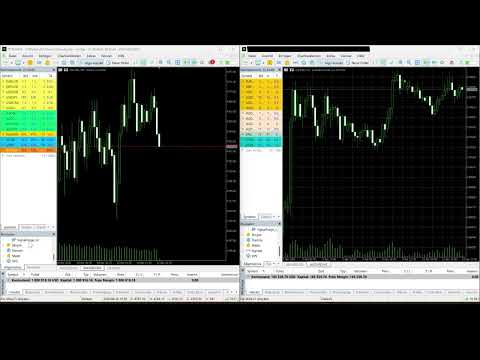
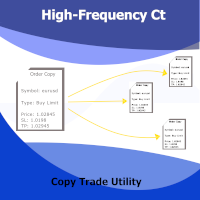
SignalForge includes a local account-to-account trade copier for MT5 terminals running on the same PC or VPS.
An installation can operate as SENDER or RECEIVER and supports:
- Multiple receiver accounts
- Lot multiplier
- Stop Loss synchronization
- Take Profit synchronization
- Trade-close synchronization
- Symbol mapping
- Reverse mode
TradingView and Webhook Support
TradingView alerts can be routed to SignalForge through supported Telegram workflows. An optional webhook workflow is also available for compatible signal sources.
Signal Forwarding
Supported incoming signals can optionally be forwarded to Telegram or Discord destinations, allowing SignalForge to be used as both an execution and distribution layer.
CSV Trade Journal
SignalForge can automatically record trading activity in a CSV journal containing information such as:
- Date and time
- Symbol
- Direction
- Entry price
- Stop Loss
- Take Profit
- Lot size
- Signal source
- Balance
- Equity
The resulting CSV file can be opened in Excel or other compatible analysis applications.
Main Functions
- Telegram to MT5 signal execution
- Discord to MT5 signal execution
- Automatic signal parsing
- Multi-language signal recognition
- Optional AI signal parser
- Market and pending orders
- Multiple Take Profits
- Candle Confirmation
- Automatic Breakeven
- Trailing Stop
- Partial Close
- Add-On positions
- Trade modification commands
- Account risk protection
- Economic news filter
- Channel Backtester
- Local Trade Copier
- TradingView and webhook workflows
- Signal forwarding
- CSV trade journal
- Live dashboard
Quick Start
- Attach SignalForge to one MT5 chart.
- Configure your Telegram and/or Discord signal source.
- Enter the required chat or channel information.
- Configure lot size, risk protection and trade-management settings.
- Enable automatic signal execution.
SignalForge then monitors the configured sources and processes supported trading signals according to your settings.
Who Is SignalForge For?
SignalForge is designed for traders who follow external trading signals and want to automate their execution and management in MetaTrader 5.
Typical use cases include Telegram signal channels, Discord signal communities, multiple signal sources, automated trade management and historical evaluation of signal providers.
SignalForge does not generate trading signals itself. It processes, executes and manages signals received from external sources.
Telegram Setup
For Telegram communication, add the following address in:
MT5 > Tools > Options > Expert Advisors > Allow WebRequest for listed URL
Always verify your complete configuration on a demo account before using SignalForge on a live account.
Risk Notice
Trading involves substantial risk and may result in financial loss.
SignalForge executes and manages information received from external signal sources. It does not determine whether a signal is profitable and does not guarantee trading results.
Historical results and backtests do not guarantee future performance.