Simple Manual Trading Panel
- Утилиты
- Версия: 2.11
- Обновлено: 4 мая 2026
- Активации: 10

The Simple Manual Trading Panel (v2.11)
Is a professional trade management tool designed with a clean, movable UI to streamline manual execution and automated exit strategies.Core Features
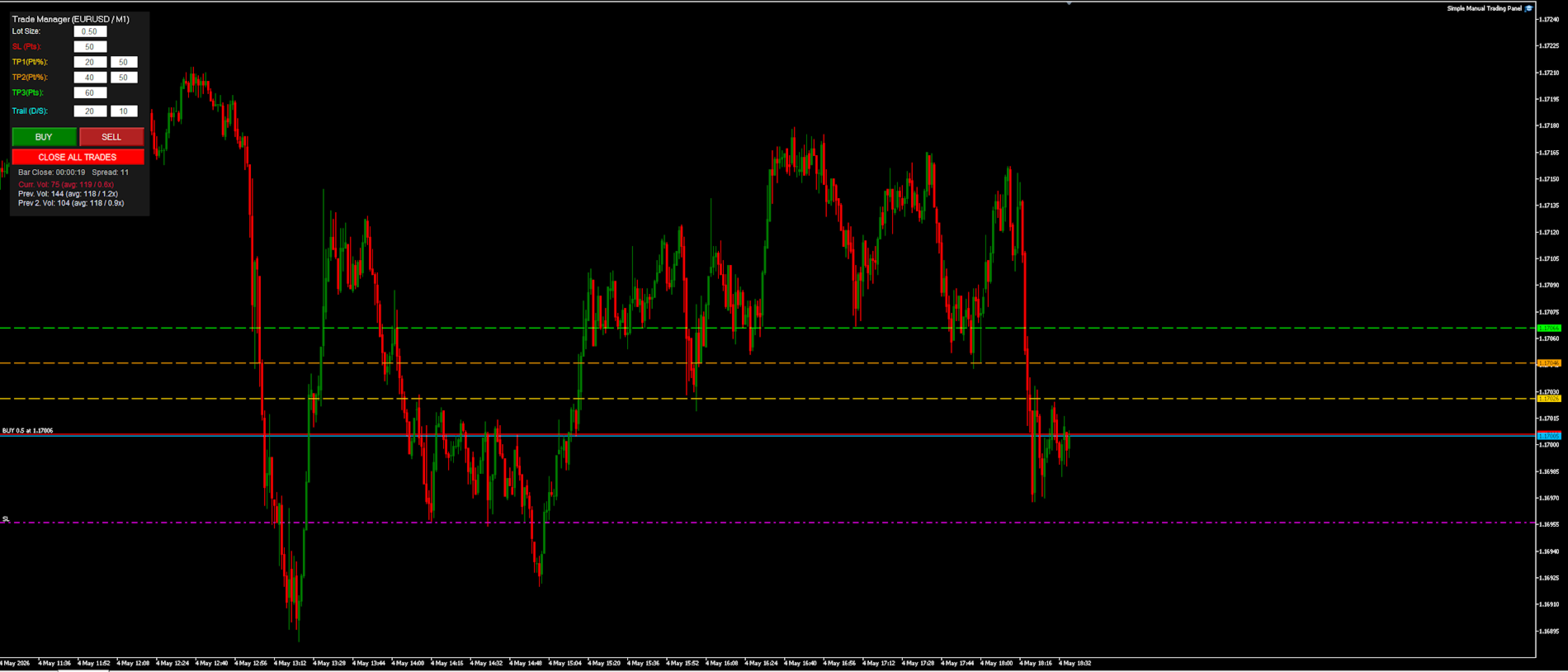
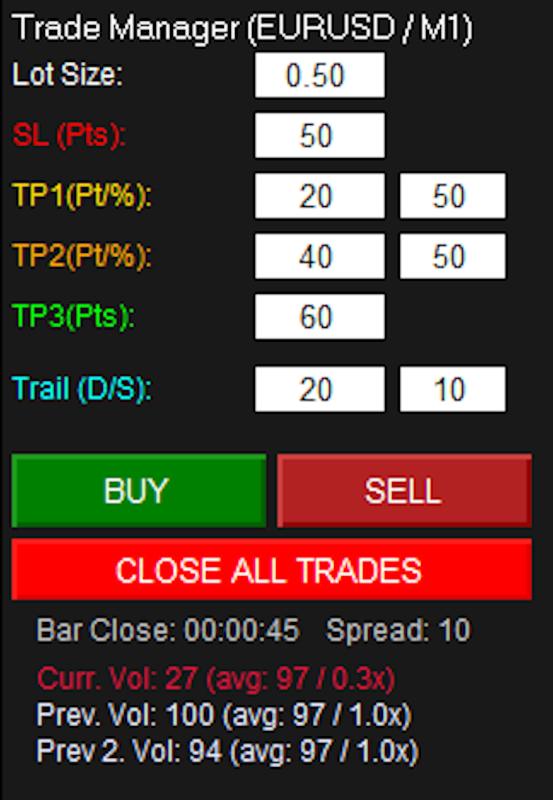
- Dynamic Visual Interface: A movable GUI panel that provides real-time information including a bar countdown timer, live spread, and advanced volume analysis.
- Flexible Lot Size setting, with 2 decimals (If broker supports it).
- Multi-Stage Take Profit: Supports three distinct Take Profit (TP) levels in either points or %, allowing for staggered exits and precise risk management.
- Automated Trade Protection: Automatically moves the Stop Loss to Break Even when TP1 is hit and further locks in profits as the trade progresses to TP2 and TP3.
- Advanced Volume Monitoring: Tracks and compares current tick volume against a rolling average (Current, Previous, and Previous 2 bars) to help traders identify momentum shifts.
- Flexible Trailing Strategy: Optional trailing stop-loss that activates upon hitting the TP3 level, using user-definable distance and steps.
- Auto (Pair-TF-Direction) or manual comments for trade entries.
- Panic "Close all trades" button. Works on all trades with the same Magic number.
- Shows time to bar close on the chart timeframe, as well as current, previous and second previous rolling volume average values. Together with below and above threshold values.
Settings:
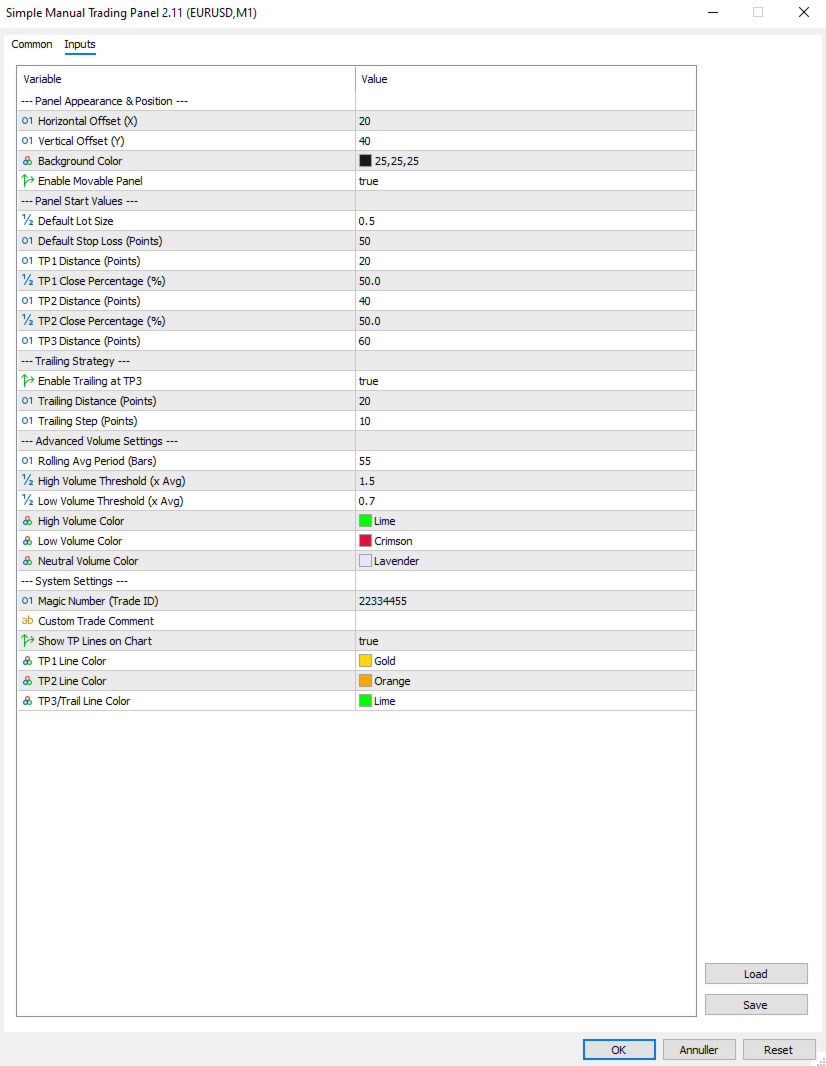
--- Panel Appearance & Position ---
- * **Horizontal Offset (X)**: Sets the default horizontal starting position of the panel on your chart.
- * **Vertical Offset (Y)**: Sets the default vertical starting position of the panel on your chart.
- * **Background Color**: Defines the background color of the trading panel interface.
- * **Enable Movable Panel**: Enables or disables the ability to drag the panel to a new position using your mouse.
--- Panel Start Values ---
- * **Default Lot Size**: The initial lot size that will appear in the panel's input field upon startup.
- * **Default Stop Loss (Points)**: The default Stop Loss distance in points used when the script initializes.
- * **TP1 Distance (Points)**: The default distance in points for the first Take Profit target.
- * **TP1 Close Percentage (%)**: The percentage of the total position volume to be closed when TP1 is reached.
- * **TP2 Distance (Points)**: The default distance in points for the second Take Profit target.
- * **TP2 Close Percentage (%)**: The percentage of the remaining position volume to be closed when TP2 is reached.
- * **TP3 Distance (Points)**: The default distance in points for the third and final Take Profit target.
--- Trailing Strategy ---
- * **Enable Trailing at TP3**: Toggles whether TP3 acts as a hard target or as the activation trigger for the trailing stop.
- * **Trailing Distance (Points)**: The distance in points the Stop Loss will maintain behind the current market price.
- * **Trailing Step (Points)**: The minimum price movement required before the trailing Stop Loss is updated again.
--- Advanced Volume Settings ---
- * **Rolling Avg Period (Bars)**: The number of previous bars used to calculate the average rolling volume.
- * **High Volume Threshold (x Avg)**: The multiplier that defines when current volume is considered "High" (e.g., 1.5x average).
- * **Low Volume Threshold (x Avg)**: The multiplier that defines when current volume is considered "Low" (e.g., 0.7x average).
- * **High Volume Color**: The color used for the volume text when current volume is above the high threshold.
- * **Low Volume Color**: The color used for the volume text when current volume is below the low threshold.
- * **Neutral Volume Color**: The color used for the volume text when current volume is within normal average ranges.
--- System Settings ---
- * **Magic Number (Trade ID)**: A unique ID used to ensure the panel only manages trades opened by this specific tool.
- * **Custom Trade Comment**: A custom text string to be attached to each trade's comment field.
- * **Show Lines on Chart**: Toggles the visibility of the horizontal Take Profit and Trailing Start lines on the chart.
- * **TP1 Line Color**: Sets the visual color of the horizontal line representing the TP1 level.
- * **TP2 Line Color**: Sets the visual color of the horizontal line representing the TP2 level.
- * **TP3/Trail Line Color**: Sets the visual color of the horizontal line representing the TP3 or Trailing Start level.