
Telegram Notify Activator MT5
- Индикаторы
- Версия: 7.32
- Обновлено: 7 мая 2026

⚠️ Important Note
This indicator "Telegram Notify Activator" unlocks the full functionality of "Telegram Notify EA".
👉 Try out "Telegram Notify EA" before making purchase (complete details are given beow)
🚀 Telegram Notify EA – Never Miss MT5 Alerts
Forward MT5 popup alerts and trade events with chart screenshots to Telegram instantly — works with any EA, indicator, or script.
Reduce screen time and stay connected with real-time notifications.
🌐 Universal Alert Capture
- Capture popup alerts from ANY EA, indicator, or script
- No need to attach the EA to multiple charts — attach on one chart and capture alerts from all the charts
🔔 Real-Time Telegram Notifications
- MT5 popup alerts from any EA, indicator, or script
- Trade execution updates (Open / Close / Modify)
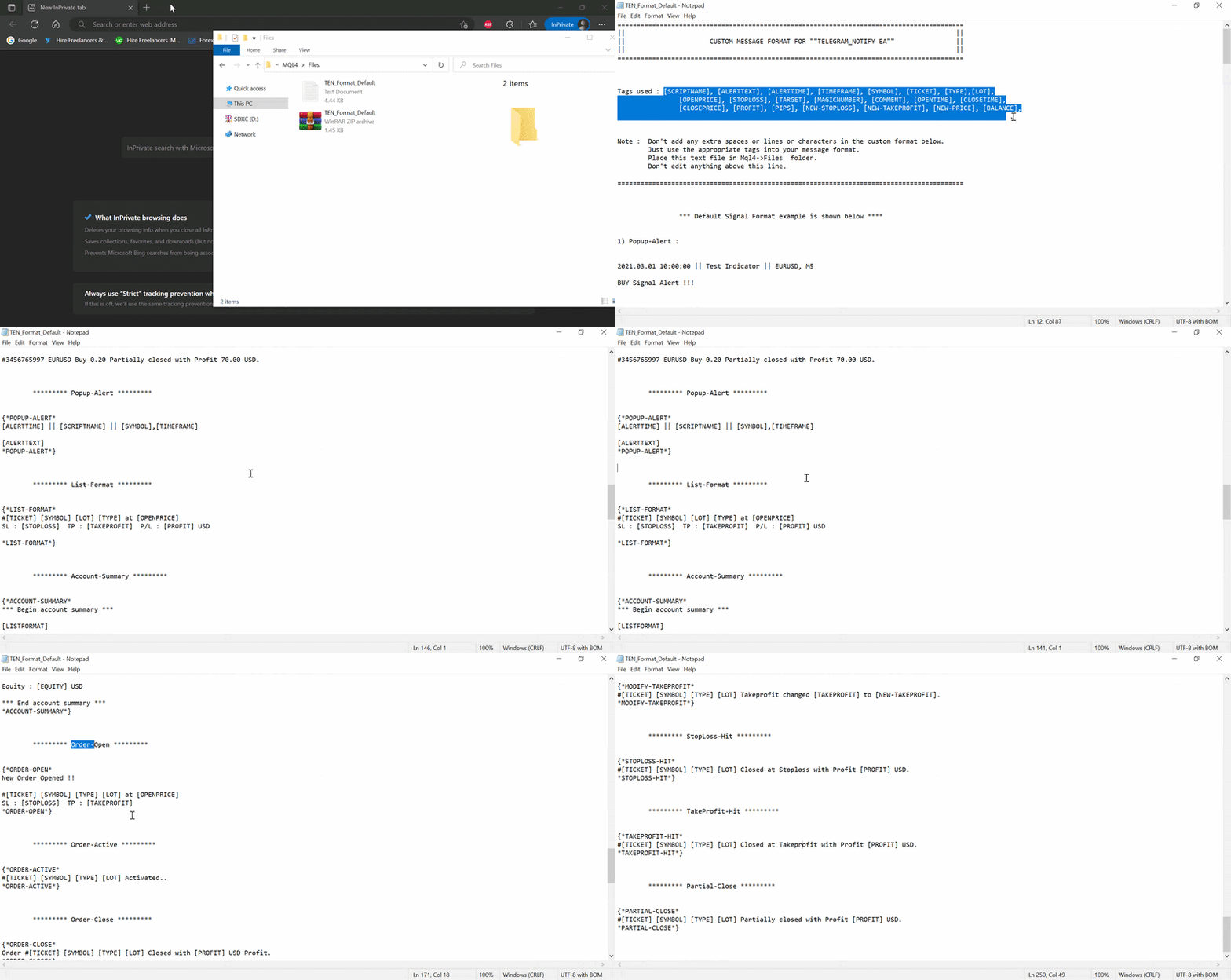
- Fully customizable telegram message format
- Get chart screenshots along with Telegram message
⚙️ How to Setup
Download Links (updated on 22-04-2026) :
- Telegram Notify EA : Telegram_Notify EA v7.31.ex5
Step 1: Install Components
- Download this indicator "Telegram Notify Activator" (No need to attach it to a chart — the EA will automatically use it)
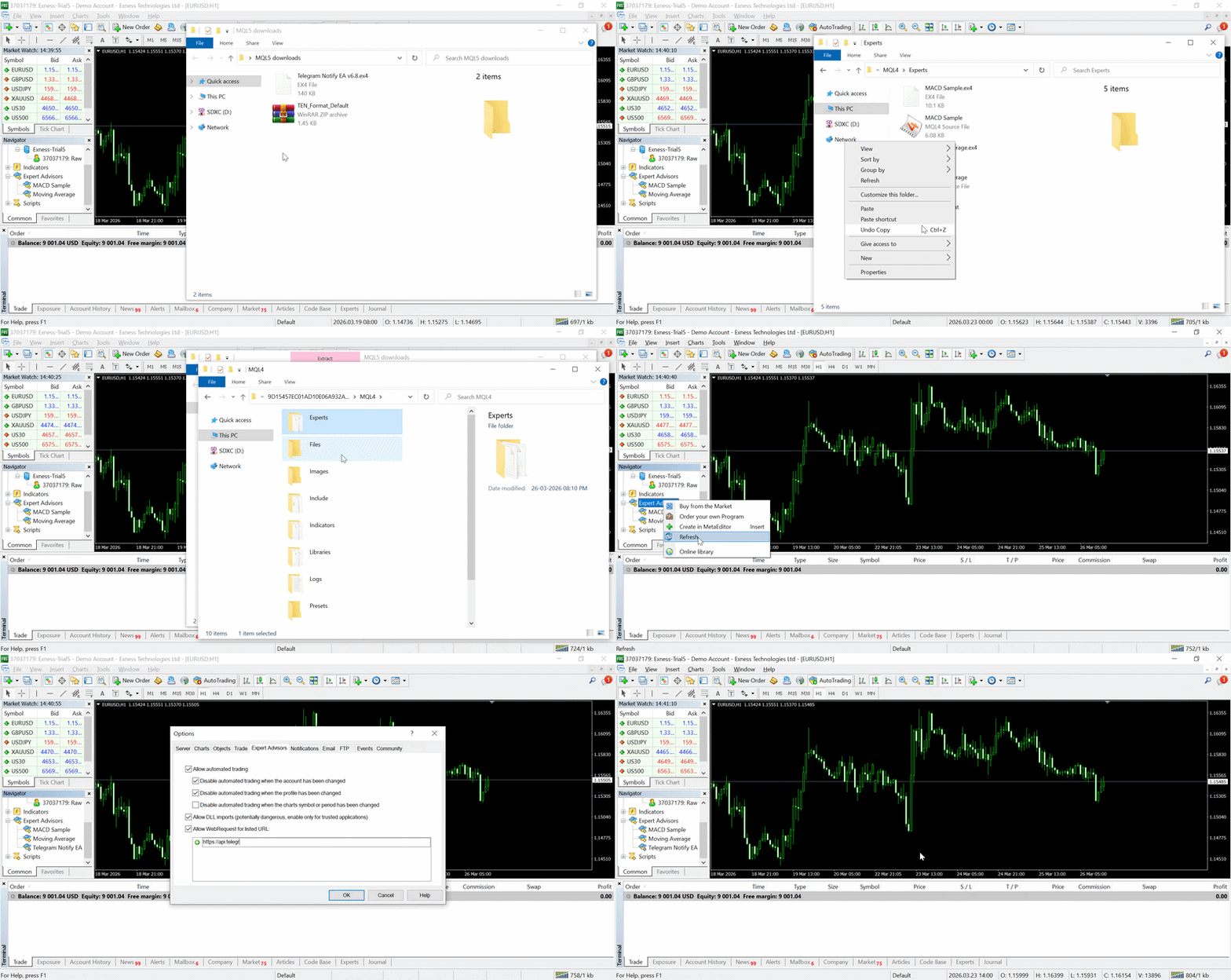
- Download and move "Telegram Notify EA" into MQL5 → Experts folder
- Download and move "Custom format file" into MQL5 → Files folder, and extract it
- 👉 Restart your MT5 (or refresh Navigator window)
Step 2: Enable WebRequest and DLL Imports
In MT5, go to: Tools → Options → Expert Advisors
Enable:
- Allow automated trading
- Allow DLL imports ✅
- Allow WebRequest for listed URL
Step 3: Create Telegram Bot
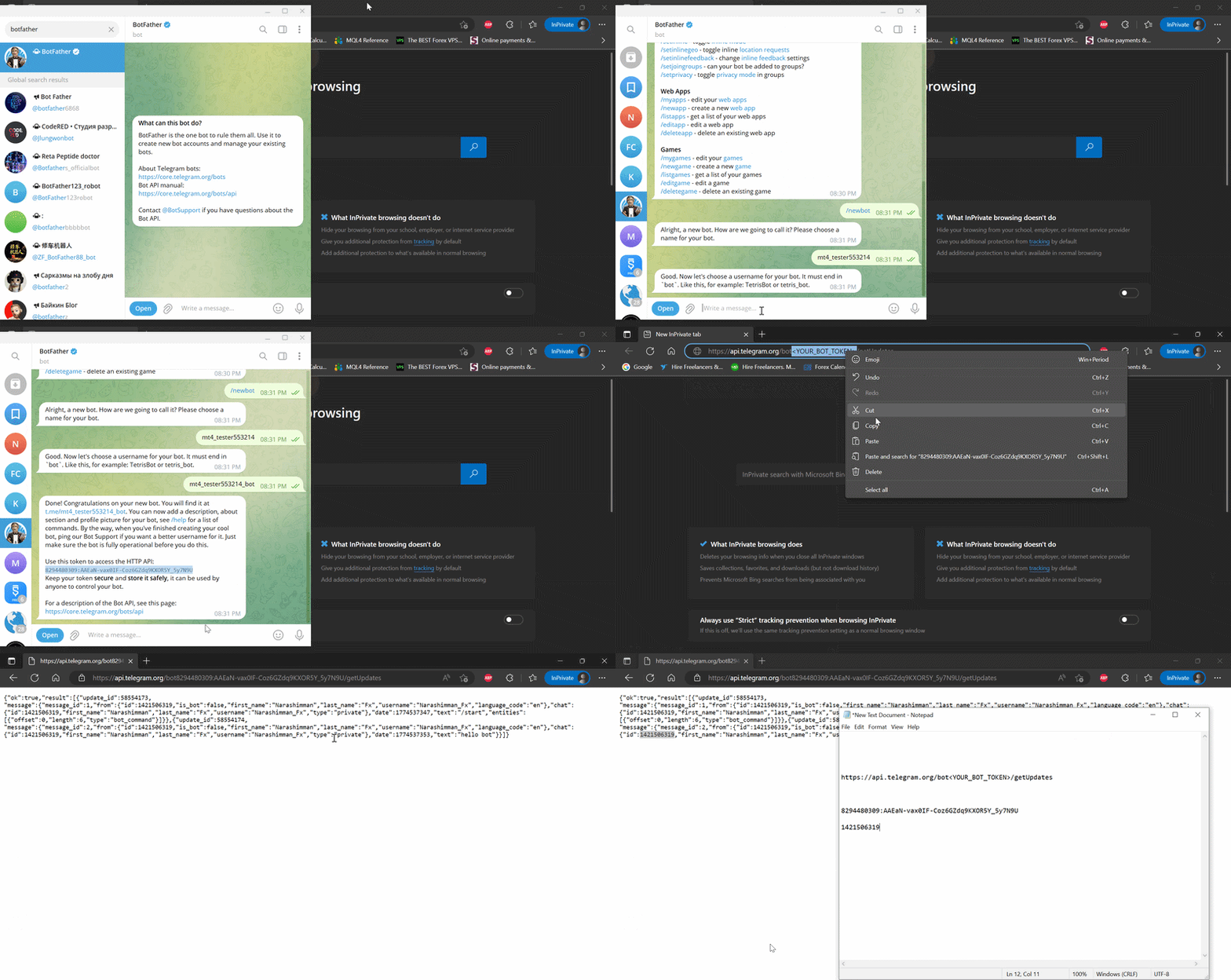
- Open Telegram and search for BotFather
- Send: /start
- Then send: /newbot
- Follow the instructions and create your bot
👉 You will receive your Bot Token (save it securely)
Step 4: Get Chat ID
For Personal Chat:
- Send a message to your bot
- Open this link in your browser (replace <YOUR_BOT_TOKEN> with your bot token):
https://api.telegram.org/bot<YOUR_BOT_TOKEN>/getUpdates - Look for "chat":{"id": XXXXXXXX} in the JSON response
👉 This is your Chat ID
For Group / Channel:
- Add the bot to your group/channel (For channels: Make the bot an admin)
- Send a message in the group or channel
- Use the same link above
- Chat ID will appear as a negative number (e.g., -XXXXXXXX)
⚠️ Important: The negative sign ( - ) is important for groups/channels and must be entered exactly in EA input.
Step 5: Configure EA
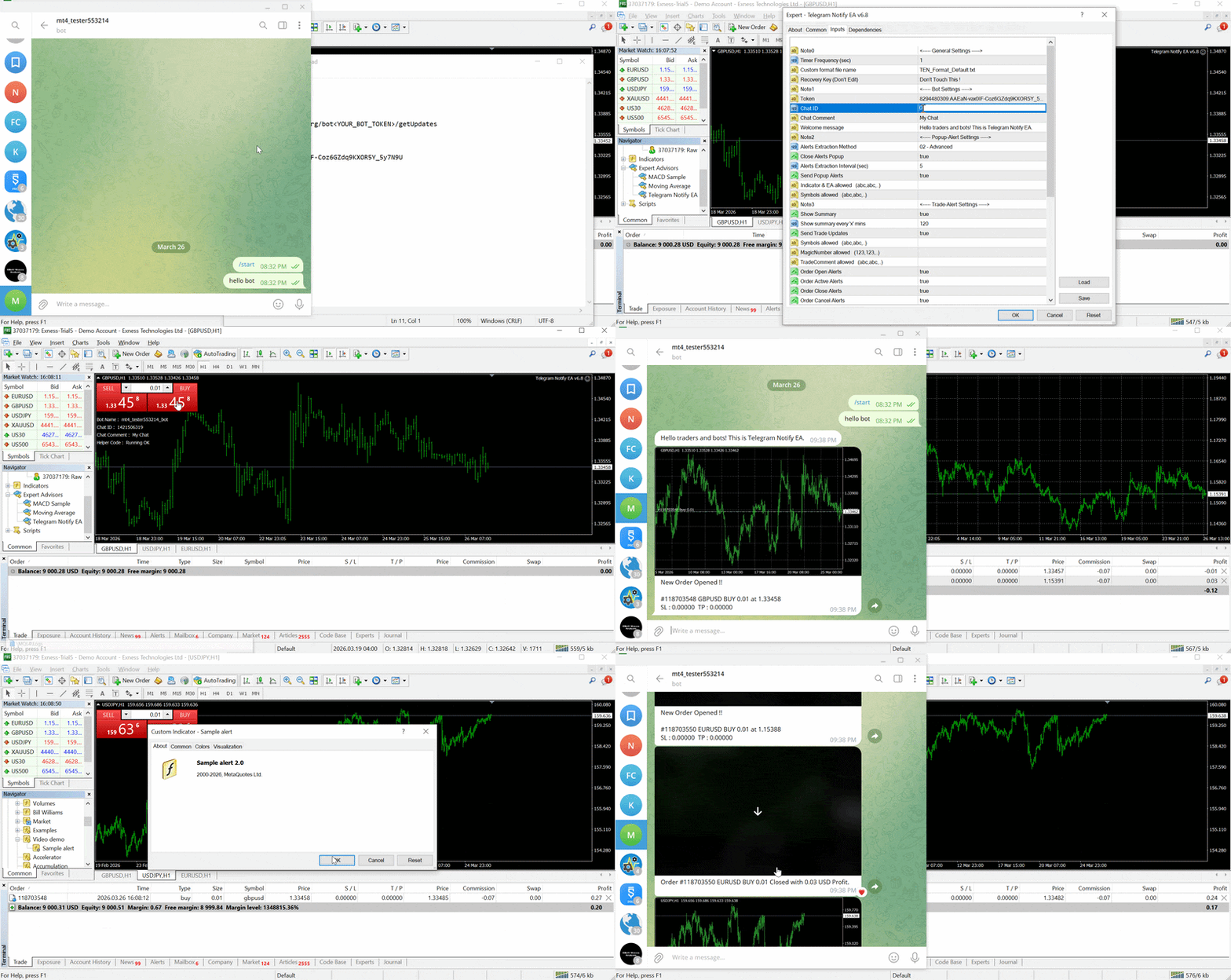
- Open EA inputs in MT5
- Enter your Bot Token and Chat ID
- Start the EA
✅ If the setup is done correctly, your Telegram Bot name will be displayed on the chart.
📌 Purchase Benefits
- Download this indicator "Telegram Notify Activator" (No need to attach it to a chart — the EA will automatically use it)
- Unlimited Telegram messages (Current limit : Maximum of 5 Telegram messages per run)
- Multiple EA instances (Current limit : Single EA instance)
👉 EA and the Activator cannot be tested in the MT5 Strategy Tester
💬 Support
For any questions or assistance, feel free to contact me via direct message.
❓ FAQ
1. Why the EA is not available directly on the mql5 market ?
The EA uses "Allow DLL imports" permission, which is essential for capturing "Popup Alerts". This permission is restricted on mql5 market.
2. Do i need to run the Telegram Notify EA on all open charts ?
Run the Telegram Notify EA on only one chart. From one chart, EA can capture alerts from all the open charts.
3. Do i need to run the Telegram Notify Activator Indicator along with the EA ?
No need to run the Activator indicator. The EA will automatically use it.
4. How to run mutiple instances of Telegram Notify EA on mutiple charts ?
Just use different (botToken + chat id) combination for different instances. Make sure the combination is not reused.
5. What is "Alerts Extraction Method" in Telegram Notify EA inputs ?
01 - Popup : Stable method, needs popup window for capturing alerts
02 - Advanced : Faster method without popup interruption, but may fail after a mt4/mt5 update
If "02 - Advanced" method fails : use the "01 - Popup" method

































product is working really so perfect and i can now got the full access to convert my any type of indicators into automatic trading source