 MetaTrader 5
 エキスパート
 インディケータ
 ライブラリ
ライブラリ
 ユーティリティ
 ウィジェット
 ルール
ルール
YouTubeにあるマーケットチュートリアルビデオをご覧ください
ロボットや指標を購入する
仮想ホスティングで
EAを実行
EAを実行
ロボットや指標を購入前にテストする
マーケットで収入を得る
販売のためにプロダクトをプレゼンテーションする方法
MetaTrader 5用取引ユーティリティ - 12
 以下はMetaTrader5での取引を簡素化する取引プログラムです。ユーティリティにカーソルを合わせると、その説明と目的が表示されます。
ONE PANEL. COMPLETE CONTROL OF YOUR MT5 TRADING. Plan → Calculate Risk → Price Alert → Execute → Protect → Copy → Notification ( Telegram/Pushover/ntfy/webhook )
Everything a manual MT5 trader needs in one utility Risk-based lot sizing • R:R planning • Auto BE • Trailing SL • Partial TP • Basket protection • Price alerts • Telegram/Pushover/ntfy notifications • Scheduled trades • Local Copy Trading
Trade Manager Ultimate is an on-chart trading utility for discretionary traders who want

Tick Volume Chart は、 MetaTrader 5 上でティックボリュームに基づいたチャートを作成するためのユニークなツールです。 Tick Volume Chart を使用すると、時間ではなく、指定したティック数ごとにローソク足が形成されるチャートを構築できます。これにより、標準的な時間足チャートでは得られない、市場活動の極めて正確な分析が可能になります。カスタムシンボルに対応したインジケーターやEA(自動売買プログラム)であれば、すべてご利用いただけます。作成したチャートは、標準チャートと同様に快適に操作できます。 標準ツールとは異なり、 Tick Volume Chart は時間間隔ではなく、実際の取引強度に基づいて市場を分析することを可能にします。 Tick Volume Chart の利点 各バーに 固定ティックボリューム を設定したチャートを作成可能。 内蔵ティックデータベースにより、履歴データの 高速な読み込み を実現。 リアルタイムデータが、 通常のチャートと同期し、遅延なく 更新されます。 複数の ティックボリュームチャートを同時に作成 することが可能
Trade simplifier is a trade panel that simplifies trade opening. It is simple and easy to understand, with key features to ease trading. Features include:
Order type selection Fixed lot entry from the chart user interface Easy Take profit entry field on the chart user interface Visual take profit selection and adjustment via the line that appears when you click the Take Profit button Easy Stop loss entry field in points on the chart user interface Visual Stop Loss selection and adjustment via
FREE

この無料ツールが気に入っていただけましたら、ぜひ5つ星の評価をお願いします!本当にありがとうございます :) 「リスク管理アシスタント」エキスパートアドバイザーコレクションは、様々な市場環境においてリスクを効果的に管理することで、取引戦略を強化するために設計された包括的なツールスイートです。このコレクションは、平均化、スイッチング、ヘッジの3つの主要コンポーネントで構成されており、それぞれが異なる取引シナリオに合わせて独自のメリットを提供します。
このEAは、市場で標準的なリスク管理戦略を発展させたものです。
https://www.mql5.com/en/blogs/post/756961
1. 「平均化アシスタント」EA: MT4: https://www.mql5.com/en/market/product/115468 MT5: https://www.mql5.com/en/market/product/115469 2. 「スイッチングアシスタント」EA: MT4: https://www.mql5.com/en/market/product/115478 MT5:
FREE

**Sync MT5 – リアルタイムマルチチャート分析マネージャー**
MT5プラットフォームをプロフェッショナルな分析ステーションに変革します。Syncは、複数のウィンドウ間でチャート、オブジェクト、クロスヘアを同期する包括的なツールであり、これまでにない精度と効率で取引できるようになります。
**主な機能**
1. **スマートチャート同期** - 複数のチャート間でシンボルと時間枠をワンクリックで同期。 - グループシステム – 戦略や資産ごとにチャートを整理。 - 不必要な更新を防ぐ調整可能な感度。
2. **高度なクロスヘア(デュアル軸)** - グループ内のすべてのチャートで同期されたクロスヘア。 - ローカル時間またはサーバー時間での表示。 - 各チャートでクロスヘアポイントへの自動ナビゲーション。 - ESCキーによる迅速な有効化/無効化。
3. **完全なオブジェクト管理** - チャート間でのライン、四角形、テキスト、矢印の自動同期。 - スクロールと検索機能付き管理パネル。 - 作成された最

MORE FREE TOOLS ON THE WAY - LEAVE A REVIEW AND I WILL SEND THEM TO YOU FIRST. I am building a set of these and publishing them free. Supply and demand zones, session levels, structure tools - all free, all on this profile. Leave a review on this one and message me, and I will send you each new tool the day it is ready, before it goes on the Market. Reviews are the only way a free tool gets found here, so it genuinely helps - and it takes thirty seconds. Elysium HUD puts the four numbers you che
FREE

Whether you are a trader that uses Expert Advisors (EA) or you trade manually, if you decided to obtain a funded account and you are going to start an evaluation phase with a Prop Firm (like FTMO, MyForexFunds, FundedNext and all the other ones available), you will surely need to pay close attention to put a daily drawdown limit. That seems easy, at least in words, but dealing with the rigid rules of a Proprietary Firm leave no space for mistakes, distractions, emotional blindness or execution

Candle Countdown Timer - Optimized Edition
Overview
Candle Countdown Timer is a lightweight, high-performance indicator that displays the exact time remaining until the current candle closes. Designed with efficiency as a top priority, this indicator provides traders with essential timing information without consuming unnecessary system resources.
Whether you're a scalper watching every second on M1 charts, a day trader timing entries on H1, or a swing trader monitoring daily candles, this i
FREE

This trading bot is designed for MetaTrader 5 (MT5) to manage open positions effectively by automating partial closures based on a predefined risk-reward ratio. It includes Telegram integration to send notifications directly to your group or channel about trading activities, including entry, stop-loss, and take-profit levels. Key Features : Partial Close Management : Automatically closes a percentage of the trade volume when the target level is reached. Risk-Reward Calculation : Sets profit leve
FREE

Manual ATR Grid Manager is a manual trading system for gold (XAUUSD) that lets you choose your entry and then hands the ongoing trade management to the EA. Place a market buy or sell, or a buy/sell limit or stop order, directly from the chart. Set your lot size and entry price, with on-screen instructions guiding each step. Once the position opens, the EA manages its profit target. If price moves against you, an adjustable ATR-based grid can add positions at intervals that respond to market vola
FREE
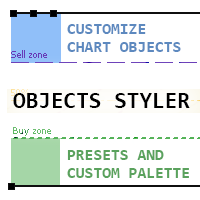
Objects Styler は、チャート上で標準的なグラフィックオブジェクトのプロパティを直接編集するための コンテキスト対応パネル を提供するユーティリティです。その主要機能は、ユーザーが複雑なスタイルセットをオブジェクトに保存・管理・即時適用できる強力な テンプレートシステム です。 主な機能 インターフェースと操作 コンテキスト起動: グラフィックオブジェクトをクリック(または Shift + クリック)することでパネルが起動します。すべての標準オブジェクトとそのほとんどのプロパティに対応しています。 ドラッグ可能なインターフェース: パネルはチャートの任意の場所に自由に移動できます。 ポップアップウィンドウ: スタイル選択、カラーパレット、タイムフレームリストなどの追加オプションはコンパクトなポップアップウィンドウで開き、メインインターフェースをすっきりと保ちます。 テンプレート管理システム スタイルの保存と適用: オブジェクトのプロパティの完全なセットを名前付きテンプレートとして保存できます。テンプレートはワンクリックで適用されま
FREE

Trailing Stop Manager PRO:MetaTrader 5 のトレーリングストップ、建値移動、分割決済 Trailing Stop Manager PRO は MetaTrader 5 用の ポジション管理ツール です。口座にあるすべての保有ポジションに対して、トレーリングストップ、建値移動、分割決済、ドローダウン保護を適用します。手動で建てたポジションでも、他の EA が建てたポジションでも同じように扱います。 ストップは取引の中でもっとも放置されやすい部分です。本ツールはあなたが選んだルールに従ってストップを動かし、ポジションに不利な方向へは決して動かしません。 6つのトレーリングモード Fixed Pips :一定の距離。2回の変更のあいだに最小ステップを設けます ATR :ボラティリティに連動した距離。ATR に係数を掛けます Chandelier Exit :一定期間の高値または安値を基準に、ATR 1本分を差し引きます 移動平均 :SMA または EMA を pips のバッファ付きで追随します Parabolic SAR :SAR が価格の正しい側にある

Bot-utility.
Tracks the total balance on the trading account - that is, it works on all symbols and with magic number.
Has a parameter: Balance Stop, % - balance trailing, as a percentage of the balance
I created Balance Risk Bot specifically for Candle Bot , which will close all positions if the total deposit drops as a percentage.
All Information can find there
in Telegram
and My Broker XM
Live Signal Signal
FREE

MT5 Account Protector Basic Account Protector Basic is a streamlined risk management tool for MetaTrader 5 (MT5) that helps traders safeguard their accounts with clear, customizable limits.
Designed for simplicity and reliability, it ensures that trading remains disciplined and capital is protected. This EA closes all trades once the maximum loss is reached either in value or account percentage. It is especially useful for those trading prop funds account. Key Features:
Loss Selection You can
FREE

Click and Go Trade Manager: The Ultimate MT5 Execution Suite Precision Execution. Professional Performance Tracking. Total Control. In the world of Smart Money Concepts (SMC) , ICT, and high-frequency scalping, precision is your only edge. Most traders lose not because their analysis is wrong, but because their execution is slow and their psychology is undisciplined. The Hard Truth: If you are still manually calculating lot sizes or dragging lines while the price moves against you, you

AIT AI Trading Terminal AIT AI Trading Terminal 是一款面向 MetaTrader 5 的多维市场分析与风险辅助 EA。 它将趋势、市场结构、成交量分布、订单块、FVG、技术指标和风险控制集中显示在同一张图表上,减少在多个指标之间来回切换的操作。 本产品重点是帮助交易者更快地了解当前市场状态、关键价格区域和风险条件。它不会保证盈利,所有信号和分析结果都应结合个人交易计划进行判断。 主要功能 1. 多维市场分析 系统会综合分析当前交易品种的市场状态,包括: 趋势方向 市场结构 支撑位与压力位 波动率 RSI EMA ATR 成交量信息 多空强弱 风险状态 分析结果直接显示在图表面板中。 2. 市场结构识别 自动识别重要价格结构,包括: HH — 更高高点 HL — 更高低点 LH — 更低高点 LL — 更低低点 BOS — 结构突破 CHoCH — 市场结构变化 帮助用户更直观地观察趋势延续和潜在结构变化。 3. Order Block 订单块 系统可以自动识别并绘制潜在的订单块区域。 支持: 多个订单块显示 订单块有效期控制 距离过滤 位
FREE

StealthTrade Commander(ステルストレード・コマンダー) は、裁量トレーダー、スキャルパー、およびプロップファーム(Prop-Firm)挑戦者のために設計された、高度なビジュアル取引パネルおよびリスク管理ユーティリティです。 このツールを使用すると、チャート上から視覚的に直接取引を実行し、ブローカーからストップロス(SL)とテイクプロフィット(TP)のレベルを隠すことができます。また、1日のドローダウンを厳密に管理でき、これはプロップファームの資金提供口座の審査を通過し、維持するために不可欠な機能です。 主な機能: Risk Guardian(プロップファーム保護機能) 1日の最大損失制限: 1日のドローダウンが指定された制限に達した場合、すべての取引を自動的にクローズし、パネルをロックします。 1日の目標利益: 1日の目標に達するとすべてのポジションをクローズし、利益を確保します。 正確なロット計算: 視覚的なストップロスと事前に定義されたリスク(%、$、または口座有効証拠金)に基づいて、正確なロットサイズを計算します。 Stealth & Tactical En
FREE

Hedge Assistant - Hedge Assistantは、ヘッジ取引を簡素化するために設計された直感的なエキスパートアドバイザー(EA)です。このEAは、シンプルヘッジとダブルヘッジの2つの戦略をサポートしています。これらの戦略に関する詳細については、当社のYouTubeチャンネルにある説明動画をご覧ください(リンクと画像を添付)。 機能: バックテスト: 注文はパネルのボタンを通じて手動で実行されるため、バックテストはできません。これはトレーダーの直接介入が必要です。 ボタン: EAには、買い注文または売り注文を開くための3つの主要なボタンと、すべての注文を閉じるためのボタンがあります。さらに、トレーダーの操作を支援するために、グラフウィンドウに有用な情報が表示されます。最初の実行後、EAは注文を自動的に管理し、注文が閉じられるまで管理を続けます。ボタン上の情報の色は、設定で調整可能です。 設定データ: EA Name - EAの名前; Lot - 取引に使用されるロットサイズ; Lots_Martingale - 保留中の注文のロットサイズを増やすための乗数; Dist

Spacing Audit measures the grid spacing your EA REALLY uses, from its own closed trades, not from its inputs and not from the gaps between open layers. Why: I spent a week believing my grid used ATR-based spacing because UseATR was true. It did not. Every pair sat on the minimum-spacing floor, 2.8x to 5.1x tighter than intended, and the book kept clogging. The inputs said one thing; 1,120 closed trades said another. The method: in a grid where each layer carries a take-profit one spacing away fr
FREE

High-impact news is where spreads blow out, stops get hit on spikes, and orders fill nowhere near where you expected. News Sentinel puts a live countdown and a shaded volatility window right on your chart, and tells you how many pips each release has actually moved the currency so you know the volatility to expect. A free on-chart news panel for anyone who trades a chart, whether you run Expert Advisors that get stopped on news spikes, or you trade by hand and need to know when the market is abo
FREE

The "Simple Trading Controller" for MetaTrader 5 sets a new standard for speed and efficiency in opening and closing market positions. Crafted with a clean and intuitive design, this tool is a response to the specific needs of traders, ensuring a seamless and rapid trading experience. All it provides is: Quick BUY and SELL Buttons Open multiple operations at the same time Set Trade Size Set Stop Loss Take Profit Points Close All Positions Let's go and see the advantages of using "Simple Trading
FREE

Repaint Inspectorは、インジケーターがリペイントするかどうかを、謳い文句を信用するのではなく実際に測定します。チャートに適用し、任意のカスタムインジケーターとそのパラメーターリストを指定すると、既に確定したバーについてそのインジケーターのバッファを繰り返し読み直し、動いた値、現れた値、消えた値をすべて数えます。あわせて、それが履歴のどこまで遡ったバーでなお起きているかも記録します。 これは測定ツールです。チャート上では一切注文を送信しません。ストラテジーテスターでは、開始時に最小ロットのポジションを一つ建てて決済します。MQL5 Marketの自動テストが、エキスパートアドバイザが取引操作を行うことを確認するためです。この取引はその旨が操作ログに出力され、測定には含まれず、入力パラメーターで無効にできます。DLLもネットワークアクセスも使用せず、MQL5\Filesに書き出す二つのCSVファイル以外はディスクに何も書き込みません。 このツールが必要な理由:「リペイントしない」はインジケーターの説明によくある主張ですが、確かめるのは困難です。よくある確認方法は、チャートを
FREE

Complete Trade Manager (MT5)
Manages each open position individually Automate exit strategy (great for prop firm challenges) Use R: R based exit or Fixed Pips exit models Scale out of positions (3 x Targets possible) Breakeven after 1 st 2 nd or 3 rd partial take profit Trail Stop Loss Stop Break Even Fixed Target Exit (Without Partial Profit) Equity Target Based Exit Expect More features in the future Having a plan to exit with trades based on predefined set of rules provides consistency and
FREE

The Trading Sessions indicator is a simple tool that helps to highlight a specific trading session. For example, it can be used to differentiate the European, American or Asian sessions.
Main features The indicator shows a user-defined trading session. Alert notifications for the start and end of the session. Custom session time. Works on every timeframe (M1, M5, M15, M30, H1, H4, D1, W1, MN). Customizable parameters (Colors, alerts...). It can be used for creating EA. Available for MT4 an
FREE

Set SL or TP on all trades of a symbol in one click, move SL to break-even, or set TP a number of pips past the basket break-even, for buys, sells or a mix. Full description SL TP Manager MMS is a small on-chart panel for managing stop loss and take profit across every open trade on the chart’s symbol. What it does Set SL / Set TP: type a price and apply it to all trades at once. Move SL to break-even: calculates the true break-even of your basket, including swap and commission, and moves every
FREE

Garner Risk Calculator for MetaTrader 5
## Visual trade planning, position sizing and manual order placement
Garner Risk Calculator is an MT5 Expert Advisor that brings trade planning and position sizing directly onto your chart. Position your Stop Loss and Take Profit, choose the amount you want to risk, and view the calculated lot size before placing an order.
The dark navy panel with blue accents provides a clear view of your proposed trade. It is a manually operated calculator and order-e
FREE

Transform your Metatrader 5 trading experience with the Smart Trade Control for MT5, a sophsiticated yet intuitive trade managtement solution designed for traders of all levels. From precise position sizing to advanced basket management, this tool streamlines your trading workflow while enhancing risk control. Core Features: Smart Position Calculator: Enter risk amount and instantly get optimal lot size based on your stop loss - eliminate manual calculations and trading errors. Advanced Basket
FREE

AlsoSell Cockpit は、分析・数量計算・発注・管理・振り返りまで、トレードの全工程をチャート上の洗練されたパネルにまとめます。チャートから離れる必要はありません。
発注と執行 - ワンクリックの成行 BUY / SELL。リスク基準でロットを自動計算します。 - チャートプランナー:エントリー・損切り・利確のラインをチャート上で直接ドラッグ。ロットは損切り距離とリスク%からリアルタイムに計算され、リスクリワード比と到達時の正確な損益($)がドラッグ中に表示されます。 - スマート執行:EXECUTE はエントリー位置に応じて成行か指値/逆指値の待機注文を自動で選択します。 - 価格検証(SL/TP の正しい側+ブローカーの最小ストップ距離)により、無効な注文を送信前にブロックします。 - リバース:ネットポジションを決済し、反対側へワンクリックでドテンします。 - 柔軟なロット管理:リスク%による自動、またはパネル上の手動ロットステッパー。 - すべての注文にマジックナンバーとコメントを付与し、管理を容易にします。
ポジション管理 - ワンクリック決済:全部 / 利益
FREE

Fundamental Heat Map MT5 は、MetaTrader 5 用の無料自動マクロ経済ダッシュボードです。 MetaTrader 5 内蔵の経済カレンダーを使用して、以下の主要8通貨を分析します。 USD、EUR、GBP、JPY、CHF、CAD、AUD、NZD Actual と Forecast を比較し、データを4つのカテゴリーに分類します。 Inflation Growth Labour Monetary Policy 各通貨には、経済サプライズ、イベント重要度、データの新しさを基にした自動マクロスコアが表示されます。 主な機能 自動 Fundamental Heat Map 8主要通貨 Inflation / Growth / Labour / Policy Strongest / Weakest Ranking 8×8 FX Fundamental Matrix Top Fundamental Differentials Gold Macro Context NAS100 Macro Context High Impact Economic Events Rec
FREE

キャンドル・カウントダウン・タイマー – 市場の一歩先を行こう 現在のローソク足が閉じるまでの残り時間を知りたいと思ったことはありませんか?トレードではタイミングがすべてです。 キャンドル・カウントダウン・タイマー は、戦略を正確に実行したいトレーダーに最適なツールです。スキャルピング、デイトレード、スイングトレードのいずれを行う場合でも、このツールがあれば重要な瞬間を逃しません。 キャンドル・カウントダウン・タイマーとは? MT4用の軽量かつ高度なツール で、現在のローソク足が閉じるまでの残り時間を表示します。エントリーやエグジットを正確に計画できるよう、リアルタイムで自動更新され、常に最新の情報を提供します。 動作の仕組み リアルタイムのカウントダウン 現在のローソク足の開始時間を追跡し、閉じるまでの残り時間を秒単位で計算 新しいローソク足が形成されると、自動的にリセット 色分けされたアラート機能 ローソク足の閉じるタイミングが近づくと、表示ラベルの色が変わり注意を促します 緑 – 十分な時間が残っています 黄 – 注意:ローソク足がもうすぐ閉じます 赤 – 緊急:ローソク足がまも

Features: fast opening / closing deals the number of deals and the total profit for the Symbol
Fast open deals: set the Lot volume set StopLoss / TakeProfit in points (if you set "0", then it is not used) set slippage set Magic (if necessary) set comment (if necessary)
Fast open features: fast open Buy fast open Sell fast close ALL open orders for the current Symbol
Attention: this utility works only on the current instrument this utility works on a VPS must enable Algo trading in the termi
FREE
【MT5】チャート分析を効率的に!通貨ペア・時間足をワンクリックで切り替えるツール「One Touch Chart Switcher」
皆さん、こんにちは!
トレードの分析中、複数の通貨ペアや色々な時間足を頻繁に行き来すること、よくありますよね。「あの通貨ペアの1時間足はどうなってるかな…」「こっちの4時間足も確認したいな…」と、チャートをカチカチ切り替えるのは、地味に時間と手間がかかる作業です。 そんなトレーダーの「ちょっとした面倒」を解消し、 分析効率をアップさせる ための便利なインジケーター「 One Touch Chart Switcher 」を作成しました。 「One Touch Chart Switcher」とは? このインジケーターは、チャートの左上に 通貨ペアと時間足を切り替えるためのボタン を設置する、シンプルなユーティリティ(補助)ツールです。 分析したい通貨ペアや時間足のボタンをクリックするだけで、チャートが瞬時に切り替わります。もう、気配値表示ウィンドウから通貨ペアをドラッグしたり、ツールバーから時間足を選んだりする必要はありません。 こんな方におす
FREE

There are plenty of updates coming, so bear with me as I continue building and refining it. I’ve got big plans for this one! Your whole trading setup on ONE screen. Every terminal. Every broker. Every prop account. Every chart. See it all, name it all, and run it all from one dashboard. Free - no DLL, no internet, no subscription.
If you are like me and trade across multiple terminals, multiple brokers and prop firms, with multiple charts on every terminal - this one is for you.
You know the
FREE

A manual trade manager with a live on-chart preview. Plan every trade visually: entry, stop and up to four take-profits appear as draggable lines with filled risk/reward zones — lot size, R-multiple and money value update in real time. One click places it all. Market, Limit and Stop orders at the press of a button Position sizing by percent, money risk or fixed lot Up to 4 partial positions, each with its own TP and a shared SL Stop by pip/ATR distance or anchored to the last swing high/low Auto
FREE
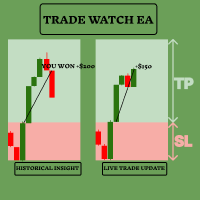
TradeWatch EAで取引戦略を強化しましょう TradeWatch EAは、リアルタイムの情報と取引コントロールを提供する強力なツールで、取引プロセスを簡素化し、リスク管理を改善します。 主な特徴: 取引の視覚化: グラフ上にストップロスとテイクプロフィットのレベルを直接表示します。 視覚的な表示により、迅速な意思決定とより良いリスク管理が可能です。 ポジションインデックス: ポジションインデックス番号を設定することで特定のポジションを監視できます(インデックスは0から始まります)。 複数の取引を同時に扱う際に非常に便利な機能です。 包括的な取引概要: すべての取引および履歴データを単一のグラフで表示します。 詳細な取引情報への簡単なアクセスにより、過去のパフォーマンスの分析と将来の戦略計画が容易になります。 リアルタイムの利益と損失の追跡: 取引の利益や損失に関する即時のフィードバックを提供します。 利益を最大化し、損失を最小化するためのタイムリーな意思決定をサポートします。 ユーザーフレンドリーなインターフェース: シンプルで直感的なデザインにより、すべての経験レベルのトレ
FREE
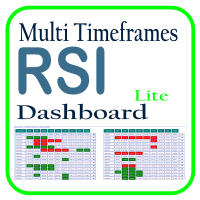
Optimize your trading analysis with the RSI Multitimeframe Dashboard, a powerful tool designed to streamline RSI monitoring across all timeframes and symbols listed in your Market Watch. This dashboard delivers real-time insights and alerts, making it essential for traders who rely on RSI to identify potential market entries and exits. Key features include: Comprehensive RSI Overview : Instantly view RSI values for every timeframe across all Market Watch symbols, making multi-timeframe analysis
FREE

AutoRiskManage v2.3 — Documentation Expert Advisor — MetaTrader 4 & 5 AutoRisk Manage v2.3 Automated risk management EA with interactive graphical panel. Applies SL/TP, Break Even, Trailing Stop, and lot size calculation by risk percentage — for any instrument, any broker. MT4 / MT5 v2.3.0 MQL4 · MQL5 C2C + B2C Time Space Technology Overview AutoRiskManage is an Expert Advisor that acts as a risk management layer on top of any manually opened position. It does not generate trading signals — i
FREE

Telegram to MT5 Bridge Client EA Turn Any Telegram Trade Signal into Live MT5 Orders Uses AI to help you Adapt to future changing signal messages. Never miss a trading opportunity again. This Expert Advisor connects your MetaTrader 5 to your Telegram channels or groups – and executes trades automatically as soon as a signal is posted. Receive market orders, limit orders, and even multi‑level take‑profit signals (up to three targets). The EA does the heavy lifting for you: it detects entry price

過去チャートを再生し、特定の時間ポイントに瞬時にフォーカス移動可能です。
作成したフォーカスラインにチャートを移動させることで、重要な時間ポイントの観察や分析を効率的に行えます。
もし気に入っていただけたら、「Chart Auto Flow Focus Edition」もご検討下さい: https://www.mql5.com/ja/market/product/154905
高速移動でのチャート検索、低速移動でのシミュレーション、複数チャートのMTF同一時刻での同期でMTF分析も楽にできます。 特徴 注目時間ポイントに瞬時にフォーカス移動可能 自動再生でチャートの挙動、流れの把握やパターンサーチが可能
再生仕様 再生方向:過去 → 未来 移動バー数:1バーずつ進行 再生速度:固定 再生中の一時停止 / 再開可能 ENDボタンでプログラム終了 操作方法 Crt FocusLine:フォーカスラインを作成 Position:表示位置を右端・中央・左端に切替 Focus:作成したフォーカスラインにチャートを瞬時に移動 Pause / Restart:再生の一時停止 / 再開 END
FREE

Trade Manager Pro is a MetaTrader 5 tool designed to assist with trade execution, position management, risk control, and account monitoring from a single on-chart interface. It is built to work alongside manual trading or automated systems and does not interfere with external Expert Advisors. The tool is intended for traders who require direct control over order execution and position management while maintaining consistent risk rules across different market conditions. Core Function The indica
FREE

Easy Trade Zone - Visual Order Panel
Draw your trade directly on the chart and drag it into place. Grab the Entry, Stop-Loss and the three Take-Profits individually with the mouse. The moment you move a line, everything recalculates live: the red risk box, the green reward box, the position size, and the exact profit/loss in your account currency. You see your risk in real money BEFORE you click - and never send an order without a stop by accident.
Features: - Drag every level individually: En
FREE

Краткое описание:
Индикатор для визуальной оценки стоимости ценового движения в валюте депозита с интерактивным вводом объема сделки прямо на графике. Описание:
PriceRiskRuler — новый инструмент для оценки финансового результата движения цены перед открытием позиции.
Индикатор отрисовывает вертикальный ценовой отрезок и рассчитывает его стоимость в зависимости от заданного объема и спецификаций торгового инструмента. Основные функции: Интерактивный ввод объема: Поле для ввода лота расположен
FREE

このエキスパートアドバイザー(EA)は、取引管理を簡素化し、ポジション管理をより効率的に行うための実用的なボタンを複数提供します。複数のエントリーポイントを持つトレーダーや、注文を素早く管理する必要があるトレーダーに特に適しています。わかりやすいインターフェースと直感的な操作により、複雑な設定を必要とせずに一括操作を簡単に実行でき、手動操作によるミスを減らします。 主な機能 ブレークイーブン管理 5ポイント BE 10ポイント BE 20ポイント BE 100ポイント BE 1000ポイント BE カスタム BE 距離 BE の解除 ブレークイーブンポイント(DERISK) カスタム Stop Loss EasyButtons パネルから直接 SL を設定 ポイント単位でカスタム SL 距離を設定 ポジションのエントリー価格から SL を計算 BUY / SELL ポジションに対応 既存の TP を保持 ブローカーの Stop Level / Freeze Level を検証 Pip / Point ガイド 現在のシンボルにおける point と pip の関係を表示 例:
1 pi

InvestraAI Forex Heatmap InvestraAI Forex Heatmap は、MetaTrader 5 用の通貨強弱を視覚的に表示するダッシュボードです。主要な Forex 通貨を相互に比較し、その結果をチャート上にヒートマップとして表示します。 この EA は、強い通貨と弱い通貨を素早く確認し、Buy/Sell シグナル候補を表示し、ワンクリックでシグナルチャートを開くことができます。 仕組み EA は選択された通貨を分析します: EUR、USD、AUD、GBP、NZD、CAD、CHF、JPY。各通貨は入力設定から有効または無効にできます。 有効な通貨ペアの組み合わせごとに、EA は選択された時間足でのパーセント変化を計算します。たとえば、ブローカーで EURUSD が利用可能な場合、EUR 対 USD には EURUSD を使用します。USD 対 EUR では、同じ EURUSD データを逆方向として使用します。 ヒートマップの色: 緑: ベース通貨がクォート通貨より強い 赤: ベース通貨がクォート通貨より弱い 色が濃いほど変化が大きい 比較不要またはデ
FREE
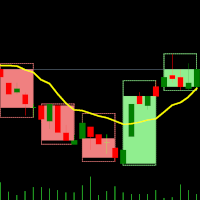
デュアルタイムフレームインジケーター – キャンドルインキャンドル 概要 キャンドルインキャンドルインジケーター は、 複数の時間足を視覚的に分析するためのツール であり、 より大きな時間足のローソク足を、より小さな時間足のチャート上に表示 することができます。時間足を切り替える必要がなく、小さなローソク足が どのように大きなローソク足の内部で動いているか を視覚的に確認できるため、トレンド分析やエントリー・エグジットの精度を向上させることが可能です。 このインジケーターは、 基準となる(短い)時間足を選択し、倍率を設定する ことで、自動的に大きな時間足のローソク足構造を生成します。 インジケーターの動作 基準となる時間足を選択 – M1、M5、M10 などのチャートを開く。 倍率を設定 – 選択した時間足に対して、どの時間足を表示するかを倍率で設定。 例: M1 チャート + 倍率 5 → M1 内の M5 キャンドルを表示 M10 チャート + 倍率 6 → M10 内の H1 キャンドルを表示 大きな時間足のキャンドルを表示 – OHLC(始値、高値、安値、終値)を示すローソク足
FREE

Short Description:
FTMO Protector PRO MT5 is an EA designed to protect your funded account by managing risk and ensuring compliance with the Prop Firm's trading rules. This EA automatically monitors equity levels, closes trades when profit targets or drawdown limits are reached, and provides a visual display of key account metrics. EA w orks with all different Prop Firm service providers.
Overview:
FTMO Protector PRO MT5 is an Drawdown Safeguard Expert Advisor meticulously crafted for trade

「セットして忘れるだけ」の多通貨対応リスク管理マネージャー ️ トレードを無防備なままにしないでください。 Auto Stop Loss (MT5 Manager) は、安全性を最優先するトレーダーのための究極のバックグラウンド・ユーティリティです。通常のパネルとは異なり、このツールは舞台裏で絶え間なく動作し、エントリーしたすべてのトレードを即座に保護します。裁量トレードでも、他のEAによるトレードでも、このマネージャーはすべてのポジションに即座にハードストップロス (Stop Loss)、テイクプロフィット (Take Profit)、および動的トレーリングストップ (Trailing Stop) を適用します。 ゲームチェンジャー: たった 1つのチャート からポートフォリオ全体を管理します。10個ものウィンドウを開いてPCを重くする必要はありません。お気に入りの通貨ペアをリストアップするだけで、このマネージャーがそれらすべてを同時に監視します。 [ Get the MT4 Version Here ]
主な機能 マルチシンボル管理 (CPU節約) : EURU

OneClick RiskSizer: One-Click Trading Panel with Percentage-Risk Position Sizing Stop calculating lot sizes by hand. OneClick RiskSizer sizes every position automatically from your risk % and Stop Loss, for faster, more reliable execution than manual math or third-party tools. Key features One-click BUY and SELL buttons, always visible on the chart. Lot size calculated automatically from your risk % and SL distance, via OrderCalcProfit/OrderCalcMargin, not a rough points estimate. Draggable SL a
FREE

ある MT5 または MT4 アカウントから別の MT5 アカウントに取引量をコピーするためのシンプルなユーティリティ。 ネッティング口座とヘッジ口座の間で任意の組み合わせでポジションをコピーできます。デフォルトでは、同じボリュームを持つすべての一致するシンボルによって開かれたポジションがコピーされます。シンボル名が異なる場合、またはコピーされたポジションのボリュームが異なる場合、またはすべてのポジションをコピーする必要がない場合は、この 投稿 で説明されている設定で目的の動作を指定できます。この製品は、将来のリリースで機能を拡張します。 バージョン 2.0 までは、この製品は無料です。 インストール順序:
送信者アカウントの端末で、Expert Advisor を送信者モードで起動します。 受信者アカウントのターミナルで、Expert Advisor を受信者モードで起動し 、以前に起動した送信者の 1 つを選択して、そこからポジション ボリュームをコピーします。
FREE

Japanese Stochastic Cross Alert EA for MT5 Stochastic Cross Alert EA は、 ストキャスティクス(Stochastic) が一般的な買われ過ぎまたは売られ過ぎのレベルに到達したときに通知する MetaTrader 5 用のシンプルなツールです。チャートを常に監視しなくてもインジケーターの状態を確認できます。 チャートに追加すると、EA がストキャスティクスを監視し、重要なレベルをクロスしたときに ポップアップアラート を表示します。これにより、チャートをすばやく確認し、取引の可能性を評価できます。 特徴 ストキャスティクスが買われ過ぎレベル(デフォルト 80)を上抜けたときに検出
ストキャスティクスが売られ過ぎレベル(デフォルト 20)を下抜けたときに検出
MetaTrader 5 のポップアップアラート
すべての銘柄と時間足で使用可能
軽量で使いやすい 仕組み EA はチャート上のストキャスティクスを監視します。インジケーターが買われ過ぎレベルを上回るか、売られ過ぎレベルを下回るとポップアップアラートが表示されます。
FREE

Blodsalgo Analytics — あなたのトレードを解読する。MetaTrader 5 のための無料リアルタイム分析。 Blodsalgo Analytics は、MetaTrader 5 ターミナルをウェブ上のプロ仕様の分析ダッシュボードにつなぐ 無料の補助ユーティリティ です。すべての約定、指標、保有ポジションが自動で同期され、各口座と各 EA の本当のパフォーマンスがわかります。すべてのブローカーを一か所で、どの端末からでも確認できます。 設定方法、ダッシュボードのアドレス、各種リンクは本製品の セットアップとリンクのコメント にまとめてあります。 MQL5 Market のガイドラインでは製品説明に外部リンクを掲載できないため、すべてそちらに集約しています。 これはトレード用の EA ではありません。 取引を新規建て・変更・決済することは一切ありません。EA の隣で静かに動作する読み取り専用のデータコネクタで、取引には一切干渉しません。 BLODSALGO の EA をお持ちの方だけがご利用いただけます。 無料。サブスクリプションなし。隠れた費用もありません。 新着
FREE
警告: MetaQuotesによる最近の変更により、シグナル購読トレードのコピーと増幅が制限されました。その結果、 Signal Multiplier EA MT5 は、シグナル購読のトレードを増幅する機能がなくなりました !!!
Signal Multiplier EA MT5 は、単なるロットサイズ乗算器ではありません。 エキスパートアドバイザーまたは手動入力からアカウントの取引のロットサイズを増やすことに加えて、取引を積極的に監視します。 EA は、新しい元の取引と乗算された取引ごとに電子メールとプッシュ通知を送信し、必要に応じて、事前に定義された時間に毎日通知を提供できます。 これらの毎日の通知には、残高、資本、証拠金レベルなどのアカウントの基本的な詳細が含まれます。 最も重要なことは、 Signal Multiplier EA MT5 は、緊急資本レベルに達すると、すべての開いている取引 (元の取引と乗算された取引の両方) を自動的に終了し、新しい取引のヘッジを開始することです。 この機能は、取引口座をさらなる損失から保護し、エキスパートアドバイザーを削除して残

Manual Trade Helper
is an MT5 Expert Advisor designed as an automated assistant for managing manually opened trades. This EA does not open trades on its own, but instead enhances manual trading by automatically managing risk and position settings. Remote Management via VPS + Mobile Devices When deployed on a Virtual Private Server (VPS), the RitzEAneha Manual Trade Helper allows traders to seamlessly manage their trades from anywhere using just a smartphone or tablet. Since the EA runs 24/7 on t
FREE

Please download Master EA here = https://www.mql5.com/en/market/product/181698
MT4 Version = https://www.mql5.com/en/market/product/183101
Free Demo Version = https://c.mql5.com/6/1033/COPYTRADE_DEMO7D.zip
User Manual : download here Professional Copy Trade EA for MT5 , NO HASSLE, PLUG and PLAY and CROSS PLATFORM MT4 <---> MT5.
A powerful and reliable Copy Trade Expert Advisor designed for traders, signal providers, fund managers, and prop firm users. Easily copy trades between multipl

Local Trade Copier by RWBTradeLab
Local Trade Copier copies trades between MetaTrader 5 terminals that run on the same computer or VPS. One file is both sides: an input sets it to MASTER, which sends its trades, or to CLIENT, which copies them.
Overview
Attach the program to a chart on the account whose trades are to be copied and set the role to MASTER. Attach it to a chart on every account that should follow and set the role to CLIENT, each with its own Client ID. Give all of them the same
FREE

相場が激しく変動している最中に、複数の建玉について手動でストップロスをブレークイーブンに移動させるのは時間がかかり、誤ってまだ含み損の状態にある建玉に適用してしまうこともよくあります。
「Phoenix Breakeven Button」を使えば、ワンクリックで利益が出ているすべての建玉のストップロスをブレークイーブンに移動させ、まだ含み損の状態にある建玉は自動的にスキップします。
利益を守る仕組み
- ワンクリックで、口座内のすべてのオープンポジションにブレークイーブン保護を適用 - 現在損失が出ているポジションを自動的に検出してスキップ - ブレークイーブンでは、ストップを正確なエントリー価格に設定します。ストップがヒットした場合はスプレッドが発生しますが、パネルでは「無料の保護」と暗示することなく、この点を明確に表示します - 成功または失敗時にサウンドアラートが鳴り、変更された内容、スキップされたポジション、すでに保護済みのポジションに関する詳細なログが記録されます
カスタマイズ機能
パネルの配置位置とオフセット、「すでに保護済み」チェックのための調整可能なブレーク
FREE

FX Live — Stats Export
Works only with https://fxlive.trading
Monitor all your MetaTrader accounts from a single dashboard, in real time, across every broker. FX Live Stats Export is an utility, not a trading robot. It never opens, modifies or closes a position. It reads your account and sends the data to your private FX Live dashboard, so you can follow every account you own from one place — on your computer or your phone — without switching between MetaTrader terminals.
WHAT IT DOES Attac
FREE

Are you running multiple EAs on the same MT5 account and losing sleep over stacked risk? EAs Manager Pro is the central risk-control layer for your entire MT5 account. Attach it to one chart, and it automatically detects every EA you're running by Magic Number — no source code changes, no per-EA setup. It then monitors every position, automated or manual, and enforces the risk rules you set across your whole account, not just one strategy at a time. Built for traders running scalpers, breakout

DESCRIPTION: The EA is a trade manager for managing manual or other trades by EA. It can place Stoploss, Takeprofit, Trailing, and Martingale/Average all open positions. Make sure to just place 1 type of open orders for each symbols (Examples: 1 Buy or 1 Sell). The EA will not open the initial trades, but can be backtested to see how it works.
FEATURES: Multicurrency or Single Pair Mode. Placing Stoploss / Takeprofit. Auto Martingale / Average Positions. Trailing for All Open Positions (Sin

Sobre a Boleta Ágil – Descrição Completa Apresentamos a Boleta Ágil , um painel de negociação completo e altamente personalizável para MetaTrader 5 . Desenvolvida para traders que exigem velocidade, precisão e flexibilidade , esta ferramenta coloca o controle total das suas operações na palma da sua mão — diretamente no gráfico. Com uma interface moderna e intuitiva, você executa ordens, gerencia riscos e ajusta estratégias em tempo real, sem perder tempo com menus complicados. Botões
FREE

Auto SLTP Maker MT5 is an assistant for all those who forget to set StopLoss and/or TakeProfit in deal parameters, or trade on a very fast market and fail to place them in time. This tool automatically tracks trades without StopLoss and/or TakeProfit and checks what level should be set in accordance with the settings. The tool works both with market and pending orders. The type of orders to work with can be set in the parameters. It can track either trades for the instrument it runs on, or all

MT-Radar — スマートフォンからMetaTraderターミナルを無料で監視
毎回RDPでVPSに接続しなくても、EAが稼働しているか、ターミナルが接続されているかを知りたいと思いませんか?
MT-Radarは、すべてのMT4/MT5ターミナルの状態を1つの安全なWebパネルに表示します。スマートフォン、タブレット、または任意のパソコンで開けば、すべてが正常に動作しているかを数秒で確認できます。
MT-Radarで確認できる内容: 口座とターミナル — 口座情報とターミナルの一般情報 ログ — ターミナルのログとエキスパートのログをリアルタイムで表示 気配値表示 — 気配値表示にある銘柄のレート チャートとEA — チャートを開き、そのチャートで稼働しているEAの状態を確認 すべてのターミナルを1つのパネルで — 異なるパソコンやVPS上のMT4とMT5 プライバシーとセキュリティ
エンドツーエンド暗号化 — ローカルのMTAgent-RadarとWebパネルの間の全経路でデータが暗号化されます。中継サーバーは暗号化された通信を転送するだけで、内容を読み取ることはできませ
FREE

EA Follower Version any Follow Copy Account (Acc. Number) need a open MT Terminal, download multiple times Step1: Open Master MT5 Terminal = install master- Version (on any Symbol just one Time) Step2: Open Follower MT5 Terminal = install follower- Version (on any Symbol just one Time) Step3: all Trades from any Symbol or any Robot are copy now to follow- Terminal immediately for simple copy set on Chart and Start no optimization. This Robot is a Trade Copier for MT5 that auto
FREE

Easy Trade Executor は、MT5向けの高速なポジションサイズ計算、注文執行、およびトレード管理ツールです。 Open Price、Stop Loss、Take Profit レベルをチャート上に直接配置し、自動的にポジションサイズを計算して、数回のクリックだけでリスクを管理しながら取引を開始できます。
なぜ Easy Trade Executor を選ぶのか?
Easy Trade Executor は、単にリスク計算を行うだけでなく、チャート上で迅速かつ効率的に取引を管理したいトレーダーのために開発されました。 このツールは、ポジションサイズ計算、注文執行、トレード管理を1つのワークフローに統合し、手動計算やターミナルの複数ウィンドウを頻繁に切り替えることなく、トレードそのものに集中できるようにします。 Easy Trade Executor の主な機能: リスクに基づく自動ポジションサイズ計算; チャート上から直接 Market Order と Pending Order を発注; 自動的なポジション管理のための Trailing Stop; ワンクリックでの決

OTE Trade Copier MT5 Trade Copier & Prop Firm Risk Manager Copy trades locally between MT5 terminals and across MT4/MT5 platforms on the same PC or VPS while protecting your funded accounts with advanced risk controls. IMPORTANT: Send me a message for the Complete User Manual Before Installation
Why Traders Choose OTE Trade Copier MT5 Supports MT5 to MT5 trade copying Supports MT4 to MT5 and MT5 to MT4 when used with the MT4 version Designed for prop firm and funded account traders Daily drawd

Stop losing money on bad lot sizes. Trade Panel Risk calculates exactly how much to buy or sell, executes your trade in one click, and protects your account automatically — all from a single panel on your chart. You tell it: "I want to risk 1% of my balance with a 20-pip stop loss." It tells you: "Buy 0.43 lots." You click BUY. Done. No spreadsheets. No mental math. No mistakes. THE PROBLEM MOST TRADERS HAVE

BreakEven Trailingは、保有中のポジションのストップロスを管理するMetaTrader 5用のユーティリティです。ストップロスを建値へ移動し、価格の後ろを追従させます。チャートを見続けなくても、含み益を守ることができます。
このEAは新規ポジションを建てず、成行での決済も行いません。既存ポジションのストップロスだけを変更します。決済は、EAが設定したストップロスに価格が到達したときに行われます。
できること
- 含み益が指定したpipsに達すると、ストップロスを約定価格、または約定価格から指定分だけ利益側へずらした位置へ移動します。 - 含み益が指定したpipsに達すると、現在価格から一定の距離を保ってストップロスを追従させます。 - 建値移動とトレーリングは、それぞれ個別にON/OFFでき、併用もできます。 - BUY・SELLの両方のポジションに対応します。 - 既存のストップロスを不利な位置へ戻すことはありません。より多くの利益を守る方向へのみ移動します。 - ストップロスを変更する際、既存のテイクプロフィットはそのまま維持します。 - 現在の設定、口座方
FREE

Basket Take-Profit Utility Pro is the full-featured upgrade to the free Lite version
A professional on-chart trade management tool for MetaTrader 5 that monitors and closes groups of trades the moment their combined profit or loss target is reached. All settings are configured directly from the interactive panel on your chart via dropdowns, toggle buttons, and keyboard input — no inputs window required.
What's new in Pro vs Lite (free):
Feature Lite
(Free) Pro Single basket
Panel-d

Risk Manager Trade Panel is an on-chart tool that helps you size and manage trades with one click. Set your risk per trade as a percentage (for example 0.5%, 1% or 2%) and the panel instantly shows the correct lot size for your stop distance, taking your symbol's tick value and 3/5-digit pricing into account. One-click actions: Move the open position to breakeven (with a spread-safe offset). Close 50% of the position (partial close). Close the whole position. The tool does not open trades automa
FREE

Launch price: $39 - increases to $49 once the first 10 copies sell. Message me after purchase and I'll help you set it up for your exact symbol/broker.
Drag a line. Watch every chart update. Never break your risk plan by accident.
Most risk panels stop at "drag SL, see lot size." This one goes further: move your Stop Loss and Take Profit follows automatically to hold your exact R:R — move your Entry and SL/TP travel with it, so your risk never silently drifts. And every level you plan appears
MetaTraderプラットフォームのためのアプリのストアであるMetaTraderアプリストアで自動売買ロボットを購入する方法をご覧ください。
MQL5.community支払いシステムでは、PayPalや銀行カードおよび人気の支払いシステムを通してトランザクションをすることができます。ご満足いただけるように購入前に自動売買ロボットをテストすることを強くお勧めします。

取引の機会を逃しています。
- 無料取引アプリ
- 8千を超えるシグナルをコピー
- 金融ニュースで金融マーケットを探索