 MetaTrader 5
 エキスパート
 インディケータ
 ライブラリ
ライブラリ
 ユーティリティ
 ウィジェット
 ルール
ルール
YouTubeにあるマーケットチュートリアルビデオをご覧ください
ロボットや指標を購入する
仮想ホスティングで
EAを実行
EAを実行
ロボットや指標を購入前にテストする
マーケットで収入を得る
販売のためにプロダクトをプレゼンテーションする方法
MetaTrader 5用取引ユーティリティ - 13
 以下はMetaTrader5での取引を簡素化する取引プログラムです。ユーティリティにカーソルを合わせると、その説明と目的が表示されます。
This indicator is designed to provide all useful information about symbol, account, positions and profit. It is developed for improving trader's money management.
Parameters Calc can be divided to separate blocks. Each block is possible to hide, set its own color and other properties. Block symbol: This block displays information about actual SPREAD, POINT VALUE (in deposit currency for 1 lot), SWAP LONG and SHORT. Show symbol info - display/hide this block Color of symbol info - color of this
FREE

Noetrix Partial TP Noetrix Partial TP is a visual trade and exit-management utility for MetaTrader 5. It allows discretionary traders to divide an open position across up to five partial take-profit levels, adjust exit levels directly on the chart and monitor the remaining position volume. The utility does not generate trading signals. It does not open positions without an explicit user action. Main functions Management of one to five partial take-profit levels Allocation of the original positio
FREE
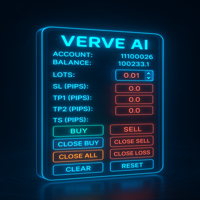
FXTrade Panel – 賢く高速な MT5 トレードマネージャー
FXTrade Panel は、ワンクリックでの注文実行と管理機能を備え、取引効率を大幅に向上させる MetaTrader 5 向けの高機能かつ使いやすいトレーディングツールです。
主な機能: • アカウント概要:口座番号、レバレッジ、残高、現在のスプレッドを表示。 • ロットサイズ制御:直感的な+/−ボタンでロットサイズを調整可能。 • リスク管理:ピップス単位で Stop Loss(SL)、Take Profit(TP1、TP2)、トレーリングストップ(TS)を設定。 • ワンクリックトレード:BUY/SELL注文を即時実行。
ポジション管理: • Close Buy — アクティブな全買いポジションをクローズ。 • Close Sell — アクティブな全売りポジションをクローズ。 • Close All — 全てのポジションを決済。 • Close Profit — 利益のあるポジションのみクローズ。 • Close Loss — 損失のあるポジションのみクローズ。
FREE

リアルタイム価格と総利益表示インジケーター ライブトレードと画面共有に最適 デイトレーダー、スキャルパー、ライブストリーミングトレードセッション専用に設計 このプロフェッショナルインジケーターは、チャート上でリアルタイム価格表示と包括的な利益追跡を提供します - 高頻度取引とライブトレーディング配信に不可欠です。 主要機能 リアルタイム価格表示 毎秒ライブビッド価格更新 全シンボルタイプのプロフェッショナル書式設定 貴金属向けゴールド/XAU特別書式設定 画面共有に最適な大型明確表示 デイトレーディング決定のための瞬時価格更新 包括的利益追跡 トレーディング履歴からのアカウント総利益 トレード終了時のリアルタイム利益更新 カスタム追加利益金額 手数料とスワップの包含 プラス/マイナス指標付きプロフェッショナル利益書式設定 パフォーマンス最適化 スマートキャッシュシステム - 最小CPU使用量 1秒更新間隔 - 稲妻の速さ 効率的なタイマーベース更新 リアルタイム取引監視 プロフェッショナルエラー処理 高度なカスタマイズ 調整可能なフォント名とサイズ 利益と損失のカスタム色 チャート上
FREE

Telegram to MT5 Bridge Client EA Turn Any Telegram Trade Signal into Live MT5 Orders Uses AI to help you Adapt to future changing signal messages. Never miss a trading opportunity again. This Expert Advisor connects your MetaTrader 5 to your Telegram channels or groups – and executes trades automatically as soon as a signal is posted. Receive market orders, limit orders, and even multi‑level take‑profit signals (up to three targets). The EA does the heavy lifting for you: it detects entry price

Risk Manager – Account Protection Tool Risk Manager is an Expert Advisor for MetaTrader 5 designed to protect your trading account by applying automatic risk management rules. This tool does not open trades .
It continuously monitors your account and enforces predefined limits to help prevent excessive losses and maintain disciplined trading. Risk Manager works in the background and can manage positions opened by manual trading or other Expert Advisors. It is particularly useful for: • Manual tr
FREE

このエキスパートアドバイザー(EA)は、取引管理を簡素化し、ポジション管理をより効率的に行うための実用的なボタンを複数提供します。複数のエントリーポイントを持つトレーダーや、注文を素早く管理する必要があるトレーダーに特に適しています。わかりやすいインターフェースと直感的な操作により、複雑な設定を必要とせずに一括操作を簡単に実行でき、手動操作によるミスを減らします。 主な機能 ブレークイーブン管理 5ポイント BE 10ポイント BE 20ポイント BE 100ポイント BE 1000ポイント BE カスタム BE 距離 BE の解除 ブレークイーブンポイント(DERISK) カスタム Stop Loss EasyButtons パネルから直接 SL を設定 ポイント単位でカスタム SL 距離を設定 ポジションのエントリー価格から SL を計算 BUY / SELL ポジションに対応 既存の TP を保持 ブローカーの Stop Level / Freeze Level を検証 Pip / Point ガイド 現在のシンボルにおける point と pip の関係を表示 例:
1 pi

JJC Academy Trade Assistant — リスク計算・ポジション管理パネル もう手計算でロット数を出すのはやめましょう。計算ミスでドローダウンを超えるのもこれで終わりです。 JJC Academy Trade Assistantは、私自身がファンデッドアカウント(funded accounts)のポートフォリオを管理するために開発し、実際に使用しているトレーディングパネルです。通貨ペアやインジケーター、ブローカー、利用しているプロップファーム(prop firm)が何であっても、常に設定したリスク通りにエントリーできるよう設計されています。 リアルタイムのリスク計算 **リスク% と リスクリワード比(R:R)**を設定するだけで、ボタンを押す前にロット数が瞬時に自動計算されます。 リスク計算の基準を選択可能: 残高(Balance) 、 有効証拠金(Equity) 、または 初期残高(Initial Balance) ——チャレンジ口座やファンデッドアカウントに最適です。残高は変動しますが、ドローダウンのルールは通常、最初の口座金額を基準に計算されるためです。
FREE

Short Description:
FTMO Protector PRO MT5 is an EA designed to protect your funded account by managing risk and ensuring compliance with the Prop Firm's trading rules. This EA automatically monitors equity levels, closes trades when profit targets or drawdown limits are reached, and provides a visual display of key account metrics. EA w orks with all different Prop Firm service providers.
Overview:
FTMO Protector PRO MT5 is an Drawdown Safeguard Expert Advisor meticulously crafted for trade

「セットして忘れるだけ」の多通貨対応リスク管理マネージャー ️ トレードを無防備なままにしないでください。 Auto Stop Loss (MT5 Manager) は、安全性を最優先するトレーダーのための究極のバックグラウンド・ユーティリティです。通常のパネルとは異なり、このツールは舞台裏で絶え間なく動作し、エントリーしたすべてのトレードを即座に保護します。裁量トレードでも、他のEAによるトレードでも、このマネージャーはすべてのポジションに即座にハードストップロス (Stop Loss)、テイクプロフィット (Take Profit)、および動的トレーリングストップ (Trailing Stop) を適用します。 ゲームチェンジャー: たった 1つのチャート からポートフォリオ全体を管理します。10個ものウィンドウを開いてPCを重くする必要はありません。お気に入りの通貨ペアをリストアップするだけで、このマネージャーがそれらすべてを同時に監視します。 [ Get the MT4 Version Here ]
主な機能 マルチシンボル管理 (CPU節約) : EURU
警告: MetaQuotesによる最近の変更により、シグナル購読トレードのコピーと増幅が制限されました。その結果、 Signal Multiplier EA MT5 は、シグナル購読のトレードを増幅する機能がなくなりました !!!
Signal Multiplier EA MT5 は、単なるロットサイズ乗算器ではありません。 エキスパートアドバイザーまたは手動入力からアカウントの取引のロットサイズを増やすことに加えて、取引を積極的に監視します。 EA は、新しい元の取引と乗算された取引ごとに電子メールとプッシュ通知を送信し、必要に応じて、事前に定義された時間に毎日通知を提供できます。 これらの毎日の通知には、残高、資本、証拠金レベルなどのアカウントの基本的な詳細が含まれます。 最も重要なことは、 Signal Multiplier EA MT5 は、緊急資本レベルに達すると、すべての開いている取引 (元の取引と乗算された取引の両方) を自動的に終了し、新しい取引のヘッジを開始することです。 この機能は、取引口座をさらなる損失から保護し、エキスパートアドバイザーを削除して残

This tool for the MetaTrader 5 trading platform allows setting the stop loss of open positions to breakeven (entry price) plus an adjustable distance in points. The stop loss is only adjusted if the position is already in profit.
Main functions:
Button: A button is displayed on the chart with the text "StopLoss to BreakEven". The color of the button can be customized, by default it is red.
User interaction: When you click the button, for all open positions that are in profit, the stop loss i
FREE

Please download Master EA here = https://www.mql5.com/en/market/product/181698
MT4 Version = https://www.mql5.com/en/market/product/183101
Free Demo Version = https://c.mql5.com/6/1033/COPYTRADE_DEMO7D.zip
User Manual : download here Professional Copy Trade EA for MT5 , NO HASSLE, PLUG and PLAY and CROSS PLATFORM MT4 <---> MT5.
A powerful and reliable Copy Trade Expert Advisor designed for traders, signal providers, fund managers, and prop firm users. Easily copy trades between multipl

This indicator show the candle remaining time on the chart and/or in the corner of the window. It also display notificaton (popup and push) when a new candle is formed (optional). You configure the timer on candles and at chart corner. I don't need to explain the functions because are very simple. MT4 version: https://www.mql5.com/en/market/product/38677 Any doubt or suggestion please contact us. Enjoy!
This is a free indicator, but it took hours to develop. If you want to pay me a coffee, I a
FREE
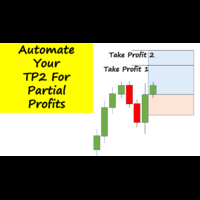
Have you ever been in a winning trade and wanted to close say half of position to lock in some profit. Well, this expert advisor does just that for you, and it's absolutely free. What you need to do is set what percentage of your trade you'd like closed and then set the price you like to close at. It that simple.
To get a better understanding of how it works, then watch the video below.
Note: The EA only works with one timeframe, changing timeframes will result in lose of all data by the EA i
FREE

Trading Cockpit is a free, complete trading control panel for MetaTrader 5: watchlists, price & trend alerts, and automatic liquidity levels, all in one compact side panel without leaving your chart. Try everything at no cost.
WATCHLISTS & SYMBOL BASKETS - Unlimited symbols across several lists in one dropdown selector: a live mirror of your Market Watch, a Favorites list, and your own custom lists. - Predefined baskets by correlation cluster - US, Europe, Forex, Metals, Energy, Crypto - that w
FREE

Are you running multiple EAs on the same MT5 account and losing sleep over stacked risk? EAs Manager Pro is the central risk-control layer for your entire MT5 account. Attach it to one chart, and it automatically detects every EA you're running by Magic Number — no source code changes, no per-EA setup. It then monitors every position, automated or manual, and enforces the risk rules you set across your whole account, not just one strategy at a time. Built for traders running scalpers, breakout

DESCRIPTION: The EA is a trade manager for managing manual or other trades by EA. It can place Stoploss, Takeprofit, Trailing, and Martingale/Average all open positions. Make sure to just place 1 type of open orders for each symbols (Examples: 1 Buy or 1 Sell). The EA will not open the initial trades, but can be backtested to see how it works.
FEATURES: Multicurrency or Single Pair Mode. Placing Stoploss / Takeprofit. Auto Martingale / Average Positions. Trailing for All Open Positions (Sin
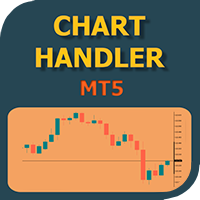
Have you ever been in a situation when you could not control the chart conveniently or had to make additional clicks to be able to scroll the history or set the scale fix numbers manually to be able to stretch the chart? Features: Chart centering. Automatic scale fix. Automatic scroll control. This tool is one of many features included in "Trading Essentials" utility application, which can be found on mql5.com
FREE

Auto SLTP Maker MT5 is an assistant for all those who forget to set StopLoss and/or TakeProfit in deal parameters, or trade on a very fast market and fail to place them in time. This tool automatically tracks trades without StopLoss and/or TakeProfit and checks what level should be set in accordance with the settings. The tool works both with market and pending orders. The type of orders to work with can be set in the parameters. It can track either trades for the instrument it runs on, or all

この無料ツールが気に入っていただけましたら、ぜひ5つ星の評価をお願いします!本当にありがとうございます :) 「リスク管理アシスタント」エキスパートアドバイザーコレクションは、様々な市場環境においてリスクを効果的に管理することで、取引戦略を強化するために設計された包括的なツールスイートです。このコレクションは、平均化、スイッチング、ヘッジの3つの主要コンポーネントで構成されており、それぞれが異なる取引シナリオに合わせて独自のメリットを提供します。
このEAは、市場で標準的なリスク管理戦略を発展させたものです。
https://www.mql5.com/en/blogs/post/756961
1. 「平均化アシスタント」EA: MT4: https://www.mql5.com/en/market/product/115468 MT5: https://www.mql5.com/en/market/product/115469 2. 「スイッチングアシスタント」EA: MT4: https://www.mql5.com/en/market/product/115478 MT5:
FREE

"Manage multiple positions as a single unit with hidden targets." The Virtual Basket TP SL Manager is a professional MetaTrader 5 utility designed to automate the closing of positions based on the total profit or loss of a group of orders (a "basket"). By utilizing Virtual Levels , all Take Profit (TP) and Stop Loss (SL) targets are stored locally within the EA's memory and are not sent to the broker's server, keeping your strategy safe from stop-hunting and price manipulation. Key Features Virt
FREE

CopyTrader Pro FAST MT5 — FREE Real-Time Trade Copier | MT4 ↔ MT5 Cross-Platform | 20ms Latency CopyTrader Pro FAST is a professional trade copier Expert Advisor that copies trades between MetaTrader terminals in real time using a high-speed file-based communication system. No VPS, no network setup, no DLL — just attach and copy. FREE VERSION : Copies up to 1 trade at a time. Upgrade to the full version, Copy Trader Pro FAST MT5 , for unlimited copying. Key Features 20ms refresh rate — in
FREE

FX Live — Stats Export
Works only with https://fxlive.trading
Monitor all your MetaTrader accounts from a single dashboard, in real time, across every broker. FX Live Stats Export is an utility, not a trading robot. It never opens, modifies or closes a position. It reads your account and sends the data to your private FX Live dashboard, so you can follow every account you own from one place — on your computer or your phone — without switching between MetaTrader terminals.
WHAT IT DOES Attac
FREE

OTE Trade Copier MT5 Trade Copier & Prop Firm Risk Manager Copy trades locally between MT5 terminals and across MT4/MT5 platforms on the same PC or VPS while protecting your funded accounts with advanced risk controls. IMPORTANT: Send me a message for the Complete User Manual Before Installation
Why Traders Choose OTE Trade Copier MT5 Supports MT5 to MT5 trade copying Supports MT4 to MT5 and MT5 to MT4 when used with the MT4 version Designed for prop firm and funded account traders Daily drawd
【MT5】チャート分析を効率的に!通貨ペア・時間足をワンクリックで切り替えるツール「One Touch Chart Switcher」
皆さん、こんにちは!
トレードの分析中、複数の通貨ペアや色々な時間足を頻繁に行き来すること、よくありますよね。「あの通貨ペアの1時間足はどうなってるかな…」「こっちの4時間足も確認したいな…」と、チャートをカチカチ切り替えるのは、地味に時間と手間がかかる作業です。 そんなトレーダーの「ちょっとした面倒」を解消し、 分析効率をアップさせる ための便利なインジケーター「 One Touch Chart Switcher 」を作成しました。 「One Touch Chart Switcher」とは? このインジケーターは、チャートの左上に 通貨ペアと時間足を切り替えるためのボタン を設置する、シンプルなユーティリティ(補助)ツールです。 分析したい通貨ペアや時間足のボタンをクリックするだけで、チャートが瞬時に切り替わります。もう、気配値表示ウィンドウから通貨ペアをドラッグしたり、ツールバーから時間足を選んだりする必要はありません。 こんな方におす
FREE

Advanced Risk Return Tool は、MetaTrader 5向けのリスク/リターン計画および管理用のビジュアルツールです。 チャート上で直接 買いと売り のストラクチャーを作成・管理し、 エントリー、ターゲット、ストップ の各レベルを視覚的に配置できます。また、リスク/リターン比率、pips距離、取引量、金額情報も表示します。 ストラクチャーはマウスを使用してチャート上で直接調整できます。 主な機能 リスク/リターンの視覚化 ツールパネルから Buy と Sell のストラクチャーを作成できます。 各ストラクチャーには以下を表示します。 エントリーレベル ターゲットレベル ストップレベル リスク/リターン比率 pips距離 取引量 推定利益 推定損失 情報はチャート上で設定されたレベルに応じて更新されます。 チャート上でのインタラクティブ編集 マウスを使用して以下の操作ができます。 ストラクチャー全体を移動 エントリーレベルを調整 ターゲットレベルを調整 ストップレベルを調整 水平方向の長さを変更 個別のストラクチャーを選択 同じチャート上で複数のストラクチャーを使
FREE

Forex17 Clock は、MetaTrader 5 用に開発された軽量かつミニマルなユーティリティで、ブローカーのサーバー時間および/またはユーザーが調整した時間をチャート上に表示します。本製品の目的は、チャート分析を妨げることなく、明確で正確な時間情報を提供し、チャートを常に見やすく保つことです。 この時計は、パネル、背景、枠線などの視覚的に邪魔になる要素を使用せず、テキストのみでチャート上に表示されます。この設計により、低リソース消費、明暗テーマへの高い互換性、価格スケールやローソク足への完全な配慮が実現されています。シンプルさ、視覚的整理、安定性を重視するトレーダー向けのツールです。 Forex17 Clock では、表示位置となるチャートの角を選択し、フォントサイズや色を調整し、サーバー時間に対する時間オフセットを設定できます。これにより、ローカル時間やタイムゾーン差などの重要な時間情報を、チャート上で簡単かつ確実に確認できます。 本製品は市場分析を行わず、トレードシグナルを生成せず、注文を実行せず、他のインジケーターやエキスパートアドバイザーと技術的に統合されることもあ
FREE

Trader Toolkit Panel An all-in-one manual trading panel that helps you size, place, and manage your trades from a single window. It does not trade automatically and gives no buy/sell signals — you stay in full control. Think of it as a control panel for disciplined, manual trading. What it does Position Calculator — Enter your risk percentage and stop distance, and the panel instantly shows the correct lot size, your risk in account currency, and your reward-to-risk ratio. No more manual math or
FREE

Stop losing money on bad lot sizes. Trade Panel Risk calculates exactly how much to buy or sell, executes your trade in one click, and protects your account automatically — all from a single panel on your chart. You tell it: "I want to risk 1% of my balance with a 20-pip stop loss." It tells you: "Buy 0.43 lots." You click BUY. Done. No spreadsheets. No mental math. No mistakes. THE PROBLEM MOST TRADERS HAVE
Traders Club Clock for MT5 Readme
ローソク足のすぐ横にその時間足での 残り時間とスプレッドを表示します。 ※残り時間はサーバ時間から計算しています。 月足、週足、日足、4時間足、1時間足、30分足、15分足、5分足、1分足
で表示可能となっております。
※スプレッド値ポイント単位での表示になります。
※時間の更新はティック毎ではなく1秒 毎 に更新するようにしています。
一目で残り時間とスプレッドを確認できます。 機能: 使用しているフォント種類を変更できます。 使用しているフォントサイズを変更できます。 表示しているテキストの色を変更できます。 スプレッド表示を非表示にすることができます。 表示する位置を変更することが出来ます。
FREE

Basket Take-Profit Utility Pro is the full-featured upgrade to the free Lite version
A professional on-chart trade management tool for MetaTrader 5 that monitors and closes groups of trades the moment their combined profit or loss target is reached. All settings are configured directly from the interactive panel on your chart via dropdowns, toggle buttons, and keyboard input — no inputs window required.
What's new in Pro vs Lite (free):
Feature Lite
(Free) Pro Single basket
Panel-d
Trading Manager Tool – Execute and Manage Your Trades with Professional Precision Introduction
The Trading Manager Tool is a complete solution for traders who want precise control over risk, execution, and trade management.
No more manual calculations or complex steps — this tool simplifies your trading process and enhances your efficiency. Key Features Smart Risk Management Define SL/TP in real values (e.g., “I risk $30”) and let the tool calculate the lot size automatically Visualize risk and
FREE

EA Master Version any Follow Copy Account (Acc. Number) need a open MT Terminal, download multiple times Step1: Open Master MT5 Terminal = install master- Version (on any Symbol just one Time) Step2: Open Follower MT5 Terminal = install follower- Version (on any Symbol just one Time) Step3: all Trades from any Symbol or any Robot are copy now to follow- Terminal immediately for simple copy set on Chart and Start no optimization. This Robot is a Trade Copier for MT5 that automa
FREE

Launch price: $39 - increases to $49 once the first 10 copies sell. Message me after purchase and I'll help you set it up for your exact symbol/broker.
Drag a line. Watch every chart update. Never break your risk plan by accident.
Most risk panels stop at "drag SL, see lot size." This one goes further: move your Stop Loss and Take Profit follows automatically to hold your exact R:R — move your Entry and SL/TP travel with it, so your risk never silently drifts. And every level you plan appears

Smart Trade Assistant Pro for MT5 The Forex market is full of EAs that try to trade automatically for you. However, many EAs may not fit your personal trading style, market perspective, or unique strategy. Your trading decisions come from your own experience. You decide when to enter the market. You control the risk. You manage the trade using your own strategy and confidence.
• The Challenge However, most traders face the same problem... When the market starts moving quickly, you may need to

Prop Firm Trade Manager MT5 Managing risk and staying compliant with strict evaluation rules requires absolute precision. The Prop Firm Trade Manager MT5 is a professional trading panel MT5 designed to streamline your manual execution, automate complex calculations, and protect your funding account from rule violations.
Featuring mt5 advanced dashboards, this tool displays real-time data directly on your main chart. It functions as an all-in-one trade manager for mt5, combining a position siz

High-impact news such as Non-Farm Payrolls, CPI or a central-bank rate decision can move a market in seconds: spreads widen, prices gap, pending orders fill far from where you placed them. News Filter reads the economic calendar that is built into MetaTrader 5 and tells you when a news window is coming. If you switch it on, it also clears pending orders, closes positions and publishes a pause flag that your own EAs can read. Free, fully working, no time limit. No nag screens, no upgrade prompts
FREE

The simplest and most useful trading panel for every manual trader!
Are you tired of closing trades one by one during news? Do you want to protect your profit with one click?
This panel does exactly that:
CLOSE ALL - Instantly closes ALL open positions with one click. You can choose to close all symbols or only current symbol. Essential for scalpers and news traders.
BREAKEVEN ALL - Instantly moves Stop Loss to entry price (breakeven) for all profitable trades. Protect your profits and
FREE

Propfirm Metrics は、プロップファームのトレーダー向けに設計されたシンプルな読み取り専用ダッシュボードです。MetaTrader 5 上で重要な口座指標を簡単に確認できます。
残高、エクイティ、含み損益、当日の損益、残りの日次および総ドローダウン、コンシステンシールール、取引日数、利益目標までの進捗など、現在の口座状況をわかりやすく表示します。
使用しているプロップファームのルールを入力するだけで、Propfirm Metrics が必要な数値を自動的に計算し、見やすいパネルに表示します。
主な機能:
• 日次および総ドローダウンの監視 • 残りのドローダウンをリアルタイム表示 • 当日の利益と含み損益 • コンシステンシールールの監視 • 最高利益日とコンシステンシー達成に必要な利益 • 取引日、利益日、条件達成日のカウント • 利益目標への進捗表示 • 日次リセット時刻の設定 • プロップファームの制限を自由に設定可能 • すべてのシンボルとEAを含むMT5口座全体を監視
Propfirm Metrics は読み取り専用です。取引の開始、決済、変更は一切
FREE

Copy trades with ease using the MetaTrader5 trade copier - the quickest and easiest way to copy transactions between different MetaTrader 5 accounts! This innovative tool allows you to locally copy trades in any direction and quantity, giving you full control over your investments.
Attention!
You need to download the Trade Copier Slave mq5 file as well to run this EA. Download it from here https://www.mql5.com/en/market/product/96541
Designed to work on both Windows PC and Windows VPS, this
FREE

Easy Trade Zone - Visual Order Panel
Draw your trade directly on the chart and drag it into place. Grab the Entry, Stop-Loss and the three Take-Profits individually with the mouse. The moment you move a line, everything recalculates live: the red risk box, the green reward box, the position size, and the exact profit/loss in your account currency. You see your risk in real money BEFORE you click - and never send an order without a stop by accident.
Features: - Drag every level individually: En
FREE

AI Smart Risk Trade Manager is a professional trade-management utility panel for MetaTrader 5. It does not open trades on its own signal - instead it gives you a one-click, risk-based way to enter the market and then automatically manages every open position (yours or from any other EA) with breakeven, trailing and partial-close logic. Key features: One-click BUY / SELL panel buttons that size the position automatically from your chosen risk percent of account balance Automatic Stop Loss and Tak
FREE

FX Monitor EA is a free utility that turns your raw MetaTrader account into a fully analyzed, monitored trading record. It reads your account's trading data — balance, equity, open positions, and closed trade history — and sends it securely over HTTPS to your FX Monitor account (fx-monitor.com), where it becomes the foundation for deep performance analytics. Once connected, you can monitor all your accounts online from any device and dig into your trading the way professionals do: profit factor,
FREE

Limiter Drawdown EA – Automatic Account Protection for MetaTrader 5
Description
Limiter Drawdown EA is a lightweight risk management tool for MetaTrader 5.
It monitors your account drawdown in real time and will automatically close all open trades once the threshold you define is reached. This provides a reliable safeguard for any trading strategy. Main Functions Monitors equity versus balance continuously Closes all positions when your chosen drawdown percentage is reached Optionally removes
FREE

Ai Trader - AIを使ってチャートを分析し、注文を作成します。 任意のAIを接続 - 無料のローカルAIまたはAPI経由。 チャートに対する任意のリクエストを作成。AIはリクエストに記述された内容のみを検索・実行します。 AIがチャート分析を記述・描画し、注文を作成できます。 NB! デモ版はテスターでは動作しません!AIへのリクエストはWebrequestを通じて行われます
AIチャート分析 AIがチャートのスクリーンショットを分析し、チャート上に直接描画します: トレンドライン 水平サポート/レジスタンスレベル 需給ゾーン トレーディング 複数シンボルでの注文自動作成 便利なスライダーを使って現在のチャート上で注文を調整可能 任意のVLモデルおよびAIプロバイダーへの接続 ローカルAPI( LM Studio、Ollama、Jan.aiなど ) Claude API Gemini API OpenAI Compatible API( ChatGPT、GLM、Kimi、DeepSeek、MiniMax、Mimo ... ) OpenAI Compatibleアグリゲータ
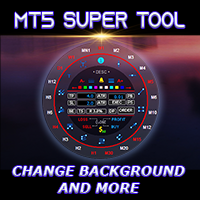
If you press the "Free Demo" button on the left it will not work since the Super Tool is an utility EA, it can not be tested on the Strategy Tester system.
Transform Your Trading Experience with the MT5 Super Tool How to install and use the MT5 Super Tool
Tired of fumbling through clunky menus, wasting precious seconds during volatile markets, or missing critical trading opportunities because MT5’s native tools slow you down? Say goodbye to inefficiency and hello to lightning-fast precision

Practice Prop Firm Challenges Risk-Free
Bneu Prop Firm Simulator FREE is a simulation utility for MetaTrader 5 that allows traders to practice prop firm challenges on demo accounts before risking real money on actual challenges. Track your progress, monitor rule compliance, and understand how prop firm rules work in real-time.
Why Use a Prop Firm Simulator?
- Practice challenge rules on demo accounts before paying for real challenges - Understand how daily loss and drawdown calculations work
FREE
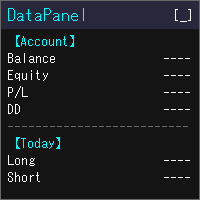
DataPanel は、口座の状態をチャートの上にまとめて表示するEAです。 注文は一切出さず、DLLも使いません。 もともとは、他のEAを動かしている口座の様子をひと目で見たくてClaude Codeで作成しました。 いろいろ追加した結果情報量が多くなりましたが、必要な情報のみ表示できるので必要に応じて設定で変更してください。
見られるもの 残高、有効証拠金、評価損益、証拠金維持率 残高と有効証拠金のドローダウン(最大値と発生した時刻)。入出金とクレジットはドローダウンに含めません 今日・今週・今月・今年・全期間の損益(ロング/ショート別)と成長率 勝率、プロフィットファクター、期待値、連勝・連敗、平均保有時間、スワップや手数料などのコスト マジックナンバー別・通貨ペア別の損益と、取引した通貨ペアの割合 ポジション一覧、損益分岐レート、ロスカットまでの余裕 経済指標(国や重要度を選べます)、当日の祝日、レート一覧、通貨の強弱、市場セッション 同じPCで動いている他のMT5も含めた、リアル口座の損益の合計(他のMT5でもDataPanelを起動している必要があります) 使い勝手 金額は
FREE
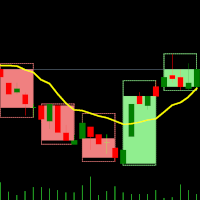
デュアルタイムフレームインジケーター – キャンドルインキャンドル 概要 キャンドルインキャンドルインジケーター は、 複数の時間足を視覚的に分析するためのツール であり、 より大きな時間足のローソク足を、より小さな時間足のチャート上に表示 することができます。時間足を切り替える必要がなく、小さなローソク足が どのように大きなローソク足の内部で動いているか を視覚的に確認できるため、トレンド分析やエントリー・エグジットの精度を向上させることが可能です。 このインジケーターは、 基準となる(短い)時間足を選択し、倍率を設定する ことで、自動的に大きな時間足のローソク足構造を生成します。 インジケーターの動作 基準となる時間足を選択 – M1、M5、M10 などのチャートを開く。 倍率を設定 – 選択した時間足に対して、どの時間足を表示するかを倍率で設定。 例: M1 チャート + 倍率 5 → M1 内の M5 キャンドルを表示 M10 チャート + 倍率 6 → M10 内の H1 キャンドルを表示 大きな時間足のキャンドルを表示 – OHLC(始値、高値、安値、終値)を示すローソク足
FREE

Trade Receiver Free is a free tool to copy trades/signals from multiple MT4/MT5 accounts. The provider account must use copier EA to send the signal. This version can be used on MT5 accounts only. For MT4 accounts, you must use Trade Receiver Free . Reference: - For MT4 receiver, please download Trade Receiver Free .
- For MT5 receiver, please download Trade Receiver Free MT5 .
- For cTrader receiver, please download Trade Receiver Free cTrader .
- If you only need copy from MT4 account to u
FREE

Simple Panel EA Plus — The Ultimate One-Click Trading Assistant Simple Panel EA Plus is a professional trading utility designed for lightning-fast execution and surgical risk management. It transforms manual trading into a precise process by automating lot calculations and order management directly from your chart. Demo version | User manual | Contact me for any questions / ideas for improvement / in case of a bug found
Core Features: 1. Professional Risk Management (Auto-Lot) Flexible R
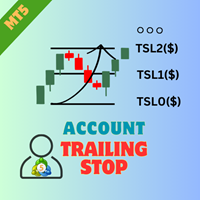
EA AccountTrailingStop MT5を紹介します。これは、MetaTrader 5での利益を自動的に管理・保護することで、あなたのトレーディング戦略を強化するために設計された高度なExpert Advisorです。このツールは、初心者とプロのトレーダーの両方に最適で、さまざまなトレーディング環境でのダイナミックな利益ロックのための堅牢なソリューションを提供します。 EA AccountTrailingStop MT5を使用することで、ユーザーは有利な市場条件下での利益保持の改善や手動監視時間の短縮など、重要な利点を体験します。forex、インデックス、暗号通貨のトレーダーは、全体的な収益性の顕著な向上を報告しており、このEAは、トレーディングパフォーマンスを最適化したいすべての人にとって重要な資産となっています。 MQL製品のインストールガイド | MT4/MT5で購入したMQL製品の更新 | 一般的なトラブルシューティングガイド | 一般設定 / 入力ガイド | バックテストとセットファイル 主な機能 ダイナミック利益トレーリング:総口座利益を自動的に追跡し、現在の利
FREE

Trade Projector by Chart Reporter Plan the trade on the chart before you place it. Trade Projector is a MetaTrader 5 chart workspace for turning a trade idea into a clear, reviewable plan. Set the direction, place the Entry, Stop Loss and Take Profit levels, inspect the projected risk and reward, then choose whether to send a market or pending order. Make the decision visible Chart-native trade plan: Entry, Stop Loss and Take Profit levels are visible and draggable on the active chart. Risk and
FREE

Scalper Palは、超高速な約定、柔軟なリスク管理、インテリジェントな自動化機能により、裁量トレードを強化するために設計された、強力かつ使いやすい取引ツールです。スキャルパー、デイトレーダー、そして取引におけるスピードと正確さを重視するすべての方に最適です。 MT4バージョン: ここをクリック デモ版についてはDMしてください なぜ Scalper Pal なのか? 以下のような状況では、手動での取引が困難になることがあります: 市場の動きが速い時に素早く注文を実行したい時 ストップロス(SL)とテイクプロフィット(TP)をその場で計算する必要がある時 複数のポジションを同時に管理する時 常に監視することなくトレーリングストップを行いたい時 Scalper Palは、直感的なダッシュボードとキーボードショートカットですべての問題を解決し、完全なコントロールを提供します。 主な機能 高速約定 キーボードのホットキーで買い注文と売り注文を即座に実行(B:買い、S:売り) キーを1回押すだけですべてのポジションを即座に決済(C) 数字キーを使用して個別のトレードを決済(1-9) 最高

Copy Dog AI Trades Copier MT5 Copy Dog AI Trades Copier copies trades between MetaTrader accounts and lets you set the copying rules by talking in your language, or by typing your copying commands and account management on the chart panel in MT4 or MT5. Write or say what you want in plain words, for example: "Copy only gold from now on, half the sender's lot size, and trail each copy 200 points behind the price." Google Gemini turns your words into rules, explains them back to you in plain words
FREE

Garner Risk Calculator for MetaTrader 5
## Visual trade planning, position sizing and manual order placement
Garner Risk Calculator is an MT5 Expert Advisor that brings trade planning and position sizing directly onto your chart. Position your Stop Loss and Take Profit, choose the amount you want to risk, and view the calculated lot size before placing an order.
The dark navy panel with blue accents provides a clear view of your proposed trade. It is a manually operated calculator and order-e
FREE

MQL5ユーティリティボタンの紹介 - 楽な取引管理のための究極のソリューション!ワンクリックで、すべてのオープンポジションを即座に閉じることができ、取引体験をこれまで以上にスムーズかつ効率的にします。
この革新的なツールは、シンプルさを念頭に置いて設計されており、あらゆるレベルのトレーダーにとって使いやすいことを保証します。あなたがベテランの専門家であろうと初心者であろうと、MQL5ユーティリティボタンは比類のない容易さであなたの取引を管理するための手間のかからない方法を提供します。 このボタンは、すべてのオープンポジションを閉じるプロセスを簡素化するだけでなく、貴重な時間を節約します。各ポジションを1つずつ手動で閉じる必要はもうありません-MQL5ユーティリティボタンは、ほんの数秒ですべてを行います。 では、なぜ待つのですか?今すぐMQL5ユーティリティボタンをダウンロードして、取引を次のレベルに引き上げましょう。シンプルで効率的、そしてすぐに使用できる-貿易管理プロセスを合理化しようとしているトレーダーに最適なツールです。
FREE

Trade Manager Pro MT5 は、単一のフローティングインターフェースから取引執行およびポジション管理のあらゆる側面を完全にコントロールできるよう設計された、プロフェッショナル向けオールインワントレード管理パネルです。高速な注文執行、高い精度、そしてインテリジェントな自動化を組み合わせることで、MetaTrader 5 を強力なプロフェッショナル向けトレーディングワークステーションへと変えながら、軽量・高速・使いやすさを実現しています。 MetaTrader 5 のネイティブ取引クラスを使用して開発されており、優れた安定性、ブローカーとの高い互換性、そして信頼性の高い注文執行を提供します。注文発注、リスク計算から高度なポジション管理、取引パフォーマンスの監視まで、取引プロセスのすべてを効率化します。 FX、ゴールド、株価指数、コモディティ、株式、暗号資産(仮想通貨) を取引する場合でも、 Trade Manager Pro MT5 は複雑さを排除し、効率的な裁量取引に必要なプロフェッショナルツールを提供します。 主なメリット ワンクリックで注文を実行。 自動リスク管理によ
FREE

Daily P/L Risk Management is a MetaTrader 5 utility that watches your account's daily profit and loss and acts automatically when a limit is hit. It tracks both realized and unrealized P/L and can close positions, disable trading or alert you. It is a practical safety net for prop-firm challenges and disciplined day trading. Features Daily loss and profit limits, set by money amount or percent of balance/equity. Combined P/L tracking: counts both closed-trade (realized) and open-position (unreal
FREE

PipPal - Your Animated Robot Trading Companion Trading can feel lonely and stressful. PipPal puts a friendly little robot right on your chart who stays with you through every trade. He flies out of a glowing sci-fi portal, follows your live price in real time, and reacts to what is happening in your account - so your chart finally feels alive. PipPal is a pure visual companion. It reads your open trades to show emotions, but it never opens, modifies, or closes any position. Your trading stays 10
FREE

Are you optimizing your trading strategies? Use the advanced and more visual representation of optimization results with the benefits of interactive HTML pages. Examples and detailed instructions .
Here are some of the benefits: Easy-to-understand graphs. Filters by any criterion and threshold (min/max). In MT5, there are only 5 of them. 43 optimization criteria instead of 8. All the criteria recorded in .opt files are available. If you have access to the EA code, you can add balance and equit

トレードビジュアライザー(TVIZ)の説明
提供されるコードは、MetaTraderの価格チャート上に過去および現在の取引データを直接プロットするために設計された、非常に効率的でインタラクティブなユーティリティ(以下、トレードビジュアライザー(TVIZ)と呼びます)です。プロの開発者やFXトレーダーにとって、ターミナルの履歴タブで生の取引データを確認するのは面倒で、価格変動との視覚的なつながりも希薄です。完全な取引履歴をプロットすることで取引データを視覚的に分かりやすくする他のマーケットソリューションと同様に、このスクリプトは正確なエントリーポイントとエグジットポイントをローソク足に直接投影することで、このギャップを埋めます。数値取引データを明確な視覚形式に変換することで、アルゴリズム開発者や手動トレーダーは、戦略のエントリーの精度、エグジットの効率性、そして全体的な市場タイミングを即座に評価できます。そのため、エキスパートアドバイザー(EA)のデバッグや、週末の手動取引の記録を行う上で不可欠なツールとなります。
このインジケーターの中核は、MetaTraderのオブジェクト作成機
FREE

Pointer Sync is a pointer synchronizer between open charts. It makes the MT5 cross (activated by the middle mouse button) to be replicated on all open charts. In addition, it is possible to create horizontal lines (letter H) and vertical lines (letter V), very useful for studying. The appearance of the lines is customizable. Note: Synchronization is through the X and Y scale in pixels , not price and/or date. It is a simple and free utility. Enjoy!
This is a free indicator, but it took hours to
FREE

Live Risk Dashboard MT5 EA Monitor your account risk clearly and trade within your limits Live Risk Dashboard MT5 EA is a practical account-monitoring utility for MetaTrader 5. It displays your most important trading and risk information directly on the chart, helping remove the "math anxiety" of managing open positions. Instead of repeatedly checking different MT5 windows or manually calculating floating profit, drawdown usage, and remaining limits, you can view everything in one clean, compact
FREE

Noetrix Partial Entry
Noetrix Partial Entry is a visual scale-in planning utility for MetaTrader 5. It helps discretionary traders build and manage a staggered pending-entry plan directly on the chart.
The utility does not generate trading signals and does not place orders automatically. A plan is sent only after an explicit click on PLACE ALL and, by default, a confirmation dialog.
MAIN FEATURES
• Build from 1 to 5 Buy Limit or Sell Limit entries. • Split a total volume across the enabled e
FREE

CasperIT Manual Trade Manager MT5 FREE
CasperIT Manual Trade Manager is a free trading utility for MetaTrader 5. It helps manual traders open positions, control risk, and protect profitable trades from a compact chart panel.
The utility does not generate automatic entry signals or promise profits. You remain in control of every trade.
Main Features
- One-click **BUY** and **SELL** buttons - Automatic risk-based lot calculation - ATR-based Stop Loss and Take Profit - Break-even protection aft
FREE

Manual ATR Grid Manager is a manual trading system for gold (XAUUSD) that lets you choose your entry and then hands the ongoing trade management to the EA. Place a market buy or sell, or a buy/sell limit or stop order, directly from the chart. Set your lot size and entry price, with on-screen instructions guiding each step. Once the position opens, the EA manages its profit target. If price moves against you, an adjustable ATR-based grid can add positions at intervals that respond to market vola
FREE

Ritz Conspiracy 16 – 多層型マーケット・インテリジェンス・システム Ritz Conspiracy 16 は、16種類の主要テクニカル指標を
1つの統合ビジュアルパネルにまとめた 多層型マーケット分析インジケーター です。 マーケット・インテリジェンスの概念に基づいて設計され、
トレンド、ボラティリティ、モメンタム、出来高、価格構造など、
あらゆる角度から市場の挙動を司令室のように読み取ります。 “コンスピラシー(共謀)” 的アプローチにより、
16のアルゴリズムが生み出す小さな手がかりをつなぎ合わせ、
市場が本当に向かおうとしている力学を一つの大きな絵として描き出します。 最終的に、各テクニカルカテゴリに対する BUY/SELL の確率パーセンテージ を
リアルタイムで、かつ適応的に、非常に情報量豊かに表示します。 Ritz Conspiracy 16 の内部構造 1つのインジケーター、6つの主要カテゴリ、16の分析エンジン。 1. TREND インテリジェンス クラシック指標と適応型指標を組み合わせ、
トレンドの方向性と強さを捉える層。 Moving Aver
FREE

Automated Utility & Risk Assistant (AURA) is the ultimate trading utility for MetaTrader 5, engineered for traders who demand precision, discipline, and total control. This is not just an order placement tool; it is a comprehensive Risk Infrastructure & Account Guardian (TradeCop) designed to eliminate emotional decision-making, automate complex math, and safeguard your account against prop-firm violations and execution errors. Whether you are a retail trader, a scalper, or a Prop-Firm challen
FREE
MetaTraderマーケットは、履歴データを使ったテストと最適化のための無料のデモ自動売買ロボットをダウンロードできる唯一のストアです。
アプリ概要と他のカスタマーからのレビューをご覧になり、ターミナルにダウンロードし、購入する前に自動売買ロボットをテストしてください。完全に無料でアプリをテストできるのはMetaTraderマーケットだけです。

取引の機会を逃しています。
- 無料取引アプリ
- 8千を超えるシグナルをコピー
- 金融ニュースで金融マーケットを探索