Easy Trade Zone
- ユーティリティ
- バージョン: 1.0
- アクティベーション: 5

Easy Trade Zone - Visual Order Panel
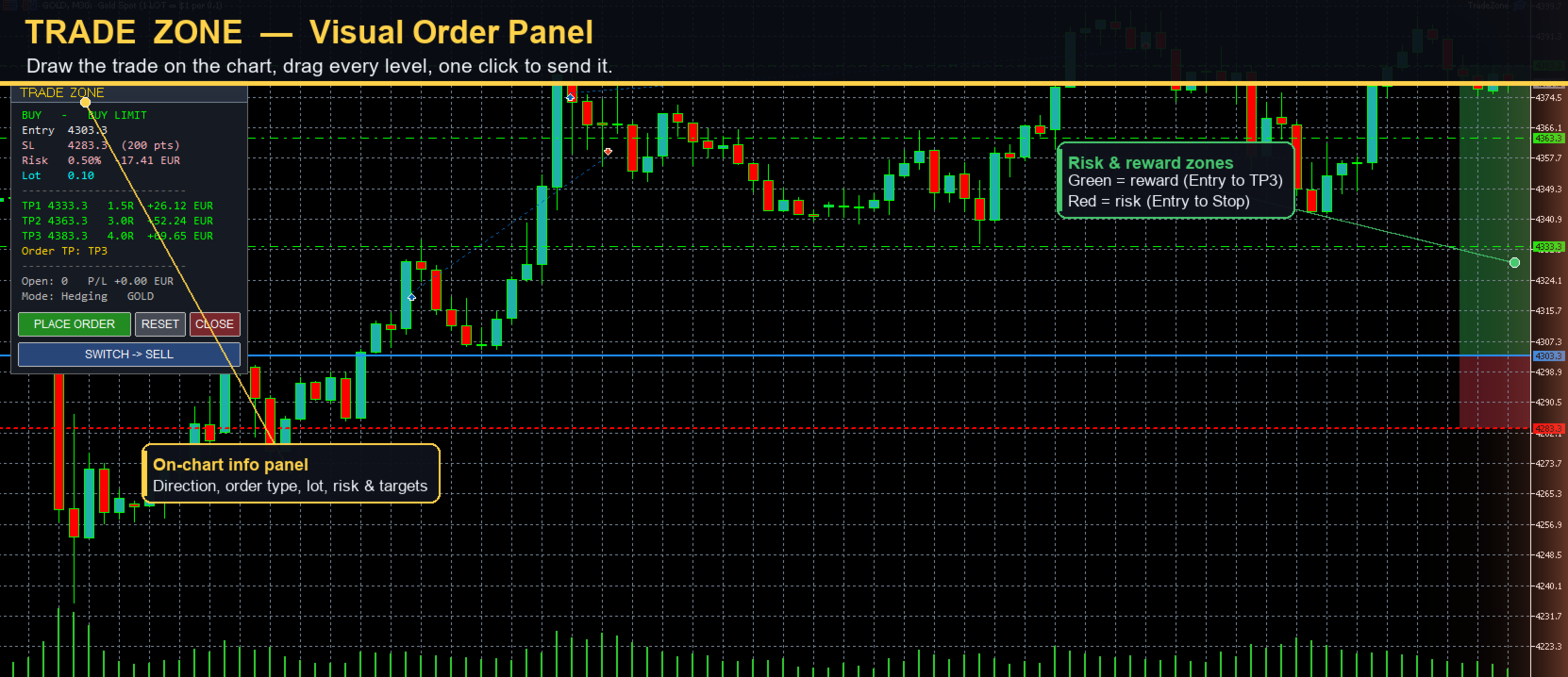
Draw your trade directly on the chart and drag it into place. Grab the Entry, Stop-Loss and the three Take-Profits individually with the mouse. The moment you move a line, everything recalculates live: the red risk box, the green reward box, the position size, and the exact profit/loss in your account currency. You see your risk in real money BEFORE you click - and never send an order without a stop by accident.
Features:
- Drag every level individually: Entry, Stop and TP1/TP2/TP3. Grab inside a box to move the whole setup.
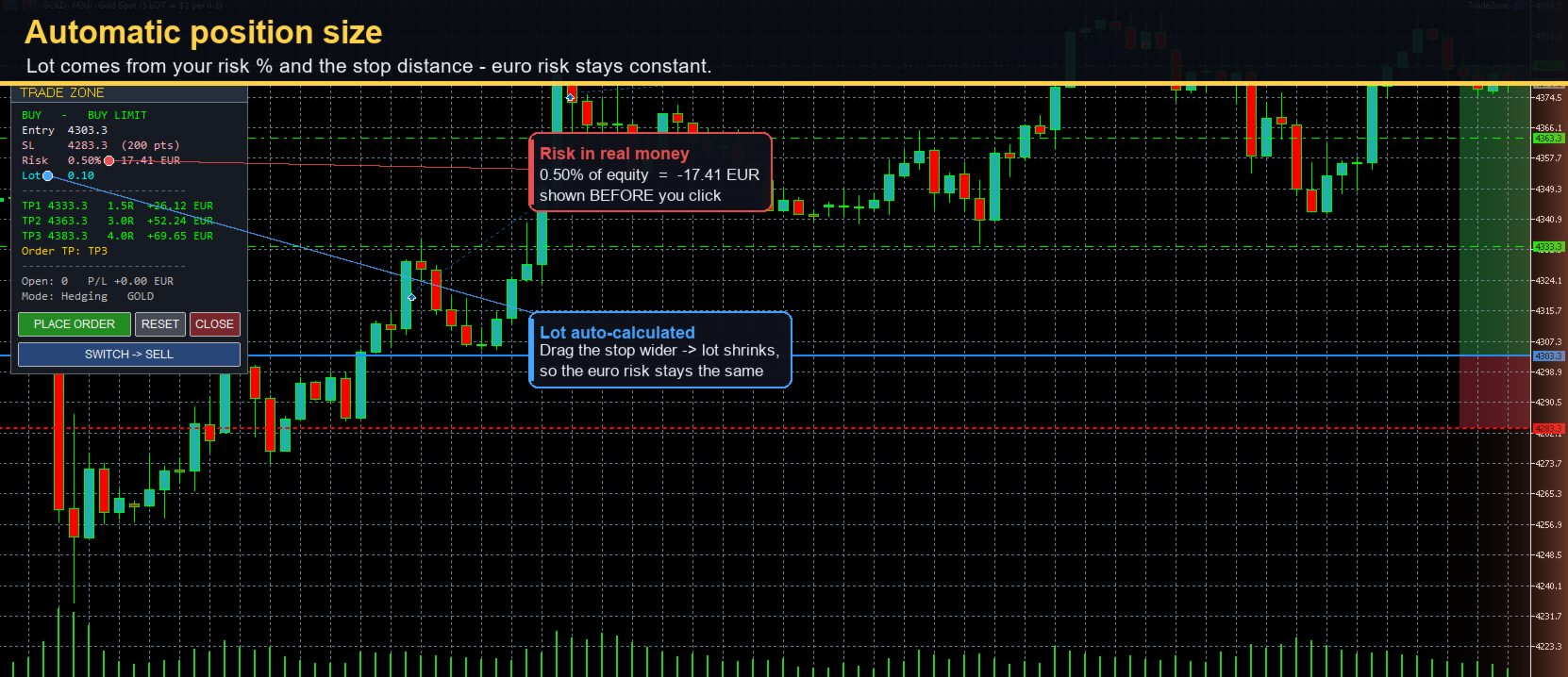
- Automatic position size from your risk percent and the stop distance, so your money risk stays constant (or use a fixed lot).
- Stop and every take-profit shown in your account currency - right on the line and in the panel.
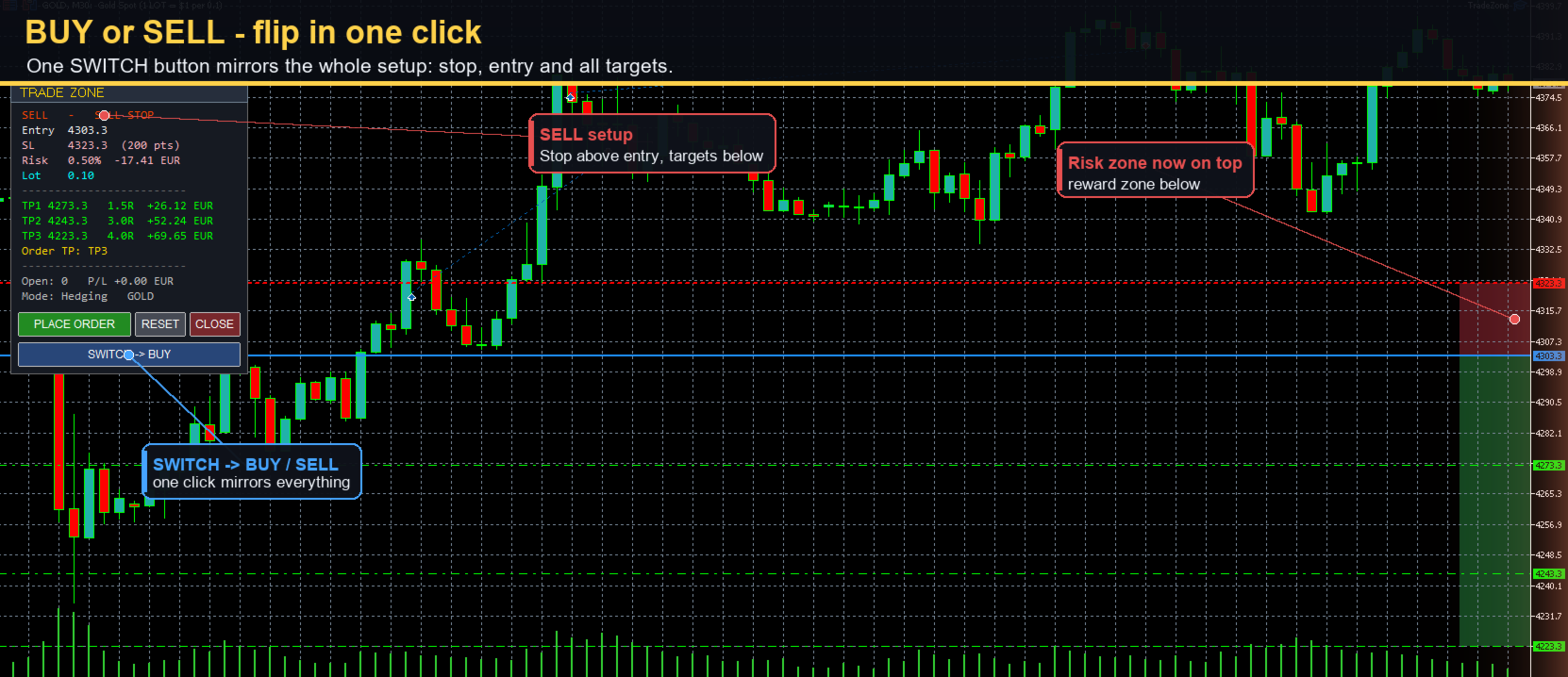
- Direction and order type detected automatically (BUY/SELL, Market/Limit/Stop), one-click BUY/SELL switch.
- Freely movable info panel.
- Live view of the tool's open positions with profit/loss and account mode (Hedging/Netting).
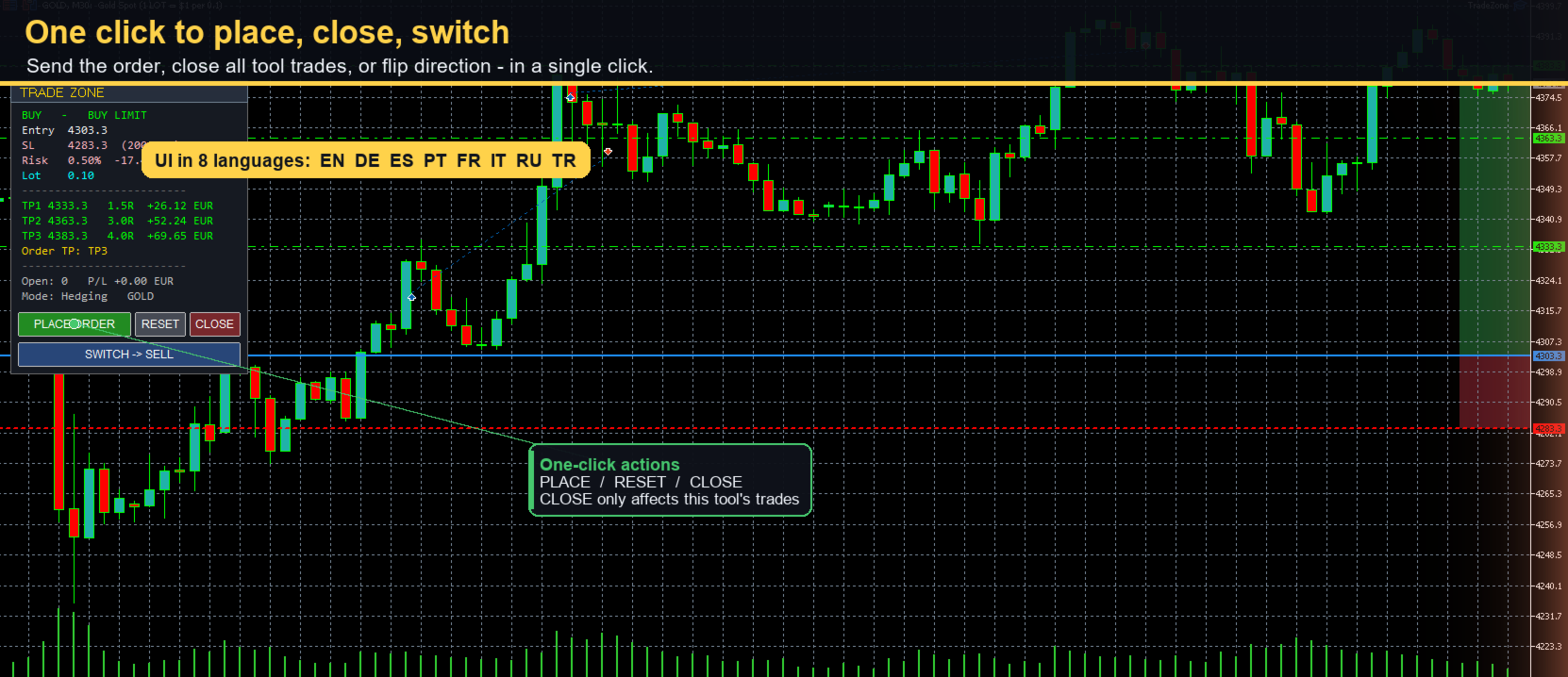
- One-click order placement and CLOSE (closes only this tool's trades, by magic number).
Good to know:
- Works on any symbol and timeframe.
- Runs on the MetaTrader 5 desktop terminal.
- YOU click the order button - the tool never trades on its own.
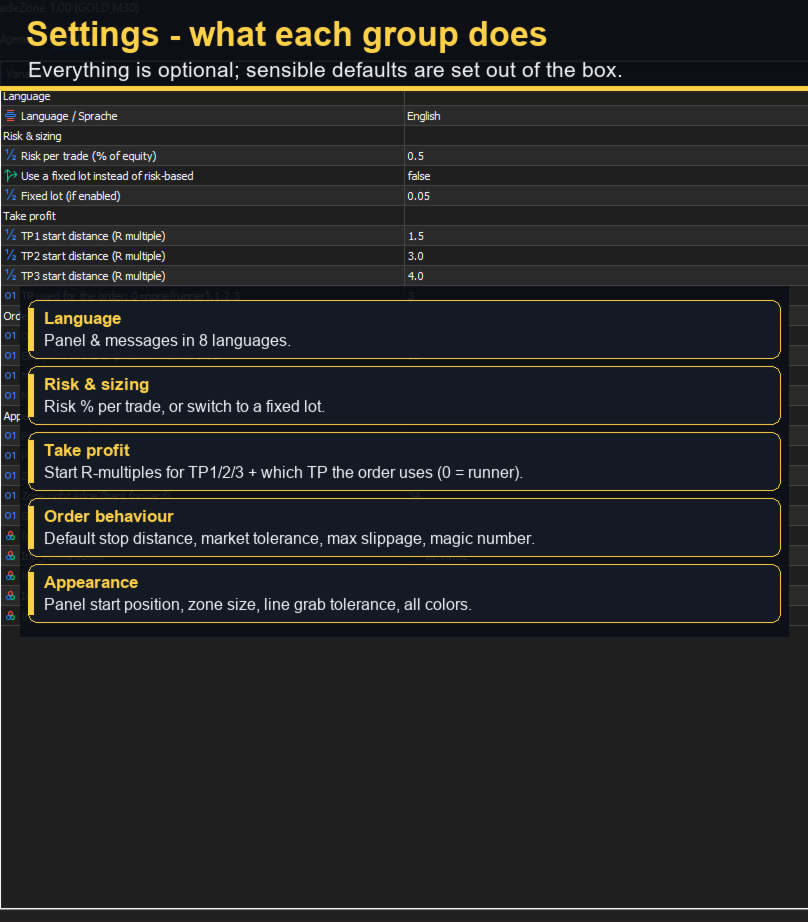
Interface in 8 languages: EN / DE / ES / PT / FR / IT / RU / TR.