 MetaTrader 5
 エキスパート
 インディケータ
 ライブラリ
ライブラリ
 ユーティリティ
 ウィジェット
 ルール
ルール
YouTubeにあるマーケットチュートリアルビデオをご覧ください
ロボットや指標を購入する
仮想ホスティングで
EAを実行
EAを実行
ロボットや指標を購入前にテストする
マーケットで収入を得る
販売のためにプロダクトをプレゼンテーションする方法
MetaTrader 5用取引ユーティリティ - 10
 以下はMetaTrader5での取引を簡素化する取引プログラムです。ユーティリティにカーソルを合わせると、その説明と目的が表示されます。
# Zikiman Risk Panel Pro — MT5リスク管理EA、ロット計算機、トレードマネージャー
Zikiman Risk Panel Proは、裁量トレーダー向けのMT5リスク管理EAです。MT5用リスクマネージャー、ロット計算機、ポジションサイズ計算機、リスク計算機、トレードパネル、トレードマネージャー、ポジション管理を、チャート上の1つのワークフローにまとめます。
売買方向、リスク、価格水準はトレーダー自身が決めます。パネルはロットサイズを計算し、予定リスクと潜在利益を表示し、成行注文または保留注文を送信し、保有ポジションの管理機能を提供します。シグナルを生成したり、自動で新規ポジションを開いたりすることはありません。
## チャート上のリスク計算とポジションサイジング
トレードプランに合わせてリスクの入力方法を選べます。
- 口座通貨での固定リスク金額 - 口座残高に対するリスク率 - 固定ロットサイズからリスク金額を逆算
MT5チャート上でEntry、Stop Loss、Take Profitのラインを直接ドラッグできます。水準を動かすたびに、ポジ

Candle Countdown Timer - Optimized Edition
Overview
Candle Countdown Timer is a lightweight, high-performance indicator that displays the exact time remaining until the current candle closes. Designed with efficiency as a top priority, this indicator provides traders with essential timing information without consuming unnecessary system resources.
Whether you're a scalper watching every second on M1 charts, a day trader timing entries on H1, or a swing trader monitoring daily candles, this i
FREE

World Clock To Server Clock World Clock To Server Clock は、選択した世界時計の時刻をブローカーのサーバー時刻に変換するためのシンプルなユーティリティ Expert Advisor です。 特定の都市/タイムゾーンに基づく取引セッション、ニュースイベント、経済指標発表、TradingView アラート、または戦略ルールを確認している一方で、MetaTrader 5 ブローカーが異なるサーバータイムゾーンを使用している場合に便利です。 主な機能 世界時計の時刻をブローカーのサーバー時刻に変換
変換には今日の日付を使用
MetaTrader 5 からブローカーのサーバータイムゾーンを自動検出
TradingView スタイルのタイムゾーンリストをサポート
タイムゾーンのドロップダウンは UTC オフセット順に並び替え
主要な対応地域の夏時間をサポート
変換後のサーバー時刻が日付境界を超える場合、nextday / previousday を表示
MQL5 Standard Library コントロールで構築されたクリーンなダッシュボード
FREE

Chart Risk Desk Free は、チャート上に分かりやすいパネルを置く軽量な MetaTrader 5 ユーティリティEAです。エントリーシグナルは出さず、グリッドやマーチンも使いません。売買の判断はあなた自身。パネルはロット、ストップ、素早いポジション管理を手伝います。 空っぽのデモではなく、実際に使える無料版です。必要なら後から Pro にアップグレードできます。 できること - 固定ロット、または残高/証拠金のリス%とSL距離からロット計算 - ポイントまたは pips の距離モード(3/5桁や指数に便利) - 成行の BUY / SELL(既定の SL/TP) - 待機注文:Buy Limit / Sell Limit / Buy Stop / Sell Stop - ワンクリックの建値移動と部分決済 - magic やチャート銘柄で絞り込んだ全決済 / 勝ち / 負け - magic フィルタOFFで手動やスマホからの注文も管理可能 - 情報行:スプレッド、銘柄損益、管理中ポジション数 - ホットキー:B買、S売、C全決済、E建値、P部分 - ダーク / ライトの
FREE

Trade Cockpit Pilot — Signal Scanner + Position Sizing + Trade Management in a Tabbed Panel Trade Cockpit Pilot is a Utility-category Expert Advisor with a minimal, purpose-driven design. It brings together a multi-timeframe signal confluence scanner, a precise position size calculator, one-click trade execution, and post-trade management — all organized in a clean, tabbed panel on your chart. No clutter. Only what matters. Three tabs. One panel. Everything you need: what to trade (signa

TITAN T-Trade – one-click trading panel with Telegram signal sharing. Works on any symbol: gold, forex, indices.
Press T (or click the T-TRADE button) and the panel shows your trade plan: - Stop-loss based on ATR (M5) - 3 take-profit legs: TP1 / TP2 / TP3 as multiples of your risk - Lot size from % risk of your account (or a fixed lot), split into 3 legs - Break-even after TP1 for the remaining legs - Live result of your open trades on the panel
One click on BUY or SELL opens all 3 legs with
FREE

ATC Economic Calendar and News Panelは、MetaTrader 5内蔵の経済カレンダーをチャート上に直接表示するので、別のウィンドウを開かずに今後の発表を確認できます。
このツールは、ポジションツール、トレード管理、パフォーマンス分析とともに、 All In One Trade Management Panel MT5 の一部でもあります。 デモ口座向けの無料トライアル版 – ライブチャートで試せます、時間制限なし。
主な機能:
• 選択した通貨の次の高影響イベントと、それまでのライブカウントダウンを表示する「次の高影響」カード。
• 日別のイベントリスト。矢印ボタンで日を前後に移動したり、今日にジャンプしたりできます。
• 各イベントは、影響の色、通貨、時刻、名前、および実績値、予測値、前回値を表示します。実績値は予測を上回ると緑、下回ると赤になります。
• 発表前の最後の5分間、イベント時刻が赤いカウントダウンに変わります。
• 通貨フィルター(主要通貨とチャートシンボルの通貨)と影響フィルター(高、中、低)。選択内容はチャートごと
FREE

Professional trading panel that combines visual order placement, automated risk management, and advanced position controls in one intuitive interface to save time, reduce errors, and enforce trading discipline.
Read user instructions Get the Pro version with more features
Overview The TradingLab Trade Panel is a comprehensive trading overlay that replaces multiple manual operations with a single, intuitive interface. Designed for discretionary and systematic traders alike, it combines visual o
FREE

Smart Data Export Indicator は、MetaTrader 5 の相場のデータを、選んだ列だけで CSV か JSON Lines に書き出すインジケータです。すべての列を説明する「データの説明書」と、ChatGPT・Claude などの AI アシスタントにそのまま貼れる「要約」も一緒に書き出します。 無料の SmartDataExportEa の後継で、インジケータとして作り直しました。お使いの EA と同じチャートで動き、取引は一切しません。DLL・Web への通信も使いません。 書き出すもの データのファイル (CSV(カンマかセミコロン)または JSON Lines): 確定した足 1 本につき 1 行、古い順、UTF-8。新しい足は確定するたびに追記します。そのため Python・Excel・Power BI で読みながら増やせます。書き出しを始めるたび(インジケータをチャートに付けたとき・入力を変えたとき・MetaTrader を再起動したとき・「Export again」を押したとき)に、ファイルを最初から書き直します。前のファイルを残したいときは
FREE
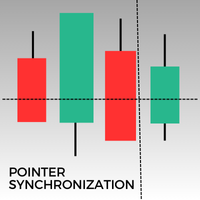
このMetaTrader 5インジケーターは、同じアセットのすべての開いているチャートにポインターを自動的に同期します。1分足チャートであれ、日足チャートであれ、ポインターはすべての開いているウィンドウで同じ価格に自動的に揃います。この機能により、一貫した迅速な分析が可能になり、意思決定が向上します。複数のチャート間でポインターを同期させることは、異なる時間枠で価格変動の正確な概要を維持しようとするトレーダーにとって、貴重なツールです。
FREE

Strifor SmartTrade Expert — プロトレーダー向けのソリューションで、注文の主要ステップを自動化します: 即座にストップロスとテイクプロフィットを設定 取引ごとのリスクを固定(エキスパート設定で指定) 時間を節約し、手入力ミスを防止 Strifor Lot Calculator と連携可能(計算機でロットを計算し、エキスパートで同じリスクを設定) ショートカットキー
ALT+F4 — ワンクリックで注文。SL/TPと固定リスクを設定して即開設。 利点 速度 — 手動操作なしで瞬時に取引開始 規律 — リスクが常に一定、人為的ミスを排除 汎用性 — すべての銘柄・時間足で利用可能 信頼性 — すべての取引が保護される Strifor SmartTrade Expert — ALT+F4 一発で取引開始:SL/TP自動設定、リスク固定。
Strifor Lot Calculator と相性抜群。迅速。規律。ミスなし。 設定 Risk per Trade (%) — 取引ごとのリスク(Lot Calculatorと同じ) Stop/Take Parameters —
FREE

Blodsalgo Analytics — あなたのトレードを解読する。MetaTrader 5 のための無料リアルタイム分析。 Blodsalgo Analytics は、MetaTrader 5 ターミナルをウェブ上のプロ仕様の分析ダッシュボードにつなぐ 無料の補助ユーティリティ です。すべての約定、指標、保有ポジションが自動で同期され、各口座と各 EA の本当のパフォーマンスがわかります。すべてのブローカーを一か所で、どの端末からでも確認できます。 設定方法、ダッシュボードのアドレス、各種リンクは本製品の セットアップとリンクのコメント にまとめてあります。 MQL5 Market のガイドラインでは製品説明に外部リンクを掲載できないため、すべてそちらに集約しています。 これはトレード用の EA ではありません。 取引を新規建て・変更・決済することは一切ありません。EA の隣で静かに動作する読み取り専用のデータコネクタで、取引には一切干渉しません。 BLODSALGO の EA をお持ちの方だけがご利用いただけます。 無料。サブスクリプションなし。隠れた費用もありません。 新着
FREE

Market Beacon — Market Context at a Glance developed by GOLDEXA️ Market Beacon is a completely free market dashboard for MetaTrader 5 designed to help traders understand current market conditions faster and with less chart clutter. Instead of switching constantly between timeframes, indicators and session clocks, Market Beacon brings the most useful market context together in one clean, professional HUD. See direction across multiple timeframes, identify whether the market is trending or rangin
FREE

説明: VPS ヘルス チェック EA は、ブローカーへの接続を監視し、接続の状態に関する通知をタイムリーに提供するように設計された MetaTrader 5 ユーティリティです。このツールにより、接続の問題がすぐに通知され、取引活動の安定性と信頼性が維持されます。 特徴: 接続チェック モード: 新しいキャンドルごとに接続をチェックするか、特定の時刻に接続をチェックするかを選択します。 カスタマイズ可能な時間: スケジュールされた接続チェックの正確な時間と分 (24 時間形式) を設定します。 リアルタイム通知: MetaTrader 5 アプリ経由で接続ステータスに関する即時通知を受け取ります。 情報表示: 最後の通知時間とメッセージをチャート上に直接表示して簡単に参照できます。 入力: モード: 接続チェックのモードを選択します Check_On_Each_Candle - チャートに新しいローソク足が表示されたときに通知をトリガーします。 Check_At_Particular_Time - 指定されたブローカー時間 (デフォルトでは 14:00) に毎日チェ
FREE

Copy your MT5 trades to accounts anywhere in the world with the MetaToolsLab Master EA . Unlike local copiers that only work between terminals on the same PC or VPS, MetaToolsLab uses a secure cloud relay — so you can broadcast your trades to followers across different computers, VPS providers, brokers, and continents , with sub-second delivery and no broker passwords . Whether you're a signal provider, a multi-account trader, or an account manager, the Master EA installs in about
FREE

Overview
AlphaForge Range Chart is a professional non-trading range-bar charting utility for MetaTrader 5. It generates live Range charts as MT5 custom symbols, helping traders analyze price movement through fixed-range bars instead of standard time-based candles. Unlike visual-only overlays, the generated Range chart behaves like a real MT5 custom-symbol chart. This means you can open it as a normal chart, apply templates, draw analysis objects, and add indicators directly to the Range chart fo

Boleta Global Lab v1.1
Pensando em proporcionar uma experiência operacional mais intuitiva e eficiente, desenvolvemos uma boleta exclusiva para MetaTrader 5 (MT5) com interface inspirada na boleta do Profit, amplamente utilizada por operadores da B3.
O objetivo é oferecer uma adaptação mais rápida para quem já está familiarizado com o ambiente operacional do Profit, tornando a execução das ordens mais prática, organizada e confortável.
Principais características
* Interface inspirada na bol
FREE

Features: fast opening / closing deals the number of deals and the total profit for the Symbol
Fast open deals: set the Lot volume set StopLoss / TakeProfit in points (if you set "0", then it is not used) set slippage set Magic (if necessary) set comment (if necessary)
Fast open features: fast open Buy fast open Sell fast close ALL open orders for the current Symbol
Attention: this utility works only on the current instrument this utility works on a VPS must enable Algo trading in the termi
FREE
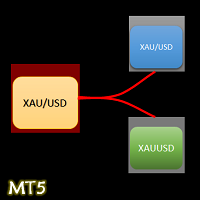
- The Symbol Changer Utility for MetaTrader is a tool that enables traders to switch between various symbols on the MetaTrader trading platform easily and quickly. - It is designed to change the symbol of the current and all open chart windows and the timeframe of the current chart window (by clicking the button). - The tool retrieves symbols from the Market Watch, displaying only the necessary symbols in the market watch.
FREE

Recovery Assistant Pro for MT5
Manual Recovery Trading Assistant
Recovery Assistant Pro is a Manual Trading Assistant EA for Recovery trade calculations and management. Helps calculate the appropriate Lot Size. Designed to calculate Recovery trade parameters based on floating loss and the selected Target USD. Simplifies Recovery calculations that would otherwise require manual calculation. The trading panel provides direct access to the main Recovery functions from the chart. Includes a Recov
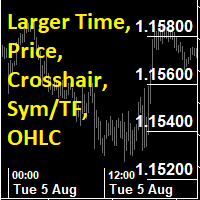
This utility indicator provides accessibility and readability, by displaying a larger price scale, time scale, crosshair, and symbol name/tf/ohlc information. All features are sizeable and can be styled separately, and are optional to show.
All Features optional to use font, size and color options
Price Scale
option to hide the default MT5 price scale option to show horizontal lines at price levels prices drawn can be at round numbers (ie automatic rounding to multiples of 5/10/20/25 points),
FREE

VoidFlow IFVG Trade Assistant Pro VoidFlow IFVG Trade Assistant Pro VoidFlow IFVG Trade Assistant Pro is a manual-first MetaTrader 5 trading assistant built for traders who want a cleaner Inverse Fair Value Gap (IFVG) workflow with structured trade planning, chart context, and optional automatic execution only when it is explicitly enabled by the user. It scans the selected signal timeframe for raw Fair Value Gaps, confirms true inversions, filters weak setups, draws the full trade plan on the c

ELITE REVERSE TRADER (MT5)
Instantly hedge or invert any trade opened on your account—manual or EA. Reverse Mirror EA monitors your live positions and opens an opposite trade using your chosen lot mode (Fixed or Multiplier). When the original position is closed (manual close, SL/TP hit, EA exit—any method), the mirrored position closes automatically. Because it runs in the same terminal, it reacts faster than third-party copy tools. WHY THIS MATTERS
It is widely cited that a large majority of

This utility automates Take Profit (TP) and Stop Loss (SL) levels for your trades, calculated in Pips . It ensures consistent risk management for all your positions. Crucial Note for Manual Traders: If you intend to use this utility on trades opened manually (without an Expert Advisor), you must change the 'Magic Number' setting to 0 (zero) . This allows the utility to correctly identify and manage your manual orders.
FREE

A2 Trade Manager Finale EA is an EA that made for you that like SCALPING, HEDGING, or LONG TIME TRADING. Features : TRADING INFORMATION Total Equity information Running Total Profit / Loss information Margin Level information Running Profit / Loss each trade BUY and SELL (if Hedging) Total Lots information Current timeframe remaining Daily Profit / Loss information All time Profit / Loss information Local Currency conversion
TRADE MANAGER BUTTON Order Sell / Buy Breakevent (For multi layer pos

Easy Lot Size Calculator Stop calculating lot sizes manually and start trading visually.
Automatic position lot size calculator for MT5 (MT4 also available)
The Easy Lot Size Calculator is the ultimate trade management dashboard. It is designed for traders who need speed, precision, and strict risk management. Whether you are a scalper needing split-second execution or a swing trader demanding exact risk percentages, this EA handles the math so you can focus on the chart. Why Use This Ca
FREE

Performance Tracker Performance Tracker は、MetaTrader 5 向けの取引分析および口座パフォーマンス管理ツールです。 この製品は、トレーダーが過去の取引履歴を分析し、リスクを評価し、視覚的なレポートと詳細な統計を通じて取引判断を改善するために設計されています。自分の取引活動を分かりやすく体系的に把握したい方に適しています。 主な機能 口座分析ダッシュボード インタラクティブなダッシュボードで口座全体の取引パフォーマンスを確認できます。 利用可能な指標: 純利益 総利益と総損失 プロフィットファクター (Profit Factor) 期待収益 リカバリーファクター (Recovery Factor) シャープレシオ (Sharpe Ratio) ソルティノレシオ (Sortino Ratio) 勝率 平均リスクリワード比率 残高とドローダウンの可視化 口座残高の成長とドローダウンの動きを時系列で確認できます。 表示可能なチャート: 残高曲線 エクイティドローダウン ドローダウン期間分析 これにより、安定した期間やリスクが高かった期間を把握で
FREE

DAILY LIMITER PRO v1.0 – COMPLETE USER GUIDE WHAT IS DAILY LIMITER Daily Limiter PRO is a utility Expert Advisor for MetaTrader 5 (MT5) designed to act as your daily risk manager . This EA does NOT open trades automatically . Instead, it: Monitors daily profit/loss across your entire account (all symbols).
Closes all positions when a daily profit target or daily loss limit is hit.
Blocks any new positions (manual or from other EAs) after a limit is reached.
Displays a
FREE

Latency Arbitrage – Ultra Fast Execution & Price Inefficiency Capture Latency Arbitrage utility tool is designed to exploit short-term price inefficiencies between fast and slow price feeds. Instead of predicting market direction, the EA focuses on execution speed and price deviation opportunities, allowing traders to capture micro-movements before the market fully adjusts. With built-in risk controls and smart filtering, it ensures precise and disciplined trading performance. Price increases b

---คำเตือน EA ตัวนี้เหมาะสำหรับโบรคเกอร์ที่ Slippage ต่ำ--- EA ตัวนี้ถูกสร้างมาด้วยหลักการ Long Straddle ของ Option ที่จะวาง Position ดักทางทั้ง 2 หน้า หากราคาไปทางใดทางนึงจนเกินระดับราคา Break Event จะกำไรไม่จำกัด เเต่ถ้าราคาผิดทางจะขาดทุนแค่ค่าพรีเมี่ยม ดังนั้นเมื่อข่าวออกการที่กราฟฉีกตัวไปทางใดทางนั้นบน Option สามารถสร้างกำไรได้ทันที แต่เนื่องจากการเทรด XAUUSD Spot CFDs ไม่ได้มีหลักการขาดทุนเเค่ค่าพรีเมี่ยม การ ฺ Buy Sell สามารถกำไร/ขาดทุนได้ไม่จำกัด ดังนั้นการเทรดข่าวด้วยเครื่องมือ EA News
FREE

Free. Set your risk, click Buy or Sell, done. TrueRisk Trade Panel works out the lot size for you. Type how much of your account you want to risk (for example 1%), set the stop loss in points or drag it on the chart, and the BUY and SELL buttons already show the right lot. No lot calculator, no guessing, no trade that risks ten times more than you meant. MT4 version (free) | TrueRisk Trade Manager (auto break-even, partial close, trailing, account guard) | Free 14-day trials of the paid tools |
FREE

EA Zone Recovery Assistant เป็น EA ที่ช่วยเปิดออเดอร์ Recovery ตามระดับราคาที่ผู้ใช้กำหนดได้อัตโนมัติ //โดยหลักการทำงานมีดังนี้// เมื่อผู้ใช้เปิดออเดอร์ Buy หรือ Sell (Market Order) EA จะตรวจสอบจุด SL ภายในเวลาที่กำหนดในตัวแปร Input Delay Check for setting Price Recovery ถ้าผู้ใช้วาง SL วางภายในเวลาที่กำหนด ระบบจะลบ SL ออกแล้วใช้จุดที่วาง SL เปิดออเดอร์ Recovery เมื่อกราฟวิ่งผิดทางถึงจุดที่กำหนด //แต่ถ้าผู้ใช้ไม่วาง SL ภายในเวลาที่กำหนดระบบจะไม่มีการทำ Recovery ในออเดอร์นั้นแม้ผู้ใช้มีการวาง SL
FREE

SyncTrader Risk Manager SyncTrader Risk Manager は、MetaTrader 5 用の手動取引およびリスク管理ツールです。口座通貨の金額または残高のパーセンテージで指定したリスクに基づいてポジション量を計算し、チャート上で取引プランを準備できます。 本ツールは取引シグナルを生成せず、自動的に取引を開始することもありません。方向、注文タイプ、Stop Loss、Take Profit はユーザーが決定します。パネルのインターフェース言語は英語とロシア語です。 主な機能 リスク金額または残高比率によるロット計算 Market、Limit、Stop 注文 1~4 段階の Take Profit 移動可能な Entry、Stop Loss、Take Profit ライン 口座通貨、points、R によるレベル値の表示 指定した Take Profit 到達後の自動 breakeven 再利用可能な 9 個のレベルテンプレート スプレッド、余剰証拠金、1 取引あたりのリスク、日次損失の確認 管理対象ポジションの全決済、利益ポジションのみ、損失ポジショ
FREE

Trade Manager MT5 Visual Position Sizer Position Sizing & Order Management Tool — No manual calculations. Just drag your Entry, Stop Loss, and Take Profit lines on the chart. Everything is automatically calculated and displayed in real time. Watch all calculations update live — instantly on both the panel and the lines. Enter trades with minimal risk, without hesitation. How to use:
1. Attach Trade Manager MT5 to any chart.
2. Write Lot size or the Margin Amount on the Panel.
3. Click on SL/T

作業ロジック
ストップアウトユーティリティは、ストップアウトレベルまで残っているポイント数を示すシンプルですが非常に便利なインジケーターです。
その利点は、多くのトレーダーが利益を追求して取引する際のリスクを故意に過大評価し、利用可能なマージンを最大限に使用するという事実にあります。この場合、ブローカーがあなたのポジションを強制的に閉じることができる場所を知ることは非常に重要です。
チャートにインジケーターを配置するだけで、買いまたは売りのオープンポジションに応じて、チャート上にこの取引の価格の境界マークが表示されます。
ポジションを開くまで、ラインはチャートに表示されません。
チャートに線が表示されない場合、これはユーティリティが機能しないことを意味するものではなく、おそらく取引のリスクが最小限であり、預金が大きい場合は、ストップアウトラインをはるかに高く探す必要があります/現在のリスクではストップアウトから遠く離れているため、トレードよりも低くなります。
ご不明な点がございましたら、ディスカッションセクションにご記入ください。幸せな取引。 Recommended Ro
FREE

AW MT5 To Telegram は、MetaTrader 5 口座のイベントを Telegram に送信するユーティリティです。送信対象はポジションのオープンと決済、部分決済、Stop Loss と Take Profit の変更、待機注文、口座アラート、レポートです。ユーティリティ自体は取引を行いません。口座の約定履歴を読み取り、あらゆる変化をプライベートチャット、トピック付きグループ、またはチャンネル向けのメッセージに変換します。 VIP チャンネルには即時に、Free チャンネルには遅延をつけて配信するシグナル販売者や、ドローダウン、証拠金、接続に関するアラートをスマートフォンで受け取りたいトレーダー向けに作られています。 マニュアルと説明 -> こちら / MT4 -> こちら 特長: 最大5つのチャットに対応し、スタイル、イベント、フィルター、遅延、ボタンをチャットごとに個別に設定可能 チャート上の AW Message Designer: 12種類の既成テンプレートとライブプレビュー メッセージはディスク上のキューで待機し、ネットワーク障害の後に再送されます 決済
The RFOC Candle Timer 2x was created for the trader to locate himself in time, having access to the pending time for the formation of a new candle. Additionally, it is possible to include in the chart a second timer that shows the pending time for the formation of a new candle in a time period different from the current one. The user will have the option to select up to 4 different positions for the timer display ("No candle", lower left corner, lower right corner or upper right corner). In ad
FREE
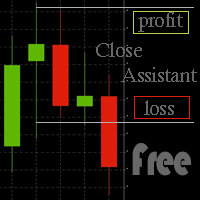
Simple program to automatically close positions by profit or loss.
User can select "Total Profit" to close all positions at the same time, once the total profit or loss is reached.
User can select "Single Profit" to close one by one positions, once single profit or loss is reached. Notes: 1. The assistant will not open any position.
2. The assistant only provide market orders, so due maket volatility positions can suffer slippage.
FREE

ウォーターマーク MT4 バージョン: https://www.mql5.com/ja/market/product/120783 MT5 バージョン: https://www.mql5.com/ja/market/product/120784
ロゴ MT4 バージョン: https://www.mql5.com/ja/market/product/121289 MT5 バージョン: https://www.mql5.com/ja/market/product/121290
「ウォーターマーク」スクリプトは、チャートの背景に重要な情報を直接表示することで、取引チャートをより魅力的に見せるように設計されています。このスクリプトは、現在の取引ペア、時間枠、各種時間指標などの重要な情報を、明確かつ目立たないように把握できる方法を提供します。
機能:
取引ペア表示:
このスクリプトは、チャートに表示されている現在の取引ペア(例: EUR/USD、BTC/USD)を自動的に検出し、表示します。これにより、トレーダーは常にどの資産を分析しているかを把握でき、間違ったペアに基づいて意思決
FREE

Smart Symbol Changer & Multi-Chart Sync Stop wasting time manually changing symbols on every chart. The Smart Symbol Changer is not just a button panel—it is a complete workspace management tool designed for professional traders who monitor multiple assets (Forex, Crypto, Indices) across multiple chart windows. Why this is the best Symbol Changer for MQL5: Most symbol changers are messy and clutter your screen. This tool features a Smart Auto-Grid that automatically sorts your symbols alphabetic
FREE

JJC Academy Trade Assistant — リスク計算・ポジション管理パネル もう手計算でロット数を出すのはやめましょう。計算ミスでドローダウンを超えるのもこれで終わりです。 JJC Academy Trade Assistantは、私自身がファンデッドアカウント(funded accounts)のポートフォリオを管理するために開発し、実際に使用しているトレーディングパネルです。通貨ペアやインジケーター、ブローカー、利用しているプロップファーム(prop firm)が何であっても、常に設定したリスク通りにエントリーできるよう設計されています。 リアルタイムのリスク計算 **リスク% と リスクリワード比(R:R)**を設定するだけで、ボタンを押す前にロット数が瞬時に自動計算されます。 リスク計算の基準を選択可能: 残高(Balance) 、 有効証拠金(Equity) 、または 初期残高(Initial Balance) ——チャレンジ口座やファンデッドアカウントに最適です。残高は変動しますが、ドローダウンのルールは通常、最初の口座金額を基準に計算されるためです。
FREE

DataExporter saves the price history from your MetaTrader 5 terminal as text files with comma separated values (CSV). The files open directly in Excel, Google Sheets, Python, R or any other analysis tool. Instead of exporting one symbol at a time through the Symbols window, you choose a list of symbols and timeframes and export them all in one run. You can also export every symbol in your Market Watch window at once. Main features Several symbols and several timeframes in one run. Update mode: a
FREE

Burning Teko Trade Panel is a free on-chart trading panel for MetaTrader 5. It lets you trade by hand inside the Strategy Tester (visual mode): click BUY, SELL, HEDGE or CLOSE while the backtest runs, exactly like on a live chart. It also works on live and demo charts.
This is the free edition of Burning Teko Trading Companion. Full version: https://www.mql5.com/en/market/product/197966 User guide: https://www.mql5.com/en/blogs/post/776375
FEATURES - BUY / SELL at market with the lot, SL and T
FREE

Actively developed: new features and improvements are added regularly. Found an issue or have a suggestion? Leave a comment and it will be fixed quickly.
Plan every trade like on TradingView: drag a Risk:Reward box on your MetaTrader 5 chart and see your exact lot size, risk and target instantly. Free. PLAN
- Click BUY or SELL, then click the chart - or double-click for a box at market price.
- Drag the stop loss, take profit, entry and box width directly on the chart.
- Lot size is calculat
FREE

You can now have a BIG price showing on chart. ========================================== INPUTS: BID or ASK: Choose which price you'd like to show on the chart, bid or ask. Default is Bid. Font size: Set the font size for the price. Default is 200. Font color: Set the font color for the price. Default is White. Base corner: Choose which of the 4 corners you want to price to be in. Default is the upper right hand corner of the chart. X distance from chosen corner: Distance of the price
FREE

Это DEMO версия Renko Maker PRO к сожалению правила маркета не позволили указать это в названии. Почему то проверка маркета запрещает в названии слово DEMO. Демо версия строит ренко бары только на основе EURUSD из 1000 последних минутных баров. Revolution Renko Maker PRO — Инновационный Конструктор Ренко Графиков для MetaTrader 5
Создавайте идеальные ренко-бары с сохранением тиковых данных и реальных объемов — теперь с полной поддержкой индикаторов, советников и тестера стратегий!
FREE

Symbol Screener は、MetaTrader 5 向けのプロフェッショナルなマルチシンボル・マルチタイムフレーム対応インジケーターシグナルダッシュボードです。選択したすべてのシンボルとタイムフレームにわたる5つの人気インジケーターからの BUY/SELL シグナル を、カラーコード付きのコンパクトなテーブルに表示します。チャートの手動切り替えはもう不要 — 市場全体の状況を一目で把握できます。 スクリーンショット付きの詳細記事: Symbol Screener — 完全ガイド インジケーターシグナル分析なしのバージョンが必要な場合は、同じ著者の Chart Manager をご覧ください。 Symbol Screener は最大5つの標準インジケーターからリアルタイムでシグナルを収集します: Moving Average (MA) MACD Relative Strength Index (RSI) Stochastic Oscillator Commodity Channel Index (CCI) 5つのインジケーターが同時に動作します。 Single Symbol モ

Sentinel Trade Manager is a free, premium trade panel for MetaTrader 5. It does the one thing every trader needs and most people get wrong: it sizes your position by RISK, not by guesswork. HOW IT WORKS Drag three lines on the chart - Entry, Stop and Target. The panel instantly shows: - the exact LOT for your chosen risk, - your risk in money AND in % of balance, - the reward and the R:R ratio, - the stop and target distance in pips. Set your risk once (as a % of balance, a fixed money amount, o
FREE

Maximize your winning trades and lock in profits as the market moves in your favor. Auto Trailing Stop Manager is an advanced trailing stop utility that smoothly moves your Stop Loss behind the current price, securing your gains while giving your trade room to breathe. Instead of manually dragging your Stop Loss, this EA automates the process using a precise Start, Stop, and Step metric. It is the perfect companion for traders who want to ride massive market trends without leaving their profits
FREE

Risk calculator for MetaTrader 5.
Precision Position Calculator is a MetaTrader 5 utility that helps calculate trade volume based on the risk configured by the user. The panel allows the user to work with Entry, Stop Loss and up to three Take Profit levels directly on the chart. Main description Precision Position Calculator is a utility for MetaTrader 5 designed to help calculate the volume of a trade before opening it. The panel allows the user to configure risk, select the order type, set th
FREE

日 本語訳 MD Trade Manager - MetaTrader 5用エキスパートアドバイザー 説明 MD Trade Managerは、MetaTrader 5向けのビジュアルトレード計画およびリスク管理ツールです。手動でのロッ ト計算や勘に頼った トレードの代わりに、 シンプルなチャート上 のパネルと、エント リー、ストップロス 、テイクプロフィット を表す3本のドラッ グ可能な価格ラインを 使用します。ライン を動かすと、パネルは ロ ットサイズ、ドル建てのリスク、ドル建てのリワード、実際のリスクリワード比率を即座 に再計算するため、注文を出す前にトレードの正確な結果を把握できます。 このツー ルは、毎回のトレードで手動計算をすることなく、一貫したポジションサイズ設定、明確 なビジュアル計画、自動のブレークイーブン管理を求めるトレーダー向けに設計されてい ます。あらゆる銘柄で使用でき、特にゴールドやシルバーのようにポイントの価値やスプ レッドが手動でのリスク計算を誤りやすくするボラティ リティの高い銘 柄に適しています。 仕様 リスク 管理
1トレード あたりのリスクは

SemiAutoTradingPanel 1.00 — Tulip Quick Order Tool Short description (one line) Semi-automatic MT5 trading panel with 12 multi-factor strategies, market-regime filtering, adaptive lot sizing and 3 SL/TP modes — English/Chinese bilingual. Full description A chart-based control panel that turns MetaTrader 5 into a semi-automatic trading desk. It reads market data, classifies the current market regime, and executes strategy signals automatically, while every action stays visible and one click awa
FREE

High-impact news is where spreads blow out, stops get hit on spikes, and orders fill nowhere near where you expected. News Sentinel puts a live countdown and a shaded volatility window right on your chart, and tells you how many pips each release has actually moved the currency so you know the volatility to expect. A free on-chart news panel for anyone who trades a chart, whether you run Expert Advisors that get stopped on news spikes, or you trade by hand and need to know when the market is abo
FREE

Visual trading tool for MetaTrader 5 with automatic lot calculation, draggable SL/TP lines, risk-reward ratio display, and one-click execution.
Smart Lot OneClick Manager is a fast, intuitive, and clean visual trading assistant designed for MetaTrader 5. It streamlines your risk management and order execution directly on the chart, eliminating manual calculations and saving crucial seconds during high-volatility sessions. Key Features: Automatic Lot Calculation: Automatically calculates the exa
FREE

designed to help traders monitor the long and short swap rates of available trading instruments through a clear, organized on-chart table. Its primary purpose is to make overnight financing costs and potential swap credits easier to observe across multiple symbols without repeatedly opening individual instrument specifications. By presenting swap information in a centralized display, the application helps traders incorporate holding costs into their market analysis and trade planning. Key Benef
FREE

TITAN Prop Guard – Prop Firm Risk Protection for MT5 TITAN Prop Guard is a risk management utility for MetaTrader 5. It helps traders stay within the daily and maximum loss limits of their prop firm. Attach it to one chart and it monitors the account equity continuously. When the configured loss threshold is reached, it closes open positions and pending orders and activates a trading lock until the next daily reset. During the lock, any new trade opened manually or by another Expert Advisor is c
FREE

BOS VECTOR TRADE MANAGER — FREE Simple Manual Trade Control for MetaTrader 5 BOS VECTOR TRADE MANAGER is a free MT5 utility designed to make manual trade execution and position management faster, cleaner and easier directly from the chart. It does not require BOS VECTOR EA and can be used completely on its own. The aim is simple: Give the trader practical trade-management tools without turning the chart into a huge dashboard. -------------------------------------------------- WHAT IT D
FREE

TradeRazor: One-Click Trade Execution Panel It calculates your risk before every trade, places market and pending orders in one click, and manages open positions with partial closing, breakeven, and close-all functions with one click. Order Execution One-Click Execution
Place market Buy or Sell orders instantly. Lot size, stop loss, and take profit are all pre-set before you click. Preset Buttons
Four customizable lot size, stop loss, and take profit presets each, ready in one click. Universal

Trade Panel Pro MT5 – LiqStrike | MT5 Trade Panel | Risk Management | Position Manager
Every second counts in trading. LiqStrike gives you total control — instantly.
Built for serious traders who demand speed, precision and professional risk management in a single panel.
MT5 Trade Panel with One Click Trading Advanced Risk Management — Auto Lot Calculator Position Manager for MetaTrader 5 Break Even & Trailing Stop per position Real-time USD tags on chart for SL & TP Compatible w
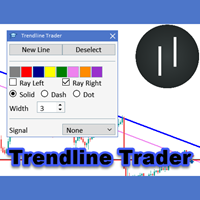
The Trendline Trader EA helps you to analyze and trade the markets with trendlines. You can place and modify lines easily with only few clicks. When you found a strong trend you can also activate the lines to open trades (or place orders) when reached by the price. The tool helps you to analyze multiple markets and still be able to trade trends without sitting in front of the charts all the time. You can change the appearance of the lines. It might be a good idea to choose different colors or si

Mobile Trade Manager - Professional Trading Management from Your Phone INTRODUCTION Mobile Trade Manager is a professional trading management EA specifically designed to give you complete control over your trades using only your phone, from anywhere. Key Features: THE ONLY EA on the market that can manage trades from anywhere - Features fully optimized for mobile, no computer needed Visual Entry Panel - Drag-and-drop to p

*** available for free for cloud pro users and above****
Ultimate EA Manager is a utility for traders running multiple Expert Advisors on a single MT5 terminal. It does not place trades itself — it coordinates the EAs you already use. Features: - Auto-detect every EA attached to charts in your terminal, grouped by EA name - Slot management: cap how many EAs may hold open positions concurrently (waiting EAs pause until a slot frees up) - Account-level drawdown circuit breake

Trade Guardian Pro is a loss protection utility for MetaTrader 5. It watches the account and closes all positions before a daily or total loss limit is reached. It works on a personal broker account, on a funded account or on an evaluation account, and it also supervises trades opened manually or by other Expert Advisors. Daily and total loss, profit target, minimum trading days and risk alerts are shown in one chart dashboard, with a safety buffer that acts before the limit itself. The user gui

Ultra Charts - Advanced Custom Chart Types for MT5 Get Manual Here! Get The Free Ultra Charts Trader Here! Ultra Charts is a comprehensive charting solution that brings professional-grade alternative chart types to MetaTrader 5. This Expert Advisor provides traders with multiple custom chart formats beyond standard time-based candlesticks, enabling enhanced technical analysis and pattern recognition. Chart Types Included The product includes six distinct chart types, each designed to filter mark
FREE

Hola Traders. By popular demand from my fellow traders, I am excited to announce the release of my newly developed tool for placing pending order grids. Many of you have already benefited from this tool, and several have requested a version for MT5. Now, it is available for everyone! This automatic grid trading placement tool is convenient, easy to use, and fast. It also includes quick action buttons for closing profits, losses, and pending orders. No matter how many pending orders you have, jus

EasyTrade Manager is an intelligent trading assistant and analyser with outstanding capabilities to make your trading experience easy, seamless and fast. This system is developed to serve as a one-click trading and eliminate all emotions after you have executed a trade. It helps you with risk management, automatic placing of stoploss, take profits, trailing stop and break even and a dynamic exit signal function. EasyTrade manager also analyses the market and alerts the user of potential good in

AI Economic Calendar News Filter reads MetaTrader 5's built-in live economic calendar and automatically protects your account around high-impact news events for the currencies involved in the chart's symbol. Key features: Uses the native MQL5 economic calendar (CalendarValueHistory) - no external news feed or subscription needed Automatically detects high-impact events for the symbol's base and profit currency Configurable blackout window before and after each event Optionally closes your own op
FREE

Quantum Trade Panel for MT5 Quantum Trade Panel is a trading assistant Expert Advisor designed to streamline order execution and risk management directly from the MetaTrader 5 chart. It provides day traders and scalpers with tools to calculate lot sizes, manage active positions, and monitor market data from a consolidated interface. Key Features and Functional Modules Automated Risk Sizing: Calculates position sizes based on user-defined account risk percentages, with optional pre-configured Sto

Mi Easy Order MT5 es un programa diseñado para facilitar y optimizar la ejecución de operaciones de compra y venta en los mercados financieros, proporcionando al trader una herramienta práctica, precisa y confiable para la gestión del riesgo. Su objetivo principal es simplificar el proceso de entrada al mercado, eliminando cálculos manuales y reduciendo errores comunes que suelen producirse al momento de definir el tamaño de la posición. El sistema permite al usuario ingresar como parámetro el n
FREE

米国東部時間(ET)を表示するシンプルな時計。米国市場の営業時間と自動同期。毎秒更新。
Full description: ClockET — 現在の米国東部時間(ET)の日付と時刻をチャート上に直接表示する軽量インジケーター。手動でタイムゾーンを計算する必要なく、米国セッションの進行状況を常に正確に把握できます。
表示内容
• リアルタイム時計 — 曜日、月、日、ETの時刻を毎秒更新して表示(例:"Thu Jul 24 07:36:45 ET") • 中央配置ラベル — チャート下部に表示、チャートサイズ変更時も自動で中央に再配置 • 自動サマータイム検出 — 米国の公式サマータイム制度(3月第2日曜日〜11月第1日曜日)に基づき、EDT(UTC-4)とEST(UTC-5)を自動切替 — 年2回の手動調整は不要
設定項目
• フォントサイズ・色・名前 — 時計の見た目をカスタマイズ • Y軸オフセット — チャート下端からの垂直位置 • Auto DST — EDT/ESTの自動検出のオン/オフ • 手動ETオフセット — Auto DSTを無効にした場合のみ使用される
FREE
MetaTraderマーケットが取引戦略とテクニカル指標を販売するための最適な場所である理由をご存じですか?宣伝もソフトウェア保護も必要なく、支払いのトラブルもないことです。これらはすべて、MetaTraderマーケットで提供されます。

取引の機会を逃しています。
- 無料取引アプリ
- 8千を超えるシグナルをコピー
- 金融ニュースで金融マーケットを探索