
GoldenScalp MT4
- Experts
-
Konstantin Kulikov
 💎 HELPFUL INFORMATION 💎
🔹 Autostart of terminals when rebooting VPS: https://www.mql5.com/en/blogs/post/736914 - Versione: 1.81
- Aggiornato: 21 marzo 2026
- Attivazioni: 20
Hello algo traders.
The Expert Advisor trades on gold (XAUUSD), any timeframe (the same on any TF), the initial account balance is from $100.
The following presets are available
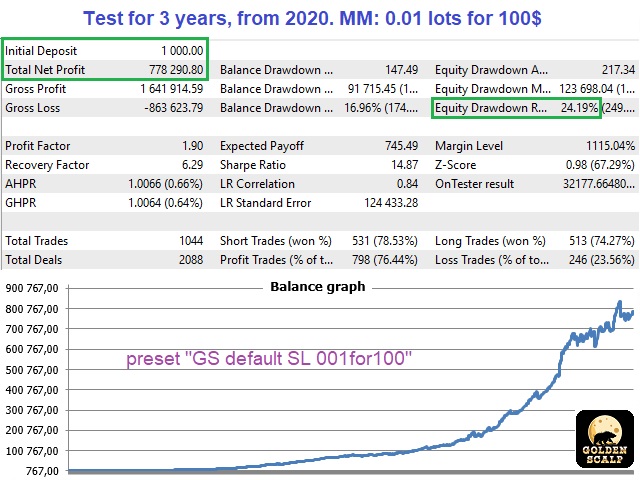
- "GS SL dynamic 001for100". Each position has several closing logics, including a hidden StopLoss, which is calculated individually for each position, based on the volatility of the last hours. (If you have special stop requirements, then you can set your SL and TP in points via the parameters: "TakeProfit_Safety" and "StopLoss_Safety".) The trading lot is set at the rate of 0.01 for every 100 balance units. (If you want to reduce the risk, then increase the "Funds_for_0,01_of_Lots" parameter.) The maximum number of open positions is 1.
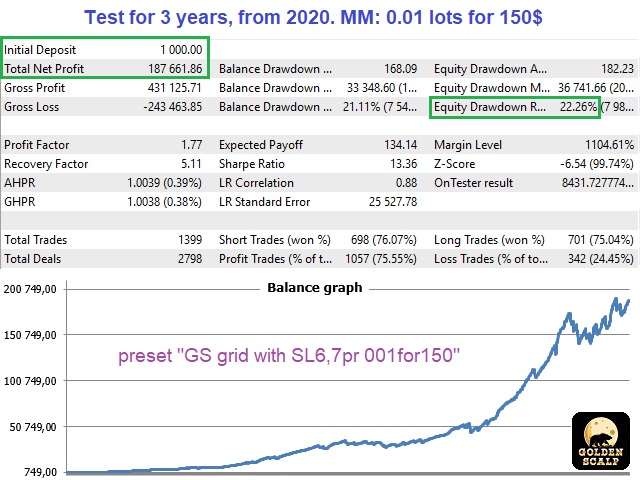
- "GS grid classic 001for200". This preset does not have SL, and if the price goes in the opposite direction, then averaging positions are opened, i.e. this is the "grid". The trading lot is set at the rate of 0.01 for every 200 balance units. (If you want to reduce the risk, then increase the "Funds_for_0,01_of_Lots" parameter.) The maximum number of open positions is 3.
Setting details
- Download the presets (archive "GoldenScalp.zip") in blog #1.
- The Expert Advisor takes into account important economic events, so you need to add the news site to the list of allowed URLs in the terminal settings. Click Tools > Options > Expert Advisors. Check the option "Allow WebRequests for listed URL:". Add this (delete the space): https:// sslecal2.investing.com
- Check the correctness of auto-adjusting the Expert Advisor's time (not on weekends, but only when the market is open, on a weekday) using the information in blog #2.
- Note that SL presets have the "Recovery MM" option enabled (use_MM_recovery=true). This means that the trading lot does not decrease during drawdowns (!and when withdrawing funds from the balance!). If you want the lot to be recalculated (for example, when withdrawing part of the funds from the account), then change the lot value in the parameter for "Funds_for_0,01_of_Lots" or re-attach the EA to the chart. You can see the calculated lot size on the chart.
- For correct backtesting, you must specify the correct value in the "GMT_Offset_Manual" parameter (the difference between the broker's server time in winter and Greenwich Mean Time). For most brokers, this value is 2. High-quality back-testing is carried out on ticks in the MT5 terminal.
>>>Chat<<<























































































first thing first, the seller is a kind person, he is always willing to help you with your questions. Second, I have been running this EA for 2 weeks in real various accounts, it murders the market. This is consistent and hands down this is got to be the best EA that I have have ever used. This just keeps on taking profitable trades. I am using all different settings, in various accounts, and all of them are in the positive. Thanks a lot Konsta for helping people like us stay alive in the market. God bless and Spaceba, Manoj