Trade Assistant Risk Calculator MT5

Trade Assistant Risk Calculator is an all-in-one floating trading panel Expert Advisor for MetaTrader 5, built for professional manual traders. It combines visual chart trading, automatic risk calculation, and advanced position management in one compact interface.

Stop calculating lot sizes manually. Stop guessing your Risk:Reward ratio. Drag the planning lines on the chart and the EA calculates the exact lot size for your selected risk percentage, equity, fixed-money risk, or fixed-lot workflow.

Try before you buy: A free demo version is available for download at https://www.mql5.com/en/blogs/post/769841. The demo is fully functional on a demo account so you can explore all features before purchasing.

User Guide

Important Notes

  • This product is an Expert Advisor (EA), not an indicator. Attach it to any chart to activate the floating panel.
  • Algo Trading must be enabled in MetaTrader 5 for the EA to place orders and manage positions.
  • The panel is draggable from its title bar and can be minimized with the title-bar minus button.
  • Works on live and demo accounts. Because this EA relies on chart events, test it on a demo account rather than the Strategy Tester.
  • Supports both Hedging and Netting accounts.

Core Features

1. Visual Order Placement & Interactive Chart Overlays

  • Drag-to-Trade Planning: Entry, Stop Loss, and Take Profit planning lines appear directly on the chart. Move the lines to define your setup visually.
  • Instant Risk Calculation: As you move the Stop Loss line, the EA recalculates lot size to keep your selected risk constant.
  • Live R:R Display: Adjust the Take Profit line and see the Risk:Reward ratio update in real time.
  • Market & Pending Orders: Place market orders or pending orders (Buy/Sell Limit and Buy/Sell Stop) from the chart overlay. To reduce accidental market entries, the Entry card now defaults to Pending mode. If VPend is enabled, the Pending command creates a virtual pending order instead of a broker pending order. Pending orders support configurable expiry timers.
  • Order Confirmation: Optional Confirm Trade dialog shows order type, lots, risk, margin, entry, SL, and TP before execution. Use Submit to send the order.
  • Interactive Drag Bars: Entry, TP, SL, and active partial levels have floating bars showing price, pips distance, and money value. Drag the bar instead of the thin chart line.
  • Entry Bar Quick Actions: B/S flips direction, Cmd executes, M/S switches market or pending mode, R cycles risk mode, and X removes the planning lines.
  • Color-Shaded Profit/Loss Zones: Semi-transparent green and red zones between Entry, TP, and SL make the reward and risk areas easy to see at a glance.
  • Order State Colors: Filled positions, broker pending orders, and virtual pending orders use different chart-card colors and markers. Positions filled from virtual pending orders are marked with [VP].
  • Live Floating P/L Badges: Filled positions show real-time floating P/L in both money and pips, including swap and commission.
  • Apply-to-Positions Buttons: The "L" buttons on the main TP / SL bars apply the current planned TP / SL price to all open positions on the current symbol as broker-side TP / SL.
  • Quick Trade Options: OCO, Hide SL/TP, and VPend toggles are available directly on the Trade tab. Hide SL/TP and VPend affect new orders only and never change already-existing tickets.
  • Execution Mode: Three modes are available on the Trade tab. Single places one order at the planned entry. Multi splits the total lot size across multiple entry levels. Grid auto-places a sequence of orders separated by a configurable step in pips, with lot sizes distributed using an ASC, DESC, or EQUAL curve. The grid plan is previewed live on the chart before execution; filled positions appear green, broker pending orders appear purple, and virtual pending orders appear cyan.
  • Per-Ticket Action Menu: Every position, broker pending order, and virtual pending order has a chart-card menu. Depending on ticket type, you can close, reverse, partial-close, edit broker or virtual SL/TP, open Edit Parts, configure per-ticket BE / Trail, run Parts: Copy Applied Panel, or use Parts: Disable This Ticket.
  • Trade Presets: Save and recall up to 32 named panel snapshots covering risk mode, risk value, entry type, and pending configuration. Navigate presets with prev/next buttons and save, update, or delete them individually from the Trade tab.
  • Panel & Planning Line Persistence: Entry, Stop Loss, and Take Profit planning lines, as well as global BE / Trail panel settings (toggles, Trigger, Offset, Mode, Start, Distance, Step, etc.), remain in place across timeframe switches, chart parameter changes, EA version upgrade, remove + reattach, and even a MetaTrader client abnormal termination. Every SL / TP drag drop or BE / Trail panel adjustment writes the latest value to a hidden chart object immediately, so restore does not depend on a clean shutdown.

2. Buy/Sell Direction Flip & Smart Mirroring

  • One-Click Direction Flip: The B/S button flips the entire setup between Buy and Sell.
  • Automatic Mirror: SL and TP mirror around the entry price, preserving the geometry of your setup.
  • Partial Lines Follow: Active TP1–TP10 and SL1–SL10 levels move to the correct side when the direction flips.
  • Auto-Flip on Drag: Dragging TP or SL across entry flips the trade direction and mirrors the opposite line.

3. Professional Risk Management

  • 9 Risk Modes: % Balance, % Equity, Fixed Money, Fixed Lots, % Free Margin, % Custom Reference (anchored to a user-defined base amount via InpRiskCustomBase ), % Previous Day Balance (locked to the server-day close), % Previous Week Balance (locked to the last completed Mon–Sun week close), and % Previous Month Balance. Each mode remembers its previous value independently.
  • Commission-Inclusive Lot Sizing: When enabled ( InpRiskLotsIncludeComm ), the EA estimates round-turn commission per lot from account history and deducts it from the risk budget, so the actual net loss including commission equals the configured risk amount.
  • Pips or Price Input: Work with absolute price levels or pip distances from entry.
  • Spread Filter: Block new trades when spread exceeds your configured maximum.
  • Custom Comments: Add an order comment from the Trade tab.
  • Daily Loss Lock: Stop new trading, and optionally close positions, when daily loss limits are reached. Lock can apply to the current symbol or all symbols and resets on daily rollover. For comprehensive over-trading controls — per-minute, per-hour, per-week, per-month limits, cooldowns, and multi-period loss locks — see the RISK Tab (section 9).

4. PARTS Tab — Multi-Level Partial Close System

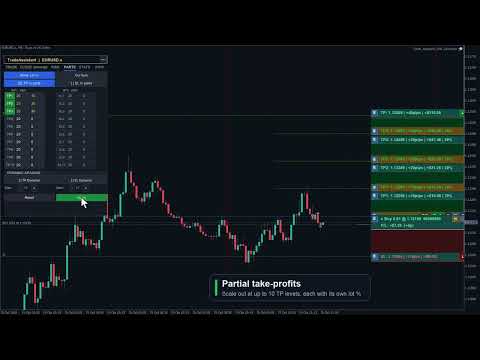
  • Up to 10 TP Levels and 10 SL Levels: Configure TP1–TP10 and SL1–SL10 with independent active state, pips distance, and close percentage.
  • Draft / Apply Workflow: Editing PARTS values or toggling active buttons creates a draft first. The live planning state changes only when you click Apply. If there are unsaved edits, the panel shows APPLY * and a pending-changes prompt.
  • Active Buttons Are Draft Controls: Turning TP1–TP10 or SL1–SL10 active on/off does not immediately draw or remove lines. Click Apply to commit the change.
  • Safe Symbol Scope: PARTS defaults to Cur Sym (blue) and applies only to the current chart symbol. Switching to All Sym requires a second confirmation click (Confirm All uses the warning color, All Sym uses red) and is session-only. Because pip scales differ widely between instruments such as EURUSD, XAUUSD, and indices, All Sym never applies the current chart's global fixed-pip levels directly to other symbols; non-current symbols act only when that ticket has an explicit per-ticket PARTS setup.
  • Chart Visualization: Applied active partial levels draw dotted lines with drag bars showing price, pips, money value, and close percentage.
  • Drag Applied Levels: Dragging an already-applied partial bar updates that live planning value while preserving smart clamps.
  • Smart Clamping: Partial TP levels stay on the profit side, partial SL levels stay on the loss side, and each partial level keeps at least a 1 pip gap from the full TP or SL distance.
  • Input Validation: Invalid pips values turn red and are kept for correction. Invalid draft values are not applied until fixed.
  • Per-Ticket Inheritance / Override Model: Existing positions, broker pending orders, and virtual pending orders inherit the applied panel settings until you explicitly configure that ticket. Explicit disabled state is also an override and blocks later panel changes from re-enabling that ticket.
  • Per-Ticket Edit Parts: Each ticket can open its own Edit Parts sub-panel with Apply / Back semantics, ticket-level validation, and independent TP1–TP10 / SL1–SL10 values. Closing or Back discards temporary edits; Apply saves the ticket override.
  • Copy or Disable One Ticket: Parts: Copy Applied Panel copies the current applied PARTS panel to one ticket. Parts: Disable This Ticket disables that ticket's partial structure without touching other tickets.
  • Placed Ticket Snapshots: Filled positions, broker pending orders, and virtual pending orders can keep independent TP/SL partial structures, and pending-ticket settings migrate to the filled position when triggered.
  • Lines OFF Reset: Turning Lines off resets the PARTS panel planning fields and master toggles for the next setup; already-placed tickets keep their own snapshots.
  • Proportional Money Display: Each partial level shows money value based on that level's close percentage, not the full position size.
  • Dynamic Spacing: Auto-calculate evenly spaced TP and SL partial levels with independent dynamic-spacing controls.

5. BE Tab — Breakeven & Pending Management

  • Auto Breakeven: Move SL to breakeven after a configurable profit trigger with adjustable offset. The trigger supports four units: Pips (favorable pip move from entry), R (a multiple of the initial SL distance, e.g. 1.0 R), % Price (percentage of entry price as a favorable move), and % TP (percentage of the entry-to-TP distance traveled).
  • Auto Offset: Estimate spread and commission costs from history to calculate a practical breakeven offset.
  • Per-Ticket BE Overrides: Positions, broker pending orders, and virtual pending orders can have dedicated BE settings. Pending-ticket settings migrate to the filled position. Explicit ON or OFF blocks the global BE panel from overriding that ticket.
  • Broker Pending Limit Trail: Trail BUY_LIMIT / SELL_LIMIT broker pending orders closer to market as price moves favorably, while preserving pending expiry.
  • Broker Pending Stop Trail: Trail BUY_STOP / SELL_STOP broker pending orders. Virtual pending orders are not moved by this broker pending trail module.
  • OCO: When one pending order on the same symbol triggers, other broker pending orders and virtual pending orders on that symbol are canceled.
  • Hide SL/TP: New market orders or broker pending orders can be sent without broker-side SL/TP while the EA manages virtual SL/TP locally. Existing tickets are not changed by the panel toggle.
  • Virtual Pending Orders: VPend keeps pending entries local until triggered. When triggered, the EA converts the setup to a stealth market position with virtual SL/TP and migrates ticket-specific PARTS / BE / Trail settings. The filled position keeps its [VP] marker and can be rebuilt on a newly opened chart for the same symbol.
  • Persistence Model: Planning lines (Entry / SL / TP), virtual SL/TP, BE / Trail panel settings, PARTS panel settings, ticket partial snapshots, and ticket BE / Trail overrides are restored across EA version upgrade, remove + reattach, and even a MetaTrader client abnormal termination; however, the PARTS All Sym scope is not auto-persisted and returns to the safer Cur Sym scope after reload. Existing stealth positions, broker pending orders with virtual SL/TP, and VP-filled positions can also be rebuilt on a newly opened chart for the same symbol. Only untriggered virtual pending orders remain chart-scoped and are restored from hidden chart mementos on the same chart window only.

6. TRAIL Tab — 8-Mode Trailing Stop Engine

  • 8 Trail Modes: NONE, PIPS, HI/LO, MA, SAR, ATR, FRACTALS, and PARTIAL. The ATR mode has an additional option ( InpTrailATRUseBarHL ): anchor the stop to the previous bar's Low/High offset by ATR × multiplier instead of maintaining a fixed ATR-sized gap from live Bid/Ask.
  • Universal Settings: Start, Distance, and Step control when trailing activates and how often it updates.
  • Per-Ticket Fixed-Pip Trail: Positions, broker pending orders, and virtual pending orders can define ticket-level trail settings. Pending-ticket settings migrate to the filled position. Explicit disabled state blocks global trailing for that ticket.
  • Hidden SL/TP Safe: Breakeven and trailing updates preserve the other hidden SL/TP leg when modifying virtual protection.

7. CLOSE Tab — Bulk Position & Pending Management

  • Close/Cancel All: Close all positions and cancel all broker pending orders and virtual pending orders across all symbols.
  • Close + Pending Symbol: Close current-symbol positions and cancel that symbol's broker pending orders and virtual pending orders.
  • Cancel Pending: Cancel all broker pending orders and virtual pending orders.
  • Close Buy / Sell / Profit / Loss: Close buy positions, sell positions, profitable positions, or losing positions according to the selected rule.
  • Partial Close: Close a configurable percentage of each open position with one click.
  • Auto-Close Targets: Set profit or loss targets in money or percent for the account or current symbol.
  • Trading Locks: Lock all trading or lock only the current symbol to prevent impulsive entries.

8. INFO Tab — Account Dashboard

  • Live Account Data: Balance, Equity, Floating P/L, Free Margin, and Margin % update in real time.
  • Position Summary: See total positions, buy lots, sell lots, and current-symbol P/L.
  • Daily Statistics: Day-start equity, today's P/L, and lock status reset automatically at daily rollover.
  • Symbol Switcher: Configure up to 6 symbols for one-click chart switching through InpSwitcherSymbols .
  • Hotkey Reference: The panel shows quick keyboard shortcuts such as Close/Cancel All, Close/Cancel Symbol, Cancel Pending, Trail, and BE.

9. RISK Tab — Over-Trading & Loss Lock Rules

  • Trade Count Limits: Set maximum trades per minute, hour, day, week, and month. Live counters show used / allowed on the tab. The counting scope can be set to the chart symbol or all symbols, to this EA's magic number or all magic numbers, and to Buy, Sell, or both trade directions.
  • Maximum Open Trades: Block new entries when the number of simultaneously open positions reaches a configured cap.
  • Cooldown After Open: Enforce a minimum wait in minutes before the next entry is allowed after the most recent trade was opened.
  • Cooldown After Close: Enforce a minimum wait in minutes before re-entering after any position closes.
  • Daily Loss $ and %: Stop new trading when today's cumulative realized loss exceeds a fixed dollar amount or a percentage of starting equity.
  • Daily Profit % Lock: Stop new trading once today's profit reaches a configured percentage target, preventing overtrading on a winning day.
  • Advanced Locks (ADV mode): Per-symbol loss lock in $ and %, weekly equity loss lock in $, and monthly equity loss lock in $.
  • Close On Lock: Optionally close all open positions automatically when any loss lock triggers.
  • Unlock Next Day: All risk locks reset automatically at the next server-day rollover.
  • Live Summary: The RISK tab always shows today's closed trade count, today's net P/L, and the current restriction status.
  • Last 10 Blocked Opens: A history list shows the last 10 trade attempts that were blocked, with timestamp and reason, for post-session review.
  • Apply / Reset: RISK tab changes take effect immediately. Click APPLY to persist them to the chart so they survive EA remove + reattach. Click RESET to restore input defaults.

10. STATS Tab — Trading History & CSV Export

  • Period Selector: Toggle between TODAY, 7D, 30D, and ALL to scope the statistics to the chosen history window.
  • Symbol & Magic Filter: Filter statistics to the current chart symbol or all account symbols, and to this EA's magic number or all magic numbers.
  • Performance Metrics: Closed-trade count, win/loss/flat breakdown, win rate, net P/L, profit factor, gross profit, gross loss, average win, and average loss — computed from MetaTrader 5 account history deals.
  • CSV Export: Click EXPORT CSV to save the filtered deal rows to a CSV file in MQL5/Files/ . The full path is logged to the Experts tab.
  • Refresh: Click REFRESH to re-run the statistics scan after new trades close.

11. Tools

  • Screenshot: Capture a full chart screenshot with one click. The file is saved automatically with the symbol name and timestamp.

11a. Alert Tool

  • Place up to 48 price-crossing alert lines (horizontal or angled trend line) directly on the chart. Choose Bid or Ask and an up or down crossing direction from 8 preset combinations.
  • When price crosses the line, the EA plays a sound and shows a visual notification. The alert auto-resets and re-fires on the next qualifying crossing — no recreation needed.
  • Delete individual lines on the chart or use Clear to remove all at once. All alert lines are saved per symbol/timeframe and survive EA reload and MT5 restarts.

11b. Cancel Level (CNCL) Tool

  • Same 8-option model as the Alert tool, but triggers order cancellation instead of a notification: when price crosses the level, all broker and virtual pending orders on the current symbol are cancelled.
  • Up to 48 cancel levels per chart, each with its own Bid/Ask and direction setting. Saved per symbol/timeframe; survive EA reload and MT5 restarts.

11c. Economic Calendar

  • Browse Mon–Fri economic events from the MT5 built-in database. Filter by impact level (Low / Med / High) and by currency. Events within 30 minutes are highlighted.
  • Block Trading: Select events and set a minute window. The EA rejects new orders that many minutes before and after each selected event. Choose All Pairs to block all symbols or restrict to symbols matching the event currency.
  • Auto-close on news: Enable Close Pos together with Block Trading to automatically close affected positions when a news block window opens.
  • Block/close rules stay active after the panel is closed. Notification delivery (popup, sound, push, email) is configured via input parameters.

11d. Task Scheduler

  • Queue up to 10 tasks that execute automatically. All date and time values use local PC time. Actions span 18 types: Buy, Sell, Buy/Sell Stop, Buy/Sell Limit, Close Buy, Close Sell, Close Profit, Close Loss, Close All, and order deletion (Del Buy/Sell Stop, Del Buy/Sell Limit, Del Stop, Del Limit, Del All Orders).
  • Trigger modes: Time trigger fires at the first tick on or after the scheduled date and local time. Price trigger fires when market price touches a specified level — set manually or linked to the ENTRY, SL, TP drag line, or any named chart object. Both modes can coexist on one task.
  • Task dependencies: A task can be set to fire only after another task in the list has already executed, enabling chained sequences (e.g. close all at 17:00, then place a fresh pending only after the close task completes).
  • Repeat: Check any combination of day-of-week boxes (Su Mo Tu We Th Fr Sa) for a recurring task. Leave all unchecked for a one-shot task that removes itself after firing.
  • Task status tracking: Each task carries a live status — Pending, Wait Trigger (waiting for price touch), Wait Dependency (parent not yet fired), Disabled (paused by user), Success, or Failed — with a last-result and reason field for post-session review.
  • Enable / Disable: Any task can be paused (disabled) and re-enabled without deleting it, so you can build a library of recurring setups and selectively activate them.
  • Execution history: The SCHED panel has a History view tab showing up to 180 recent execution log entries (Symbol, Time, Task#, Event, Status, Lots, Entry, TP, SL, Result / Reason). Filter by the current chart symbol or view all symbols. Paginate with Prev / Next buttons.
  • All tasks are saved to file and restored across EA reload and MT5 restarts. One-shot tasks are removed automatically after execution.

11e. Session Boxes

  • Toggle SESSIONS on the TRADE tab to draw dashed-border session rectangles directly on the chart. Four independent slots are configurable — defaults are Sydney (22:00–07:00), Tokyo (00:00–09:00), London (08:00–17:00), and New York (13:00–22:00), each with its own label, color, and enable switch.
  • Time reference modes: UTC (default) — industry standard GMT session hours shifted onto the broker chart using the server-UTC offset; Server — broker chart clock; Local — PC OS timezone. The UTC offset can be set manually (minutes) or derived automatically each refresh for accurate DST handling.
  • Opacity ( InpSessionFillAlpha ) and pastel-mix level ( InpSessionColorPastel ) are configurable via input parameters. Boxes have a dashed border outline with a label; there is no solid fill so the chart price action underneath remains fully visible.

11f. Trade History Panel (HIST)

  • Click the HIST button on the TRADE tab to open a floating trade-event log panel. Every trade action performed by the EA is logged: market order placement (success / failure), pending order placement, virtual pending trigger, virtual pending block, virtual SL hit, and virtual TP hit.
  • Each log row shows: Symbol, Time, Task # (if triggered by the scheduler), Event type, Status (Open / Profit / Loss / Failed / Blocked / Pending), Lots, Entry, TP, SL, and a Result / Reason field with retcode or block reason.
  • Filter by the current chart symbol or view all symbols. Paginate with Prev / Next. The panel is draggable from its title bar and stays open independently of the main panel.

12. Entry Line Proportional Drag

  • Dragging the Entry line moves SL, TP, and active partial levels by the same amount, preserving distances and Risk:Reward geometry.

Hotkeys

  • B / S: Buy / Sell Market
  • U / D: Buy / Sell Pending
  • C: Close positions and cancel all pending orders
  • X: Close current-symbol positions and cancel its pending orders
  • P: Cancel all broker and virtual pending orders
  • L: Lock current-symbol trading
  • A: Lock all trading
  • T: Toggle trailing stop
  • E: Toggle breakeven

Input Parameters

  • Risk Settings: default risk, fixed money risk, R:R, and max spread.
  • Stealth Settings: virtual pending and virtual SL/TP.
  • Management: BE, trailing, OCO, pending expiry, Magic Number, and symbol scope.
  • Auto-Close Rules: profit/loss targets in money or percent.
  • Time Filters: trading sessions, trading days, and crypto-weekend support.
  • Visual Settings: Six built-in color themes — Dark, Darker, Slate, Classic, Light, and Light Modern — selectable via InpColorTheme . Choose CUSTOM to use individual Inp*Color inputs for full manual color control. Panel position, line widths, and label sizes are also configurable.
  • Risk Guards: Commission-inclusive lot sizing ( InpRiskLotsIncludeComm ), virtual order trigger source (Ask / Bid / Mid / Bar Close), and block-alert delivery (popup, sound, push, email).
  • Symbol Switcher & Favorites: Up to 6 quick-jump symbols via InpSwitcherSymbols . A separate favorite-symbols list ( InpFavoriteSymbols ) is merged into the INFO tab's quick-jump panel.
Why Choose Trade Assistant Risk Calculator?

Whether you need fast scalping execution or precise swing-trade management, this EA handles the calculations and ticket management so you can focus on price action. With nine risk modes, commission-inclusive lot sizing, visual chart planning, session-box overlays, virtual protection, virtual pending orders, grid trading, trade presets, per-ticket overrides, 10-level TP and SL partials, an 8-mode trailing engine, comprehensive over-trading rules (RISK Tab), trading history analytics with CSV export (STATS Tab), a full trade event log (HIST), an economic calendar with block-trading rules, and a task scheduler with time and price triggers, task dependencies, and execution history, it helps enforce disciplined trade management at every session.

Take control of your trading with Trade Assistant Risk Calculator.


Prodotti consigliati
CosmiCLab SMC FIBO CosmiCLab SMC FIBO is a professional trading indicator designed for traders who use Smart Money Concepts (SMC), market structure analysis and Fibonacci retracement levels. The indicator automatically detects market swings and builds Fibonacci levels based on the latest impulse movement. It also identifies market structure changes such as BOS (Break of Structure) and CHOCH (Change of Character), helping traders understand the current market direction. CosmiCLab SMC FIBO also pr
News Expert MT5
Maksim Neimerik
Introduction Welcome to the world of Forex trading, where every tick of the market can be influenced by news events. Introducing our expert advisor for MetaTrader, your ultimate tool for navigating the complexities of news trading. This innovative advisor is specifically designed to automate your trading strategy during key macroeconomic releases, ensuring you never miss an opportunity.  When important indicators are announced, volatility often spikes, creating potential for profit. Our expert
FREE
Follow The Line MT5
Oliver Gideon Amofa Appiah
4.6 (35)
This indicator obeys the popular maxim that: "THE TREND IS YOUR FRIEND" It paints a GREEN line for BUY and also paints a RED line for SELL. (you can change the colors). It gives alarms and alerts of all kinds. IT DOES NOT REPAINT and can be used for all currency pairs and timeframes. Yes, as easy and simple as that. Even a newbie can use it to make great and reliable trades. NB: For best results, get my other premium indicators for more powerful and reliable signals. Get them here: https://www.m
FREE
You already have positions open. The question is whether the episode is still under control. Floating P/L tells you the result. It does not tell you the condition. A position group can still show a small gain while inventory load, hold time, adverse drift, weakening recovery, and spread expansion are already building pressure in the background. By the time the P/L number turns negative, the episode is already stressed. Episode Health Monitor was built to surface those conditions before they beco


Order Book, known also as Market Book, market depth, Level 2, - is a dynamically updated table with current volumes of orders to buy and to sell specific financial instument at price levels near Bid and Ask. MetaTrader 5 provides the means for receiving market book from your broker, but in real time only, without access to its history. The indicator OrderBook Cumulative Indicator accumulates market book data online and visualizes them on the chart. In addition, the indicator can show the market
Panoramica Candle Timer Countdown Pro mostra un conto alla rovescia fluido e preciso fino alla chiusura della candela corrente con un arco circolare di progresso. Caratteristiche Conto alla rovescia preciso Arco circolare (Ring o Filled Pie) 6 posizioni disponibili 3 schemi colore Evidenziazione finale Avvisi nuova candela Basso consumo CPU Installazione Scaricare dal MQL5 Market Applicare al grafico Configurare le impostazioni Compatibilità MetaTrader 5 Build 2500+ Tutti i timeframe
Donchian Breakout And Rsi
Mattia Impicciatore
4.5 (2)
Descrizione generale Questo indicatore è una versione avanzata del classico Donchian Channel , arricchita con funzioni operative per il trading reale. Oltre alle tre linee tipiche (massimo, minimo e linea centrale), il sistema rileva i breakout e li segnala graficamente con frecce sul grafico, mostrando solo la linea opposta alla direzione del trend per semplificare la lettura. L’indicatore include: Segnali visivi : frecce colorate al breakout Notifiche automatiche : popup, push e email Filtro R
FREE
Price Action Trade Panel EA MT5
Juvenille Emperor Limited
5 (4)
Price Action Trade Panel MT5   calcola il saldo del livello della forza di acquisto/vendita di qualsiasi simbolo/strumento, sulla base dei dati puri sull'azione del prezzo delle candele passate specificate (8 per impostazione predefinita). Questo ti darà il sentimento di mercato più vicino possibile monitorando l'azione del prezzo di 32 simboli/strumenti disponibili sul pannello dell'indicatore. Un livello di forza di acquisto/vendita superiore al 60% fornisce un livello abbastanza solido per l
Price Magnet — Price Density and Attraction Levels Indicator Price Magnet is a professional analytical tool designed to identify key support and resistance levels based on statistical Price Density. The indicator analyzes a specified historical period and detects price levels where the market spent the most time. These zones act as “magnets,” attracting price action or forming a structural base for potential reversals. Unlike traditional Volume Profile tools, Price Magnet focuses on price-time d
The indicator detects and displays М. Gartley's Butterfly pattern. The pattern is plotted by the extreme values of the ZigZag indicator (included in the resources, no need to install). After detecting the pattern, the indicator notifies of that by the pop-up window, a mobile notification and an email. The pattern and wave parameters are displayed on the screenshots. The default parameters are used for demonstration purposes only in order to increase the amount of detected patterns. Parameters z
Important Lines
Terence Gronowski
4.88 (24)
This indicator displays Pivot-Lines, preday high and low, preday close and the minimum and maximum of the previous hour. You just have to put this single indicator to the chart to have all these important lines, no need to setup many single indicators. Why certain lines are important Preday high and low : These are watched by traders who trade in a daily chart. Very often, if price climbs over or falls under a preday low/high there is an acceleration in buying/selling. It is a breakout out of a
FREE
Easy GOLD MT5
Franck Martin
3.91 (43)
Easy Gold is the latest addition to the BotGPT family. It is surprising and very powerful. It is ideal for beginners due to its simplicity.  There is absolutely nothing to do, it's 100% automated, simply indicate the percentage of risk you want to take per trade and the EA is ready. Whatever your capital, the EA takes care of everything. Optimized on (XAUUSD).  Unleash all the power with the professional version (AGI Gold) and its connection to the neural network, available in my store. My othe
FREE
Indicatore Crypto_Forex "WPR con 2 Medie Mobili" per MT5, senza ridisegno. - WPR è uno dei migliori oscillatori per lo scalping. - L'indicatore "WPR e 2 Medie Mobili" consente di visualizzare le medie mobili veloci e lente dell'oscillatore WPR. - L'indicatore offre l'opportunità di visualizzare le correzioni di prezzo molto presto. - È molto facile impostare questo indicatore tramite parametri e può essere utilizzato su qualsiasi timeframe. - È possibile visualizzare le condizioni di ingresso
ROMAN5 Time Breakout Indicator automatically draws the boxes for daily support and resistance breakouts. It helps the user identifying whether to buy or sell. It comes with an alert that will sound whenever a new signal appears. It also features an email facility. Your email address and SMTP Server settings should be specified in the settings window of the "Mailbox" tab in your MetaTrader 5. Blue arrow up = Buy. Red arrow down = Sell. You can use one of my Trailing Stop products that automatical
FREE
Trading Room Indcator
Meshari F M Alkhawaled
Trading Room Indicator is a professional market-structure tool built to give traders a clear, complete trading framework — combining CPR levels, dynamic targets, and trend direction in one clean view. Instead of guessing direction or overloading the chart with indicators, Trading Room Indicator focuses on what actually matters : levels, direction, and potential price expansion. What This Indicator Provides CPR Structure BUY level SELL level Pivot Point (PP) Designed to highlight equilibrium
Caicai L&S Yield Histogram Important Notice: This indicator is an integral tool of the automated EA Caicai Long and Short Pair Trading . This indicator visually displays the percentage deviation (Yield %) of a pair's current spread relative to its own historical mean. It is an excellent tool for quickly visualizing the gross financial potential of a market distortion in Long & Short operations. Main Features: Percentage Visualization: Understand the size of the distortion in palpable percentage
RBreaker
Zhong Long Wu
RBreaker Gold Indicators is a short-term intraday trading strategy for gold futures that combines trend following and intraday reversal approaches. It not only captures profits during trending markets but also enables timely profit-taking and counter-trend trading during market reversals. This strategy has been ranked among the top ten most profitable trading strategies by the American magazine   Futures Truth   for 15 consecutive years. It boasts a long lifecycle and remains widely used and st
Visual Dolphin Indicator
AL MOOSAWI ABDULLAH JAFFER BAQER
Visual Dolphin Indicator Unlock the rhythm of the market with the Visual Dolphin Indicator, your ultimate tool for identifying and capitalizing on market trends with clarity and confidence. Designed for both novice and experienced traders, this indicator eliminates the noise and guesswork, providing crystal-clear buy and sell signals directly on your chart. The Logic Behind the Waves The core of the Visual Dolphin Indicator is a sophisticated yet intuitive dual-wave system based on moving avera
The   Trendlines Oscillator   helps traders identify trends and momentum based on the normalized distances between the current price and the most recently detected bullish and bearish trend lines. The indicator features bullish and bearish momentum, a signal line with crossings, and multiple smoothing options. USAGE The   Trendlines Oscillator   works by systematically: Identifying pivot highs and lows. Connecting pivots to form bullish (support) and bearish (resistance) trendlines. Measuring
Reversal Composite Candles
MetaQuotes Ltd.
3.69 (16)
The idea of the system is to indentify the reversal patterns using the calculation of the composite candle. The reversal patterns is similar to the "Hammer" and "Hanging Man" patterns in Japanese candlestick analysis. But it uses the composite candle instead the single candle and doesn't need the small body of the composite candle to confirm the reversal. Input parameters: Range - maximal number of bars, used in the calculation of the composite candle. Minimum - minimal size of the composite can
FREE
Una delle sequenze numeriche è chiamata "Sequenza di incendi boschivi". È stata riconosciuta come una delle nuove sequenze più belle. La sua caratteristica principale è che questa sequenza evita andamenti lineari, anche quelli più brevi. È questa proprietà che ha costituito la base di questo indicatore. Quando si analizza una serie temporale finanziaria, questo indicatore cerca di rifiutare tutte le possibili opzioni di tendenza. E solo se fallisce, riconosce la presenza di una tendenza e dà il
IMPORTANT NOTE: This is a professional Trade Management Utility and on-chart assistant. It is NOT an automated trading robot. It does not open trades on its own. The UltraFast Trade Manager MT5 is the ultimate execution and risk-management suite designed to give you absolute control over your manual and algorithmic trades. When managing multiple positions, calculating complex net break-even points, or constantly monitoring the economic calendar, hesitation can lead to costly mistakes. This utili
FREE
JAC Trend Color Candle
Eduardo Da Costa Custodio Santos
L'indicatore "JAC Trend Color Candle" per Meta Trader 5, è stato creato per facilitare visivamente il trend per il trader. Si basa su tre parametri, che identificano il mercato rialzista, ribassista e non-trend. I colori sono configurabili dal trader e anche il trader medio configurabile. i parametri di trend non possono essere configurati in quanto sono differenziali dell'indicatore.
Noize Absorption Index - is the manual trading system that measures the difference of pressure between bears forces and bulls forces. Green line - is a noize free index that showing curent situation. Zero value of index shows totally choppy/flat market.Values above zero level shows how powerfull bullish wave is and values below zero measures bearish forces.Up arrow appears on bearish market when it's ready to reverse, dn arrow appears on weak bullish market, as a result of reverse expectation.
HAS RSI Signal — Indicatore di Tendenza Professionale con Calcolo SL/TP HAS RSI Signal è un potente strumento di trading che combina classici intramontabili con moderni algoritmi di filtraggio del rumore. L'indicatore analizza il mercato attraverso le candele Heiken Ashi Smoothed (HAS) e l'oscillatore RSI , fornendo al trader segnali di ingresso chiari durante le inversioni di tendenza o l'uscita dalle zone di ipercomprato/ipervenduto. Vantaggi Principali: Doppio Filtraggio: L'uso di Heiken Ashi
Trade assistant pro v8
Ahmed Mohammed Bakr Bakr
FREE FREE FREE Trade Assistant MT5 – Professional Trading & Risk Management Panel Trade Assistant MT5 is an advanced trading panel designed to help traders execute orders faster, safer, and more professionally . It simplifies manual trading by combining smart order management , precise risk control , and one-click execution , making it ideal for both beginners and advanced traders. This tool does not trade automatically . Instead, it empowers you with full control while applying professional-gra
FREE
LT Rainbow Trend
Thiago Duarte
5 (1)
== LT RAINBOW TREND - L'INDICATORE DI TREND CON 36 MEDIE MOBILI == PANORAMICA Il LT Rainbow Trend è un indicatore tecnico avanzato per l'analisi dei trend che utilizza 36 Medie Mobili simultanee gestite da un sistema di colori intelligente (Rainbow). Sviluppato per i trader che desiderano operare nella direzione del trend principale con la massima chiarezza visiva, l'indicatore trasforma la complessità dell'analisi multi-timeframe in una visualizzazione semplice, colorata e altamente intuitiva
Key Features: 200+ Fully Implemented Patterns   across all categories Advanced Market Structure Analysis Smart Money Integration   (Wyckoff, Order Blocks, Liquidity) Professional Risk Management Multi-Timeframe Analysis AI-Powered Confidence Scoring Advanced Visualization Real-time Alerts Pattern Categories: Single Candle Patterns (Hammer, Doji, Marubozu, etc.) Multi-Candle Patterns (Engulfing, Stars, Harami, etc.) Chart Patterns (Head & Shoulders, Cup & Handle, Triangles, etc.) Harmonic Pattern
FREE
Free automatic Fibonacci is an indicator that automatically plots a Fibonacci retracement based on the number of bars you select on the BarsToScan setting in the indicator. The Fibonacci is automatically updated in real time as new highest and lowest values appears amongst the selected bars. You can select which level values to be displayed in the indicator settings. You can also select the color of the levels thus enabling the trader to be able to attach the indicator several times with differe
FREE
TradingCoPilot
Viktor Mitrofanov
Trading Co-Pilot for MetaTrader 5 Advanced Position Management for Manual Traders Trading Co-Pilot is a professional trade management assistant designed for traders who open positions manually and want precise, automated control over risk and profit handling. It does not open trades. It manages them intelligently. You focus on entries. The Co-Pilot protects and optimizes the exit. How It Works Once you open a manual position, Trading Co-Pilot automatically: • Applies Stop Loss • Sets Take Profit
FREE
Gli utenti di questo prodotto hanno anche acquistato
Trade Assistant MT5
Evgeniy Kravchenko
4.43 (211)
It helps to calculate the risk per trade, the easy installation of a new order, order management with partial closing functions, trailing stop of 7 types and other useful functions. Additional materials and instructions Installation instructions - Application instructions - Trial version of the application for a demo account Line function -   shows on the chart the Opening line, Stop Loss, Take Profit. With this function it is easy to set a new order and see its additional characteristics bef
Forex Trade Manager MT5
InvestSoft
4.98 (661)
Benvenuto a Trade Manager EA, lo strumento definitivo per la gestione del rischio , progettato per rendere il trading più intuitivo, preciso ed efficiente. Non è solo uno strumento per l'esecuzione degli ordini, ma una soluzione completa per la pianificazione delle operazioni, la gestione delle posizioni e il controllo del rischio. Che tu sia un principiante, un trader avanzato o uno scalper che necessita di esecuzioni rapide, Trade Manager EA si adatta alle tue esigenze, offrendo flessibilità s
Local Trade Copier EA MT5
Juvenille Emperor Limited
4.96 (139)
Sperimenta una copia di trading eccezionalmente veloce con il   Local Trade Copier EA MT5 . Con la sua facile configurazione in 1 minuto, questo copiatore di trading ti consente di copiare i trades tra diversi terminali di MetaTrader sullo stesso computer Windows o su Windows VPS con velocità di copia ultra veloci inferiori a 0.5 secondi. Che tu sia un trader principiante o professionista,   Local Trade Copier EA MT5   offre una vasta gamma di opzioni per personalizzarlo alle tue esigenze speci
TradePanel MT5
Alfiya Fazylova
4.87 (156)
Trade Panel è un assistente commerciale multifunzionale. L'applicazione contiene più di 50 funzioni di trading per il trading manuale e permette di automatizzare la maggior parte delle attività commerciali. Prima dell'acquisto, è possibile testare la versione dimostrativa su un conto demo. Scaricare la versione di prova dell'applicazione per un account dimostrativo: https://www.mql5.com/it/blogs/post/762419 . Istruzioni complete qui . Commercio. Consente di effettuare operazioni di trading con u
Versione Beta Telegram to MT5 Signal Trader è quasi pronto per il rilascio ufficiale in versione alpha. Alcune funzionalità sono ancora in fase di sviluppo e potresti riscontrare piccoli bug. Se riscontri problemi, ti preghiamo di segnalarli, il tuo feedback aiuta a migliorare il software per tutti. Telegram to MT5 Signal Trader è uno strumento potente che copia automaticamente segnali di trading da canali o gruppi Telegram al tuo account MetaTrader 5 . Supporta canali pubblici e privati e cons
AI Agents Supervisor
Ho Tuan Thang
5 (1)
AI Agent Supervisor is NOT an Expert Advisor. AI Agent Supervisor   is a   multi-agent AI risk & portfolio supervisor   that watches every EA on your account and intervenes in real time.  WANT AN AI PORTFOLIO MANAGER WATCHING YOUR FLEET 24/7?   Run your fleet on the same brokers I do:   IC MARKETS , IC TRADING   .  Unlike the centralized stock market, Forex has no single, unified price feed.  Every broker sources liquidity from different providers, creating unique data streams. The Supervisor r
Quant AI Agents
Ho Tuan Thang
5 (1)
Quant AI Agents are independent trading Expert Advisors. Instead of trading using a fixed strategy like other conventional EAs, Quant AI Agents   is a   multi-agent AI trading framework   that turns natural-language strategy prompts into live.  WANT THE SAME RESULTS AS MY LIVE SIGNAL?   Use the exact same brokers I do:   IC MARKETS , IC TRADING   .  Unlike the centralized stock market, Forex has no single, unified price feed.  Every broker sources liquidity from different providers, creating un
Exp COPYLOT CLIENT for MT5
Vladislav Andruschenko
3.91 (33)
Copiatore professionale di trade per MetaTrader 5 Un copiatore di trade veloce, professionale e affidabile per MetaTrader . COPYLOT consente di copiare operazioni Forex tra terminali MT4 e MT5 con supporto per conti Hedge e Netting . La versione MT5 di COPYLOT supporta: - MT5 Hedge → MT5 Hedge - MT5 Hedge → MT5 Netting - MT5 Netting → MT5 Hedge - MT5 Netting → MT5 Netting - MT4 → MT5 Hedge - MT4 → MT5 Netting Versione MT4 Descrizione completa + DEMO + PDF Come acquistare Come installare Come ot
Trade Dashboard MT5
Fatemeh Ameri
4.94 (126)
Trade Dashboard simplifies how you open, manage, and control your trades, with built-in lot size calculation. It allows you to execute trades, manage risk, and control positions directly on the chart, with tools such as partial close, breakeven, and trailing stop. Designed to reduce manual work and help you stay focused on your trading decisions. A demo version is available for testing. Detailed explanations of features are provided within the MQL5 platform. Installation instructions are include
FarmedHedge Pair Trading Dashboard
Tanapisit Tepawarapruek
5 (3)
Farmed Hedge Yield Farming | All Markets (Manual - Hybrid - Semi/Automated EA) MULTI-ASSET SUPPORT Trade any asset available on your broker - Forex: Major, Minor, Exotic pairs - Crypto: BTC, ETH, XRP, SOL, BNB - Stocks: Apple, Tesla, Amazon, Google, etc. - Commodities: Gold, Silver, Oil, Gas - Indices: US30, NAS100, SPX500, DAX40 - Any CFD your broker offers VERIFIED TRADING RESULTS - Farmed Hedge Yield Axi Copy:  https://www.mql5.com/en/signals/2356376 - Farmed Hedge Yield Exn Copy:   https:/
The News Filter MT5
Leolouiski Gan
4.78 (23)
Questo prodotto filtra tutti gli esperti consulenti e i grafici manuali durante il periodo delle notizie, così non dovrai preoccuparti di improvvisi picchi di prezzo che potrebbero distruggere le tue impostazioni di trading manuali o le negoziazioni effettuate da altri esperti consulenti. Questo prodotto viene fornito anche con un sistema completo di gestione degli ordini che può gestire le tue posizioni aperte e gli ordini in sospeso prima della pubblicazione di qualsiasi notizia. Una volta che
Footprint Chart Pro — Professional OrderFlow EA for MetaTrader 5 Version 6.34 | Professional tool for real traders | Institutional-Grade Visualization DEMO USERS - PLEASE SELECT EVERY TICK / REAL TICK WHEN TESTING AND YOU HAVE DOWNLOADED HISTORICAL DATA. IF YOU SEE A WAITING SCREEN AND IT IS NOT DOWNLOADING, IT MEANS YOU HAVE LOW HISTORICAL DATA. TRY 1 MIN AND 5 MIN FIRST ON 1 DAY DATA. ONE DAY DATA SHOULD BE THE NEWEST AND MOST CURRENT DATE. PLEASE WAIT UNTIL THE MARKET HAS ROLLED OVER PERIOD.
AntiOverfit PRO MT5
Enrique Enguix
5 (6)
Prima di comprare un EA, verifica se regge davvero oppure se in backtest è sembrato forte solo per fortuna. La maggior parte dei robot viene venduta con un backtest bello da vedere. Curva in crescita. Buon profit factor. Pochi dubbi. Eppure molti di questi EA crollano non appena il mercato smette di muoversi come in quello storico. Perché? Perché un backtest dimostra una cosa sola: che quella strategia ha funzionato su un percorso di prezzo ben preciso. Non dimostra che reggerà su percorsi diver
Power Candles Strategy Scanner - Strumento di ricerca configurazioni multi-simbolo con ottimizzazione automatica Power Candles Strategy Scanner utilizza lo stesso motore di auto-ottimizzazione che alimenta l'indicatore Power Candles, applicandolo a tutti i simboli presenti nel tuo Market Watch, uno accanto all'altro. Un unico pannello ti indica quali simboli sono statisticamente negoziabili in questo momento, quale strategia è vincente su ciascuno di essi, la coppia ottimale di Stop Loss / Take
Trade copier MT5
Alfiya Fazylova
4.55 (44)
Trade Copier è un'utilità professionale progettata per copiare e sincronizzare le transazioni tra conti di trading. La copiatura avviene dal conto/terminale del fornitore al conto/terminale del destinatario, che sono installati sullo stesso computer o vps. PROMOZIONE - Se avete già acquistato il "Trade copier MT5", potete ottenere gratuitamente il "Trade copier MT4" (per la copia MT4 > MT5 e MT4 < MT5). Per maggiori informazioni sulle condizioni, vi preghiamo di contattarci tramite messaggi priv
SMC Trade Pilot MT5
Prime Horizon
5 (1)
SMC Trade Pilot MT5 Assistente di trading semi-automatico per trader Smart Money Concepts. Ricevi segnali su Telegram con screenshot del grafico, poi piazza il trade con un singolo tap. Gestisci le tue posizioni dal telefono, anche lontano dal computer. Il problema che risolve I setup Smart Money non aspettano. Order Blocks e Liquidity Sweeps si formano durante l'apertura di Londra, di New York o nel mezzo della sessione asiatica, spesso quando sei al lavoro, in riunione o lontano dallo schermo.
Premium Trade Manager - Gestione dei trade rapida e disciplinata per MetaTrader 5 Premium Trade Manager è per i trader che vogliono tenere il focus sulla decisione mentre il pannello gestisce la routine: dimensionamento, piazzamento, parziali, trailing, news e limiti prop-firm, gestiti con la stessa disciplina su ogni trade. È un pannello rapido sul grafico per MetaTrader 5 che si occupa di tutto il lavoro meccanico in ogni trade. Decidi tu direzione, simbolo e momento; il pannello calcola la di
Custom Alerts AIO: Monitora tutti i mercati — senza alcuna configurazione Panoramica Custom Alerts AIO è una soluzione di monitoraggio dei mercati pronta all’uso che non richiede alcuna configurazione. Tutti gli indicatori necessari — FX Power, FX Volume, FX Dynamic, FX Levels, IX Power — sono integrati internamente. Non vengono mostrati grafici, rendendolo ideale per generare alert in tempo reale in modo discreto ed efficiente. Supporta tutte le classi di asset offerte dal tuo broker: Forex,
Trade Manager DaneTrades
Levi Dane Benjamin
4.28 (29)
Trade Manager per aiutarti a entrare e uscire rapidamente dalle operazioni calcolando automaticamente il tuo rischio. Incluse funzionalità che ti aiutano a prevenire l'eccessivo trading, il vendetta trading e il trading emotivo. Le operazioni possono essere gestite automaticamente e i parametri di performance del conto possono essere visualizzati in un grafico. Queste caratteristiche rendono questo pannello ideale per tutti i trader manuali e aiuta a migliorare la piattaforma MetaTrader 5. Suppo
Prop Firm Os
Gayathiri Gopalakrishnan
5 (1)
PROP FIRM OS Structured Trading Assistant for MetaTrader 5 PROP FIRM OS is a structured trading assistant designed for MetaTrader 5 users who prefer rule-based market analysis and organized trading workflows. The Expert Advisor combines market analysis tools, scanner functions, dashboard monitoring, alerts, risk-control settings, and trade management features inside one system. PROP FIRM OS is designed to help traders follow selected rules, filters, and monitoring conditions during trading activ
YuClusters
Yury Kulikov
4.93 (43)
Attention: You can view the program operation in the free version  YuClusters DEMO .  YuClusters is a professional market analysis system. The trader has unique opportunities to analyze the flow of orders, trade volumes, price movements using various charts, profiles, indicators, and graphical objects. YuClusters operates on data based on Time&Sales or ticks information, depending on what is available in the quotes of a financial instrument. YuClusters allows you to build graphs by combining da
MT5 to Telegram Signal Provider è un'utilità facile da usare e completamente personalizzabile che consente l'invio di segnali specificati a una chat, canale o gruppo Telegram, rendendo il tuo account un fornitore di segnali. A differenza della maggior parte dei prodotti concorrenti, non utilizza importazioni DLL. [ Dimostrativo ] [ Manuale ] [ Versione MT4 ] [ Versione Discord ] [ Canale Telegram ]  New: [ Telegram To MT5 ] Configurazione Una guida utente passo-passo è disponibile. Nessuna cono
Poc Breakout Signal: The Ultimate Institutional Order Flow & Price Action System Elevate your trading with Poc Breakout, a comprehensive technical analysis tool designed to bridge the gap between retail trading and institutional market understanding. This all-in-one system combines powerful Buy/Sell signals, advanced Volume Profile analysis, real-time Order Flow (Depth of Market), and critical macroeconomic data to give you a clear, unambiguous edge in the markets. Poc Breakout Signal decodes c
Copy Cat More Trade Copier MT5 (Gatto Copiatore MT5) è un copiatore di trade locale e un framework completo di gestione del rischio ed esecuzione progettato per le sfide di trading odierne. Dalle sfide delle prop firm alla gestione di portafogli personali, si adatta a ogni situazione con una combinazione di esecuzione robusta, protezione del capitale, configurazione flessibile e gestione avanzata dei trade. Il copiatore funziona sia in modalità Master (mittente) che Slave (ricevente), con sincro
Timeless Charts
Samuel Manoel De Souza
5 (6)
Timeless Charts è un'utilità di trading completa progettata per trader professionisti. Combina tipi di grafici personalizzati come Grafici a Secondi e Renko con analisi avanzata del flusso ordini tramite Footprints , Clusters , Profili di Volume , studi VWAP e strumenti di analisi ancorata per una visione più approfondita del mercato. Il trading e la gestione delle posizioni vengono eseguiti direttamente dal grafico tramite un pannello integrato di gestione delle operazioni , mentre Market Repla
Trading View ToMT5
Mirel Daniel Gheonu
The Ultimate TradingView to MT5 Bridge Automation Basta trading manuale e problemi di latenza. TradingView to MT5 Copier PRO è il bridge più veloce e affidabile per eseguire i tuoi alert di TradingView direttamente su MetaTrader 5. Che tu usi indicatori personalizzati, script dello Strategy Tester o disegni manuali, questo EA esegue i tuoi trade istantaneamente utilizzando la tecnologia WebSocket ad alta velocità . A differenza dei semplici copiatori, questa versione PRO include Arena Statistics
Telegram to MT5 Multi-Channel Copier copia automaticamente i segnali di trading dai tuoi canali Telegram direttamente in MetaTrader 5. Niente bot, niente estensioni del browser, niente copia manuale. Ricevi un segnale su Telegram e l'EA apre l'operazione sul tuo terminale in pochi secondi. Il prodotto include due componenti: un'applicazione Windows che ascolta i tuoi canali Telegram, e questo Expert Advisor che esegue i segnali sul tuo terminale MT5. È disponibile anche la versione MT4. Guida di
HINN MagicEntry Extra
ALGOFLOW OÜ
4.73 (15)
HINN MAGIC ENTRY – the ultimate tool for entry and position management! Place orders by selecting a level directly on the chart! full description   ::  demo-version  :: 60-sec-video-description Key features: - Market, limit, and pending orders - Automatic lot size calculation - Automatic spread and commission accounting - Unlimited partitial take-profits  - Breakeven and trailing stop-loss and take-profit  functions - Invalidation leves - Intuitive, adaptive, and customizable interface - Works
Telegram To MT5 Receiver
Levi Dane Benjamin
4.31 (16)
Copia i segnali da qualsiasi canale di cui sei membro (compresi quelli privati e ristretti) direttamente sul tuo MT5.  Questo strumento è stato progettato con l'utente in mente offrendo molte funzionalità necessarie per gestire e monitorare gli scambi. Questo prodotto è presentato in un'interfaccia grafica facile da usare e visivamente accattivante. Personalizza le tue impostazioni e inizia ad utilizzare il prodotto in pochi minuti! Guida per l'utente + Demo  | Versione MT4 | Versione Discord
FUTURES ORDERFLOW FOOTPRINT CHART Professional OrderFlow EA for MetaTrader 5 Version 1.01| Professional tool for real traders | Institutional-Grade Visualization STRATEGY TESTER USERS - PLEASE SELECT EVERY REAL TICK WHEN TESTING AND YOU HAVE DOWNLOADED HISTORICAL DATA. IF YOU SEE A WAITING SCREEN AND IT IS NOT DOWNLOADING, IT MEANS YOU HAVE LOW HISTORICAL DATA. TRY 1 MIN AND 5 MIN FIRST ON 1 DAY DATA. ONE DAY DATA SHOULD BE THE NEWEST AND MOST CURRENT DATE. PLEASE WAIT UNTIL THE MARKET HAS ROL
Altri dall’autore
SMC Price Action Patterns - MT5 Indicator Product Description MetaTrader 5 custom indicator SMC Price Action Patterns A chart overlay indicator for traders who want a structured view of Smart Money Concepts, market structure shifts, order block patterns, fair value gaps, equal highs and lows, and key multi-timeframe price levels directly inside MetaTrader 5. BOS and CHoCH Internal and Swing Structure Order Block Finder Input-Controlled FVG Colors EQH and EQL Premium and Discount Zones Product Ov
FREE
ICT Market Structure Pro ICT Market Structure Pro is a Smart Money Concepts / ICT trading tool designed to automatically draw the most important structural and liquidity elements directly on the chart. The indicator helps traders read price action through an institutional lens by mapping market structure shifts, liquidity pools, order blocks, imbalances, premium/discount zones, and key ICT session windows in one place. It supports both single-timeframe and multi-timeframe analysis modes, with a
Trade Assistant Risk Calculator is an all-in-one floating trading panel (Expert Advisor) designed for professional manual traders on MetaTrader 5. It combines Visual Chart Trading , Automatic Risk Calculation , and Advanced Position Management into a single, compact interface. Stop calculating lot sizes manually. Stop guessing your Risk:Reward ratio. Simply drag lines on the chart, and the EA calculates the exact lot size to match your risk percentage, equity, or money target. Important Notes Th
MACD Divergence Radar Pro Multi-Symbol Divergence Scanner & Visual Dashboard for MetaTrader 5 Regular & Hidden Divergence 20+ Pairs Simultaneous Scan One-Click Chart Opening Auto MACD Sub-Window Overview MACD Divergence Radar Pro is a professional-grade divergence detection indicator that continuously scans multiple currency pairs and timeframes in real time. It identifies both regular and hidden MACD divergences — bullish and bearish — and presents all findings in a sleek, draggable on-chart d
Momentum Pulse MT5 – Strength-Based Candle Coloring Indicator with Fibonacci Zone TP/SL Momentum Pulse MT5 MT5 Indicator All Markets Non-Repainting Fibonacci TP/SL Momentum Pulse is a professional-grade multi-dimensional momentum strength indicator that colors each candle based on real market power rather than price alone. It classifies every bar into one of nine clearly defined strength states , provides built-in Fibonacci zone-based TP/SL levels , and includes a comprehensive set of signal qua
TrendGuard Pro – Product Description (English) TrendGuard Pro Supertrend core · 11 confirmation guards · ATR-calculated SL/TP · 5,000-bar performance simulation · P&L pip labels · Symbol watermark · Draggable stats panel TrendGuard Pro is a professional-grade MT5 scalping indicator that fortifies every entry signal with up to 11 independent confirmation filters . False breakouts are systematically eliminated before an arrow ever appears on the chart, letting you trade only the highest-probabilit
Prop Firm Risk Manager PRO EA Professional account protection for prop-firm challenges and funded accounts. It monitors drawdown, open risk, news windows, trading sessions, manual trades, profit targets, and challenge progress in real time, then warns, locks, de-risks, deletes orders, or closes managed exposure according to your rules. MT5 Expert Advisor Risk Manager, Not a Signal Robot FTMO • FundingPips • The5ers • FundedNext • E8 Daily & Total DD MT5 Economic Calendar Smart De-Risk Manual Tr
VoidFlow IFVG Trade Assistant Pro VoidFlow IFVG Trade Assistant Pro VoidFlow IFVG Trade Assistant Pro is a manual-first MetaTrader 5 trading assistant built for traders who want a cleaner Inverse Fair Value Gap (IFVG) workflow with structured trade planning, chart context, and optional automatic execution only when it is explicitly enabled by the user. It scans the selected signal timeframe for raw Fair Value Gaps, confirms true inversions, filters weak setups, draws the full trade plan on the c
Filtro:
Nessuna recensione
Rispondi alla recensione