Legacy of Gann Enhanced EA
- Experts
- Versione: 4.6

AI-Powered Trading System with Groq Integration
📊 Overview
Legacy of Gann Enhanced EA is a sophisticated MetaTrader 5 Expert Advisor that combines classical Gann trading principles with cutting-edge artificial intelligence. This revolutionary trading system uses the proven Pattern 123 methodology enhanced with Groq AI analysis and economic news filtering to identify high-probability trade setups.
What Makes This EA Special?
- ✅ AI-Powered Decision Making - Integrates Groq's Llama 3.3 70B model for intelligent trade analysis
- ✅ Pattern 123 Recognition - Automated detection of W.D. Gann's legendary trading patterns
- ✅ News Filter Protection - Avoids trading during high-impact economic events
- ✅ Advanced Risk Management - Multiple position management strategies
- ✅ Multi-Timeframe Analysis - Higher timeframe trend confirmation
- ✅ Flexible Order Execution - Market orders, pending orders, or AI-decided
🎯 Core Trading Strategy
The Pattern 123 Method
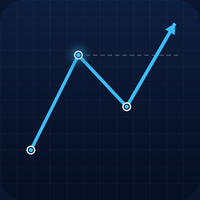
The EA identifies three-point reversal patterns based on ZigZag indicator pivots:
Bullish Pattern:
- Point 1: Low
- Point 2: Higher High (impulse move)
- Point 3: Pullback (between P1 and P2)
- Entry: Breakout above Point 3
Bearish Pattern:
- Point 1: High
- Point 2: Lower Low (impulse move)
- Point 3: Pullback (between P1 and P2)
- Entry: Breakdown below Point 3
Gann Profit Targets
The system calculates precise targets using Fibonacci-based Gann ratios:
- Preliminary Goal: 61.8% of impulse range
- Zone 1: 100% - 161.8% of impulse range
- Zone 2: 261.8% - 423.6% of impulse range
- Stop Loss: 50% below Point 3
🤖 AI Integration (Groq)
Three AI Modes
1. GEMINI_OFF
- Traditional rule-based trading only
- No AI analysis required
- Fastest execution
2. GEMINI_CONFIRM
- AI validates pattern signals
- Provides confidence scoring (0-100%)
- Filters out low-probability setups
- Human-like trade reasoning
3. GEMINI_FULL
- Complete AI-driven trading
- Optimizes stop loss and take profit levels
- Analyzes market conditions in real-time
- Decides order type (market vs pending)
What AI Analyzes
The Groq AI evaluates:
- Pattern quality and structure
- Current market momentum (RSI, ATR)
- Price action context
- Risk/reward optimization
- Entry timing
- Confidence level assessment
AI Response Example
{ "shouldTrade": true, "confidence": 85, "direction": "BUY", "stopLoss": 1.08450, "takeProfit": 1.09200, "reasoning": "Strong bullish pattern with RSI confirmation" }
🛡️ News Filter System
Economic Calendar Protection
The EA automatically blocks trading during major news events:
High Impact News:
- 60 minutes before event
- 30 minutes after event
- Examples: NFP, FOMC, CPI, Interest Rate Decisions
Medium Impact News:
- 30 minutes before event
- 15 minutes after event
- Examples: Retail Sales, PMI Data
Low Impact News:
- Optional blocking (configurable)
- 15 minutes buffer window
Smart Calendar Integration
- Uses MT5's built-in Economic Calendar
- Filters by currency relevance
- Auto-updates every hour
- Displays countdown to next event
⚙️ Configuration Guide
1. ZigZag Settings
ZigZagDepth = 12        // Sensitivity to price swings
ZigZagDeviation = 5     // Minimum price movement
ZigZagBackstep = 3      // Look-back period
Recommendation: Keep default values for most pairs. Increase depth for ranging markets.
2. Pattern Settings
MinImpulsePoints = 300 // Minimum impulse size in points MaxBarsLookback = 500 // Historical data to scan MinBarsP3 = 2 // Bars since Point 3 confirmation
Tip: Lower MinImpulsePoints (200-250) for lower timeframes like M15/H1.
3. Lot Size Management
Fixed Lot Mode:
LotMode = LOT_MODE_FIXED
FixedLot = 0.01
Risk Percentage Mode:
LotMode = LOT_MODE_RISK RiskPercent = 2.0 // Risk 2% per trade
Risk % Formula: Calculates position size based on stop loss distance and account balance.
4. Gann Target Ratios
PrelimGoalRatio = 0.618   // 61.8% Fibonacci
Zone1MinRatio = 1.000     // 100% extension
Zone1MaxRatio = 1.618     // 161.8% Golden ratio
Zone2MinRatio = 2.618     // 261.8% extension
Zone2MaxRatio = 4.236     // 423.6% extension
StopLossRatio = 0.5       // 50% retracement
Conservative: Increase StopLossRatio to 0.618 for safer trades.
5. Trade Management
UsePartialClose = true // Close 50% at Preliminary Goal MoveToBreakeven = true // Protect capital BreakevenPoints = 10 // Offset from entry TrailMode = TRAIL_PRELIM // Start trailing after prelim goal TrailDistance = 50 // Points behind price MaxOpenTrades = 1 // Limit concurrent positions
6. Order Execution Modes
ORDER_MARKET:
- Instant execution at current price
- Best for liquid markets
- No slippage risk from pending orders
ORDER_PENDING:
- Places Buy/Sell Stop orders
- Offset configurable (default 20 points)
- Better fills in volatile conditions
ORDER_GEMINI_DECIDE:
- AI selects optimal entry method
- Considers spread and volatility
- (Currently defaults to market)
7. Higher Timeframe Filter
UseHigherTFFilter = true
HigherTF = PERIOD_H4
HTF_TrendMA = 50
Purpose: Only takes trades aligned with larger trend.
- BUY signals require price above H4 MA(50)
- SELL signals require price below H4 MA(50)
Disable for ranging markets or if trading reversals.
8. AI Configuration (Groq)
AIMode = GEMINI_CONFIRM GroqAPIKey = "your_api_key_here" AIConfidenceMin = 70 // Minimum 70% confidence AIAnalyzeSLTP = true // Use AI-optimized levels AIAnalysisInterval = 300 // 5-minute cooldown
Getting API Key:
- Visit https://console.groq.com/keys
- Create free account
- Generate API key
- Copy into EA settings
Important: Add https://api.groq.com to MT5 allowed URLs:
- Tools → Options → Expert Advisors → Allow WebRequest for listed URL
9. News Filter Settings
UseNewsFilter = true
NewsMinutesBeforeHigh = 60
NewsMinutesAfterHigh = 30
NewsMinutesBeforeMed = 30
NewsMinutesAfterMed = 15
BlockLowImpact = false
Aggressive Trading: Reduce all timings by 50% Conservative Trading: Increase all timings by 50%
10. Alerts & Notifications
EnableAlerts = true // Pop-up alerts EnableSound = true // Audio notifications EnablePush = false // Mobile push (requires MT5 mobile setup) MagicNumber = 123789 // Unique EA identifier TradeComment = "GannAI" // Order comment
📈 Usage Instructions
Step 1: Installation
- Copy LegacyOfGann_EA_GROQ.mq5 to MQL5/Experts/ folder
- Copy JAson.mqh library to MQL5/Include/ folder
- Restart MetaTrader 5
- EA appears in Navigator → Expert Advisors
Step 2: Setup Groq API (Optional)
- Register at https://console.groq.com
- Generate free API key
- In MT5: Tools → Options → Expert Advisors
- Check "Allow WebRequest for listed URL"
- Add: https://api.groq.com
- Click OK and restart MT5
Step 3: Attach to Chart
- Open desired symbol chart (e.g., EURUSD)
- Choose timeframe (H1 or H4 recommended)
- Drag EA from Navigator to chart
- Configure settings in popup window
- Paste Groq API key if using AI
- Enable "Allow live trading"
- Click OK
Step 4: Verify Operation
Check Expert tab for initialization messages:
Testing Groq API connection...
Groq API connection successful!
Legacy of Gann EA - ENHANCED EDITION
Symbol: EURUSD
Gemini AI: CONFIRM ONLY
Step 5: Monitor Dashboard
The on-chart display shows:
- 🤖 Groq AI status and connection
- 📞 API call statistics
- ✅ Trades opened/rejected by AI
- 📰 News filter status
- 🎯 Active pattern information
- ⏰ Countdown to next news event
🎓 Trading Tips
Best Practices
-
Timeframe Selection
- H1: For active trading (3-5 signals/week)
- H4: For swing trading (1-2 signals/week)
- Avoid M15 and below (too noisy)
-
Pair Selection
- Major pairs: EURUSD, GBPUSD, USDJPY (best liquidity)
- Avoid exotic pairs with wide spreads
-
Risk Management
- Start with RiskPercent = 1% while learning
- Never risk more than 2-3% per trade
- Max 2-3 concurrent trades across all pairs
-
AI Confidence Levels
- 70-79%: Moderate confidence (use smaller lots)
- 80-89%: High confidence (standard lots)
- 90%+: Very high confidence (can increase lot size slightly)
-
News Trading
- Always keep UseNewsFilter = true for first month
- Major news can invalidate technical patterns
- Calendar protection saves capital
Optimization Strategy
Phase 1: Conservative (Month 1-2)
AIMode = GEMINI_CONFIRM AIConfidenceMin = 80 UsePartialClose = true MaxOpenTrades = 1 TrailMode = TRAIL_PRELIM
Phase 2: Balanced (Month 3-4)
AIMode = GEMINI_FULL
AIConfidenceMin = 75
UsePartialClose = true
MaxOpenTrades = 2
Phase 3: Aggressive (Month 5+)
AIMode = GEMINI_FULL AIConfidenceMin = 70 MaxOpenTrades = 3 AIAnalyzeSLTP = true
🔍 Troubleshooting
AI Not Working
Symptom: "Connection Failed" or "Invalid API Key"
Solutions:
- Verify API key is correct (43 characters)
- Check https://api.groq.com is in allowed URLs
- Restart MT5 after adding URL
- Test connection: EA logs "Groq API connection successful!"
- Check internet connection and firewall
No Trades Opening
Possible Causes:
- News filter blocking (check on-chart display)
- No valid Pattern 123 detected
- AI confidence below minimum threshold
- Higher TF filter not aligned
- MaxOpenTrades limit reached
Debug: Enable DebugMode = true to see rejection reasons in Expert tab.
Pattern Not Detected
Adjustments:
- Lower MinImpulsePoints (try 200-250)
- Increase MaxBarsLookback (try 700-1000)
- Check ZigZag settings are correct
- Verify chart has enough historical data
Frequent AI Rejections
Solutions:
- Lower AIConfidenceMin (try 65-70%)
- Switch to AIMode = GEMINI_OFF temporarily
- Review rejected patterns in logs
- May indicate ranging/choppy market
📊 Performance Metrics
Dashboard Information
The EA displays real-time statistics:
Trade Status:
- Open positions count
- Lot size mode and value
- Balance and equity
Groq AI Status:
- Connection state (✓ or ✗)
- Total API calls made
- Successful analyses
- Trades opened by AI
- Trades rejected (and why)
- Cooldown timer
News Filter:
- Current status (CLEAR or BLOCKED)
- Countdown to next event
- Impact level of upcoming news
Active Pattern:
- Direction (BUY/SELL)
- Entry price
- Target levels (Prelim, Zone 1)
- AI confidence percentage
⚠️ Important Disclaimers
- API Costs: Groq offers free tier with rate limits. Monitor usage at console.groq.com
- Internet Required: AI features require stable internet connection
- Backtesting: AI features won't work in Strategy Tester (uses live API calls)
- VPS Recommended: For 24/7 operation, use Virtual Private Server
- Risk Warning: Trading forex involves substantial risk of loss. Never trade money you cannot afford to lose.
🎁 Key Advantages
✅ Automated Pattern Recognition - No manual chart watching ✅ AI Validation - Filters out false signals ✅ News Protection - Avoids unpredictable volatility ✅ Partial Profits - Locks in gains at milestones ✅ Trailing Stop - Captures extended moves ✅ Multi-Timeframe - Trend alignment confirmation ✅ Flexible Risk - Fixed or percentage-based sizing ✅ Real-Time Dashboard - Complete transparency ✅ Smart Notifications - Alerts on key events ✅ Professional Grade - Institutional-quality risk management
🚀 Get Started Today
Transform your trading with the power of AI-enhanced Gann analysis. The Legacy of Gann Enhanced EA combines 100 years of proven technical analysis with modern artificial intelligence to give you an edge in today's markets.
Perfect for:
- Swing traders seeking high-probability setups
- Pattern traders wanting automation
- Traders interested in AI-powered analysis
- Risk-conscious traders needing protection
Start with demo account, master the system, then trade live with confidence!
Legacy of Gann Enhanced EA v4.0 - Where Classic Trading Wisdom Meets Artificial Intelligence