VR Unlock Smart MT5

Have you ended up with a negative lock on your trading account and don't know what to do next? Both BUY and SELL positions are open, the overall loss is spread across dozens of trades, and you really don't want to close everything at once. The price moves up and down, but the situation hardly changes. It feels like your trading account is trapped: should you leave the positions open or close them at a substantial loss? This is exactly the problem many traders face when using hedging and position locking.

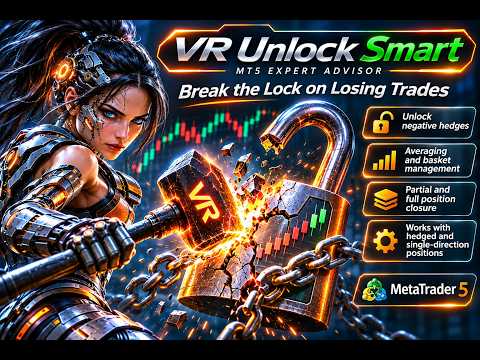
To address this problem, I developed VR Unlock Smart — an Expert Advisor for MetaTrader 5 designed to help traders gradually unlock negative hedged positions. The Expert Advisor automatically analyzes open positions, selects suitable combinations, uses averaging and partial position closing. Instead of closing the entire lock at once, the robot attempts to reduce the number of open positions step by step and offset accumulated losses by taking advantage of market movements. My goal is to provide traders with a tool that can help them manage difficult trading situations and gradually free their accounts from locked positions. However, the outcome depends on market conditions, and averaging involves additional risks.

How Does VR Unlock Smart Unlock a Negative Lock?

Step 1. Analyzing open positions. After launch, the Expert Advisor examines the existing lock: it counts BUY and SELL positions, determines their trading volumes, opening prices, and current profits or losses. Based on this information, the robot calculates the average BUY and SELL prices and identifies which positions should be managed first.

Step 2. Closing profitable combinations. Before using averaging, the Expert Advisor searches for suitable combinations of opposing BUY and SELL positions. If closing them together produces a positive result, the robot reduces the lock without opening additional trades. This allows some positions to be closed using existing trading volumes.

Step 3. Averaging the remaining positions. If no suitable combinations remain, the averaging algorithm comes into play. When the price reaches a specified distance from existing trades, the Expert Advisor opens an additional BUY or SELL position. Its purpose is to bring the calculated exit price of the selected group closer to the current market price. The robot also takes into account the placement and volumes of existing positions.

Step 4. Partially closing the lock. When the price meets the closing conditions for the selected group, the Expert Advisor begins reducing the trading basket. To accomplish this, it uses partial position closing with the minimum permitted lot size, as well as the closing of individual large positions. For example, instead of completely closing several older trades, the robot may close only 0.01 lots from each position. This makes it possible to gradually reduce the lock without requiring the price to return to the opening levels of all positions.

Step 5. Repeating trading cycles. After each closing operation, VR Unlock Smart analyzes the remaining positions again and continues working. The number of trades and total trading volumes gradually decrease when the strategy conditions are met. Even if all SELL positions have already been closed and only BUY positions remain, or vice versa, the Expert Advisor provides further management of a one-sided position basket.

Step 6. Completely freeing the trading account. The ultimate goal of the algorithm is to close all positions completely within the managed basket. If market conditions allow the remaining groups to be closed sequentially, the robot continues operating until the number of open positions reaches zero. Once the cycle is completed, the trading account is freed from that particular lock.

The main idea behind VR Unlock Smart is not to deal with the entire negative lock at once, but to gradually break it down into smaller groups of positions, using market movements to reduce accumulated losses.

How Does VR Unlock Smart Work in the Strategy Tester and on Trading Accounts?

Operating in the MetaTrader 5 Strategy Tester

To allow you to test VR Unlock Smart independently, I have implemented automatic lock creation in the Strategy Tester. You do not need to manually open dozens of BUY and SELL positions. The Expert Advisor automatically creates a lock consisting of multiple trades with equal total BUY and SELL volumes.

Once the lock has been created, the robot begins unlocking it. It analyzes open positions, identifies suitable combinations, and uses averaging and partial position closing. The primary objective is to gradually reduce the number of positions until the entire trading basket is closed, provided the strategy conditions are met.

In the visual mode of the Strategy Tester, you can observe the unlocking process directly on the chart, examine executed trades, and evaluate the algorithm's behavior using historical price data.

Operating on a Demo Account

A similar operating principle is implemented for demo accounts. The Expert Advisor automatically creates a lock and then begins managing the open positions. The main difference from the Strategy Tester is that trading operations are executed under current market conditions rather than using historical data.

This allows you to observe VR Unlock Smart operating in real time, test averaging and partial position closing, and evaluate how the algorithm responds to changing market conditions without risking real money.

Operating on a Live Trading Account

On a live account, the Expert Advisor's primary task is to manage existing positions. You do not need to create a new lock: if BUY and SELL positions are already open on the account, the robot analyzes them and begins searching for opportunities to close them gradually.

The number and volumes of BUY and SELL positions may differ. The Expert Advisor is designed to work not only with fully locked positions but also with trading baskets in which one side has a larger total volume than the other.

During operation, VR Unlock Smart uses averaging algorithms, reduces open trading volumes, and continues managing the remaining trades. Even when there are no opposing positions left, the algorithm supports further management of a one-sided BUY or SELL basket.

The key difference: in the Strategy Tester and on demo accounts, the Expert Advisor automatically creates a lock to test the algorithm, while on live accounts it is designed to manage existing positions.

Important! Warnings and Risks

1. Releasing available funds. When managing complicated trading situations, VR Unlock Smart primarily attempts to release available funds. If the account contains positive locks or profitable combinations of opposing positions, the Expert Advisor attempts to close them first. This helps reduce the number of open trades and the burden on the trading account.

2. Available funds are essential! Your trading account MUST have available funds and sufficient free margin. While unlocking a negative lock, the Expert Advisor may open additional positions for averaging. Insufficient free margin can prevent the algorithm from operating correctly and may result in positions being forcibly closed by the broker.

3. There are NO guarantees of successfully unlocking a lock! I cannot guarantee that VR Unlock Smart will successfully resolve every difficult trading situation. The outcome depends on the account's condition, position placement, available funds, and subsequent market movements.

4. Probability of successfully unlocking a lock. The preliminary estimated probability of successfully completing a trading basket is 85–95%. The actual probability depends on market conditions, strategy parameters, and the condition of the trading account.

Based on Time-Tested Trading Algorithms

When developing VR Unlock Smart, I used ideas and algorithms from two of my Expert Advisors: VR Smart Grid and VR Locker.

From VR Smart Grid, I adopted the principles of averaging, calculating average prices, and partially closing positions. My experience developing VR Locker helped me implement algorithms for managing opposing BUY and SELL positions.

By combining these approaches and adding new trading logic, I created VR Unlock Smart — an Expert Advisor whose main purpose is to gradually unlock negative locks and free trading accounts from accumulated positions.

How to Properly Test VR Unlock Smart?

Before using VR Unlock Smart on a live trading account, I strongly recommend testing the Expert Advisor in the MetaTrader 5 Strategy Tester and then on a demo account. This will help you understand the principles of unlocking negative locks, select suitable parameters, and evaluate potential risks.

Step 1. Configuring the Strategy Tester

Open MetaTrader 5, press Ctrl+R, and select the VR Unlock Smart Expert Advisor. Specify the financial instrument, testing period, initial deposit, and leverage. Use settings that closely match the conditions of your live trading account.

For the most accurate testing, I recommend selecting the "Every tick based on real ticks" modeling mode and enabling visualization. Make sure to use a hedging account type (Hedging), which allows you to hold multiple BUY and SELL positions on the same instrument simultaneously.

Step 2. Creating a Negative Lock

In the Strategy Tester, the Expert Advisor automatically creates a trading lock. To do this, specify the required test lock volume in the settings. The robot will open BUY and SELL positions until the specified total volumes are reached.

Once the lock has been created, the algorithm begins its main task — gradually reducing open positions through averaging and partial position closing.

Step 3. Observing the Lock-Unlocking Process

In visual mode, you can watch VR Unlock Smart analyze open positions, add averaging trades, and close suitable trading combinations.

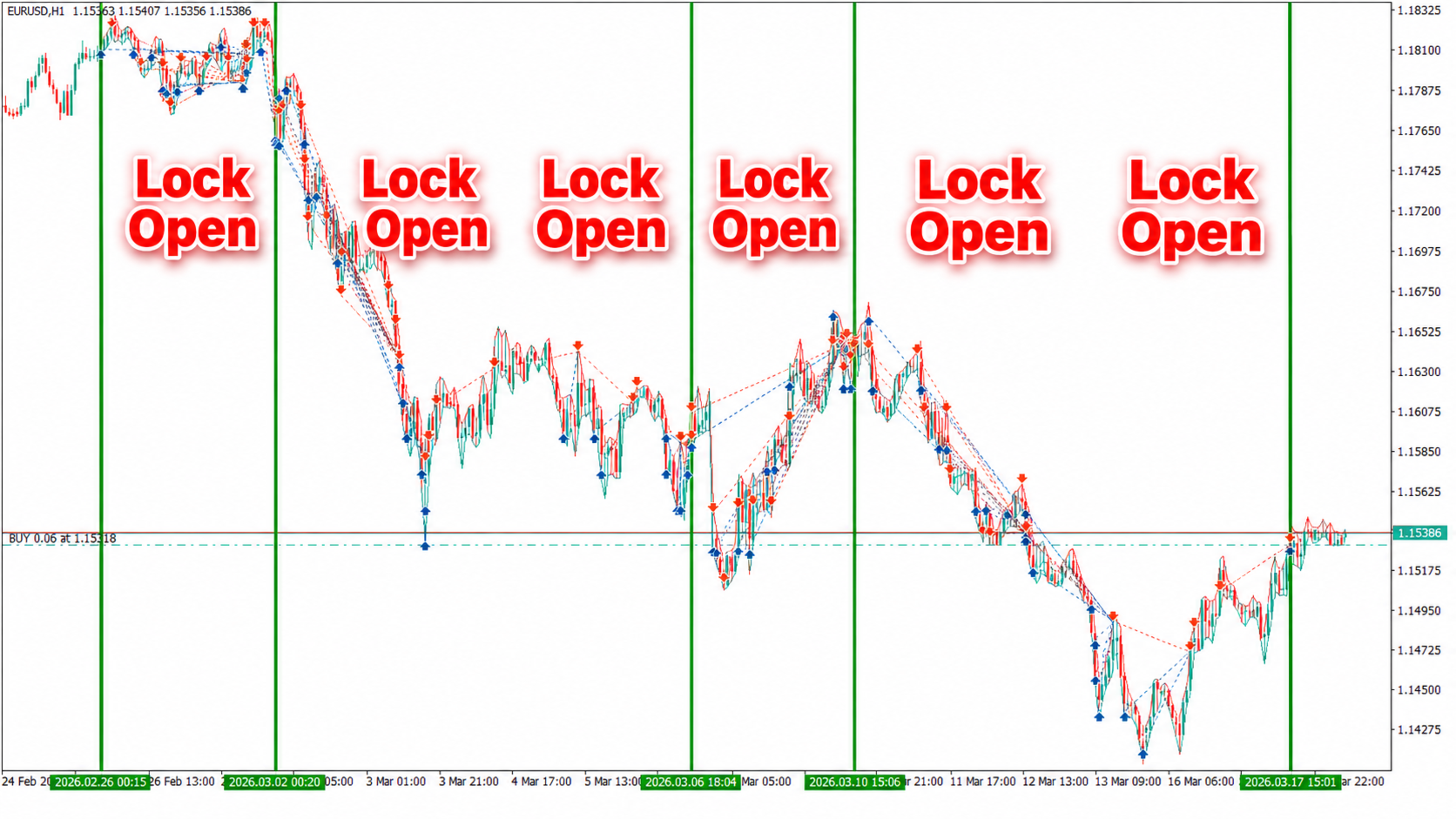
Pay attention not only to closed trades but also to changes in Equity, free margin, the number of positions, and total trading volume. If the algorithm successfully completes a full cycle and closes all positions, a vertical line appears on the tester chart, indicating that management of the current basket has been completed.

Step 4. Testing Under Different Market Conditions

I recommend testing the Expert Advisor over several historical periods, including uptrends, downtrends, sideways markets, and periods of high volatility. It is advisable to test not only short intervals but also extended periods ranging from several months to several years.

Also, run multiple tests using different initial deposits, lock volumes, and averaging settings. This will help you identify the conditions under which the Expert Advisor successfully performs its task and those under which excessive drawdown or insufficient free margin may occur.

Step 5. Evaluating the Results

After completing the tests, carefully examine the MetaTrader 5 report. Pay particular attention to maximum drawdown, minimum margin level, the number of completed cycles, financial results, and any remaining open positions.

Important: positive backtesting results do not mean that the Expert Advisor will be able to unlock every negative lock successfully. Historical data does not reproduce all the characteristics of real trade execution.

Step 6. Testing on a Demo Account

After historical testing, I recommend running the full version of VR Unlock Smart on a demo account. In the dedicated demo mode, the Expert Advisor automatically creates a trading lock and begins unlocking it, allowing you to observe the algorithm using current market prices.

For the most objective evaluation, use a demo account from the same broker you plan to use for live trading. Pay attention to the Expert Advisor's behavior during spread widening, insufficient free margin, and prolonged price movements against open positions.

Step 7. Testing an Existing Negative Lock

Since VR Unlock Smart is primarily designed to manage existing positions on live accounts, I also recommend testing the algorithm on trading baskets prepared in advance.

Create several challenging situations on a demo account: a balanced BUY and SELL lock, a lock with unequal volumes, a BUY-only basket, and a SELL-only basket. This will help you evaluate how the Expert Advisor handles different position configurations and quantities.

My recommendation: move to live trading only after you are confident that you understand how the algorithm works, its free margin requirements, and the potential consequences of averaging. Never use funds that you cannot afford to lose when attempting to unlock a complicated trading lock.

About the Author

My name is Vladimir. I am a trader, programmer, and developer of trading robots for MetaTrader 4 and MetaTrader 5. For many years, I have been studying financial markets, developing trading strategies, and automating trading using MQL4/MQL5. My projects include VR Smart Grid, VR Locker, and other Expert Advisors from the VR series. When creating my products, I pay particular attention to traders' practical needs, code reliability, and the continuous improvement of trading algorithms. VR Unlock Smart is a continuation of this work — a tool I developed to help traders manage negative locks and challenging trading situations.
More from author
VR Smart Grid MT5
Vladimir Pastushak
4.33 (30)
VR Smart Grid is the most advanced trading advisor for MetaTrader 4 and MetaTrader 5 that turns the classic grid strategy into a smart automated position management system. The robot independently opens orders, intelligently averages them and gradually closes the grid in small parts with a pre-planned profit, pulling the average price as close to the market as possible. Nine lot calculation methods, thirteen distance types, nine averaging modes, two independent trailing stops, balance management
VR Proton MT5
Vladimir Pastushak
Trading Robot (Expert Advisor) for MetaTrader  that combines trend-based position opening, averaging during pullbacks, automatic breakeven protection, trailing stop, and closing a series of trades with a controlled minimum profit. VR Proton is not just a “signal-based Expert Advisor.” It is a complete position-series management system that automatically decides when to add a trade, when to protect profit with a breakeven stop, when to move the protective level along with the price, and when to e
VR Atr Pro MT5
Vladimir Pastushak
4.75 (4)
VR ATR Pro is a technical indicator designed to determine target levels based on the statistical analysis of previous trading periods. It is based on the mathematical calculation of the average price movement over a selected period of time. Operating Principle of the Indicator, Based on Statistics The indicator's operation is based on observing the daily behavior of the price: each trading period is characterized by a certain movement amplitude — the price travels a certain distance in points bo
VR Sync Charts MT5
Vladimir Pastushak
5 (3)
VR Sync Charts is a tool for synchronizing layout between windows. INDICATOR DOES NOT WORK IN STRATEGY TESTER!!! How to get a trial version with a test period, instructions, training, read the blog https://www.mql5.com/ru/blogs/post/726504 . VR Sync Charts allow you to synchronize trend levels, horizontal levels and Fibonacci layout with all charts. With this you can synchronize all standard graphic objects in the MetaTrader terminal. All your trends, Gann lines and other objects are exactly cop
VR Trade Panel MT5
Vladimir Pastushak
4.67 (6)
VR Trade Panel is a professional trading panel designed to enhance convenience and reduce trading risks. Thanks to its simple interface and detailed guide, beginners will find it easier to learn the basics of trading and start practicing. Main principles of the panel: Comfort, Speed, Functionality. Instructions: [ How to install ], [ How to use ], [ Demo version ]. The program interface is intuitive and simple, allowing you to open a market position or place a pending order of any type in two cl
FREE
VR Proton
Vladimir Pastushak
Trading Robot (Expert Advisor) for MetaTrader  that combines trend-based position opening, averaging during pullbacks, automatic breakeven protection, trailing stop, and closing a series of trades with a controlled minimum profit. VR Proton is not just a “signal-based Expert Advisor.” It is a complete position-series management system that automatically decides when to add a trade, when to protect profit with a breakeven stop, when to move the protective level along with the price, and when to e
VR Stealth Pro MT 5
Vladimir Pastushak
5 (1)
VR Stealth Pro is a specialized free trading panel designed to increase the convenience and efficiency of trade. The main purpose of the tool is to hide the levels of Stop Loss and Take Profit, allowing you to minimize the risks of leakage of your information about the trading levels of Stop Loss and Take Profit. Set files, demo versions of the product, instructions and bonuses are available on the [blog] Version for [MetaTrader 4] VR Stealth Pro is a free trading panel and is supplied on the p
FREE
VR Lollipop MT5
Vladimir Pastushak
3.22 (9)
VR Lollipop is an automated trading robot for MetaTrader 5 that combines an unconventional strategy based on paired Buy and Sell positions, sequential trading cycles, and dynamic trend-following techniques. Instead of constantly trying to predict market direction, the algorithm manages open positions, moves them to breakeven, and uses a dynamic trailing stop . The key feature of VR Lollipop is its ability to follow extended price movements while gradually opening new trading groups according to
VR Smart Grid
Vladimir Pastushak
4.29 (168)
VR Smart Grid is the most advanced trading advisor for MetaTrader 4 and MetaTrader 5 that turns the classic grid strategy into a smart automated position management system. The robot independently opens orders, intelligently averages them and gradually closes the grid in small parts with a pre-planned profit, pulling the average price as close to the market as possible. Nine lot calculation methods, thirteen distance types, nine averaging modes, two independent trailing stops, balance management
Vr Trade Panel
Vladimir Pastushak
4.75 (20)
VR Trade Panel is a professional trading panel designed to enhance convenience and reduce trading risks. Thanks to its simple interface and detailed guide, beginners will find it easier to learn the basics of trading and start practicing. Main principles of the panel: Comfort, Speed, Functionality. Instructions: [ How to install ], [ How to use ], [ Demo version ]. The program interface is intuitive and simple, allowing you to open a market position or place a pending order of any type in two cl
FREE
VR Lollipop
Vladimir Pastushak
5 (11)
VR Lollipop is an automated trading robot for MetaTrader 5 that combines an unconventional strategy based on paired Buy and Sell positions, sequential trading cycles, and dynamic trend-following techniques. Instead of constantly trying to predict market direction, the algorithm manages open positions, moves them to breakeven, and uses a dynamic trailing stop . The key feature of VR Lollipop is its ability to follow extended price movements while gradually opening new trading groups according to
VR Color Levels MT5
Vladimir Pastushak
VR Color Levels is a handy tool for those who apply technical analysis using elements such as trendline, rectangle and text. It is possible to add text directly to the chart and take screenshots. You can find settings, set files, demo versions, instructions, problem solving, at [blog] You can read or write reviews at [link] Version for [MetaTrader 4] Working with the indicator is carried out in one click . To do this, click on the button with the line, after which a trend line will appear unde
FREE
VR Donchian MT5
Vladimir Pastushak
4.82 (17)
The VR Donchian indicator is an improved version of the Donchian channel. Improvements affected almost all functions of the channel, but the main operating algorithm and channel construction were preserved. A change in the color of levels has been added to the ball indicator depending on the current trend - this clearly shows the trader a change in trend or flat. The ability to inform the trader about the breakout of one of two channel levels on a smartphone, email, or in the MetaTrader terminal
FREE
VR Grid Mt5
Vladimir Pastushak
3 (9)
The VR Grid indicator is designed to create a graphical grid with user-defined settings. Unlike the standard grid , VR Grid is used to build circular levels . Depending on the user's choice, the step between the round levels can be arbitrary. In addition, unlike other indicators and utilities, VR Grid maintains the position of the grid even when the time period changes or the terminal is rebooted. You can find settings, set files, demo versions, instructions, problem solving, at [blog] You can
FREE
VR Ticks MT5
Vladimir Pastushak
4.5 (4)
VR Ticks   is a special indicator for scalping-based strategies. Thanks to this indicator, the trader can see the tick chart directly on the main chart of the financial instrument. A tick chart allows you to enter a position into the market or close a position in the market as accurately as possible. VR Ticks plots tick data in the form of lines that change color depending on the direction - this allows you to visually understand and assess the situation on ticks. The advantage of tick charts i
FREE
VR Donchian
Vladimir Pastushak
4.87 (15)
The VR Donchian indicator is an improved version of the Donchian channel. Improvements affected almost all functions of the channel, but the main operating algorithm and channel construction were preserved. A change in the color of levels has been added to the ball indicator depending on the current trend - this clearly shows the trader a change in trend or flat. The ability to inform the trader about the breakout of one of two channel levels on a smartphone, email, or in the MetaTrader terminal
FREE
Vr Stealth pro
Vladimir Pastushak
4.91 (53)
VR Stealth Pro is a specialized free trading panel designed to increase the convenience and efficiency of trade. The main purpose of the tool is to hide the levels of Stop Loss and Take Profit, allowing you to minimize the risks of leakage of your information about the trading levels of Stop Loss and Take Profit. Set files, demo versions of the product, instructions and bonuses are available on the [blog] Version for [MetaTrader 5] VR Stealth Pro is a free trading panel and is supplied on the p
FREE
VR System MT 5
Vladimir Pastushak
5 (2)
VR System is not just an indicator, it is a whole, well-balanced trading system for trading on financial markets. The system is built on classical trading rules and a combination of indicators Moving Average and Donchian channel . The VR System takes into account the rules for entering the market, holding a position in the market and the rules for exiting a position. Simple trading rules, minimal risks, and clear instructions make the VR System an attractive trading strategy for traders in finan
VR Locker
Vladimir Pastushak
4 (4)
VR Locker is a unique trading advisor for MetaTrader 4 and MetaTrader 5 that turns classic hedging into a true art of profit management. Instead of fighting the market, VR Locker uses the unique author's logic of positive locks : the robot opens two opposite positions of equal volume and "spreads" them with a grid of orders following the price movement, accumulating unrealized profit into a "safety cushion". This reduces the deposit drawdown, often brings it down to zero, and removes the psychol
VR Calculate Martingale MT5
Vladimir Pastushak
5 (1)
The VR Calculate Martingale indicator is a powerful tool for pre-calculating any trading strategy without risks. Due to the fact that the indicator uses virtual orders, a trader can calculate in advance any development of events on a trading account. You no longer need EXCEL tables and calculators, you do not need to know the formulas for averaging multidirectional positions with different trading lots. VR Calculate Martingale will help you calculate everything. You can find settings, set files,
VR Watch list and Linker MT5
Vladimir Pastushak
4.83 (12)
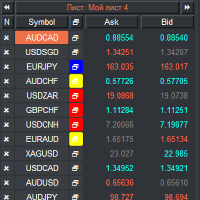
VR Watch list and Linker is a screener application for the MetaTrader terminal. Makes it easier to find the most interesting and technical financial instruments. This screener is used by traders for trading on such exchanges as bybit, Moscow Exchange, American Exchange, foreign exchange and cryptocurrencies market, metal market, and is used for trading in prop companies. The selection of financial instruments is carried out manually. The screener connects open charts in the MetaTrader terminal a
FREE
VR ATR Pro
Vladimir Pastushak
4.33 (6)
VR ATR Pro is a technical indicator designed to determine target levels based on the statistical analysis of previous trading periods. It is based on the mathematical calculation of the average price movement over a selected period of time. Operating Principle of the Indicator, Based on Statistics The indicator's operation is based on observing the daily behavior of the price: each trading period is characterized by a certain movement amplitude — the price travels a certain distance in points bo
VR Color Levels MT4
Vladimir Pastushak
5 (2)
VR Color Levels is a handy tool for those who apply technical analysis using elements such as trendline, rectangle and text. It is possible to add text directly to the chart and take screenshots. You can find settings, set files, demo versions, instructions, problem solving, at [blog] You can read or write reviews at [link] Version for [MetaTrader 5] Working with the indicator is carried out in one click . To do this, click on the button with the line, after which a trend line will appear unde
FREE
VR Locker MT5
Vladimir Pastushak
3.8 (5)
VR Locker   is a unique trading advisor for MetaTrader 4 and MetaTrader 5 that turns classic hedging into a true art of profit management. Instead of fighting the market, VR Locker uses the unique author's logic of   positive locks : the robot opens two opposite positions of equal volume and "spreads" them with a grid of orders following the price movement, accumulating unrealized profit into a "safety cushion". This reduces the deposit drawdown, often brings it down to zero, and removes the psy
VR Ticks
Vladimir Pastushak
VR Ticks is a special indicator for scalping-based strategies. Thanks to this indicator, the trader can see the tick chart directly on the main chart of the financial instrument. A tick chart allows you to enter a position into the market or close a position in the market as accurately as possible. VR Ticks plots tick data in the form of lines that change color depending on the direction - this allows you to visually understand and assess the situation on ticks. The advantage of tick charts is t
FREE
VR Close Orders MT5
Vladimir Pastushak
1 (1)
The VR Close orders script is designed to close positions in the terminal at a profit or loss mark set by the trader. The program is written as a script and can work together on the same chart with any other indicators and expert advisors. The program has a simple visual panel and is easy to configure with the mouse. With this program's help, the trader can automatically close positions and delete orders depending on the conditions set.  There is often a situation when you need to close position
FREE
VR Grid
Vladimir Pastushak
5 (3)
The VR Grid indicator is designed to create a graphical grid with user-defined settings. Unlike the standard grid , VR Grid is used to build circular levels . Depending on the user's choice, the step between the round levels can be arbitrary. In addition, unlike other indicators and utilities, VR Grid maintains the position of the grid even when the time period changes or the terminal is rebooted. You can find settings, set files, demo versions, instructions, problem solving, at [blog] You can
FREE
VR Object Delete All
Vladimir Pastushak
5 (1)
The VR Object Delete All script solves the problem of garbage on the chart. it is often necessary to completely clear the chart of everything that is put on it, comments, lines, objects. The script completely deletes everything, even those objects that are not visible. When working, VR Object Delete All writes everything it does in the terminal log, as well as the names of objects to delete. Displays the number of deleted objects as a separate line. in case of any errors, it will display an erro
FREE
VR Watch list and Linker
Vladimir Pastushak
4.63 (8)
VR Watch list and Linker is a screener application for the MetaTrader terminal. Makes it easier to find the most interesting and technical financial instruments. This screener is used by traders for trading on such exchanges as bybit, Moscow Exchange, American Exchange, foreign exchange and cryptocurrencies market, metal market, and is used for trading in prop companies. The selection of financial instruments is carried out manually. The screener connects open charts in the MetaTrader terminal a
FREE
VR Object Delete All MT5
Vladimir Pastushak
5 (1)
The VR Object Delete All script solves the problem of garbage on the chart. it is often necessary to completely clear the chart of everything that is put on it, comments, lines, objects. The script completely deletes everything, even those objects that are not visible. When working, VR Object Delete All writes everything it does in the terminal log, as well as the names of objects to delete. Displays the number of deleted objects as a separate line. in case of any errors, it will display an erro
FREE
Filter:
No reviews
Reply to review