
VR Smart Grid
- Experts
-
Vladimir Pastushak
 👋 My name is Vladimir Pastushak. I am a trader and programmer with more than 20 years of experience in financial markets and developing software solutions for trading automation.
 - Version: 26.100
- Updated: 30 September 2026
- Activations: 20
VR Smart Grid is the most advanced trading advisor for MetaTrader 4 and MetaTrader 5 that turns the classic grid strategy into a smart automated position management system. The robot independently opens orders, intelligently averages them and gradually closes the grid in small parts with a pre-planned profit, pulling the average price as close to the market as possible. Nine lot calculation methods, thirteen distance types, nine averaging modes, two independent trailing stops, balance management and notifications in Telegram, Push, Email and Alert — such a set of features makes VR Smart Grid truly unique and suitable for both beginners and professionals.
Settings files (set files), product demo versions, instructions and bonuses are available in the [blog]
Why VR Smart Grid is the best choice for automated trading
Imagine a trading robot that does not just open orders but thinks like an experienced trader: it sees that the price has moved against the position, calmly adds averaging orders with a well-thought-out step and lot, and at the slightest pullback begins to carefully close the grid in parts, fixing profit again and again. This is exactly how VR Smart Grid works. It is not a "black box" and not a blind martingale — it is a well-designed system that has evolved over 15 years, went through thousands of variations and tests on real and demo accounts.
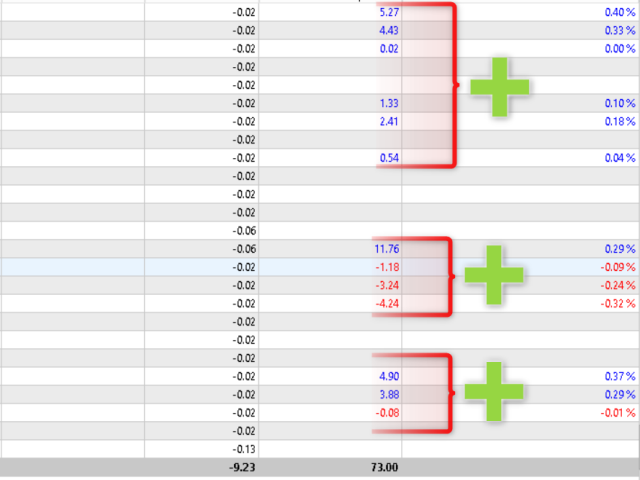
The main advantage of VR Smart Grid over ordinary grid advisors is step-by-step partial closing of positions. A typical grid robot waits for a big pullback to close the entire grid at once, loading the deposit and creating enormous risk. VR Smart Grid works differently: it splits the total volume into parts, calculates the optimal average closing price and unloads profitable fragments as the price moves. This frees margin, reduces drawdown and makes even small market movements profitable.
Detailed review of the product's unique features
Intelligent position averaging
One of the key features of VR Smart Grid is several averaging modes, including smart and partial averaging. The robot analyzes the current market situation, divides positions into optimal parts and calculates the average closing price so that it is as close as possible to the current market price. This approach helps to flexibly manage the order grid and more effectively bring positions out of drawdown without the need to constantly watch the chart.
The trader has nine averaging modes:
- Real TakeProfit — the robot sets a real take profit on positions when the level is reached: all positions, two extreme positions, two last positions, smart choice.
- Virtual partial closing — the robot closes a part of the volume in percent when the level is reached: all positions, two extreme, two last, smart choice.
- No averaging — full manual control over positions.
The "Smart Choice" (SMART) mode automatically analyzes all averaging calculation options and selects the best one for the current market. Buy and sell averaging is fully mirrored, and the breakeven point correctly accounts for commissions and swaps — positions are closed "at zero" without hidden losses.
Nine lot calculation methods
VR Smart Grid offers nine automatic lot calculation methods — from the most conservative to aggressive. All examples are given for a starting lot of 0.01:
- Starting lot (0.01, 0.01, 0.01, 0.01, 0.01) — all positions are opened with the same volume. The safest way.
- Soft Martingale (0.01, 0.015, 0.0225, 0.0338, 0.0506) — very smooth growth x1.5, softer than classic martingale.
- Logarithmic (0.01, 0.017, 0.021, 0.024, 0.026) — the smoothest, growth "saturates", minimal deposit load.
- Root (0.01, 0.014, 0.017, 0.02, 0.022) — growth proportional to the square root, a good balance of risk and speed.
- Step (0.01, 0.015, 0.02, 0.025, 0.03) — simple and predictable linear growth.
- Sum (0.01, 0.02, 0.03, 0.04, 0.05) — linear growth with a full step.
- Fibonacci (0.01, 0.01, 0.02, 0.03, 0.05, 0.08) — classic moderate progression, sum of the two previous lots.
- Up/Down (0.03, 0.04, 0.07, 0.10) — sum of the extreme position lots, suitable for mirrored grids.
- Martingale (0.01, 0.02, 0.04, 0.08, 0.16) — the most aggressive, each lot is twice the previous one.
Additionally available: fixed lot, margin percentage, lot per amount, fully manual lot sequence separated by semicolons, lot multiplier and maximum lot limits for buys and sells. Such flexibility allows you to precisely control the aggressiveness of trading for any deposit and style.
Thirteen distance types between positions
The distance between orders in the grid is one of the most important parameters. VR Smart Grid offers thirteen distance calculation types:
- In points — fixed distance in points.
- In percent — distance as a percentage of the opening price.
- Modified ATR — average upward and downward bar movement over the period.
- Bollinger Bands difference — difference between the upper and lower bands.
- Donchian channel difference — difference between the high and low over the period.
- Average bar value — average bar size over the period.
- Classic ATR — ATR indicator value.
- Smoothed ATR — averaging (EMA) of ATR values, step without jerks.
- Median range — median of bar sizes, ignores outliers, the calmest.
- Range EMA — smoothed average of bar sizes with an emphasis on recent bars.
- ATR multiplied by coefficient — distance equals ATR multiplied by a coefficient.
- Smooth step growth — distance grows with grid depth and slows down.
- Hybrid — combination of fixed distance and ATR.
The robot also knows how to gradually increase the distance between positions with grid depth and allows you to set a fully custom distance sequence. This ensures ideal adaptation to different market volatilities.
Six signal types for the strategy
VR Smart Grid can work as a pure grid without filters, or with entry confirmation by indicators:
- No signals — the strategy works without an indicator filter, only grid logic.
- CCI — buy or sell when CCI reverses from minus 100 and plus 100 levels.
- Donchian channel — buy on breakout of the maximum, sell on breakout of the minimum.
- Two moving averages crossover — buy when the fast EMA crosses above the slow one, sell when it crosses down.
- Custom signal — signal from a terminal global variable from your own indicator or application.
- KAMA — Kaufman's adaptive moving average: bounce from the bottom — buy, bounce from the top — sell. The signal is calculated on closed bars, without repainting.
Two independent trailing stops
VR Smart Grid uses a trailing stop to protect profits. It works in two independent groups:
- In the trend — classic (stop follows the price at a fixed distance), dynamic (stop is tied to the percentage of the potential trend size passed), manual.
- Against the trend — classic (stop moves in the opposite direction on a reversal), dynamic (adaptive stop on a price pullback from the extreme position), manual.
This allows you to protect your profits and at the same time leave room for price growth. The dynamic mode is limited by the maximum percentage (0–95%), which excludes uncontrolled stop movement.
Full risk control
You fully control risk management: distance between positions in the grid, size of each position, maximum number of open positions, maximum lot, maximum allowable spread, working time. The robot automatically takes into account broker commissions and swaps, reflecting the real situation in the calculations. You can set automatic closing of all positions when a certain profit or loss is reached and choose whether to continue trading or stop.
Trading modes in the trend and against the trend
VR Smart Grid supports several trading modes: buys and sells together, buys only, sells only, smooth stop of one of the sides or all trading. The "smooth stop" modes allow the robot to close the entire order grid of one side before completely stopping. The manual control mode allows the advisor to manage positions opened by the trader manually or by other advisors.
Spread and working time limits
The robot can stop working if the spread exceeds the limit you set — this protects you from trading in low liquidity conditions. You can set the start and end time of the advisor so that it trades only in the desired hours or sessions, and enable trading on a new bar of the selected timeframe.
Information panel and notifications
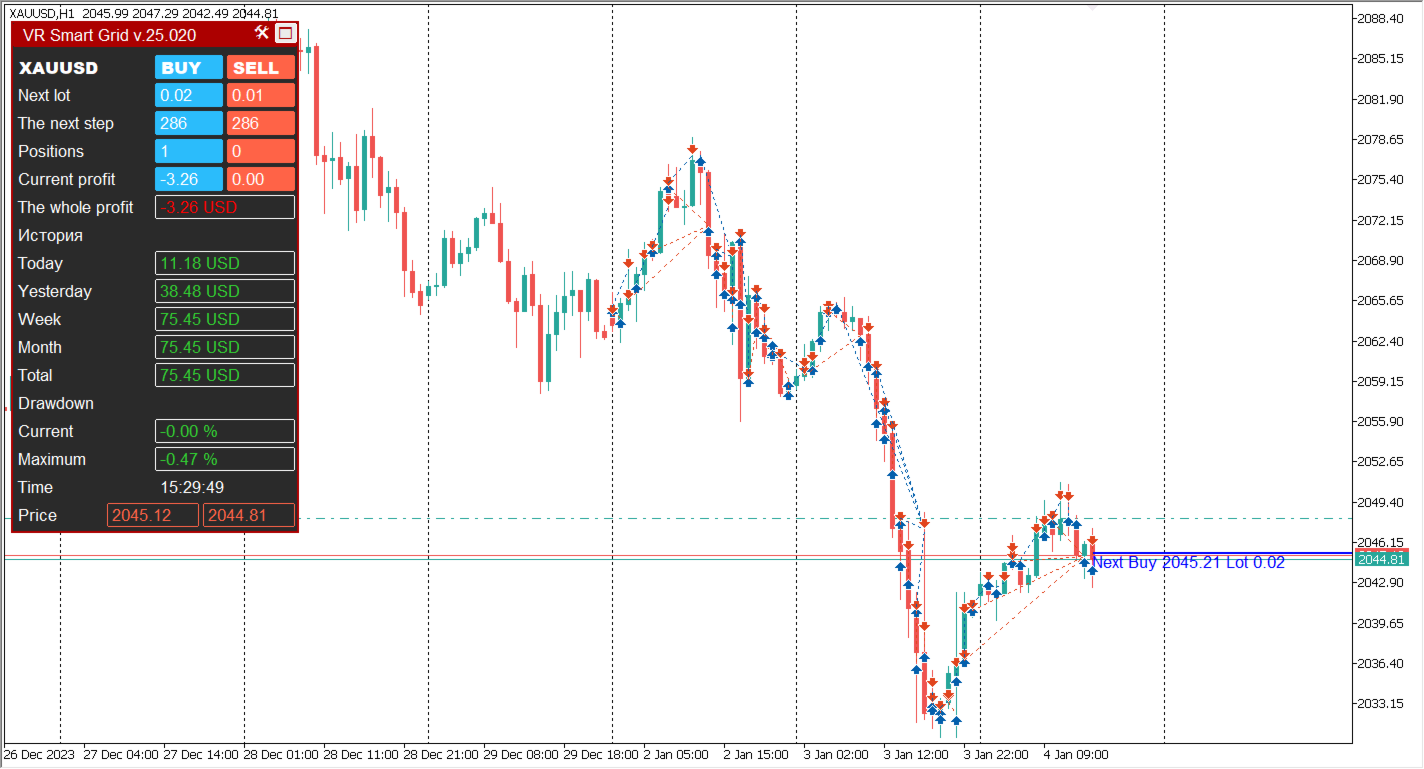
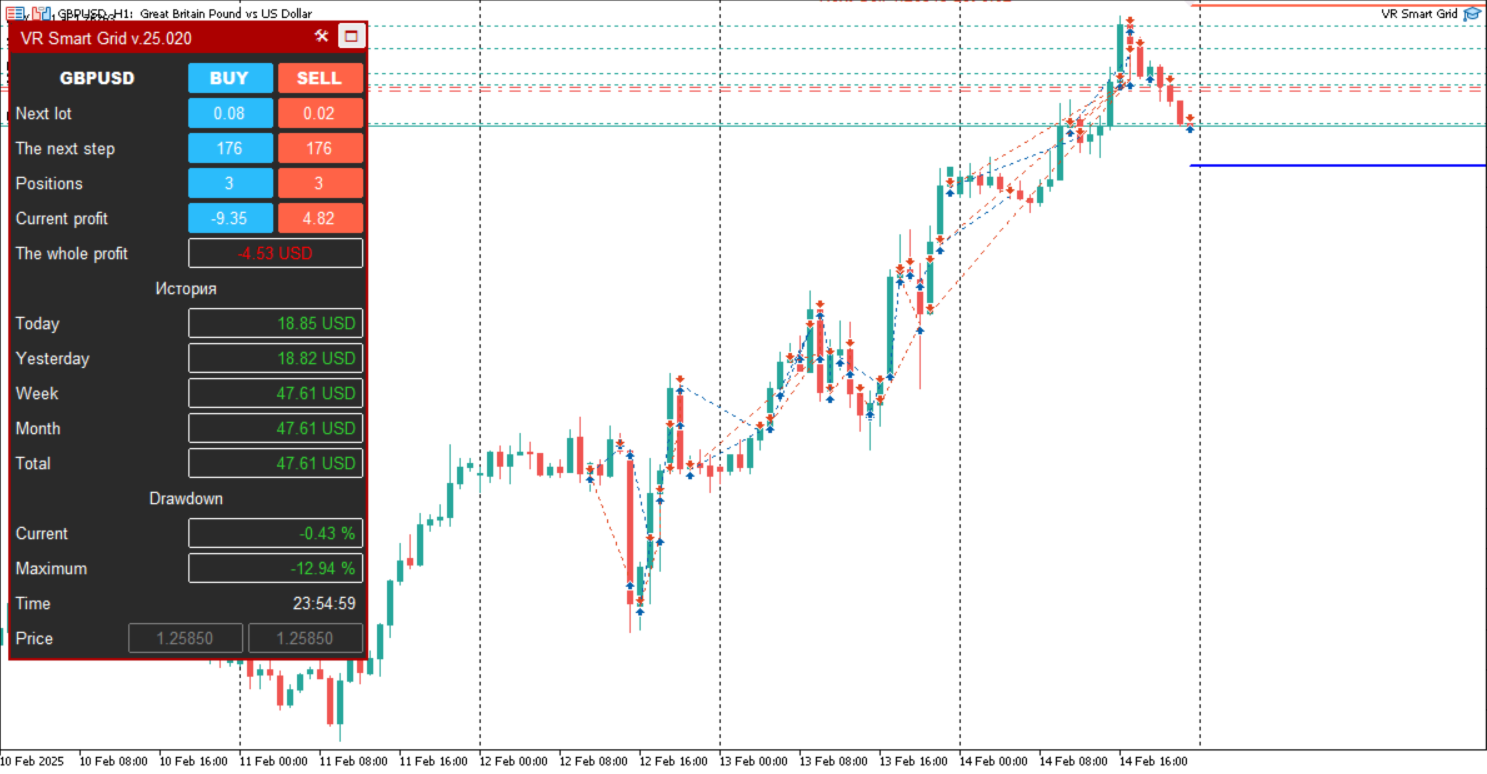
VR Smart Grid is equipped with a convenient information panel that displays current work statistics directly on the terminal chart: open positions, average prices, floating result, result for today, yesterday, week and month. The robot supports notifications via Push messages to the MetaTrader mobile app, standard Alert in the terminal, Email and Telegram. The event notification model informs about a new position, Stop Loss or Take Profit change and closing with profit, commission and swap totals. You will not miss any important event.
Easy setup even for beginners
Despite the power of the functionality, VR Smart Grid is very easy to use. You do not need to be a programmer or a professional with years of experience. The intuitive interface with detailed descriptions of each setting allows you to quickly configure all the necessary parameters in a few minutes. There are recommended settings sets (SET files) for different trading styles.
How the product works
The trading logic of VR Smart Grid is built around managing and modifying market positions depending on the trend. Let's look at the algorithm step by step:
Step 1. Market conditions analysis
On each tick, the robot checks a set of gate conditions: spread within acceptable limits, working time outside the prohibited window, appearance of a new bar, activation of an indicator signal (if enabled). Only when all conditions are met does the robot proceed to trading actions.
Step 2. Opening the first position
If there are no positions in the selected direction, the robot opens a starting position with the calculated lot. The lot is calculated according to the selected method: fixed, percentage, from balance or from a manual sequence.
Step 3. Building a grid against the trend
When the price moves against the open position, the robot opens averaging positions. The distance between positions is calculated according to the selected type (points, ATR, percent and others), and the lot grows according to the selected method (martingale, Fibonacci, root and others). The grid is built until the limit on the number of positions is reached or until the price reverses.
Step 4. Trailing in the trend
In an uptrend for buys, a trailing stop is used: when the Stop Loss moves into the profit zone, the advisor can add an additional position, strengthening the profitable series without increasing the risk per order. For sells the logic is mirrored.
Step 5. Step-by-step partial closing
In a downtrend (or on a pullback against the grid), the robot begins to gradually close the grid in small parts, fixing the result. It calculates the average price taking into account commission and swap, splits the volume and closes parts each time the profit level is reached. This frees margin and reduces drawdown.
Step 6. Balance management
If balance management is enabled, when the total result of all positions reaches a given profit or loss, the robot closes all positions. After that, it either completely stops trading or continues working with a new cycle.
Program settings description
All VR Smart Grid settings are grouped into logical blocks. Below are the parameter names in English (as in the program) with descriptions.
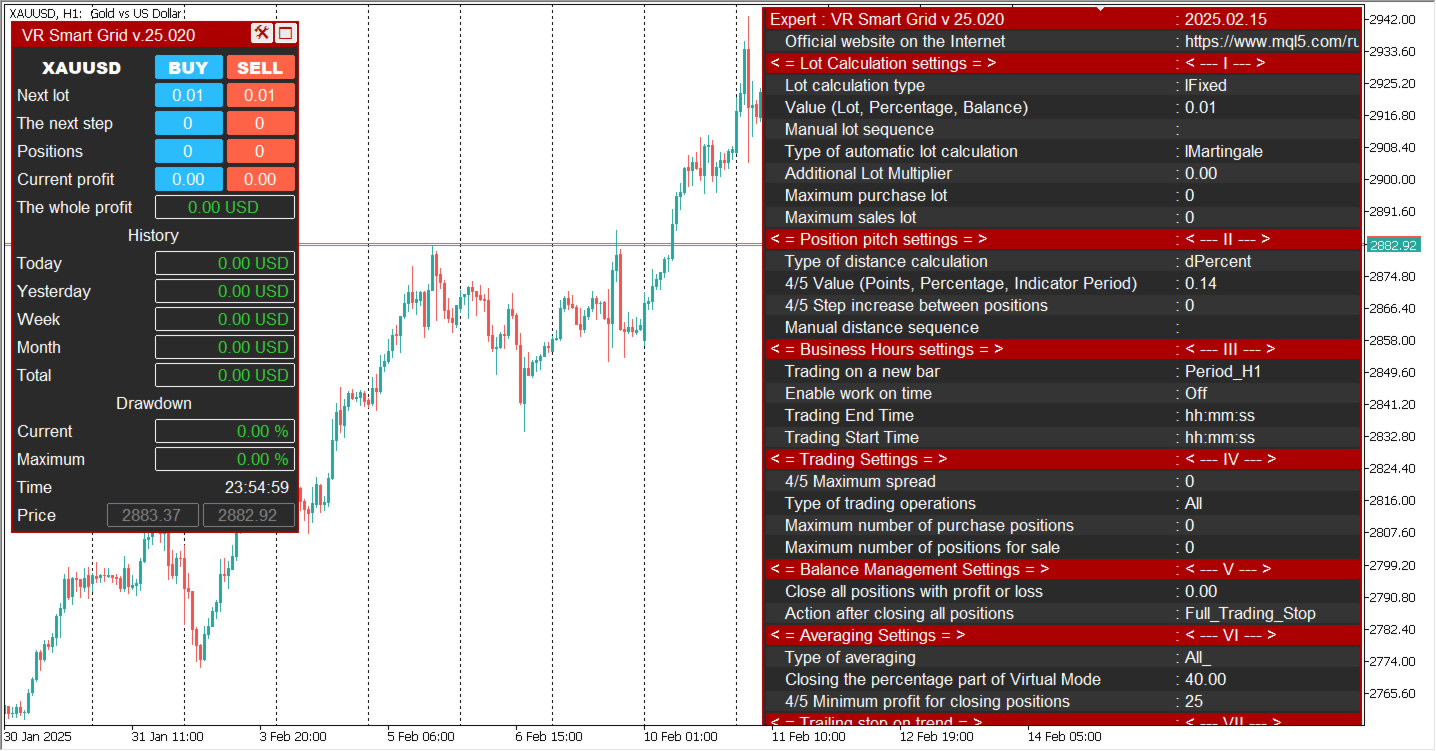
Lot calculation settings
- The type of lot calculation — Lot calculation type: Fixed lot (Example: 0.01) — fixed lot; Percentage lot (Example: 3) — percentage of free margin; The balance for the minimum lot (Example: 300) — the balance is divided by the specified amount and multiplied by the minimum lot.
- Value (Lot, Percentage, Balance) — Value for the specified lot calculation type.
- Manual sequence of lots, through ( ; ) — Manual lot sequence separated by semicolons. Has the highest priority and disables automatic calculation. Example: 0.01; 0.02; 0.04; 0.08.
- Type of automatic lot calculation — Automatic lot calculation method: starting lot, martingale, Fibonacci, sum of maximum and starting, sum of extreme position lots, soft martingale, step, root, logarithmic.
- Additional lot multiplier (0 - Disabled) — Additional lot multiplier. Increases or decreases the calculated lot.
- Maximum Buy lot — Maximum lot for buys. Limits the volume of positions to protect the deposit.
- Maximum Sell lot — Maximum lot for sells.
Position step settings
- Type of distance calculation — Distance calculation type to the next position: Points, Percentages, ATR modified, Bollinger Bands difference, Donchian difference, The average value of the bars, ATR classic, Smoothed ATR, Median bar range, EMA of bar range, ATR multiplied by coefficient, Smooth step growth, Fixed distance + ATR hybrid.
- Value (Points, Percentage, Indicator Period) — Value for the specified distance calculation type.
- Step increase between positions (0 - Disabled) — Increase of the step between positions depending on the grid depth.
- Manual distance sequence, through ( ; ) — Manual distance sequence. Example: 50; 100; 80; 30.
Uptime settings
- New Bar trading — Trading on a new bar of the selected timeframe. Limits opening positions to the appearance of a new bar.
- Trade end time — Trading end time (hh:mm:ss format).
- Trading start time — Trading start time (hh:mm:ss format).
Trading settings
- Maximum spread (0 - Disabled) — Maximum spread. When exceeded, the robot stops trading.
- Type of trading operations — Trading operations type: Buying and Selling together, Buys only, Sells only, Buys - smooth stop, Sells - smooth stop, Buying and Selling - smooth stop, Manual position control (Magic Number = 0).
- Maximum number of positions per buy (0 - Disabled) — Maximum number of buy positions.
- Maximum number of positions per sell (0 - Disabled) — Maximum number of sell positions.
Balance management settings
- Close all positions at profit or loss (Example: 50 or -30) — Close all positions when the total result reaches a given profit or loss.
- Action after closing all positions — Action after closing all positions: Close everything and Stop trading or Close everything and Continue trading.
Averaging settings
- Type of averaging — Averaging type: [ALL] All positions, Real TakeProfit, [Max Min] Two extreme positions, [Max Max] The last two positions, [SMART] Smart Choice, the same modes with virtual take profit, Do not use averaging.
- Partial closing percentage (virtual mode) (Example: 25) — Percentage of position part closing in virtual mode.
- Minimum profit for closing positions (Example: 25) — Minimum profit in points for closing a series of positions.
- Manual sequence of profit, via ( ; ) — Manual profit level sequence. Example: 25; 20; 30; 38.
Trailing stop in the trend
- Type of trend-based trailing — Trend trailing type: Classic, Dynamic, Manual.
- Potential trend size (Points) (Example: 10000) — Potential trend size in points.
- Maximum percentage for a trailing stop (Dynamic) — Maximum percentage for dynamic trailing (0–95%).
Trailing stop against the trend
- Type of anti-trend trailing — Against-trend trailing type: classic, dynamic, manual.
- Potential trend size (Points) (Example: 10000) — Potential trend size in points.
- Maximum percentage for a trailing stop (Dynamic) — Maximum percentage for dynamic trailing.
Setting up strategies
- Type of signals for a strategy — Signal type: Do not use indicator signals, CCI indicator signal, The signal of the Donchian channel indicator, Intersection of the 2x Moving Average, The signal of the user indicator (custom signal via global variables), KAMA bounce signal.
- Indicator Period: Donchian, CCI, Moving Average 1 (Example: 25) — Period of the first indicator.
- Indicator Period: Moving Average 2 (Example: 33) — Period of the second indicator.
Other settings
- Info panel size (0 - Disabled) — Information panel size on the chart.
- Smartphone notifications — Push notifications to smartphone.
- Notifications in the terminal — Alert notifications in the terminal.
- Email notifications — Email notifications.
- Notifications in telegram — Telegram notifications.
- Telegram channel name — Telegram channel name.
- Secret telegram bot token — Secret Telegram bot token.
- Serial number of items (MagicNumber) — Unique position number (default 227).
- Slippage — Slippage in points.
- Comment on the positions — Position comment or comment mask.
About the author
The author of VR Smart Grid is Vladimir Pastushak, a professional trader-programmer who has been creating trading tools for more than 20 years. All the author's solutions are based exclusively on his own ideas and developments. Work on VR Smart Grid began in 2009 — since then the author has tried thousands of algorithm variations and logic schemes. Each new version underwent thorough testing on training and demo accounts, since simulators cannot convey the full complexity of real conditions. Only by observing the advisor's behavior in live trading did the author make improvements, step by step perfecting the algorithm to the optimal configuration. On MQL5.com the author has sold more than 5000 products, his rating is 4.4, and 48 products are presented in the Market. Updates and technical support are provided free of charge. The author's contacts are available on the seller's page.
Risk warning
Trading on financial markets involves a high level of risk and is not suitable for all investors. Grid strategies with averaging and martingale can lead to significant drawdowns during prolonged trend movements. Before using the advisor on a real account, be sure to test it in the strategy tester and on a demo account in conditions as close to real as possible: the same broker, account type, spread, deposit and lot size. Results obtained in the strategy tester do not take into account spread, commissions, pings, requotes and the real speed of tick arrival and cannot serve as a guarantee of profitability on a real account. Never risk funds whose loss is unacceptable to you. The author gives no promises or guarantees of profit. Past results are not a guarantee of future returns.
Who VR Smart Grid is created for
- For beginners who want to start automated trading without spending hours in front of the screen and making emotional decisions.
- For traders who want to minimize the influence of emotions — fear, greed and uncertainty often lead to losses, and the robot follows the strategy impartially and disciplined.
- For busy people who cannot constantly monitor the market — the advisor works regardless of the schedule.
- For traders who want to apply a proven strategy: grid trading has been used by professionals for decades, and VR Smart Grid is a modern implementation of this approach.
- For traders trading different assets: currencies, cryptocurrencies, CFDs, futures, metals — one robot for any instruments and timeframes.
VR Smart Grid, grid strategy, position averaging, partial closing, trading robot, MetaTrader advisor, trend trading, risk management, automated trading, trailing stop
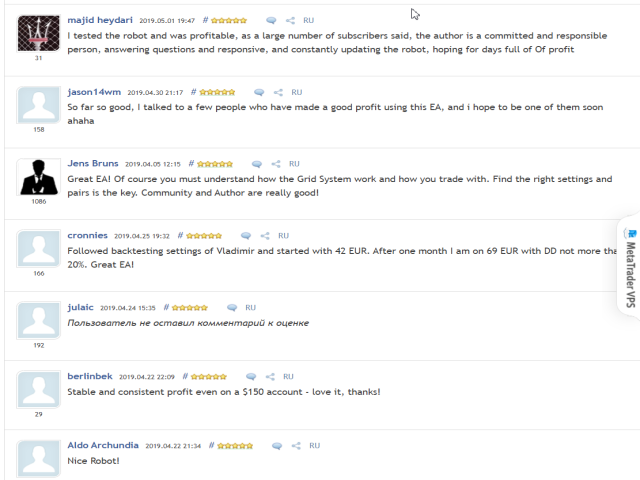









































































Hello, The smart grid is a great EA. It has a great risk management capability and keeps up with the settings. This EA is great for sideways markets and need better risk management for long trends. I find this EA will have a significant DD for pairs with the JPY currencies with it, since these pairs tend to move a lot in trends, so here you will have to put your money risk management into use. If you are an experienced trader you will love this EA because you would have an easy time going through the setting and programming them. This EA is not a fit all pair money making machines! If you think so, it will draw down your account in a day! This EA is basically a BMW that runs perfectly on the dot but if someone crash this great car is most likely the driver rather than the BMW!! So if you want a great EA this is it! But take the time to learn how to use it and fall in love with it!! Several times I thought I had it all down! And a few days later or less, got my surprise, I had it all wrong! had to plan and start all over! Every time I tried I became better at it!I am glad all happened on a demo account! Your mind is your best partner or your biggest enemy! You are so anxious to make money that very often overlook the small details! And details matters so much in trading!