Gold Precision Sniper Pro
- Indicators
-
Wan Mohd Safwan Bin Wan Daud
 Expertise in Logistics & Trade Distribution. In trading. just a Jack of all trade, Master of None.
Only trade for commodity, specifically on XAUUSD Gold & WTI Crude Oil. Also developers for indicators and Algo Trade.
Kindly PM me if you need helps for commodity trading. - Version: 5.0
- Activations: 5
XAUUSD indicator for MT5. See the setup, stop and targets before you enter.
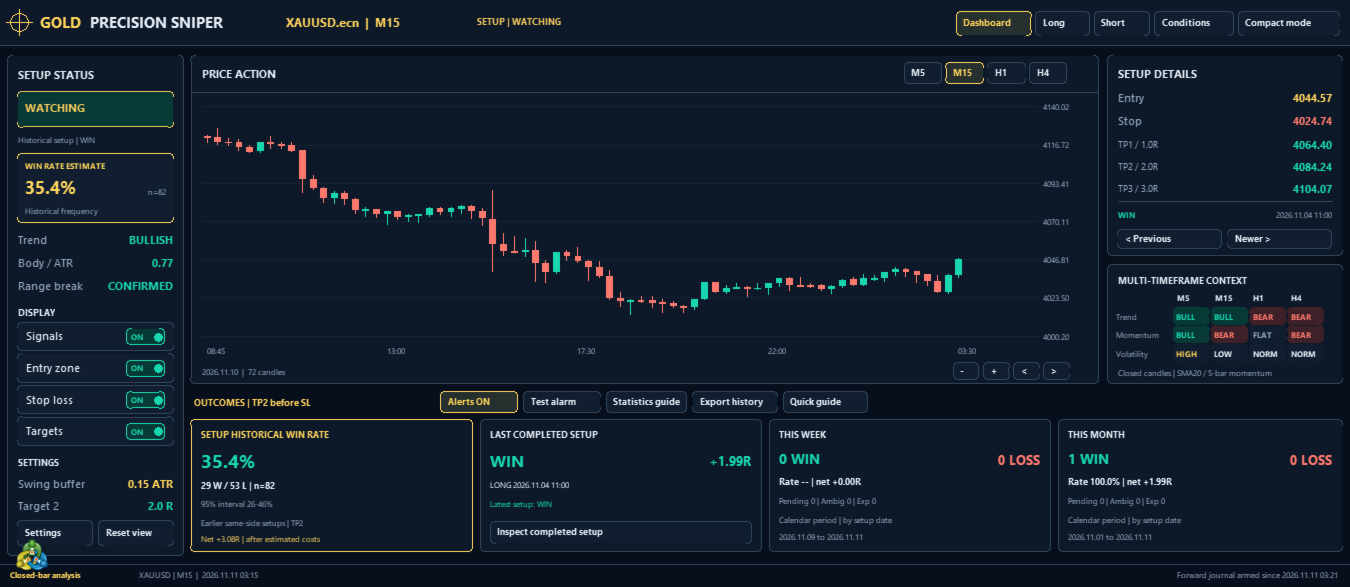
Watching gold on M15? Gold Precision Sniper Pro shows confirmed buy and sell setups, the entry reference, stop-loss and three take-profit levels on one chart. Open the screenshots to see what a confirmed setup looks like and how to inspect the levels yourself.
What you get on your gold chart
- Setup status: see whether gold is still being monitored or a setup has confirmed.
- Chart alerts: enable popup, sound or mobile push alerts through MetaTrader 5.
- Market context: compare trend, momentum and volatility across the displayed timeframes.
- Setup history: inspect earlier long and short setups, the last completed outcome, and weekly and monthly win/loss counts.
- Historical win rate: review the percentage alongside the sample count and statistical interval.
Get started in MetaTrader 5
- Install Gold Precision Sniper Pro and attach it to your broker’s XAUUSD chart. Start on M15 and let the price history load.
- Open Quick guide for the workflow and Statistics guide for the outcome definitions. Start with the default settings.
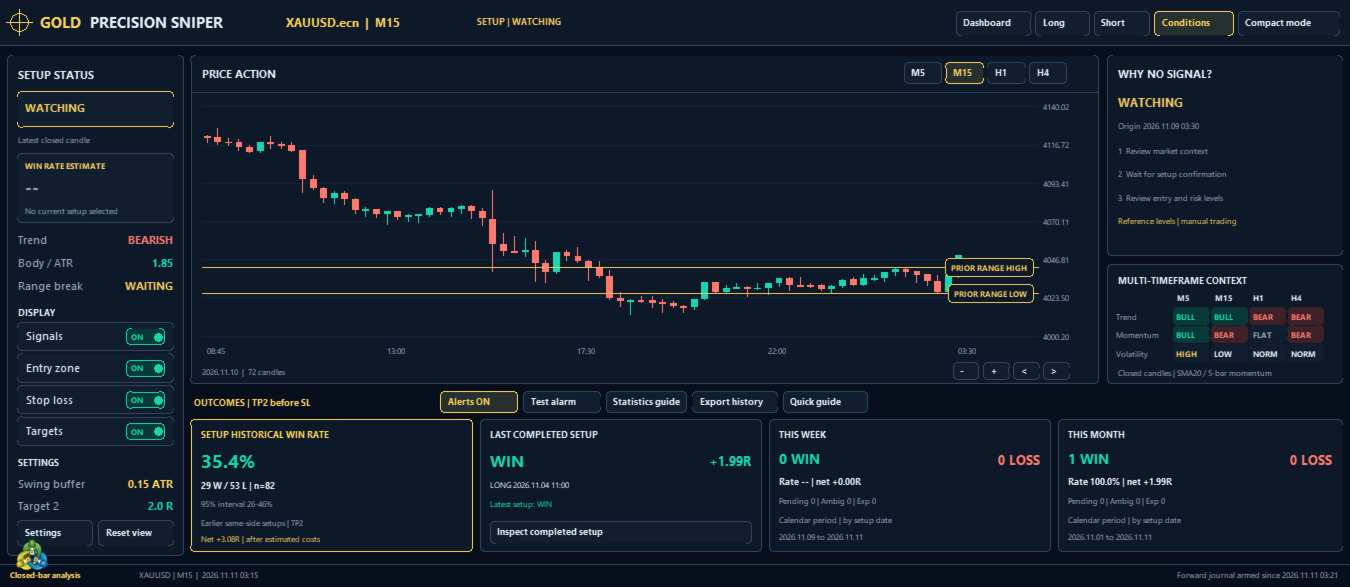
- Use Conditions to see the current stage. WATCHING means no fresh setup has confirmed. When one confirms, review its timestamp, direction and levels against your own plan.
- Enable Alerts and use Test alarm to check sound. For mobile push, enable it in the indicator inputs and configure terminal notifications.
- Use Long, Short, Previous or Newer to browse earlier setups. Use the display switches to show or hide signals, zones, stops and targets. Compact mode frees up chart space, and Export history saves the available setup record.
Read the results in context
The displayed percentage summarizes earlier comparable completed chart setups. A dash means there is no applicable selection or insufficient history. A win means the second target was reached before the stop under the chart outcome rules. Pending, expired and unclear outcomes are tracked separately. Weekly and monthly counts group setups by their signal date on the broker’s calendar.
These are historical chart outcomes. Actual fills and account results can differ. Gold Precision Sniper Pro supports manual trading decisions and does not place or manage orders.
Support
For assistance, use MQL5 product comments or private messaging. Include your broker symbol, timeframe and a chart screenshot.