Limmat Dax Trader
- Experts
- Version: 1.16
- Updated: 10 November 2026
- Activations: 12

GER40 · DE40 · DAX40 · GER30 · DE30 · Germany40 – DAX Expert Advisor for MetaTrader 5
Limmat Dax Trader
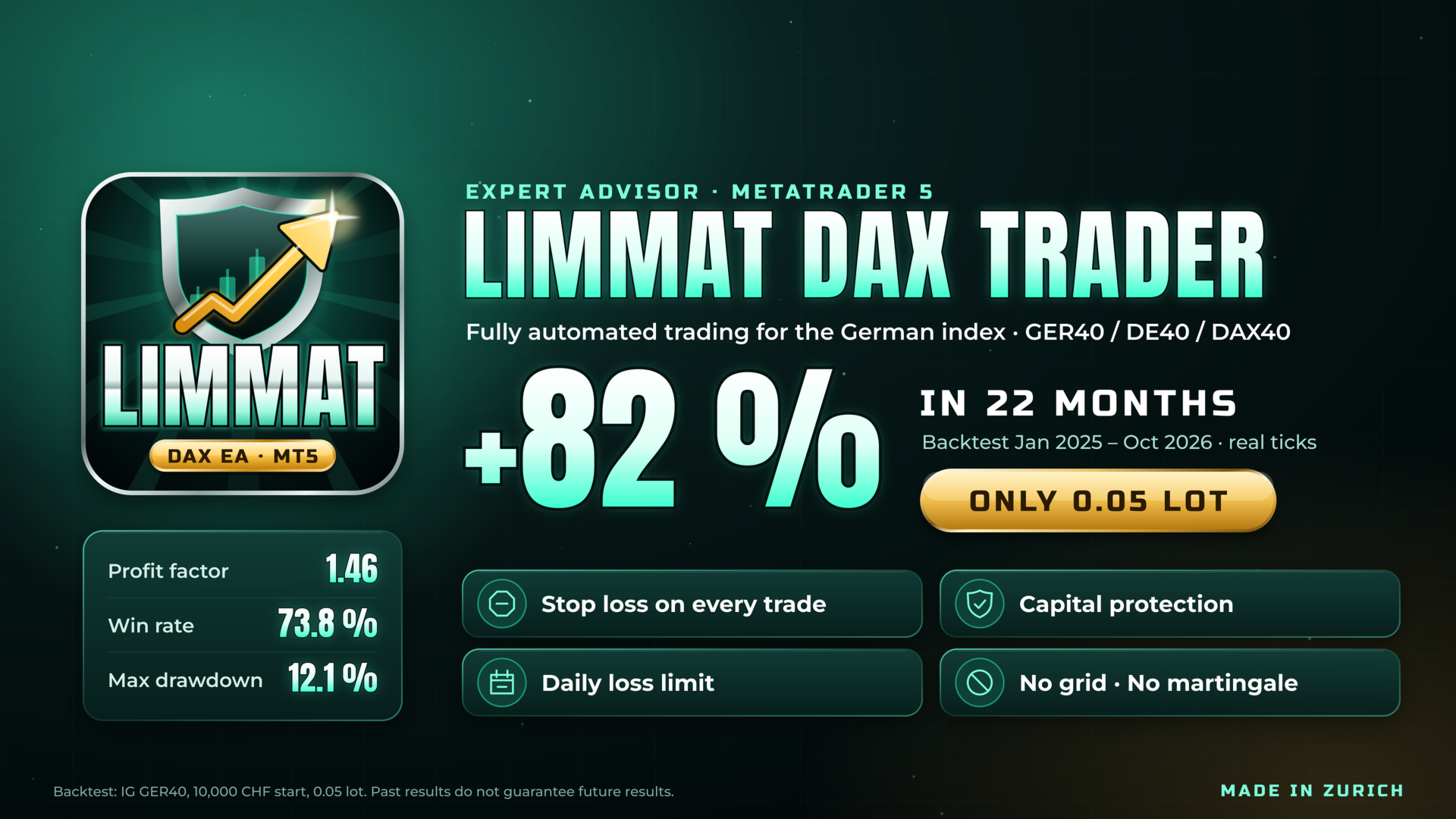
Limmat is a fully automated Expert Advisor for the German stock index (GER40 / DE40). It is named after the river that flows through Zurich, where it was developed.
How it works
Limmat combines two independent modules with shared risk management:
- H1 trend module: trades the bigger moves over days and weeks and lets winning trades run.
- M5 session module: trades shorter moves during the main European session.
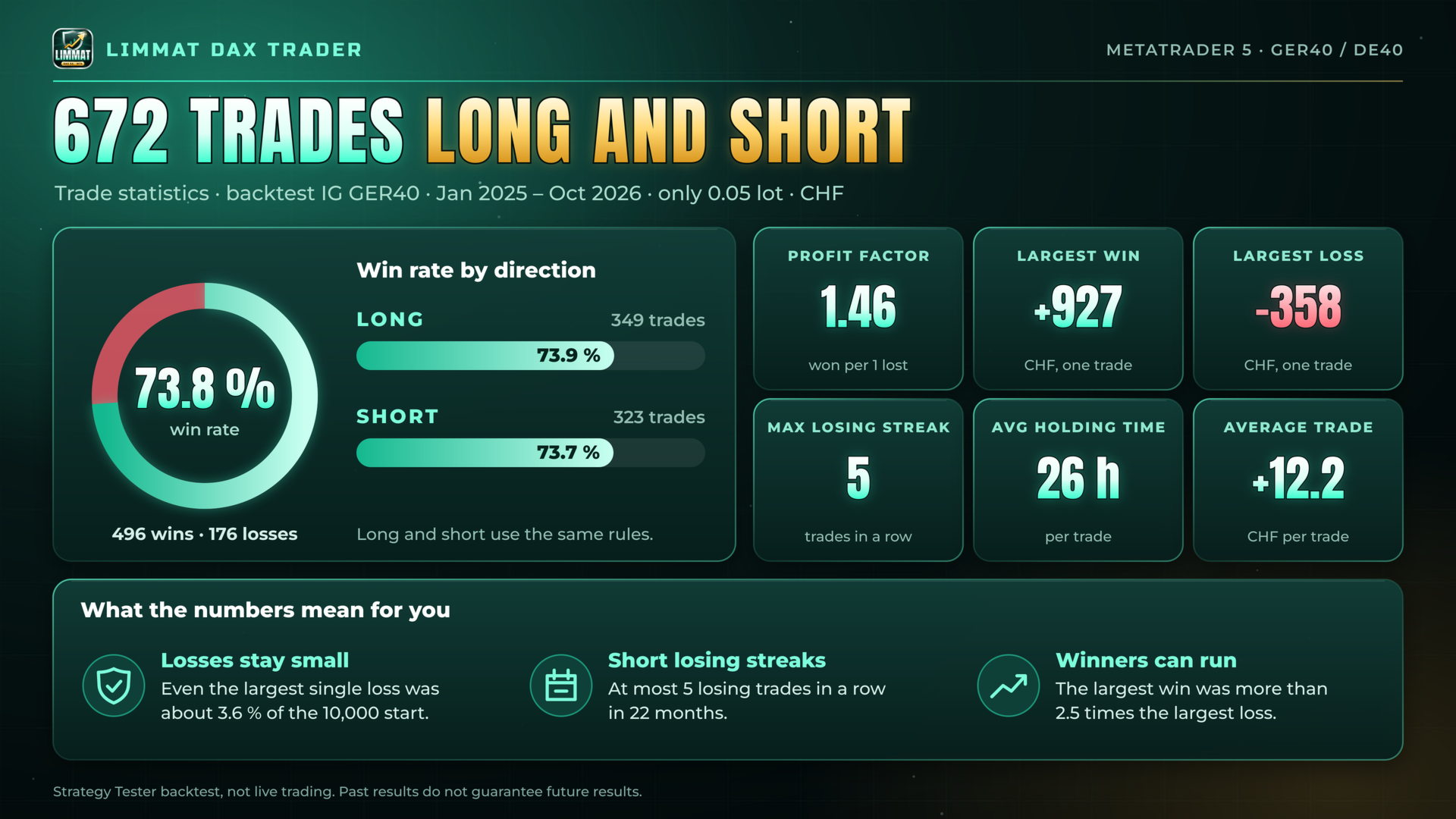
Both modules trade long and short. The strategy parameters are fixed at the tested values, so you only set what matters to you: the lot size and a few options.
Risk management
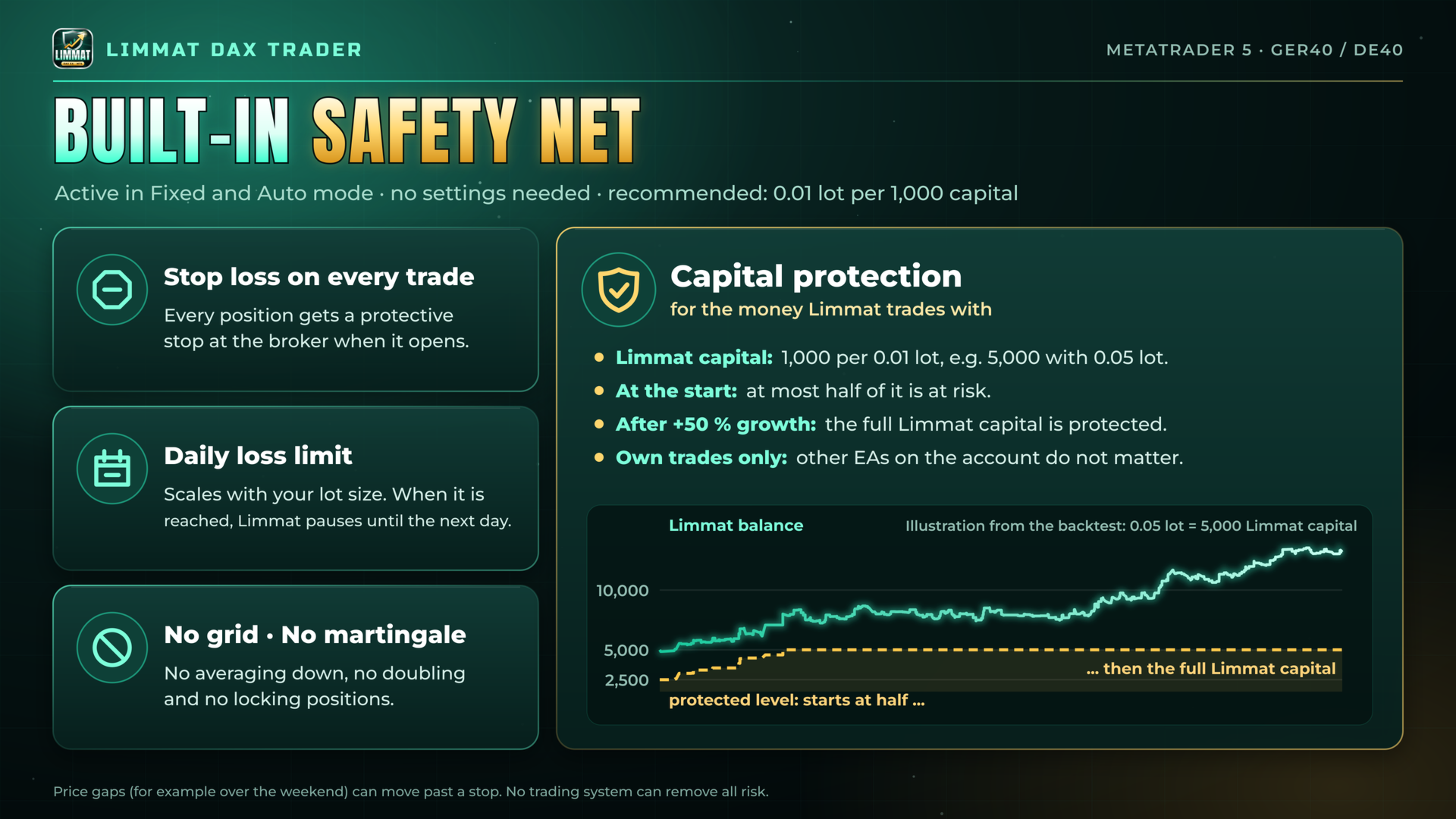
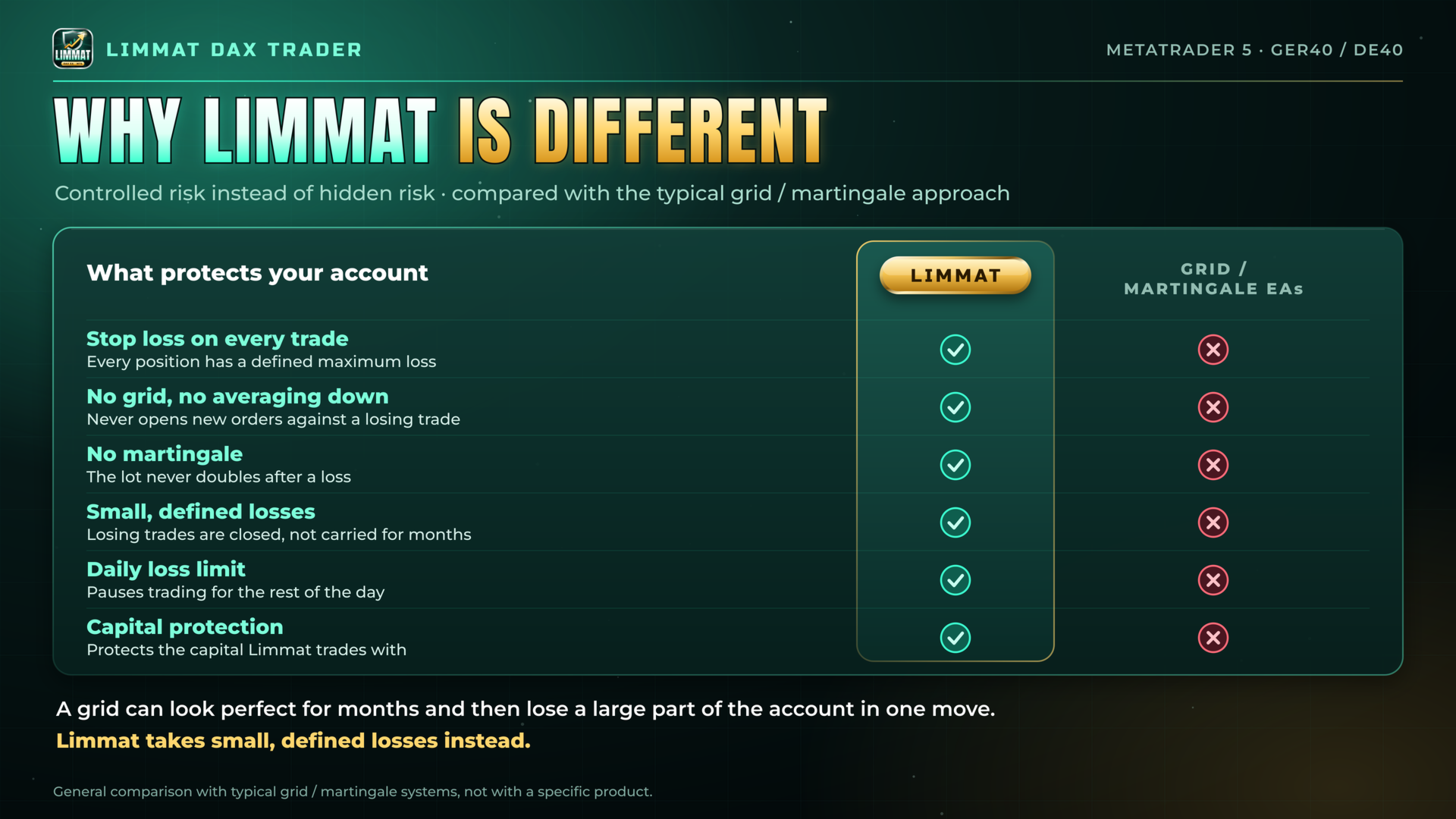
- Every trade has a protective stop loss at the broker.
- A daily loss limit scales with the lot size. When it is reached, the EA pauses until the next day.
- Capital protection:
- Limmat capital: 1,000 per 0.01 lot (e.g. 5,000 at 0.05 lot). Only Limmat's own trades count; other EAs on the account do not affect it. At the start, Limmat can lose at most half of it.
- Once the Limmat capital has grown by 50%, it is fully protected. To restart, remove Limmat from the chart and attach it again.
- Before every trade, the EA reduces the lot so that all open trades, at their stops, stay above this level.
- No grid, no martingale, no averaging down, no locking positions.
Lot size
- Fixed: the same lot on every trade.
- Auto: you enter a start lot. The lot then grows and shrinks in the same proportion as the Limmat capital, up to the maximum lot you set.
Requirements
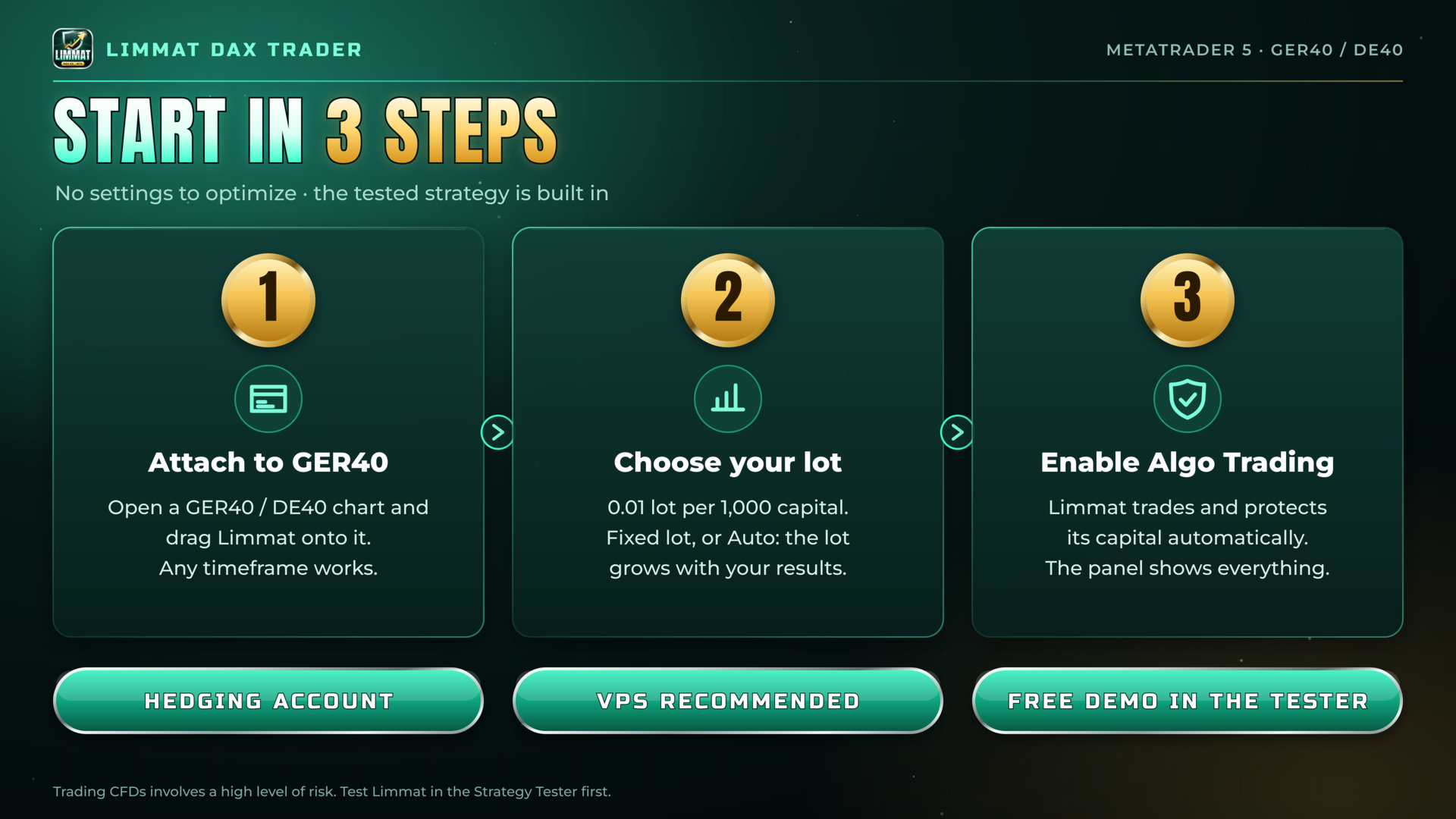
- Symbol: GER40 / DE40 (DAX CFD). Attach the EA to one chart only; the chart timeframe does not matter.
- Account: hedging. On a netting account only the H1 module runs.
- Recommended capital: 0.01 lot per 1,000 (account currency), e.g. 0.05 lot from 5,000.
- A VPS is recommended so the EA runs without interruption.
Input parameters
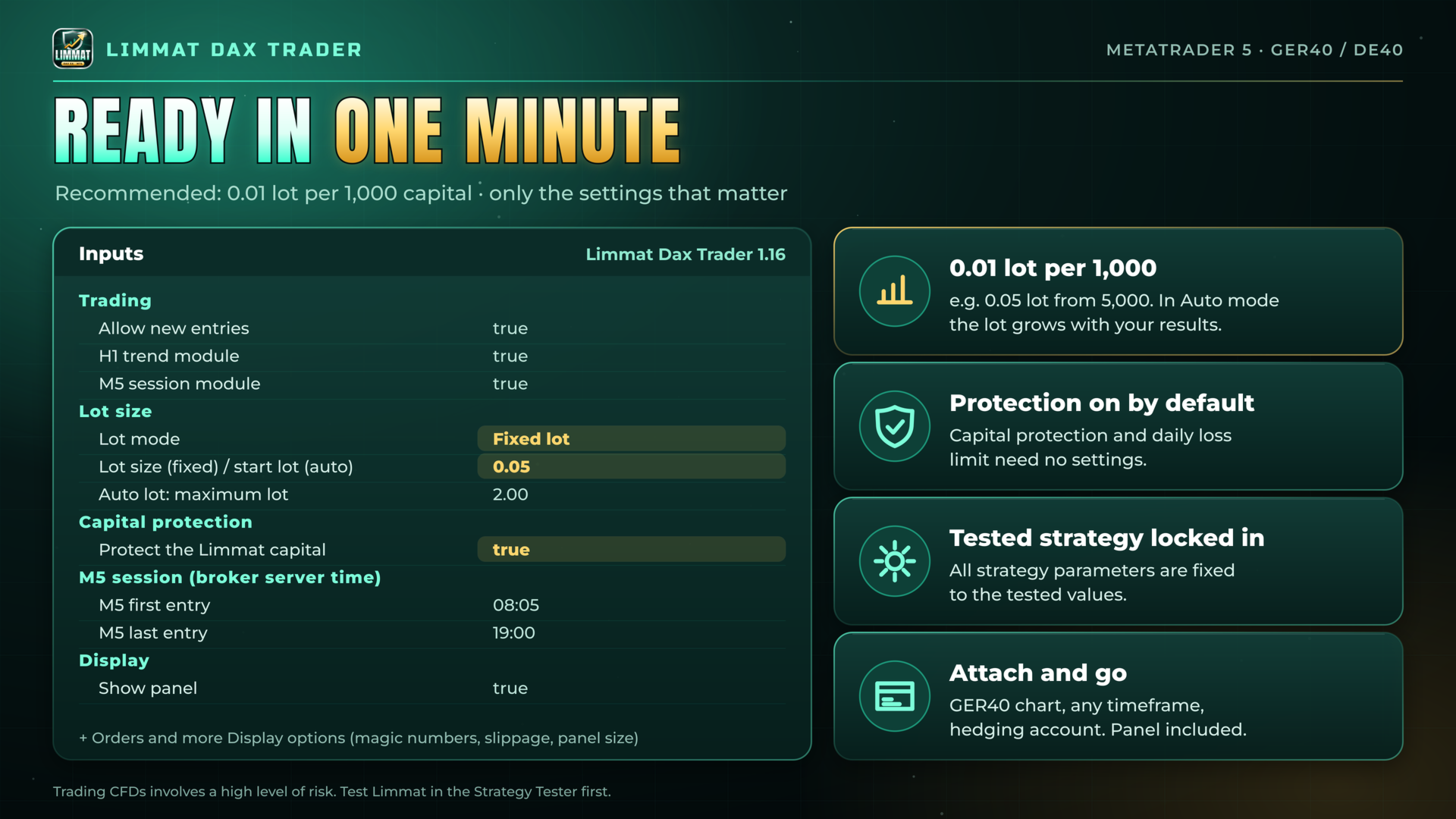
Trading
- Allow new entries: new trades yes/no. Open trades are still managed.
- H1 trend module: on/off.
- M5 session module: on/off.
Lot size
- Lot mode: Fixed or Auto.
- Lot size: fixed lot, or start lot in Auto mode (default 0.05).
- Auto lot: maximum lot: upper limit in Auto mode.
Capital protection
- Protect the Limmat capital: capital protection on/off (default on).
M5 session (broker server time)
- M5 first entry: hour and minute (default 08:05).
- M5 last entry: hour and minute (default 19:00).
Orders
- Magic number H1 / M5: must be unique on the account.
- Maximum slippage: in broker points.
Display
- Panel, layout, size and results calendar. Press the H key to hide or show the panel.
Panel
The panel shows today's result, the remaining room to the daily loss limit, the open positions with their current stage, the capital protection level and a weekly and monthly results calendar.
The panel also shows the Limmat capital. "Reset stats" at the bottom of the panel (click twice) restarts the statistics; trades and capital protection stay unchanged.
Backtesting
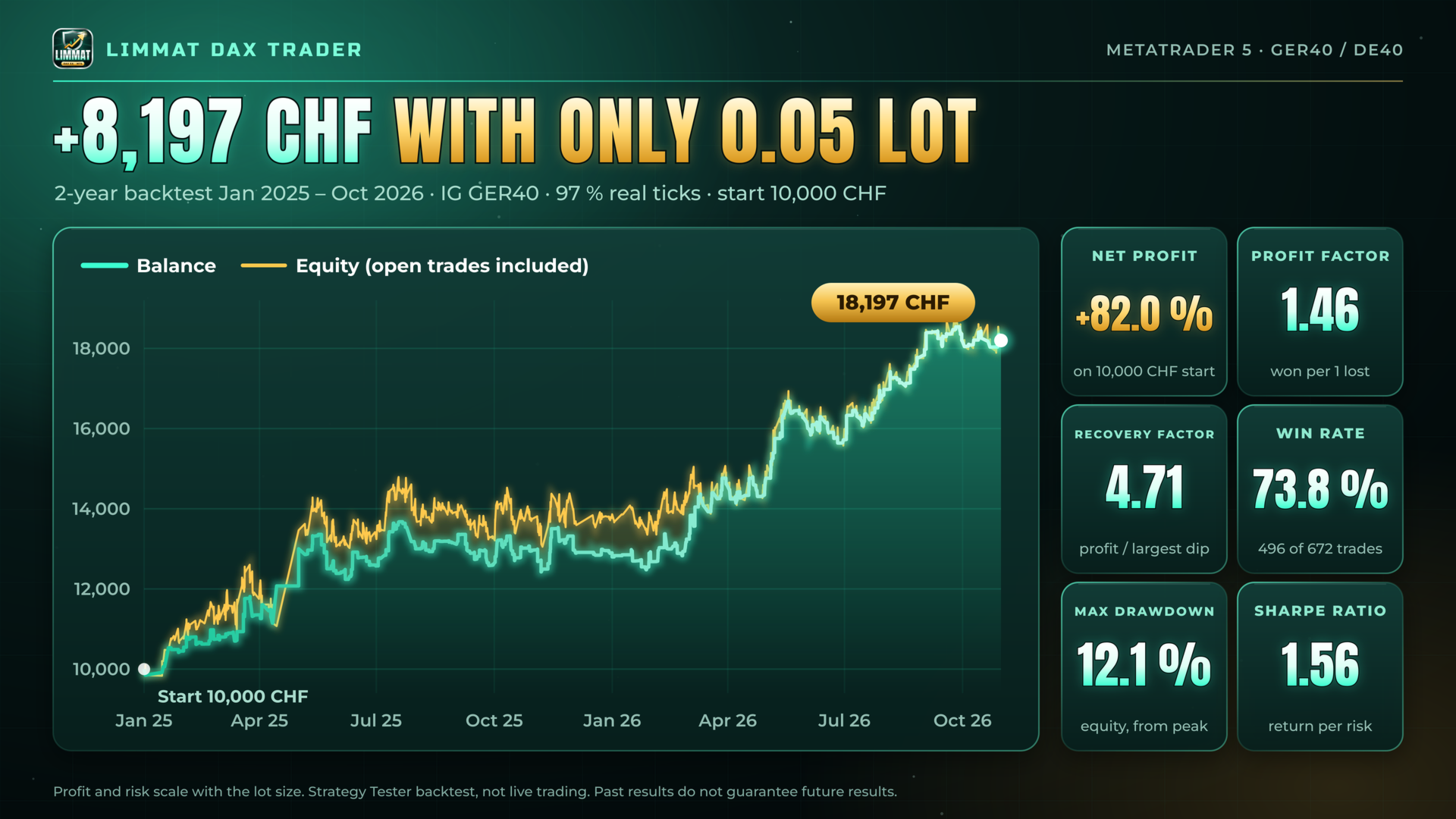
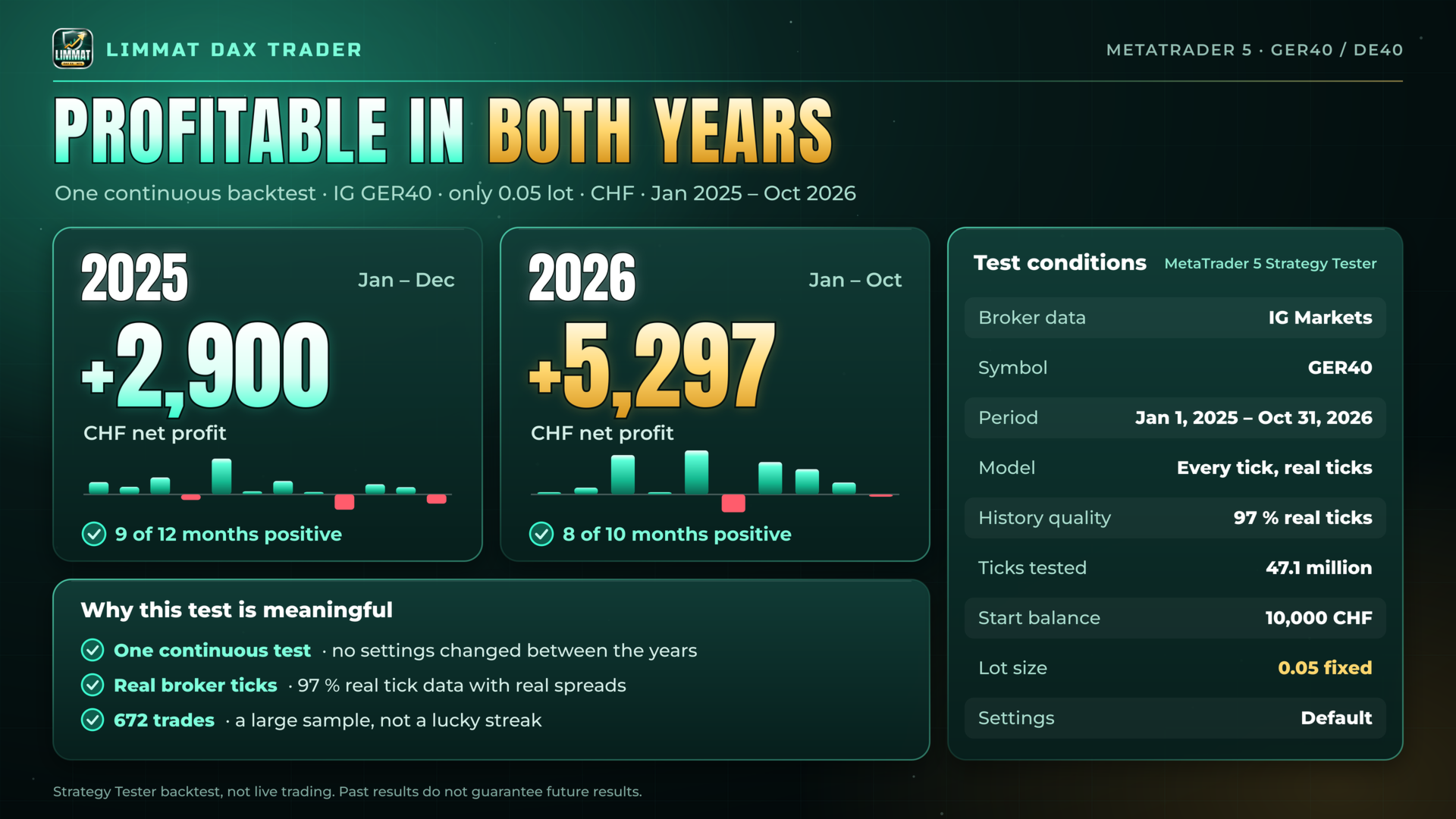
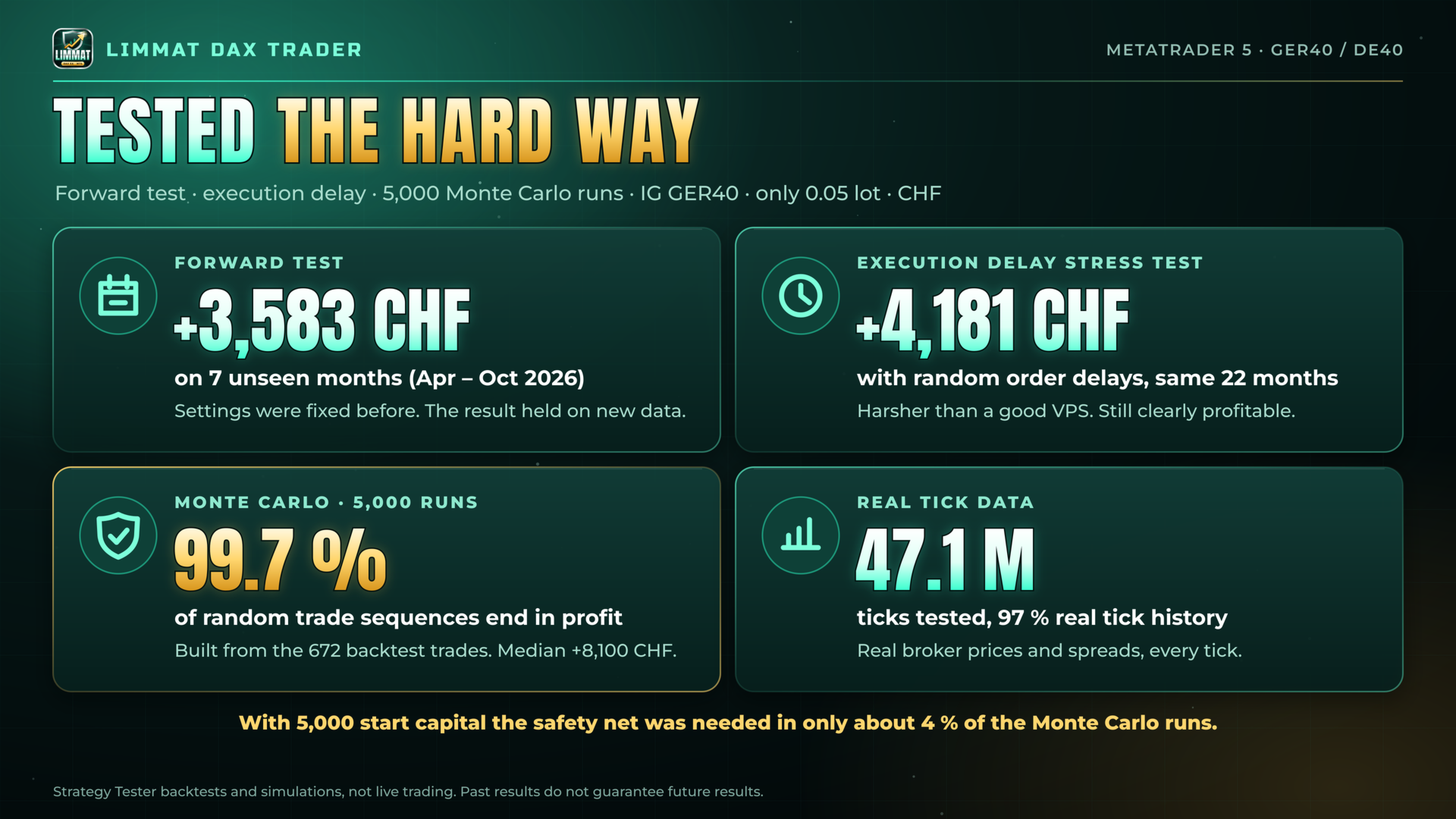
For realistic results, test on GER40 with "Every tick based on real ticks".
Disclaimer
Trading CFDs involves high risk. Backtests and past results do not guarantee future results. Test the EA on a demo account first.