Beway Panel Trading tool
- Experts
- Version: 1.0
- Activations: 5

The Béway All-In-One Trading Panel is a trade execution and management panel, not an automated signal robot. It places no trades on its own. You decide every entry; the panel makes placing, sizing, managing and closing trades fast and visual.
What you get
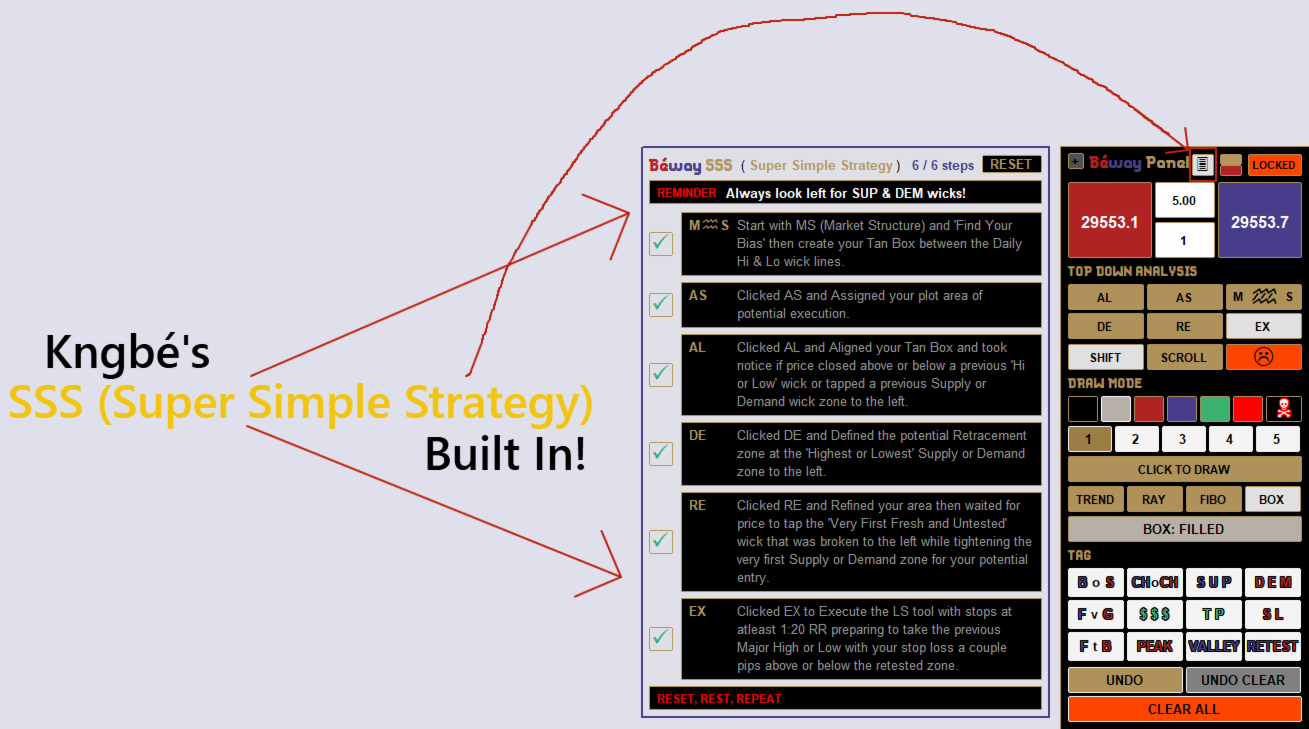
Bonus The Béway (Super Simple Strategy) Checklist best paired with The Béway BIG 3 Indicator
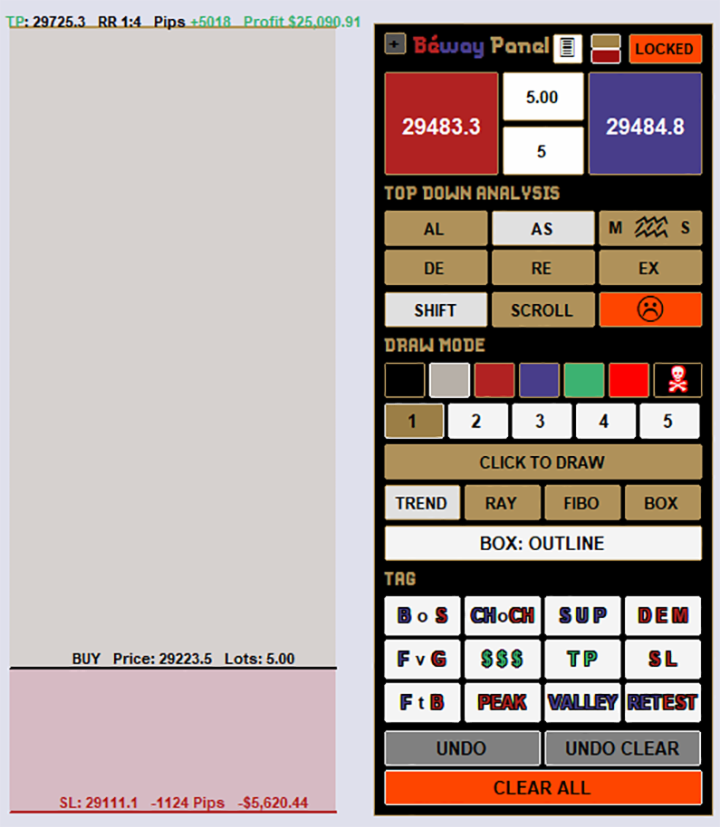
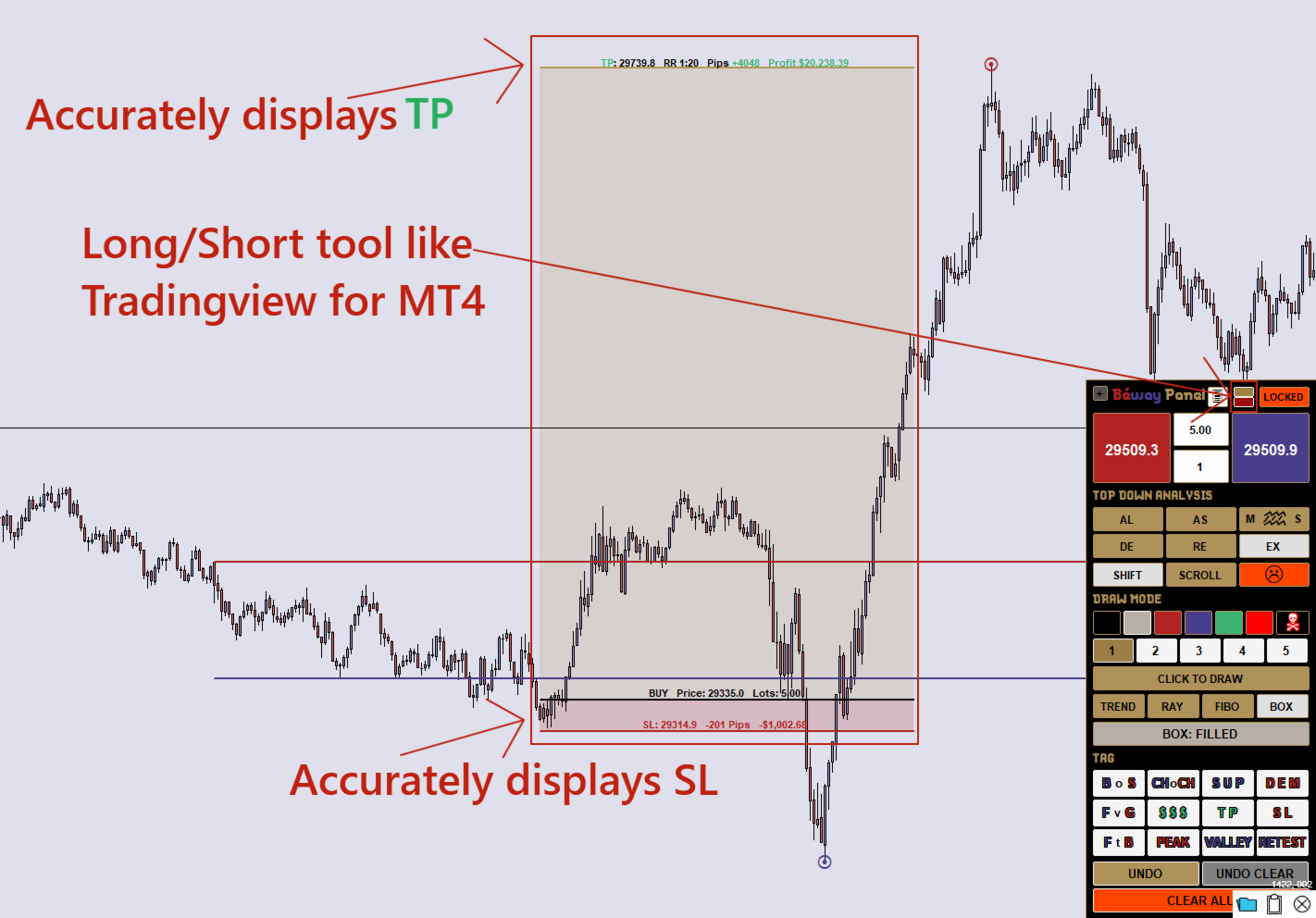
Long/Short Position Tool
- Drag Entry, Target (TP) and Stop (SL) lines directly on the chart.
- Live readout of TP and SL price, pips, dollar amount and RR ratio, based on your lot size.
- Direction flips automatically (BUY or SELL) depending on where you place the lines.
- If Entry is away from the market, the order goes out as the correct pending type (limit or stop) automatically.
- Hold Shift for fine TP steps, click the SL line with Shift for breakeven, and resize the tool's width.
One-click execution
- Live BUY and SELL prices on the buttons, with an editable lot size box.
- Burst orders: fire 1–100 orders per click.
- Safety switch: by default BUY and SELL only fire while you hold Shift, which prevents accidental clicks.
- CLOSE ALL button for every open and pending order.
Tight trailing stop (AUTO)
- Trails in profit only and never puts the stop beyond entry.
- All orders in a burst share one unified stop, so no order is left looser than the others.
- Respects your broker's minimum stop distance automatically.
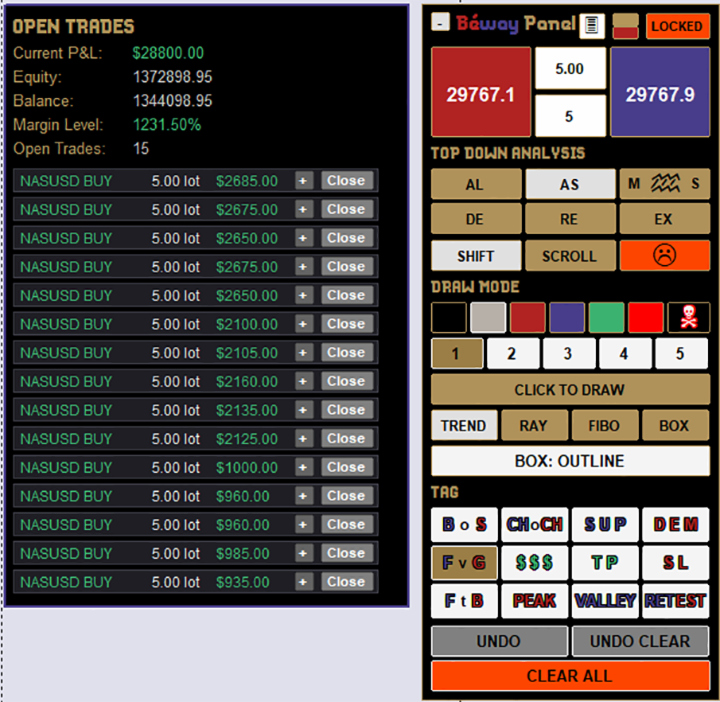
Open Trades panel
- Live P&L, equity, balance and margin level.
- Expand any trade to edit SL and TP inline, or close it with one click.
Drawing tools
- Trendlines, rays, Fibonacci levels with seven fully configurable levels, and boxes.
- Wick Magnet: endpoints snap to candle highs, lows, opens and closes.
- Box Snap: boxes lock onto your wick lines on H4 and lower timeframes.
- Quick tags (BoS, CHoCH, Supply, Demand, FVG and more), UNDO and CLEAR ALL.
Built-in workflow checklist An optional on-chart notes panel with a six-step top-down routine (a process aid, not a signal).
Quick start
- Attach to a chart as an Expert Advisor and enable AutoTrading.
- Set your lot size in the center box.
- Click the green/red square to open the Long/Short tool and drag Entry, TP and SL.
- Hold Shift and click BUY or SELL.
Important
- The panel lives on one chart at a time. Other charts of the same symbol share the Long/Short tool.
- To move the panel, click LOCKED so it reads MOVE, then drag its title strip.
- Trading involves substantial risk. This product does not guarantee profits, and it is a tool for managing your own trades. Test on a demo account first.