Iplanet Trader System MT5
- Experts
- Version: 3.30
- Updated: 15 August 2026
- Activations: 5

IPlanet Trader System
A complete, multi-layer trading robot built for any market
IPlanet Trader System is a fully automated Expert Advisor built to adapt to whatever you trade it on. Forex majors, minors, metals, indices — the same robot switches between four trading styles, four trailing-stop algorithms and a full on-chart control panel, so you get one consistent, well-engineered system instead of juggling a different EA for every symbol.
Every order this EA sends is validated against your broker's real trading conditions before it goes out — stop-distance rules, freeze levels, margin and volume limits are all checked automatically, so the EA works with your broker instead of fighting it.
🌍 Trade Any Symbol, One Robot
Attach it to any chart — EURUSD, GBPUSD, gold, indices, or whatever your broker offers — and it adapts. No symbol lock, no separate purchase per instrument. Running it on multiple charts at once? The optional correlation filter can stop it from opening conflicting positions on symbols that move together.
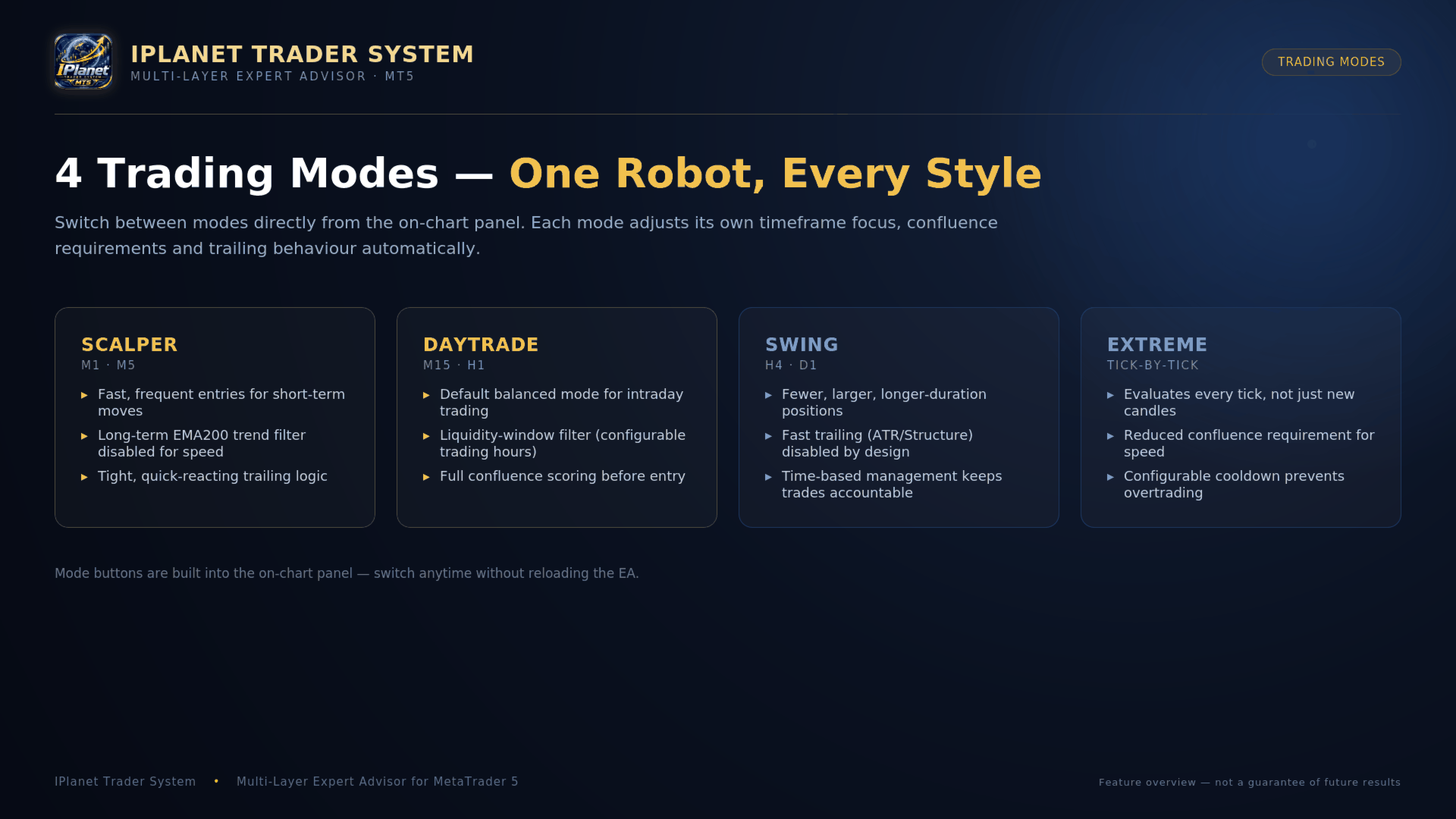
📊 4 Trading Modes — one robot, every style
Switch modes directly from the on-chart panel, no need to detach and reattach the EA:
- Scalper — fast, frequent entries for short-term moves (M1/M5).
- Daytrade (default) — the balanced, intraday mode, with a configurable liquidity-hours filter for when the market you're trading is most active (M15/H1).
- Swing — fewer, larger, longer-duration positions with stop/target distances derived automatically from the symbol's own weekly volatility (ATR-based), so they scale with whatever you attach it to instead of using a fixed point value (H4/D1).
- Extreme — reacts on every tick instead of waiting for a new candle, with a reduced confluence requirement and a configurable cooldown to avoid overtrading.
Each mode has its own dedicated stop-loss/take-profit preset, fully editable to match the symbol and account you're running it on.
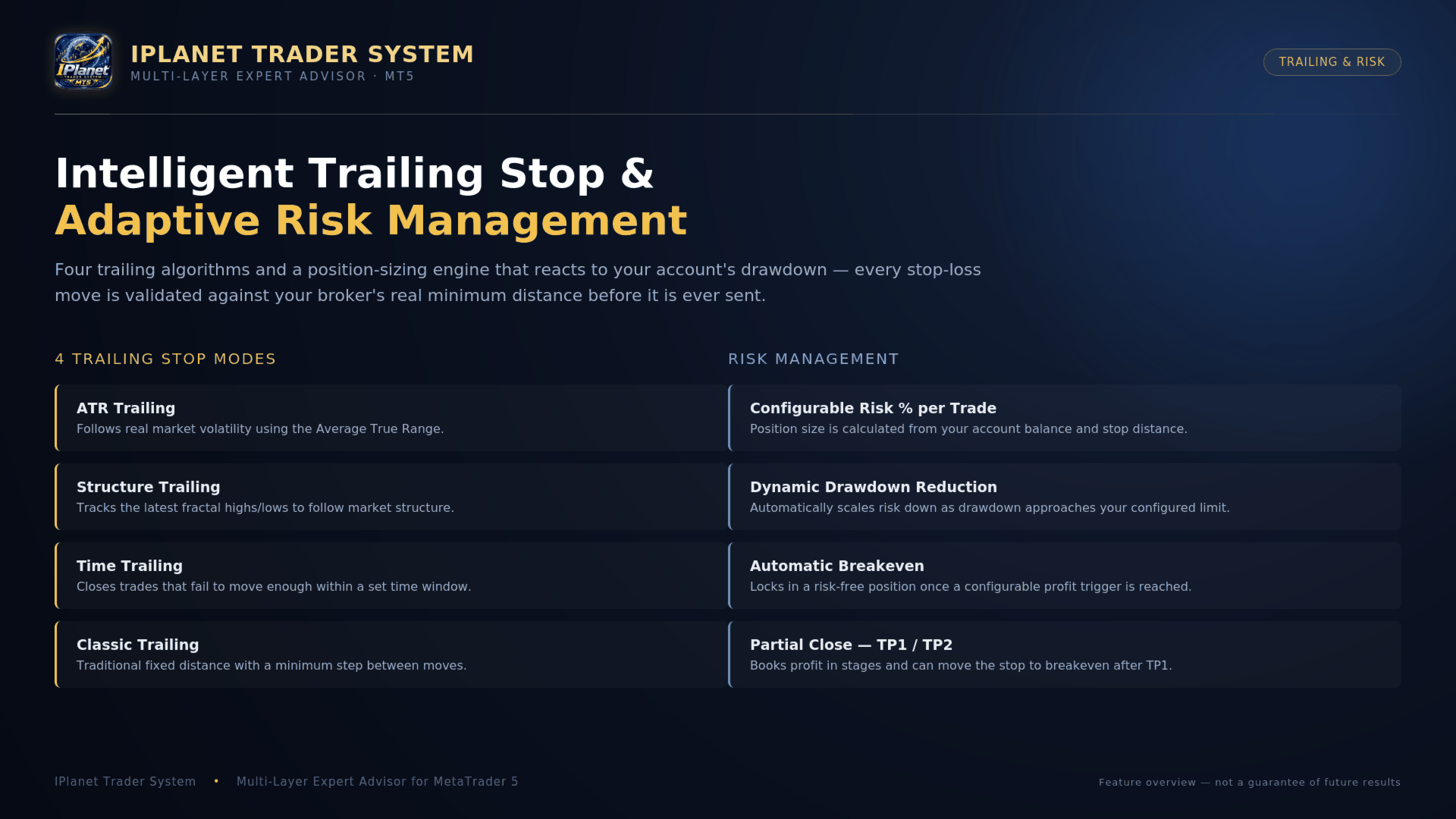
🎯 Intelligent, Multi-Mode Trailing Stop
Choose the trailing logic that fits your style:
- ATR Trailing — follows the market's real-time volatility using the Average True Range.
- Structure Trailing — tracks the latest swing highs/lows (fractals) to trail behind market structure.
- Time Trailing — closes a trade early if it hasn't moved enough within a configurable time window.
- Classic Trailing — traditional fixed distance with a minimum step between adjustments.
Every single stop-loss modification is checked against your broker's real minimum stop distance and freeze level before being sent — the EA automatically adds a safety margin and backs off with a progressive cooldown if the broker temporarily rejects a change, instead of hammering the server with repeated failed requests.
🛡️ Adaptive Risk Management
- Risk % per trade — position size is calculated automatically from your account balance, your stop-loss distance and the symbol's real point value — no manual lot-size guessing.
- Dynamic drawdown-based risk reduction (optional) — automatically scales your risk down as your account approaches a configurable maximum drawdown, instead of trading the same size all the way down.
- Automatic Breakeven — locks in a risk-free position once a configurable profit threshold is reached.
- Partial Close (TP1/TP2) — optionally books partial profit in two stages and can move the stop to breakeven after the first target is hit.
- Margin- and volume-aware position sizing — before sending an order, the EA checks that your account has enough free margin and that the position stays within your broker's volume limits, adjusting the lot (or skipping the trade) instead of sending an order guaranteed to be rejected.
🖥️ Full On-Chart Control Panel
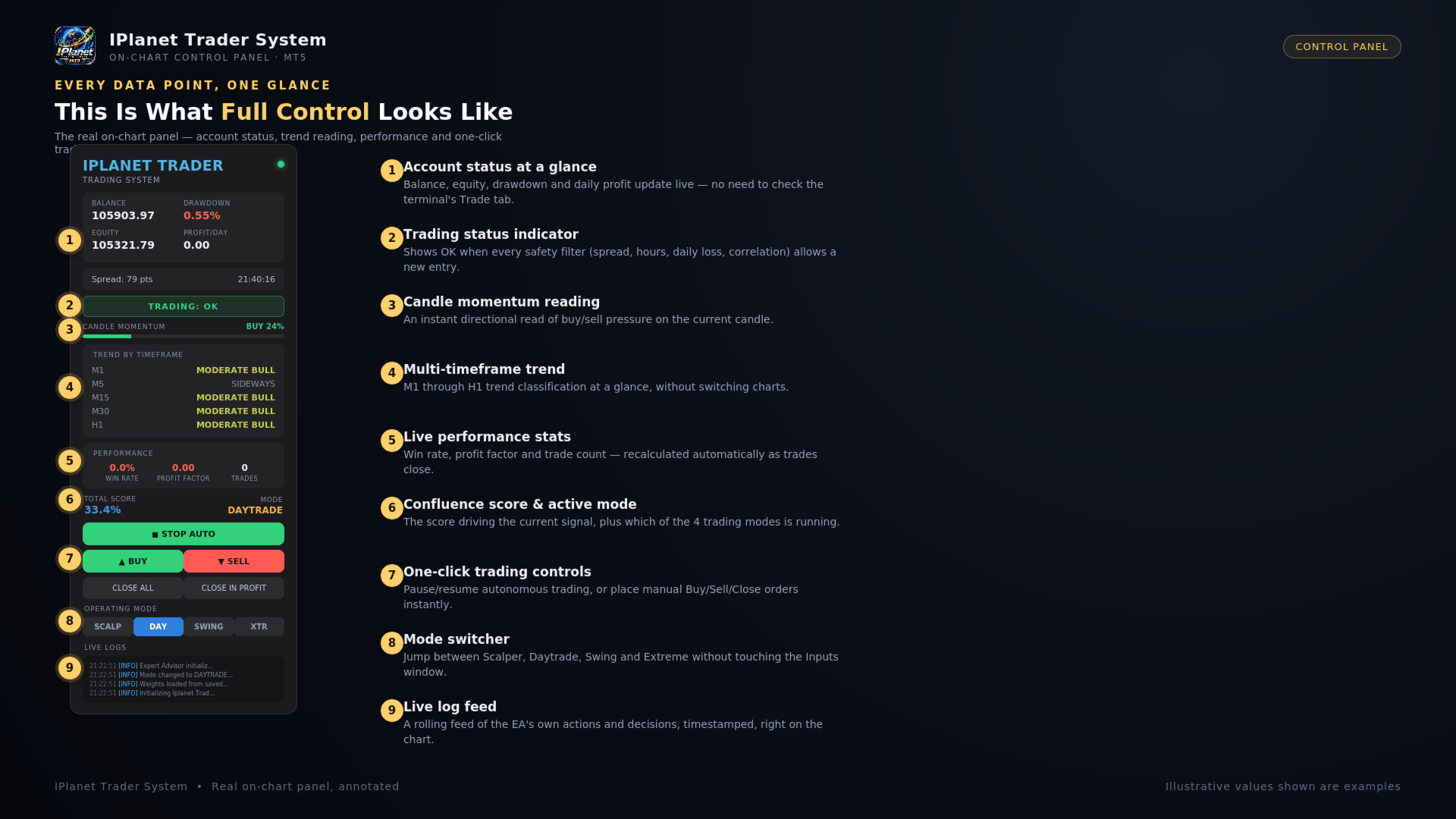
A clean, modern (iOS-inspired) visual panel gives you full control without opening the Inputs window:
- One-click switching between Scalper, Daytrade, Swing and Extreme modes.
- Multi-timeframe trend reading (M1 through H1) at a glance.
- Live confluence score behind the current signal.
- Win Rate / Profit Factor performance card.
- START / STOP button to pause or resume autonomous trading instantly — open positions keep their trailing stop and breakeven management active even while paused.
- Manual Buy/Sell buttons for discretionary entries alongside the automated logic.
🧠 Score-Weighted Signal Engine
Entries are based on a confluence score built from three independent groups of indicators — market structure/price action, momentum (MACD, Stochastic, RSI) and trend (EMAs, Bollinger Bands, ATR). The EA periodically re-evaluates how much weight each group deserves based on its recent hit rate, so the signal engine adapts over time instead of relying on a single fixed formula.
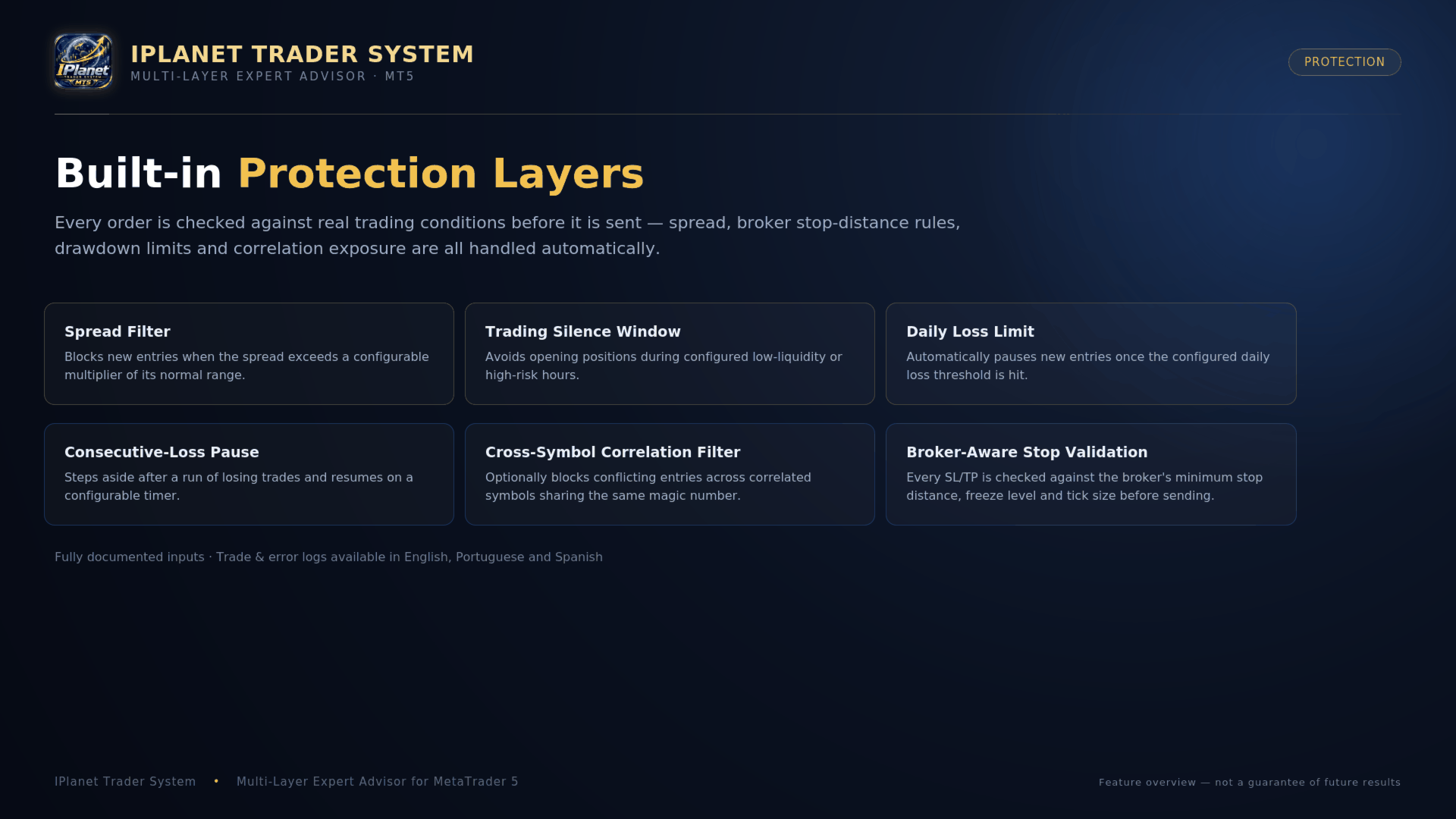
🔐 Built-in Protection Layers
- Spread filter — blocks new entries when the spread exceeds a configurable multiple of its normal average.
- Trading silence window — avoids opening positions around high-impact news / low-liquidity hours.
- Maximum daily loss limit — automatically pauses new entries once your configured daily loss threshold is hit.
- Consecutive-loss pause — steps aside after a run of losing trades and resumes on a configurable timer.
- Cross-symbol correlation filter — optionally blocks conflicting entries across correlated symbols sharing the same magic number, if you run it on several charts at once.
- Connection-loss guard — blocks new entries while the terminal's connection is unstable.
📁 Logging, Journal & Multi-Language Support
- Detailed trade/error log, both on file (MQL5\Files) and in the terminal's "Experts" tab.
- One-line-per-trade CSV journal export for your own record-keeping or spreadsheet analysis.
- Panel, log and alert text available in English, Portuguese and Spanish — switch with a single input.
- Optional push notifications, email and sound alerts on every entry and exit.
⚙️ Recommended Setup
- Symbol: any — forex, metals, indices, whatever your broker offers. Presets ship tuned for a typical forex pair; review and adjust the SL/TP inputs before running it on an instrument with very different volatility (e.g. gold or an index).
- Account type: Netting.
- Timeframe: any — the EA reads multiple timeframes internally regardless of the chart you attach it to; pick the chart timeframe that matches your preferred mode (M1/M5 for Scalper, M15/H1 for Daytrade, H4/D1 for Swing).
- Test on a demo account first and confirm the stop-loss/margin settings suit your broker's contract specification and your account size before going live.
⚠️ Important Notes
- This EA is a trading tool, not a signal of guaranteed profit. Trading involves real risk, including the risk of loss of capital. Past performance — backtested or live — does not guarantee future results.
- Always test on a demo account and understand every input parameter before trading with real funds.
- This is not financial advice. Use appropriate risk management and never risk money you cannot afford to lose.