Gold Reversion Gate
- Experts
- Version: 1.0
- Activations: 5

Overview
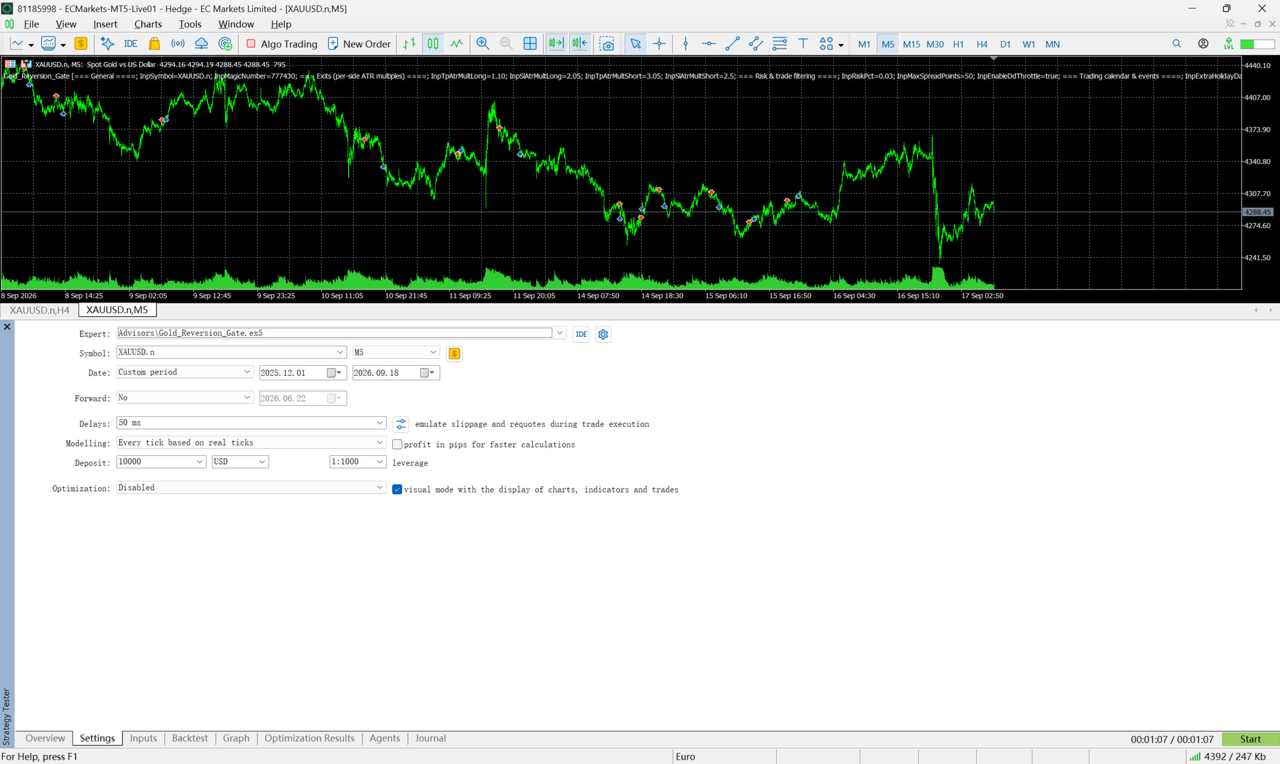
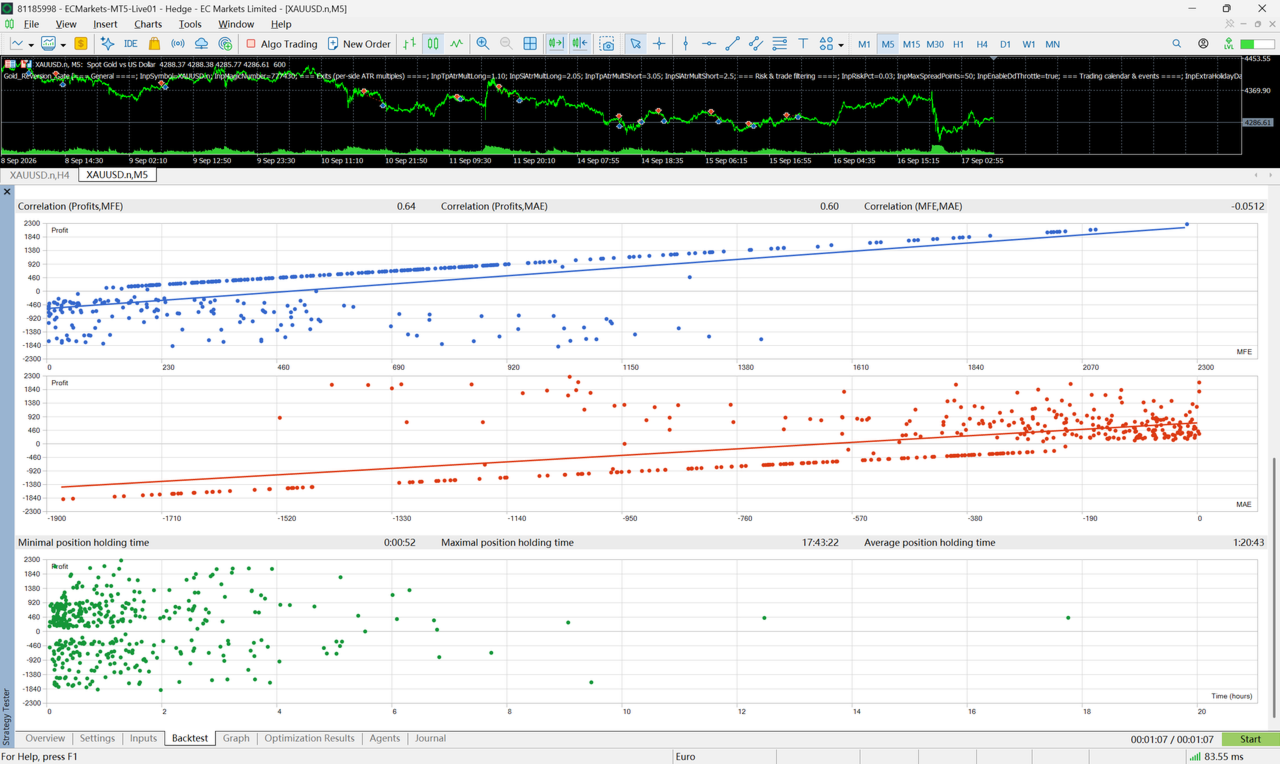
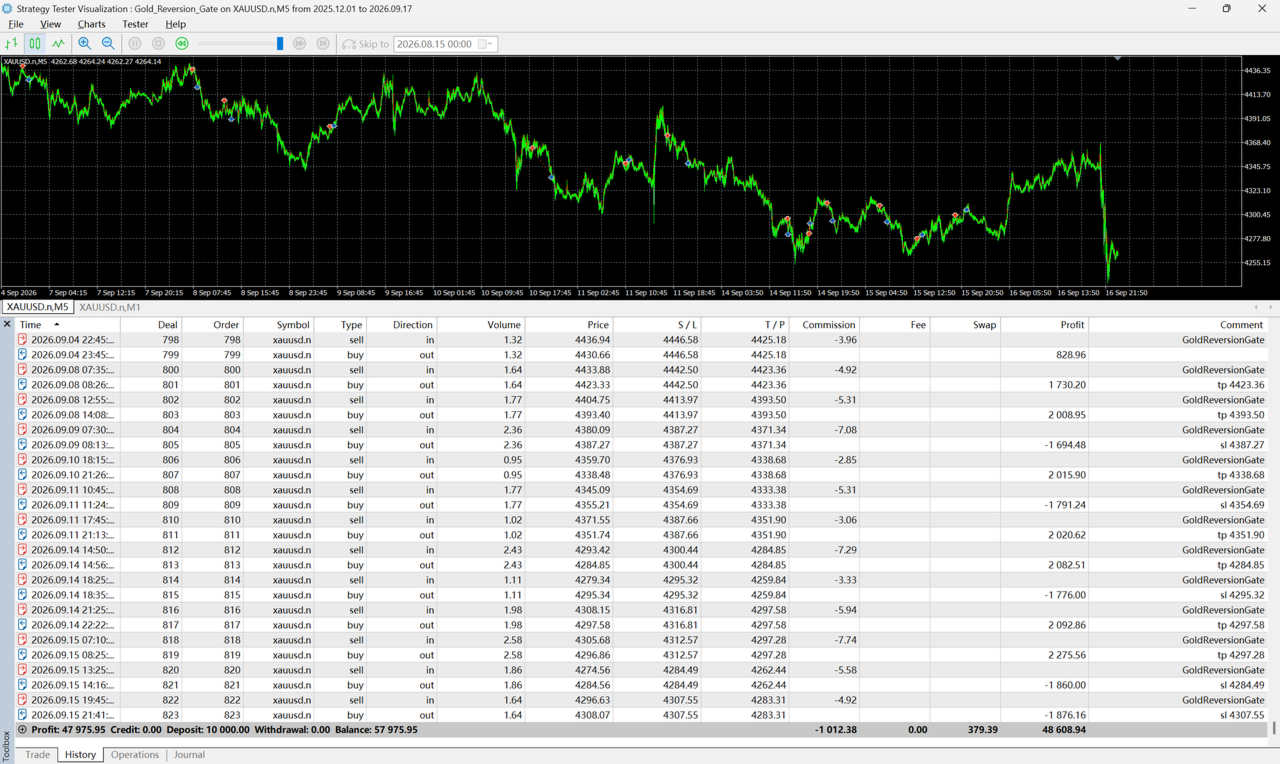
Gold Reversion Gate is a fully rule-based Expert Advisor for XAUUSD / GOLD on the M5 timeframe. It trades mean reversion: when price makes an unusually large short-term move away from its recent average, the EA takes the opposite side, aiming to capture a retracement of that move.
| Symbol | XAUUSD / GOLD |
| Timeframe | M5 |
| Strategy | Mean reversion (short-term spike fade) |
| Money management | Fixed-fractional risk + drawdown throttle |
| Positions | One at a time, hard stop-loss on every trade |
| Martingale / grid / averaging | None |
| DLLs / external files | None — single self-contained .ex5 |
| User inputs | 15 |
| High-impact event filter | Yes — auto (economic calendar) + manual list |
Key characteristics
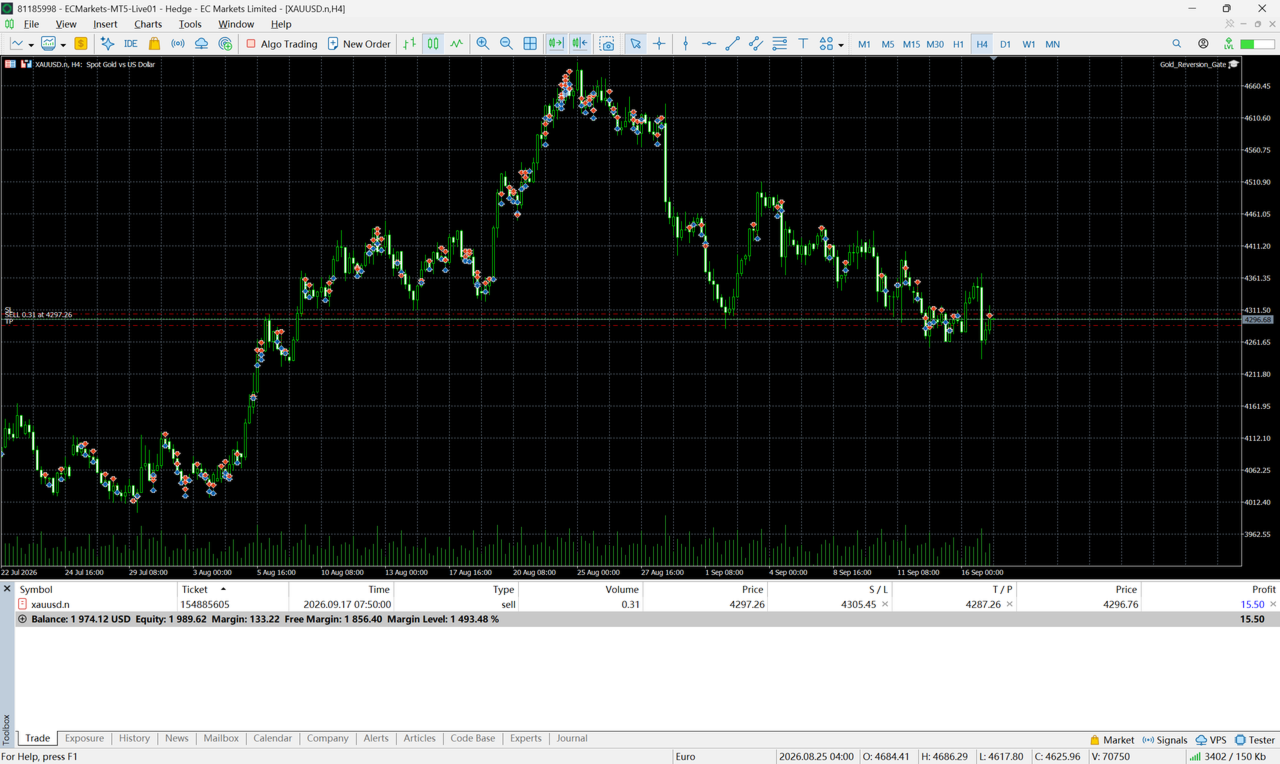
- No martingale, no grid, no averaging down. The EA holds at most one position at a time and never adds to a losing trade. Every order is submitted with its stop-loss already attached, and the risk per trade is a fixed fraction of equity.
- Risk goes down in drawdown, not up. A built-in throttle scales position size down as equity falls and pauses trading entirely during a deep drawdown — the opposite of a recovery-martingale design.
- No machine learning, no DLLs, no external files. One self-contained .ex5 : nothing to install beside it, no data feed to maintain, no black box.
- An explicit rule set, not a mystery. Every entry must pass the defined sequence of filters described below; if a setup does not match the rules, it is skipped.
- Built-in high-impact event filter. Open positions are closed and new entries are blocked in a configurable window around major releases — CPI, non-farm payrolls, FOMC rate decisions and similar events are read automatically from the MetaTrader 5 economic calendar. Events the calendar does not carry (political speeches, press conferences) can be added to a manual time list.
- 15 user inputs — the entry logic is locked. The rule gate's internal parameters are fixed at the values the strategy was developed and validated with, so the signal logic cannot be altered by accident. The exposed inputs are the ones worth adapting to your account, your broker and the current market.
- Works on both hedging and netting accounts.
How it works
Entry logic — the rule gate. A candidate appears when the close-to-close move over a short lookback window exceeds a multiple of the current ATR (a "spike"). Every candidate must then pass a stack of filters before any order is sent:
- Volatility percentile — current ATR must sit inside a normal band of its own short- and long-horizon distributions. Dead markets and volatility explosions are both skipped.
- Spread percentile — entries are skipped when the spread is unusually wide relative to its own recent history.
- Per-side adaptive cooldown — after a signal on one side, that side waits a volatility-scaled number of bars before firing again. Long and short sides cool down independently.
- ADX trend filter — strong directional trends are avoided. Mean reversion is a ranging-market behaviour.
- Time-of-day filters — low-quality server hours are excluded, with a hard cut-off ahead of the late US session.
- Order-flow filter (short side) — shorts are suppressed when short-term up-tick flow is strongly positive.
- Trend filter (long side) — longs are suppressed when price trades below its long moving average.
Exits. Each side carries its own take-profit and stop-loss expressed in ATR multiples, so risk adapts to current volatility instead of a fixed point distance. The engine also contains breakeven, maximum-holding-time, weekend-flatten and holiday-blackout logic, configured to match the validated setup.
High-impact event filter. Around major scheduled events the EA flattens any open position and refuses new entries, avoiding the spread widening and slippage of a news spike. Economic releases are pulled from the built-in MetaTrader 5 calendar (USD, high importance); anything the calendar does not cover can be listed manually. The window is configurable on both sides of the event.
Please note: the MetaTrader 5 calendar API requires a live server connection and is not served inside the Strategy Tester. Backtests therefore apply the manual list only; the calendar part of the filter becomes active on a live/demo account. This is a platform limitation, not a setting.
Position sizing. Fixed-fractional: every trade risks a configurable percentage of account equity (default 3%), with the volume rounded to the broker's lot step. A drawdown throttle (on by default) scales risk down as equity falls and pauses trading in a deep drawdown.
Recommended setup
| Symbol | XAUUSD / GOLD |
| Timeframe | M5 |
| Account type | Hedging or netting — both are supported |
| Broker | A low-spread gold feed is strongly recommended; the strategy is sensitive to execution cost |
| Minimum balance | A few hundred USD works on a standard account; a micro/cent account is preferable for very small balances |
| VPS | Recommended — decisions are made on closed M5 bars, so a stable connection matters more than raw latency |
Important — warm-up. The rule gate needs about two weeks of M5 history (roughly ten trading days) of rolling data before it produces its first signal. On a fresh chart the EA will therefore stay idle for the first days while it fills its statistics. This is by design, not a malfunction — please allow a correspondingly long window when evaluating it in the Strategy Tester.
Trade frequency. Expect clusters of activity when gold is ranging, and long quiet stretches when it is trending strongly — the filters are designed to sit out conditions the strategy is not suited to.
Suggested maintenance — review the exits monthly (optional). Gold's volatility profile shifts from one regime to the next, so the four ATR exit multipliers (per-side take-profit and stop-loss) are the inputs worth revisiting over time. A practical routine is to re-check those four values once a month against the most recent three months of data, apply whatever the review suggests, and then leave them untouched until the next review. Please validate any change on data that the review itself did not use — the values that looked best over a past window are not guaranteed to repeat, and the defaults above are a sound starting point if you would rather not tune at all.
Installation. After purchase the EA appears in the terminal under Navigator → Expert Advisors → Market. Attach it to an XAUUSD M5 chart, allow algorithmic trading, and it will start building its statistics. No additional files or settings are required.
Support. Questions and bug reports are handled through the product's Comments section and MQL5 messages.
Inputs
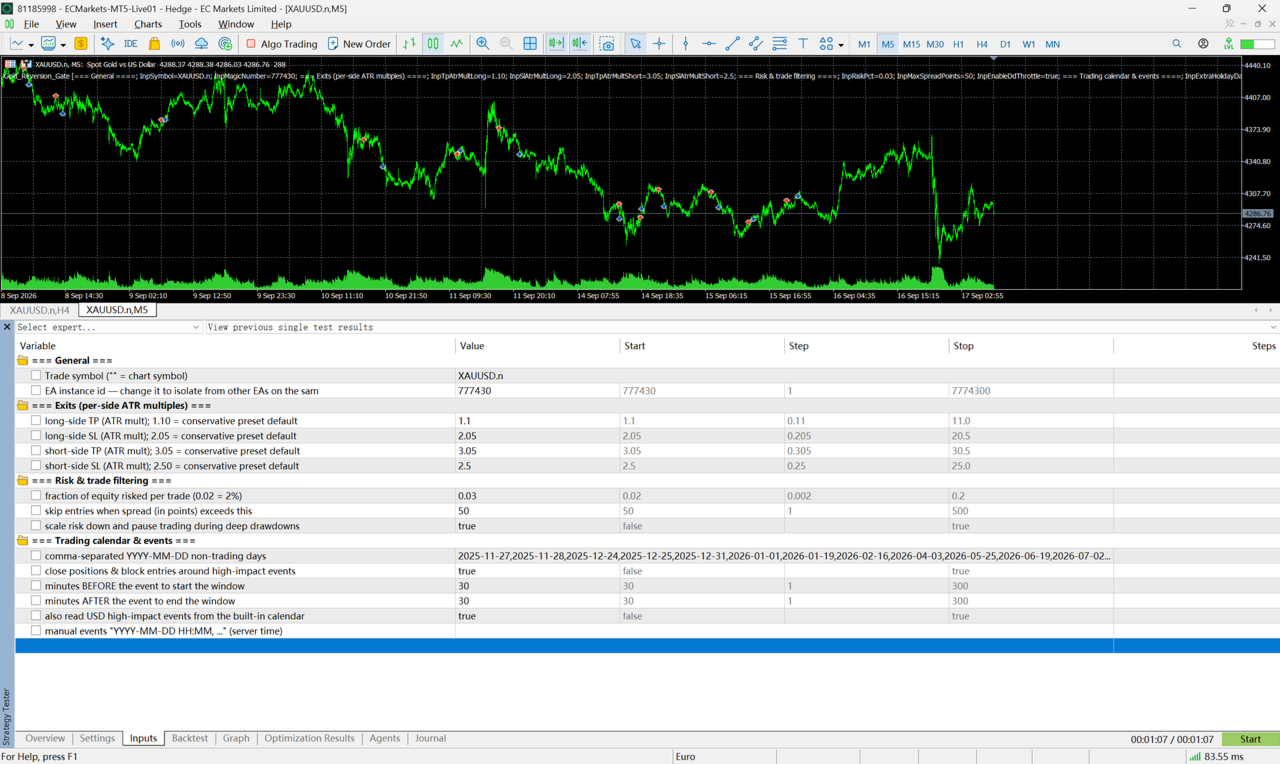
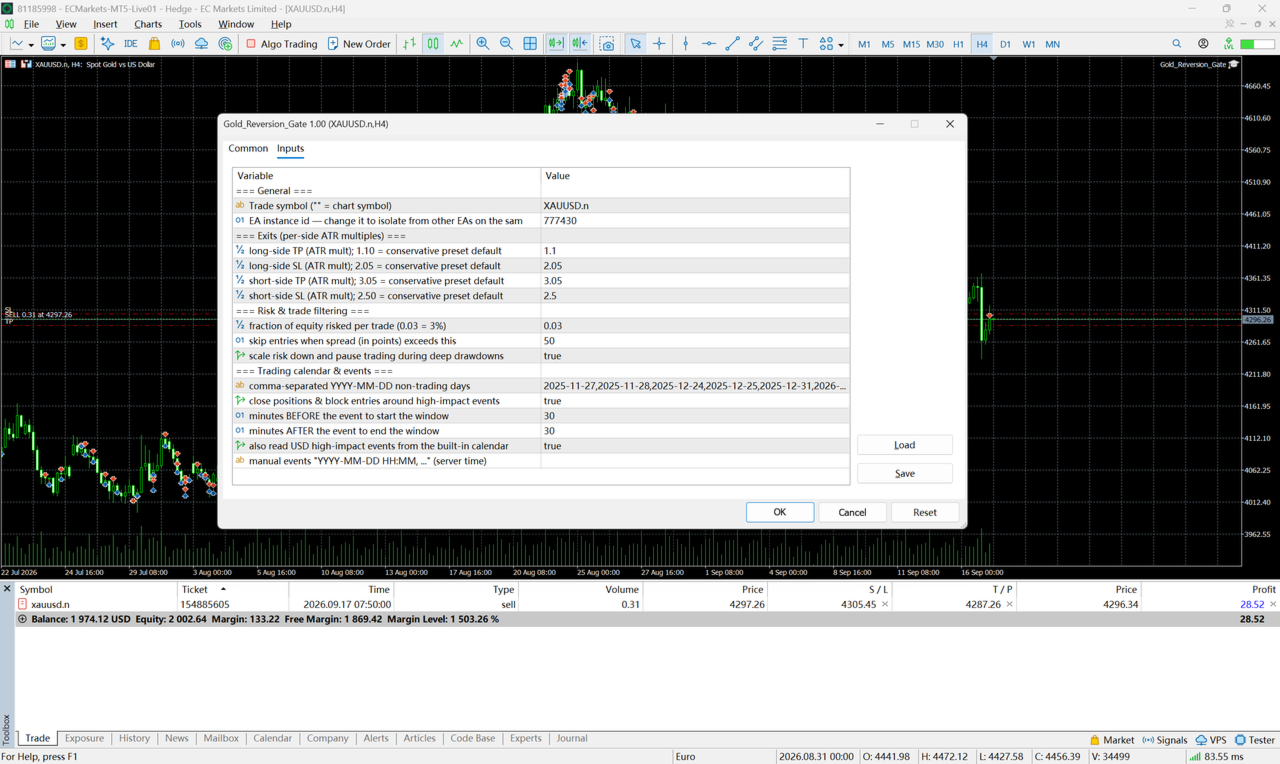
The terminal groups the inputs into four sections; the defaults below are the values the strategy was developed and validated with.
=== General ===
| Input | Default | Description |
|---|---|---|
| InpSymbol | (empty) | Symbol to trade. Empty = use the chart symbol. |
| InpMagicNumber | 777430 | Instance identifier. Change it if you run more than one copy on the same account. |
=== Exits (per-side ATR multiples) ===
| Input | Default | Description |
|---|---|---|
| InpTpAtrMultLong | 1.10 | Long take-profit, in ATR multiples. |
| InpSlAtrMultLong | 2.05 | Long stop-loss, in ATR multiples. |
| InpTpAtrMultShort | 3.05 | Short take-profit, in ATR multiples. |
| InpSlAtrMultShort | 2.50 | Short stop-loss, in ATR multiples. |
=== Risk & trade filtering ===
| Input | Default | Description |
|---|---|---|
| InpRiskPct | 0.03 | Fraction of account equity risked per trade. |
| InpMaxSpreadPoints | 50 | Skip entries when the spread exceeds this many points. |
| InpEnableDdThrottle | true | Scale risk down, and pause during deep drawdowns. |
=== Trading calendar & events ===
| Input | Default | Description |
|---|---|---|
| InpExtraHolidayDates | (list) | Comma-separated YYYY-MM-DD dates treated as non-trading days. Extend it for future years. |
| InpEnableNewsFilter | true | Close positions and block entries around high-impact events. |
| InpNewsBeforeMin | 30 | Minutes before an event that the window opens. |
| InpNewsAfterMin | 30 | Minutes after an event that the window closes. |
| InpUseCalendarEvents | true | Read USD high-impact events from the built-in MetaTrader 5 calendar. |
| InpExtraNewsTimes | (empty) | Manual event list, YYYY-MM-DD HH:MM in server time, comma-separated — for events the calendar does not carry. |
The remaining strategy parameters — the rule gate's internals — are intentionally fixed so that live behaviour matches the configuration the strategy was developed and validated with. Every input carries an English tooltip in the terminal.
Before you buy
- Past performance — in backtests or on live accounts — does not indicate future results.
- The two sides are deliberately asymmetric: the long side targets a smaller move than its stop, while the short side targets a larger move than its stop (see the input table). Do not judge either side on a handful of trades — losing streaks are a normal part of this kind of distribution, not necessarily a fault.
- Mean reversion is a ranging-market behaviour and is unsuited to strong sustained trends. The built-in filters reduce, but cannot eliminate, that exposure.
- Please test on a demo account with your own broker's feed and spreads before committing real capital.
- Trade only with money you can afford to lose.